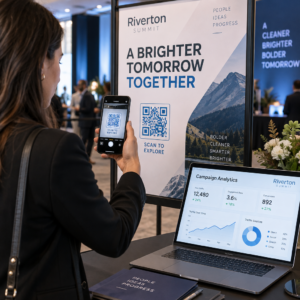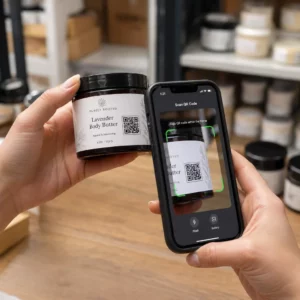
Narių identifikavimo valdymas popierinėmis kortelėmis ar rankiniais registracijos sąrašais lėtina jus? Pamestos kortelės, ilgos eilės ir negalėjimas patikrinti narystės statuso realiuoju laiku sukelia tikrą trintį tiek personalui, tiek nariams. Šis vadovas padės jums įdiegti skaitmenines narystės korteles su QR kodais – nuo unikalių kodų generavimo iki jų nuskaitymo prie durų ir narių duomenų saugumo užtikrinimo.
Kodėl QR kodai puikiai tinka narystės kortelėms
Tradicinės plastikinės ar popierinės narystės kortelės turi vieną bendrą problemą: jos turi statinę informaciją, susidėvi, pasimeta ir nesuteikia jokios informacijos apie tai, kaip nariai jas naudoja. QR kodas skaitmeninėje narystės kortelėje visa tai išsprendžia.
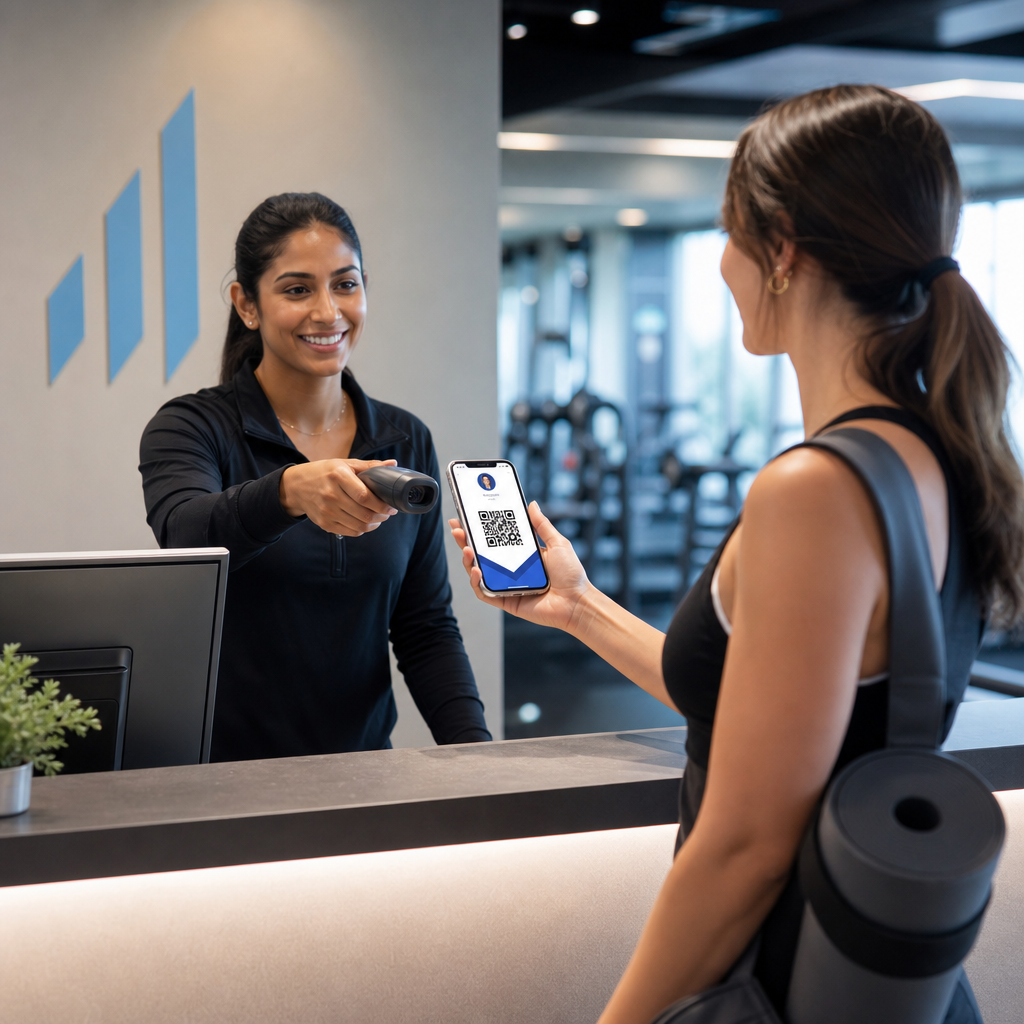
Kai narys pateikia savo kortelę – telefone, piniginės programėlėje ar net atspausdintą ant popieriaus – personalas tiesiog nuskaito QR kodą. Skaitytuvas nuskaito unikalų identifikatorių, susietą su to nario įrašu jūsų sistemoje, patvirtina jo statusą ir užregistruoja prisijungimą. Visas procesas trunka sekundes.
Apytiksliai 99,5 milijono išmaniųjų telefonų naudotojų Jungtinėse Valstijose nuskenavo QR kodus 2025 m., o tai yra 19% padidėjimas, palyginti su 2022 m. Jūsų nariai beveik neabejotinai jau žino, kaip juo naudotis. Be patogumo, QR pagrindu veikiančios narystės kortelės suteikia jums tai, ko fizinės kortelės niekada negalėjo: duomenis. Galite stebėti, kada nariai prisijungia, kaip dažnai jie lankosi ir kokias vietas ar renginius jie lanko – informacija, kuri padeda priimti geresnius sprendimus dėl personalo, programų ir narių įsitraukimo.
Kaip veikia patvirtinimo procesas
Srauto supratimas padeda sukurti sistemą, kuri tinka jūsų organizacijai. Štai kas vyksta nuo to momento, kai narys įeina, iki to momento, kai jam leidžiama įeiti.
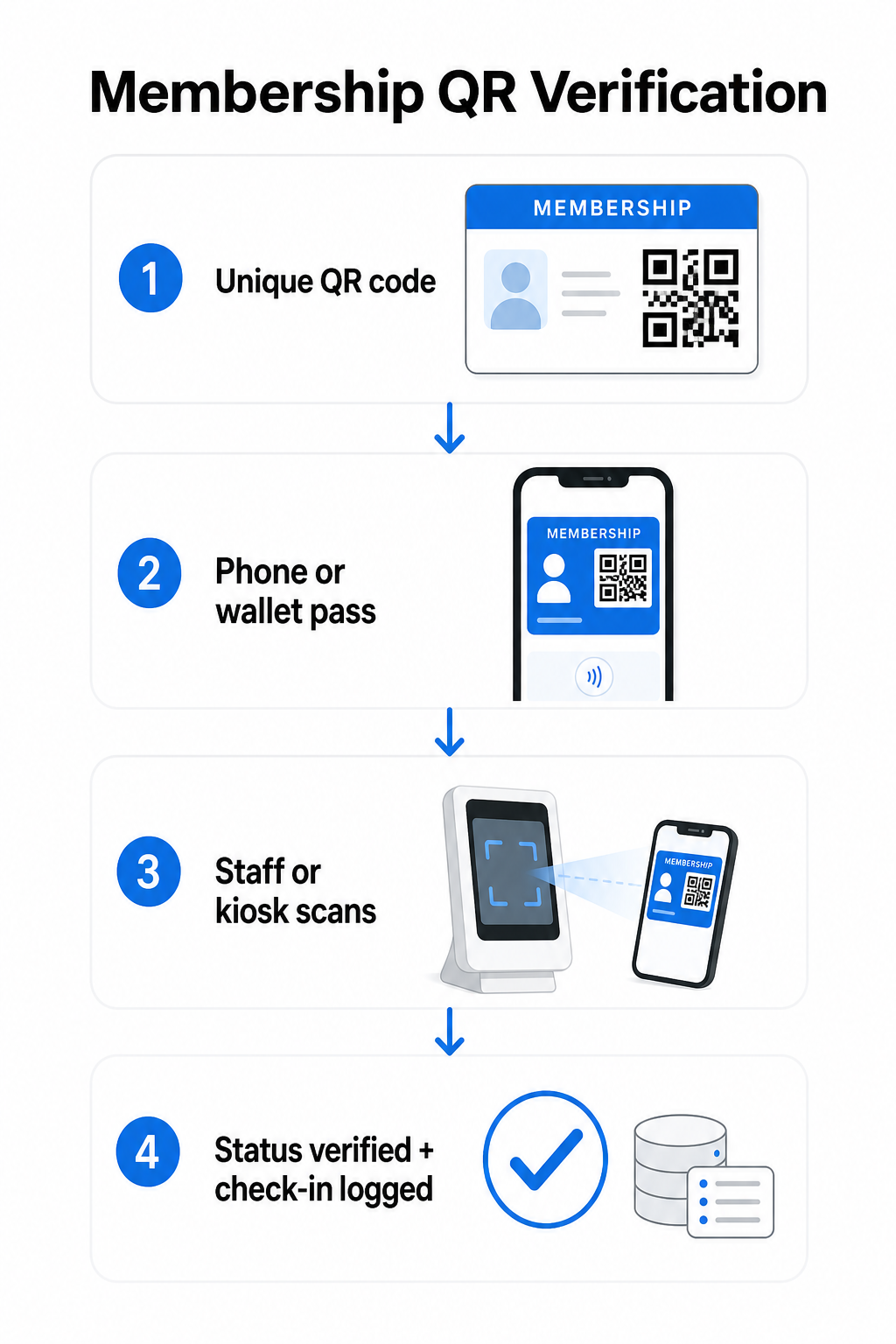
Kiekvienam nariui registracijos ar įvedimo metu priskiriamas unikalus QR kodas. Šis kodas užkoduoja saugų identifikatorių – ne tiesiogiai nario asmeninę informaciją, o nuorodą, kurią jūsų sistema gali rasti. Narys pateikia savo QR kodą atidarydamas savo skaitmeninę kortelę telefone, parodydamas atspausdintą kortelę arba rodydamas leidimą iš „Apple Wallet“ ar „Google Wallet“. Tada personalas ar kioskas nuskaito kodą naudodami išmaniojo telefono kamerą, specialų brūkšninių kodų skaitytuvą arba įrankį, pvz., „Pageloot“ QR kodų skaitytuvas.
Sistema patvirtina kredencialus – patvirtindama narystės statusą, prieigos lygį, galiojimo datą ar bet kokius kitus jūsų sukonfigūruotus leidimus – prieš suteikdama ar pažymėdama įėjimą ir įrašydama prisijungimą į jūsų narystės duomenų bazę. Taip pat galite įdėti laiko ar srities taisykles, pavyzdžiui, leidžiant prieigą tik darbo valandomis arba apribojant tam tikrus narių lygius konkrečioms patalpoms.
Šis procesas veikia, nesvarbu, ar valdote sporto salę, profesinę asociaciją, klubą, ar bet kurią organizaciją, kuriai reikia patikrinti, kas įeina pro duris.
Pradėkite generuoti narystės QR kodus Sukurkite unikalius, sekamus QR kodus kiekvienam nariui su „Pageloot“ QR kodų generatorius. Nemokamas 14 dienų bandomasis laikotarpis, nereikia kredito kortelės.
Pasirinkimas tarp statinių ir dinaminių QR kodų
Ne visi QR kodai veikia vienodai, o skirtumas yra svarbus narystės valdymui.
Statiniai QR kodai užkoduoja informaciją visam laikui kūrimo metu. Atspausdinus, duomenys viduje negali pasikeisti. Jie tinka paprastiems naudojimo atvejams, tačiau jei nario statusas pasikeičia – tarkime, jo narystė pasibaigia arba jis pereina į aukštesnį lygį – negalite atnaujinti kodo. Jums reikėtų išduoti visiškai naują.
Dinaminiai QR kodai viduje saugo trumpą peradresavimą ir nukreipia į paskirties vietą, kurią galite atnaujinti bet kuriuo metu, neperspausdinant kodo. Narystės kortelėms tai reiškia, kad galite pakeisti tai, ką grąžina nuskaitymas – atnaujintus prieigos lygius, atnaujintą galiojimo datą arba pakeistą nario profilį – neišduodami naujos kortelės. Dinaminiai QR kodai taip pat yra sekami, suteikiantys nuskaitymo lygio analizę, įskaitant laiką, vietą ir įrenginio duomenis. Organizacijoms, valdančioms dešimtis ar šimtus narių, toks matomumas yra tikrai naudingas.
| FUNKCIJA | Statinis QR kodas | Dinaminis QR kodas |
|---|---|---|
| Atnaujinama po spausdinimo | Ne | Taip |
| Nuskaitymų analizė | Ne | Taip |
| Veikia, jei nario statusas pasikeičia | Reikia išduoti iš naujo | Atnaujinti paskirties vietą, tas pats kodas |
| Išlaidos | Laisvas | Reikalinga mokama prenumerata |
Daugumai narystės programų dinaminiai QR kodai yra tinkamas pasirinkimas. Statiniai kodai yra priimtini tik tuo atveju, jei jūsų narystės duomenys niekada nesikeičia ir jums nereikia stebėjimo.
Kaip sukurti narystės QR kodus naudojant Pageloot
Štai praktinis žingsnis po žingsnio metodas, kaip generuoti ir platinti QR kodus savo nariams.
1 žingsnis: Pasirinkite savo QR kodo tipą. Prisijunkite prie Pageloot ir pasirinkite QR kodo tipą, kuris atitinka tai, ką norite, kad nariai pasiektų – URL, susiejantį su jų nario profiliu, vCard su kontaktiniais ir narystės duomenimis, arba formą prisijungimo patvirtinimui. Pageloot palaiko daugiau nei 25 QR kodų tipus, kad galėtumėte suderinti formatą su savo esamu darbo eiga.
2 žingsnis: Įveskite nario informaciją. Kiekvienam nariui reikia unikalaus kodo. Jei susiejate su individualiais narių profiliais arba ID, įsitikinkite, kad kiekvienas QR kodas nukreipia į unikalų identifikatorių, o ne į bendrą bendrinamą turinį.
3 žingsnis: Tinkinkite dizainą. Pridėkite savo organizacijos logotipą ir prekės ženklo spalvas. Atpažįstamas kortelės dizainas didina narių pasitikėjimą ir sumažina sukčiavimo tikimybę. Patį QR kodą laikykite didelio kontrasto – tamsus priekinis planas ant šviesaus fono – ir užtikrinkite, kad jis atitiktų minimalų spausdinimo dydį 0,8 × 0,8 colio, skirtą artimam nuskaitymui.
4 žingsnis: Atsisiųskite ir platinkite. Pageloot teikia spausdinimui paruoštus failus .SVG, .PDF ir .EPS formatais. Galite įterpti QR kodą į skaitmeninės kortelės dizainą, išsiųsti jį tiesiogiai nariams arba leisti jiems pridėti jį prie „Apple Wallet“ arba „Google Wallet“ kaip leidimą.
5 žingsnis: Organizuokite savo kodus. Naudokite Pageloot QR kodų aplankai sugrupuoti narių kodus pagal narystės lygį, vietą arba atnaujinimo ciklą. Tai padeda išlaikyti jūsų prietaisų skydelį valdomą, kai auga jūsų narių sąrašas.
Stebėkite kiekvieno nario registraciją Stebėkite nuskaitymo duomenis visoje savo narystėje iš vieno prietaisų skydelio. „Pageloot“ QR kodų generatorius leidžia jums kurti dinaminius, sekamus kodus ir juos atnaujinti bet kuriuo metu be pakartotinio spausdinimo.
Kortelių platinimas nariams
Sukūrus kodus, turite keletą galimybių, kaip juos perduoti nariams.
- Pristatymas el. paštu: Išsiųskite kiekvienam nariui skaitmeninės kortelės vaizdą arba PDF, kuriame yra jų unikalus QR kodas. Tai veikia iš karto ir nieko nekainuoja platinti.
- „Apple Wallet“ ir „Google Wallet“: Nariai gali pridėti narystės leidimą tiesiai į savo telefono piniginės programėlę. „Apple Wallet“ saugo leidimus `.pkpass` formatu, kuriame gali būti QR kodas ir nario duomenys. „Google Wallet“ palaiko panašią funkciją per savo „Passes API“. Pridėjęs, narys atidaro leidimą ir pateikia QR kodą nuskaitymui prie durų.
- Spausdintos kortelės: Nariams, kurie pageidauja fizinės kortelės, arba įėjimo punktams, kur telefonai nėra praktiški, galite atspausdinti QR kodą ant standartinės kortelės. Naudokite aukštos kokybės spausdinimą, kad išsaugotumėte nuskaitymo galimybę.
- Rodymas programėlėje arba portale: Jei jūsų organizacija turi narių portalą arba programėlę, rodyti QR kodą tiesiogiai joje, kad nariai visada turėtų prieigą neatsisiųsdami atskiro failo.
Dalyvavimui skirtoms programoms – pamokoms, seminarams ar pasikartojantiems renginiams – skirtas QR kodo lankomumo sistema leidžia nariams patiems nuskaityti savo įėjimą, užuot laukus, kol darbuotojai nuskaitys jų korteles, o tai gali žymiai sutrumpinti įėjimo laiką.
QR kodo dizaino reikalavimai patikimam nuskaitymui
Narystės kortelės QR kodas, kurio nepavyksta nuskaityti prie durų, sukelia trintį ir mažina narių pasitikėjimą. Laikykitės šių techninių reikalavimų, kad užtikrintumėte nuoseklų veikimą.
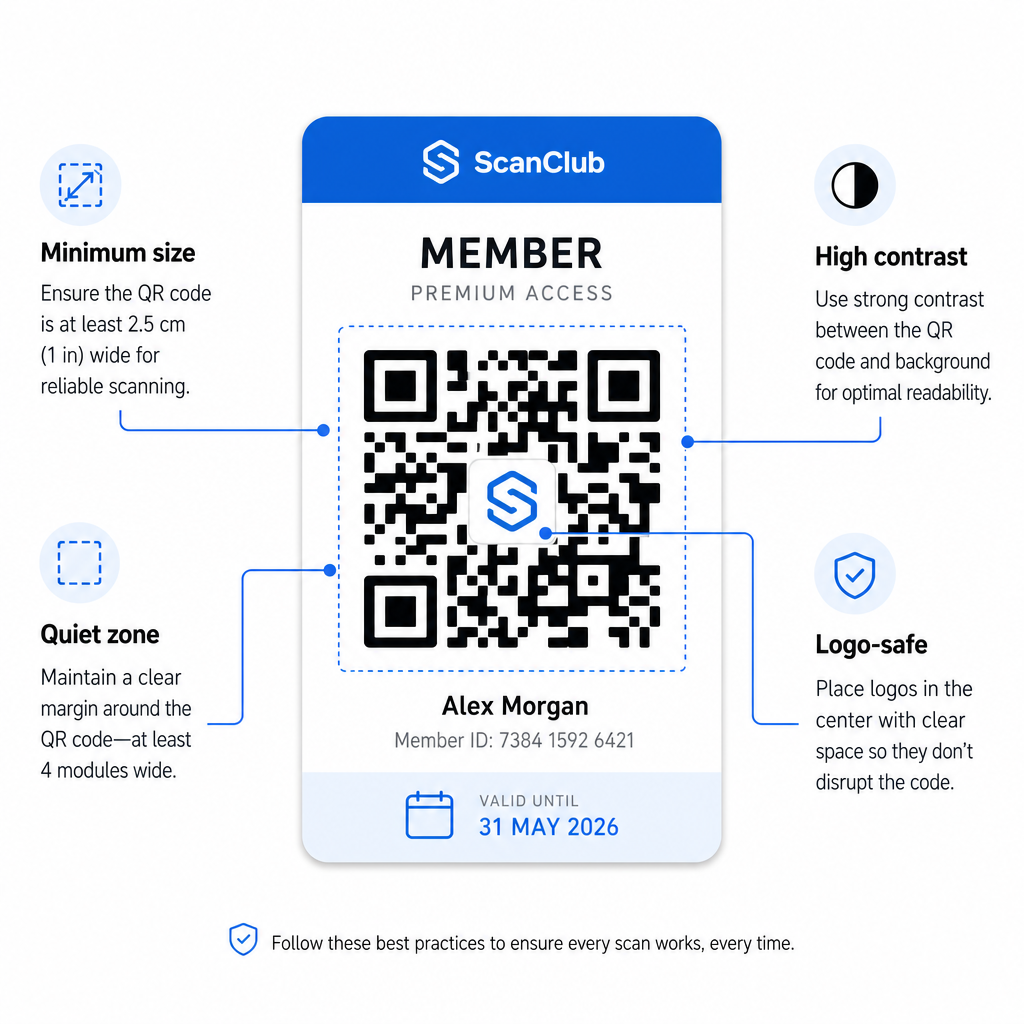
- Mažiausias dydis: Spausdinkite QR kodus ne mažesnius nei 0,8 × 0,8 colio (2 cm × 2 cm), skirtus artimam nuskaitymui. Taikykite 10:1 atstumo taisyklę – kiekvieniems 10 colių tarp skaitytuvo ir kodo, kodas turėtų būti bent 1 colio pločio.
- Tylioji zona: Išlaikykite bent 4 modulius tuščios vietos visose QR kodo pusėse. Ši paraštė leidžia skaitytuvams nustatyti, kur kodas prasideda ir baigiasi.
- Kontrastas: Naudokite tamsų priekinį planą ant šviesaus fono su minimaliu kontrasto santykiu 4:1. Venkite dėti QR kodo ant paveikslėlių ar užimtų raštų, kurie mažina skaitomumą.
- Klaidų taisymas: Jei įtraukiate savo organizacijos logotipą į QR kodą, naudokite H lygio klaidų taisymą, kuris suteikia iki 30% atkūrimo pajėgumų. Tai kompensuoja kodo dalį, vizualiai uždengtą logotipu.
- Išbandykite prieš platindami: Nuskaitykite kiekvieną kodo šabloną keliais įrenginiais ir skirtingomis apšvietimo sąlygomis prieš jį išleidžiant nariams.
Šie patys principai taikomi visose fizinėse vietose. QR kodai sporto salėms ir sveikatingumo vadovas aprašo, kaip sporto įstaigos konkrečiai tvarko didelio tūrio nuskaitymo aplinkas.
Saugumo aspektai narių QR kodams
Narystės kortelės dažnai suteikia realias prieigos teises – prie patalpų, renginių ar nuolaidų – todėl saugumas nėra pasirinktinis. Prastai suprojektuota QR sistema gali būti nukopijuota, nufotografuota arba bendrinama.
- Užkoduokite saugų identifikatorių, o ne asmens duomenis. QR kode turėtų būti neaiški nuoroda – pvz., kriptografiškai maišytas nario ID – o ne vardas, el. pašto adresas ar kita asmeninė informacija. Jei kas nors nufotografuoja QR kodą, jie neturėtų gauti tiesioginės prieigos prie nario duomenų.
- Naudokite laiko ribotus arba vienkartinius kodus didelio saugumo scenarijams. Renginiams ar vienkartinės prieigos situacijoms generuokite kodus, kurie pasibaigia po trumpo laikotarpio arba tampa negaliojančiais po vieno nuskaitymo. Tai apsaugo nuo kodų kopijavimo ar persiuntimo.
- Naudokite dinaminius QR kodus nuolatinėms narystėms. Kadangi dinaminiai kodai nukreipia į serverio pusės paskirties vietą, galite akimirksniu anuliuoti pasibaigusią arba pažeistą narystę – nereikia naujos kortelės.
- Palaikykite audito seką. Registruokite kiekvieną nuskaitymą su laiko žyma ir vieta. Tai padeda jums nustatyti neįprastus modelius, pvz., kai vienas kodas nuskaitomas iš dviejų vietų vienu metu.
- Laikykitės duomenų apsaugos reglamentų. Jei jūsų narystės kortelės arba nuskaitymo žurnalai turi asmeninę informaciją, užtikrinkite, kad jūsų sistema atitiktų galiojančius privatumo įstatymus. Dirbkite su tiekėjais, kurie taiko duomenų minimizavimą ir turi aiškias duomenų saugojimo politikas.
Organizacijoms, tvarkančioms jautrius narystės duomenis, saugumo gairės yra nuoseklios: QR kodai, naudojami autentifikavimui, turėtų turėti tik nepermatomus identifikatorius, o ne asmeninę informaciją, ir kodai turėtų būti riboto galiojimo ir dinamiškai generuojami, kai tik įmanoma.
QR narystės kortelių jungimas prie lojalumo programų
Narystės kortelės ir lojalumo programos dažnai persidengia. Jei jūsų organizacija apdovanoja narių įsitraukimą – per taškus, apsilankymų etapus arba pakopines privilegijas – QR pagrindu sukurta kortelė gali atlikti abi funkcijas vienu metu.
Kai narys nuskaito, tas įvykis gali suaktyvinti taškų kreditą, atnaujinti jų apsilankymų skaičių arba atrakinti naują privilegijų pakopą. Tai visiškai pašalina atskiros lojalumo kortelės poreikį. Vadovas apie kaip nustatyti QR kodo lojalumo programas paaiškina, kaip struktūrizuoti apdovanojimus kartu su narystės sistema. Norėdami palyginti skaitmeninius ir fizinius metodus, QR kodų ir tradicinių lojalumo kortelių palyginimas išsamiai apima praktinius kompromisus.
Jei jūsų programa apima renginius su bilietais, ta pati QR infrastruktūra taikoma ir ten. QR kodų renginių bilietams vadovas paaiškina, kaip išplėsti savo nustatymus, kad apimtų renginiams skirtą prieigą ir registraciją.
Skaitmeninės narystės kortelės su QR kodais sumažina administracines išlaidas, suteikia nariams patogesnę patirtį ir suteikia jūsų organizacijai realius duomenis apie įsitraukimą ir lankomumą. Pagrindiniai sprendimai – statiniai prieš dinaminius kodus, savarankiškas nuskaitymas prieš personalo nuskaitymą, piniginės integravimas prieš pristatymą el. paštu – priklauso nuo jūsų narių skaičiaus ir veiklos nustatymų, tačiau pagrindiniai įrankiai yra prieinami nepriklausomai nuo organizacijos dydžio. Pradėkite nuo dinaminių kodų, kurkite atsižvelgdami į nuskaitymo galimybes ir sukurkite savo platinimo metodą atsižvelgdami į tai, kaip iš tikrųjų elgiasi jūsų nariai.
Sukurkite savo narystės kortelių sistemą Generuokite, pritaikykite ir valdykite QR kodus kiekvienam nariui iš vieno prietaisų skydelio. Išbandykite „Pageloot“ QR kodų generatorius nemokamai 14 dienų – nereikia kredito kortelės.
Dažniausiai užduodami klausimai
Taip. Nariai gali saugoti savo QR kodą kaip bilietą „Apple Wallet“ arba „Google Wallet“, kuriam.
Su dinaminiais QR kodais iškart atnaujinate paskirties vietą arba narystės statusą savo prietaisų skydelyje. Pati fizinė ar skaitmeninė kortelė nesikeičia, tačiau kitą kartą ją nuskenavus, jūsų sistema grąžina atnaujintą statusą – pasibaigusį, sustabdytą arba atnaujintą – neišduodant naujos kortelės nariui.
Pageloot leidžia jums kurti ir valdyti QR kodus masiškai, suskirstytus į aplankus pagal narystės lygį, vietą arba atnaujinimo laikotarpį. Centralizuotas valdymo pultas teikia nuskaitymo analizę ir valdymo įrankius visiems jūsų kodams vienoje vietoje. Apsilankykite Pageloot QR kodo generatoriaus puslapyje, kad gautumėte išsamią informaciją apie planui būdingus apribojimus ir funkcijas.