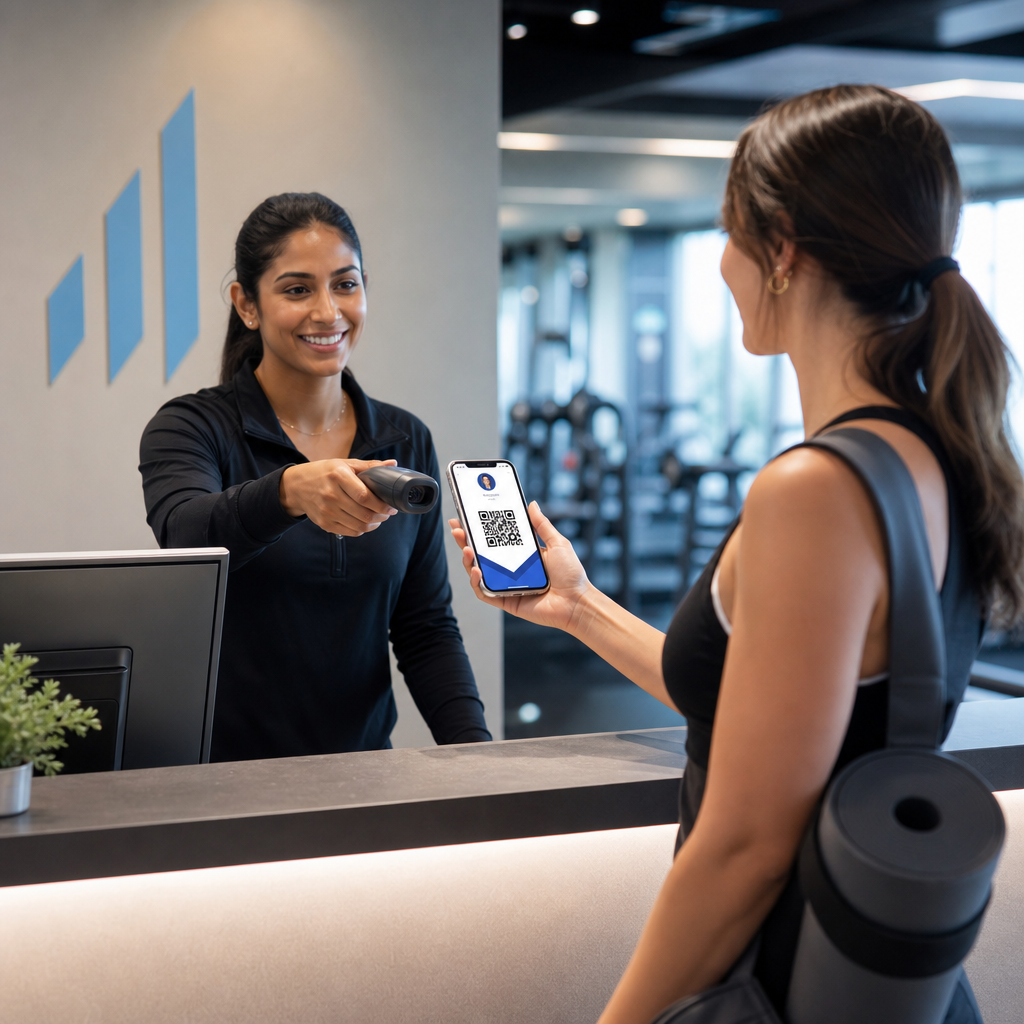
Gestire l'identificazione dei membri con tessere cartacee o liste di controllo manuali ti rallenta? Tessere perse, lunghe code e nessun modo per verificare lo stato di iscrizione in tempo reale creano reali attriti sia per il personale che per i membri. Questa guida ti illustra come implementare tessere associative digitali con codici QR – dalla generazione di codici unici alla loro scansione all'ingresso e alla protezione dei dati dei membri.
Perché i codici QR funzionano bene per le tessere associative
Le tradizionali tessere associative in plastica o cartacee condividono un problema fisso: contengono informazioni statiche, si usurano, si perdono e non ti danno alcuna informazione su come i membri le stanno utilizzando. Un codice QR su una tessera associativa digitale risolve tutto questo.
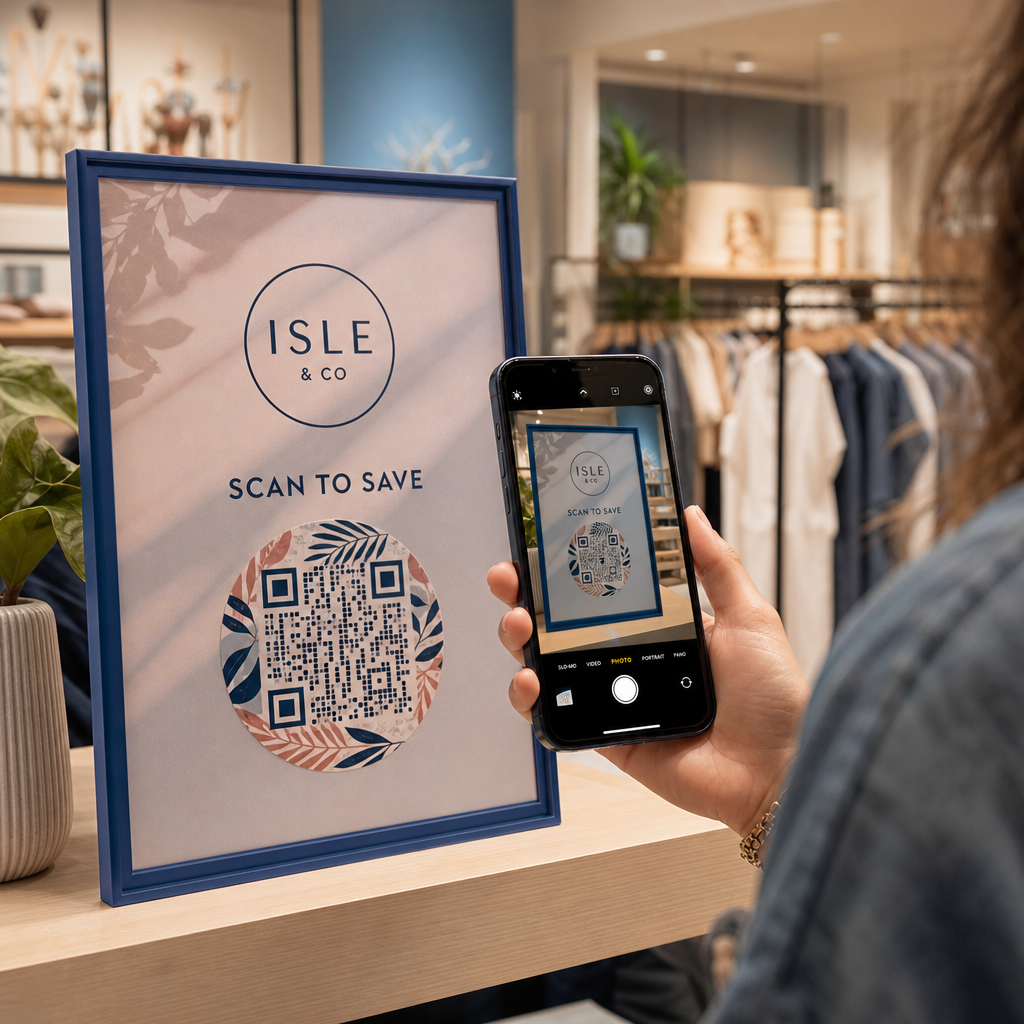
Quando un membro presenta la propria tessera – sul proprio telefono, nell'app del portafoglio, o anche stampata su carta – il personale scansiona semplicemente il codice QR. Lo scanner legge un identificatore unico collegato al record di quel membro nel tuo sistema, ne conferma lo stato e registra il check-in. L'intero processo richiede pochi secondi.
Circa 99,5 milioni di utenti di smartphone negli Stati Uniti hanno scansionato codici QR nel 2025, un aumento del 19% rispetto al 2022. I tuoi membri sanno quasi certamente già come usarne uno. Oltre alla comodità, le tessere associative basate su QR ti offrono qualcosa che le tessere fisiche non potrebbero mai: dati. Puoi tracciare quando i membri effettuano il check-in, con quale frequenza visitano e quali luoghi o eventi frequentano – informazioni che ti aiutano a prendere decisioni migliori riguardo al personale, alla programmazione e al coinvolgimento dei membri.
Come funziona il processo di verifica
Comprendere il flusso ti aiuta a progettare un sistema adatto alla tua organizzazione. Ecco cosa succede dal momento in cui un membro entra al momento in cui gli viene concesso l'accesso.
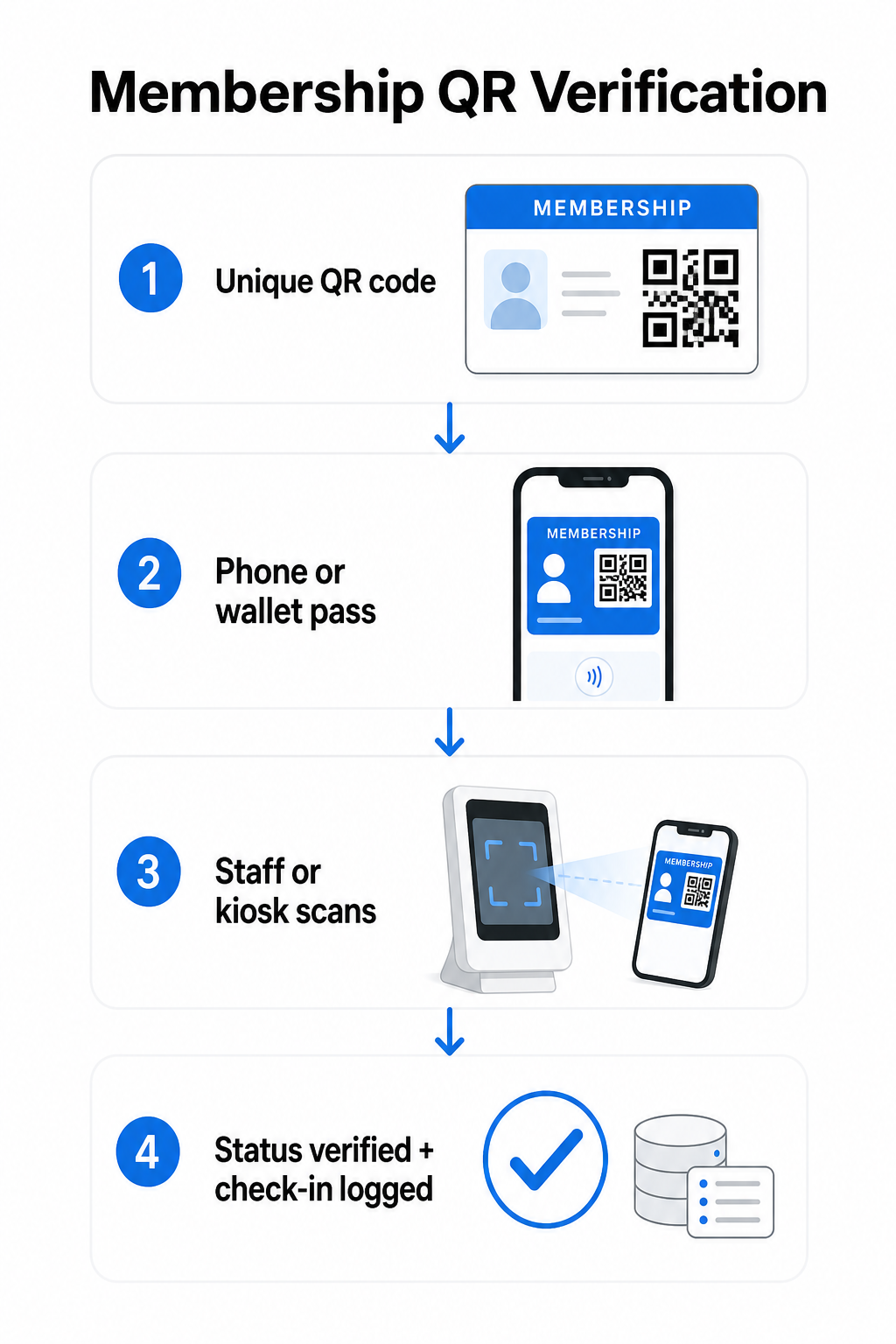
Un codice QR unico viene assegnato a ciascun membro durante l'iscrizione o l'onboarding. Questo codice codifica un identificatore sicuro – non le informazioni personali del membro direttamente, ma un riferimento che il tuo sistema può consultare. Il membro presenta il proprio codice QR aprendo la propria tessera digitale su un telefono, mostrando una tessera stampata o visualizzando un pass da Apple Wallet o Google Wallet. Il personale o un chiosco scansiona quindi il codice utilizzando la fotocamera di uno smartphone, uno scanner di codici a barre dedicato o uno strumento come il Pageloot QR Code Scanner.
Il sistema convalida la credenziale – confermando lo stato di iscrizione, il livello di accesso, la data di scadenza o qualsiasi altra autorizzazione che hai configurato – prima di concedere o segnalare l'ingresso e registrare il check-in nel tuo database associativo. Puoi anche aggiungere regole basate sul tempo o specifiche per area, ad esempio consentendo l'accesso solo durante l'orario di lavoro o limitando determinati livelli di membri a strutture specifiche.
Questo processo funziona sia che tu gestisca una palestra, un'associazione professionale, un club o qualsiasi organizzazione che abbia bisogno di verificare chi sta entrando.
Inizia a generare codici QR per l'iscrizione Crea codici QR unici e tracciabili per ogni membro con il Generatore di codici QR di Pageloot. Prova gratuita di 14 giorni, nessuna carta di credito richiesta.
Scegliere tra codici QR statici e dinamici
Non tutti i codici QR si comportano allo stesso modo, e la distinzione è importante per la gestione delle iscrizioni.
Codici QR statici codificano le informazioni in modo permanente al momento della creazione. Una volta stampati, i dati al loro interno non possono cambiare. Funzionano per casi d'uso semplici, ma se lo stato di un membro cambia – ad esempio, la sua iscrizione scade o passa a un livello superiore – non puoi aggiornare il codice. Dovresti emetterne uno nuovo completamente.
Codici QR dinamici memorizzano un breve reindirizzamento interno e puntano a una destinazione che puoi aggiornare in qualsiasi momento, senza ristampare il codice. Per le tessere associative, questo significa che puoi cambiare ciò che una scansione restituisce – livelli di accesso aggiornati, una data di scadenza rinnovata o un profilo membro rivisto – senza emettere una nuova tessera. I codici QR dinamici sono anche tracciabili, fornendoti analisi a livello di scansione che includono dati su tempo, posizione e dispositivo. Per le organizzazioni che gestiscono decine o centinaia di membri, quella visibilità è davvero utile.
| FUNZIONE | Codice QR statico | Codice QR dinamico |
|---|---|---|
| Aggiornabile dopo la stampa | No | Sì |
| Analisi delle scansioni | No | Sì |
| Funziona se lo stato del membro cambia | Richiede una nuova emissione | Aggiorna destinazione, stesso codice |
| Costo | Gratuito | Abbonamento a pagamento richiesto |
Per la maggior parte dei programmi di iscrizione, i codici QR dinamici sono la scelta giusta. I codici statici sono accettabili solo se i dettagli della tua iscrizione non cambiano mai e non hai bisogno di tracciamento.
Come creare codici QR per l'iscrizione con Pageloot
Ecco un approccio pratico passo-passo per generare e distribuire codici QR per i tuoi membri.
Passo 1: Scegli il tipo di codice QR. Accedi a Pageloot e seleziona il tipo di codice QR che corrisponde a ciò che vuoi che i membri accedano – un URL che collega al loro profilo membro, una vCard con dettagli di contatto e iscrizione, o un modulo per la conferma del check-in. Pageloot supporta più di 25 tipi di codici QR, in modo da poter abbinare il formato al tuo flusso di lavoro esistente.
Passaggio 2: Inserisci le informazioni specifiche del membro. Ogni membro necessita di un codice unico. Se stai collegando a profili o ID di membri individuali, assicurati che ogni codice QR punti a un identificatore unico piuttosto che a contenuti generici condivisi.
Passaggio 3: Personalizza il design. Aggiungi il logo della tua organizzazione e i colori del marchio. Un design riconoscibile della carta crea fiducia nei membri e riduce la probabilità di frode. Mantieni il codice QR stesso ad alto contrasto – sfondo scuro su sfondo chiaro – e assicurati che soddisfi la dimensione minima di stampa di 0,8 × 0,8 pollici per la scansione ravvicinata.
Passaggio 4: Scarica e distribuisci. Pageloot fornisce file pronti per la stampa nei formati .SVG, .PDF ed .EPS. Puoi incorporare il codice QR in un design di carta digitale, inviarlo via email direttamente ai membri, o farli aggiungere ad Apple Wallet o Google Wallet come pass.
Passaggio 5: Organizza i tuoi codici. Usa di Pageloot Cartelle per QR code per raggruppare i codici dei membri per livello di iscrizione, posizione o ciclo di rinnovo. Questo mantiene la tua dashboard gestibile man mano che la tua lista di membri cresce.
Traccia ogni check-in del membro Monitora i dati di scansione di tutta la tua iscrizione da un'unica dashboard. Il Generatore di codici QR di Pageloot ti consente di creare codici dinamici e tracciabili e di aggiornarli in qualsiasi momento senza ristampare.
Distribuzione delle carte ai membri
Una volta generati i codici, hai diverse opzioni per farli arrivare nelle mani dei membri.
- Consegna via email: Invia a ogni membro un'immagine di carta digitale o un PDF contenente il loro codice QR unico. Questo funziona immediatamente e non costa nulla da distribuire.
- Apple Wallet e Google Wallet: I membri possono aggiungere un pass di iscrizione direttamente all'app wallet del loro telefono. Apple Wallet memorizza i pass nel formato `.pkpass`, che può includere un codice QR e i dettagli del membro. Google Wallet supporta funzionalità simili tramite la sua API Passes. Una volta aggiunto, il membro apre il pass e presenta il codice QR per la scansione all'ingresso.
- Carte stampate: Per i membri che preferiscono una carta fisica, o per i punti di ingresso dove i telefoni non sono pratici, puoi stampare il codice QR su una carta standard. Utilizza una stampa di alta qualità per preservare la scansionabilità.
- Visualizzazione in-app o nel portale: Se la tua organizzazione ha un portale membri o un'app, visualizza il codice QR direttamente al suo interno in modo che i membri abbiano sempre accesso senza scaricare un file separato.
Per programmi incentrati sulla partecipazione – corsi, workshop o eventi ricorrenti – un dedicato sistema di presenza con codice QR consente ai membri di scansionarsi da soli invece di aspettare che il personale scansioni le loro carte, il che può ridurre significativamente il tempo di ingresso.
Requisiti di progettazione del codice QR per una scansione affidabile
Un codice QR della tessera associativa che non riesce a essere scansionato all'ingresso crea attrito ed erode la fiducia del membro. Segui questi requisiti tecnici per garantire prestazioni costanti.
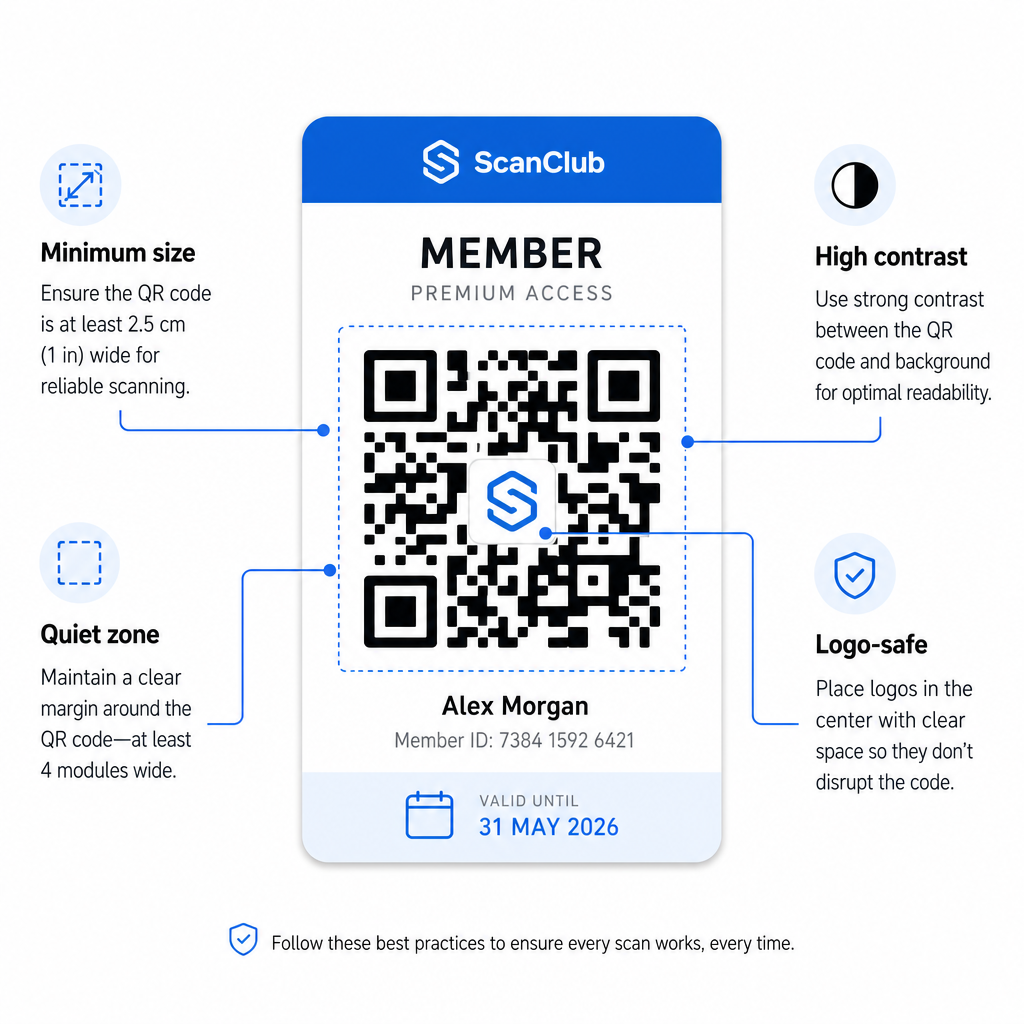
- Dimensione minima: Stampa i codici QR non più piccoli di 0,8 × 0,8 pollici (2 cm × 2 cm) per la scansione ravvicinata. Applica la regola 10:1 per la distanza – per ogni 10 pollici tra lo scanner e il codice, il codice dovrebbe essere largo almeno 1 pollice.
- Zona di silenzio: Mantieni almeno 4 moduli di spazio vuoto su tutti i lati del codice QR. Questo margine consente agli scanner di rilevare dove il codice inizia e finisce.
- Contrasto: Utilizza un primo piano scuro su uno sfondo chiaro con un rapporto di contrasto minimo di 4:1. Evita di posizionare il codice QR su immagini o motivi complessi che riducono la leggibilità.
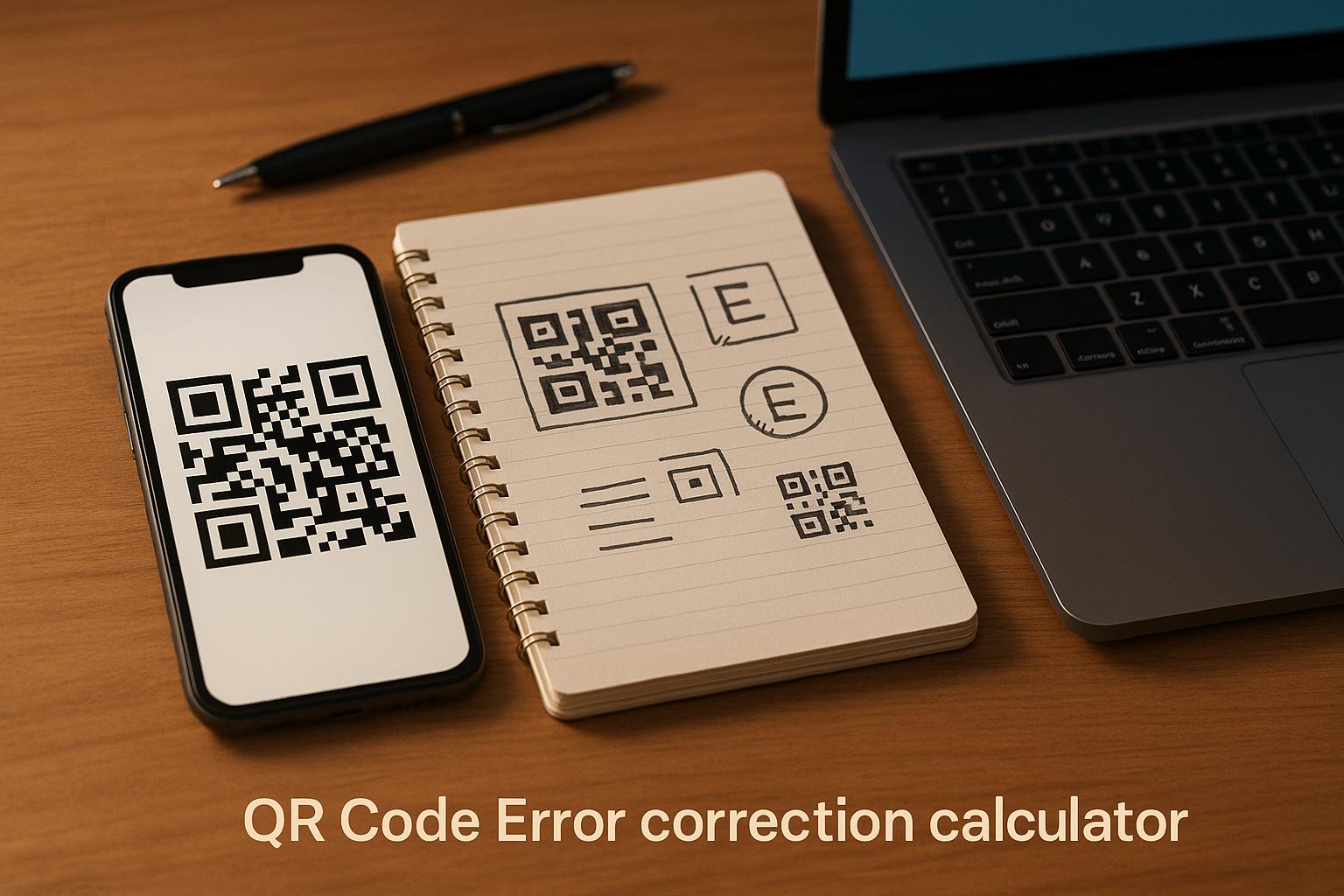
- Correzione errori: Se includi il logo della tua organizzazione all'interno del codice QR, utilizza la correzione degli errori di Livello H, che fornisce una capacità di recupero fino al 30%. Questo compensa la porzione del codice visivamente coperta dal logo.
- Testa prima di distribuire: Scansiona ogni modello di codice su più dispositivi e in diverse condizioni di illuminazione prima di distribuirlo ai membri.
Questi stessi principi si applicano a tutte le sedi fisiche. Il guida ai codici QR per palestre e benessere illustra come le strutture fitness gestiscono specificamente gli ambienti di scansione ad alto volume.
Considerazioni sulla sicurezza per i codici QR dei membri
Le tessere associative spesso conferiscono diritti di accesso reali – a strutture, eventi o sconti – quindi la sicurezza non è facoltativa. Un sistema QR mal progettato può essere copiato, fotografato o condiviso.
- Codifica un identificatore sicuro, non dati personali. Il codice QR dovrebbe contenere un riferimento opaco – come un ID membro crittograficamente hashato – piuttosto che un nome, un indirizzo email o altre informazioni personali. Se qualcuno fotografa il codice QR, non dovrebbe ottenere accesso diretto ai dati del membro.
- Utilizza codici a tempo limitato o monouso per scenari ad alta sicurezza. Per eventi o situazioni di accesso una tantum, genera codici che scadono dopo un breve periodo o diventano invalidi dopo una singola scansione. Questo impedisce la copia o l'inoltro dei codici.
- Usa codici QR dinamici per iscrizioni continue. Poiché i codici dinamici puntano a una destinazione lato server, puoi invalidare un'iscrizione scaduta o compromessa istantaneamente – nessuna nuova tessera richiesta.
- Mantieni un registro di controllo. Registra ogni scansione con un timestamp e una posizione. Questo ti aiuta a identificare schemi insoliti, come un singolo codice scansionato da due posizioni contemporaneamente.
- Conformati alle normative sulla protezione dei dati. Se le tue tessere associative o i registri di scansione contengono informazioni personali, assicurati che il tuo sistema sia conforme alle leggi sulla privacy applicabili. Collabora con fornitori che praticano la minimizzazione dei dati e hanno chiare politiche di conservazione dei dati.
Per le organizzazioni che gestiscono dati sensibili dei membri, le linee guida di sicurezza sono coerenti: i codici QR utilizzati per l'autenticazione dovrebbero contenere solo identificatori opachi, non informazioni personali, e i codici dovrebbero essere a tempo limitato e generati dinamicamente ove possibile.
Collegare le Tessere Associative QR ai Programmi Fedeltà
Le tessere associative e i programmi fedeltà spesso si sovrappongono. Se la tua organizzazione premia l'impegno dei membri – attraverso punti, traguardi di visita o vantaggi a livelli – una tessera basata su QR può svolgere entrambe le funzioni contemporaneamente.
Quando un membro effettua la scansione, tale evento può attivare un accredito di punti, aggiornare il loro conteggio delle visite o sbloccare un nuovo livello di vantaggi. Ciò elimina completamente la necessità di una tessera fedeltà separata. La guida su come impostare programmi fedeltà con codici QR illustra come strutturare i premi insieme a un sistema di iscrizione. Per un confronto affiancato degli approcci digitali e fisici, il Confronto tra codici QR e tessere fedeltà tradizionali copre in dettaglio i compromessi pratici.
Se il tuo programma include eventi con biglietto, la stessa infrastruttura QR si applica anche lì. La Guida ai codici QR per i biglietti degli eventi spiega come estendere la tua configurazione per coprire l'accesso e il check-in specifici per l'evento.
Le tessere associative digitali con codici QR riducono il carico amministrativo, offrono ai membri un'esperienza più comoda e forniscono alla tua organizzazione dati reali sull'engagement e la partecipazione. Le decisioni chiave – codici statici versus dinamici, scansione autonoma versus scansione da parte del personale, integrazione nel wallet versus consegna via email – dipendono dal volume dei tuoi membri e dalla configurazione operativa, ma gli strumenti sottostanti sono accessibili indipendentemente dalle dimensioni dell'organizzazione. Inizia con codici dinamici, progetta per la scansionabilità e costruisci il tuo metodo di distribuzione in base a come i tuoi membri si comportano realmente.
Crea il tuo sistema di tessere associative Genera, personalizza e gestisci codici QR per ogni membro da un'unica dashboard. Prova il Generatore di codici QR di Pageloot gratuitamente per 14 giorni – nessuna carta di credito richiesta.
Domande frequenti
Sì. I membri possono archiviare il loro codice QR come pass in Apple Wallet o Google Wallet, che non richiede alcuna app di terze parti. In alternativa, puoi inviare loro via email un'immagine della tessera digitale che aprono direttamente dalla libreria fotografica del loro telefono o dal client di posta elettronica. Il personale scansiona il codice QR visualizzato sullo schermo utilizzando qualsiasi fotocamera standard o lo scanner di codici QR Pageloot.
Con codici QR dinamici, si aggiorna la destinazione o lo stato di iscrizione nella propria dashboard immediatamente. La tessera fisica o digitale stessa non cambia, ma la prossima volta che viene scansionata, il proprio sistema restituisce lo stato aggiornato – scaduto, sospeso o rinnovato – senza emettere una nuova tessera al membro.
Pageloot ti permette di creare e gestire codici QR in blocco, organizzati in cartelle per livello di abbonamento, posizione o periodo di rinnovo. La dashboard centralizzata fornisce analisi delle scansioni e strumenti di gestione per tutti i tuoi codici in un unico posto. Visita la pagina del Generatore di Codici QR di Pageloot per i dettagli sui limiti e le funzionalità specifiche del piano.