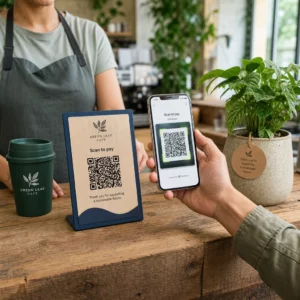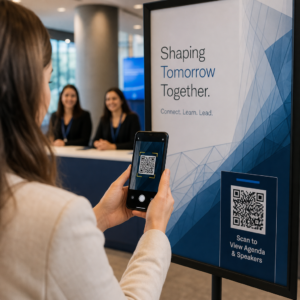
Upravljanje identifikacije članov s papirnatimi karticami ali ročnimi seznami za prijavo vas upočasnjuje? Izgubljene kartice, dolge čakalne vrste in brez možnosti preverjanja statusa članstva v realnem času ustvarjajo resnično trenje tako za osebje kot za člane. Ta vodnik vas popelje skozi, kako implementirati digitalne članske izkaznice s QR kodami – od generiranja edinstvenih kod do skeniranja le-teh na vratih in varovanja podatkov članov.
Zakaj QR kode dobro delujejo za članske izkaznice
Tradicionalne plastične ali papirnate članske izkaznice imajo skupno določeno težavo: nosijo statične informacije, se obrabijo, izgubijo in vam ne dajejo nobenega vpogleda v to, kako jih člani uporabljajo. QR koda na digitalni članski izkaznici reši vse to.
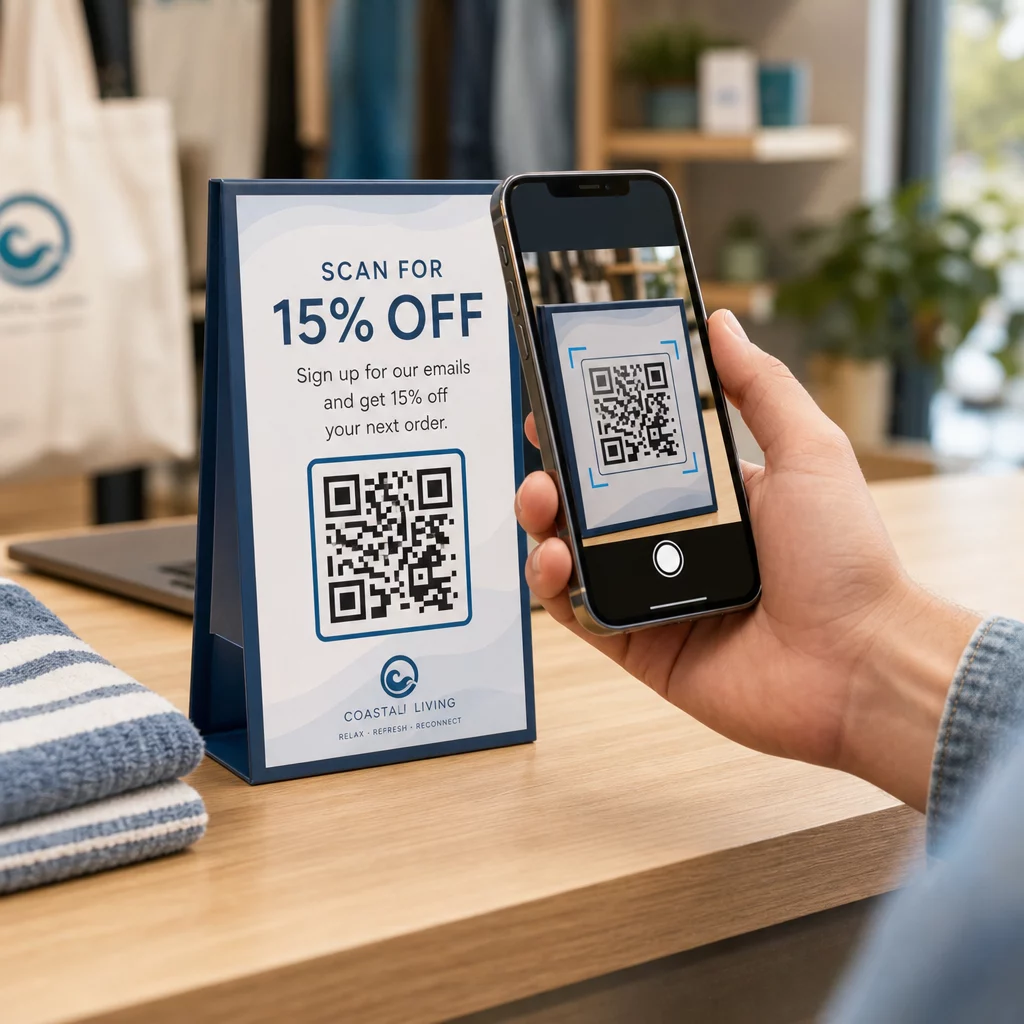
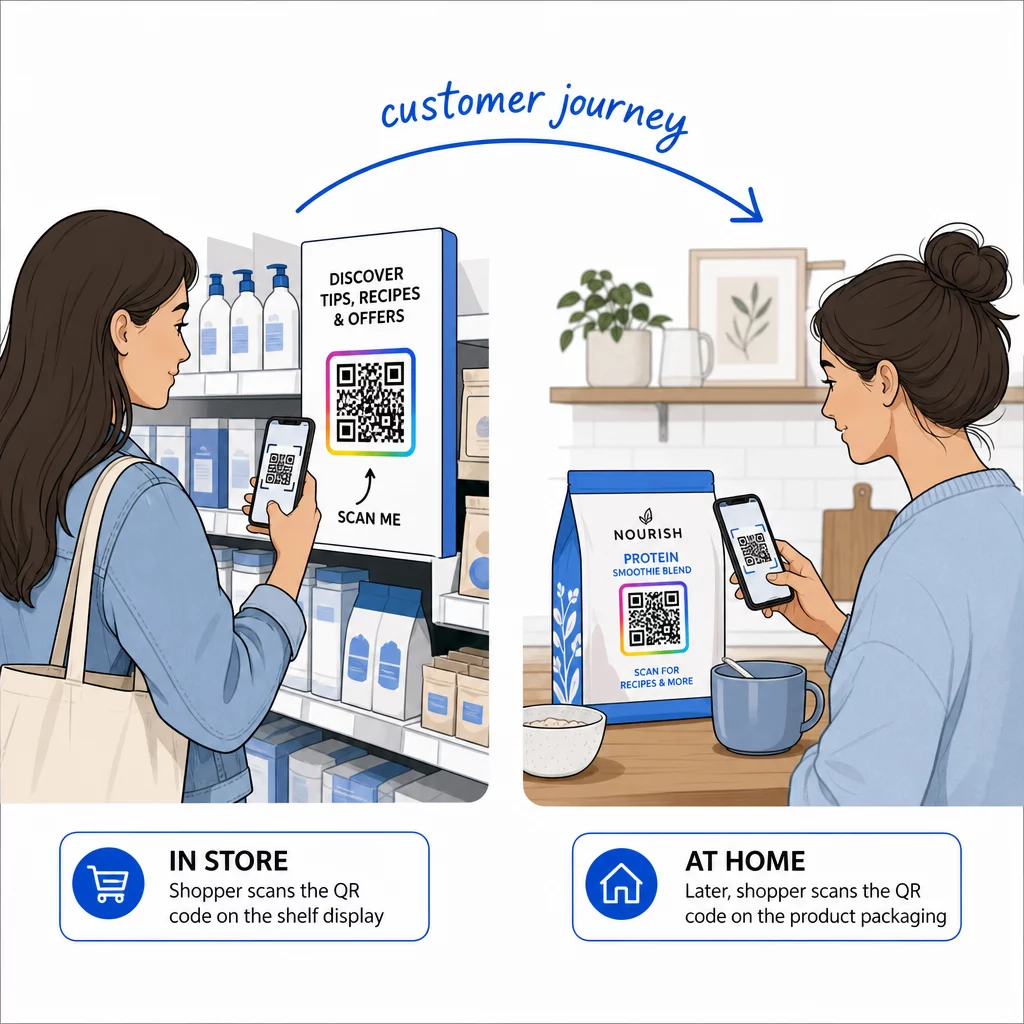
Ko član predstavi svojo kartico – na svojem telefonu, v aplikaciji denarnice ali celo natisnjeno na papirju – osebje preprosto skenira QR kodo. Skener prebere edinstven identifikator, povezan z zapisom tega člana v vašem sistemu, potrdi njihov status in zabeleži prijavo. Celoten postopek traja nekaj sekund.
Približno 99,5 milijona uporabnikov pametnih telefonov v Združenih državah Amerike je skeniralo QR kode leta 2025, kar je 19% povečanje v primerjavi z letom 2022. Vaši člani skoraj zagotovo že vedo, kako jo uporabljati. Poleg udobja vam članske izkaznice na osnovi QR kod dajejo nekaj, česar fizične kartice nikoli niso mogle: podatke. Lahko spremljate, kdaj se člani prijavijo, kako pogosto obiščejo in katere lokacije ali dogodke obiščejo – informacije, ki vam pomagajo sprejemati boljše odločitve glede osebja, programiranja in angažiranja članov.
Kako deluje postopek preverjanja
Razumevanje poteka vam pomaga oblikovati sistem, ki ustreza vaši organizaciji. Tukaj je, kaj se zgodi od trenutka, ko član vstopi, do trenutka, ko mu je dovoljen vstop.
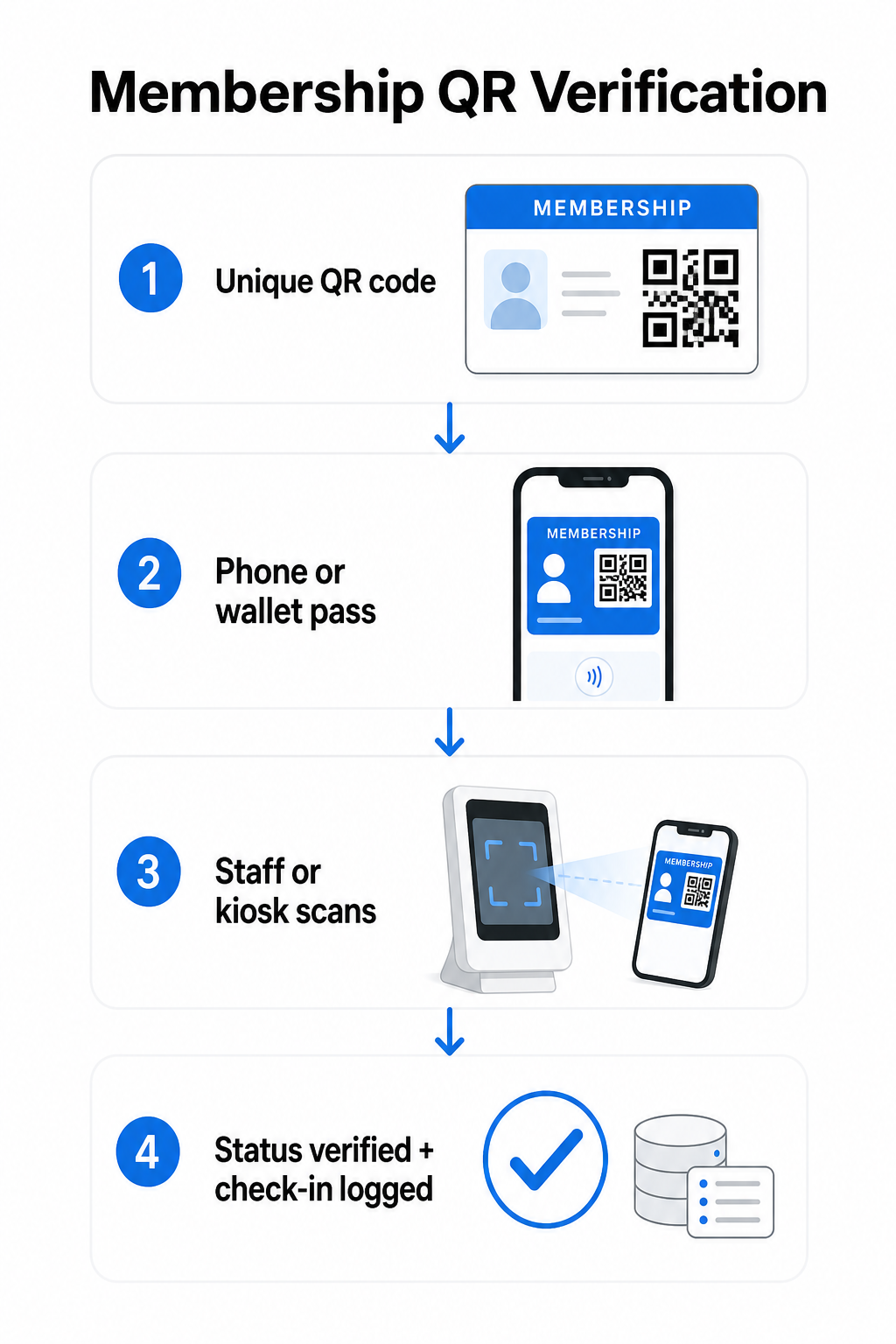
Edinstvena QR koda je dodeljena vsakemu članu med vpisom ali uvajanjem. Ta koda kodira varen identifikator – ne neposredno osebne podatke člana, ampak referenco, ki jo lahko vaš sistem poišče. Član predstavi svojo QR kodo tako, da odpre svojo digitalno kartico na telefonu, pokaže natisnjeno kartico ali prikaže vstopnico iz Apple Wallet ali Google Wallet. Osebje ali kiosk nato skenira kodo z uporabo kamere pametnega telefona, namenskega čitalnika črtnih kod ali orodja, kot je Pageloot QR Scanner.
Sistem potrdi poverilnico – potrdi status članstva, raven dostopa, datum poteka ali katera koli druga dovoljenja, ki ste jih konfigurirali – preden odobri ali označi vstop in zabeleži prijavo v vaši bazi podatkov o članstvu. Lahko dodate tudi časovno ali območno specifična pravila, na primer dovolite dostop samo med delovnim časom ali omejite določene ravni članov na specifične objekte.
Ta postopek deluje, ne glede na to, ali vodite telovadnico, strokovno združenje, klub ali katero koli organizacijo, ki mora preveriti, kdo vstopa.
Začnite generirati članske QR kode Ustvarite edinstvene, sledljive QR kode za vsakega člana z Generator QR kode Pageloot. Brezplačna 14-dnevna preizkusna doba, kreditna kartica ni potrebna.
Izbira med statičnimi in dinamičnimi QR kodami
Vse QR kode se ne obnašajo enako in razlika je pomembna za upravljanje članstva.
Statične kode QR trajno kodirajo informacije ob času ustvarjanja. Ko so natisnjeni, se podatki v njih ne morejo spremeniti. Delujejo za preproste primere uporabe, toda če se status člana spremeni – recimo, da jim članstvo poteče ali se nadgradijo na višjo raven – kode ne morete posodobiti. Morali bi izdati popolnoma novo.
Dinamične kode QR interno shranijo kratko preusmeritev in kažejo na destinacijo, ki jo lahko kadar koli posodobite, ne da bi ponovno natisnili kodo. Za članske izkaznice to pomeni, da lahko spremenite, kaj vrne skeniranje – posodobljene ravni dostopa, podaljšan datum poteka ali spremenjen profil člana – ne da bi izdali novo kartico. Dinamične QR kode so tudi sledljive, kar vam omogoča analitiko na ravni skeniranja, vključno s časom, lokacijo in podatki o napravi. Za organizacije, ki upravljajo na desetine ali stotine članov, je ta vidnost resnično uporabna.
| FUNKCIJA | Statična koda QR | Dinamična QR koda |
|---|---|---|
| Posodobljivo po tiskanju | Ne | Da |
| Analitika skeniranj | Ne | Da |
| Deluje, če se status člana spremeni | Zahteva ponovno izdajo | Posodobitev destinacije, ista koda |
| Stroški | prost | Potrebna plačljiva naročnina |
Za večino članskih programov so dinamične QR kode prava izbira. Statične kode so sprejemljive le, če se vaši podatki o članstvu nikoli ne spremenijo in ne potrebujete sledenja.
Kako ustvariti članske QR kode s Pagelootom
Tukaj je praktičen pristop po korakih za generiranje in distribucijo QR kod za vaše člane.
Korak 1: Izberite vrsto QR kode. Prijavite se v Pageloot in izberite vrsto QR kode, ki ustreza temu, do česar želite, da imajo člani dostop – URL, ki povezuje na njihov profil člana, vCard s kontaktnimi in članskimi podatki ali obrazec za potrditev prijave. Pageloot podpira več kot 25 vrst QR kod, tako da lahko format prilagodite svojemu obstoječemu delovnemu toku.
Korak 2: Vnesite podatke, specifične za člana. Vsak član potrebuje edinstveno kodo. Če povezujete na posamezne članske profile ali ID-je, poskrbite, da vsaka QR koda kaže na edinstven identifikator in ne na generično skupno vsebino.
Korak 3: Prilagodite oblikovanje. Dodajte logotip vaše organizacije in barve blagovne znamke. Prepoznavna zasnova kartice gradi zaupanje članov in zmanjšuje verjetnost goljufije. Samo QR kodo ohranite visoko kontrastno – temno ospredje na svetlem ozadju – in zagotovite, da ustreza minimalni velikosti tiska 0,8 × 0,8 palca za skeniranje od blizu.
Korak 4: Prenesite in razdelite. Pageloot ponuja datoteke, pripravljene za tisk, v formatih .SVG, .PDF in .EPS. QR kodo lahko vdelate v digitalno zasnovo kartice, jo pošljete neposredno članom po e-pošti ali pa jo dodajo v Apple Wallet ali Google Wallet kot vstopnico.
Korak 5: Organizirajte svoje kode. Uporabite Pagelootov Mape za QR kode za združevanje članskih kod po ravni članstva, lokaciji ali ciklu podaljšanja. To ohranja vašo nadzorno ploščo obvladljivo, ko se vaš seznam članov povečuje.
Spremljajte vsako prijavo člana Spremljajte podatke o skeniranju za celotno članstvo z ene same nadzorne plošče. Ta Generator QR kode Pageloot vam omogoča ustvarjanje dinamičnih kod, ki jih je mogoče slediti, in jih kadar koli posodobite brez ponovnega tiskanja.
Razdeljevanje kartic članom
Ko ste ustvarili kode, imate več možnosti, kako jih spraviti v roke članov.
- Dostava po e-pošti: Vsakemu članu pošljite digitalno sliko kartice ali PDF, ki vsebuje njegovo edinstveno QR kodo. To deluje takoj in distribucija ne stane nič.
- Apple Wallet in Google Wallet: Člani lahko dodajo člansko vstopnico neposredno v aplikacijo denarnice na svojem telefonu. Apple Wallet shranjuje vstopnice v formatu `.pkpass`, ki lahko vključuje QR kodo in podatke o članu. Google Wallet podpira podobno funkcionalnost prek svojega API-ja za vstopnice. Ko je dodana, član odpre vstopnico in predstavi QR kodo za skeniranje na vhodu.
- Tiskane kartice: Za člane, ki raje uporabljajo fizično kartico, ali za vstopne točke, kjer telefoni niso praktični, lahko QR kodo natisnete na standardno kartico. Uporabite visokokakovosten tisk za ohranitev skenirljivosti.
- Prikaz v aplikaciji ali portalu: Če ima vaša organizacija članski portal ali aplikacijo, prikažite QR kodo neposredno v njej, tako da imajo člani vedno dostop brez prenosa ločene datoteke.
Za programe, osredotočene na udeležbo – tečaje, delavnice ali ponavljajoče se dogodke – namenski sistema za beleženje prisotnosti s QR kodami omogoča članom, da se sami prijavijo, namesto da čakajo, da osebje skenira njihove kartice, kar lahko znatno skrajša čas vstopa.
Zahteve za oblikovanje QR kode za zanesljivo skeniranje
QR koda članske kartice, ki se ne skenira na vhodu, povzroča trenje in zmanjšuje zaupanje članov. Upoštevajte te tehnične zahteve za zagotovitev doslednega delovanja.
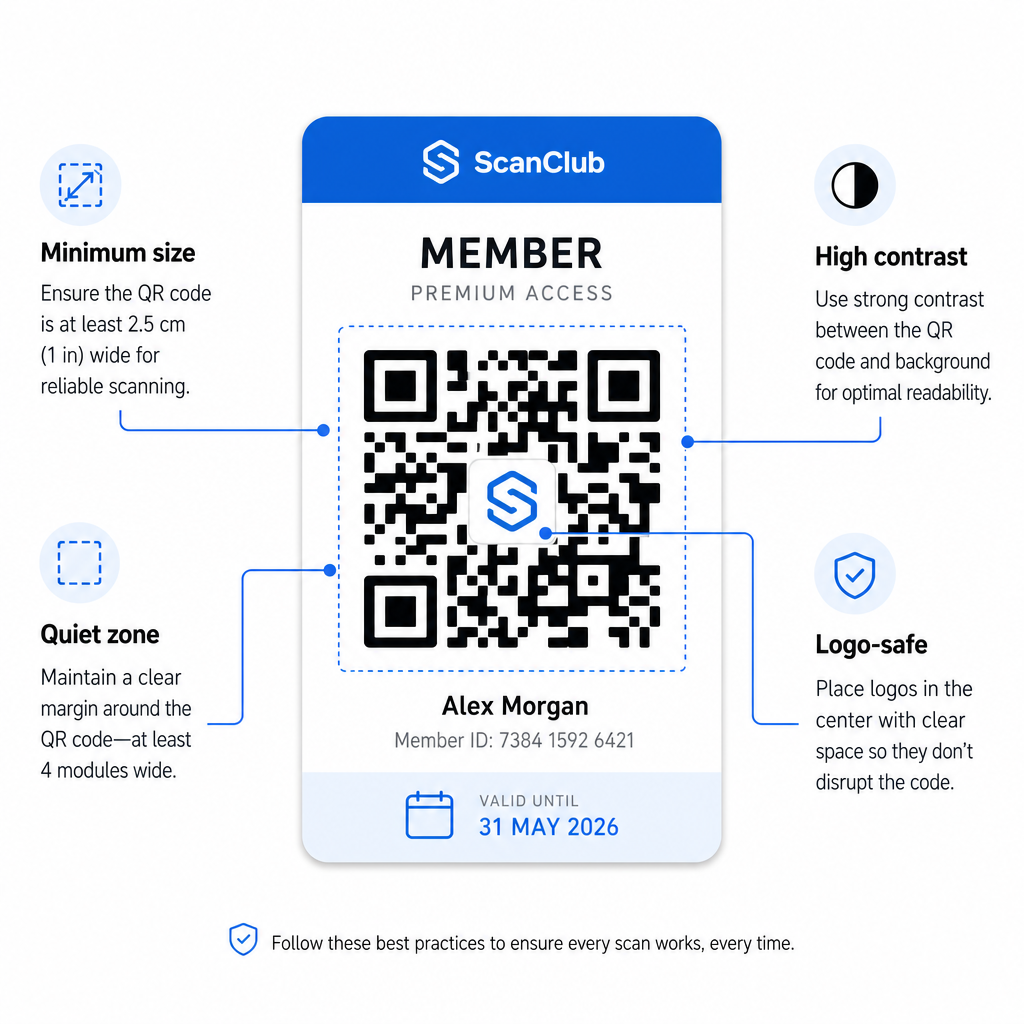
- Minimalna velikost: Natisnite QR kode v velikosti najmanj 0,8 × 0,8 palca (2 cm × 2 cm) za skeniranje od blizu. Uporabite pravilo 10:1 za razdaljo – za vsakih 10 palcev med skenerjem in kodo naj bo koda široka vsaj 1 palec.
- Tiha cona: Ohranite vsaj 4 module praznega prostora na vseh straneh QR kode. Ta rob omogoča skenerjem, da zaznajo, kje se koda začne in konča.
- Kontrast: Uporabite temno ospredje na svetlem ozadju z minimalnim kontrastnim razmerjem 4:1. Izogibajte se postavljanju QR kode čez slike ali zapletene vzorce, ki zmanjšujejo berljivost.
- Popravljanje napak: Če vključite logotip vaše organizacije znotraj QR kode, uporabite popravljanje napak stopnje H, ki zagotavlja do 30% zmogljivosti obnovitve. To kompenzira del kode, ki je vizualno pokrit z logotipom.
- Preizkusite pred distribucijo: Skenirajte vsako predlogo kode na več napravah in v različnih svetlobnih pogojih, preden jo predstavite članom.
Ista načela veljajo za vse fizične lokacije. Vodilo QR kode za telovadnice in vodnik za dobro počutje pokriva, kako fitnes centri specifično obravnavajo okolja z velikim obsegom skeniranja.
Varnostni vidiki za članske QR kode
Članske kartice pogosto podeljujejo dejanske pravice dostopa – do objektov, dogodkov ali popustov – zato varnost ni izbirna. Slabo zasnovan QR sistem je mogoče kopirati, fotografirati ali deliti.
- Kodirajte varen identifikator, ne osebnih podatkov. QR koda naj vsebuje nepregledno referenco – kot je kriptografsko zgoščena ID člana – namesto imena, e-poštnega naslova ali drugih osebnih podatkov. Če nekdo fotografira QR kodo, ne bi smel pridobiti neposrednega dostopa do podatkov o članu.
- Uporabite časovno omejene kode ali kode za enkratno uporabo za scenarije visoke varnosti. Za dogodke ali situacije z enkratnim dostopom ustvarite kode, ki potečejo po kratkem časovnem obdobju ali postanejo neveljavne po enem skeniranju. To preprečuje kopiranje ali posredovanje kod.
- Uporabite dinamične QR kode za tekoča članstva. Ker dinamične kode kažejo na strežniško destinacijo, lahko takoj razveljavite poteklo ali ogroženo članstvo – nova kartica ni potrebna.
- Vzdržujte revizijsko sled. Zabeležite vsako skeniranje s časovnim žigom in lokacijo. To vam pomaga prepoznati nenavadne vzorce, kot je skeniranje ene same kode z dveh lokacij hkrati.
- Upoštevajte predpise o varovanju podatkov. Če vaše članske izkaznice ali dnevniki skeniranja vsebujejo osebne podatke, zagotovite, da je vaš sistem usklajen z veljavnimi zakoni o zasebnosti. Sodelujte s ponudniki, ki izvajajo minimizacijo podatkov in imajo jasne politike hrambe podatkov.
Za organizacije, ki obdelujejo občutljive podatke o članstvu, so varnostna navodila dosledna: QR kode, uporabljene za avtentikacijo, naj vsebujejo le nepregledne identifikatorje, ne osebnih podatkov, in kode naj bodo časovno omejene ter dinamično generirane, kjer koli je to mogoče.
Povezovanje QR članskih izkaznic s programi zvestobe
Članske izkaznice in programi zvestobe se pogosto prekrivajo. Če vaša organizacija nagrajuje angažiranost članov – s točkami, mejniki obiskov ali stopenjskimi ugodnostmi – lahko kartica na osnovi QR služi obema funkcijama hkrati.
Ko se član prijavi s skeniranjem, lahko ta dogodek sproži dodelitev točk, posodobi število njegovih obiskov ali odklene novo stopnjo ugodnosti. To popolnoma odpravi potrebo po ločeni kartici zvestobe. Vodnik o kako nastaviti programe zvestobe s QR kodami podrobno opisuje, kako strukturirati nagrade skupaj s sistemom članstva. Za primerjavo digitalnih in fizičnih pristopov, razčlenitev QR kod v primerjavi s tradicionalnimi karticami zvestobe podrobno pokriva praktične kompromise.
Če vaš program vključuje dogodke z vstopnicami, se ista QR infrastruktura uporablja tudi tam. vodnik za QR kode za vstopnice za dogodke pojasnjuje, kako razširiti vašo nastavitev, da pokrije dostop in prijavo za specifične dogodke.
Digitalne članske izkaznice s QR kodami zmanjšujejo administrativne stroške, članom zagotavljajo bolj priročno izkušnjo in vaši organizaciji nudijo realne podatke o angažiranosti in udeležbi. Ključne odločitve – statične proti dinamičnim kodam, samostojno skeniranje proti skeniranju s strani osebja, integracija denarnice proti dostavi po e-pošti – so odvisne od števila vaših članov in operativne postavitve, vendar so osnovna orodja dostopna ne glede na velikost organizacije. Začnite z dinamičnimi kodami, oblikujte za skeniranje in zgradite svojo metodo distribucije okoli tega, kako se vaši člani dejansko obnašajo.
Zgradite svoj sistem članskih izkaznic Generirajte, prilagodite in upravljajte QR kode za vsakega člana z ene nadzorne plošče. Preizkusite Generator QR kode Pageloot brezplačno 14 dni – kreditna kartica ni potrebna.
Pogosta vprašanja
Da. Člani lahko shranijo svojo QR kodo kot vstopnico v Apple Wallet ali Google Wallet, kar ne zahteva nobene aplikacije tretjih oseb. Druga možnost je, da jim pošljete digitalno sliko kartice po e-pošti, ki jo odprejo neposredno iz knjižnice fotografij svojega telefona ali e-poštnega odjemalca. Osebje skenira QR kodo, prikazano na zaslonu, z uporabo katere koli standardne kamere ali Pageloot QR Code Scannerja.
Z dinamičnimi QR kodami takoj posodobite destinacijo ali status članstva na svoji nadzorni plošči. Fizična ali digitalna kartica se sama po sebi ne spremeni, vendar ob naslednjem skeniranju vaš sistem vrne posodobljen status – potekel, začasno ukinjen ali podaljšan – ne da bi članu izdali novo kartico.
Pageloot vam omogoča ustvarjanje in upravljanje QR kod v velikih količinah, organiziranih v mape po stopnji članstva, lokaciji ali obdobju podaljšanja. Centralizirana nadzorna plošča zagotavlja analitiko skeniranja in orodja za upravljanje za vse vaše kode na enem mestu. Obiščite stran Pageloot QR Code Generator za podrobnosti o omejitvah in funkcijah, specifičnih za načrt.