首页 > 行业 > QR Codes for Membership Cards: How to Set Up and Manage Them
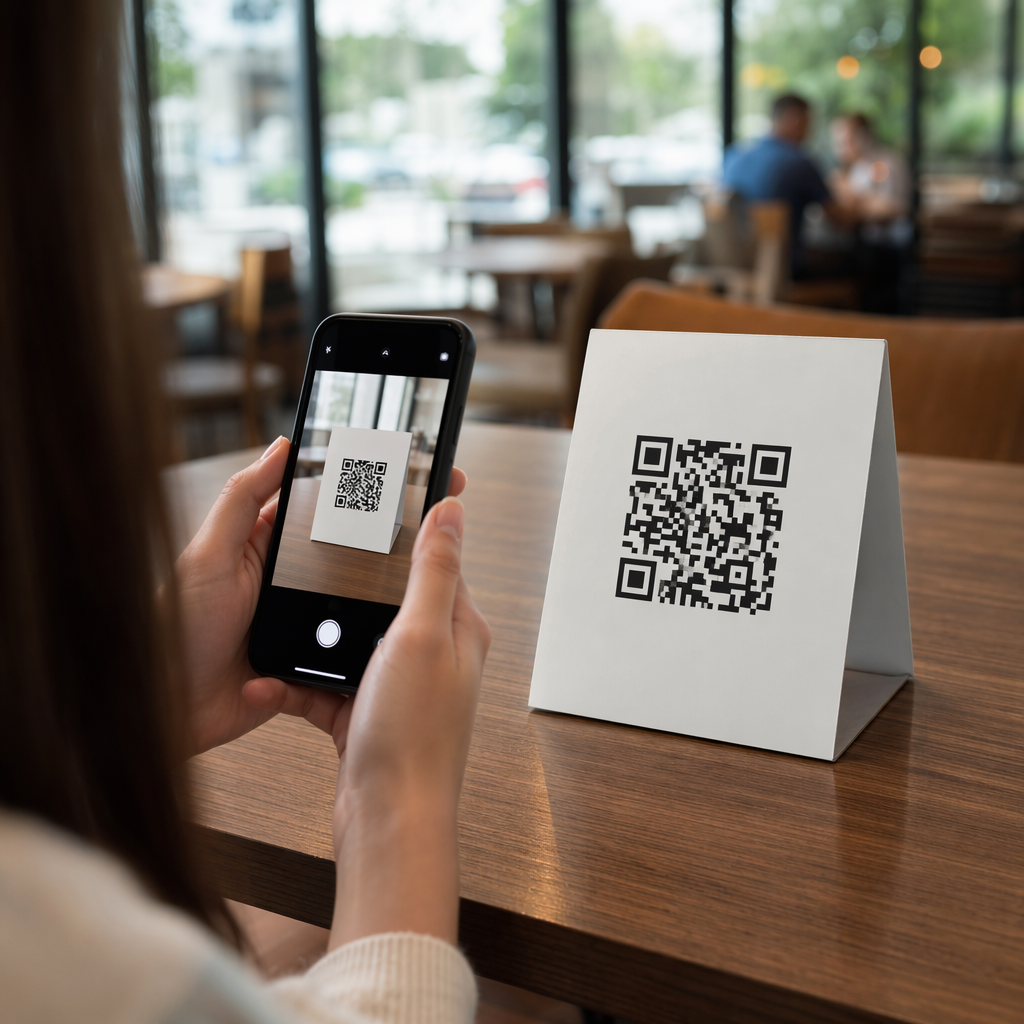
QR membership check-in

QR Codes for Membership Cards: How to Set Up and Manage Them

Streamline member management with QR codes. Learn how to create digital membership cards, choose between static and dynamic codes, and ensure secure check-ins.
Updated on 7 月 2, 2026
目录

Managing member identification with paper cards or manual check-in lists slowing you down? Lost cards, long queues, and no way to verify membership status in real time create real friction for both staff and members. This guide walks you through how to implement digital membership cards with QR codes – from generating unique codes to scanning them at the door and keeping member data secure.

Why QR Codes Work Well for Membership Cards

Traditional plastic or paper membership cards share a fixed problem: they carry static information, wear out, get lost, and give you zero insight into how members are using them. A QR code on a digital membership card solves all of that.

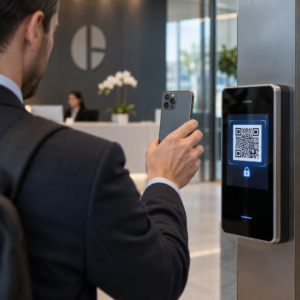
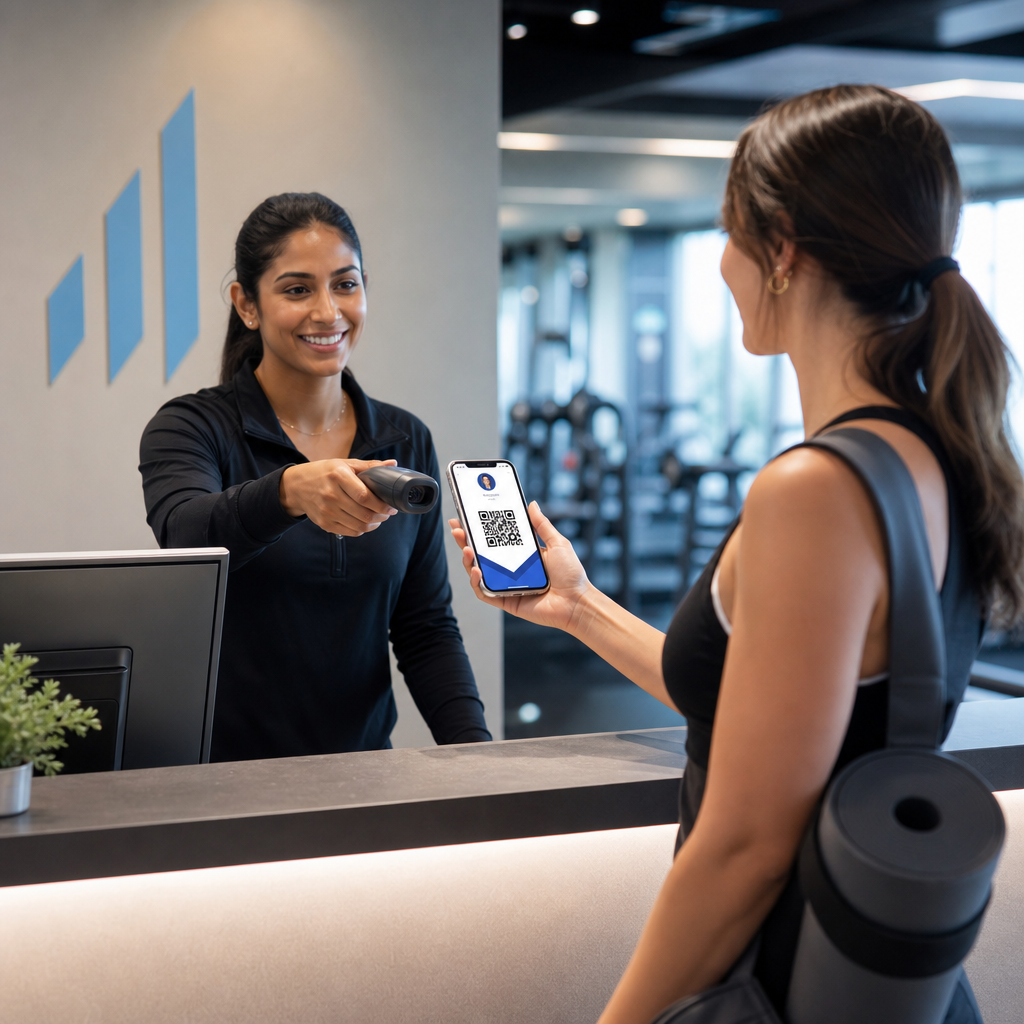
When a member presents their card – on their phone, in their wallet app, or even printed on paper – staff simply scan the QR code. The scanner reads a unique identifier linked to that member’s record in your system, confirms their status, and logs the check-in. The whole process takes seconds.

Approximately 99.5 million smartphone users in the United States scanned QR codes in 2025, a 19% increase compared with 2022. Your members almost certainly already know how to use one. Beyond convenience, QR-based membership cards give you something physical cards never could: data. You can track when members check in, how frequently they visit, and which locations or events they attend – information that helps you make better decisions about staffing, programming, and member engagement.

How the Verification Process Works

Understanding the flow helps you design a system that fits your organization. Here is what happens from the moment a member walks in to the moment they are cleared for entry.

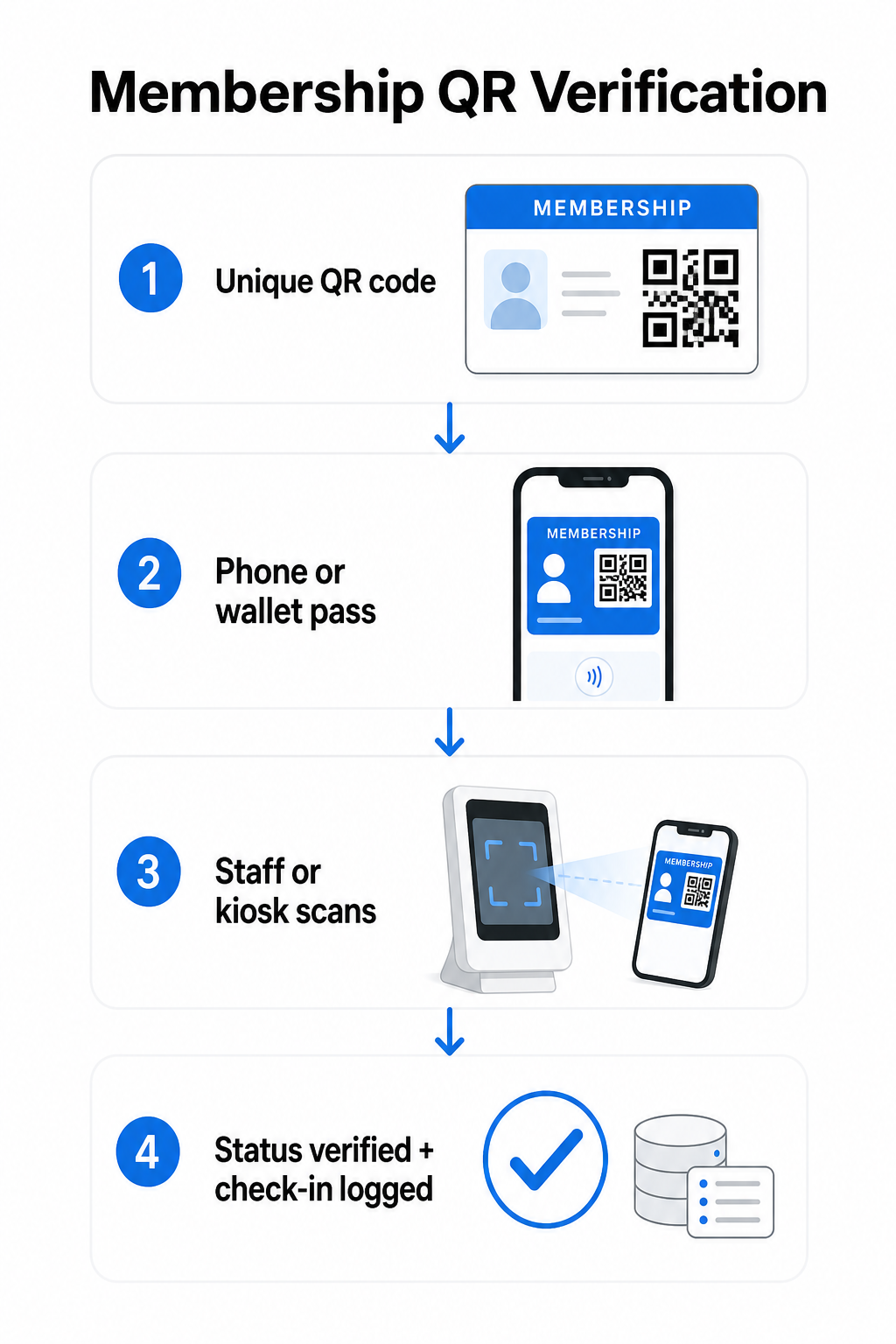
Membership verification flow

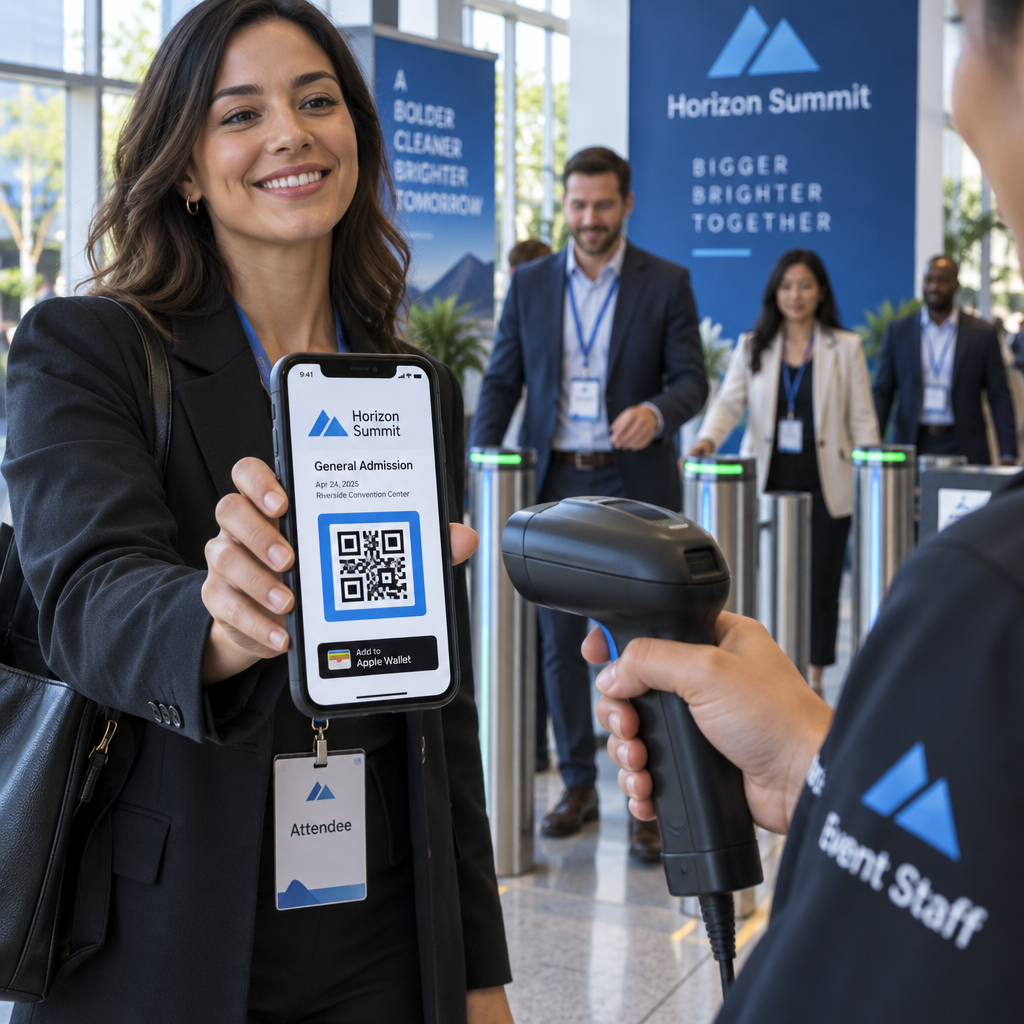
A unique QR code is assigned to each member during enrollment or onboarding. This code encodes a secure identifier – not the member’s personal information directly, but a reference that your system can look up. The member presents their QR code by opening their digital card on a phone, showing a printed card, or displaying a pass from Apple Wallet or Google Wallet. Staff or a kiosk then scans the code using a smartphone camera, a dedicated barcode scanner, or a tool like the Pageloot QR码扫描仪.

The system validates the credential – confirming membership status, access tier, expiration date, or any other permissions you have configured – before granting or flagging entry and recording the check-in in your membership database. You can also layer in time-based or area-specific rules, for example allowing access only during business hours or restricting certain member tiers to specific facilities.

This process works whether you are running a gym, a professional association, a club, or any organization that needs to verify who is coming through the door.

Start Generating Membership QR Codes Create unique, trackable QR codes for every member with the Pageloot QR码生成器. Free 14-day trial, no credit card required.

选择静态二维码还是动态二维码

Not all QR codes behave the same way, and the distinction matters for membership management.

静态二维码 encode information permanently at the time of creation. Once printed, the data inside cannot change. They work for simple use cases, but if a member’s status changes – say, their membership lapses or they upgrade to a higher tier – you cannot update the code. You would need to issue a new one entirely.

动态 QR 码 store a short redirect internally and point to a destination you can update at any time, without reprinting the code. For membership cards, this means you can change what a scan returns – updated access levels, a renewed expiration date, or a revised member profile – without issuing a new card. Dynamic QR codes are also trackable, giving you scan-level analytics including time, location, and device data. For organizations managing dozens or hundreds of members, that visibility is genuinely useful.

功能 静态 QR 码 动态二维码
Updateable after printing 没有
扫描分析 没有
Works if member status changes Requires reissue Update destination, same code
费用 自由 Paid subscription required

For most membership programs, dynamic QR codes are the right choice. Static codes are acceptable only if your membership details never change and you have no need for tracking.

How to Create Membership QR Codes with Pageloot

Here is a practical step-by-step approach to generating and distributing QR codes for your members.

Step 1: Choose your QR code type. Log in to Pageloot and select the QR code type that matches what you want members to access – a URL linking to their member profile, a vCard with contact and membership details, or a form for check-in confirmation. Pageloot supports more than 25 QR code types, so you can match the format to your existing workflow.

Step 2: Enter member-specific information. Each member needs a unique code. If you are linking to individual member profiles or IDs, make sure each QR code points to a unique identifier rather than generic shared content.

Step 3: Customize the design. Add your organization’s logo and brand colors. A recognizable card design builds member trust and reduces the likelihood of fraud. Keep the QR code itself high-contrast – dark foreground on a light background – and ensure it meets the minimum print size of 0.8 × 0.8 inches for close-up scanning.

Step 4: Download and distribute. Pageloot provides print-ready files in .SVG, .PDF, and .EPS formats. You can embed the QR code into a digital card design, email it directly to members, or have them add it to Apple Wallet or Google Wallet as a pass.

Step 5: Organize your codes. 使用Pageloot的 二维码文件夹 to group member codes by membership tier, location, or renewal cycle. This keeps your dashboard manageable as your member list grows.

Track Every Member Check-In Monitor scan data across your entire membership from a single dashboard. The Pageloot QR码生成器 lets you create dynamic, trackable codes and update them anytime without reprinting.

Distributing Cards to Members

Once you have generated the codes, you have several options for getting them into members’ hands.

  • Email delivery: Send each member a digital card image or PDF containing their unique QR code. This works immediately and costs nothing to distribute.
  • Apple Wallet and Google Wallet: Members can add a membership pass directly to their phone’s wallet app. Apple Wallet stores passes in the `.pkpass` format, which can include a QR code and member details. Google Wallet supports similar functionality through its Passes API. Once added, the member opens the pass and presents the QR code for scanning at the door.
  • Printed cards: For members who prefer a physical card, or for entry points where phones are not practical, you can print the QR code on a standard card. Use high-quality printing to preserve scannability.
  • In-app or portal display: If your organization has a member portal or app, display the QR code directly within it so members always have access without downloading a separate file.

For attendance-focused programs – classes, workshops, or recurring events – a dedicated QR code attendance system lets members scan themselves in rather than waiting for staff to scan their cards, which can significantly reduce entry time.

QR Code Design Requirements for Reliable Scanning

A membership card QR code that fails to scan at the door creates friction and erodes member confidence. Follow these technical requirements to ensure consistent performance.

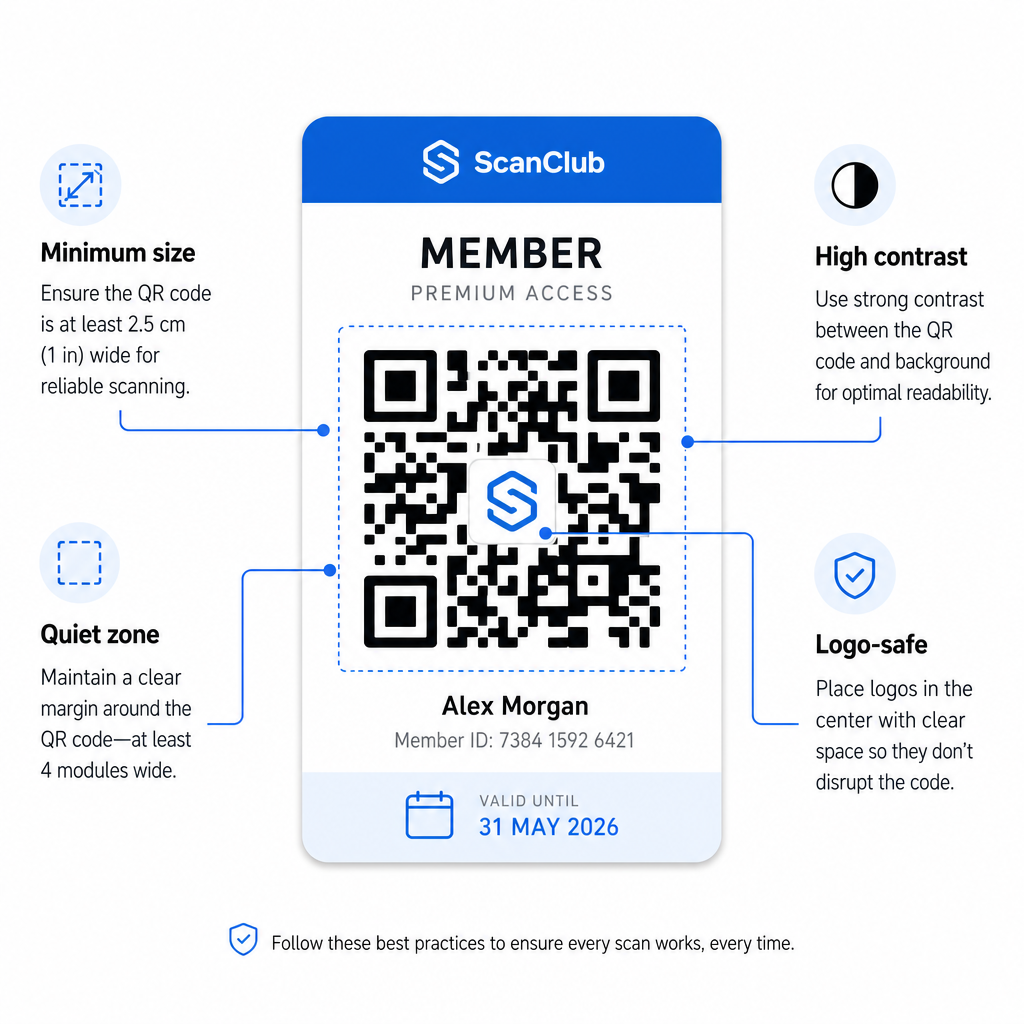
QR design requirements
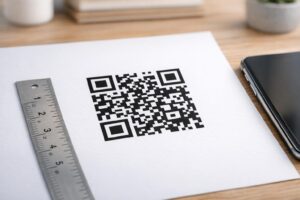
  • Minimum size: Print QR codes at no smaller than 0.8 × 0.8 inches (2 cm × 2 cm) for close-up scanning. Apply the 10:1 rule for distance – for every 10 inches between the scanner and the code, the code should be at least 1 inch wide.
  • Quiet zone: Maintain at least 4 modules of blank space on all sides of the QR code. This margin allows scanners to detect where the code begins and ends.
  • 对比: Use a dark foreground on a light background with a minimum contrast ratio of 4:1. Avoid placing the QR code over images or busy patterns that reduce readability.
  • Error correction: If you include your organization’s logo inside the QR code, use Level H error correction, which provides up to 30% recovery capacity. This compensates for the portion of the code visually covered by the logo.
  • Test before distributing: Scan every code template on multiple devices and under different lighting conditions before rolling it out to members.

These same principles apply across physical locations. The QR codes for gyms and wellness guide covers how fitness facilities specifically handle high-volume scanning environments.

Security Considerations for Member QR Codes

Membership cards often confer real access rights – to facilities, events, or discounts – so security is not optional. A poorly designed QR system can be copied, photographed, or shared.

  • Encode a secure identifier, not personal data. The QR code should contain an opaque reference – such as a cryptographically hashed member ID – rather than a name, email address, or other personal information. If someone photographs the QR code, they should not gain direct access to member data.
  • Use time-limited or single-use codes for high-security scenarios. For events or one-time access situations, generate codes that expire after a short window or become invalid after a single scan. This prevents copying or forwarding of codes.
  • Use dynamic QR codes for ongoing memberships. Because dynamic codes point to a server-side destination, you can invalidate a lapsed or compromised membership instantly – no new card required.
  • Maintain an audit trail. Log every scan with a timestamp and location. This helps you identify unusual patterns, such as a single code being scanned from two locations simultaneously.
  • Comply with data protection regulations. If your membership cards or scan logs contain personal information, ensure your system aligns with applicable privacy laws. Work with vendors that practice data minimization and have clear data retention policies.

For organizations handling sensitive membership data, security guidance is consistent: QR codes used for authentication should contain only opaque identifiers, not personal information, and codes should be time-limited and dynamically generated wherever possible.

Connecting QR Membership Cards to Loyalty Programs

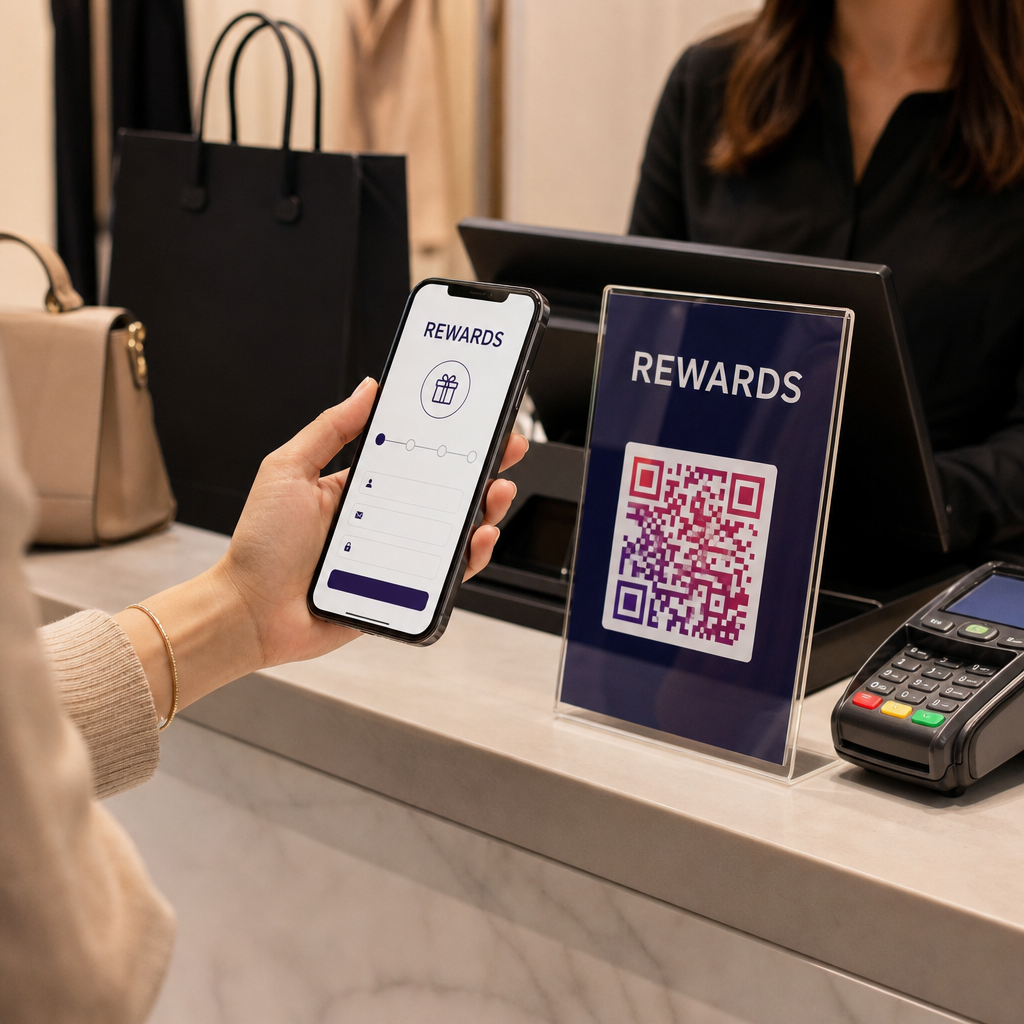
Membership cards and loyalty programs often overlap. If your organization rewards member engagement – through points, visit milestones, or tiered benefits – a QR-based card can serve both functions simultaneously.

When a member scans in, that event can trigger a points credit, update their visit count, or unlock a new benefit tier. This removes the need for a separate loyalty card entirely. The guide on how to set up QR code loyalty programs walks through how to structure rewards alongside a membership system. For a side-by-side comparison of digital and physical approaches, the QR codes vs. traditional loyalty cards breakdown covers the practical tradeoffs in detail.

If your program includes ticketed events, the same QR infrastructure applies there too. The QR codes for event tickets guide explains how to extend your setup to cover event-specific access and check-in.

Digital membership cards with QR codes reduce administrative overhead, give members a more convenient experience, and provide your organization with real data about engagement and attendance. The key decisions – static versus dynamic codes, self-scan versus staff-scan, wallet integration versus email delivery – depend on your member volume and operational setup, but the underlying tools are accessible regardless of organization size. Start with dynamic codes, design for scannability, and build your distribution method around how your members actually behave.

Build Your Membership Card System Generate, customize, and manage QR codes for every member from one dashboard. Try the Pageloot QR码生成器 free for 14 days – no credit card required.

常见问题

Can members use their QR membership card on their phone without downloading an app?

Yes. Members can store their QR code as a pass in Apple Wallet or Google Wallet, which requires no third-party app. Alternatively, you can email them a digital card image they open directly from their phone’s photo library or email client. Staff scan the QR code displayed on screen using any standard camera or the Pageloot QR Code Scanner.

What happens if a membership expires or is cancelled?

With dynamic QR codes, you update the destination or membership status in your dashboard immediately. The physical or digital card itself does not change, but the next time it is scanned, your system returns the updated status – expired, suspended, or renewed – without issuing a new card to the member.

How many member QR codes can I manage at once?

Pageloot lets you create and manage QR codes in bulk, organized into folders by membership tier, location, or renewal period. The centralized dashboard provides scan analytics and management tools across all your codes in one place. Visit the Pageloot QR Code Generator page for details on plan-specific limits and features.

关于作者

Siim Kostabi 是 Pageloot 的内容主管,负责撰写关于我们创新型二维码生成器服务的文章。凭借五年多来在二维码领域积累的深厚专业知识,Siim 是该领域的专家。他致力于利用二维码技术简化和增强数字交互,并取得了显著的成果。.

类别
了解更多关于
客户扫描二维码
是QR码 2024 年死亡?
Students scanning classroom QR
制作二维码 教室
QR QR码的#1解决方案

如果您需要在线创建QR码,则可以 制作二维码 就在这里免费!
Pageloot是 #1转到解决方案 创建和扫描QR码。

BL-0287

博客生成器

受到超过 20,000 个品牌的信赖,可获得更多销售、评论和关注者。

客户徽标
受到顶级品牌的信赖
评分为 4.8(共 5)

4.86 / 5 星评级

雨果·劳伦特
雨果·劳伦特
餐馆老板
有史以来最容易和最可靠的QR码生成器。PDF文件可以立即上传。我们的餐厅菜单现在是数字化的。
卢卡斯-詹森
卢卡斯-詹森
房地产开发商
这是一个很好的工具,二维码带你到你想要的地方。我们只使用位置二维码,但有许多有用的功能。
艾玛-莫雷蒂
艾玛-莫雷蒂
零售产品
易于使用和快速。它工作得很好,创造了一个完美的图像,所以员工可以下载我的vCard。
雨果·劳伦特
雨果·劳伦特
餐馆老板
有史以来最容易和最可靠的QR码生成器。PDF文件可以立即上传。我们的餐厅菜单现在是数字化的。
卢卡斯-詹森
卢卡斯-詹森
房地产开发商
这是一个很好的工具,二维码带你到你想要的地方。我们只使用位置二维码,但有许多有用的功能。
艾玛-莫雷蒂
艾玛-莫雷蒂
零售产品
易于使用和快速。它工作得很好,创造了一个完美的图像,所以员工可以下载我的vCard。
查看更多QR码
访客扫描入口二维码
的QR码 Airbnb预订
扫描宣传册二维码
开启QR码 宣传册
将一切转化为数字体验 不到3分钟。

免费试用 14 天。

无需信用卡。

首次购买可享受 30% 折扣

使用代码:

分享您的 MP3 文件

注册以创建 PDF QR 码

上传和显示你需要的一切。

  • 音频文件
  • 播客
  • 音乐

注册即可享 14 天免费试用。.
试用期结束后,二维码将失效。.

注册以创建音频 mp3 二维码

使用边框获得更多扫描

注册以向您的二维码添加更多框架

呼叫行动框架帮助您的客户与QR码轻松互动。试试吧!

注册即可享 14 天免费试用。.
试用期结束后,二维码将失效。.

注册以向您的二维码添加更多框架

使用形状添加更多样式

注册以创建更多形状

二维码不一定是方形的。试着改变它以适应你的品牌形象。

注册即可享 14 天免费试用。.
试用期结束后,二维码将失效。.

注册以创建更多形状

为您的二维码添加徽标

注册以将您的徽标添加到二维码中

通过在二维码上添加你的标志和品牌,使你的二维码脱颖而出。

注册即可享 14 天免费试用。.
试用期结束后,二维码将失效。.

注册以将您的徽标添加到二维码中

智能应用商店重定向

注册以创建应用商店二维码

将您的应用程序链接添加到我们的智能应用程序商店QR码。用户会根据他们的设备被重新定向。

注册即可享 14 天免费试用。.
试用期结束后,二维码将失效。.

注册以创建应用商店二维码

将图片上传到二维码

注册以创建图像二维码

轻松分享你的图像。在几秒钟内动态地改变任何图像。

注册即可享 14 天免费试用。.
试用期结束后,二维码将失效。.

注册以创建图像二维码

分享您的 PDF 文件

注册以创建 PDF QR 码

上传和显示你需要的一切。

  • 菜单和价格表
  • 使用说明
  • 任何文件

注册即可享 14 天免费试用。.
试用期结束后,二维码将失效。.

注册以创建 PDF QR 码

稍后编辑,无需打印

注册即可编辑您的二维码,无需再次打印

动态QR码让你改变你的QR码的内容,而不需要打印新的QR码。

注册即可享 14 天免费试用。.
试用期结束后,二维码将失效。.

注册即可编辑您的二维码,无需再次打印

何时?何地?追踪您的二维码扫描

注册以追踪您的二维码

发现你的哪些二维码收到了最多的扫描,以及什么最能让你的客户兴奋。

注册即可享 14 天免费试用。.
试用期结束后,二维码将失效。.

注册以追踪您的二维码

提供可打印文件

注册以创建 PDF 和 SVG 等矢量二维码

.EPS, .PDF, .SVG

想下载高清分辨率的QR码吗?获得矢量或像素格式,可随时打印。

注册即可享 14 天免费试用。.
试用期结束后,二维码将失效。.

注册以创建 PDF 和 SVG 等矢量二维码

请等待。您的二维码是 正在加载... 正在加载...

打造专属

注册以保存您的二维码以供日后使用

通过创建具有不同颜色、标识和行动呼吁框架的出色的QR码,获得更多的扫描。

注册即可享 14 天免费试用。.
试用期结束后,二维码将失效。.

注册以保存您的二维码以供日后使用