Η διαχείριση της ταυτοποίησης μελών με χάρτινες κάρτες ή χειροκίνητες λίστες check-in σας καθυστερεί; Χαμένες κάρτες, μεγάλες ουρές και αδυναμία επαλήθευσης της κατάστασης μέλους σε πραγματικό χρόνο δημιουργούν πραγματική τριβή τόσο για το προσωπικό όσο και για τα μέλη. Αυτός ο οδηγός σας καθοδηγεί στον τρόπο εφαρμογής ψηφιακών καρτών μέλους με κωδικούς QR – από τη δημιουργία μοναδικών κωδικών έως τη σάρωσή τους στην είσοδο και τη διατήρηση των δεδομένων των μελών ασφαλών.
Γιατί οι κωδικοί QR λειτουργούν καλά για κάρτες μέλους
Οι παραδοσιακές πλαστικές ή χάρτινες κάρτες μέλους μοιράζονται ένα σταθερό πρόβλημα: φέρουν στατικές πληροφορίες, φθείρονται, χάνονται και δεν σας δίνουν καμία εικόνα για το πώς τις χρησιμοποιούν τα μέλη. Ένας κωδικός QR σε μια ψηφιακή κάρτα μέλους λύνει όλα αυτά.
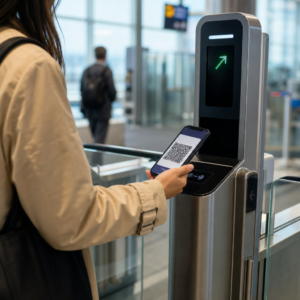
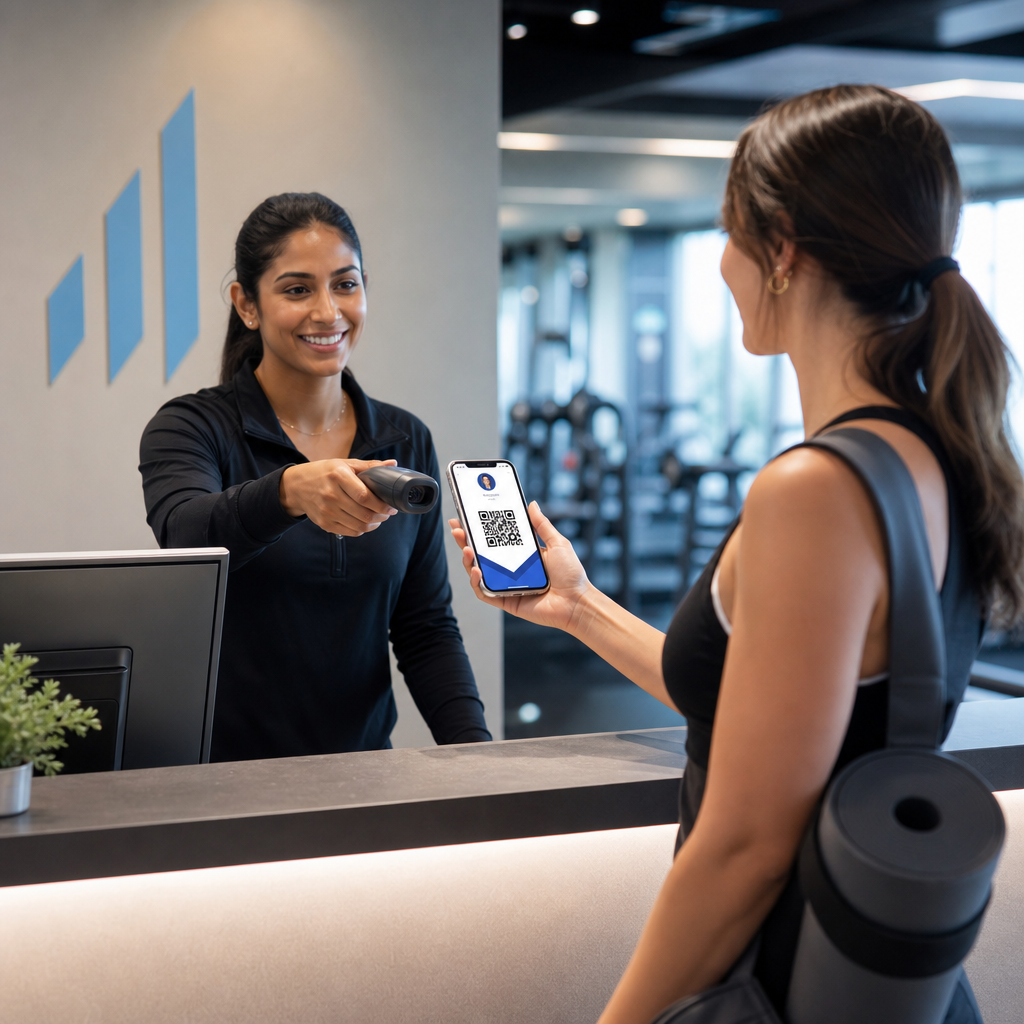
Όταν ένα μέλος παρουσιάζει την κάρτα του – στο τηλέφωνό του, στην εφαρμογή πορτοφολιού του, ή ακόμα και τυπωμένη σε χαρτί – το προσωπικό απλώς σαρώνει τον κωδικό QR. Ο σαρωτής διαβάζει ένα μοναδικό αναγνωριστικό που συνδέεται με την εγγραφή αυτού του μέλους στο σύστημά σας, επιβεβαιώνει την κατάστασή του και καταγράφει το check-in. Όλη η διαδικασία διαρκεί δευτερόλεπτα.
Περίπου 99,5 εκατομμύρια χρήστες smartphone στις Ηνωμένες Πολιτείες σάρωσαν κωδικούς QR το 2025, μια αύξηση 19% σε σύγκριση με το 2022. Τα μέλη σας σχεδόν σίγουρα γνωρίζουν ήδη πώς να χρησιμοποιούν έναν. Πέρα από την ευκολία, οι κάρτες μέλους που βασίζονται σε QR σας δίνουν κάτι που οι φυσικές κάρτες δεν θα μπορούσαν ποτέ: δεδομένα. Μπορείτε να παρακολουθείτε πότε κάνουν check-in τα μέλη, πόσο συχνά επισκέπτονται και ποιες τοποθεσίες ή εκδηλώσεις παρακολουθούν – πληροφορίες που σας βοηθούν να λαμβάνετε καλύτερες αποφάσεις σχετικά με το προσωπικό, τον προγραμματισμό και την αφοσίωση των μελών.
Πώς λειτουργεί η διαδικασία επαλήθευσης
Η κατανόηση της ροής σας βοηθά να σχεδιάσετε ένα σύστημα που ταιριάζει στον οργανισμό σας. Δείτε τι συμβαίνει από τη στιγμή που ένα μέλος εισέρχεται μέχρι τη στιγμή που του επιτρέπεται η είσοδος.
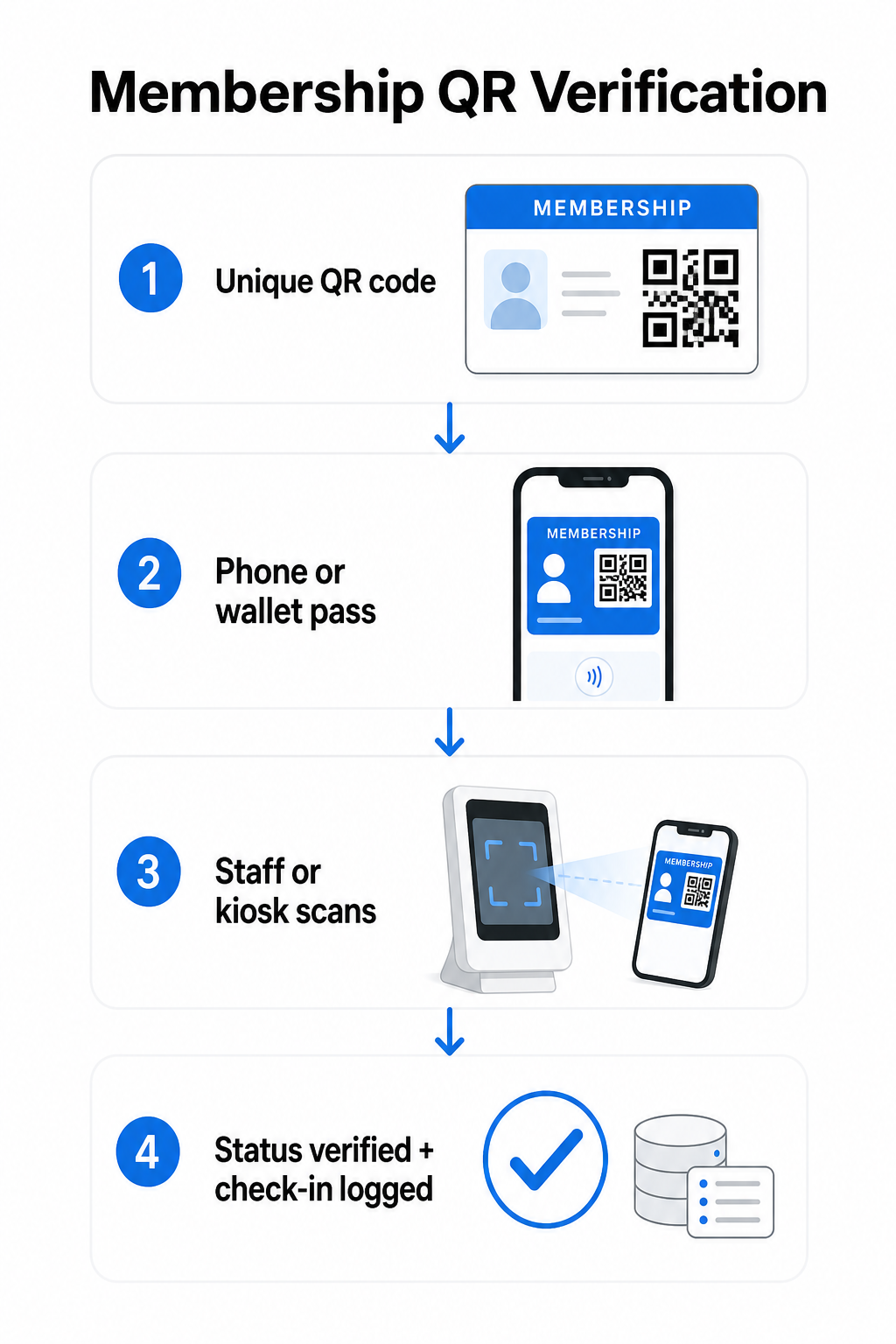
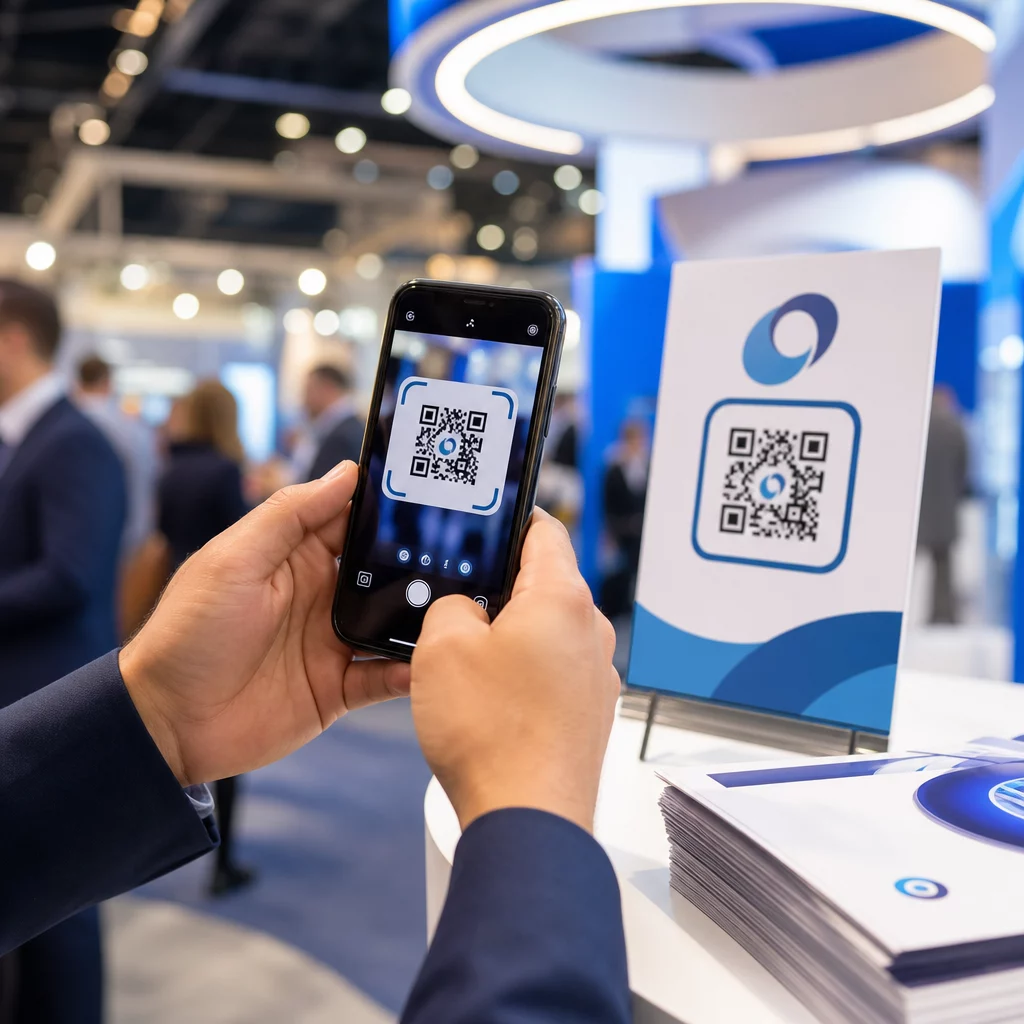
Ένας μοναδικός κωδικός QR εκχωρείται σε κάθε μέλος κατά την εγγραφή ή την ενσωμάτωση. Αυτός ο κωδικός κωδικοποιεί ένα ασφαλές αναγνωριστικό – όχι απευθείας τα προσωπικά στοιχεία του μέλους, αλλά μια αναφορά που μπορεί να αναζητήσει το σύστημά σας. Το μέλος παρουσιάζει τον κωδικό QR του ανοίγοντας την ψηφιακή του κάρτα σε ένα τηλέφωνο, δείχνοντας μια τυπωμένη κάρτα ή εμφανίζοντας ένα πάσο από το Apple Wallet ή το Google Wallet. Το προσωπικό ή ένα περίπτερο σαρώνει στη συνέχεια τον κωδικό χρησιμοποιώντας μια κάμερα smartphone, έναν ειδικό σαρωτή γραμμωτού κώδικα ή ένα εργαλείο όπως το Σαρωτής κώδικα Pageloot QR.
Το σύστημα επικυρώνει το διαπιστευτήριο – επιβεβαιώνοντας την κατάσταση μέλους, το επίπεδο πρόσβασης, την ημερομηνία λήξης ή οποιεσδήποτε άλλες άδειες έχετε διαμορφώσει – πριν χορηγήσει ή επισημάνει την είσοδο και καταγράψει το check-in στη βάση δεδομένων μελών σας. Μπορείτε επίσης να προσθέσετε κανόνες βάσει χρόνου ή περιοχής, για παράδειγμα επιτρέποντας την πρόσβαση μόνο κατά τις εργάσιμες ώρες ή περιορίζοντας ορισμένα επίπεδα μελών σε συγκεκριμένες εγκαταστάσεις.
Αυτή η διαδικασία λειτουργεί είτε διαχειρίζεστε ένα γυμναστήριο, έναν επαγγελματικό σύλλογο, μια λέσχη ή οποιονδήποτε οργανισμό που χρειάζεται να επαληθεύσει ποιος εισέρχεται.
Ξεκινήστε τη δημιουργία κωδικών QR μέλους Δημιουργήστε μοναδικούς, παρακολουθήσιμους κωδικούς QR για κάθε μέλος με το Δημιουργία κώδικα Pageloot QR. Δωρεάν δοκιμή 14 ημερών, δεν απαιτείται πιστωτική κάρτα.
Επιλογή μεταξύ Στατικών και Δυναμικών Κωδικών QR
Δεν συμπεριφέρονται όλοι οι κωδικοί QR με τον ίδιο τρόπο, και η διάκριση έχει σημασία για τη διαχείριση των μελών.
Στατικοί κωδικοί QR κωδικοποιούν πληροφορίες μόνιμα κατά τη στιγμή της δημιουργίας. Μόλις εκτυπωθούν, τα δεδομένα στο εσωτερικό δεν μπορούν να αλλάξουν. Λειτουργούν για απλές περιπτώσεις χρήσης, αλλά αν η κατάσταση ενός μέλους αλλάξει – π.χ., η συνδρομή του λήξει ή αναβαθμιστεί σε υψηλότερο επίπεδο – δεν μπορείτε να ενημερώσετε τον κωδικό. Θα χρειαζόταν να εκδώσετε έναν εντελώς νέο.
Δυναμικοί κωδικοί QR αποθηκεύουν μια σύντομη ανακατεύθυνση εσωτερικά και δείχνουν σε έναν προορισμό που μπορείτε να ενημερώσετε ανά πάσα στιγμή, χωρίς να επανεκτυπώσετε τον κωδικό. Για τις κάρτες μέλους, αυτό σημαίνει ότι μπορείτε να αλλάξετε τι επιστρέφει μια σάρωση – ενημερωμένα επίπεδα πρόσβασης, ανανεωμένη ημερομηνία λήξης ή ένα αναθεωρημένο προφίλ μέλους – χωρίς να εκδώσετε νέα κάρτα. Οι δυναμικοί κωδικοί QR είναι επίσης παρακολουθήσιμοι, παρέχοντάς σας αναλυτικά στοιχεία επιπέδου σάρωσης, συμπεριλαμβανομένων δεδομένων χρόνου, τοποθεσίας και συσκευής. Για οργανισμούς που διαχειρίζονται δεκάδες ή εκατοντάδες μέλη, αυτή η ορατότητα είναι πραγματικά χρήσιμη.
| ΛΕΙΤΟΥΡΓΙΑ | Στατικός κώδικας QR | Δυναμικός κωδικός QR |
|---|---|---|
| Ενημερώσιμο μετά την εκτύπωση | Όχι | Ναι |
| Αναλύσεις σάρωσης | Όχι | Ναι |
| Λειτουργεί αν αλλάξει η κατάσταση μέλους | Απαιτεί επανέκδοση | Ενημέρωση προορισμού, ίδιος κωδικός |
| Κόστος | Ελεύθερος | Απαιτείται συνδρομή επί πληρωμή |
Για τα περισσότερα προγράμματα μελών, οι δυναμικοί κωδικοί QR είναι η σωστή επιλογή. Οι στατικοί κωδικοί είναι αποδεκτοί μόνο αν τα στοιχεία της συνδρομής σας δεν αλλάζουν ποτέ και δεν έχετε ανάγκη παρακολούθησης.
Πώς να δημιουργήσετε κωδικούς QR μέλους με το Pageloot
Ακολουθεί μια πρακτική προσέγγιση βήμα προς βήμα για τη δημιουργία και διανομή κωδικών QR για τα μέλη σας.
Βήμα 1: Επιλέξτε τον τύπο κωδικού QR σας. Συνδεθείτε στο Pageloot και επιλέξτε τον τύπο κωδικού QR που ταιριάζει με αυτό που θέλετε να έχουν πρόσβαση τα μέλη – μια διεύθυνση URL που συνδέεται με το προφίλ μέλους τους, μια vCard με στοιχεία επικοινωνίας και συνδρομής, ή μια φόρμα για επιβεβαίωση check-in. Το Pageloot υποστηρίζει περισσότερους από 25 τύπους κωδικών QR, ώστε να μπορείτε να αντιστοιχίσετε τη μορφή με την υπάρχουσα ροή εργασιών σας.
Βήμα 2: Εισαγάγετε πληροφορίες ειδικές για το μέλος. Κάθε μέλος χρειάζεται έναν μοναδικό κωδικό. Εάν συνδέεστε με μεμονωμένα προφίλ μελών ή αναγνωριστικά, βεβαιωθείτε ότι κάθε κωδικός QR παραπέμπει σε ένα μοναδικό αναγνωριστικό και όχι σε γενικό κοινόχρηστο περιεχόμενο.
Βήμα 3: Προσαρμόστε τη σχεδίαση. Προσθέστε το λογότυπο και τα χρώματα της επωνυμίας του οργανισμού σας. Μια αναγνωρίσιμη σχεδίαση κάρτας χτίζει την εμπιστοσύνη των μελών και μειώνει την πιθανότητα απάτης. Διατηρήστε τον ίδιο τον κωδικό QR υψηλής αντίθεσης – σκούρο προσκήνιο σε ανοιχτό φόντο – και βεβαιωθείτε ότι πληροί το ελάχιστο μέγεθος εκτύπωσης 0,8 × 0,8 ίντσες για σάρωση από κοντινή απόσταση.
Βήμα 4: Λήψη και διανομή. Το Pageloot παρέχει αρχεία έτοιμα για εκτύπωση σε μορφές .SVG, .PDF και .EPS. Μπορείτε να ενσωματώσετε τον κωδικό QR σε μια σχεδίαση ψηφιακής κάρτας, να τον στείλετε απευθείας μέσω email στα μέλη ή να τους ζητήσετε να τον προσθέσουν στο Apple Wallet ή στο Google Wallet ως πάσο.
Βήμα 5: Οργανώστε τους κωδικούς σας. Χρησιμοποιήστε το Pageloot’s Φάκελοι QR code για να ομαδοποιήσετε τους κωδικούς μελών ανά επίπεδο συνδρομής, τοποθεσία ή κύκλο ανανέωσης. Αυτό διατηρεί τον πίνακα ελέγχου σας διαχειρίσιμο καθώς αυξάνεται η λίστα των μελών σας.
Παρακολουθήστε κάθε είσοδο μέλους Παρακολουθήστε δεδομένα σάρωσης σε ολόκληρη τη συνδρομή σας από έναν ενιαίο πίνακα ελέγχου. Το Δημιουργία κώδικα Pageloot QR σας επιτρέπει να δημιουργείτε δυναμικούς, παρακολουθήσιμους κωδικούς και να τους ενημερώνετε ανά πάσα στιγμή χωρίς επανεκτύπωση.
Διανομή καρτών στα μέλη
Μόλις δημιουργήσετε τους κωδικούς, έχετε διάφορες επιλογές για να τους παραδώσετε στα χέρια των μελών.
- Παράδοση μέσω email: Στείλτε σε κάθε μέλος μια εικόνα ψηφιακής κάρτας ή ένα PDF που περιέχει τον μοναδικό κωδικό QR του. Αυτό λειτουργεί άμεσα και δεν κοστίζει τίποτα για διανομή.
- Apple Wallet και Google Wallet: Τα μέλη μπορούν να προσθέσουν ένα πάσο συνδρομής απευθείας στην εφαρμογή πορτοφολιού του τηλεφώνου τους. Το Apple Wallet αποθηκεύει τα πάσα σε μορφή `.pkpass`, η οποία μπορεί να περιλαμβάνει έναν κωδικό QR και λεπτομέρειες μέλους. Το Google Wallet υποστηρίζει παρόμοια λειτουργικότητα μέσω του API Passes. Μόλις προστεθεί, το μέλος ανοίγει το πάσο και παρουσιάζει τον κωδικό QR για σάρωση στην είσοδο.
- Έντυπες κάρτες: Για μέλη που προτιμούν μια φυσική κάρτα, ή για σημεία εισόδου όπου τα τηλέφωνα δεν είναι πρακτικά, μπορείτε να εκτυπώσετε τον κωδικό QR σε μια τυπική κάρτα. Χρησιμοποιήστε εκτύπωση υψηλής ποιότητας για να διατηρήσετε τη δυνατότητα σάρωσης.
- Εμφάνιση εντός εφαρμογής ή πύλης: Εάν ο οργανισμός σας διαθέτει πύλη μελών ή εφαρμογή, εμφανίστε τον κωδικό QR απευθείας μέσα σε αυτήν, ώστε τα μέλη να έχουν πάντα πρόσβαση χωρίς να χρειάζεται να κατεβάσουν ένα ξεχωριστό αρχείο.
Για προγράμματα που επικεντρώνονται στην παρακολούθηση – μαθήματα, εργαστήρια ή επαναλαμβανόμενες εκδηλώσεις – ένα ειδικό συστήματος παρακολούθησης με κωδικούς QR επιτρέπει στα μέλη να σαρώνουν μόνα τους την είσοδό τους αντί να περιμένουν το προσωπικό να σαρώσει τις κάρτες τους, κάτι που μπορεί να μειώσει σημαντικά τον χρόνο εισόδου.
Απαιτήσεις σχεδίασης κωδικών QR για αξιόπιστη σάρωση
Ένας κωδικός QR κάρτας μέλους που δεν σαρώνεται στην είσοδο δημιουργεί τριβή και διαβρώνει την εμπιστοσύνη των μελών. Ακολουθήστε αυτές τις τεχνικές απαιτήσεις για να διασφαλίσετε σταθερή απόδοση.
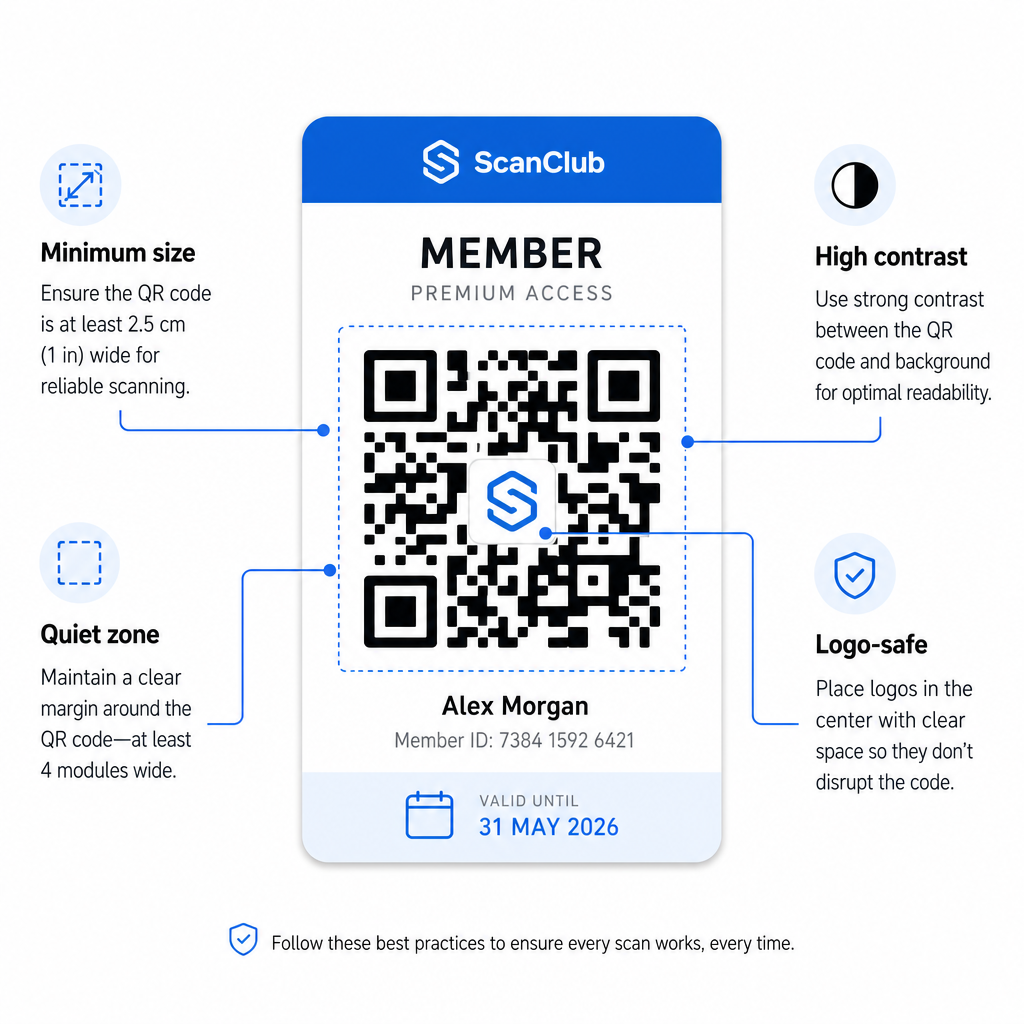
- Ελάχιστο μέγεθος: Εκτυπώστε κωδικούς QR όχι μικρότερους από 0,8 × 0,8 ίντσες (2 cm × 2 cm) για σάρωση από κοντινή απόσταση. Εφαρμόστε τον κανόνα 10:1 για την απόσταση – για κάθε 10 ίντσες μεταξύ του σαρωτή και του κωδικού, ο κωδικός πρέπει να έχει πλάτος τουλάχιστον 1 ίντσα.
- Ήσυχη ζώνη: Διατηρήστε τουλάχιστον 4 μονάδες κενού χώρου σε όλες τις πλευρές του κωδικού QR. Αυτό το περιθώριο επιτρέπει στους σαρωτές να ανιχνεύουν πού αρχίζει και πού τελειώνει ο κωδικός.
- Αντίθεση: Χρησιμοποιήστε σκούρο προσκήνιο σε ανοιχτό φόντο με ελάχιστη αναλογία αντίθεσης 4:1. Αποφύγετε την τοποθέτηση του κωδικού QR πάνω από εικόνες ή πολυσύχναστα μοτίβα που μειώνουν την αναγνωσιμότητα.
- Διόρθωση σφαλμάτων: Εάν συμπεριλάβετε το λογότυπο του οργανισμού σας μέσα στον κωδικό QR, χρησιμοποιήστε διόρθωση σφάλματος επιπέδου H, η οποία παρέχει έως και 30% ικανότητα ανάκτησης. Αυτό αντισταθμίζει το τμήμα του κωδικού που καλύπτεται οπτικά από το λογότυπο.
- Δοκιμάστε πριν τη διανομή: Σαρώστε κάθε πρότυπο κωδικού σε πολλές συσκευές και υπό διαφορετικές συνθήκες φωτισμού πριν το διαθέσετε στα μέλη.
Αυτές οι ίδιες αρχές ισχύουν σε όλες τις φυσικές τοποθεσίες. Ο οδηγός κωδικών QR για γυμναστήρια και ευεξία καλύπτει τον τρόπο με τον οποίο οι εγκαταστάσεις γυμναστικής χειρίζονται συγκεκριμένα περιβάλλοντα σάρωσης υψηλού όγκου.
Θέματα ασφαλείας για κωδικούς QR μελών
Οι κάρτες μέλους συχνά παρέχουν πραγματικά δικαιώματα πρόσβασης – σε εγκαταστάσεις, εκδηλώσεις ή εκπτώσεις – επομένως η ασφάλεια δεν είναι προαιρετική. Ένα κακοσχεδιασμένο σύστημα QR μπορεί να αντιγραφεί, να φωτογραφηθεί ή να κοινοποιηθεί.
- Κωδικοποιήστε ένα ασφαλές αναγνωριστικό, όχι προσωπικά δεδομένα. Ο κωδικός QR θα πρέπει να περιέχει μια αδιαφανή αναφορά – όπως ένα κρυπτογραφικά κατακερματισμένο αναγνωριστικό μέλους – και όχι ένα όνομα, διεύθυνση email ή άλλες προσωπικές πληροφορίες. Εάν κάποιος φωτογραφίσει τον κωδικό QR, δεν θα πρέπει να αποκτήσει άμεση πρόσβαση στα δεδομένα του μέλους.
- Χρησιμοποιήστε κωδικούς περιορισμένης διάρκειας ή μίας χρήσης για σενάρια υψηλής ασφάλειας. Για εκδηλώσεις ή καταστάσεις εφάπαξ πρόσβασης, δημιουργήστε κωδικούς που λήγουν μετά από ένα σύντομο χρονικό διάστημα ή καθίστανται άκυροι μετά από μία μόνο σάρωση. Αυτό αποτρέπει την αντιγραφή ή την προώθηση κωδικών.
- Χρησιμοποιήστε δυναμικούς κωδικούς QR για συνεχιζόμενες συνδρομές. Επειδή οι δυναμικοί κωδικοί παραπέμπουν σε έναν προορισμό από την πλευρά του διακομιστή, μπορείτε να ακυρώσετε άμεσα μια ληγμένη ή παραβιασμένη συνδρομή – δεν απαιτείται νέα κάρτα.
- Διατηρήστε ένα αρχείο ελέγχου. Καταγράψτε κάθε σάρωση με χρονική σήμανση και τοποθεσία. Αυτό σας βοηθά να εντοπίσετε ασυνήθιστα μοτίβα, όπως ένας ενιαίος κωδικός που σαρώνεται από δύο τοποθεσίες ταυτόχρονα.
- Συμμορφωθείτε με τους κανονισμούς προστασίας δεδομένων. Εάν οι κάρτες μέλους ή τα αρχεία καταγραφής σαρώσεων περιέχουν προσωπικά στοιχεία, βεβαιωθείτε ότι το σύστημά σας ευθυγραμμίζεται με τους ισχύοντες νόμους περί απορρήτου. Συνεργαστείτε με προμηθευτές που εφαρμόζουν την ελαχιστοποίηση δεδομένων και έχουν σαφείς πολιτικές διατήρησης δεδομένων.
Για οργανισμούς που χειρίζονται ευαίσθητα δεδομένα μελών, η καθοδήγηση ασφαλείας είναι συνεπής: οι κωδικοί QR που χρησιμοποιούνται για έλεγχο ταυτότητας θα πρέπει να περιέχουν μόνο αδιαφανείς αναγνωριστικά, όχι προσωπικά στοιχεία, και οι κωδικοί θα πρέπει να είναι χρονικά περιορισμένοι και να δημιουργούνται δυναμικά όπου είναι δυνατόν.
Σύνδεση Καρτών Μέλους QR με Προγράμματα Επιβράβευσης
Οι κάρτες μέλους και τα προγράμματα επιβράβευσης συχνά αλληλοεπικαλύπτονται. Εάν ο οργανισμός σας επιβραβεύει τη συμμετοχή των μελών – μέσω πόντων, ορόσημων επισκέψεων ή κλιμακωτών παροχών – μια κάρτα βασισμένη σε QR μπορεί να εξυπηρετήσει και τις δύο λειτουργίες ταυτόχρονα.
Όταν ένα μέλος σαρώνει την κάρτα του, αυτό το γεγονός μπορεί να ενεργοποιήσει μια πίστωση πόντων, να ενημερώσει τον αριθμό των επισκέψεών του ή να ξεκλειδώσει ένα νέο επίπεδο παροχών. Αυτό καταργεί εντελώς την ανάγκη για μια ξεχωριστή κάρτα επιβράβευσης. Ο οδηγός για πώς να ρυθμίσετε προγράμματα επιβράβευσης με κωδικούς QR αναλύει πώς να δομήσετε τις ανταμοιβές παράλληλα με ένα σύστημα συνδρομών. Για μια παράλληλη σύγκριση ψηφιακών και φυσικών προσεγγίσεων, το Ανάλυση κωδικών QR έναντι παραδοσιακών καρτών επιβράβευσης καλύπτει λεπτομερώς τις πρακτικές ανταλλαγές.
Εάν το πρόγραμμά σας περιλαμβάνει εκδηλώσεις με εισιτήριο, η ίδια υποδομή QR ισχύει και εκεί. Ο οδηγός κωδικών QR για εισιτήρια εκδηλώσεων εξηγεί πώς να επεκτείνετε τη ρύθμισή σας για να καλύψετε την πρόσβαση και το check-in ειδικά για εκδηλώσεις.
Οι ψηφιακές κάρτες μέλους με κωδικούς QR μειώνουν το διοικητικό κόστος, προσφέρουν στα μέλη μια πιο βολική εμπειρία και παρέχουν στον οργανισμό σας πραγματικά δεδομένα σχετικά με τη συμμετοχή και την προσέλευση. Οι βασικές αποφάσεις – στατικοί έναντι δυναμικών κωδικών, αυτο-σάρωση έναντι σάρωσης από προσωπικό, ενσωμάτωση πορτοφολιού έναντι παράδοσης μέσω email – εξαρτώνται από τον όγκο των μελών σας και την επιχειρησιακή σας ρύθμιση, αλλά τα υποκείμενα εργαλεία είναι προσβάσιμα ανεξάρτητα από το μέγεθος του οργανισμού. Ξεκινήστε με δυναμικούς κωδικούς, σχεδιάστε για ευκολία σάρωσης και δημιουργήστε τη μέθοδο διανομής σας με βάση το πώς συμπεριφέρονται πραγματικά τα μέλη σας.
Δημιουργήστε το Σύστημα Καρτών Μέλους σας Δημιουργήστε, προσαρμόστε και διαχειριστείτε κωδικούς QR για κάθε μέλος από έναν πίνακα ελέγχου. Δοκιμάστε το Δημιουργία κώδικα Pageloot QR δωρεάν για 14 ημέρες – δεν απαιτείται πιστωτική κάρτα.
Συχνές ερωτήσεις
Ναι. Τα μέλη μπορούν να αποθηκεύσουν τον κωδικό QR τους ως πάσο στο Apple Wallet ή στο Google Wallet, το οποίο δεν απαιτεί εφαρμογή τρίτου μέρους. Εναλλακτικά, μπορείτε να τους στείλετε μέσω email μια εικόνα ψηφιακής κάρτας την οποία ανοίγουν απευθείας από τη βιβλιοθήκη φωτογραφιών του τηλεφώνου τους ή τον πελάτη email. Το προσωπικό σαρώνει τον κωδικό QR που εμφανίζεται στην οθόνη χρησιμοποιώντας οποιαδήποτε τυπική κάμερα ή τον Σαρωτή Κωδικών QR Pageloot.
Με δυναμικούς κωδικούς QR, ενημερώνετε τον προορισμό ή την κατάσταση μέλους στον πίνακα ελέγχου σας άμεσα. Η ίδια η φυσική ή ψηφιακή κάρτα δεν αλλάζει, αλλά την επόμενη φορά που θα σαρωθεί, το σύστημά σας επιστρέφει την ενημερωμένη κατάσταση – ληγμένη, ανασταλμένη ή ανανεωμένη – χωρίς να εκδοθεί νέα κάρτα στο μέλος.
Το Pageloot σας επιτρέπει να δημιουργείτε και να διαχειρίζεστε κωδικούς QR μαζικά, οργανωμένους σε φακέλους ανά επίπεδο συνδρομής, τοποθεσία ή περίοδο ανανέωσης. Ο κεντρικός πίνακας ελέγχου παρέχει αναλύσεις σάρωσης και εργαλεία διαχείρισης για όλους τους κωδικούς σας σε ένα μέρος. Επισκεφθείτε τη σελίδα του Pageloot QR Code Generator για λεπτομέρειες σχετικά με τα όρια και τις λειτουργίες που αφορούν συγκεκριμένα προγράμματα.