> 산업 > QR Codes for Membership Cards: How to Set Up and Manage Them
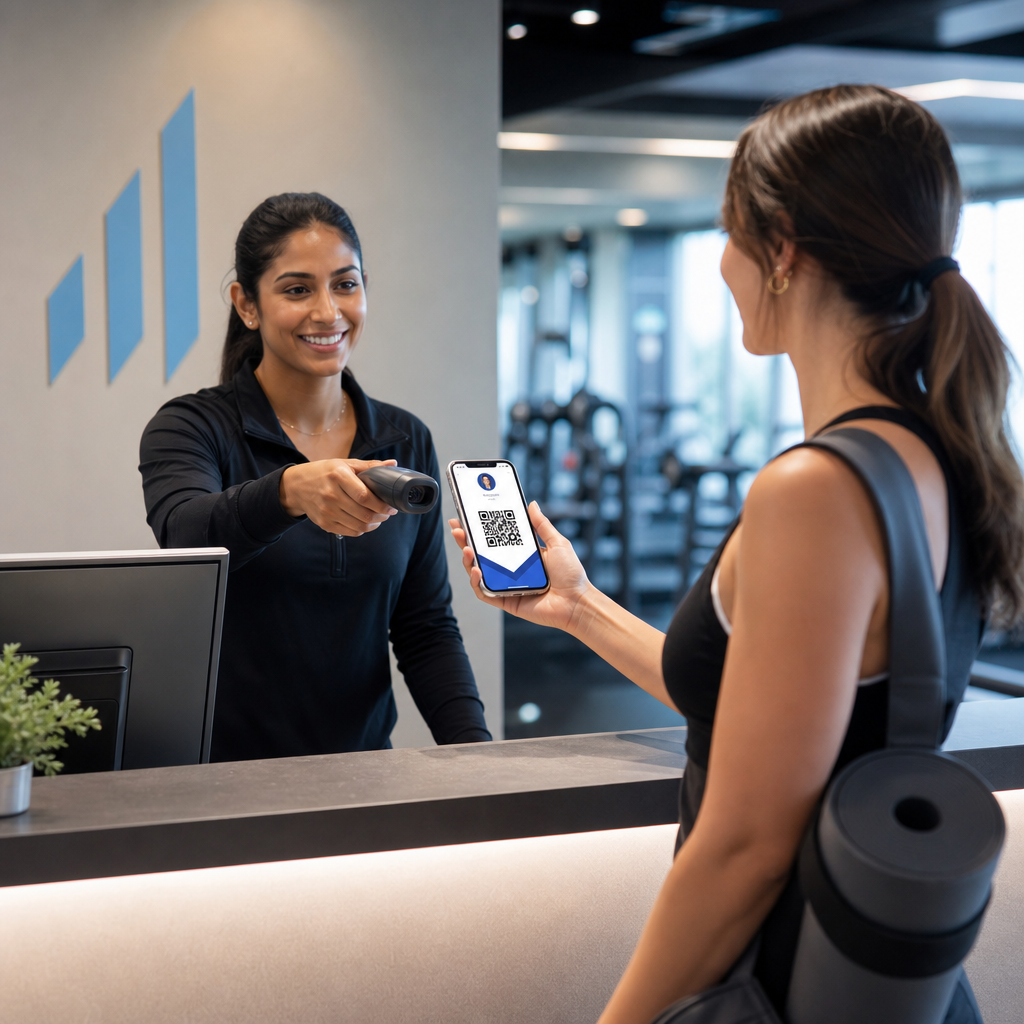
QR membership check-in

QR Codes for Membership Cards: How to Set Up and Manage Them

Streamline member management with QR codes. Learn how to create digital membership cards, choose between static and dynamic codes, and ensure secure check-ins.
Updated on 7월 2, 2026
목차

Managing member identification with paper cards or manual check-in lists slowing you down? Lost cards, long queues, and no way to verify membership status in real time create real friction for both staff and members. This guide walks you through how to implement digital membership cards with QR codes – from generating unique codes to scanning them at the door and keeping member data secure.

Why QR Codes Work Well for Membership Cards

Traditional plastic or paper membership cards share a fixed problem: they carry static information, wear out, get lost, and give you zero insight into how members are using them. A QR code on a digital membership card solves all of that.

When a member presents their card – on their phone, in their wallet app, or even printed on paper – staff simply scan the QR code. The scanner reads a unique identifier linked to that member’s record in your system, confirms their status, and logs the check-in. The whole process takes seconds.

Approximately 99.5 million smartphone users in the United States scanned QR codes in 2025, a 19% increase compared with 2022. Your members almost certainly already know how to use one. Beyond convenience, QR-based membership cards give you something physical cards never could: data. You can track when members check in, how frequently they visit, and which locations or events they attend – information that helps you make better decisions about staffing, programming, and member engagement.

How the Verification Process Works

Understanding the flow helps you design a system that fits your organization. Here is what happens from the moment a member walks in to the moment they are cleared for entry.

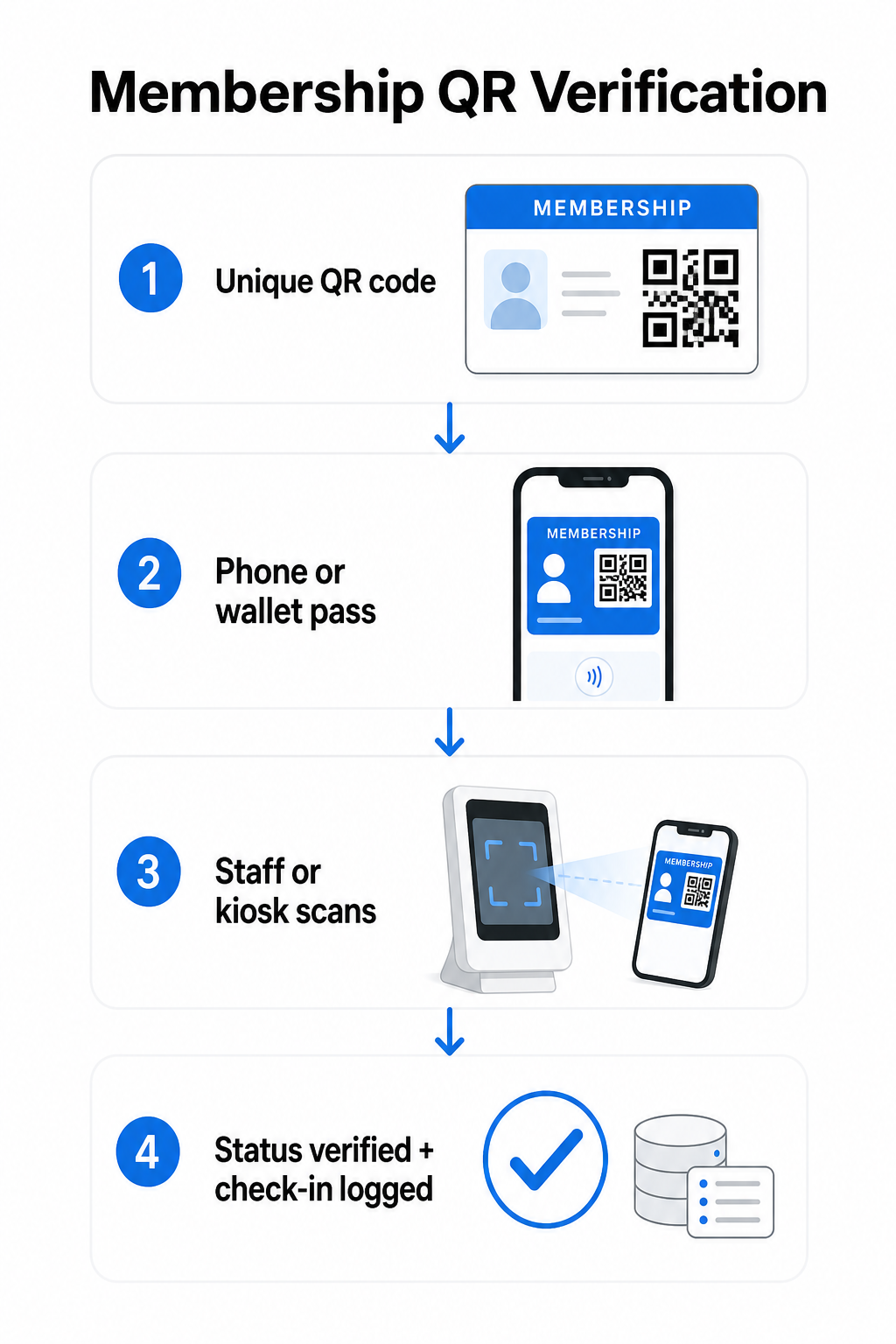
Membership verification flow

A unique QR code is assigned to each member during enrollment or onboarding. This code encodes a secure identifier – not the member’s personal information directly, but a reference that your system can look up. The member presents their QR code by opening their digital card on a phone, showing a printed card, or displaying a pass from Apple Wallet or Google Wallet. Staff or a kiosk then scans the code using a smartphone camera, a dedicated barcode scanner, or a tool like the Pageloot QR 코드 스캐너.

The system validates the credential – confirming membership status, access tier, expiration date, or any other permissions you have configured – before granting or flagging entry and recording the check-in in your membership database. You can also layer in time-based or area-specific rules, for example allowing access only during business hours or restricting certain member tiers to specific facilities.

This process works whether you are running a gym, a professional association, a club, or any organization that needs to verify who is coming through the door.

Start Generating Membership QR Codes Create unique, trackable QR codes for every member with the Pageloot QR 코드 생성기. Free 14-day trial, no credit card required.

정적 QR 코드와 동적 QR 코드 선택

Not all QR codes behave the same way, and the distinction matters for membership management.

정적 QR 코드 encode information permanently at the time of creation. Once printed, the data inside cannot change. They work for simple use cases, but if a member’s status changes – say, their membership lapses or they upgrade to a higher tier – you cannot update the code. You would need to issue a new one entirely.

동적 QR 코드 store a short redirect internally and point to a destination you can update at any time, without reprinting the code. For membership cards, this means you can change what a scan returns – updated access levels, a renewed expiration date, or a revised member profile – without issuing a new card. Dynamic QR codes are also trackable, giving you scan-level analytics including time, location, and device data. For organizations managing dozens or hundreds of members, that visibility is genuinely useful.

기능 정적 QR 코드 동적 QR 코드
Updateable after printing 아니요
스캔 분석 아니요
Works if member status changes Requires reissue Update destination, same code
비용 비어 있는 Paid subscription required

For most membership programs, dynamic QR codes are the right choice. Static codes are acceptable only if your membership details never change and you have no need for tracking.

How to Create Membership QR Codes with Pageloot

Here is a practical step-by-step approach to generating and distributing QR codes for your members.

Step 1: Choose your QR code type. Log in to Pageloot and select the QR code type that matches what you want members to access – a URL linking to their member profile, a vCard with contact and membership details, or a form for check-in confirmation. Pageloot supports more than 25 QR code types, so you can match the format to your existing workflow.

Step 2: Enter member-specific information. Each member needs a unique code. If you are linking to individual member profiles or IDs, make sure each QR code points to a unique identifier rather than generic shared content.

Step 3: Customize the design. Add your organization’s logo and brand colors. A recognizable card design builds member trust and reduces the likelihood of fraud. Keep the QR code itself high-contrast – dark foreground on a light background – and ensure it meets the minimum print size of 0.8 × 0.8 inches for close-up scanning.

Step 4: Download and distribute. Pageloot provides print-ready files in .SVG, .PDF, and .EPS formats. You can embed the QR code into a digital card design, email it directly to members, or have them add it to Apple Wallet or Google Wallet as a pass.

Step 5: Organize your codes. Pageloot의 QR 코드 폴더 to group member codes by membership tier, location, or renewal cycle. This keeps your dashboard manageable as your member list grows.

Track Every Member Check-In Monitor scan data across your entire membership from a single dashboard. The Pageloot QR 코드 생성기 lets you create dynamic, trackable codes and update them anytime without reprinting.

Distributing Cards to Members

Once you have generated the codes, you have several options for getting them into members’ hands.

  • Email delivery: Send each member a digital card image or PDF containing their unique QR code. This works immediately and costs nothing to distribute.
  • Apple Wallet and Google Wallet: Members can add a membership pass directly to their phone’s wallet app. Apple Wallet stores passes in the `.pkpass` format, which can include a QR code and member details. Google Wallet supports similar functionality through its Passes API. Once added, the member opens the pass and presents the QR code for scanning at the door.
  • Printed cards: For members who prefer a physical card, or for entry points where phones are not practical, you can print the QR code on a standard card. Use high-quality printing to preserve scannability.
  • In-app or portal display: If your organization has a member portal or app, display the QR code directly within it so members always have access without downloading a separate file.

For attendance-focused programs – classes, workshops, or recurring events – a dedicated QR code attendance system lets members scan themselves in rather than waiting for staff to scan their cards, which can significantly reduce entry time.

QR Code Design Requirements for Reliable Scanning

A membership card QR code that fails to scan at the door creates friction and erodes member confidence. Follow these technical requirements to ensure consistent performance.

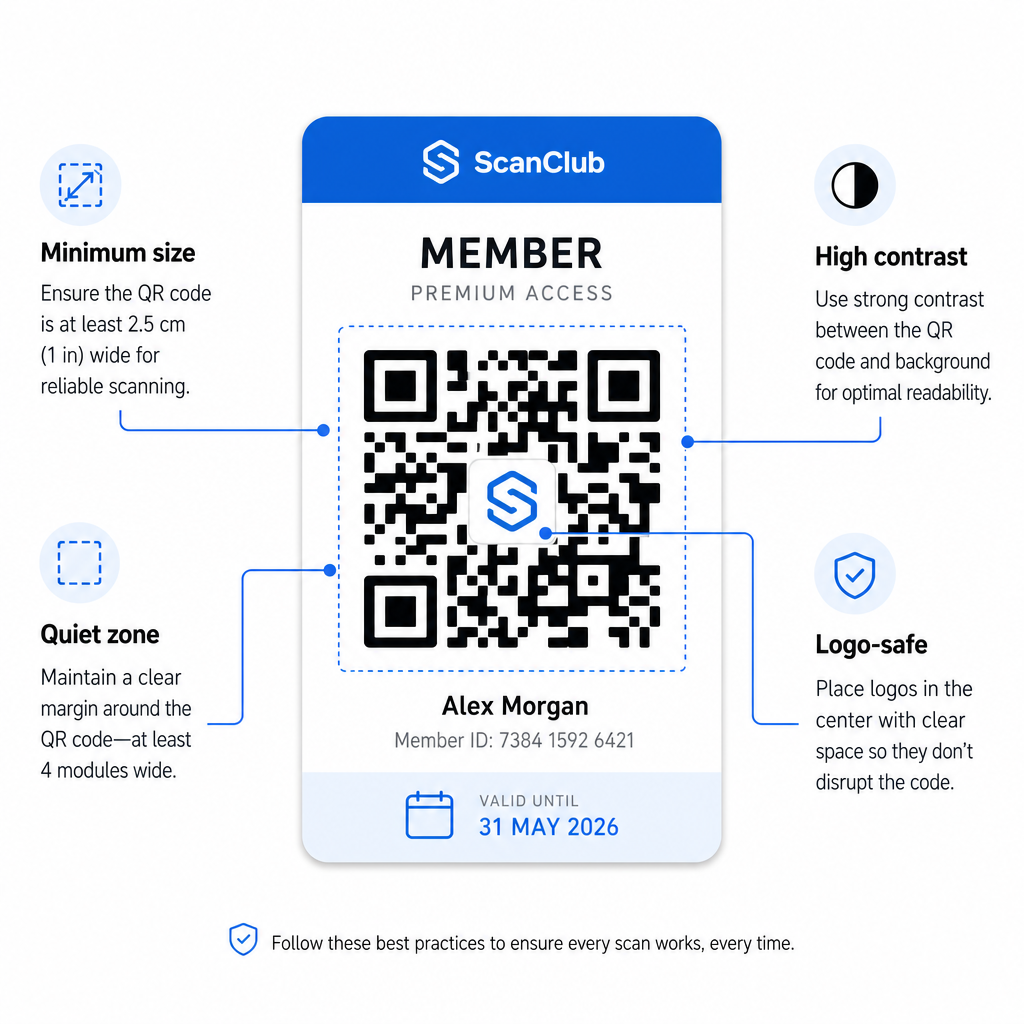
QR design requirements
  • Minimum size: Print QR codes at no smaller than 0.8 × 0.8 inches (2 cm × 2 cm) for close-up scanning. Apply the 10:1 rule for distance – for every 10 inches between the scanner and the code, the code should be at least 1 inch wide.
  • Quiet zone: Maintain at least 4 modules of blank space on all sides of the QR code. This margin allows scanners to detect where the code begins and ends.
  • 대비: Use a dark foreground on a light background with a minimum contrast ratio of 4:1. Avoid placing the QR code over images or busy patterns that reduce readability.
  • Error correction: If you include your organization’s logo inside the QR code, use Level H error correction, which provides up to 30% recovery capacity. This compensates for the portion of the code visually covered by the logo.
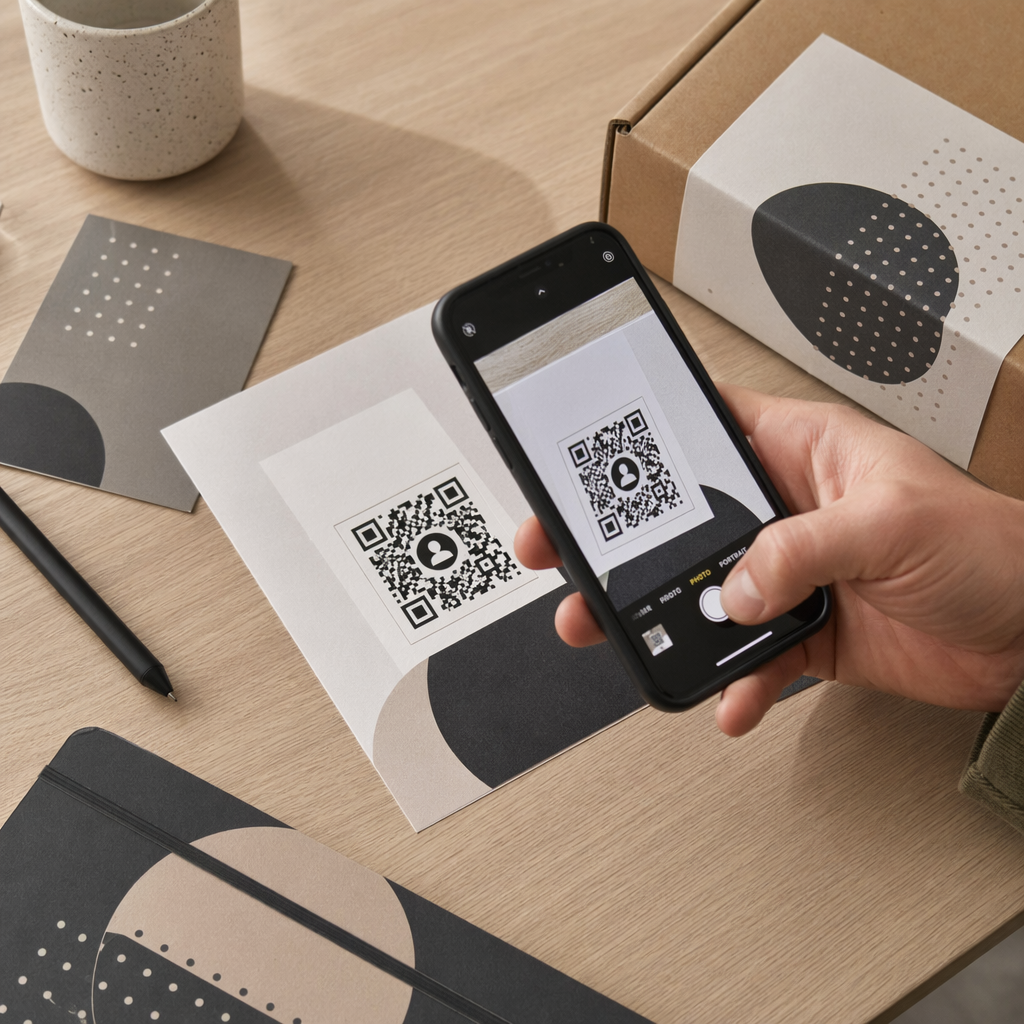
  • Test before distributing: Scan every code template on multiple devices and under different lighting conditions before rolling it out to members.

These same principles apply across physical locations. The QR codes for gyms and wellness guide covers how fitness facilities specifically handle high-volume scanning environments.

Security Considerations for Member QR Codes

Membership cards often confer real access rights – to facilities, events, or discounts – so security is not optional. A poorly designed QR system can be copied, photographed, or shared.

  • Encode a secure identifier, not personal data. The QR code should contain an opaque reference – such as a cryptographically hashed member ID – rather than a name, email address, or other personal information. If someone photographs the QR code, they should not gain direct access to member data.
  • Use time-limited or single-use codes for high-security scenarios. For events or one-time access situations, generate codes that expire after a short window or become invalid after a single scan. This prevents copying or forwarding of codes.
  • Use dynamic QR codes for ongoing memberships. Because dynamic codes point to a server-side destination, you can invalidate a lapsed or compromised membership instantly – no new card required.
  • Maintain an audit trail. Log every scan with a timestamp and location. This helps you identify unusual patterns, such as a single code being scanned from two locations simultaneously.
  • Comply with data protection regulations. If your membership cards or scan logs contain personal information, ensure your system aligns with applicable privacy laws. Work with vendors that practice data minimization and have clear data retention policies.

For organizations handling sensitive membership data, security guidance is consistent: QR codes used for authentication should contain only opaque identifiers, not personal information, and codes should be time-limited and dynamically generated wherever possible.

Connecting QR Membership Cards to Loyalty Programs

Membership cards and loyalty programs often overlap. If your organization rewards member engagement – through points, visit milestones, or tiered benefits – a QR-based card can serve both functions simultaneously.

When a member scans in, that event can trigger a points credit, update their visit count, or unlock a new benefit tier. This removes the need for a separate loyalty card entirely. The guide on how to set up QR code loyalty programs walks through how to structure rewards alongside a membership system. For a side-by-side comparison of digital and physical approaches, the QR codes vs. traditional loyalty cards breakdown covers the practical tradeoffs in detail.

If your program includes ticketed events, the same QR infrastructure applies there too. The QR codes for event tickets guide explains how to extend your setup to cover event-specific access and check-in.

Digital membership cards with QR codes reduce administrative overhead, give members a more convenient experience, and provide your organization with real data about engagement and attendance. The key decisions – static versus dynamic codes, self-scan versus staff-scan, wallet integration versus email delivery – depend on your member volume and operational setup, but the underlying tools are accessible regardless of organization size. Start with dynamic codes, design for scannability, and build your distribution method around how your members actually behave.

Build Your Membership Card System Generate, customize, and manage QR codes for every member from one dashboard. Try the Pageloot QR 코드 생성기 free for 14 days – no credit card required.

자주 묻는 질문

Can members use their QR membership card on their phone without downloading an app?

Yes. Members can store their QR code as a pass in Apple Wallet or Google Wallet, which requires no third-party app. Alternatively, you can email them a digital card image they open directly from their phone’s photo library or email client. Staff scan the QR code displayed on screen using any standard camera or the Pageloot QR Code Scanner.

What happens if a membership expires or is cancelled?

With dynamic QR codes, you update the destination or membership status in your dashboard immediately. The physical or digital card itself does not change, but the next time it is scanned, your system returns the updated status – expired, suspended, or renewed – without issuing a new card to the member.

How many member QR codes can I manage at once?

Pageloot lets you create and manage QR codes in bulk, organized into folders by membership tier, location, or renewal period. The centralized dashboard provides scan analytics and management tools across all your codes in one place. Visit the Pageloot QR Code Generator page for details on plan-specific limits and features.

작성자 정보

시임 코스타비는 페이지루트의 콘텐츠 책임자입니다. 그는 페이지루트의 혁신적인 QR 코드 생성 서비스에 대한 글을 쓰고 있습니다. 5년 이상 QR 코드 분야에서 쌓아온 깊이 있는 전문 지식을 바탕으로, 시임은 이 분야의 전문가로 인정받고 있습니다. 그는 QR 기술을 활용하여 디지털 상호작용을 간소화하고 향상시키는 데 크게 기여하고 있습니다.

범주
에 대해 자세히 알아보기
고객이 카페 메뉴 스캔
QR 코드 카페
QR 코드를 스캔하는 고객
QR 코드입니다 2024년에 죽나요?
Wedding QR code
QR 코드 결혼식

온라인으로 QR 코드를 생성해야하는 경우 QR 코드 만들기 무료로 여기!
Pageloot는 #1 Go-To 솔루션 QR 코드를 만들고 스캔합니다.

BL-0287

블로그 세대

20,000개 이상의 브랜드로부터 신뢰를 받아 더 많은 매출, 리뷰, 팔로워를 확보했습니다.

클라이언트 로고
최고 브랜드의 신뢰
5 중 4.8 평가

4.86 / 5 별점

휴고 로랑
휴고 로랑
레스토랑 주인
가장 쉽고 안정적인 QR 코드 생성기. PDF 파일을 즉시 업로드할 수 있습니다. 이제 레스토랑 메뉴가 디지털화되었습니다.
루카스 얀센
루카스 얀센
부동산 개발사
이것은 훌륭한 도구이며 QR 코드를 사용하면 원하는 곳으로 이동할 수 있습니다. 우리는 위치 QR 코드만 사용하지만 유용한 기능이 너무 많습니다.
엠마 모레티
엠마 모레티
소매 제품
사용하기 쉽고 빠릅니다. 그것은 훌륭하게 작동하고 완벽한 이미지를 생성하므로 직원들이 내 vCard를 다운로드할 수 있습니다.
휴고 로랑
휴고 로랑
레스토랑 주인
가장 쉽고 안정적인 QR 코드 생성기. PDF 파일을 즉시 업로드할 수 있습니다. 이제 레스토랑 메뉴가 디지털화되었습니다.
루카스 얀센
루카스 얀센
부동산 개발사
이것은 훌륭한 도구이며 QR 코드를 사용하면 원하는 곳으로 이동할 수 있습니다. 우리는 위치 QR 코드만 사용하지만 유용한 기능이 너무 많습니다.
엠마 모레티
엠마 모레티
소매 제품
사용하기 쉽고 빠릅니다. 그것은 훌륭하게 작동하고 완벽한 이미지를 생성하므로 직원들이 내 vCard를 다운로드할 수 있습니다.
더 많은 QR 코드보기
Students scanning QR codes
QR 코드 학교 교육
위챗 QR 코드 스캔
QR 코드 만들기 위챗
무엇이든 디지털 경험으로 전환하세요 3분 이내에.

14일 무료 체험.

신용카드는 필요 없습니다.

첫 구매 시 30% 할인

코드를 사용하세요:

MP3 파일 공유

PDF QR 코드를 생성하려면 가입하세요

필요한 모든 것을 업로드하고 표시합니다.

  • 오디오 파일
  • 팟캐스트
  • 음악

가입 시 14일 무료 체험.
체험 기간 후 QR 코드 만료.

오디오 mp3 QR 코드를 생성하려면 가입하세요

프레임으로 더 많은 스캔 확보

QR 코드에 더 많은 프레임을 추가하려면 가입하세요

클릭 유도 문안 프레임은 고객이 QR 코드와 쉽게 상호 작용할 수 있도록 도와줍니다. 사용해 보세요!

가입 시 14일 무료 체험.
체험 기간 후 QR 코드 만료.

QR 코드에 더 많은 프레임을 추가하려면 가입하세요

도형으로 더 많은 스타일 추가

더 많은 도형을 만들려면 가입하세요

QR 코드는 정사각형일 필요가 없습니다. 브랜드 이미지에 맞게 전환해 보세요.

가입 시 14일 무료 체험.
체험 기간 후 QR 코드 만료.

더 많은 도형을 만들려면 가입하세요

QR 코드에 로고 추가

QR 코드에 로고를 추가하려면 가입하세요

로고와 브랜드를 추가하여 QR 코드를 돋보이게 만드세요.

가입 시 14일 무료 체험.
체험 기간 후 QR 코드 만료.

QR 코드에 로고를 추가하려면 가입하세요

스마트 앱 스토어 리디렉션

앱 스토어 QR 코드를 생성하려면 가입하세요

스마트 앱 스토어 QR 코드에 앱 링크를 추가하세요. 사용자는 장치에 따라 리디렉션됩니다.

가입 시 14일 무료 체험.
체험 기간 후 QR 코드 만료.

앱 스토어 QR 코드를 생성하려면 가입하세요

QR 코드에 이미지 업로드

이미지 QR 코드를 생성하려면 가입하세요

이미지를 쉽게 공유하세요. 몇 초 안에 동적으로 이미지를 변경하십시오.

가입 시 14일 무료 체험.
체험 기간 후 QR 코드 만료.

이미지 QR 코드를 생성하려면 가입하세요

PDF 파일 공유

PDF QR 코드를 생성하려면 가입하세요

필요한 모든 것을 업로드하고 표시합니다.

  • 메뉴 및 가격표
  • 명령
  • 모든 문서

가입 시 14일 무료 체험.
체험 기간 후 QR 코드 만료.

PDF QR 코드를 생성하려면 가입하세요

인쇄 없이 나중에 편집

다시 인쇄하지 않고 QR 코드를 편집하려면 가입하세요

동적 QR 코드를 사용하면 새 QR 코드를 인쇄하지 않고도 QR 코드의 내용을 변경할 수 있습니다.

가입 시 14일 무료 체험.
체험 기간 후 QR 코드 만료.

다시 인쇄하지 않고 QR 코드를 편집하려면 가입하세요

언제? 어디서? QR 코드 스캔 추적

QR 코드를 추적하려면 가입하세요

어떤 QR 코드가 가장 많이 스캔되고 무엇이 고객을 가장 흥분시키는지 알아보십시오.

가입 시 14일 무료 체험.
체험 기간 후 QR 코드 만료.

QR 코드를 추적하려면 가입하세요

인쇄 준비 파일 제공

PDF 및 SVG와 같은 벡터 QR 코드를 생성하려면 가입하세요.

.EPS, .PDF, .SVG

HD 해상도로 QR 코드를 다운로드하고 싶으신가요? 인쇄할 준비가 된 벡터 또는 픽셀 형식을 가져옵니다.

가입 시 14일 무료 체험.
체험 기간 후 QR 코드 만료.

PDF 및 SVG와 같은 벡터 QR 코드를 생성하려면 가입하세요.

기다리세요. 귀하의 QR 코드는 로드 중... 로드 중...

나만의 것으로 만들기

나중을 위해 QR 코드를 저장하려면 가입하세요.

다양한 색상, 로고 및 클릭 유도문안 프레임으로 멋진 QR 코드를 만들어 더 많은 스캔을 받으세요.

가입 시 14일 무료 체험.
체험 기간 후 QR 코드 만료.

나중을 위해 QR 코드를 저장하려면 가입하세요.