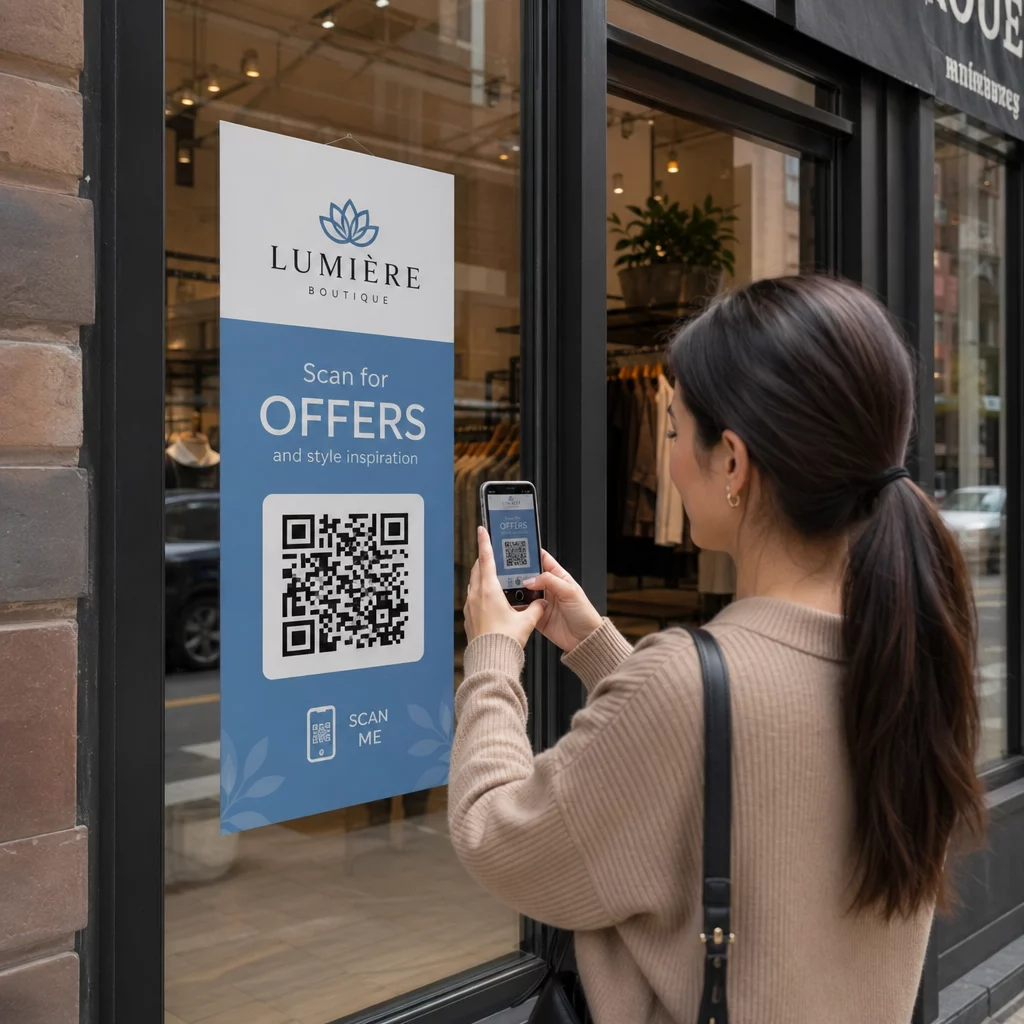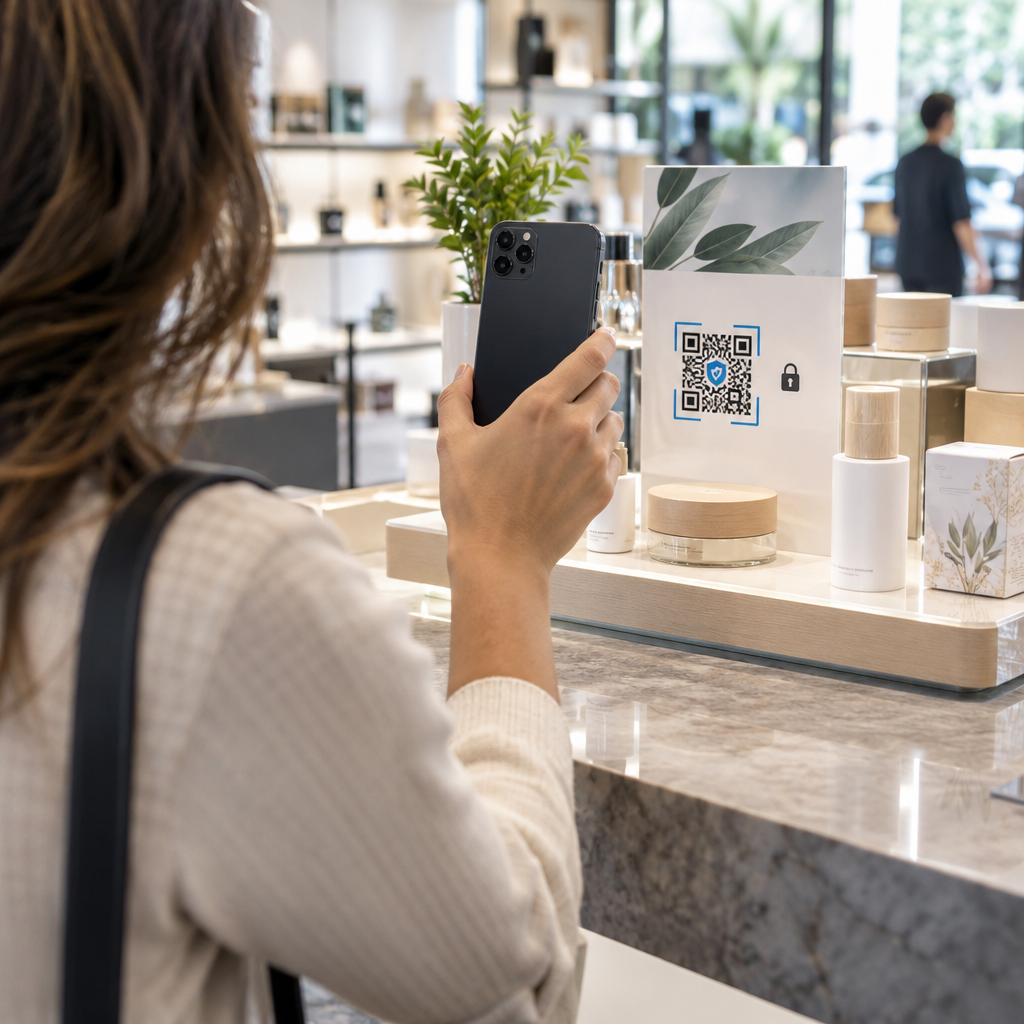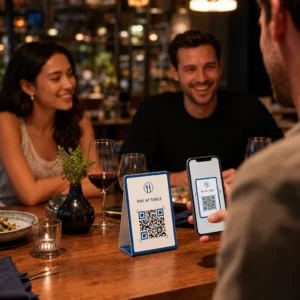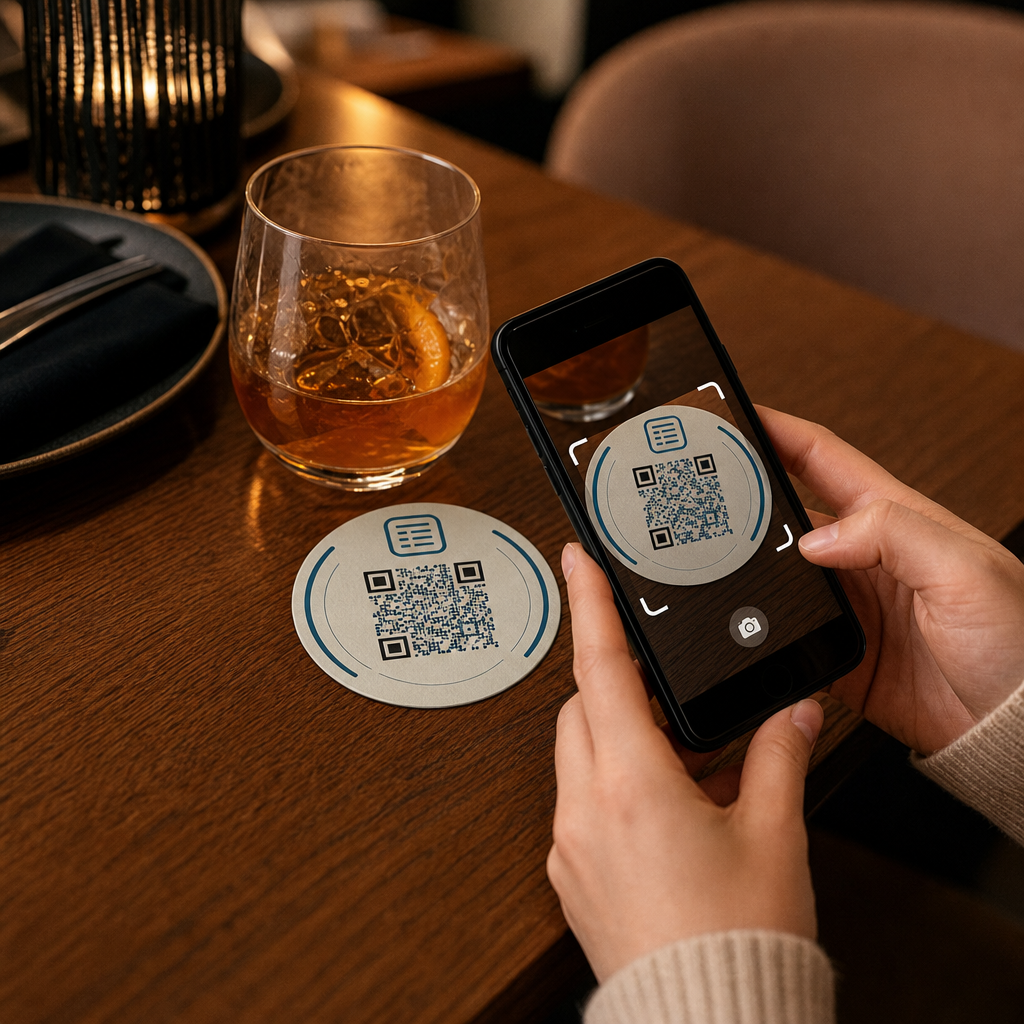

Vendégei a Wi-Fi jelszót keresik, vagy egy pincért intenek le, csak hogy megnézzék az étlapot? Ezek az apró súrlódási pontok gyorsan összeadódnak, frusztrálva a vendégeket és lassítva a személyzetet. Ez az útmutató pontosan megmutatja, hogyan tervezhet, generálhat és helyezhet el QR-kódokat az alátéteken, hogy egyetlen szkennelés megoldja a problémát – és adatokat szolgáltat a folyamatos fejlesztéshez.
Miért praktikus QR-kód felület az alátét?
Minden ital, ami az asztalra kerül, alátéttel érkezik. Ez teszi az alátéteket az egyik leggyakrabban megtekintett felületté bármely vendéglátóipari környezetben. Ellentétben az asztali kártyákkal, amelyeket a vendégek gyakran félretolnak, vagy a falra szerelt poszterekkel, amelyekhez fel kell állni és odasétálni, az alátét közvetlenül az ügyfél előtt van az egész látogatás során.
Ez a tartós jelenlét három konkrét feladatra teszi hasznossá az alátéteket:
- Menü hozzáférés – lehetővé teszi a vendégek számára, hogy azonnal böngésszék az ételeket és italokat, amint leülnek
- Wi-Fi megosztás – megszünteti annak szükségességét, hogy a személyzet műszakonként tucatszor ismételje meg a jelszót
- Ügyfél elkötelezettség követése – mérje, hányan lépnek interakcióba digitális tartalmával, mikor és a helyszín mely területeiről
Egy szélesebb áttekintésért arról, hogyan illeszkednek a QR-kódok a vendéglátóipari környezetekbe, a minta következetes: minél közelebb van a kód a vendéghez abban a pillanatban, amikor szüksége van rá, annál magasabb a szkennelési arány. Az alátétek a lehető legközelebb vannak.
A megfelelő QR-kód típus kiválasztása alátétekhez
Mielőtt bármit is nyomtatna, el kell döntenie, hogy statikus vagy dinamikus QR-kódot használ-e. A különbségnek gyakorlati következményei vannak kifejezetten az alátétekre nézve, mivel az újranyomtatás drága és időigényes.
Statikus QR-kódok közvetlenül a mintába kódolják az információt. Létrehozás után nem szerkeszthetők, és nem követik a szkenneléseket. A Wi-Fi QR-kódok természetesen illeszkednek a statikus formátumhoz – a hálózati hitelesítő adatok ritkán változnak, és nincs szükség elemzésre ezen a specifikus felhasználási eseten.
Dinamikus QR-kódok egy rövid átirányítási URL-re mutatnak, amelyet bármikor frissíthet az alátét újranyomtatása nélkül. Emellett minden szkennelést naplóznak, rögzítve az időt, az eszköz típusát és a földrajzi helyet. Az étlap eléréséhez és az elkötelezettség követéséhez a dinamikus kódok a praktikus választás. Ha az étlapja szezonálisan változik, vagy ha promóciót szeretne beilleszteni új alátétek rendelése nélkül, egy dinamikus kód lehetővé teszi ezt a műszerfaláról.
A kompromisszum egyértelmű: a statikus kódok ingyenesek és állandóak, míg a dinamikus kódok előfizetést igényelnek, de rugalmasságot és adatokat biztosítanak. A legtöbb folyamatosan működő vendéglátóipari vállalkozás számára a tartalom frissítésének lehetősége újranyomtatás nélkül teszi a dinamikus kódokat jobb hosszú távú befektetéssé. Mindkét opció teljes részletezése megtalálható a statikus és dinamikus QR-kódokat oldal.
Készítsen alátétre kész QR-kódokat percek alatt Használja a Dinamikus QR-kód generátor menü, Wi-Fi és elkötelezettségi kódok létrehozásához, amelyeket bármikor frissíthet – újranyomtatás nélkül.
Menü QR-kód beállítása alátétekhez
Egy alátéten lévő menü QR-kódnak közvetlenül egy tiszta, mobilra optimalizált digitális menübe kell vinnie a vendéget abban a pillanatban, amikor szkennel. A beállítás két döntést foglal magában: milyen formátumban létezik az étlapja, és hogyan építi fel köré a QR-kódot.
A Pageloot QR kódos digitális menü generátor két megközelítést támogat. Először is feltölthet egy meglévő PDF-et – ha már van egy megtervezett étlapja, összekapcsolhatja egy fájlfeltöltéssel vagy egy hosztolt URL-lel, például egy Google Drive vagy Dropbox linkkel, ami a leggyorsabb út az online megjelenéshez. Másodszor, építhet egy strukturált menü céloldalt kategóriákkal, termékfotókkal, leírásokkal és árakkal, és hozzáadhat szezonális különlegességeket, napi ajánlatokat és képeket, amelyeket egy PDF nem mindig tud jól megjeleníteni mobilon.
Kifejezetten az alátétek esetében a céloldal megközelítés általában jobban teljesít. A vendégek a telefonjukon vannak, és egy mobilra optimalizált oldal könnyebben navigálható, mint egy PDF, amely nagyítást és kicsinyítést igényel. A QR-alapú rendelés teljes körű munkafolyamatba való illeszkedésének mélyebb megértéséhez az útmutató a QR-kódos rendelési rendszerek részletesen tárgyalja a technikai és működési oldalt.
Miután az étlapja konfigurálva van, szabja testre a QR-kódot a márkaszíneivel, logójával és egy kerettel, rövid cselekvésre ösztönző felirattal, például “Szkennelje be az étlap megtekintéséhez.” Ez a kontextus segít a vendégeknek megérteni, mit szkennelnek, mielőtt megtennék, ami közvetlenül javítja a szkennelési arányokat.
Wi-Fi QR-kód beállítása alátétekhez
A Wi-Fi hitelesítő adatok megosztása alátéten keresztül az egyik legegyszerűbb és legközvetlenebbül hasznos alkalmazása a QR-kódoknak a vendéglátásban. Egy vendég beolvassa a kódot, és eszköze automatikusan csatlakozik – nincs látható jelszó, nincs személyzeti beavatkozás, nincsenek elgépelések.
A beállítás egyszerű a Pageloot Wi-Fi QR-kód generátort használsz. Adja meg a hálózat nevét (SSID), válassza ki a biztonsági típust (a WPA/WPA2 a leggyakoribb), adja meg a hálózati jelszót, szabja testre a dizájnt, és töltse le. Mivel a Wi-Fi hitelesítő adatok ritkán változnak, egy statikus QR-kód elegendő itt, és generálása semmibe sem kerül. A folyamat teljes áttekintéséhez és az elhelyezési tanácsokhoz a útmutató a vendégek Wi-Fi-hez való csatlakoztatásához QR-kódon keresztül részletesen bemutat minden lépést.
Egy gyakorlati megjegyzés: ha az Ön helyszíne külön vendéghálózatot használ – ami egy jó biztonsági gyakorlat –, győződjön meg róla, hogy a QR-kód a vendéghálózat hitelesítő adatait kódolja, nem az Ön működési hálózatát.
Ügyfélkapcsolat nyomon követése alátét-beolvasásokon keresztül
A Wi-Fi QR-kódok statikusak, és nem generálnak beolvasási adatokat. De a menühozzáféréshez és bármely más kampánytartalomhoz, amit alátétekre helyez, a dinamikus QR-kódok élő képet adnak arról, hogyan lépnek kapcsolatba a vendégek az Ön fizikai terével.
A Pageloot QR-kód analitikai irányítópultja a következőket követi nyomon minden dinamikus kód esetében:
- Összes beolvasás és egyedi beolvasás idővel
- Minden beolvasás dátuma és ideje
- Eszköztípus (iOS, Android vagy asztali)
- Földrajzi helyszín városi szintig
- Elhelyezési szintű összehasonlítások, ha külön kódokat használ különböző asztali zónákhoz vagy helyszíni területekhez
Több helyszínes működés vagy nagy rendezvénytér esetén ez az adat gyakorlati kérdésekre ad választ: Mely területeken a legnagyobb az elkötelezettség? A vendégek többet szkennelnek ebéd vagy vacsora idején? Megugranak-e a menübeolvasások azokon a napokon, amelyek összefüggésben vannak az Ön által futtatott promóciókkal?
Ön is linkelhet egy Google Form QR-kód alátétről, hogy közvetlen vendégvisszajelzést gyűjtsön. Egy rövid étkezés utáni felmérés rögzíti az elégedettségi pontszámokat és megjegyzéseket anélkül, hogy a személyzetnek papírkártyákat kellene kiosztania vagy szóban kellene véleményt kérnie. A beolvasási adatok marketingjének és működésének finomításáról szóló szélesebb áttekintéshez a QR-kód követési útmutatóban bemutatja a legfontosabb mérőszámokat.
Lásson minden szkennelést, ahogy történik Kövesse nyomon a menü elkötelezettségét, azonosítsa a legforgalmasabb időszakokat, és mérje a kampány teljesítményét valós időben a Pageloot QR-kód elemzéseivel.
Megbízhatóan beolvasható QR-kód tervezése alátéten
Az alátét fizikailag megterhelő környezet egy QR-kód számára. Nedves lesz, kezelik, egymásra rakják és egyenetlenül világítják meg. Azok a tervezési döntések, amelyek egy poszteren rendben lennének, az alátéten beolvasási hibákhoz vezethetnek.
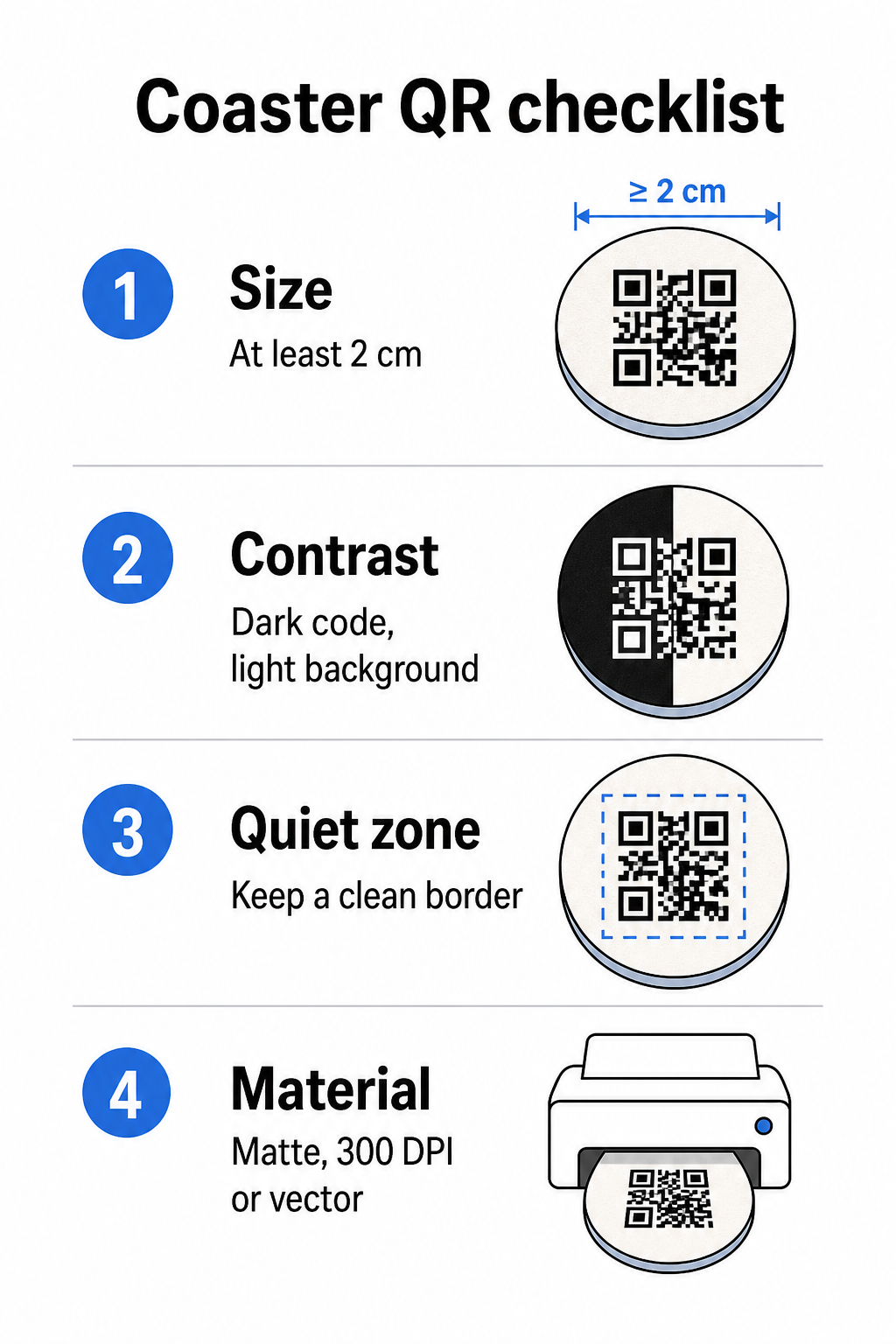
Méret az első szempont. A QR-kód minimális megbízható mérete 2 cm × 2 cm (körülbelül 0,8 hüvelyk × 0,8 hüvelyk) közeli beolvasáshoz. Egy szabványos kerek alátéten – jellemzően 3,5-4 hüvelyk átmérőjű – van hely nagyobb méretre, ami javítja a megbízhatóságot. Itt érvényes a 10:1 szabály: a kód szélességének nagyjából a maximális beolvasási távolság egytizedének kell lennie. Egy 1 hüvelykes kód nagyjából 10 hüvelykről működik; egy 1,5 hüvelykes kód kényelmesebb margót biztosít a tipikus ülő vendég számára.
Kontraszt a legkritikusabb tényező a beolvasás megbízhatósága szempontjából. Sötét modulok világos háttéren – a fekete fehéren az aranystandard – legyen a kiindulópontja. Sok okostelefon-kamera és szkenner alkalmazás nehezen boldogul az invertált dizájnokkal (világos modulok sötét háttéren), ezért kerülje ezt a kombinációt, még akkor is, ha esztétikailag jobban néz ki. A minimális kontrasztarány 4:1 az ajánlott alap; a magasabb jobb. Kerülje a piros vagy narancssárga előtereket, mivel sok kameraérzékelő nehezen érzékeli megbízhatóan ezeket az árnyalatokat. A QR-kód színkontrasztra vonatkozó legjobb gyakorlatokat oldalon részletes összehasonlító táblázat található, ha olyan márkaszínekkel dolgozik, amelyek kívül esnek a standard fekete-fehér kombináción.
Csendes zóna arra a tiszta szegélyre utal, amelynek minden QR-kódot körül kell vennie – legalább 4 modul szélességben minden oldalon – anélkül, hogy szöveg, grafika vagy tervezési elemek behatolnának. Egy alátéten ez azt jelenti, hogy egy egyszínű világos szegélyt kell hagyni a kód körül. Ha az alátét dizájnja sötét vagy vizuálisan zsúfolt háttérrel rendelkezik, helyezzen egy egyszínű fehér kitöltő dobozt a QR-kód mögé, amely magában foglalja a teljes csendes zónát. Enélkül a szkennerek megbízhatatlanul találhatják meg a kód határát.
Felület és anyag fontosabbak az alátéteken, mint a legtöbb más felületen. A cellulózpapír alátétek a leggyakoribbak a vendéglátásban – elnyelik a páralecsapódást és védik az asztalfelületeket, de nem vízállóak. Papír alátéteken lévő QR-kódokhoz a matt felületek előnyösebbek a fényeseknél, mert a felső világításból származó tükröződés zavarja a beolvasást. Nagyobb tartósságot igénylő alkalmazásokhoz, mint például állandó asztali telepítések vagy újrafelhasználható alátétek, az olyan anyagok, mint a bevonatos fa epoxi vagy poliuretán felülettel, védik a nyomatot, miközben lehetővé teszik a megbízható beolvasást, feltéve, hogy a felület átlátszó, nem pedig színezett. Anyagtól függetlenül kerülje a színátmeneteket, árnyékokat vagy átlátszó elemeket magában a QR-kódban – ezek csökkentik a kontrasztot és rontják a beolvashatóságot valós körülmények között.
Felbontás A felbontás nem alkuképes nyomtatás esetén. Mindig vektoros formátumban (SVG vagy EPS) vagy legalább 300 DPI felbontásban töltse le a QR-kódot. Az alacsony felbontású exportokból felnagyított bitképfájlok homályosnak tűnnek nyomtatásban, ami csökkenti a beolvasás megbízhatóságát, még akkor is, ha a kód a képernyőn elfogadhatónak tűnik. A teljes nyomtatási és tervezési irányelvek elérhetők a a QR-kód olvashatóságára vonatkozó legjobb gyakorlatokat útmutatónkban.
Gyakorlati elhelyezés és kontextus az alátéten
Egy QR-kód önmagában nem mondja el a vendégnek, hogy mire való. Ha egy egysoros cselekvésre ösztönző feliratot ad hozzá közvetlenül az alátétre – “Szkennelje be a menüért”, “Csatlakozzon a Wi-Fi-hez”, “Ossza meg visszajelzését” – az megszünteti a kété.
Helyezze el a QR-kódot és a cselekvésre ösztönző szöveget úgy, hogy bármilyen tájolásból olvasható maradjon. Egy kerek alátét, amely bármilyen irányba elhelyezhető, középen tartalmazza a kódot, a szöveg pedig köré rendezve legyen, nem pedig fölé vagy alá, ahol az elforgatás fejjel lefelé fordítaná. Ha az alátéteknek van meghatározott tájolása, helyezze a kódot egy feltűnő, akadálymentes területre, távol az alátét szélétől, hogy a csendes zóna soha ne vágódjon le a stancolás vagy vágás során.
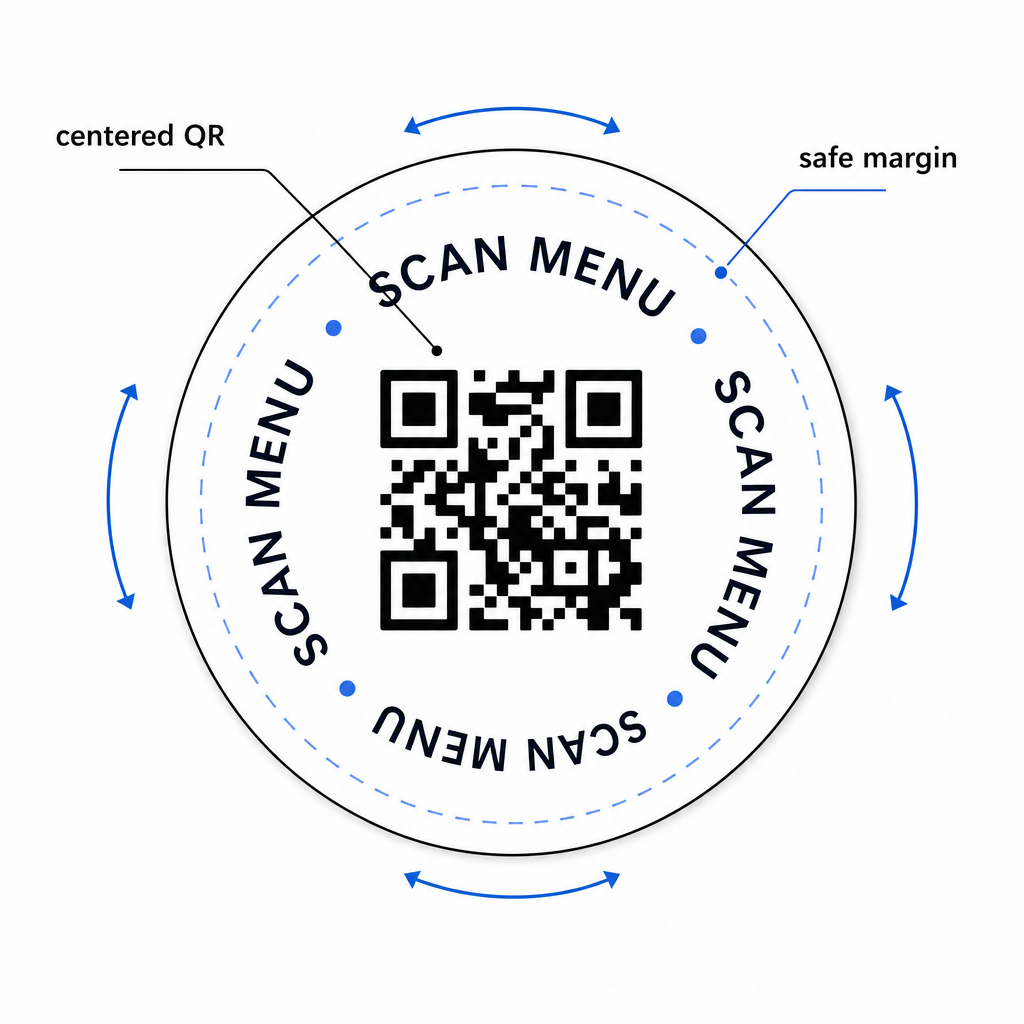
Rendezvények esetén fontolja meg külön alátétek használatát különböző célokra – egyet az étlaphoz, egyet az esemény ütemtervéhez, egyet a visszajelzési űrlaphoz. Ha minden alátét egyetlen műveletre összpontosít, az leegyszerűsíti a vendégélményt, és megkönnyíti az egyes kódok teljesítményének külön nyomon követését. Más, hasonló tervezési korlátokkal rendelkező kompakt QR-kód felületek esetén az útmutató a QR-kódok asztali sátrakon közvetlenül alkalmazható.
Tesztelés tömeges nyomtatás előtt
Nyomtasson egyetlen teszt alátétet, mielőtt elkötelezné magát a teljes gyártási futam mellett. Olvassa be legalább három különböző eszközzel a helyszín tényleges fényviszonyai között – felső világítás, gyertyafény vagy kültéri napfény, ha az Ön helyén van terasz. Tesztelje arról a valósághű távolságról, ahonnan egy ülő vendég tartaná a telefonját.
Győződjön meg arról, hogy:
- A kód három másodpercen belül beolvasható minden tesztelt eszközön
- A céloldal helyesen töltődik be mobilon, nem csak asztali gépen
- A csendes zóna sértetlen, és nem vágja le az alátét széle
- A kontraszt megmarad gyenge fényviszonyok között is
Ha dinamikus QR-kódokat használ, ellenőrizze, hogy a cél URL helyesen van-e konfigurálva a Pageloot irányítópultján a tesztnyomtatás előtt, és győződjön meg arról, hogy a nyomtatás után végrehajtott menüfrissítések vagy átirányítások azonnal megjelennek beolvasáskor.
Az alátétek azon kevés vendéglátóipari érintkezési pontok közé tartoznak, amelyek a vendéggel maradnak attól a pillanattól kezdve, hogy leülnek, egészen addig, amíg el nem mennek. Egy jól megtervezett QR-kód megszünteti az étlap böngészésének súrlódását, kiküszöböli a Wi-Fi jelszó kéréseket, és mérhető adatokat szolgáltat arról, hogyan lépnek kapcsolatba a vendégek az Ön terével. A tervezési követelmények specifikusak, de megvalósíthatók: elegendő méret, erős kontraszt, tiszta csendes zóna és egyértelmű cselekvésre ösztönző szöveg a kód mellett.
Kezdje a megfelelő eszközökkel. Használja a Pageloot QR kódos digitális menü generátor dinamikus menükód létrehozásához, a Wi-Fi QR-kód generátorunkat zökkenőmentes vendéghálózati hozzáféréshez, és a analitikai műszerfalat az elkötelezettség nyomon követéséhez, amint az alátétek forgalomba kerültek.
Gyakori kérdések
Technikailag igen, de nem ajánlott. Egyetlen QR-kód egy célállomásra mutat, így a két funkció kombinálása azt jelenti, hogy egy céloldalra linkelünk két külön opcióval – extra koppintást adva a vendégnek. Egy tisztább megközelítés az, ha két különálló QR-kódot használunk az alátéten, mindegyiket világos címkével, vagy külön alátét-terveket szentelünk minden célra. A Wi-Fi kódok statikusak és ingyenesen generálhatók; a menü kódok dinamikus kódokként működnek a legjobban, engedélyezett nyomkövetéssel.
Ha a poháralátét QR-kódját dinamikus kódként hoztad létre a Pageloot használatával, bejelentkezhetsz az irányítópultodra, és bármikor frissítheted a cél URL-t vagy a menü tartalmát. A poháralátéten lévő nyomtatott QR-kód változatlan marad; csak a linkelt tartalom változik. Ez az egyik fő oka annak, hogy a dinamikus kódokat ajánlják menükhöz – a szezonális frissítések, ármódosítások és az elemek elérhetősége azonnal tükröződhet anélkül, hogy új adag poháralátétet kellene rendelni.
Dinamikus QR-kóddal és a Pageloot analitikájával nyomon követheti az összes beolvasást, az egyedi beolvasásokat, az egyes beolvasások dátumát és idejét, a használt eszköz típusát (iOS vagy Android), valamint a földrajzi helyet városi szintig. Összehasonlíthatja a teljesítményt különböző elhelyezések között is, ha külön QR-kódokat rendel különböző asztali zónákhoz vagy a helyszín területeihez. A statikus QR-kódok, beleértve a Wi-Fi kódokat is, nem generálnak beolvasási adatokat.