Cherchez-vous des moyens pratiques de rendre vos leçons plus interactives et de réduire les tâches répétitives ? Taper de longues URL fait perdre du temps en classe et frustre les élèves avant même que l'apprentissage ne commence. Ce guide couvre des façons créatives et concrètes d'utiliser les codes QR dans l'enseignement, l'engagement des élèves et la gestion de classe.
Pourquoi les codes QR fonctionnent-ils en classe
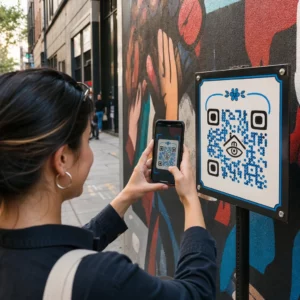
Un code QR est une image scannable qui dirige instantanément le téléphone ou la tablette d'un élève vers une URL, un PDF, une vidéo, un fichier audio ou un formulaire – aucune saisie n'est requise. Cela seul résout l'un des points de friction les plus courants en classe.
Au-delà de la commodité, la recherche soutient leur valeur. Une étude menée dans des écoles saoudiennes a révélé que les élèves qui utilisaient des codes QR intégrés dans les manuels scolaires obtenaient des performances académiques significativement plus élevées que ceux qui ne le faisaient pas, et ne signalaient aucune difficulté technique notable. Une recherche distincte sur les élèves de l'enseignement professionnel a montré que ceux qui avaient une meilleure littératie numérique affichaient des attitudes d'apprentissage plus favorables lorsque les codes QR faisaient partie de l'enseignement.
Le résultat pratique : les codes QR sont peu coûteux, faciles à générer et efficaces lorsque les enseignants les préparent avec soin et vérifient que le contenu lié est adapté à l'âge. Des outils comme la solution de code QR éducatif de Pageloot facilitent la création de codes de classe modifiables, sûrs et toujours à jour.
15 façons d'utiliser les codes QR en classe
1. Lier à des ressources supplémentaires
Imprimez des codes QR sur des feuilles de travail, des manuels ou des affichages muraux pour donner aux élèves un accès instantané à des articles en ligne, des vidéos, des simulations ou des guides d'étude. Cela élimine le besoin de taper de longues adresses web et maintient l'élan d'apprentissage. Un code QR URL est le format le plus simple pour cela – collez le lien, générez le code et imprimez.
2. Organiser une chasse au trésor ou un jeu de piste
Placez des codes QR autour de la classe ou de l'école, chacun renvoyant à une question ou un indice. Seule la bonne réponse dirige les élèves vers le prochain emplacement ; une réponse incorrecte renvoie un indice. Cette approche fait bouger les élèves, encourage la résolution de problèmes et transforme la révision du contenu en un jeu. Elle fonctionne particulièrement bien pour le vocabulaire, les faits historiques ou les concepts scientifiques.

3. Mettre en place des stations d'apprentissage
Attribuez un code QR différent à chaque station dans une rotation. Chaque code renvoie à un contenu spécifique à la station – une vidéo, une activité, un quiz ou une lecture. Les élèves peuvent travailler de manière autonome à leur propre rythme, et vous pouvez facilement différencier en liant à des matériaux de niveaux de complexité variés sans imprimer plusieurs versions de quoi que ce soit.
Mettez vos stations de classe en ligne Créez des codes QR séparés pour chaque station d'apprentissage en utilisant le Générateur de code QR Pageloot et mettez à jour le contenu lié à tout moment sans réimprimer une seule feuille.
4. Recueillez les tickets de sortie et les commentaires
Liez un code QR à un Google Form ou à un sondage rapide et affichez-le à la fin du cours. Les élèves scannent et soumettent leurs réponses en moins d'une minute, vous donnant des données en temps réel sur la compréhension avant qu'ils ne quittent la salle. Le Générateur de QR code Google Forms rend cette configuration rapide – créez le formulaire, copiez le lien de partage et générez le code.
5. Partagez les supports de cours sans papier
Au lieu d'imprimer des programmes, des notes de cours ou des listes de lecture, encodez-les comme un PDF Code QR et affichez le code sur le mur de votre classe ou votre présentation. Les élèves scannent une fois et ont une copie numérique. Si vous mettez à jour le document, un code QR dynamique vous permet d'échanger le fichier lié sans générer ou réimprimer un nouveau code.
6. Soutenez les élèves ayant des difficultés de lecture
Enregistrez des versions audio des instructions, des listes de vocabulaire ou des passages clés et téléchargez-les sur YouTube ou une plateforme d'hébergement. Encodez le lien comme un code QR MP3 et partagez-le avec les élèves qui bénéficient de l'écoute plutôt que de la lecture. Cette approche soutient les apprenants ayant des déficiences visuelles, la dyslexie ou des besoins d'apprentissage de l'anglais sans stigmatiser personne.
7. Présentez le travail des élèves
Demandez aux groupes d'élèves d'enregistrer une courte vidéo expliquant ce qu'ils ont appris, comment ils ont résolu un problème ou ce qu'ils ont créé pendant un projet. Téléchargez ces vidéos sur YouTube ou Google Drive, puis encodez les liens sous forme de codes QR et affichez-les dans la salle de classe ou le couloir. Les parents, les pairs et les administrateurs peuvent scanner pour voir le travail lors des soirées portes ouvertes ou des rencontres parents-professeurs.
8. Suivez la présence numériquement
Affichez un code QR à l'entrée de la salle de classe, lié à un formulaire d'enregistrement. Les élèves le scannent à leur arrivée, soumettant automatiquement leur nom et l'heure. Cela élimine le besoin d'appels nominaux manuels et génère un enregistrement horodaté que vous pouvez consulter plus tard. Les outils de Pageloot d'éducation incluent des options pour suivre les scans et l'engagement, ce qui simplifie l'enregistrement des présences.
9. Faciliter la collaboration en groupe
Liez un code QR à un Google Doc partagé, un Jamboard ou une plateforme collaborative où les groupes d'élèves peuvent accéder à leurs instructions, apporter des idées ou documenter leurs progrès. Chaque groupe peut avoir son propre code pointant vers son propre espace partagé, ce qui permet d'organiser les projets et de réduire le temps passé à distribuer les documents.
10. Ajouter des codes QR aux installations de laboratoire
Attachez des codes QR à l'équipement de laboratoire, aux modèles ou aux postes d'expérimentation. Chaque code peut renvoyer à une fiche de sécurité, une procédure étape par étape, une vidéo de démonstration ou des questions d'approfondissement. Les élèves obtiennent les informations dont ils ont besoin dans leur contexte, exactement quand ils en ont besoin, sans avoir à chercher un document séparé.
11. Permettre le vote et les sondages en classe
Affichez un code QR au début ou à la fin du cours qui renvoie à un sondage en direct. Les élèves scannent pour voter sur une question de discussion, évaluer leur confiance sur un sujet ou participer à une décision rapide en classe. Cela fonctionne bien pour les échauffements, les sondages d'opinion avant un débat ou pour prendre la température de la salle sur un concept.
12. Construire un centre de recherche pour les étudiants
Demandez aux élèves de trouver et de sélectionner des ressources sur un sujet, puis d'encoder leurs sources sous forme de codes QR affichés sur un tableau d'affichage ou partagés numériquement. Cela crée un “ mur qui parle ” – une bibliographie visuelle et scannable que les pairs peuvent explorer. Cela développe les compétences de recherche et donne aux élèves un public pour leur travail au-delà du simple enseignant.
13. Soutenir l'enseignement différencié
Créez plusieurs codes QR renvoyant à différentes versions du même contenu – une explication fondamentale, un devoir standard et un défi d'extension. Affichez les trois et laissez les élèves choisir eux-mêmes, ou attribuez des codes spécifiques discrètement. Cela vous permet de répondre aux besoins des élèves là où ils en sont sans rendre la différenciation évidente ou logistiquement complexe.
14. Se connecter avec les parents et les familles
Ajoutez des codes QR aux bulletins d'information, aux couvertures de bulletins scolaires ou aux présentations de projets d'élèves. Liez-les à des calendriers d'événements, des fiches d'autorisation, des vidéos de projets ou des informations supplémentaires qui maintiennent les familles engagées dans ce qui se passe en classe. Cela réduit les échanges d'e-mails et offre aux parents un point d'entrée facile et scannable pour les communications scolaires.
15. Promouvoir les événements scolaires
Placez des codes QR sur les affiches ou les dépliants des couloirs liant directement à l'inscription à des événements, aux formulaires de RSVP ou aux détails de l'emploi du temps. Les élèves et les parents scannent au lieu de noter une URL ou de chercher manuellement, ce qui augmente la participation et réduit les absences pour des choses comme les spectacles, les événements sportifs ou les clubs.
Conseils pratiques avant de commencer
Quelques points à vérifier avant d'imprimer et de distribuer les codes :
- Testez chaque code avant d'imprimer. Scannez chacun sur au moins deux appareils différents pour confirmer que le lien fonctionne et que le contenu se charge correctement.
- La taille compte pour la distance de scan. Pour un code placé sur un mur ou une affiche, visez au moins 4 × 4 cm afin que les élèves puissent scanner à une distance confortable. Voir le guide des tailles de codes QR pour plus de détails.
- Utilisez des codes QR dynamiques pour tout ce qui pourrait changer. Les codes dynamiques vous permettent de mettre à jour le contenu lié après l'impression, de sorte qu'un code sur un affichage de classe reste utile toute l'année. En savoir plus sur static vs dynamic QR codes pour décider lequel convient à chaque cas d'utilisation.
- Gardez un contraste élevé. Un motif sombre sur un fond clair se scanne de manière fiable. Examinez le les meilleures pratiques de lisibilité des codes QR si vous personnalisez les couleurs ou ajoutez un logo.
- Ajoutez une brève étiquette. Une courte ligne de texte sous le code – “ Scannez pour la lecture d'aujourd'hui ” ou “ Scannez pour soumettre votre ticket de sortie ” – élimine les incertitudes et augmente les taux de scan.
Les codes QR fonctionnent mieux lorsqu'ils réduisent la friction plutôt que de l'ajouter. Plus un code est clairement étiqueté, plus il est scanné de manière fiable et plus il contribue à un environnement de classe concentré.

Créer des codes QR de classe en quelques minutes Pageloot prend en charge Plus de 25 types de QR codes y compris des liens, des PDF, des formulaires, des images et de l'audio – tous personnalisables et traçables. Commencez un essai gratuit de 14 jours pour créer votre première série de codes de classe dès aujourd'hui.
Questions fréquentes
Non. La plupart des smartphones et tablettes modernes peuvent scanner les codes QR directement via l'application appareil photo intégrée. Les élèves ouvrent simplement l'appareil photo, le pointent vers le code et appuient sur la notification qui apparaît. Pour les appareils plus anciens, une application gratuite de scanner de codes QR peut être utilisée à la place.
Un code QR statique renvoie à une destination fixe qui ne peut pas être modifiée après impression. Un code QR dynamique stocke une courte URL de redirection, ce qui vous permet de mettre à jour le contenu lié – une nouvelle vidéo, une feuille de travail révisée ou un formulaire différent – sans réimprimer le code. Pour les supports pédagogiques qui changent tout au long de l'année, les codes dynamiques sont le choix le plus pratique.
Vous contrôlez ce à quoi chaque code renvoie, vous décidez donc ce à quoi les élèves peuvent accéder. Utilisez des plateformes fiables telles que Google Drive, YouTube (avec les paramètres de confidentialité appropriés) ou des outils approuvés par l'école pour héberger du contenu. Testez chaque lien avant de distribuer les codes, et envisagez d'utiliser une plateforme comme la solution éducative de Pageloot qui vous permet de mettre à jour ou de désactiver les liens à tout moment si le contenu doit changer.