Kas teil on raskusi jalakäijate muutmisega lojaalseteks, kaasatud klientideks? Füüsilised kokkupuutepunktid, nagu kviitungid, pakendid ja poeaknad, lähevad raisku, kui need ei ole ühendatud millegi digitaalsega. See juhend hõlmab praktilisi QR-koodi turundusideid, mis aitavad teil seda lünka ületada ja mõõdetavaid tulemusi saavutada.
QR-koodid on ammu mööda läinud kontaktivabadest menüüdest. Tänapäeval skannib 89 miljonit ameeriklast aastas QR-koodi ja 43% nutitelefonikasutajatest skannib vähemalt ühe nädalas. Väikeettevõtete jaoks tähendab see otsest ja odavat kanalit iga füüsilise pinna ühendamiseks digitaalse kogemusega, mida kliendid tegelikult soovivad.
Allpool toodud ideed on jaotatud turunduseesmärkide järgi, et saaksite kiiremini leida oma ettevõttele sobiva – olenemata sellest, kas teil on kohvik, jaekauplus või teenusepõhine ettevõte.
Suunake liiklust ja reklaamige oma veebisaiti
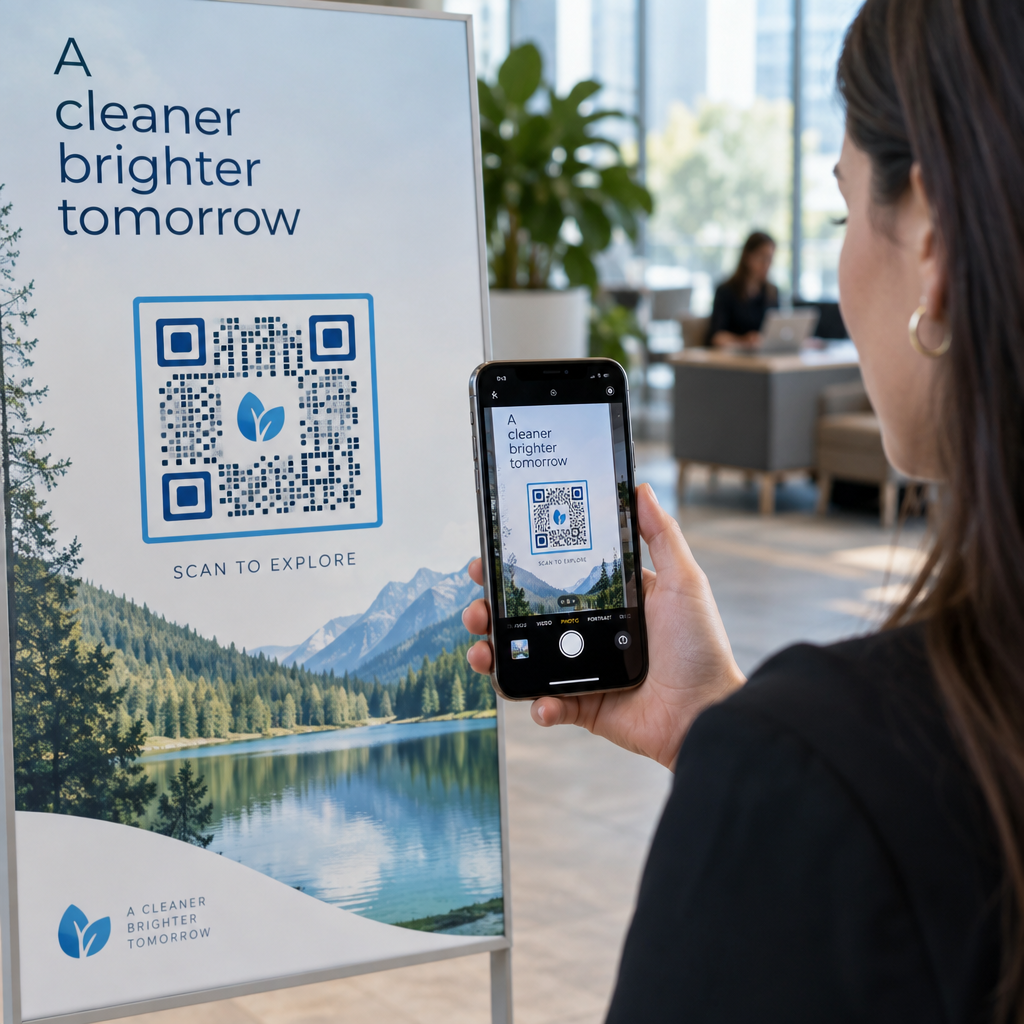
Lihtsaim koht alustamiseks on oma füüsilise kohaloleku sidumine veebipõhisega. URL-i QR-kood teie poeaknal, letil või pakendil suunab sisseastuvad külastajad teie veebisaidile, sihtlehele või praegusele pakkumisele, ilma et nad peaksid teid otsima.
Maksimaalse mõju saavutamiseks:
- Asetage kood silmade kõrgusele oma välisuksele või aknale koos üleskutsega, näiteks “Skannige, et näha selle nädala pakkumisi”
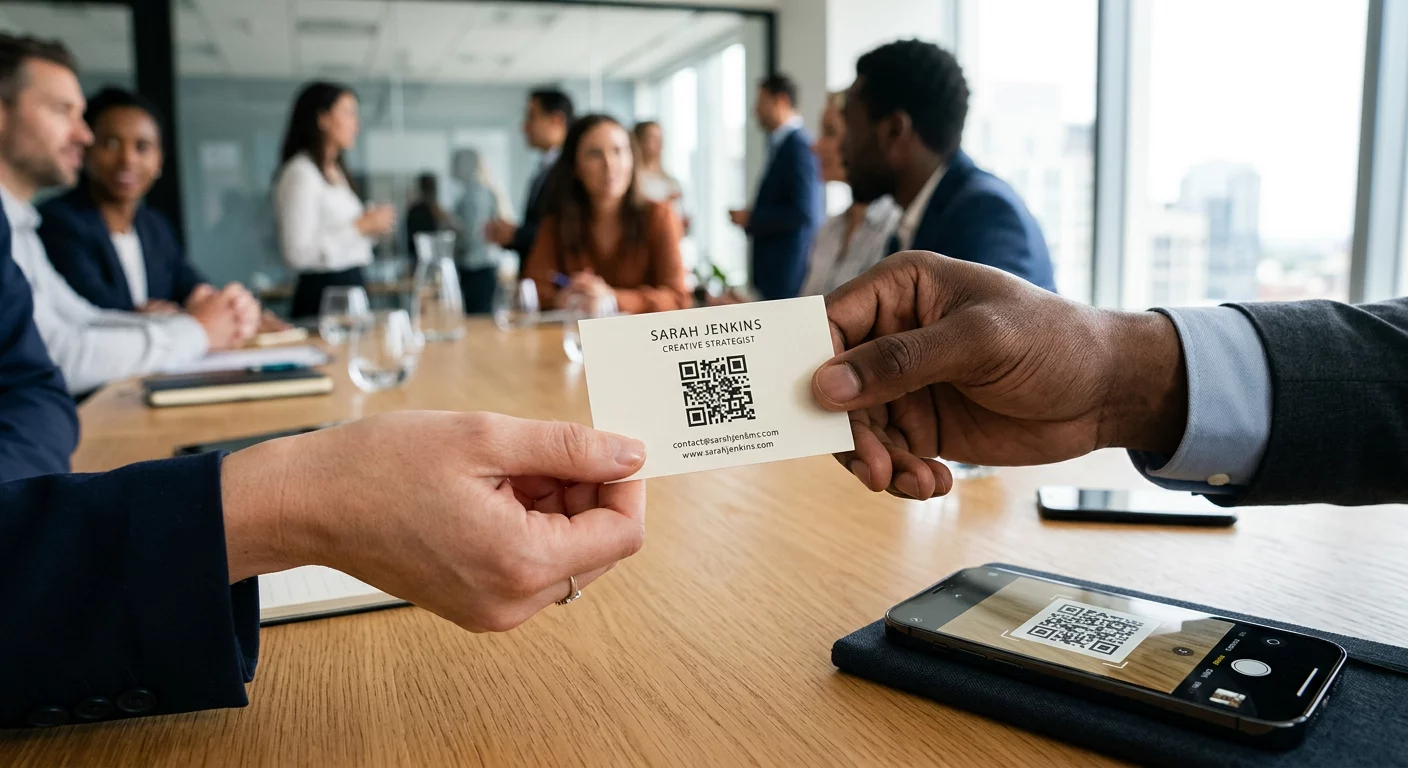
- Lisage oma visiitkaardile QR-kood, mis lingib otse teie portfooliole, broneerimislehele või kõige populaarsemale tootele
- Printige kviitungitele QR-kood, mis lingib teie kodulehele või ostujärgsele tänulehele koos tagastuspakkumisega
See QR-koodi generaator Pagelootist võimaldab teil luua URL-põhiseid koode sekunditega ja brändida neid oma logo ja värvidega tugevama äratundmise saavutamiseks.
Muutke iga trükis liiklusallikaks Linkige oma füüsilised materjalid mis tahes digitaalse sihtkohaga, kasutades QR-koodi generaator. Alustamine on tasuta – põhikoodide jaoks pole registreerimist vaja.
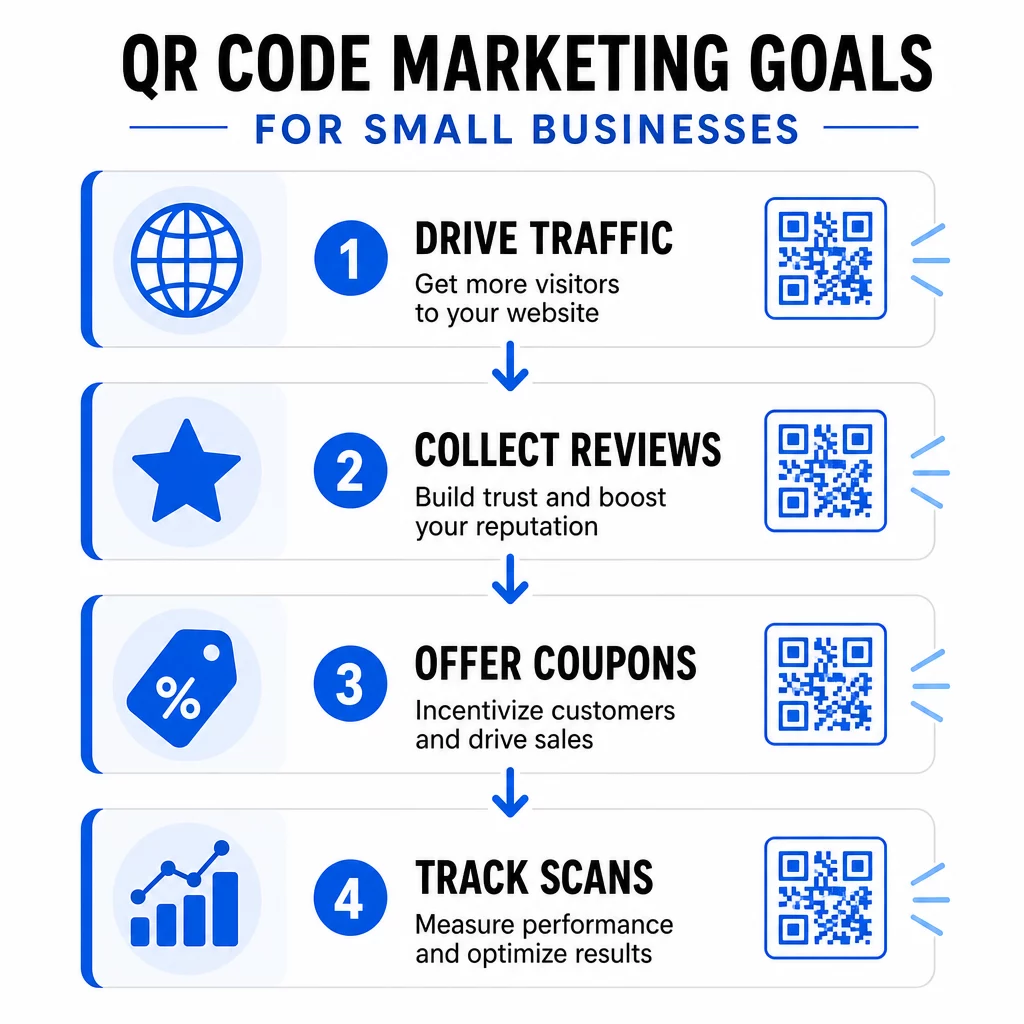
Koguge rohkem Google'i arvustusi
Enamik kliente on valmis arvustust jätma – takistuseks on teie arvustuste lehe leidmine. A Google'i arvustuse QR-koodile kõrvaldab selle takistuse täielikult, viies skannerid otse teie arvustuse esitamise vormile.
Tõhusad paigutused hõlmavad:
- Trükitud kviitungite allossa reaga nagu “Kas külastus meeldis? Skaneeri, et jagada oma kogemust”
- Väikesel lauakaardil teie letis või kassas
- Tootepakendil, et kliendid saaksid pärast koju jõudmist arvustuse jätta
- Teie e-posti signatuuris või ostujärgses e-kirjas
Rohkem arvustusi parandab kohalikke SEO-edetabeleid ja ostjate usaldust. Ettevõtetele, kus arvustused on kasvumootor – restoranid, spordisaalid, salongid, jaekaubandus – on see üks kõrgeima tootlusega QR-koodi rakendusi, mida saate rakendada.
Jaga digitaalseid menüüsid ja tootekatalooge
A menüü QR-koodi võimaldab restoranidel, kohvikutel, toiduautodel ja isegi jaekauplustel jagada digitaalset menüüd või tootekataloogi ilma iga kord midagi muutudes uuesti trükkimata. Skaneerimisandmed näitavad, et 48% tarbijatest on skaneerinud QR-koodi spetsiaalselt restoranimenüüle juurdepääsuks.
Lisaks restoranidele kehtib see idee ka:
- Teenusepakkujad, kes lingivad digitaalsele brošüürile või hinnakirjale
- Jaemüüjad, kes lingivad riiulimärgiseid täielikele tootespetsifikatsioonidele, koostisosade loenditele või õppevideotele
- Kohalikud käsitöölised, kes lingivad pakendeid või boksi silte veebipõhisele tellimisvormile või portfooliole
Dünaamilise QR-koodi kasutamine tähendab, et saate menüüd või kataloogi igal ajal värskendada, ilma trükitud materjali puudutamata. Ainuüksi see võib aasta jooksul säästa märkimisväärseid trükikulusid.
Paku kuponge ja ajatundlikke pakkumisi
Allahindlused toimivad paremini, kui need tunduvad eksklusiivsed ja neid on lihtne lunastada. A kupongi QR-kood võimaldab teil pakkumisi otse füüsilistele materjalidele – flaieritele, pakenditele, lauatelkidele või poeakna siltidele – lisada ja neid ilma uuesti trükkimata värskendada.
Hästi toimivad ideed:
- Hooajalist müüki reklaamiv flaier QR-koodiga, mis lingib sihtlehele unikaalse sooduskoodiga
- Pakendi sisulehed koodiga “Skanni ja saad 15% allahindlust järgmiselt tellimuselt”
- Lauakaardid kohvikus või restoranis, mis lingivad püsikliendiprogrammi registreerimisele, mis premeerib esimest ostu
Kuna 70% tarbijatest naudib kupongide saamist ja 68% usub, et kupongid soodustavad lojaalsust, loob QR-koodide sidumine kampaaniatega klientidele järjepideva põhjuse kaasa lüüa.
Uuenda kampaaniaid ilma uuesti trükimata Kasuta Dünaamiline QR-kood et vahetada oma pakkumise sihtkohta igal ajal – isegi pärast flaierite trükkimist ja levitamist.
Tee klientidele lihtsaks sind leida
Kui sa toetud möödujatele või korraldad isiklikke üritusi, siis Google Maps QR-kood sinu visiitkaardil, ürituse kutsel või poeaknal avab navigeerimise koheselt ühe skaneerimisega.
Praktilised kasutusjuhud:
- Lisa asukoha QR-kood ürituse kutsetele, et külalised ei peaks sinu aadressi otsima
- Lisa see oma visiitkaardile koos telefoni ja e-posti aadressiga
- Kasuta seda otsepostitustes, mis on suunatud kohalikele piirkondadele
- Lisa see oma e-posti allkirja, kui kutsud kliente oma asukohta külastama
Kood avaneb otse Google Mapsis või kasutaja vaikimisi brauseri kaardirakenduses, eemaldades aadressi käsitsi sisestamise sammu.
Kasvata oma kontaktide nimekirja vCardidega
Traditsioonilised visiitkaardid lähevad kaduma. A vCard QR-kood võimaldab kõigil skannida ja salvestada teie täielikud kontaktandmed – nimi, telefon, e-post, veebisait ja ettevõte – otse oma telefoni sekunditega.
Kasutage vCardi QR-koodi:
- Oma visiitkaardi tagaküljel trükitud kontaktandmete asemel (või kõrval)
- Oma konverentsi- või messipääsmel
- E-posti allkirjades, et vastuvõtjatel oleks lihtne teie infot salvestada
See lähenemine eemaldab ka andmesisestusvead ja tagab, et salvestatud kontaktandmed on alati ajakohased, eriti kui seda kasutada koos dünaamilise koodiga, mida saate uuendada.
Koguge klientide tagasisidet Google Formside abil
Teades, mida kliendid arvavad, on keeruline, kui te ei tee neile seda lihtsaks öelda. A Google'i vormi QR-kood kviitungil, lauatelgil, toote infolehel või jaemüügi väljapanekul saadab kliendid otse lühikesele tagasisideküsitlusele või NPS-vormile.
Tõhusad seadistused hõlmavad:
- Teenindusjärgne tagasisidevorm, mis on lingitud kviitungilt koos üleskutsega nagu “Aidake meil end parandada – võtab 60 sekundit”
- Toote infoleht, mis küsib ostukogemuse või rahulolu kohta
- Ürituse tagasisidevorm, mis on väljapanekul väljapääsu juures
- Kauplusesisene ettepanekute vorm jaemüügikohtadele hooajaliste tagasisidepalvetega
Lühikesed vormid selgete stiimulitega – näiteks osalemine igakuises loosimises – edestavad järjepidevalt üldisi küsitluspäringuid.
Lihtsustage klientidele WiFi-ühenduse loomist
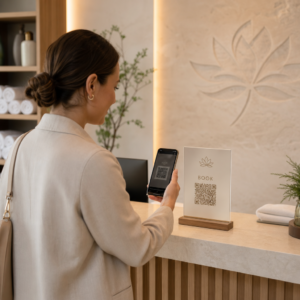
Igas ettevõttes, kus kliendid kohapeal aega veedavad – kohvikud, juuksurisalongid, ooteruumid, jaekauplused – eemaldab WiFi QR-kood ebamugava paroolivahetuse ja parandab koheselt kohapealset kogemust.
Kliendid skaneerivad koodi ja ühenduvad ilma käsitsi sisestamiseta. Kuvage see:
- Väike trükitud kaart letil või vastuvõtulauas
- Lauatelgid teie istumisalal
- Raamitud silt sissepääsu lähedal
See on väike žest, millel on märgatav mõju klientide mugavusele ja tajutavale külalislahkusele.
Kasutage QR-koode ürituste turunduses
Olenemata sellest, kas korraldate töötubasid, pop-up üritusi või kogukonnaüritusi, muudavad QR-koodid ürituste logistika sujuvamaks ja paremini jälgitavaks. Linkige QR-kood oma ürituse flaieril või plakatil registreerimislehele, ürituse ajakavale või Google Mapsi juhistele.
Rakendused hõlmavad:
- Flaierid ja plakatid, mis lingivad RSVP- või piletivormile
- Lauasildid messiboksides, mis lingivad teie portfooliole või kontaktilehele
- Üritusejärgne järelmaterjal QR-koodiga, mis lingib tagasisidevormile või järgmise ürituse detailidele
- E-posti kutsed sisseehitatud QR-koodiga kalendri integreerimiseks
Avastage QR-koodi lahendused tööstusharude kaupa et leida rohkem teie ettevõtte tüübile sobivaid üritusepõhiseid rakendusi.
Lisa QR-koodid toote pakendile
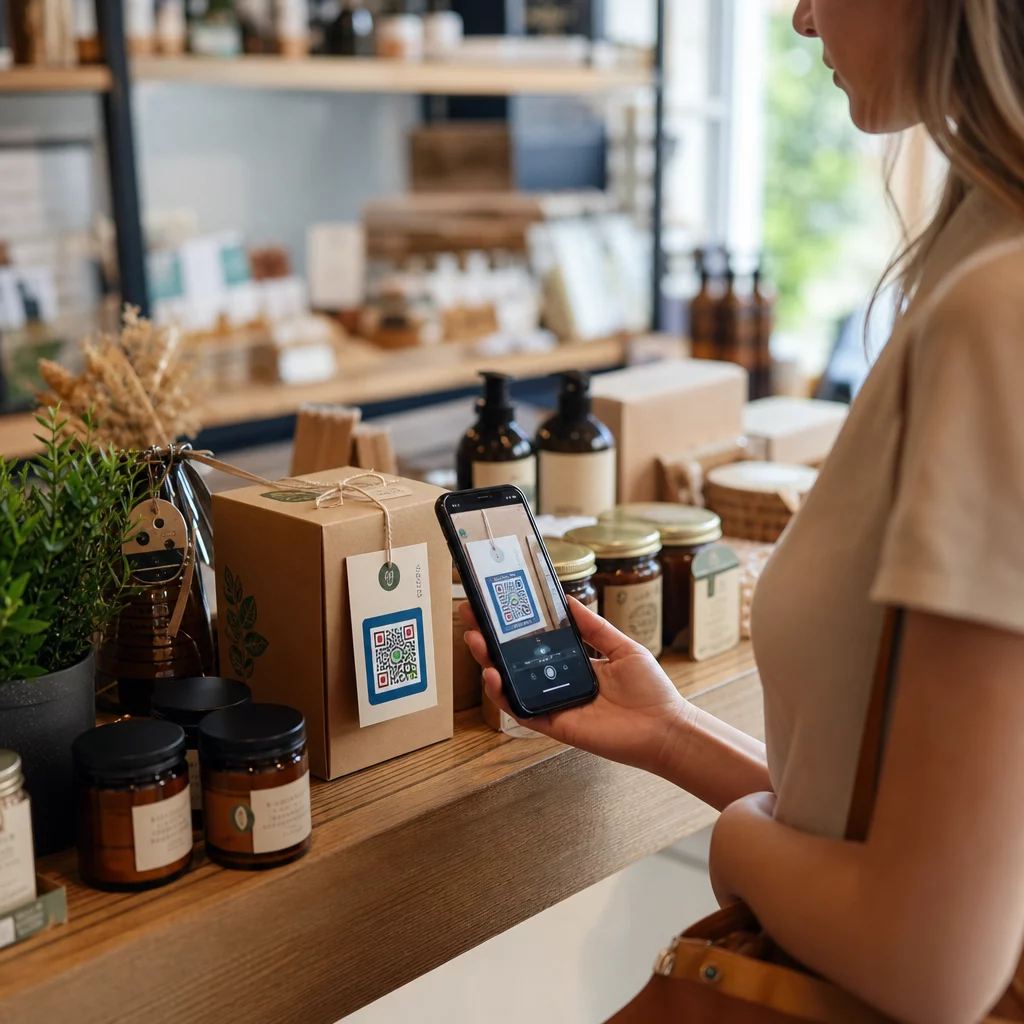
Tootepakend on üks alakasutatud turunduspindadest, mis väikeettevõttel on. QR-kood etiketil, karbil või rippsildil võib muuta ühekordse ostja korduvaks kliendiks, ühendades nad sisuga, mis lisab väärtust pärast ostu.
Ideed pakendi QR-koodide jaoks:
- Link juhendvideole, kasutusjuhendile või retseptile
- Paku korduvatele ostjatele allahindlust järgmiselt tellimuselt
- Kutsu kliente registreeruma garantii- või lojaalsusprogrammi
- Jaga oma brändilugu või telgitagust sisu ühenduse loomiseks
- Link arvustuste lehele, et koguda ostujärgset tagasisidet, kui kogemus on veel värske
Ettevõtted saavad olemasolevaid tootefotosid muuta lühikesteks reklaamvideoteks, kasutades pildist videoks tehisintellekti tööriista nagu VideoPlus. Need videod saavad esitleda tooteid liikumises või jutustada brändi lugu, samal ajal kui pakendil olevad QR-koodid teevad klientidele nende skannimise järel vaatamise lihtsaks.
2024. aasta uuringust selgus, et 64% ostjatest skaneerisid poes tootel olevat QR-koodi ja 79% ütles, et nad ostavad tõenäolisemalt toote, kui QR-kood annab lisateavet, mida nad näha soovivad.
Muuda iga pakend turunduspunktiks Loo oma tooteetikettidele ja pakenditele bränditud QR-koode koos Pagelooti QR-koodi lahendused.
Jälgi ja paranda iga kampaaniat
QR-koodide loomine on vaid pool tööst. QR-koodide skaneeringute jälgimine ütleb teile, millised paigutused toovad kõige rohkem kaasatust, mis kellaajal kliendid skaneerivad ja millised asukohad toimivad kõige paremini – andmed, mida staatilised meetodid lihtsalt pakkuda ei suuda.
Dünaamilised QR-koodid teevad selle võimalikuks. Erinevalt staatilistest koodidest, dünaamilised QR-koodid kodeerivad lühikese ümbersuunamise URL-i, mida saab igal ajal uuendada. See tähendab:
- Saate parandada katkise sihtkoha lingi ilma midagi uuesti printimata
- Saate kampaania keskel hooajalisi pakkumisi vahetada
- Saate A/B testida maandumislehe kahte versiooni, et näha, kumb konverteerib paremini
- Skannimise analüütika koguneb kampaania käigus pidevalt
Väikeettevõtetele, kes korraldavad samaaegselt mitut kampaaniat – trükireklaamid, pakendid, visiitkaardid, sildid – võimaldab Pagelooti sarnane keskne juhtpaneel hallata iga koodi ja vaadata jõudlust ühes kohas. Vaata kuidas QR-koode tõhusalt kasutada et luua kampaaniaid, mida on algusest peale lihtne mõõta.
Disaini- ja paigutusnõuanded, mis suurendavad skaneerimisi
QR-kood, mis sulandub tausta või millel puudub kontekst, jääb tähelepanuta. Mõned lihtsad põhimõtted aitavad igal prinditud koodil paremini toimida.
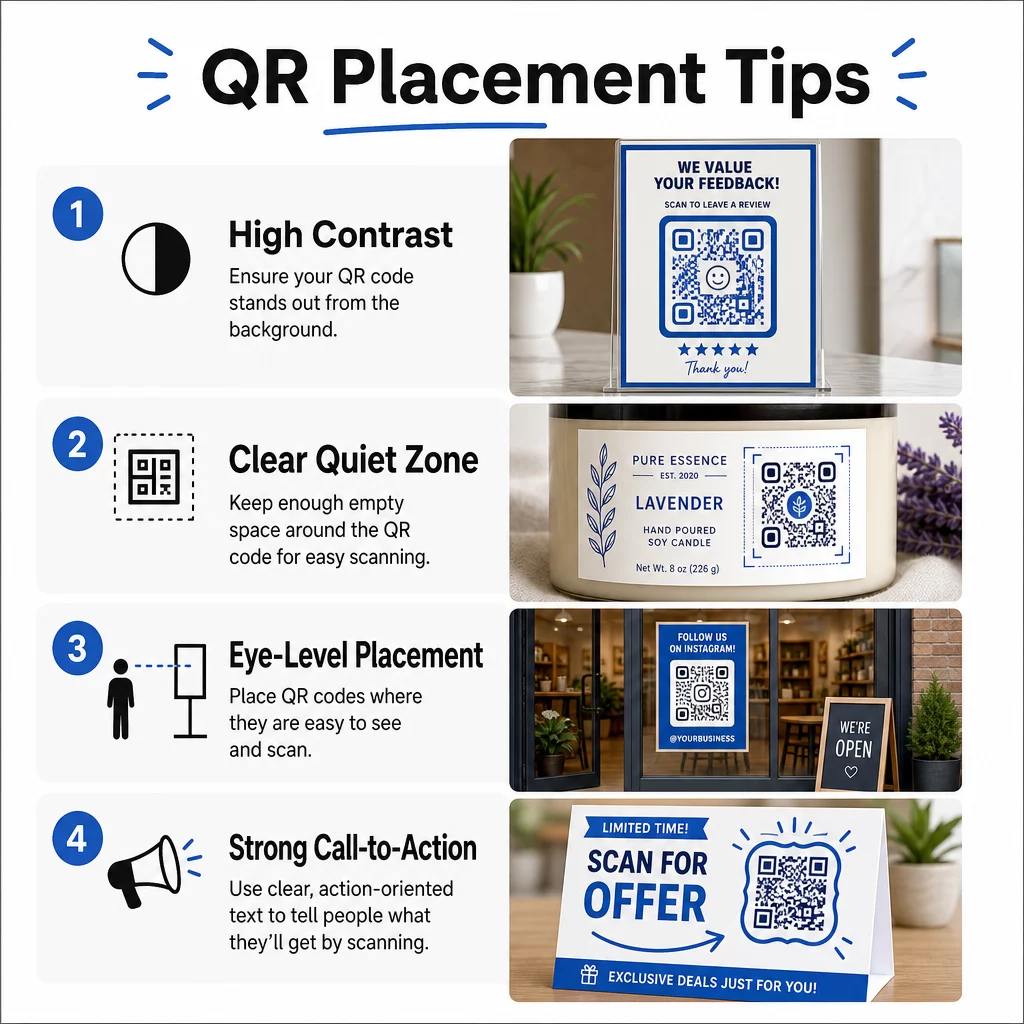
Kujundage esmalt skaneeritavuse jaoks:
- Kasutage suurt kontrasti – tumedad moodulid heledal taustal – ja vältige pööratud värviskeeme
- Hoidke oma logo mitte rohkem kui 30% koodi alast, et vältida skaneerimisvigu
- Hoidke koodi ümber “vaikne tsoon” ehk vaba ruum, et skannerid saaksid mustri eraldada
Valige paigutused, mis vastavad skaneerimiskäitumisele:
- Paigutage koodid silmade kõrgusele, umbes 3,5 kuni 5,5 jala kõrgusele maapinnast plakatitel ja siltidel
- Kasutage minimaalset prinditud suurust 0,8″ × 0,8″ usaldusväärseks skaneerimiseks kõigis seadmetes
- Vältige koodide paigutamist kumeratele pindadele, voltidesse või nurkadesse, kus need võivad varjatud olla
Lisage selge üleskutse tegevusele:
- Raamid tekstiga nagu “Skanni 20% allahindluse saamiseks”, “Hangi juhised” või “Jäta arvustus” annavad klientidele põhjuse skannida
- Spetsiifilised üleskutsed tegevusele edestavad järjepidevalt üldisi, nagu “Skanni mind”
- Kasutamine QR-koodi raamid on üks lihtsamaid disainiuuendusi, mida saate teha
Täpsema teabe saamiseks selle kohta, kuidas paigutus mõjutab skannimismäärasid, vaadake ülimat juhendit QR-koodi paigutuse kohta hõlmab kõiki peamisi formaate alates visiitkaartidest kuni reklaamtahvliteni.
Testige oma koode alati reaalsetes tingimustes – erinev valgustus, erinevad seadmed, erinevad skannimiskaugused – enne massilist printimist. QR-koodi turunduse kontrollnimekiri väikeettevõtetele on praktiline juhend tagamaks, et enne käivitamist midagi kahe silma vahele ei jääks.
Kust alustada
Valige sellest loendist üks või kaks ideed, mis on kooskõlas teie kõige vahetuma ärieesmärgiga – rohkem arvustusi, rohkem korduvaid oste või rohkem jalakäijate liiklust – ja testige neid ühes asukohas või kampaanias. Kasutage algusest peale dünaamilisi QR-koode, et saaksite sihtkohti värskendada ja tulemusi mõõta ilma uuesti printimata.
See Pageloot QR-koodi generaatorit toetab üle 25 QR-koodi tüübi ja sisaldab brändinguvalikuid, analüütikat ja dünaamilist redigeerimist ühel platvormil. Alustage ühe kampaaniaga, jälgige, mis töötab, ja laiendage sealt edasi.
Korduma kippuvad küsimused
Väikeettevõtetele kõige praktilisemad QR-koodi tüübid hõlmavad URL-koode veebisaidi liikluse suurendamiseks, Google Review koode tagasiside kogumiseks, menüü- või PDF-koode digitaalse sisu jagamiseks, vCard-koode võrgustike loomiseks, kupongikoode kampaaniate jaoks ja WiFi-koode poekogemuse parandamiseks. Õige tüüp sõltub teie turunduseesmärgist – alustage sellest, mis käsitleb teie kõige vahetumat kliendi puutepunkti.
Staatilised QR-koodid on tasuta ja sobivad hästi püsiva teabe jaoks, mis kunagi ei muutu, näiteks fikseeritud veebisaidi aadress või WiFi parool. Dünaamilised QR-koodid on parem valik turunduskampaaniate jaoks, sest need võimaldavad teil siht-URL-i igal ajal pärast printimist värskendada, jälgida skannimisandmeid, sealhulgas asukohta ja seadme tüüpi, ning läbi viia A/B teste materjale uuesti printimata. Enamiku väikeettevõtete turundusrakenduste puhul pakuvad dünaamilised koodid oluliselt rohkem paindlikkust ja mõõdetavat ROI-d.
Kõige tõhusam lähenemine ühendab selge paigutuse, spetsiifilise üleskutse tegevusele ja veenva põhjuse skannimiseks. Paigutage koodid silmade kõrgusele tiheda liiklusega aladele, kasutage raame tegevusele suunatud tekstiga nagu “Skanni 15% allahindluse saamiseks” või “Jäta arvustus” ja veenduge, et sihtkoht laadiks mobiilis kiiresti. Koodid, mis pakuvad kohest ja ilmset väärtust – allahindlust, juhiseid, tasuta ressurssi – genereerivad järjepidevalt kõrgemaid skannimismäärasid kui kontekstita koodid.