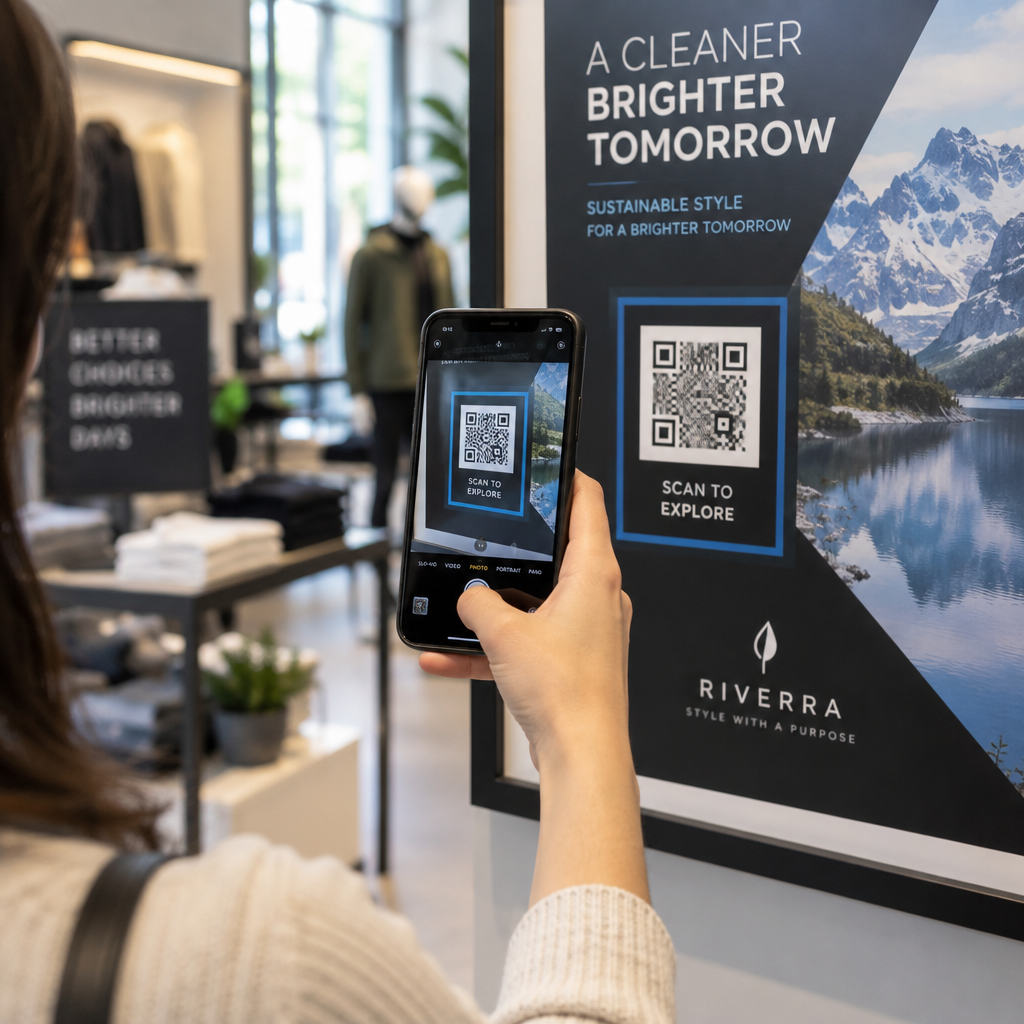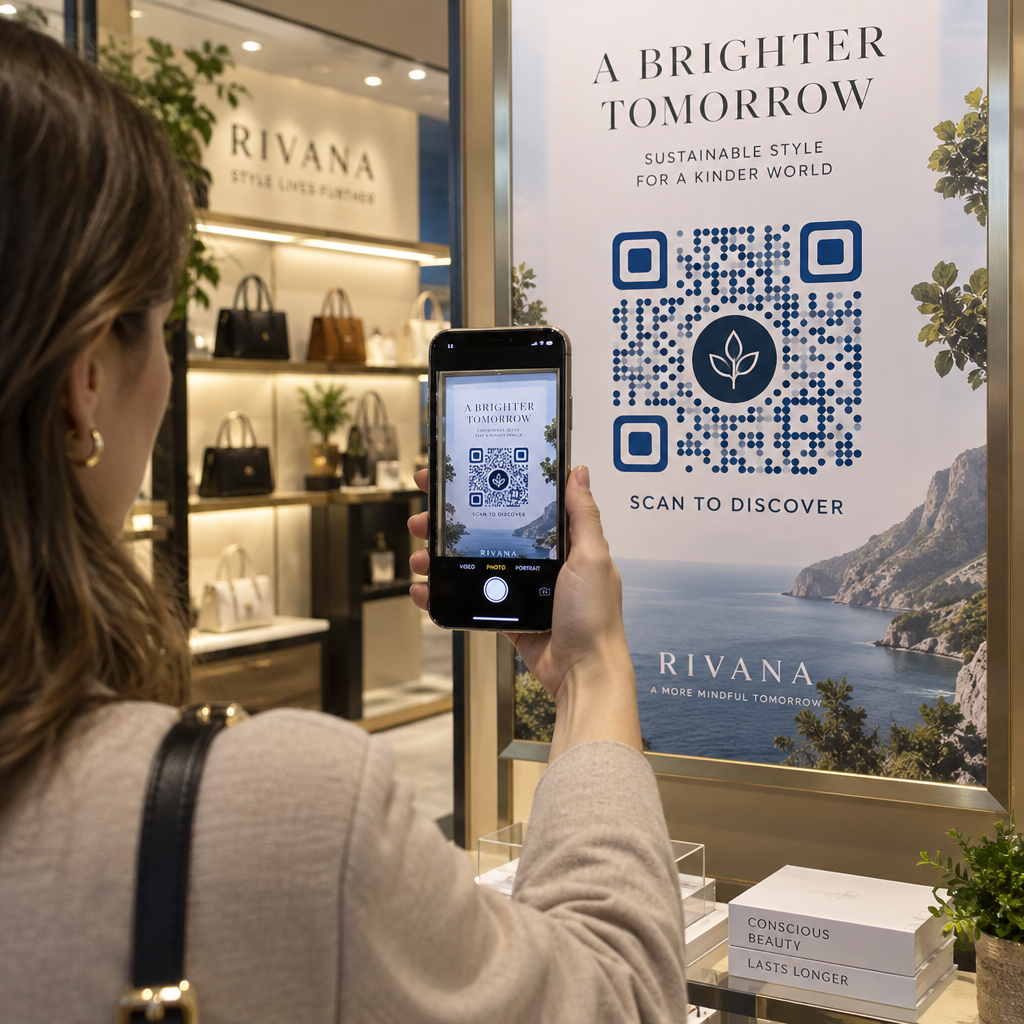
Kas teie turundustegevus toob liiklust, kuid ei muuda seda müügiks? Lõhe kliendi toote avastamise ja ostu sooritamise vahel on koht, kus enamik e-kaubanduse tulusid kaob. QR-koodid sulgevad selle lõhe, ühendades füüsilised puutepunktid otse digitaalsete ostukogemustega – ja need on mõõdetavad igal sammul.
Miks QR-koodid kuuluvad teie e-kaubanduse strateegiasse
Tarbijate QR-koodide kasutuselevõtt on jõudnud punkti, kus skaneerimise hõõrdumine on minimaalne. Tööstusharu andmetel skaneeris 64% ostjatest poes osteldes tootel QR-koodi ja 42% ütles, et QR-koodid on oluliselt parandanud nende isiklikku ostukogemust. See käitumuslik muutus loob e-kaubanduse brändidele tõelise võimaluse kohtuda klientidega seal, kus nad juba on.
Veebimüüjate jaoks täidavad QR-koodid kahte eesmärki: need kiirendavad ostuteed, eemaldades lisasamme, ja genereerivad skaneerimistaseme andmeid, mis aitavad teil täpselt mõista, kuidas teie kampaaniad toimivad. A dünaamiline QR-kood läheb kaugemale – see võimaldab teil siht-URL-i igal ajal ilma uuesti printimata värskendada, mis tähendab, et toote pakendil olev kood võib täna viidata hooajalisele pakkumisele ja järgmisel kuul tooteõpetusele.
E-kaubanduse ettevõtete peamised eelised on järgmised:
- Vähendatud ostuhõõrdumine – Kliendid skaneerivad ja jõuavad otse tootelehele või ostukorvi, möödudes täielikult otsingust
- Kanalitevaheline järjepidevus – Füüsilised pakendid, trükitud reklaadid ja e-posti materjalid ühenduvad sujuvalt teie digitaalse poega
- Mõõdetav kaasatus – Skaneerimisanalüütika näitab, millised paigutused toovad kõige rohkem liiklust ja millised konverteerivad
- Paindlik sisu – Dünaamilised koodid võimaldavad teil sihtkohti muuta ilma trükitud materjale uuesti välja andmata
- Ostujärgne kaasatus – Pakendi sisud ja saatematerjalid muutuvad aktiivseteks turunduskanaliteks
E-kaubanduse QR-koodide peamised kasutusjuhud
Mõistmine, kus QR-koodid pakuvad kõige suuremat väärtust, aitab teil prioriseerida, kust alustada. Iga allolev kasutusjuhtum käsitleb konkreetset hõõrdepunkti kliendi teekonnal.
Füüsiliste toodete linkimine veebipoodidega
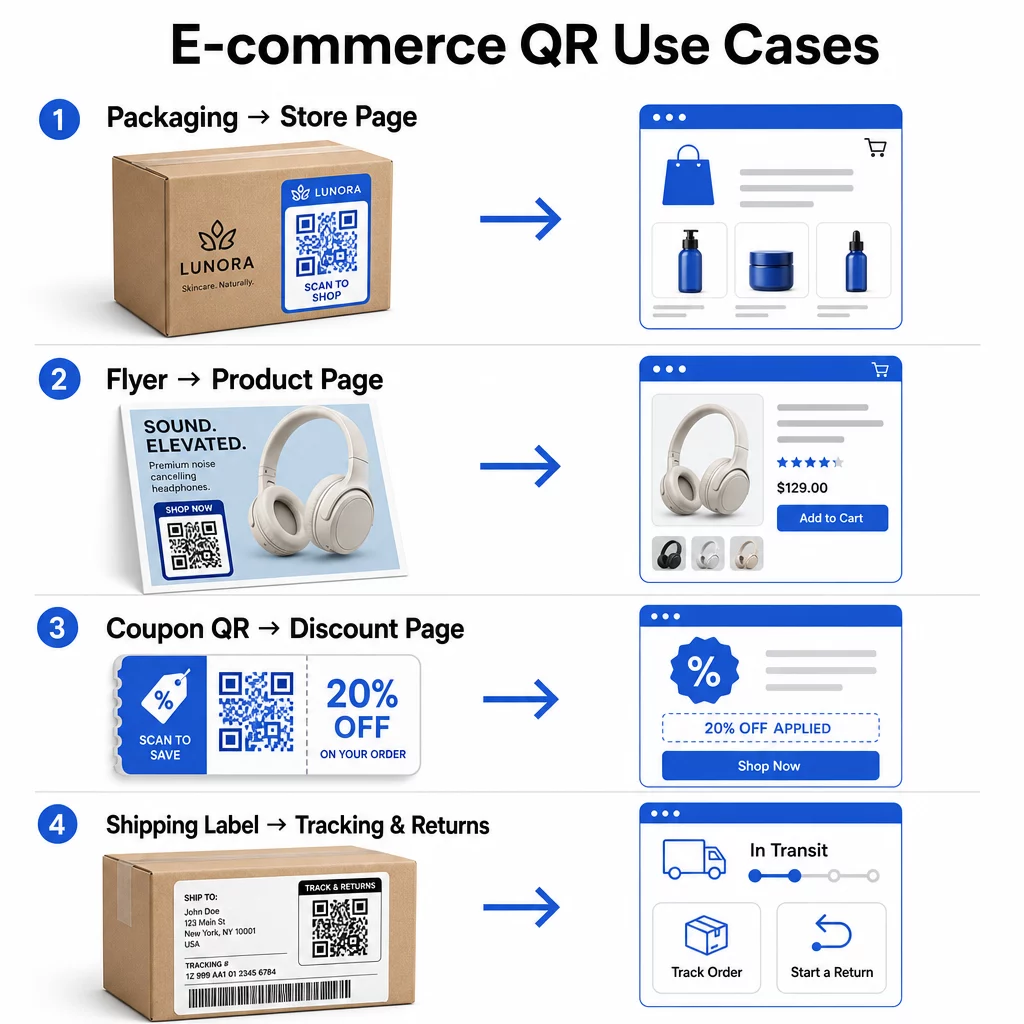
Tootepakend on kõige otsesem sild füüsilise eseme ja teie digitaalse poe vahel. QR-kood karbil või etiketil võib suunata kliendid täielikule tootelehele, seotud tarvikutele, õppevideotele või kordustellimuse lingile. Üks Pagelooti klient paigutas QR-koodid oma pakendisse ja teatas kahe nädala jooksul 27% korduvate külastuste suurenemisest oma Shopify poodi.
See lähenemine on eriti väärtuslik toodete puhul, millel on rohkem detaile, kui etiketile mahub – koostisosad, sertifikaadid, õpetused ja garantiiteave võivad kõik olla ühe skaneeritava koodi taga. Lisateave QR-koodid pakendil ja kuidas need jaekaubandusele kasu toovad.
Suurendage müüki ostetavate QR-koodidega
Kui klient näeb teie toodet trükireklaamis, kataloogis või poe väljapanekul, kõrvaldab QR-kood sammud huvi ja ostu vahel. Selle asemel, et otsida teie toodet või sisestada URL-i, skaneerivad nad ja jõuavad otse tootelehele või kureeritud kollektsioonile.
Kasuta lingi QR-koodi generaator suunata iga kood konkreetsele URL-ile. Dünaamiliste koodidega saate seda sihtkohta värskendada, et kajastada laoseisu, hooajalist hinda või piiratud aja pakkumist ilma materjale uuesti trükkimata.
Paku kuponge ja ajatundlikke pakkumisi
QR-koodid on eriti tõhusad sooduskoodide ja sooduspakkumiste edastamiseks, sest kogemus on kohene ja hõõrdumatu. Klient skaneerib, näeb kupongi sihtlehte ja saab pakkumise kohe lunastada, selle asemel et otsida oma postkastist sooduskoodi.
Asetage sooduskoodid toote pakendile, trükitud kviitungitele, otsepostitustele ja füüsilistele siltidele, et julgustada nii esimesi oste kui ka kordustellimusi. The Kupongi QR-koodi generaator võimaldab teil luua spetsiaalse sihtlehe mitme pakkumise ja selge üleskutsega tegevusele.
Looge oma poe jaoks kupongi QR-koode Kuvage ajatundlikke pakkumisi, sooduskoode ja eksklusiivseid pakkumisi bränditud sihtlehel, kuhu teie kliendid ühe skaneerimisega jõuavad. Kasutage the Kupongi QR-koodi generaator alustamiseks.
Luba QR-koodi maksed
Kontaktivaba maksmine on kasvav ootus, eriti jaekaubanduses ja hübriidkaubanduse keskkondades, kus kliendid soovivad maksta ilma kassas järjekorras seismata või kaardiandmeid käsitsi sisestamata. QR-koodi maksed toimivad, suunates kliendi hostitud makselehele – nad skaneerivad, kinnitavad summa ja maksavad salvestatud kaardi või mobiilse rahakoti (nt Apple Pay või Google Pay) abil.
Staatilised QR-koodid link üldisele makselehele, kus kliendid sisestavad summa ise. Dünaamilised QR-koodid saab genereerida tehinguspetsiifiliste andmetega, nii et klient peab vaid kinnitama ja autoriseerima. Ettevõtetele, kes tegelevad korduvate maksete või muutuvate summadega, vähendavad dünaamilised maksekoodid sisestusvigu ja kiirendavad ostuprotsessi.
Turvalisus on siin kriitilise tähtsusega. Iga makse QR-kood peaks kasutama kontrollitud, HTTPS-turvatud sihtkohta. Kasutage võimaluse korral dünaamilisi koode, kuna neid saab rikkumise korral deaktiveerida või uuendada. See PayPali QR koodi loomine pakub lihtsat viisi maksekoodide loomiseks, mis suunavad kliendid teie maksevoogu. Saate üle vaadata ka ligipääsetavate QR-koodimaksete parimad tavad tagamaks, et teie rakendus oleks nii turvaline kui ka kaasav.
Koguge Google'i arvustusi ja klientide tagasisidet
Sotsiaalne tõestus on üks e-kaubanduse ettevõtte kõige väärtuslikumaid varasid. Väljakutse seisneb selles, et enamik rahulolevaid kliente ei jäta arvustusi, kui protsess pole hõõrdumatu. QR-kood pakendi sisulehel, saatekastil või kviitungil vähendab seda hõõrdumist ühe skaneerimiseni.
Suunake kood otse oma Google'i arvustuse esitamise lehele, nii et kliendid jõuavad täpselt sinna, kuhu te neid vajate. See Google Review QR-koodi generaator võimaldab teil luua ja kohandada arvustuskoodid, mida saate oma füüsilistesse materjalidesse manustada. Laiema tagasiside kogumiseks saavad QR-koodid linkida ka ostujärgsetele küsitlustele, mis võimaldab teil koguda struktureeritud teadmisi ostukogemuse kohta. Lugege lähemalt, kuidas QR-koodid toetavad e-kaubanduse klienditeenindust.
Parandage tarne- ja tagastuslogistikat
Saatelehed ja tellimuse kinnituse e-kirjad on alakasutatud turundus- ja teeninduskanalid. QR-kood saatelehel annab klientidele kohese juurdepääsu reaalajas jälgimisteabele, ilma et nad peaksid jälgimisnumbrit otsima ja käsitsi sisestama.
Tagastuste puhul eemaldab QR-kood, mis lingib otse tagastustaotluse vormile, ostujärgse kogemuse kõige frustreerivama osa. Brändid nagu IKEA on selle mudeli omaks võtnud – saates QR-koode e-posti või SMS-i teel pärast seda, kui klient on tagastuse registreerinud – tagastuslogistika sujuvamaks muutmiseks ja tugikontaktide vähendamiseks. Uurige, kuidas QR-koodid parandavad e-kaubanduse tarnekogemusi üksikasjalikumalt.
Kasvata sotsiaalmeedia auditooriume
Iga füüsiline pakend on potentsiaalne kanal oma sotsiaalmeedia jälgijaskonna kasvatamiseks. QR-kood, mis lingib otse sinu Instagrami, TikToki või YouTube'i profiilile, võib muuta esmakordse ostja pikaajaliseks jälgijaks ilma täiendavate reklaamikuludeta.
See töötab eriti hästi lahtipakkimise hetkedel, kus klientide tähelepanu on kõrge ja entusiasm toote vastu on tipus.
Kuidas jälgida QR-koodi kampaania toimivust
QR-koodi genereerimine on vaid pool tööst – selle toimivuse mõistmine eristab taktikalise eksperimendi skaleeritavast strateegiast.
Dünaamilised QR-koodid ja sisseehitatud analüütika
Dünaamilised QR-koodid pakuvad kõige põhjalikumat jälgimist, sest nad suunavad skaneeringud hallatud ümbersuunamise kaudu, mis logib mõõdikuid reaalajas. QR-koodi haldamise platvorm nagu Pageloot kogub:
- Skannimiste koguarv ja unikaalsed skannimised
- Iga skaneeringu aeg ja kuupäev
- Skaneeringu geograafiline asukoht
- Seadme tüüp ja operatsioonisüsteem
Need andmed näitavad, millised paigutused toovad kõige rohkem kaasatust, millal kliendid kõige tõenäolisemalt skaneerivad ja kus geograafiline nõudlus on koondunud. Sügavama ülevaate saamiseks jälgimise toimimisest vaata juhendit QR-koodi skaneeringute ja analüütika jälgimiseks.
Jälgige oma kampaaniat reaalajas Kas soovite täpselt näha, kus ja millal teie kliendid teie materjale skannivad? Kasutage Dünaamilise QR koodi generaator jälgitavate koodide loomiseks ja täielikule jõudluse armatuurlauale juurdepääsuks juba täna.
UTM-parameetrid omistamiseks Google Analyticsis
Kampaaniate puhul, kus soovid, et QR-koodi toimivus ilmuks Google Analyticsis koos teiste kanaliandmetega, lisa UTM-parameetrid siht-URL-ile enne koodi genereerimist. UTM-parameetrid on lühikesed URL-ile lisatud koodijupid, mis annavad sinu analüütikaplatvormile teada külastusega seotud allika, meediumi ja kampaania nime.
Põhiline UTM-märgistatud URL toote pakendil oleva QR-koodi jaoks võiks välja näha järgmiselt:
“`
https://yourstore.com/product?utmsource=packaging&utmmeedia=qrkood&utmcampaign=spring_launch
“`
Viis standardset UTM-parameetrit on:
- utm_source – Kust liiklus pärineb (nt `pakend`, `flaier`, `kviitung`)
- utmmedium – Turunduskanal (nt `qrkood`)
- utmcampaign – Konkreetne kampaania nimi (nt `kevadkäivitamine`)
- utm_term – Märksõnad, tavaliselt tasuliste otsingukampaaniate jaoks
- utm_content – Sarnaste linkide või loominguliste variantide eristamiseks
Pärast märgistamist lühendage URL-i ja genereerige lühendatud lingist oma QR-kood. Skaneeringud ilmuvad seejärel teie analüüsiaruannetes eraldiseisva liikluse allikana, võimaldades teil mõõta konversioonimäärasid, tulu ja QR-põhisele liiklusele omast käitumist.
QR-koodi disaini parimad tavad e-kaubanduse jaoks
QR-kood, mida kliendid ei saa või ei taha skannida, ei anna mingit väärtust. Need disainipõhimõtted tagavad, et teie koodid töötavad usaldusväärselt kõigis paigutustes:
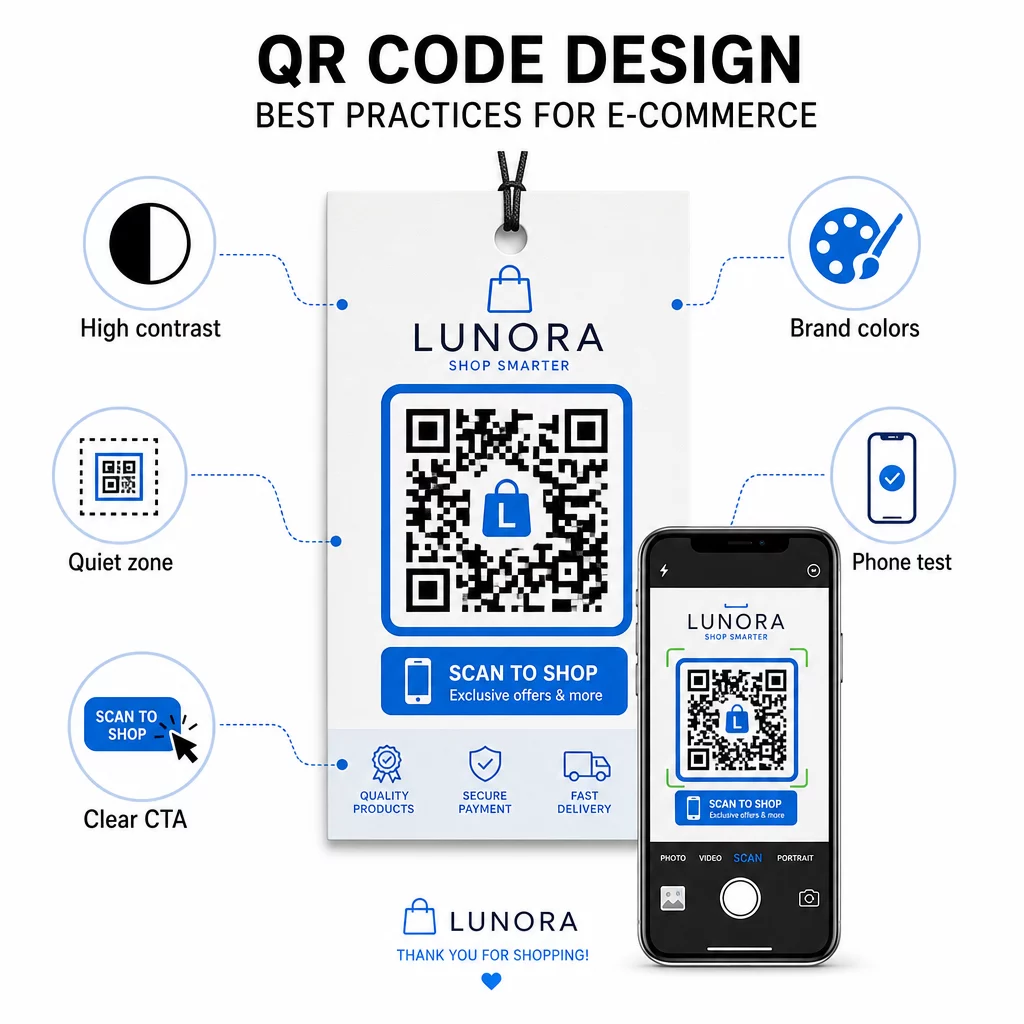
- Kasutage tumedaid mooduleid heledal taustal – Must valgel pakub kaamera tuvastamiseks tugevaimat kontrasti ja on paremini ligipääsetav kasutajatele hämaras valguses
- Hoidke vaikset tsooni – Hoidke koodi ümber vähemalt neli moodulit tühja ruumi, et ümbritsev graafika ei segaks skannimist
- Järgige minimaalse suuruse juhiseid – Vähemalt 1 toll × 1 toll trükimaterjalide puhul; suurem siltide puhul, kus rusikareegel on, et maksimaalne skannimiskaugus peaks olema umbes kümme korda koodi laiusest
- Lisage selge üleskutse tegevusele – Märgistage kood lühikese juhisega, näiteks “Skanni 10% soodustuse saamiseks” või “Skanni oma tellimuse jälgimiseks”, et vähendada kõhklusi ja suurendada skannimismäärasid
- Testi enne printimist – Kontrollige, et kood skannib õigesti lõplikul trükitud suurusel, oodatud kaugustelt, realistlikus valguses ja mitme telefonimudeliga
Mobiilsete sihtlehtede puhul, mis on lingitud teie QR-koodidest, on kriitilise tähtsusega laadimise kiirus ja mobiilipõhine paigutus. Lehed peaksid laadima alla kolme sekundi ja nupud peaksid olema piisavalt suured, et neid oleks lihtne puudutada. Vaata mobiilse QR-koodi sihtlehe parimaid tavasid üksikasjaliku kontrollnimekirja saamiseks.
Kuidas luua QR-kood oma e-kaubanduse poe jaoks
QR-koodide kasutuselevõtt oma poes hõlmab kolme sammu:
- Genereeri kood – Kasutage Pageloot QR-koodi generaatorit dünaamilise QR-koodi loomiseks, mis on lingitud tootelehele, maksevoole, arvustusvormile või mis tahes muule sihtkohale. Valige dünaamiline staatilise asemel, kui soovite sihtkohta hiljem värskendada või jõudlust jälgida.
- Kohanda ja brändi see – Lisa oma logo, sobitada oma brändi värvidega ja lisada raam koos tegevusele kutsuva sildiga. Bränditud koodid loovad tuntust ja kipuvad genereerima rohkem skaneeringuid kui tavalised mustvalged koodid.
- Juurutage ja jälgige – Asetage kood pakenditele, e-kirjadesse, trükistele või kauplusesisestele siltidele. Kasutage analüütika armatuurlauda skaneerimise tulemuslikkuse ülevaatamiseks ja kampaaniate kohandamiseks vastavalt sellele, mis töötab.
Valdkonnaspetsiifiliste rakendusideede jaoks on e-kaubanduse QR-koodi lahenduste leht hõlmab kasutusjuhtumeid Shopify, WooCommerce'i ja teiste platvormide lõikes. Saate sirvida ka QR-koodi lahendused tööstusharude kaupa konteksti saamiseks, kuidas teised sektorid sarnastele väljakutsetele lähenevad.
Reaalsed tulemused näitavad võimaliku ulatust: juhtivate e-kaubanduse brändide juhtumiuuringud näitavad tulemusi nagu 130% veebimüügi kasv ja 239% rakenduse kaasatuse kasv sihipäraste QR-koodi juurutuste kaudu. e-kaubanduse QR-koodi juhtumiuuringud leht käsitleb neid näiteid üksikasjalikult.
QR-koodid toimivad kõige paremini, kui need lahendavad kliendi jaoks konkreetse probleemi – teabe kiirem hankimine, lihtsam maksmine või tagastuse sooritamine ilma probleemideta. Alustage ühe või kahe kõrge väärtusega puutepunktiga, mõõtke tulemusi ja laiendage sealt edasi.
Korduma kippuvad küsimused
Staatiline QR-kood kodeerib siht-URL-i otse mustrisse ja seda ei saa pärast loomist muuta. Dünaamiline QR-kood viitab lühikesele ümbersuunamislingile, mida saab igal ajal uuendada, isegi pärast koodi printimist. E-kaubanduse jaoks on dünaamilised koodid üldiselt eelistatavamad, kuna need toetavad reaalajas analüütikat, võimaldavad sihtkoha uuendusi kampaaniate muutumisel ja loovad puhtama visuaalse mustri, mis skaneerib kiiremini. Lisateavet leiate staatiliste vs. dünaamiliste QR-koodide lehelt.
Kõige usaldusväärsem meetod ühendab kaks lähenemist. Esiteks kasutage dünaamilisi QR-koode haldusplatvormi kaudu nagu Pageloot, mis logib automaatselt skaneeringute arvu, ajatempleid, seadmetüüpe ja geograafilisi asukohti. Teiseks lisage oma siht-URL-idele UTM-parameetrid, et skaneeringud ilmuksid Google Analyticsis eraldi liikluse allikana, kus saate mõõta iga koodiga seotud konversioonimäärasid ja tulu. Üksikasjalike juhiste saamiseks vaadake QR-koodi jälgimise juhendit.
Kõige suurema kaasatusega paigutused e-kaubanduses on toote pakend, saatekastid, pakendi lisad ja tellimuse kinnituse e-kirjad. Need kokkupuutepunktid jõuavad klientideni suure kavatsusega hetkedel – kohe pärast ostu või lahtipakkimiskogemuse ajal – muutes need ideaalseks arvustuste, korduvostude ja sotsiaalmeedia jälgijate suurendamiseks. Ostujärgsed materjalid, nagu kviitungid ja tagastamisjuhised, on samuti tõhusad, sest kliendid on sel hetkel teie brändiga aktiivselt seotud.