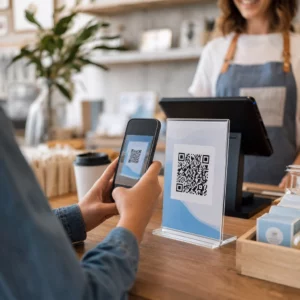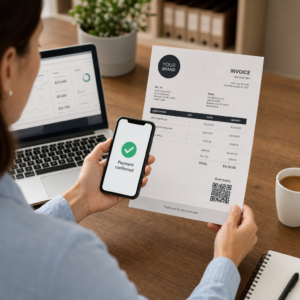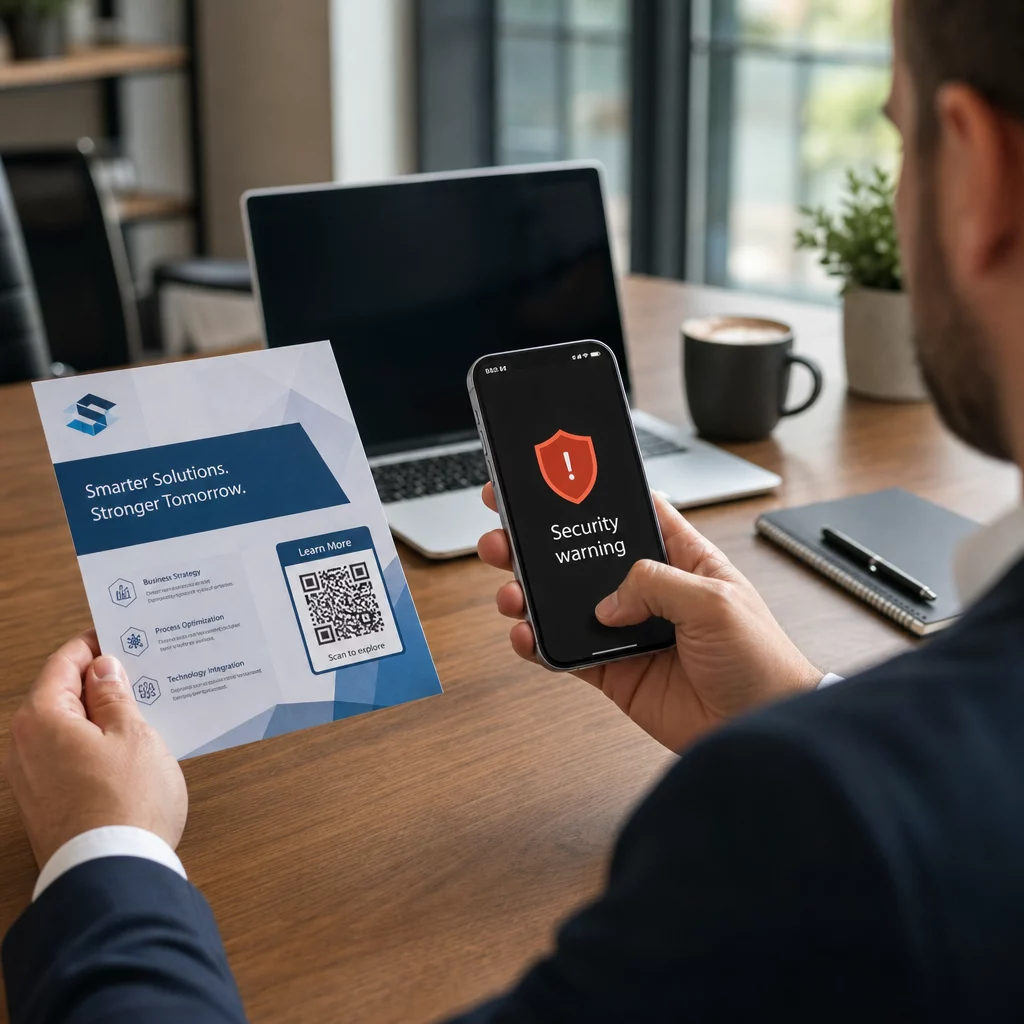
Ar jūsų verslas naudoja QR kodus nežinodamas, kurie iš jų buvo suklastoti? QR kodo sukčiavimas – dažnai vadinamas “quishing” – kasdienį patogumą paverčia prisijungimo duomenų vagystės spąstais, o tradiciniai saugumo filtrai dažnai jo visiškai nepastebi. Šiame vadove aprašoma, kaip veikia šios atakos, kiek jos kainuoja įmonėms ir kokias konkrečias kontrolės priemones galite įdiegti, kad jas sustabdytumėte.
Kaip veikia QR kodo sukčiavimas
QR kodo sukčiavimas išnaudoja esminį trūkumą: QR kodai nėra žmogaus skaitomi. Naudojant tradicinį URL, apmokyta akis dažnai gali pastebėti suklastotą domeną ar įtartiną eilutę. QR kodas visa tai paslepia. Kaip aiškina Alexas Mosheris, „MobileIron“ pasaulinis viceprezidentas:
“QR kodai iš prigimties slepia savo paskirties vietą. Todėl galimybė pakeisti QR kodą, kad jis nukreiptų į alternatyvų šaltinį, nepastebėtam, yra paprasta ir labai efektyvi.”
Atakos vykdytojai įterpia kenkėjiškus URL adresus į QR kodus, kurie nukreipia aukas į netikrus prisijungimo puslapius, skirtus rinkti prisijungimo duomenis, arba į svetaines, kurios sukelia kenkėjiškų programų atsisiuntimą. Problemą dar labiau apsunkina tai, kad daugelis el. pašto saugumo sistemų negali iššifruoti QR kodo paveikslėlių – jos mato paveikslėlį, o ne nuorodą – todėl kenkėjiškas turinys praslysta pro filtrus, kurie sugautų paprastą sukčiavimo URL.
2023 m. QR kodo sukčiavimas sudarė 22 % visų sukčiavimo atakų. Viena didelio masto „quishing“ kampanija per kelis mėnesius išaugo 2 400 %, o įmonėms skirtos operacijos analizė parodė, kad maždaug 29 % kenkėjiškų el. laiškų turėjo QR kodus.
Kur atakos vykdytojai įterpia kenkėjiškus QR kodus
El. pašto ir dokumentų atakos yra dažniausias pristatymo būdas. Atakos vykdytojai įterpia QR kodus į PDF ar Word priedus, kad apeitų el. pašto saugumo filtrus. 2023 m. 82 % „quishing“ atakų apsimetė patikimais prekių ženklais – „Microsoft“ buvo taikoma 51 % stebėtų atvejų, po jos sekė „DocuSign“ su 31 % ir „Adobe“ su 15 %. Nuo 2024 m. vidurio iki 2024 m. pabaigos tyrėjai aptiko daugiau nei 500 000 sukčiavimo el. laiškų, kuriuose buvo QR kodai, įterpti į PDF failus.
Fizinis klastojimas yra vienodai pavojingas. Atakos vykdytojai klijuoja apgaulingus QR kodo lipdukus ant teisėtų kodų didelio srauto vietose – restoranuose, parkavimo automatuose, oro uostuose ir prekybos vietose. San Franciske nusikaltėliai ant parkavimo bilietų užklijavo padirbtus QR kodus, kurie nukreipė vartotojus į netikrą tranzito puslapį, skirtą pavogti kredito kortelių duomenis. Socialinės apsaugos administracija konkrečiai įspėja, kad teisėti QR kodai ant oficialių ženklų paprastai nėra lipdukai; kodas, užklijuotas kaip lipdukas, turėtų būti laikomas įtartinu.
Socialinės inžinerijos masalai užbaigia paveikslą. Aukos raginamos nuskaityti QR kodą, kad gautų nuolaidą, prisijungtų prie nemokamo „Wi-Fi“ ar užpildytų apklausą. Vienu dokumentuotu atveju Singapūre moteris nuskenavo kodą burbulinės arbatos parduotuvėje, tikėdamasi lojalumo atlygio. Vietoj to, į jos telefoną buvo atsisiųsta kenkėjiška programa, o atakos vykdytojai iš jos banko sąskaitos išsiurbė 2 000 USD.
Kiek šios atakos kainuoja įmonėms
Prisijungimo duomenų ir duomenų vagystė
Beveik 90 % „quishing“ atakų yra specialiai sukurtos pavogti prisijungimo duomenis ir jautrius duomenis. Atakos vykdytojai nukreipia aukas į įtikinamas „Microsoft 365“, „SharePoint“ ar bankininkystės portalų kopijas. Vadovai yra neproporcingai dažnai taikinys, nes jų prisijungimo duomenys atrakina kritines sistemas ir privilegijuotus duomenis.
Asmeniniai įrenginiai tai dar labiau pablogina. Kai darbuotojai nuskaito QR kodus telefonuose, kurie nėra įtraukti į įmonės valdymą, IT komandos neturi jokios informacijos apie tai, kas įvyko ar kas buvo pasiekta.
Finansiniai nuostoliai
Vidutinė duomenų pažeidimo kaina 2023 m. pasiekė 4,45 mln. JAV dolerių, o verslo el. pašto kompromitavimo (BEC) sukčiavimai vidutiniškai siekė 4,89 mln. JAV dolerių – neįskaitant reguliavimo baudų ir teisinių išlaidų. Tiesioginiai sukčiavimo (phishing) nuostoliai išaugo 76 % per metus. Atskiri incidentai iliustruoja mastą: sukčiavimas JK geležinkelio stotyje paliko vieną auką su 13 000 svarų sterlingų skola; Kalgario šeima prarado 10 000 JAV dolerių dėl „Facebook Marketplace“ QR kodo sukčiavimo.
Smulkios įmonės patiria neproporcingai didelę žalą. Jungtinėje Karalystėje smulkios įmonės kasdien susiduria su maždaug 65 000 kibernetinių atakų, o vidutinė sėkmingos atakos išsprendimo kaina siekia apie 33 700 JAV dolerių.
Veiklos sutrikimai ir reputacijos žala
Pavogti prisijungimo duomenys dažnai tampa įsilaužimo tašku išpirkos reikalaujančios programinės įrangos diegimui. 2023 m. organizacijos išleido vidutiniškai 1,82 mln. JAV dolerių atsigavimui po išpirkos reikalaujančios programinės įrangos incidentų. Statybos ir inžinerijos įmonėms QR kodo atakos rizika yra 19,2 karto didesnė nei vidutinė; profesionalių paslaugų įmonėms rizika yra 18,5 karto didesnė.
Be veiklos prastovų, įmonės susiduria su klientų praradimu, didesnėmis kibernetinio saugumo draudimo įmokomis ir reguliavimo patikrinimais, kai atskleidžiami klientų duomenys. Pasitikėjimo atkūrimas po pažeidimo užtrunka daug ilgiau nei paties techninio incidento išsprendimas.
Kaip išvengti sukčiavimo QR kodais: daugiasluoksnis požiūris
Nė viena atskira kontrolės priemonė nepašalina sukčiavimo QR kodais (quishing). Nuolatinė saugumo tyrėjų, federalinių agentūrų ir įmonių saugumo komandų rekomendacija yra daugiasluoksnė gynyba, apjungianti el. pašto filtravimą, tapatybės kontrolę, galinių įrenginių apsaugą, darbuotojų mokymus ir ataskaitų teikimo darbo eigas.
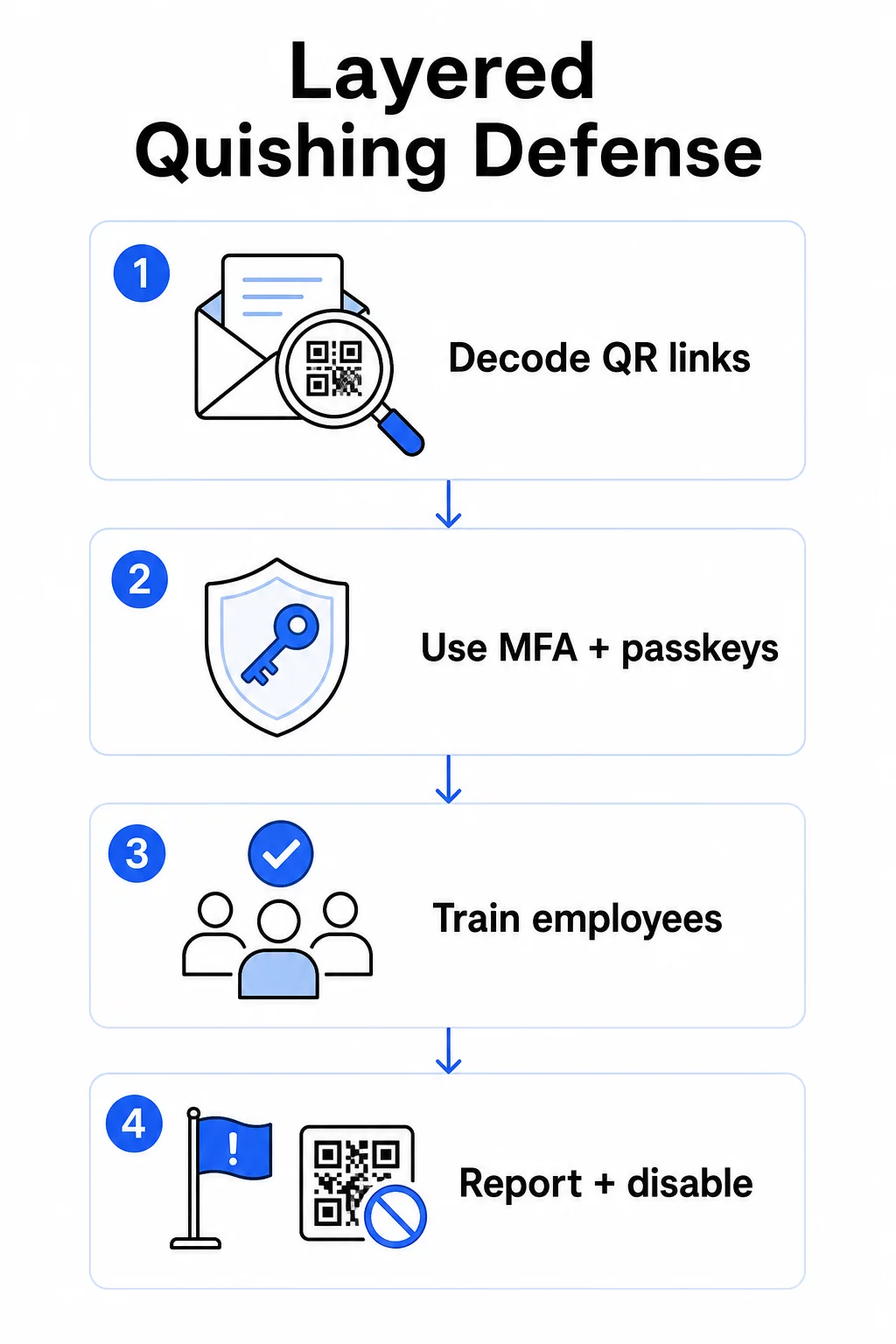
El. pašto saugumo kontrolės priemonės
Konfigūruokite el. pašto saugumo sistemas su galimybėmis, kurios viršija standartinį nuorodų nuskaitymą. Efektyvios kontrolės priemonės apima:
- OCR palaikantis filtravimas kuris iššifruoja QR kodo vaizdus el. laiškuose ir analizuoja įterptą URL pagal grėsmių žvalgybos duomenis
- Apsaugos nuo sukčiavimo (phishing) politikos suderintos taip, kad pažymėtų vaizdais pagrįstus duomenų paketus, ypač QR kodus, įterptus į PDF ar „Office“ dokumentų priedus
- Griežtos šlamšto vartų taisyklės, kurios pagal numatytuosius nustatymus nepageidaujamus QR kodus el. laiškuose laiko didelės rizikos.
Konkrečiai „Microsoft 365“ aplinkoms, „Microsoft Defender for Office 365“ apima QR kodo vaizdo dekodavimą, kad būtų atskleisti įterptieji URL adresai reputacijos tikrinimui ir saugių nuorodų įvertinimui.
Tapatybės ir prieigos kontrolė
Pavogti kredencialai naudingi tik tada, jei juos galima panaudoti. Sluoksniuota tapatybės kontrolė žymiai sumažina šią riziką:
- Daugiapakopis autentifikavimas (MFA) visoms paskyroms, su griežtesniais autentifikavimo reikalavimais dideles privilegijas turintiems vartotojams ir vadovams
- Nuo sukčiavimo apsaugoti MFA metodai pvz., aparatinės saugos raktai arba slaptažodžiai, kurie yra susieti su teisėtu domenu ir negali būti perimti apgaulingos svetainės
- Senų autentifikavimo protokolų, kurie nepalaiko MFA, blokavimas, pašalinant dažną apėjimo kelią
- Sąlyginės prieigos politikos, kurios pažymi arba blokuoja prisijungimo bandymus iš nevaldomų įrenginių
Išsamesnės informacijos apie tai, kaip QR kodai susiję su autentifikavimo darbo eigomis, žr. kaip QR kodai supaprastina daugiafaktorinį autentifikavimą.
Galinių įrenginių ir įrenginių apsauga
Valdomi įrenginiai su atnaujinta galinių įrenginių sauga užtikrina kritinį saugos tinklą:
- Įdiekite galinių įrenginių aptikimą ir atsaką (EDR) visuose valdomuose įrenginiuose
- Įjunkite naršyklės reputacijos patikras (pvz., „Microsoft SmartScreen“), kurios įspėja vartotojus prieš jiems pasiekiant žinomą sukčiavimo domeną
- Taikykite mobiliųjų įrenginių valdymo (MDM) politikas, kurios užtikrina saugos pagrindus telefonuose, naudojamuose QR kodams nuskaityti darbe
- Apribokite atsisiuntimus iš nevaldomų įrenginių įmonių tinkluose
FTC pataria nuolat atnaujinti įrenginių operacines sistemas ir naudoti stiprius, unikalius slaptažodžius visose paskyrose kaip pagrindinę higieną, kuri sumažina bet kokio sėkmingo sukčiavimo bandymo poveikį.
Darbuotojų mokymas ir sąmoningumas
Jūsų darbuotojai yra tiesiausia gynybos linija nuo sukčiavimo per QR kodus, o mokymai turi būti aiškūs – bendras sukčiavimo supratimas automatiškai nepersikelia į QR kodų grėsmes.
Efektyvios mokymo programos apima:
- Kodėl QR kodai yra pavojingi: paskirties vieta yra paslėpta iki nuskaitymo
- Įspėjamieji ženklai el. laiškuose, kuriuose yra QR kodų: skubumas, bendri pasveikinimai, nepageidaujami pranešimai iš žinomų prekių ženklų ir prisijungimo duomenų prašymai
- Fizinio klastojimo požymiai: kodai, užklijuoti lipdukais ant spausdintų medžiagų, kodai ant neoficialių iškabų
- Patvirtinimo įpročiai: jei QR kodas gaunamas netikėtame el. laiške, susisiekite su siuntėju žinomu telefono numeriu arba oficialia svetaine, o ne nuskaitykite kodą
- URL patikra: po nuskaitymo patikrinkite URL naršyklės juostoje prieš įvesdami bet kokius prisijungimo duomenis – ieškokite rašybos klaidų, sukeistų raidžių ar nepažįstamų domenų
JAV sveikatos ir žmogiškųjų paslaugų departamentas rekomenduoja mokyti galutinius vartotojus išlaikyti sveiką skepticizmo laipsnį ir atpažinti tokius rodiklius kaip įtartini siuntėjo adresai, suklastotos nuorodos ir netinkama gramatika – visa tai pasirodo QR kodais pagrįstose sukčiavimo kampanijose, lygiai taip pat kaip ir tekstinėse.
Vykdykite imituojamus sukčiavimo per QR kodus pratimus kartu su standartinėmis sukčiavimo simuliacijomis. Nukreipkite į didelės rizikos grupes – vadovus, finansų komandas ir visus, turinčius administratoriaus teises – su dažnesniais ir realistiškesniais scenarijais.
Išsamesniam vaizdui apie QR kodų saugumo geriausia praktika kibernetinėje gynyboje, įskaitant šifravimą ir autentifikavimo susiejimą, šiame vadove išsamiau aptariamos techninės kontrolės priemonės.
Ataskaitų teikimas ir incidentų valdymas
Darbuotojams reikia aiškaus, mažai trinties sukeliančio būdo pranešti apie įtartinus QR kodus – tiek el. pašte, tiek fizinėse erdvėse. Mygtukas „pranešti apie sukčiavimą“ el. pašto klientuose pašalina trintį skaitmeniniams pranešimams. Fiziniams kodams pateikite gaires, kaip pažymėti ir nufotografuoti įtartinus lipdukus ar sugadintas medžiagas.
Jūsų incidentų reagavimo planas turėtų konkrečiai spręsti sukčiavimo QR kodais scenarijus su apibrėžtais žingsniais:
- Izoliuokite visas paskyras, kurios galėjo pateikti prisijungimo duomenis per kenkėjišką QR kodą
- Nedelsiant atšaukite aktyvias sesijas ir iš naujo nustatykite slaptažodžius
- Patikrinkite, ar nebuvo neteisėtos prieigos ar duomenų judėjimo laikotarpiu tarp nuskaitymo ir reagavimo
- Praneškite paveiktiems asmenims pagal jūsų duomenų pažeidimo pranešimo politiką
- Atlikite poincidentinę peržiūrą, kad nustatytumėte, kaip QR kodas apėjo esamas kontrolės priemones
Atlikite įsiskverbimo testavimą, apimantį sukčiavimo QR kodais scenarijus, kad rastumėte spragas anksčiau nei tai padarys užpuolikai.
Jūsų verslo naudojami QR kodai: savo kodų apsauga
Užkirsti kelią sukčiavimui QR kodais taip pat reiškia užtikrinti, kad jūsų verslo publikuojami QR kodai negalėtų būti panaudoti prieš jūsų klientus ar darbuotojus.
Naudokite dinaminius QR kodus vietoj statinių. Statiniai kodai visam laikui užkoduoja paskirties URL. Jei ta paskirtis kada nors bus pažeista, kodas taps įsipareigojimu, kurio negalėsite ištaisyti be pakartotinio spausdinimo. Dinaminiai QR kodai nurodykite trumpą peradresavimo URL, kurį kontroliuojate – galite atnaujinti paskirtį, peradresuoti į naują puslapį arba visiškai išjungti kodą iš valdymo pulto, neliesdami spausdintos medžiagos.
Kontroliuokite savo paskelbtus QR kodus Jei įtariate, kad vienas iš jūsų naudojamų kodų buvo sugadintas arba nukreipia į nesaugią vietą, galite jį nedelsiant atnaujinti arba išjungti. Naudokite Dinaminis QR kodo generatorius kad galėtumėte valdyti visus savo kodus iš centralizuoto valdymo pulto su realaus laiko nuskaitymo analitika.
Taikykite nuoseklų prekės ženklo kūrimą savo kodams. Septyniasdešimt vienas procentas žmonių negali patikimai atskirti netikro QR kodo nuo tikro. Firminiai QR kodai – su jūsų logotipu, įmonės spalvomis ir pasirinktiniu domenu paskirties URL – suteikia vartotojams vizualinį signalą, kad kodas yra autentiškas. Bendriniai juodai balti QR kodai su neaiškiais trumpaisiais URL tokios garantijos nesuteikia.
Stebėkite nuskaitymo analizę dėl anomalijų. Dinaminiai QR kodai renka nuskaitymo duomenis, įskaitant laiko žymas, įrenginių tipus ir geografines vietas. Staigus nuskaitymų padidėjimas iš netikėtų regionų arba nuskaitymo veikla ne darbo valandomis gali rodyti, kad vienas iš jūsų kodų buvo nukopijuotas ir piktybiškai perskirstytas. „Pageloot“ analizės prietaisų skydelis atskleidžia šiuos modelius, kad galėtumėte greitai ištirti ir reaguoti.
Išsamiau apie tai, kokius nuskaitymo duomenis renka jūsų kodai ir kaip juos atsakingai interpretuoti, žr. suprasti, kokius duomenis seka jūsų dinaminiai QR kodai.
Reguliariai atlikite fizinius auditus. Bet kokius QR kodus, rodomus viešose ar pusiau viešose erdvėse – restoranų staliukuose, renginių iškabose, transporto priemonių ekranuose ar parduotuvių vitrinose – reguliariai fiziškai tikrinkite. Ieškokite lipdukų, užklijuotų ant originalaus kodo, ir patikrinkite kiekvieno kodo paskirties vietą, kol su ja susidurs klientai.
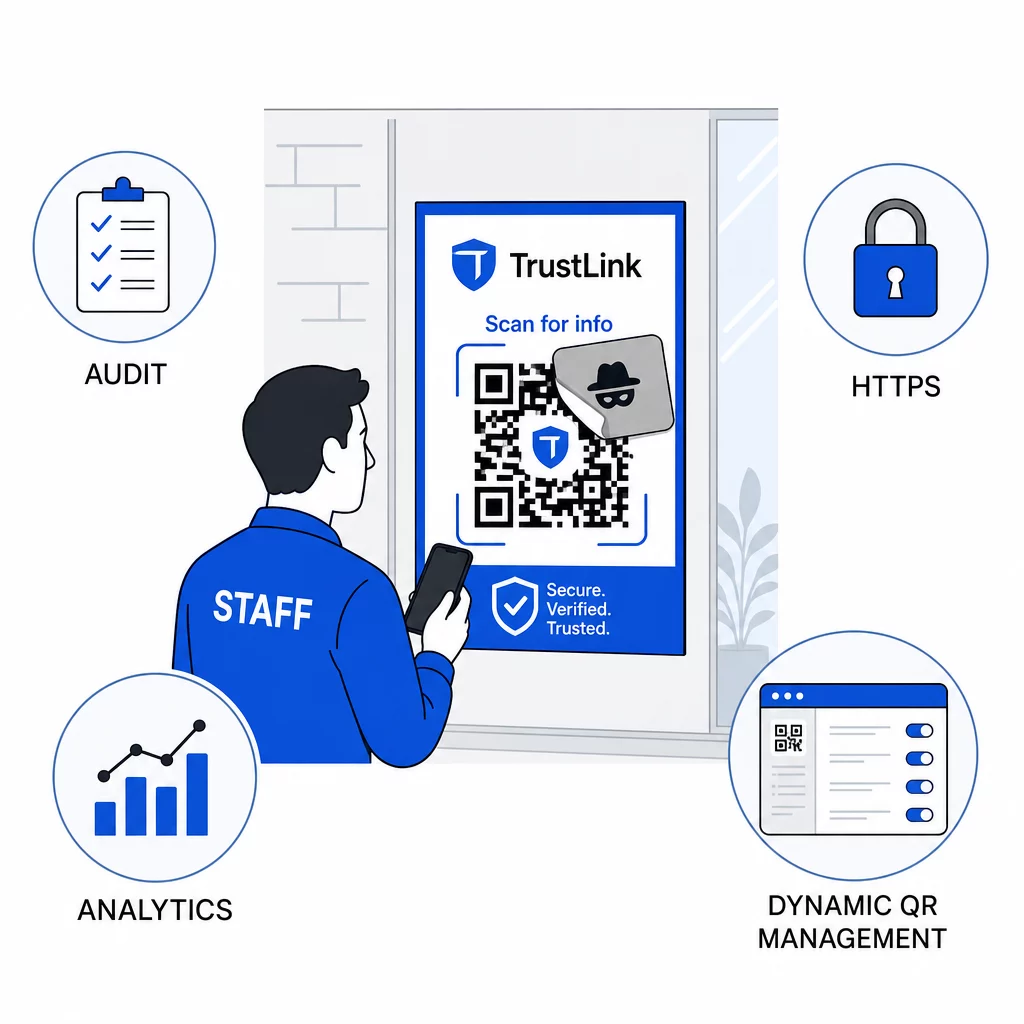
Naudokite tik HTTPS paskirties vietas. Kiekvienas URL, į kurį nukreipia jūsų QR kodai, turėtų naudoti HTTPS. Siunčiant vartotojus į nešifruotą HTTP paskirties vietą, pakenkiama pasitikėjimui ir atskleidžiami duomenys perdavimo metu.
Dėl papildomų gairių apie QR kodų privatumo rizikų ir kaip jų išvengti, įskaitant tai, kaip suderinti analizę su vartotojų privatumu, šiame šaltinyje aptariami duomenų aspektai, kuriuos įmonės dažnai pamiršta.
Aptikimo įrankių vertinimas
Darbuotojų mokymas ir platformos kontrolė pašalina didelę rizikos dalį, tačiau specializuoti aptikimo įrankiai prideda dar vieną sluoksnį – ypač organizacijoms, turinčioms didelį el. pašto srautą arba sudėtingus QR kodų diegimus. Jei vertinate galimybes, įrankiai, skirti aptikti QR kodų sukčiavimą svyruoja nuo įmonės elgsenos analizės platformų iki el. pašto šliuzo priedų ir mobiliųjų nuskaitymo programėlių su integruotais reputacijos patikrinimais.
Tinkamas derinys priklauso nuo jūsų esamos saugumo sistemos, gaunamų ir diegiamų QR kodų kiekio bei to, ar fizinis klastojimas kelia didelį susirūpinimą jūsų vietose. „Quishing“ nėra hipotetinė grėsmė. Jis sudaro reikšmingą realaus pasaulio sukčiavimo veiklos dalį, apeina daugumos organizacijų jau įdiegtas kontrolės priemones ir neproporcingai taikosi į įmones bei vartotojus, kurie mažiausiai pasirengę jį atpažinti. Šio atotrūkio panaikinimui reikia apgalvotų veiksmų el. pašto saugumo, tapatybės kontrolės, darbuotojų mokymo ir jūsų pačių skelbiamų QR kodų srityse.
Pradėkite nuo kontrolės priemonių, kurias galite įdiegti nedelsiant – MFA, darbuotojų informuotumo ir paskelbtų kodų perjungimo į dinaminį valdymą – tada kurkite daugiasluoksnę gynybą, kuri užtikrintų, kad „quishing“ atakos nuolat būtų nesėkmingos prieš jūsų organizaciją.
Dažniausiai užduodami klausimai
Įprastas sukčiavimas apsimetant (phishing) paprastai naudoja matomus URL adresus el. pašto tekste arba hipersaitus, kuriuos apmokytas vartotojas gali patikrinti prieš spustelėdamas. QR kodo sukčiavimas apsimetant visiškai paslepia paskirties vietą – kenkėjiškas URL adresas yra užkoduotas paveikslėlyje, nematomas iki nuskaitymo. Tai taip pat apsunkina el. pašto saugumo filtrų aptikimą, nes jie mato paveikslėlį, o ne nuorodą. Dėl to QR kodo sukčiavimas apsimetant apeina daugelį kontrolės priemonių, kurios efektyviai aptinka tekstinį sukčiavimą apsimetant.
Pirmiausia sutelkite dėmesį į didžiausią poveikį turinčias kontrolės priemones: įjunkite daugiafaktorinį autentifikavimą visose paskyrose, apmokykite darbuotojus laikyti netikėtus QR kodus įtartinais ir patikrinti juos nepriklausomais kanalais, ir pakeiskite visus paskelbtus QR kodus iš statinių į dinaminius, kad galėtumėte juos atnaujinti arba išjungti, jei aptinkama problema. Šie veiksmai kainuoja nedaug ir pašalina dažniausius atakų kelius. Prieš nuskaitydami nežinomus kodus, naudokite QR kodo skaitytuvą su URL peržiūros funkcija ir nustatykite aiškų procesą, kaip darbuotojai turi pranešti IT skyriui apie įtartinus kodus.
Statiniai QR kodai visam laikui užkoduoja paskirties URL. Jei tas URL yra pažeistas – arba jei užpuolikas nukopijuoja jūsų kodą ir perskirsto jį nukreipdamas į kenkėjišką svetainę – neturite jokio būdo pataisyti originalaus atspausdinto kodo, neperspausdinus visko iš naujo. Dinaminiai QR kodai nukreipia per trumpą peradresavimo URL, kurį valdote centralizuotai. Galite pakeisti paskirties vietą, pridėti apsaugą slaptažodžiu, nustatyti galiojimo datas ir stebėti nuskaitymo veiklą realiuoju laiku. Jei kas nors atrodo negerai, galite nedelsiant išjungti kodą. Šis lankstumo ir matomumo derinys daro dinaminius kodus žymiai saugesnius bet kokiam QR kodui, naudojamam viešai prieinamame ar nuolatiniame verslo kontekste.