Kas teie ettevõte kasutab QR-koode teadmata, milliseid neist on rikutud? QR-koodi andmepüük – mida tavaliselt nimetatakse “quishingiks” – muudab igapäevase mugavuse mandaate varastavaks lõksuks ja traditsioonilised turvafiltrid jätavad selle sageli täielikult märkamata. See juhend käsitleb, kuidas need rünnakud toimivad, mida need ettevõtetele maksma lähevad ja milliseid konkreetseid kontrolle saate nende peatamiseks rakendada.
Kuidas QR-koodi andmepüük töötab
QR-koodi andmepüük kasutab ära põhilist nõrkust: QR-koodid ei ole inimloetavad. Traditsioonilise URL-i puhul suudab treenitud silm sageli märgata võltsitud domeeni või kahtlast stringi. QR-kood varjab seda kõike. Nagu selgitab Alex Mosher, MobileIroni globaalne asepresident:
“QR-koodid varjavad oma sihtkohta. Seetõttu on QR-koodi muutmine, et see viitaks alternatiivsele ressursile ilma avastamata, lihtne ja väga tõhus.”
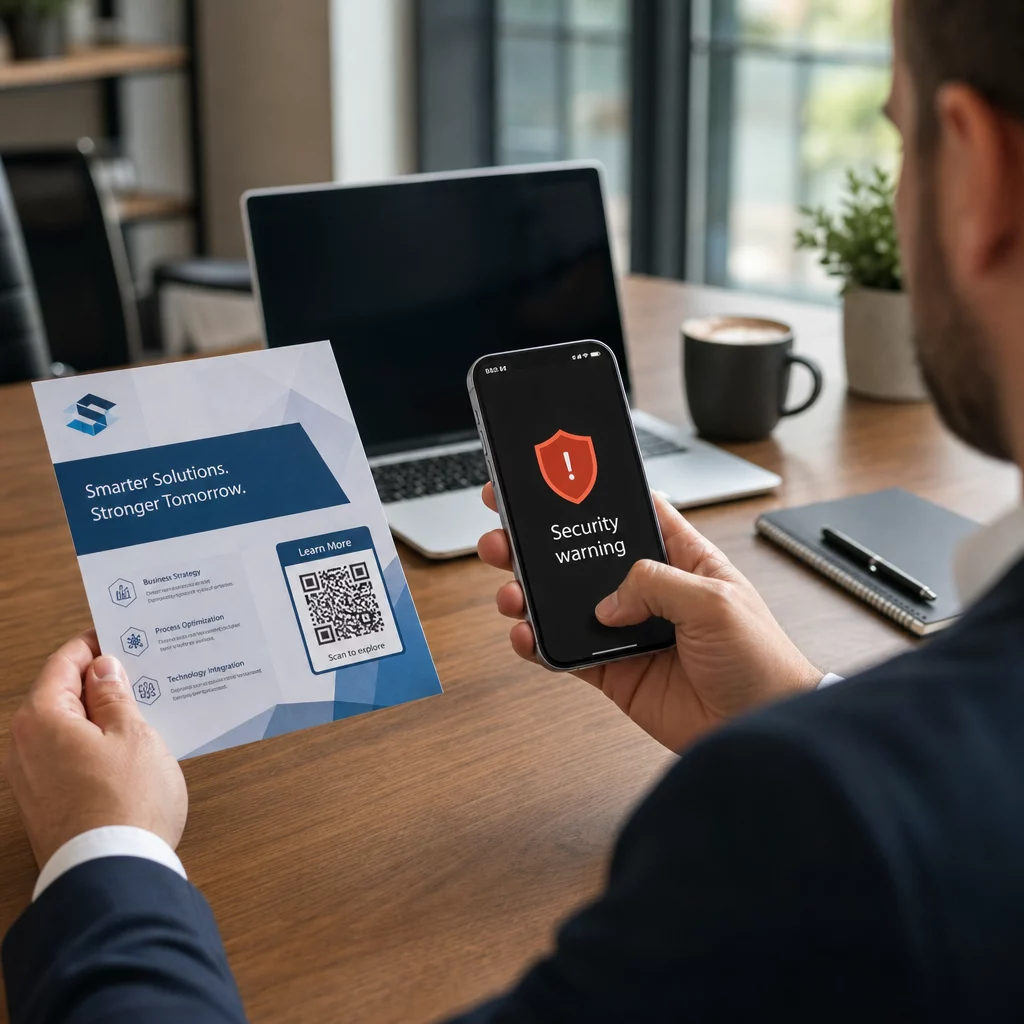
Ründajad manustavad QR-koodidesse pahatahtlikke URL-e, mis suunavad ohvrid võltsitud sisselogimislehtedele, mis on loodud mandaatide kogumiseks, või saitidele, mis käivitavad pahavara allalaadimise. Probleemi süvendab asjaolu, et paljud e-posti turvasüsteemid ei suuda QR-koodi pilte dekodeerida – nad näevad pilti, mitte linki – nii et pahavara libiseb läbi filtrite, mis tavalise andmepüügi URL-i kinni püüaksid.
2023. aastal moodustas QR-koodi andmepüük 22% kõigist andmepüügirünnakutest. Üks suuremahuline quishing-kampaania kasvas kuude jooksul 2,400% võrra ja ettevõtetele suunatud operatsiooni analüüs näitas, et ligikaudu 29% pahatahtlikest e-kirjadest sisaldas QR-koode.
Kuhu ründajad pahatahtlikke QR-koode paigutavad
E-posti ja dokumendirünnakud on kõige levinum edastusviis. Ründajad manustavad QR-koode PDF- või Wordi manustesse, et mööda minna e-posti turvafiltritest. 2023. aastal jäljendas 82% quishing-rünnakutest usaldusväärseid kaubamärke – Microsoft oli sihtmärgiks 51% vaadeldud juhtudest, millele järgnes DocuSign 31% ja Adobe 15%. Ajavahemikus 2024. aasta keskpaigast kuni 2024. aasta lõpuni avastasid teadlased üle 500 000 andmepüügimeili, mis sisaldasid PDF-idesse manustatud QR-koode.
Füüsiline rikkumine on sama ohtlik. Ründajad asetavad petturlikud QR-koodi kleebised seaduslike koodide peale tiheda liiklusega kohtades – restoranides, parkimismõõturitel, lennujaamades ja jaemüügipindadel. San Franciscos paigutasid kurjategijad parkimistrahvidele võltsitud QR-koode, mis suunasid kasutajad võltsitud transiidilehele, mis oli loodud krediitkaardiandmete varastamiseks. Sotsiaalkindlustusamet hoiatab konkreetselt, et ametlikel siltidel olevad seaduslikud QR-koodid ei ole tavaliselt kleebised; kleebisena paigaldatud koodi tuleks käsitleda kahtlasena.
Sotsiaalmeedia peibutised täiendavad pilti. Ohvritel palutakse skannida QR-kood, et saada allahindlust, ühenduda tasuta Wi-Fi-ga või täita küsitlus. Ühes Singapuris dokumenteeritud juhtumis skannas naine mullitee poes koodi, oodates lojaalsuspreemiat. Selle asemel laaditi tema telefoni alla pahatahtlik rakendus ja ründajad tühjendasid tema pangakontolt $2,000.
Mida need rünnakud ettevõtetele maksma lähevad
Mandaatide ja andmete vargus
Peaaegu 90% quishing-rünnakutest on spetsiaalselt loodud sisselogimismandaatide ja tundlike andmete varastamiseks. Ründajad suunavad ohvrid Microsoft 365, SharePointi või pangaportaalide veenvatele koopiatele. Juhtivtöötajad on ebaproportsionaalselt sihtmärgiks, sest nende mandaadid avavad kriitilised süsteemid ja privileegitud andmed.
Isiklikud seadmed teevad olukorra hullemaks. Kui töötajad skaneerivad QR-koode telefonidega, mis ei ole ettevõtte halduses registreeritud, puudub IT-meeskondadel ülevaade sellest, mis juhtus või millele ligi pääseti.
Rahalised kaotused
Andmelekke keskmine maksumus ulatus 2023. aastal $4,45 miljoni dollarini, kusjuures ettevõtte e-posti kompromiteerimise (BEC) pettuste keskmine maksumus oli $4,89 miljonit dollarit – enne regulatiivsete trahvide ja kohtukulude arvestamist. Otsesed andmepüügi kahjud kasvasid aastaga 76%. Üksikud juhtumid illustreerivad ulatust: Ühendkuningriigi raudteejaama pettus jättis ühe ohvri 13 000 naela võlga; Calgary pere kaotas $10 000 dollarit Facebook Marketplace'i QR-koodi pettuse tõttu.
Väikeettevõtted kannavad ebaproportsionaalselt suure osa kahjust. Ühendkuningriigis seisavad väikeettevõtted silmitsi hinnanguliselt 65 000 küberrünnakuga päevas, kusjuures eduka rünnaku lahendamise keskmine maksumus on umbes $33 700 dollarit.
Tegevuse häired ja mainekahju
Varastatud mandaadid on sageli lunavara juurutamise algpunktiks. 2023. aastal kulutasid organisatsioonid lunavara intsidentidest taastumisele keskmiselt $1,82 miljonit dollarit. Ehitus- ja insenerifirmade QR-koodi rünnaku risk on keskmisest 19,2 korda kõrgem; professionaalsete teenuste firmade risk on 18,5 korda kõrgem.
Lisaks tegevuse seisakutele seisavad ettevõtted silmitsi klientide kaotuse, kõrgemate küberkindlustusmaksete ja regulatiivse kontrolliga, kui kliendiandmed on avaldatud. Usalduse taastamine pärast rikkumist võtab palju kauem aega kui tehnilise intsidendi lahendamine.
Kuidas vältida QR-koodi andmepüüki: kihiline lähenemine
Ükski üksik kontroll ei kõrvalda quishingut. Turvauurijate, föderaalagentuuride ja ettevõtete turvameeskondade järjepidev soovitus on kihiline kaitse, mis ühendab e-posti filtreerimise, identiteedikontrolli, lõpp-punkti kaitse, töötajate koolituse ja aruandlusprotsessid.
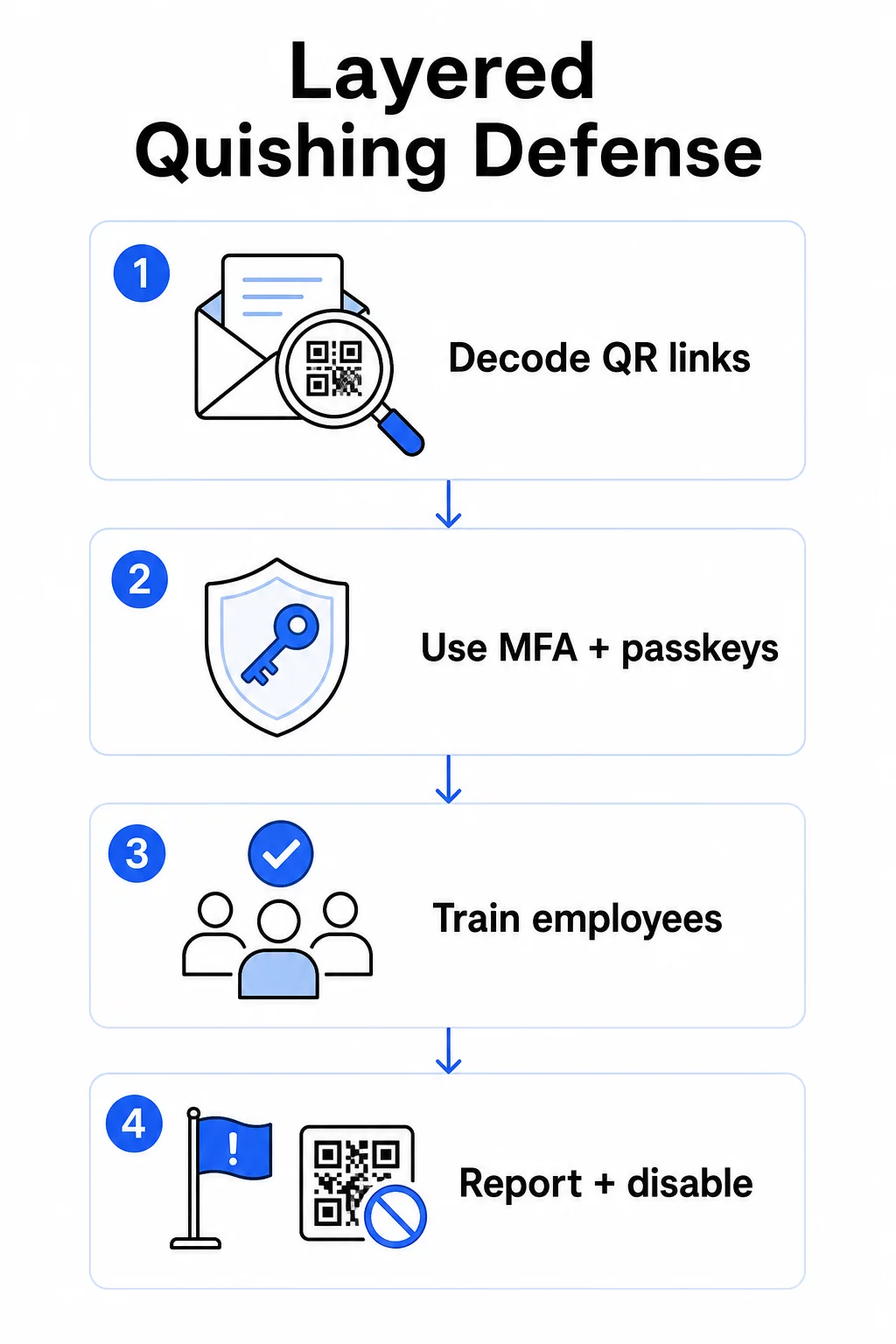
E-posti turvakontrollid
Konfigureerige e-posti turvasüsteemid võimalustega, mis ületavad standardset lingiskaneerimist. Tõhusad kontrollid hõlmavad:
- OCR-võimeline filtreerimine mis dekodeerib e-kirjades olevad QR-koodi pildid ja analüüsib manustatud URL-i vastavalt ohuteabele
- Andmepüügivastased poliitikad kohandatud märgistama pildipõhiseid andmekoormusi, eriti PDF- või Office'i dokumendimanustesse manustatud QR-koode
- Ranged rämpsposti lüüsi reeglid, mis käsitlevad soovimatuid QR-koode e-kirjades vaikimisi kõrge riskiga
Eelkõige Microsoft 365 keskkondade puhul sisaldab Microsoft Defender for Office 365 QR-koodi pildi dekodeerimist, et tuvastada manustatud URL-e maine kontrollimiseks ja turvaliste linkide hindamiseks.
Identiteedi- ja juurdepääsukontrollid
Varastatud mandaadid on kasulikud ainult siis, kui neid saab kasutada. Kihilised identiteedikontrollid vähendavad seda riski oluliselt:
- Mitmeastmeline autentimine (MFA) kõigil kontodel, rangemate autentimisnõuetega kõrge privileegiga kasutajatele ja juhtidele
- Andmepüügikindlad MFA-meetodid nagu riistvaralised turvavõtmed või pääsmed, mis on seotud legitiimse domeeniga ja mida petturlik sait ei saa kinni püüda
- Pärandautentimisprotokollide blokeerimine, mis ei toeta MFA-d, kõrvaldades tavalise möödaviigu tee
- Tingimusliku juurdepääsu poliitikad, mis märgistavad või blokeerivad sisselogimiskatsed haldamata seadmetest
Põhjalikuma konteksti saamiseks selle kohta, kuidas QR-koodid autentimisvoogudega ristuvad, vaadake kuidas QR-koodid lihtsustavad mitmefaktorilist autentimist.
Lõpp-punkti ja seadme kaitse
Hallatud seadmed ajakohase lõpp-punkti turvalisusega pakuvad kriitilist turvavõrku:
- Rakendage lõpp-punkti tuvastamise ja reageerimise (EDR) lahendus kõigil hallatud seadmetel
- Luba brauseri maine kontrollid (nt Microsoft SmartScreen), mis hoiatavad kasutajaid enne, kui nad jõuavad teadaolevasse andmepüügidomeeni
- Rakendage mobiilseadmete halduse (MDM) poliitikaid, mis jõustavad turvalisuse algtasemeid telefonidel, mida kasutatakse tööks QR-koodide skannimiseks
- Piirake allalaadimisi haldamata seadmetest ettevõtte võrkudes
FTC soovitab hoida seadmete operatsioonisüsteemid ajakohasena ja kasutada kontodel tugevaid, unikaalseid paroole kui põhilist hügieeni, mis vähendab iga eduka andmepüügikatse mõju.
Töötajate koolitus ja teadlikkus
Teie töötajad on kõige otsesem kaitseliin kviisimise vastu ja koolitus peab olema selgesõnaline – üldine andmepüügi teadlikkus ei kandu automaatselt üle QR-koodi ohtudele.
Tõhusad koolitusprogrammid hõlmavad:
- Miks QR-koodid on ohtlikud: sihtkoht on peidetud kuni pärast skaneerimist
- Punased lipud QR-koode sisaldavates e-kirjades: kiireloomulisus, üldised tervitused, soovimatud sõnumid tuntud kaubamärkidelt ja sisselogimisandmete küsimine
- Füüsilise rikkumise märgid: koodid, mis on kleebitud trükitud materjalidele, koodid mitteametlikel siltidel
- Kontrollimisharjumused: kui QR-kood saabub ootamatus e-kirjas, võtke saatjaga ühendust teadaoleva telefoninumbri või ametliku veebisaidi kaudu, selle asemel et koodi skaneerida
- URL-i kontroll: pärast skaneerimist kontrollige brauseriribal olevat URL-i enne mis tahes mandaatide sisestamist – otsige kirjavigu, vahetatud tähti või tundmatuid domeene
USA Tervishoiu- ja Sotsiaalteenuste Ministeerium soovitab koolitada lõppkasutajaid säilitama tervet skeptitsismi ja ära tundma indikaatoreid nagu kahtlased saatja aadressid, võltsitud lingid ja ebakorrektne grammatika – kõik need esinevad QR-põhistes andmepüügikampaaniates samamoodi nagu tekstipõhistes.
Viige läbi simuleeritud kviisimise harjutusi koos standardsete andmepüügi simulatsioonidega. Suunake kõrge riskiga rühmadele – juhtidele, finantsmeeskondadele ja kõigile, kellel on administraatoriõigused – sagedasemate ja realistlikumate stsenaariumidega.
Laiema ülevaate saamiseks QR-koodi turvalisuse parimatest tavadest küberkaitses, sealhulgas krüpteerimine ja autentimise sidumine, käsitleb see juhend tehnilisi kontrolle sügavamalt.
Aruandlus ja intsidentidele reageerimine
Töötajad vajavad selget ja hõlpsat viisi kahtlaste QR-koodide teatamiseks – nii e-kirjades kui ka füüsilistes ruumides. Andmepüügi teatamise nupp e-posti klientides eemaldab digitaalsete aruannete puhul hõõrdumise. Füüsiliste koodide puhul andke juhiseid, kuidas märgistada ja pildistada kahtlaseid kleebiseid või rikutud materjale.
Teie intsidentidele reageerimise plaan peaks konkreetselt käsitlema quishing-stsenaariume määratletud sammudega:
- Isoleerige kõik kontod, mis võisid esitada mandaate pahatahtliku QR-koodi kaudu
- Tühistage aktiivsed seansid ja lähtestage paroolid koheselt
- Kontrollige volitamata juurdepääsu või andmete liikumist skannimise ja reageerimise vahelises aknas
- Teavitage mõjutatud isikuid vastavalt oma rikkumiste teavitamise poliitikale
- Viige läbi intsidentidejärgne ülevaade, et tuvastada, kuidas QR-kood möödus olemasolevatest kontrollidest
Viige läbi läbitungimiskatseid, mis hõlmavad quishing-stsenaariume, et leida lünki enne ründajaid.
QR-koodid, mida teie ettevõte kasutab: oma koodide turvamine
Quishingi vältimine tähendab ka selle tagamist, et teie ettevõtte avaldatud QR-koode ei saaks relvana kasutada teie klientide või töötajate vastu.
Kasutage staatiliste asemel dünaamilisi QR-koode. Staatilised koodid kodeerivad püsivalt siht-URL-i. Kui see sihtkoht kunagi kompromiteeritakse, muutub kood kohustuseks, mida te ei saa parandada ilma uuesti printimata. Dünaamilised QR-koodid osutage lühikesele ümbersuunamise URL-ile, mida te kontrollite – saate sihtkohta värskendada, suunata uuele lehele või koodi täielikult halduspaneelilt keelata, puudutamata trükitud materjali.
Hoidke oma avaldatud QR-koodid kontrolli all Kui kahtlustate, et ühte teie kasutusele võetud koodidest on rikutud või see osutab kuhugi ohtlikku, saate seda koheselt värskendada või keelata. Kasutage Dünaamilise QR koodi generaator kõigi oma koodide haldamiseks tsentraliseeritud armatuurlaualt reaalajas skannimisanalüütikaga.
Rakendage oma koodidele ühtset brändingut. Seitsekümmend üks protsent inimestest ei suuda usaldusväärselt eristada võltsitud QR-koodi ehtsast. Bränditud QR-koodid – teie logo, ettevõtte värvide ja siht-URL-is kohandatud domeeniga – annavad kasutajatele visuaalse signaali, et kood on autentne. Üldised mustvalged QR-koodid läbipaistmatute lühikeste URL-idega sellist kindlust ei paku.
Jälgige skannimisanalüütikat anomaaliate suhtes. Dünaamilised QR-koodid koguvad skannimisandmeid, sealhulgas ajatempleid, seadmetüüpe ja geograafilisi asukohti. Ootamatutest piirkondadest pärit skannimiste järsk tõus või skannimistegevus väljaspool tavapärast tööaega võib viidata sellele, et üks teie koodidest on kopeeritud ja pahatahtlikult levitatud. Pagelooti analüütika armatuurlaud toob need mustrid esile, et saaksite kiiresti uurida ja reageerida.
Üksikasjaliku ülevaate saamiseks selle kohta, milliseid skannimisandmeid teie koodid koguvad ja kuidas neid vastutustundlikult tõlgendada, vaadake mõistmine, milliseid andmeid teie dünaamilised QR-koodid jälgivad.
Viige läbi regulaarseid füüsilisi auditeid. Kõigi avalikes või poolavalikes kohtades – restoranilaudades, ürituste siltidel, sõidukite ekraanidel või jaekaupluste akendel – kuvatavate QR-koodide puhul kontrollige koode regulaarselt füüsiliselt. Otsige originaalkoodi peale kleebitud kleebiseid ja testige iga koodi sihtkohta enne, kui kliendid sellega kokku puutuvad.
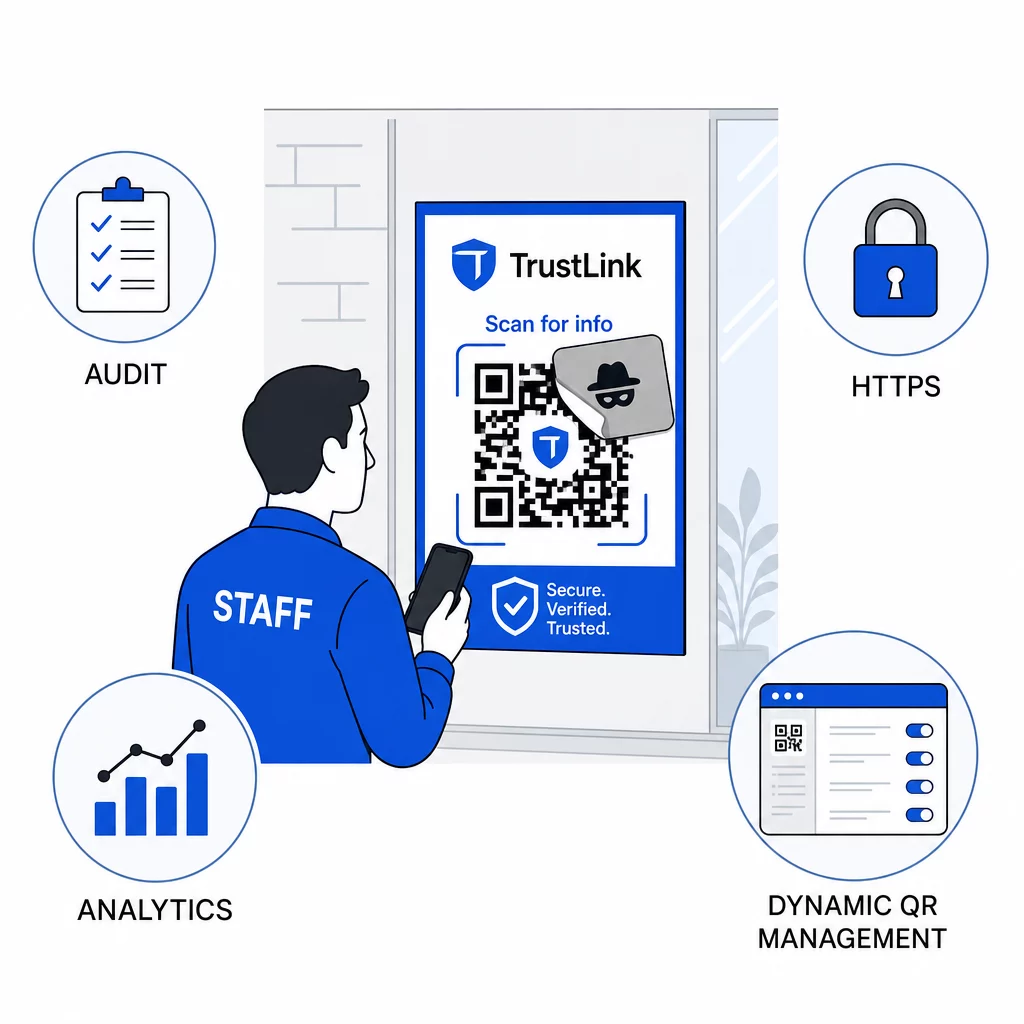
Kasutage ainult HTTPS-sihtkohti. Iga URL, millele teie QR-koodid lingivad, peaks kasutama HTTPS-i. Kasutajate saatmine krüpteerimata HTTP-sihtkohta õõnestab usaldust ja paljastab andmed edastamise ajal.
Täiendavate juhiste saamiseks QR-koodi privaatsusriskid ja kuidas neid vältida, sealhulgas kuidas tasakaalustada analüütikat kasutaja privaatsusega, käsitleb see ressurss andmekaitsenõudeid, mida ettevõtted sageli tähelepanuta jätavad.
Tuvastustööriistade hindamine
Töötajate koolitus ja platvormikontrollid käsitlevad olulist osa riskist, kuid spetsiaalsed tuvastustööriistad lisavad veel ühe kihi – eriti organisatsioonidele, kellel on suur e-posti maht või keerulised QR-koodide juurutused. Kui hindate valikuid, QR-koodi andmepüügi tuvastamiseks loodud tööriistad ulatuvad ettevõtte käitumisanalüütika platvormidest e-posti lüüsi lisandmooduliteni ja sisseehitatud maine kontrolliga mobiilsete skannimisrakendusteni.
Õige kombinatsioon sõltub teie olemasolevast turvavirnast, vastuvõetud ja juurutatud QR-koodide mahust ning sellest, kas füüsiline rikkumine on teie asukohtade jaoks oluline probleem. Quishing ei ole hüpoteetiline oht. See moodustab olulise osa reaalsest andmepüügi tegevusest, möödub enamiku organisatsioonide juba olemasolevatest kontrollidest ja sihib ebaproportsionaalselt ettevõtteid ja kasutajaid, kes on selle äratundmiseks kõige vähem varustatud. Lõhe sulgemine nõuab sihipäraseid meetmeid e-posti turvalisuse, identiteedikontrollide, töötajate koolituse ja teie enda avaldatud QR-koodide osas.
Alustage kontrollidega, mida saate kohe rakendada – MFA, töötajate teadlikkus ja avaldatud koodide dünaamilisele haldusele üleviimine – seejärel ehitage üles kihiline kaitse, mis muudab quishing-rünnakud teie organisatsiooni vastu järjepidevalt ebaõnnestunuks.
Korduma kippuvad küsimused
Tavaline andmepüük kasutab tavaliselt nähtavaid URL-e e-kirja tekstis või hüperlinkides, mida koolitatud kasutaja saab enne klõpsamist kontrollida. QR-koodi andmepüük varjab sihtkoha täielikult – pahatahtlik URL on kodeeritud pildi sisse, nähtamatu kuni skaneerimiseni. See muudab selle ka e-posti turvafiltritel raskemini tuvastatavaks, kuna nad näevad pilti, mitte linki. Tulemuseks on see, et QR-koodi andmepüük möödub paljudest kontrollidest, mis tekstipõhist andmepüüki tõhusalt püüavad.
Keskenduge esmalt kõige suurema mõjuga kontrollidele: lubage kõikidel kontodel mitmefaktoriline autentimine, koolitage töötajaid käsitlema ootamatuid QR-koode kahtlastena ja kontrollima neid sõltumatute kanalite kaudu, ning muutke kõik avaldatud QR-koodid staatilisest dünaamiliseks, et saaksite neid probleemi avastamisel uuendada või keelata. Need sammud maksavad vähe ja kõrvaldavad kõige levinumad ründeteed. Kasutage enne tundmatute koodide skannimist URL-i eelvaatega QR-koodi skannerit ja looge töötajatele selge protsess kahtlaste koodide IT-le teatamiseks.
Staatilised QR-koodid kodeerivad siht-URL-i püsivalt.