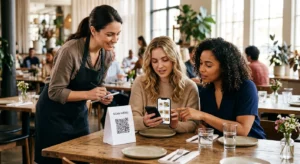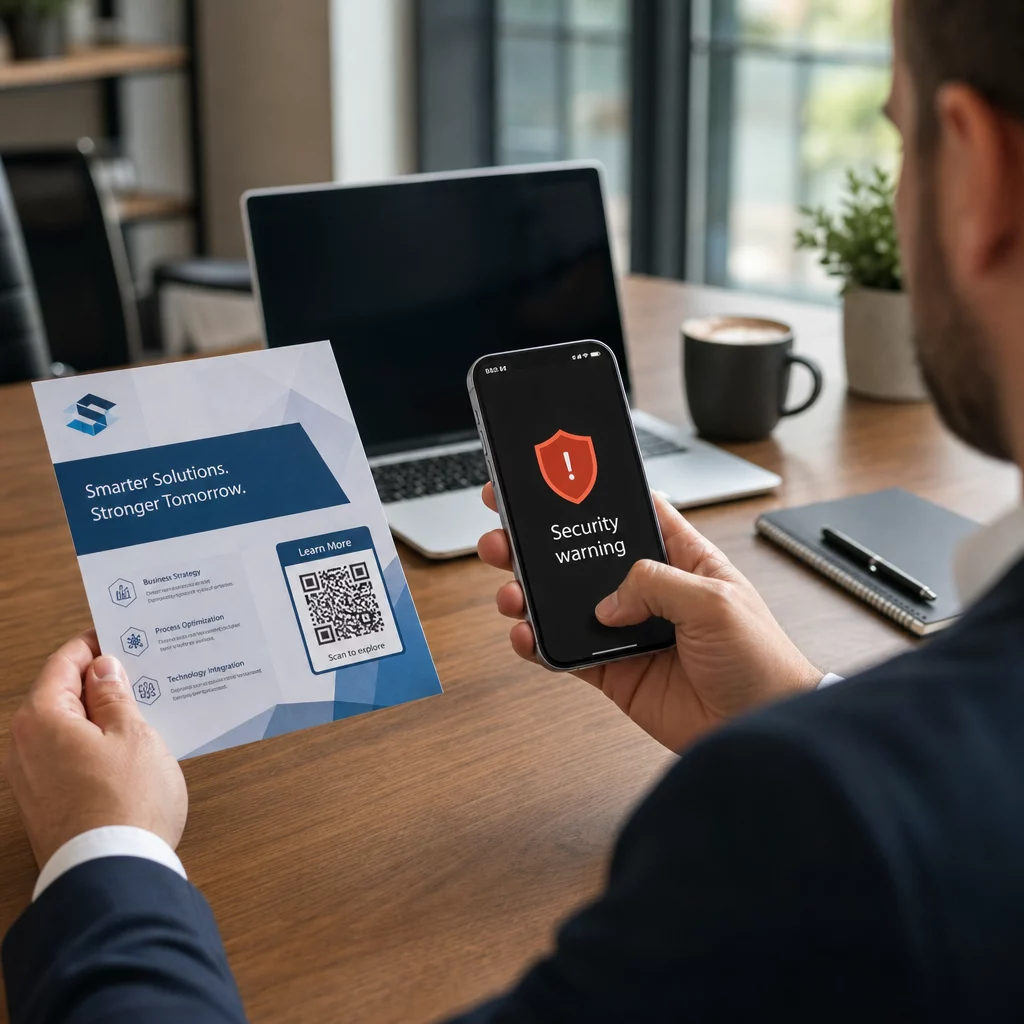
Gebruikt uw bedrijf QR-codes zonder te weten welke zijn gemanipuleerd? QR-code phishing – algemeen bekend als “quishing” – verandert een alledaags gemak in een valstrik voor het stelen van inloggegevens, en traditionele beveiligingsfilters missen dit vaak volledig. Deze gids behandelt hoe deze aanvallen werken, wat ze bedrijven kosten, en de specifieke controles die u kunt implementeren om ze te stoppen.
Hoe QR-code Phishing werkt
QR-code phishing exploiteert een fundamentele zwakte: QR-codes zijn niet menselijk leesbaar. Bij een traditionele URL kan een getraind oog vaak een gespoofde domein of verdachte reeks opmerken. Een QR-code verbergt dit alles. Zoals Alex Mosher, wereldwijd vicepresident bij MobileIron, uitlegt:
“QR-codes verbergen inherent hun bestemming. Daarom is de mogelijkheid om een QR-code te wijzigen om naar een alternatieve bron te verwijzen zonder te worden gedetecteerd eenvoudig en zeer effectief.”
Aanvallers embedden kwaadaardige URL's in QR-codes die slachtoffers omleiden naar nep-inlogpagina's die zijn ontworpen om inloggegevens te verzamelen, of naar sites die malware-downloads activeren. Wat het probleem nog groter maakt, is dat veel e-mailbeveiligingssystemen QR-codeafbeeldingen niet kunnen decoderen – ze zien een afbeelding, geen link – waardoor de payload door filters glipt die een gewone phishing-URL zouden vangen.
In 2023 was QR-code phishing verantwoordelijk voor 22% van alle phishingaanvallen. Eén grootschalige quishing-campagne groeide met 2.400% in enkele maanden, en analyse van een op bedrijven gerichte operatie wees uit dat ongeveer 29% van de kwaadaardige e-mails QR-codes bevatte.
Waar aanvallers kwaadaardige QR-codes plaatsen
E-mail- en documentaanvallen zijn de meest voorkomende leveringsmethode. Aanvallers embedden QR-codes in PDF- of Word-bijlagen om e-mailbeveiligingsfilters te omzeilen. In 2023 imiteerde 82% van de quishing-aanvallen vertrouwde merken – Microsoft was het doelwit in 51% van de waargenomen gevallen, gevolgd door DocuSign met 31% en Adobe met 15%. Tussen medio 2024 en eind 2024 ontdekten onderzoekers meer dan 500.000 phishing-e-mails met QR-codes ingebed in PDF's.
Fysieke manipulatie is even gevaarlijk. Aanvallers plaatsen frauduleuze QR-codestickers over legitieme codes op locaties met veel verkeer – restaurants, parkeermeters, luchthavens en winkelruimtes. In San Francisco plaatsten criminelen valse QR-codes op parkeerbonnen die gebruikers naar een nep-vervoerspagina leidden, ontworpen om creditcardgegevens te stelen. De Social Security Administration waarschuwt specifiek dat legitieme QR-codes op officiële borden doorgaans geen stickers zijn; een code die als sticker is aangebracht, moet als verdacht worden behandeld.
Social engineering lokmiddelen maken het plaatje compleet. Slachtoffers worden gevraagd een QR-code te scannen om een korting te claimen, verbinding te maken met gratis Wi-Fi, of een enquête in te vullen. In een gedocumenteerd geval in Singapore scande een vrouw een code in een bubble tea-winkel in de verwachting van een loyaliteitsbeloning. In plaats daarvan werd een kwaadaardige app gedownload naar haar telefoon, en haalden aanvallers $2.000 van haar bankrekening.
Wat deze aanvallen bedrijven kosten
Diefstal van inloggegevens en data
Bijna 90% van de quishing-aanvallen is specifiek ontworpen om inloggegevens en gevoelige data te stelen. Aanvallers leiden slachtoffers om naar overtuigende replica's van Microsoft 365, SharePoint of bankportalen. Leidinggevenden worden onevenredig vaak het doelwit omdat hun inloggegevens toegang geven tot kritieke systemen en geprivilegieerde data.
Persoonlijke apparaten maken dit erger. Wanneer werknemers QR-codes scannen op telefoons die niet zijn ingeschreven in bedrijfsbeheer, hebben IT-teams geen inzicht in wat er is gebeurd of waartoe toegang is verkregen.
Financiële verliezen
De gemiddelde kosten van een datalek bereikten in 2023 $4,45 miljoen, waarbij Business Email Compromise-scams gemiddeld $4,89 miljoen bedroegen – nog voordat rekening wordt gehouden met boetes van toezichthouders en juridische kosten. Directe phishing-verliezen stegen jaar-op-jaar met 76%. Individuele incidenten illustreren de omvang: een oplichting bij een Brits treinstation liet één slachtoffer achter met £13.000 schuld; een familie uit Calgary verloor $10.000 door een Facebook Marketplace QR-code scam.
Kleine bedrijven dragen een onevenredig groot deel van de schade. In het VK worden kleine ondernemingen dagelijks geconfronteerd met naar schatting 65.000 cyberaanvallen, waarbij de gemiddelde kosten voor het oplossen van een succesvolle aanval rond de $33.700 liggen.
Operationele verstoring en reputatieschade
Gestolen inloggegevens dienen vaak als toegangspunt voor de implementatie van ransomware. In 2023 gaven organisaties gemiddeld $1,82 miljoen uit aan het herstellen van ransomware-incidenten. Bouw- en ingenieursbureaus lopen een 19,2 keer hoger risico op QR-codeaanvallen dan gemiddeld; professionele dienstverleners lopen een 18,5 keer hoger risico.
Naast operationele downtime worden bedrijven geconfronteerd met klantverloop, hogere premies voor cyberbeveiligingsverzekeringen en toezicht van regelgevende instanties wanneer klantgegevens worden blootgesteld. Het heropbouwen van vertrouwen na een datalek duurt veel langer dan het oplossen van het technische incident zelf.
Hoe QR-code phishing te voorkomen: Een gelaagde aanpak
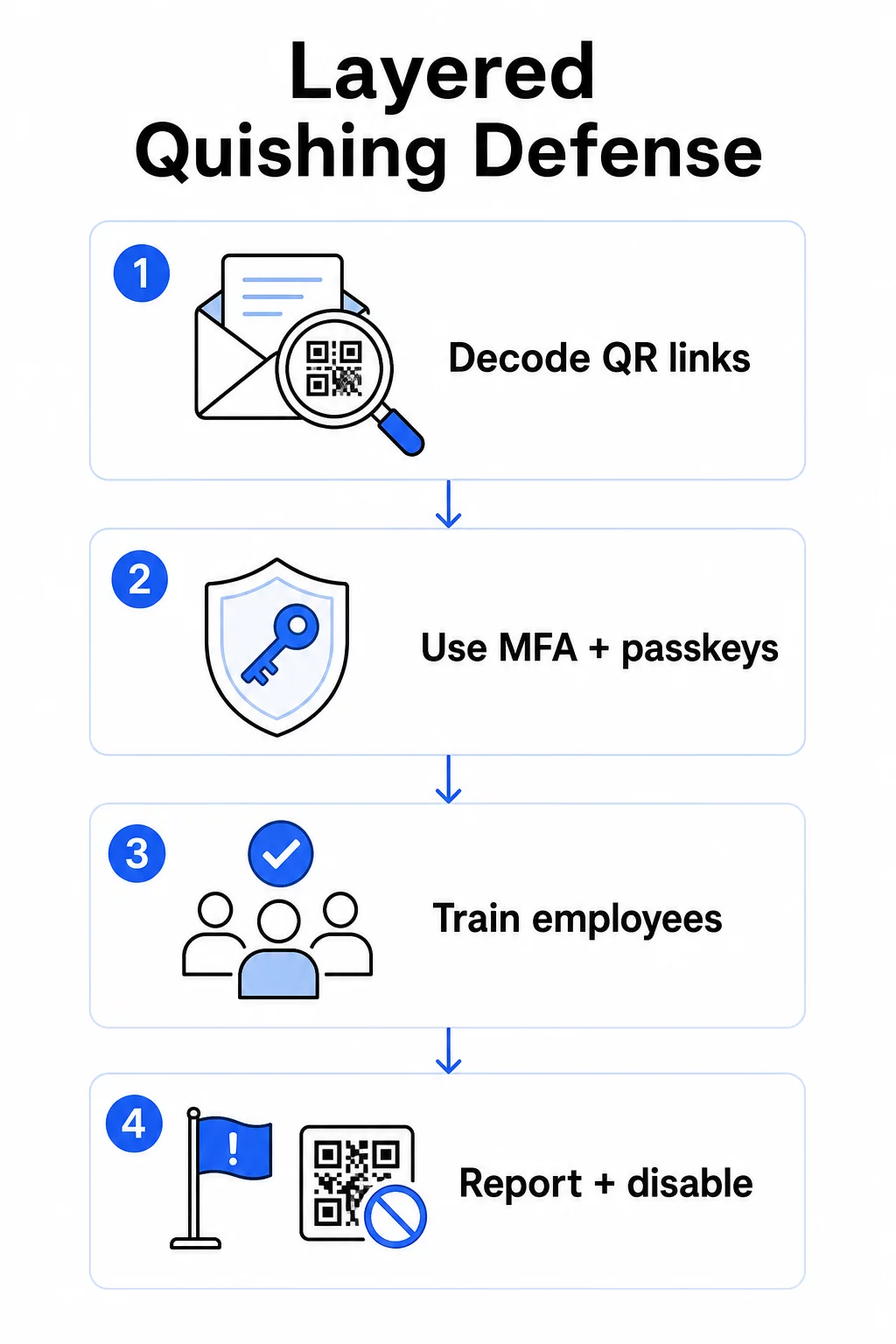
Geen enkele controle elimineert quishing. De consistente aanbeveling van beveiligingsonderzoekers, federale instanties en bedrijfsbeveiligingsteams is een gelaagde verdediging die e-mailfiltering, identiteitscontroles, endpointbeveiliging, training van werknemers en rapportageworkflows combineert.
E-mailbeveiligingscontroles
Configureer e-mailbeveiligingssystemen met mogelijkheden die verder gaan dan standaard linkscanning. Effectieve controles omvatten:
- OCR-geschikte filtering die QR-codeafbeeldingen binnen e-mails decodeert en de ingebedde URL analyseert aan de hand van dreigingsinformatie
- Anti-phishing beleid afgestemd op het markeren van op afbeeldingen gebaseerde payloads, met name QR-codes ingebed in PDF- of Office-documentbijlagen
- Strikte spamgateway-regels die ongevraagde QR-codes in e-mail standaard als hoog risico behandelen
Specifiek voor Microsoft 365-omgevingen omvat Microsoft Defender voor Office 365 het decoderen van QR-codeafbeeldingen om ingebedde URL's zichtbaar te maken voor reputatiecontrole en Safe Links-evaluatie.
Identiteits- en Toegangscontroles
Gestolen inloggegevens zijn alleen nuttig als ze kunnen worden gebruikt. Gelaagde identiteitscontroles verminderen dat risico aanzienlijk:
- Meervoudige authenticatie (MFA) voor alle accounts, met strengere authenticatievereisten voor gebruikers met hoge privileges en leidinggevenden
- Phishing-resistente MFA-methoden zoals hardwarebeveiligingssleutels of passkeys, die gekoppeld zijn aan het legitieme domein en niet kunnen worden onderschept door een frauduleuze site
- Het blokkeren van verouderde authenticatieprotocollen die MFA niet ondersteunen, waardoor een veelvoorkomende omweg wordt geëlimineerd
- Beleid voor voorwaardelijke toegang dat aanmeldingspogingen van onbeheerde apparaten markeert of blokkeert
Voor meer context over hoe QR-codes samenkomen met authenticatieworkflows, zie hoe QR-codes multi-factor authenticatie vereenvoudigen.
Endpoint- en Apparaatbeveiliging
Beheerde apparaten met up-to-date endpointbeveiliging bieden een cruciaal vangnet:
- Implementeer endpointdetectie en -respons (EDR) op alle beheerde apparaten
- Schakel browserreputatiecontroles in (zoals Microsoft SmartScreen) die gebruikers waarschuwen voordat ze een bekend phishingdomein bereiken
- Pas Mobile Device Management (MDM)-beleid toe dat beveiligingsbaselines afdwingt op telefoons die worden gebruikt om QR-codes te scannen voor werk
- Beperk downloads van onbeheerde apparaten op bedrijfsnetwerken
De FTC adviseert om de besturingssystemen van apparaten up-to-date te houden en sterke, unieke wachtwoorden te gebruiken voor alle accounts als fundamentele hygiëne die de impact van elke succesvolle phishingpoging vermindert.
Training en bewustzijn van werknemers
Uw werknemers zijn de meest directe verdedigingslinie tegen quishing, en training moet expliciet zijn – algemeen phishingbewustzijn vertaalt zich niet automatisch naar bedreigingen met QR-codes.
Effectieve trainingsprogramma's behandelen:
- Waarom QR-codes gevaarlijk zijn: de bestemming is verborgen tot na het scannen
- Rode vlaggen in e-mails met QR-codes: urgentie, generieke begroetingen, ongevraagde berichten van bekende merken en verzoeken om inloggegevens
- Tekenen van fysieke manipulatie: codes aangebracht als stickers over gedrukt materiaal, codes op onofficiële bewegwijzering
- Verificatiegewoonten: als een QR-code in een onverwachte e-mail arriveert, neem dan contact op met de afzender via een bekend telefoonnummer of officiële website in plaats van de code te scannen
- URL-inspectie: controleer na het scannen de URL in de browserbalk voordat u inloggegevens invoert – let op spelfouten, verwisselde letters of onbekende domeinen
Het Amerikaanse Ministerie van Volksgezondheid en Human Services adviseert eindgebruikers te trainen om een gezonde mate van scepsis te behouden en indicatoren te herkennen zoals verdachte afzenderadressen, gespoofde links en onjuiste grammatica – die allemaal voorkomen in op QR gebaseerde phishingcampagnes, net als in tekstgebaseerde campagnes.
Voer gesimuleerde quishing-oefeningen uit naast standaard phishing-simulaties. Richt u op risicogroepen – leidinggevenden, financiële teams en iedereen met administratieve privileges – met frequentere en realistischere scenario's.
Voor een breder beeld van best practices voor QR-codebeveiliging in cyberdefensie, inclusief encryptie en authenticatiekoppeling, behandelt die gids de technische controles dieper.
Rapportage en incidentrespons
Werknemers hebben een duidelijke, laagdrempelige manier nodig om verdachte QR-codes te melden – zowel in e-mail als in fysieke ruimtes. Een 'meld phishing'-knop in e-mailclients vermindert de drempel voor digitale meldingen. Voor fysieke codes, geef richtlijnen over hoe verdachte stickers of gemanipuleerd materiaal te markeren en te fotograferen.
Uw incidentresponsplan moet specifiek ingaan op quishing-scenario's met gedefinieerde stappen:
- Isoleer elk account dat mogelijk inloggegevens heeft ingediend via een kwaadaardige QR-code
- Trek actieve sessies in en reset wachtwoorden onmiddellijk
- Controleer op ongeautoriseerde toegang of gegevensverplaatsing in het tijdsbestek tussen de scan en de respons
- Breng getroffen personen op de hoogte volgens uw beleid voor datalekmeldingen
- Voer een post-incidentevaluatie uit om te bepalen hoe de QR-code bestaande controles heeft omzeild
Voer penetratietesten uit die quishing-scenario's omvatten om kwetsbaarheden te vinden voordat aanvallers dat doen.
QR-codes die uw bedrijf implementeert: Uw eigen codes beveiligen
Quishing voorkomen betekent ook ervoor zorgen dat de QR-codes die uw bedrijf publiceert niet tegen uw klanten of werknemers kunnen worden gebruikt.
Gebruik dynamische QR-codes in plaats van statische. Statische codes coderen permanent een bestemmings-URL. Als die bestemming ooit wordt gecompromitteerd, wordt de code een aansprakelijkheid die u niet kunt oplossen zonder opnieuw af te drukken. Dynamische QR codes wijs naar een korte omleidings-URL die u beheert – u kunt de bestemming bijwerken, omleiden naar een nieuwe pagina, of de code volledig uitschakelen vanuit een managementdashboard zonder het gedrukte materiaal aan te raken.
Houd uw gepubliceerde QR-codes onder controle Als u vermoedt dat een van uw geïmplementeerde codes is gemanipuleerd of naar een onveilige locatie wijst, kunt u deze direct bijwerken of uitschakelen. Gebruik de Dynamische QR code generator om al uw codes te beheren vanuit een gecentraliseerd dashboard met real-time scananalyses.
Pas consistente branding toe op uw codes. Eenenzeventig procent van de mensen kan een valse QR-code niet betrouwbaar onderscheiden van een legitieme. Branded QR-codes – met uw logo, bedrijfskleuren en een aangepast domein in de bestemmings-URL – geven gebruikers een visueel signaal dat de code authentiek is. Generieke zwart-wit QR-codes met ondoorzichtige korte URL's bieden geen dergelijke zekerheid.
Monitor scananalyses op afwijkingen. Dynamische QR-codes verzamelen scangegevens, waaronder tijdstempels, apparaattypen en geografische locaties. Een plotselinge piek in scans uit onverwachte regio's, of scanactiviteit buiten normale kantooruren, kan erop wijzen dat een van uw codes is gekopieerd en kwaadwillig is verspreid. Het analysedashboard van Pageloot brengt deze patronen aan het licht, zodat u snel kunt onderzoeken en reageren.
Voor een gedetailleerde blik op welke scangegevens uw codes verzamelen en hoe u deze verantwoord kunt interpreteren, zie begrijpen welke gegevens uw dynamische QR-codes bijhouden.
Voer regelmatig fysieke controles uit. Voor alle QR-codes die worden weergegeven in openbare of semi-openbare ruimtes – restauranttafels, evenementborden, voertuigdisplays of winkelruiten – inspecteer de codes fysiek volgens een vast schema. Zoek naar stickers die over de originele code zijn geplaatst en test de bestemming van elke code voordat klanten ermee in aanraking komen.
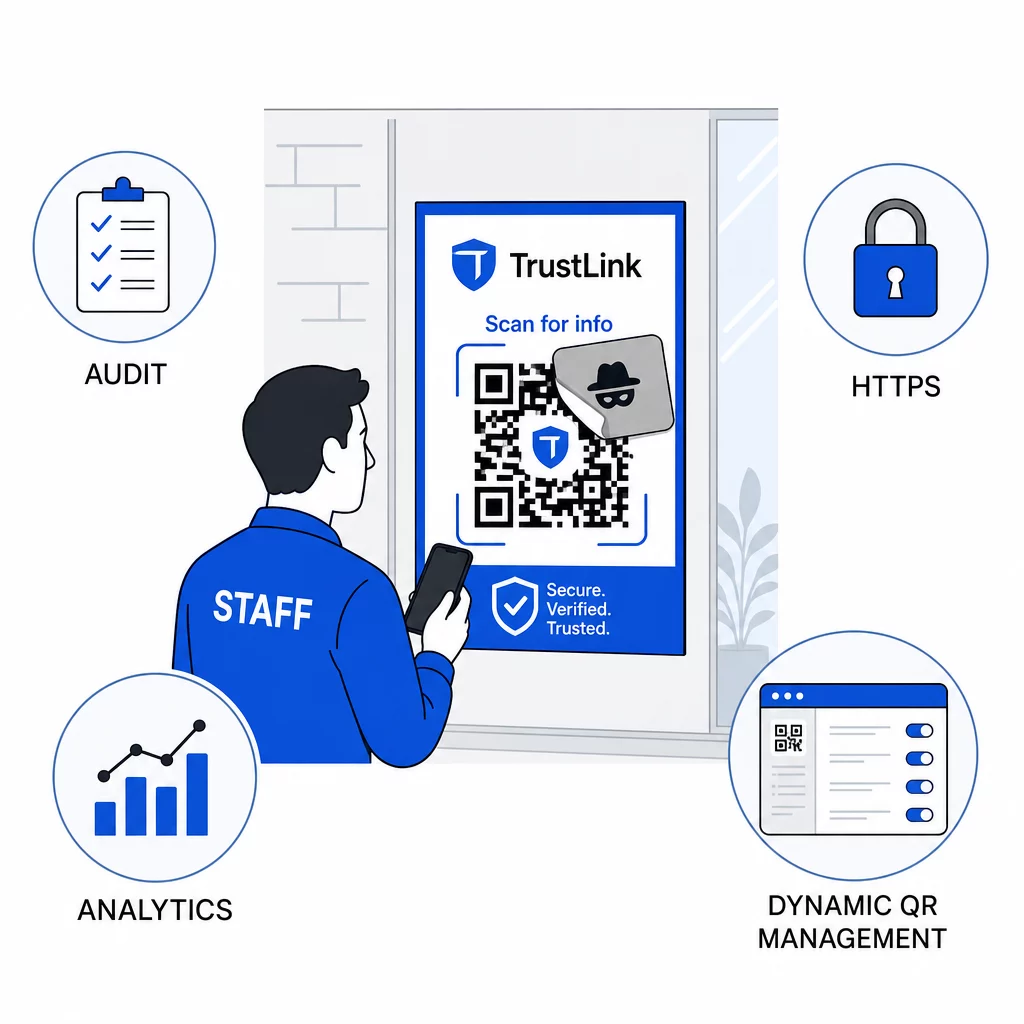
Gebruik uitsluitend HTTPS-bestemmingen. Elke URL waarnaar uw QR-codes linken, moet HTTPS gebruiken. Het sturen van gebruikers naar een onversleutelde HTTP-bestemming ondermijnt het vertrouwen en stelt gegevens tijdens de overdracht bloot.
Voor aanvullende richtlijnen over privacyrisico's van QR-codes en hoe u deze kunt vermijden, inclusief hoe u analyses kunt balanceren met gebruikersprivacy, behandelt die bron de gegevensaspecten die bedrijven vaak over het hoofd zien.
Evaluatie van detectietools
Werknemerstraining en platformcontroles pakken een aanzienlijk deel van het risico aan, maar speciale detectietools voegen een extra laag toe – met name voor organisaties met een hoog e-mailvolume of complexe QR-code-implementaties. Als u opties evalueert, tools ontworpen om QR-code phishing te detecteren variëren van gedragsanalyseplatforms voor bedrijven tot add-ons voor e-mailgateways en mobiele scanapps met ingebouwde reputatiecontroles.
De juiste combinatie hangt af van uw bestaande beveiligingsstack, het volume aan QR-codes dat u ontvangt versus implementeert, en of fysieke manipulatie een belangrijke zorg is voor uw locaties. Quishing is geen hypothetische dreiging. Het is verantwoordelijk voor een aanzienlijk deel van de reële phishingactiviteit, omzeilt controles die de meeste organisaties al hebben, en richt zich onevenredig op de bedrijven en gebruikers die het minst zijn uitgerust om het te herkennen. Het dichten van de kloof vereist doelbewuste actie op het gebied van e-mailbeveiliging, identiteitscontroles, werknemerstraining en de QR-codes die u zelf publiceert.
Begin met de controles die u onmiddellijk kunt implementeren – MFA, werknemersbewustzijn en het overschakelen van uw gepubliceerde codes naar dynamisch beheer – en bouw vervolgens aan de gelaagde verdediging die quishing-aanvallen consequent onsuccesvol maakt tegen uw organisatie.
Veelgestelde vragen
Reguliere phishing gebruikt doorgaans zichtbare URL's in e-mailtekst of hyperlinks die een getrainde gebruiker kan inspecteren voordat hij klikt. QR-code phishing verbergt de bestemming volledig – de kwaadaardige URL is gecodeerd in de afbeelding, onzichtbaar tot na het scannen. Dit maakt het ook moeilijker voor e-mailbeveiligingsfilters om te detecteren, aangezien zij een afbeelding zien in plaats van een link. Het resultaat is dat QR-code phishing veel controles omzeilt die tekstgebaseerde phishing effectief vangen.
Focus eerst op de controles met de grootste impact: schakel meervoudige authenticatie in voor alle accounts, train werknemers om onverwachte QR-codes als verdacht te behandelen en te verifiëren via onafhankelijke kanalen, en schakel gepubliceerde QR-codes om van statisch naar dynamisch, zodat u ze kunt bijwerken of uitschakelen als een probleem wordt gedetecteerd. Deze stappen kosten weinig en elimineren de meest voorkomende aanvalspaden. Gebruik een QR-codescanner met URL-voorbeeldmogelijkheid voordat u onbekende codes scant, en stel een duidelijk proces op voor werknemers om verdachte codes te melden aan IT.
Statische QR-codes coderen permanent een bestemmings-URL. Als die URL gecompromitteerd is – of als een aanvaller uw code kopieert en herdistribueert naar een kwaadaardige site – heeft u geen manier om de originele gedrukte code te corrigeren zonder alles opnieuw af te drukken. Dynamische QR-codes routeren via een korte omleidings-URL die u centraal beheert. U kunt de bestemming wijzigen, wachtwoordbeveiliging toevoegen, vervaldatums instellen en scanactiviteit in realtime monitoren. Als er iets mis lijkt, kunt u de code onmiddellijk uitschakelen. Die combinatie van flexibiliteit en zichtbaarheid maakt dynamische codes aanzienlijk veiliger voor elke QR-code die wordt gebruikt in publieke of doorlopende zakelijke contexten.