क्या आपका व्यवसाय QR कोड का उपयोग कर रहा है यह जाने बिना कि उनमें से किनके साथ छेड़छाड़ की गई है? QR कोड फ़िशिंग – जिसे आमतौर पर “क्विशिंग” कहा जाता है – एक रोज़मर्रा की सुविधा को क्रेडेंशियल-चोरी करने वाले जाल में बदल देता है, और पारंपरिक सुरक्षा फ़िल्टर अक्सर इसे पूरी तरह से चूक जाते हैं। यह मार्गदर्शिका बताती है कि ये हमले कैसे काम करते हैं, व्यवसायों को इनकी कितनी लागत आती है, और इन्हें रोकने के लिए आप कौन से विशिष्ट नियंत्रण लागू कर सकते हैं।.
QR कोड फ़िशिंग कैसे काम करता है
QR कोड फ़िशिंग एक मूलभूत कमजोरी का फायदा उठाता है: QR कोड मानव-पठनीय नहीं होते हैं। एक पारंपरिक URL के साथ, एक प्रशिक्षित आँख अक्सर एक स्पूफ किए गए डोमेन या संदिग्ध स्ट्रिंग को पकड़ सकती है। एक QR कोड यह सब छिपा देता है। जैसा कि मोबाइलआयरन के वैश्विक उपाध्यक्ष एलेक्स मोशर बताते हैं:
“QR कोड स्वाभाविक रूप से अपने गंतव्य को छिपाते हैं। इसलिए, बिना पता चले किसी QR कोड को किसी वैकल्पिक संसाधन पर इंगित करने के लिए बदलने की क्षमता सरल और अत्यधिक प्रभावी है।”
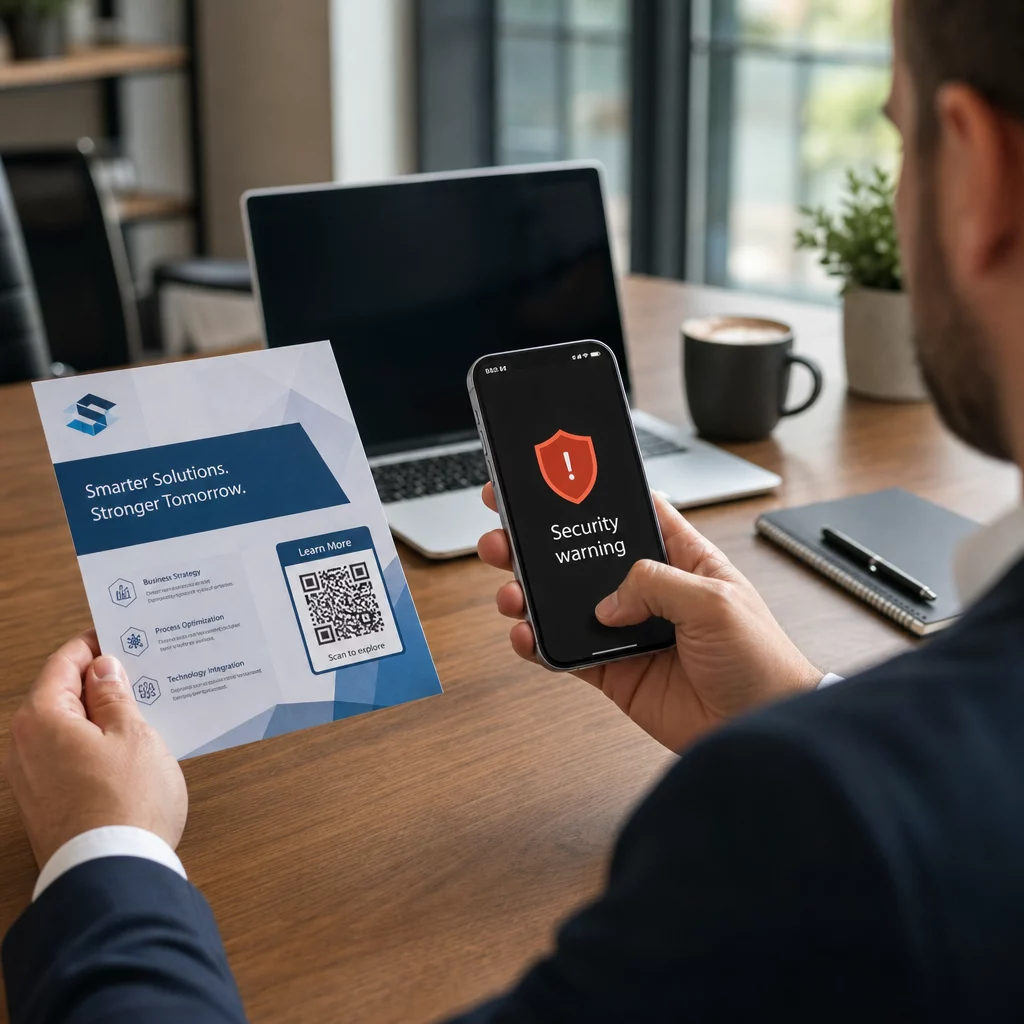
हमलावर QR कोड के अंदर दुर्भावनापूर्ण URL एम्बेड करते हैं जो पीड़ितों को क्रेडेंशियल चुराने के लिए डिज़ाइन किए गए नकली लॉगिन पृष्ठों पर, या मैलवेयर डाउनलोड को ट्रिगर करने वाली साइटों पर रीडायरेक्ट करते हैं। समस्या को और बढ़ाते हुए, कई ईमेल सुरक्षा सिस्टम QR कोड छवियों को डिकोड नहीं कर सकते हैं – वे एक तस्वीर देखते हैं, लिंक नहीं – इसलिए पेलोड उन फ़िल्टरों से फिसल जाता है जो एक सादे फ़िशिंग URL को पकड़ लेते।.
2023 में, QR कोड फ़िशिंग सभी फ़िशिंग हमलों का 22% था। एक बड़े पैमाने पर क्विशिंग अभियान कुछ ही महीनों में 2,400% बढ़ गया, और एक कॉर्पोरेट-लक्षित ऑपरेशन के विश्लेषण से पता चला कि लगभग 29% दुर्भावनापूर्ण ईमेल में QR कोड थे।.
हमलावर दुर्भावनापूर्ण QR कोड कहाँ लगाते हैं
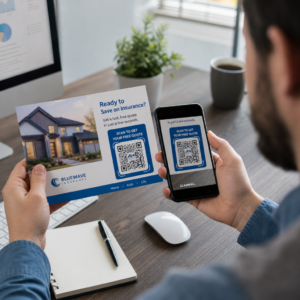
ईमेल और दस्तावेज़ हमले सबसे आम वितरण विधि हैं। हमलावर ईमेल सुरक्षा फ़िल्टर को बायपास करने के लिए PDF या Word अटैचमेंट के अंदर QR कोड एम्बेड करते हैं। 2023 में, 82% क्विशिंग हमलों ने विश्वसनीय ब्रांडों का प्रतिरूपण किया – देखे गए मामलों में से 51% में माइक्रोसॉफ्ट को लक्षित किया गया था, इसके बाद डॉक्युसाइन 31% और एडोब 15% पर थे। 2024 के मध्य और 2024 के अंत के बीच, शोधकर्ताओं ने PDF में एम्बेडेड QR कोड वाले 500,000 से अधिक फ़िशिंग ईमेल का खुलासा किया।.
भौतिक छेड़छाड़ उतनी ही खतरनाक है। हमलावर उच्च-यातायात वाले स्थानों – रेस्तरां, पार्किंग मीटर, हवाई अड्डे और खुदरा स्थानों – में वैध कोड पर धोखाधड़ी वाले QR कोड स्टिकर लगाते हैं। सैन फ्रांसिस्को में, अपराधियों ने पार्किंग टिकटों पर नकली QR कोड लगाए जो उपयोगकर्ताओं को क्रेडिट कार्ड विवरण चुराने के लिए डिज़ाइन किए गए एक नकली ट्रांजिट पेज पर निर्देशित करते थे। सोशल सिक्योरिटी एडमिनिस्ट्रेशन विशेष रूप से चेतावनी देता है कि आधिकारिक साइनेज पर वैध QR कोड आमतौर पर स्टिकर नहीं होते हैं; स्टिकर के रूप में लगाए गए कोड को संदिग्ध माना जाना चाहिए।.
सोशल इंजीनियरिंग के प्रलोभन तस्वीर को पूरा करते हैं। पीड़ितों को छूट का दावा करने, मुफ्त वाई-फाई से जुड़ने या सर्वेक्षण पूरा करने के लिए QR कोड स्कैन करने के लिए प्रेरित किया जाता है। सिंगापुर में एक प्रलेखित मामले में, एक महिला ने एक बबल टी शॉप पर एक कोड स्कैन किया, जिसमें उसे लॉयल्टी रिवॉर्ड की उम्मीद थी। इसके बजाय, उसके फोन पर एक दुर्भावनापूर्ण ऐप डाउनलोड हो गया, और हमलावरों ने उसके बैंक खाते से $2,000 निकाल लिए।.
इन हमलों से व्यवसायों को क्या लागत आती है
क्रेडेंशियल और डेटा चोरी
लगभग 90% क्विशिंग हमले विशेष रूप से लॉगिन क्रेडेंशियल और संवेदनशील डेटा चुराने के लिए डिज़ाइन किए गए हैं। हमलावर पीड़ितों को Microsoft 365, SharePoint, या बैंकिंग पोर्टलों की विश्वसनीय प्रतिकृतियों पर रीडायरेक्ट करते हैं। अधिकारियों को असमान रूप से लक्षित किया जाता है क्योंकि उनके क्रेडेंशियल महत्वपूर्ण सिस्टम और विशेषाधिकार प्राप्त डेटा को अनलॉक करते हैं।.
व्यक्तिगत उपकरण इसे और बदतर बनाते हैं। जब कर्मचारी एंटरप्राइज़ प्रबंधन में नामांकित न किए गए फ़ोन पर QR कोड स्कैन करते हैं, तो IT टीमों को इस बात की कोई जानकारी नहीं होती कि क्या हुआ या क्या एक्सेस किया गया।.
वित्तीय नुकसान
2023 में डेटा उल्लंघन की औसत लागत $4.45 मिलियन तक पहुँच गई, जिसमें बिज़नेस ईमेल कॉम्प्रोमाइज़ घोटालों की औसत लागत $4.89 मिलियन थी – नियामक जुर्माने और कानूनी खर्चों को ध्यान में रखने से पहले। प्रत्यक्ष फ़िशिंग नुकसान में साल-दर-साल 76% की वृद्धि हुई। व्यक्तिगत घटनाएँ पैमाने को दर्शाती हैं: एक यूके रेलवे स्टेशन घोटाले ने एक पीड़ित को £13,000 के कर्ज में छोड़ दिया; एक कैलगरी परिवार ने फेसबुक मार्केटप्लेस QR कोड घोटाले में $10,000 खो दिए।.
छोटे व्यवसाय नुकसान का एक असंगत हिस्सा झेलते हैं। यूके में, छोटे उद्यमों को प्रतिदिन अनुमानित 65,000 साइबर हमलों का सामना करना पड़ता है, जिसमें एक सफल हमले को हल करने की औसत लागत लगभग $33,700 होती है।.
परिचालन में बाधा और प्रतिष्ठा को नुकसान
चोरी किए गए क्रेडेंशियल अक्सर रैंसमवेयर परिनियोजन के लिए प्रवेश बिंदु के रूप में कार्य करते हैं। 2023 में, संगठनों ने रैंसमवेयर घटनाओं से उबरने में औसतन $1.82 मिलियन खर्च किए। निर्माण और इंजीनियरिंग फर्मों को औसत से 19.2 गुना अधिक QR कोड हमले का जोखिम होता है; पेशेवर सेवा फर्मों को 18.5 गुना अधिक जोखिम का सामना करना पड़ता है।.
परिचालन डाउनटाइम से परे, ग्राहक डेटा उजागर होने पर व्यवसायों को ग्राहक हानि, उच्च साइबर सुरक्षा बीमा प्रीमियम और नियामक जांच का सामना करना पड़ता है। उल्लंघन के बाद विश्वास का पुनर्निर्माण तकनीकी घटना को स्वयं हल करने की तुलना में कहीं अधिक समय लेता है।.
QR कोड फ़िशिंग को कैसे रोकें: एक स्तरित दृष्टिकोण
कोई भी एक नियंत्रण क्विशिंग को समाप्त नहीं करता है। सुरक्षा शोधकर्ताओं, संघीय एजेंसियों और एंटरप्राइज़ सुरक्षा टीमों की लगातार सिफारिश एक स्तरित रक्षा है जिसमें ईमेल फ़िल्टरिंग, पहचान नियंत्रण, एंडपॉइंट सुरक्षा, कर्मचारी प्रशिक्षण और रिपोर्टिंग वर्कफ़्लो शामिल हैं।.
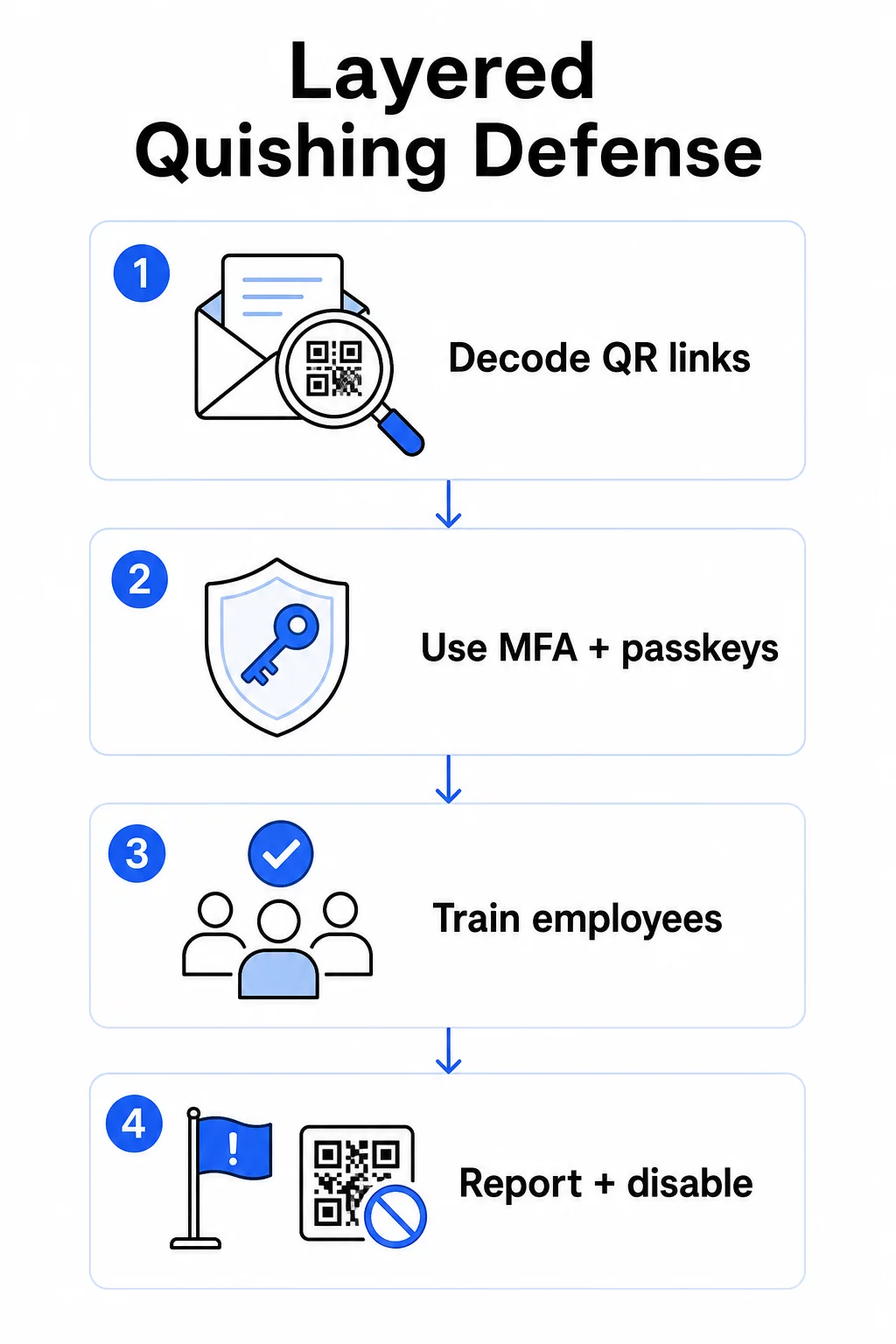
ईमेल सुरक्षा नियंत्रण
ईमेल सुरक्षा प्रणालियों को ऐसी क्षमताओं के साथ कॉन्फ़िगर करें जो मानक लिंक स्कैनिंग से आगे जाती हैं। प्रभावी नियंत्रणों में शामिल हैं:
- OCR-सक्षम फ़िल्टरिंग जो ईमेल के भीतर QR कोड छवियों को डिकोड करता है और खतरे की खुफिया जानकारी के खिलाफ एम्बेडेड URL का विश्लेषण करता है
- एंटी-फ़िशिंग नीतियां जो छवि-आधारित पेलोड को फ़्लैग करने के लिए ट्यून की गई हैं, विशेष रूप से PDF या Office दस्तावेज़ अटैचमेंट में एम्बेडेड QR कोड
- सख्त स्पैम गेटवे नियम जो ईमेल में अवांछित QR कोड को डिफ़ॉल्ट रूप से उच्च जोखिम वाले मानते हैं
विशेष रूप से Microsoft 365 वातावरणों के लिए, Microsoft Defender for Office 365 में प्रतिष्ठा जांच और सुरक्षित लिंक मूल्यांकन के लिए एम्बेडेड URL को सामने लाने के लिए QR कोड छवि डिकोडिंग शामिल है।.
पहचान और एक्सेस नियंत्रण
चोरी किए गए क्रेडेंशियल तभी उपयोगी होते हैं जब उनका उपयोग किया जा सके। स्तरित पहचान नियंत्रण उस जोखिम को काफी कम करते हैं:
- मल्टी-फैक्टर प्रमाणीकरण (MFA) सभी खातों में, उच्च-विशेषाधिकार प्राप्त उपयोगकर्ताओं और अधिकारियों के लिए मजबूत प्रमाणीकरण आवश्यकताओं के साथ
- फ़िशिंग-प्रतिरोधी MFA विधियाँ जैसे हार्डवेयर सुरक्षा कुंजी या पासकी, जो वैध डोमेन से बंधी होती हैं और किसी धोखाधड़ी वाली साइट द्वारा रोकी नहीं जा सकतीं
- उन पुराने प्रमाणीकरण प्रोटोकॉल को ब्लॉक करना जो MFA का समर्थन नहीं करते हैं, जिससे एक सामान्य बाईपास मार्ग समाप्त हो जाता है
- सशर्त एक्सेस नीतियां जो अप्रबंधित उपकरणों से साइन-इन प्रयासों को फ़्लैग या ब्लॉक करती हैं
QR कोड प्रमाणीकरण वर्कफ़्लो के साथ कैसे जुड़ते हैं, इस पर गहन संदर्भ के लिए, देखें कि क्यूआर कोड मल्टी-फैक्टर प्रमाणीकरण को कैसे सरल बनाते हैं.
एंडपॉइंट और डिवाइस सुरक्षा
अद्यतन एंडपॉइंट सुरक्षा वाले प्रबंधित उपकरण एक महत्वपूर्ण सुरक्षा जाल प्रदान करते हैं:
- सभी प्रबंधित उपकरणों पर एंडपॉइंट डिटेक्शन और रिस्पांस (EDR) तैनात करें
- ब्राउज़र प्रतिष्ठा जांच (जैसे Microsoft SmartScreen) सक्षम करें जो उपयोगकर्ताओं को ज्ञात फ़िशिंग डोमेन तक पहुंचने से पहले चेतावनी देती हैं
- मोबाइल डिवाइस प्रबंधन (MDM) नीतियां लागू करें जो काम के लिए QR कोड स्कैन करने के लिए उपयोग किए जाने वाले फोन पर सुरक्षा बेसलाइन लागू करती हैं
- कॉर्पोरेट नेटवर्क पर अप्रबंधित उपकरणों से डाउनलोड प्रतिबंधित करें
FTC सलाह देता है कि डिवाइस ऑपरेटिंग सिस्टम को अद्यतन रखा जाए और खातों में मजबूत, अद्वितीय पासवर्ड का उपयोग किया जाए, यह एक मूलभूत स्वच्छता है जो किसी भी सफल फ़िशिंग प्रयास के प्रभाव को कम करती है।.
कर्मचारी प्रशिक्षण और जागरूकता
आपके कर्मचारी क्विशिंग के खिलाफ रक्षा की सबसे सीधी पंक्ति हैं, और प्रशिक्षण स्पष्ट होना चाहिए – सामान्य फ़िशिंग जागरूकता स्वचालित रूप से QR कोड खतरों पर लागू नहीं होती है।.
प्रभावी प्रशिक्षण कार्यक्रमों में शामिल हैं:
- QR कोड खतरनाक क्यों हैं: स्कैन करने के बाद तक गंतव्य छिपा रहता है
- QR कोड वाले ईमेल में लाल झंडे: तात्कालिकता, सामान्य अभिवादन, ज्ञात ब्रांडों से अवांछित संदेश, और लॉगिन क्रेडेंशियल के लिए अनुरोध
- भौतिक छेड़छाड़ के संकेत: मुद्रित सामग्री पर स्टिकर के रूप में लगाए गए कोड, अनौपचारिक साइनेज पर कोड
- सत्यापन की आदतें: यदि कोई QR कोड किसी अप्रत्याशित ईमेल में आता है, तो कोड को स्कैन करने के बजाय ज्ञात फोन नंबर या आधिकारिक वेबसाइट के माध्यम से प्रेषक से संपर्क करें
- URL निरीक्षण: स्कैन करने के बाद, कोई भी क्रेडेंशियल दर्ज करने से पहले ब्राउज़र बार में URL की जांच करें – गलत वर्तनी, बदले हुए अक्षर, या अपरिचित डोमेन देखें
अमेरिकी स्वास्थ्य और मानव सेवा विभाग अंतिम उपयोगकर्ताओं को स्वस्थ स्तर का संदेह बनाए रखने और संदिग्ध प्रेषक पते, स्पूफ किए गए लिंक और अनुचित व्याकरण जैसे संकेतकों को पहचानने के लिए प्रशिक्षित करने की सलाह देता है – ये सभी QR-आधारित फ़िशिंग अभियानों में ठीक वैसे ही दिखाई देते हैं जैसे टेक्स्ट-आधारित अभियानों में।.
मानक फ़िशिंग सिमुलेशन के साथ-साथ नकली क्विशिंग अभ्यास चलाएं। उच्च जोखिम वाले समूहों – अधिकारियों, वित्त टीमों और प्रशासनिक विशेषाधिकार वाले किसी भी व्यक्ति – को अधिक बार और यथार्थवादी परिदृश्यों के साथ लक्षित करें।.
की व्यापक जानकारी के लिए साइबर रक्षा में QR कोड सुरक्षा के सर्वोत्तम अभ्यास, जिसमें एन्क्रिप्शन और प्रमाणीकरण युग्मन शामिल है, वह मार्गदर्शिका तकनीकी नियंत्रणों को अधिक गहराई से कवर करती है।.
रिपोर्टिंग और घटना प्रतिक्रिया
कर्मचारियों को संदिग्ध QR कोड की रिपोर्ट करने का एक स्पष्ट, कम-घर्षण वाला तरीका चाहिए – ईमेल और भौतिक स्थानों दोनों में। ईमेल क्लाइंट में एक रिपोर्ट-फ़िश बटन डिजिटल रिपोर्ट के लिए घर्षण को हटाता है। भौतिक कोड के लिए, संदिग्ध स्टिकर या छेड़छाड़ की गई सामग्री को कैसे चिह्नित और फोटो खींचा जाए, इस पर मार्गदर्शन प्रदान करें।.
आपकी घटना प्रतिक्रिया योजना विशेष रूप से क्विशिंग परिदृश्यों को परिभाषित चरणों के साथ संबोधित करनी चाहिए:
- किसी भी ऐसे खाते को अलग करें जिसने दुर्भावनापूर्ण QR कोड के माध्यम से क्रेडेंशियल सबमिट किए हों
- सक्रिय सत्रों को रद्द करें और तुरंत पासवर्ड रीसेट करें
- स्कैन और प्रतिक्रिया के बीच की अवधि में अनधिकृत पहुंच या डेटा आवाजाही की जांच करें
- अपनी उल्लंघन अधिसूचना नीति के अनुसार प्रभावित व्यक्तियों को सूचित करें
- यह पहचानने के लिए घटना के बाद की समीक्षा करें कि QR कोड ने मौजूदा नियंत्रणों को कैसे बायपास किया
पेनेट्रेशन टेस्टिंग चलाएं जिसमें क्विशिंग परिदृश्य शामिल हों ताकि हमलावरों से पहले कमजोरियों का पता लगाया जा सके।.
आपके व्यवसाय द्वारा तैनात QR कोड: अपने स्वयं के कोड सुरक्षित करना
क्विशिंग को रोकने का मतलब यह भी है कि आपके व्यवसाय द्वारा प्रकाशित QR कोड को आपके ग्राहकों या कर्मचारियों के खिलाफ हथियार के रूप में इस्तेमाल नहीं किया जा सकता है।.
डायनामिक क्यूआर कोड का उपयोग करें, स्टैटिक वाले का नहीं।. स्थिर कोड स्थायी रूप से एक गंतव्य URL को एन्कोड करते हैं। यदि वह गंतव्य कभी भी खतरे में पड़ता है, तो कोड एक दायित्व बन जाता है जिसे आप दोबारा प्रिंट किए बिना ठीक नहीं कर सकते।. गतिशील क्यूआर कोड एक छोटे रीडायरेक्ट URL की ओर इशारा करें जिसे आप नियंत्रित करते हैं – आप गंतव्य को अपडेट कर सकते हैं, एक नए पृष्ठ पर रीडायरेक्ट कर सकते हैं, या मुद्रित सामग्री को छुए बिना प्रबंधन डैशबोर्ड से कोड को पूरी तरह से अक्षम कर सकते हैं।.
अपने प्रकाशित QR कोड को नियंत्रण में रखें यदि आपको संदेह है कि आपके किसी तैनात कोड के साथ छेड़छाड़ की गई है या वह किसी असुरक्षित स्थान की ओर इशारा कर रहा है, तो आप उसे तुरंत अपडेट या अक्षम कर सकते हैं। उपयोग करें डायनामिक QR कोड जनरेटर अपने सभी कोड को वास्तविक समय स्कैन एनालिटिक्स के साथ एक केंद्रीकृत डैशबोर्ड से प्रबंधित करने के लिए।.
अपने कोड पर सुसंगत ब्रांडिंग लागू करें।. इकहत्तर प्रतिशत लोग नकली QR कोड को वैध कोड से विश्वसनीय रूप से अलग नहीं कर सकते। ब्रांडेड QR कोड – आपके लोगो, कंपनी के रंगों और गंतव्य URL में एक कस्टम डोमेन के साथ – उपयोगकर्ताओं को एक दृश्य संकेत देते हैं कि कोड प्रामाणिक है। अपारदर्शी छोटे URL वाले सामान्य काले और सफेद QR कोड ऐसी कोई गारंटी नहीं देते हैं।.
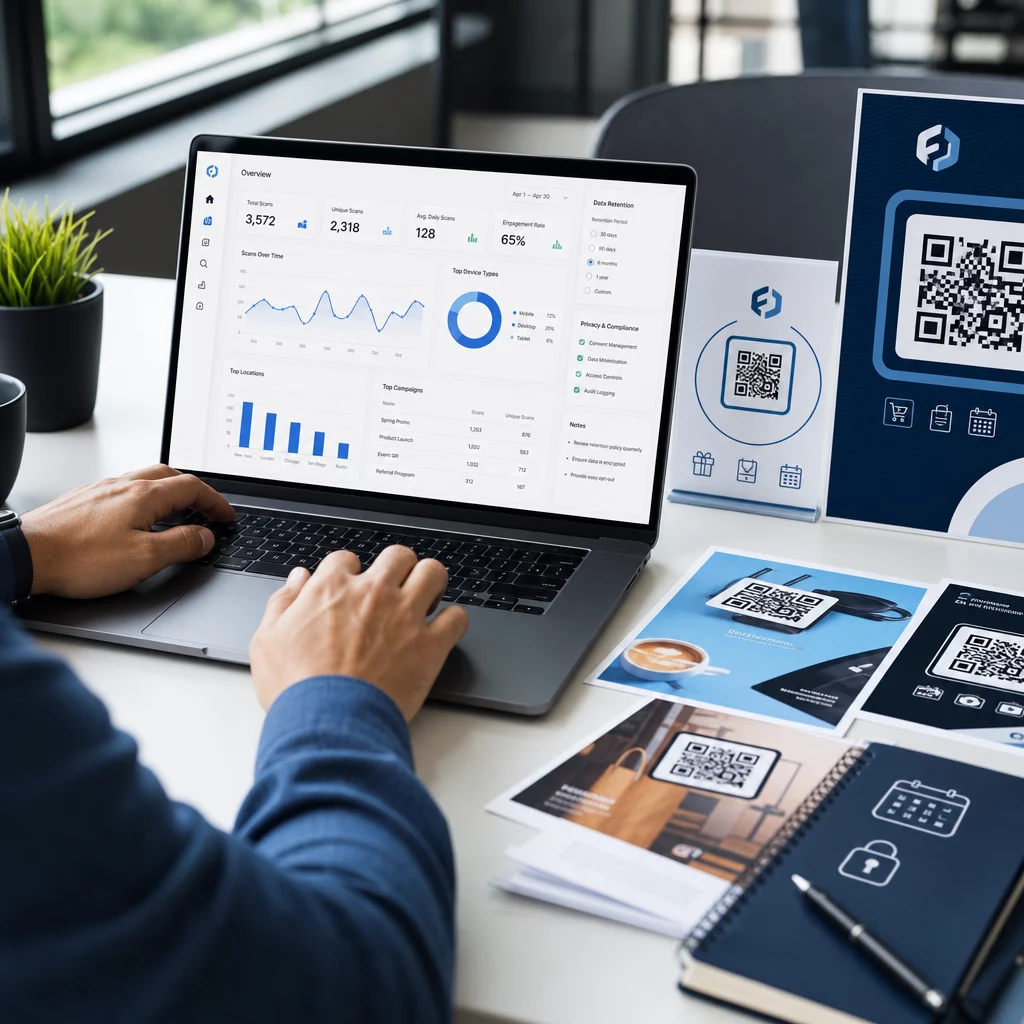
स्कैन एनालिटिक्स में विसंगतियों की निगरानी करें।. डायनामिक क्यूआर कोड स्कैन डेटा एकत्र करते हैं जिसमें टाइमस्टैम्प, डिवाइस प्रकार और भौगोलिक स्थान शामिल हैं। अप्रत्याशित क्षेत्रों से स्कैन में अचानक वृद्धि, या सामान्य व्यावसायिक घंटों के बाहर स्कैन गतिविधि, यह संकेत दे सकती है कि आपके किसी कोड को दुर्भावनापूर्ण रूप से कॉपी और पुनर्वितरित किया गया है। पेज्लूट का एनालिटिक्स डैशबोर्ड इन पैटर्नों को सामने लाता है ताकि आप तुरंत जांच कर सकें और प्रतिक्रिया दे सकें।.
आपके कोड कौन सा स्कैन डेटा एकत्र करते हैं और इसे जिम्मेदारी से कैसे व्याख्या करें, इसकी विस्तृत जानकारी के लिए देखें यह समझना कि आपके डायनामिक क्यूआर कोड कौन सा डेटा ट्रैक करते हैं.
नियमित भौतिक ऑडिट करें।. सार्वजनिक या अर्ध-सार्वजनिक स्थानों पर प्रदर्शित किसी भी क्यूआर कोड के लिए – रेस्तरां टेबल, इवेंट साइनेज, वाहन डिस्प्ले, या खुदरा खिड़कियां – नियमित समय-सारणी पर कोड का भौतिक निरीक्षण करें। मूल कोड के ऊपर लगाए गए स्टिकर की तलाश करें और ग्राहकों के सामने आने से पहले प्रत्येक कोड के गंतव्य का परीक्षण करें।.
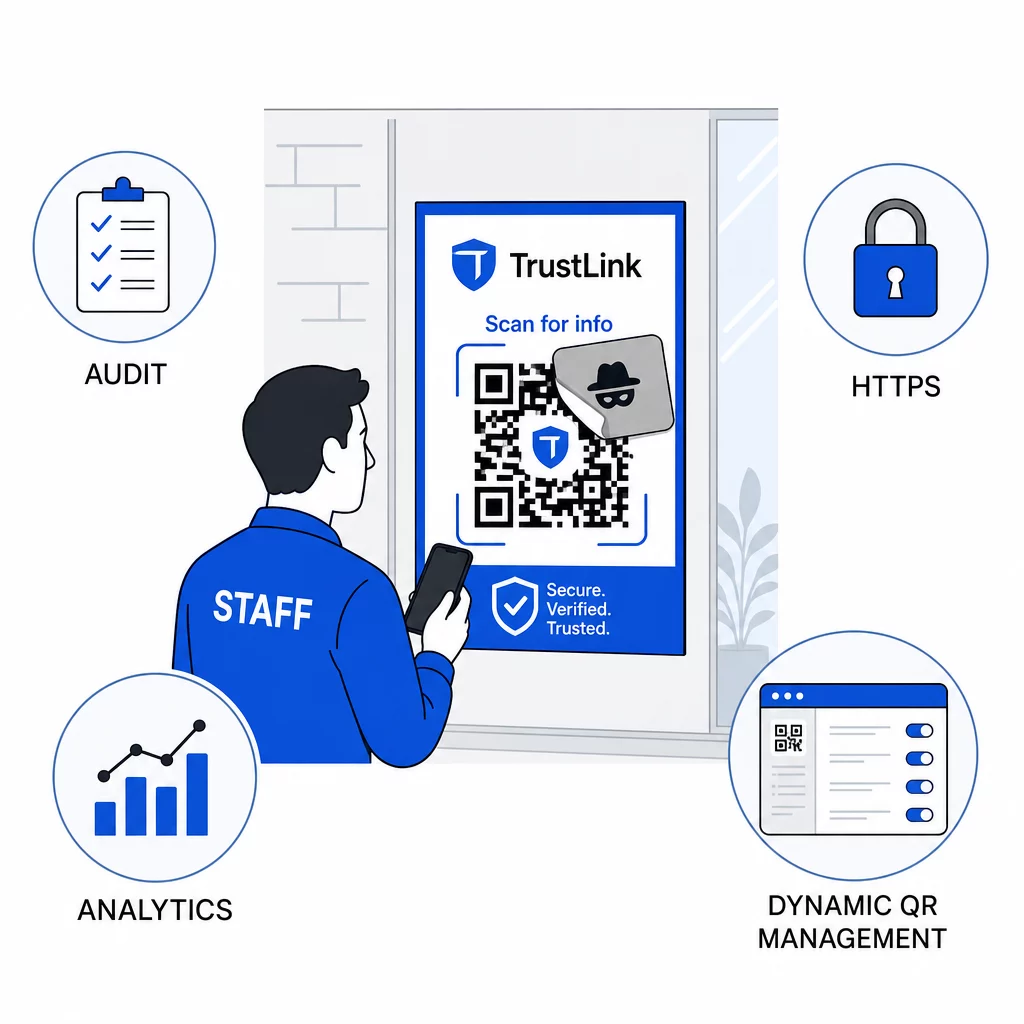
विशेष रूप से HTTPS गंतव्यों का उपयोग करें।. आपके क्यूआर कोड से लिंक होने वाले प्रत्येक यूआरएल को HTTPS का उपयोग करना चाहिए। उपयोगकर्ताओं को एक अनएन्क्रिप्टेड HTTP गंतव्य पर भेजना विश्वास को कमजोर करता है और पारगमन में डेटा को उजागर करता है।.
पर अतिरिक्त मार्गदर्शन के लिए क्यूआर कोड गोपनीयता जोखिम और उनसे कैसे बचें, जिसमें उपयोगकर्ता गोपनीयता के साथ एनालिटिक्स को कैसे संतुलित किया जाए, वह संसाधन उन डेटा विचारों को शामिल करता है जिन्हें व्यवसाय अक्सर अनदेखा कर देते हैं।.
डिटेक्शन टूल्स का मूल्यांकन
कर्मचारी प्रशिक्षण और प्लेटफ़ॉर्म नियंत्रण जोखिम के एक महत्वपूर्ण हिस्से को संबोधित करते हैं, लेकिन समर्पित डिटेक्शन टूल एक और परत जोड़ते हैं – विशेष रूप से उच्च ईमेल वॉल्यूम या जटिल क्यूआर कोड परिनियोजन वाले संगठनों के लिए। यदि आप विकल्पों का मूल्यांकन कर रहे हैं, क्यूआर कोड फ़िशिंग का पता लगाने के लिए डिज़ाइन किए गए उपकरण एंटरप्राइज़ बिहेवियरल एनालिटिक्स प्लेटफ़ॉर्म से लेकर ईमेल गेटवे ऐड-ऑन और बिल्ट-इन रेपुटेशन चेक वाले मोबाइल स्कैनिंग ऐप्स तक होते हैं।.
सही संयोजन आपके मौजूदा सुरक्षा स्टैक, आपके द्वारा प्राप्त या परिनियोजित क्यूआर कोड की मात्रा, और क्या भौतिक छेड़छाड़ आपके स्थानों के लिए एक महत्वपूर्ण चिंता है, पर निर्भर करता है। क्विशिंग एक काल्पनिक खतरा नहीं है। यह वास्तविक दुनिया की फ़िशिंग गतिविधि का एक सार्थक हिस्सा है, अधिकांश संगठनों के पास पहले से मौजूद नियंत्रणों को बायपास करता है, और उन व्यवसायों और उपयोगकर्ताओं को असमान रूप से लक्षित करता है जो इसे पहचानने के लिए सबसे कम सुसज्जित हैं। इस अंतर को पाटने के लिए ईमेल सुरक्षा, पहचान नियंत्रण, कर्मचारी प्रशिक्षण और आपके द्वारा स्वयं प्रकाशित क्यूआर कोड में जानबूझकर कार्रवाई की आवश्यकता है।.
उन नियंत्रणों से शुरू करें जिन्हें आप तुरंत लागू कर सकते हैं – MFA, कर्मचारी जागरूकता, और अपने प्रकाशित कोड को डायनामिक प्रबंधन में बदलना – फिर एक स्तरित रक्षा की ओर बढ़ें जो आपके संगठन के खिलाफ क्विशिंग हमलों को लगातार असफल बनाती है।.
अक्सर पूछे जाने वाले सवाल
नियमित फ़िशिंग आमतौर पर ईमेल टेक्स्ट या हाइपरलिंक में दृश्यमान यूआरएल का उपयोग करता है जिसे एक प्रशिक्षित उपयोगकर्ता क्लिक करने से पहले जांच सकता है। क्यूआर कोड फ़िशिंग गंतव्य को पूरी तरह से छिपा देता है – दुर्भावनापूर्ण यूआरएल छवि के अंदर एन्कोड किया जाता है, जो स्कैन करने के बाद तक अदृश्य रहता है। यह ईमेल सुरक्षा फ़िल्टर के लिए इसका पता लगाना भी कठिन बना देता है, क्योंकि वे लिंक के बजाय एक छवि देखते हैं। इसका परिणाम यह होता है कि क्यूआर कोड फ़िशिंग कई नियंत्रणों को बाईपास कर देता है जो टेक्स्ट-आधारित फ़िशिंग को प्रभावी ढंग से पकड़ते हैं।.
सबसे पहले सबसे अधिक प्रभाव वाले नियंत्रणों पर ध्यान दें: सभी खातों पर मल्टी-फैक्टर प्रमाणीकरण सक्षम करें, कर्मचारियों को अप्रत्याशित क्यूआर कोड को संदिग्ध मानने और स्वतंत्र चैनलों के माध्यम से सत्यापित करने के लिए प्रशिक्षित करें, और किसी भी प्रकाशित क्यूआर कोड को स्थैतिक से गतिशील में बदलें ताकि समस्या का पता चलने पर आप उन्हें अपडेट या अक्षम कर सकें। इन कदमों में लागत कम आती है और ये सबसे सामान्य हमले के रास्तों को खत्म करते हैं। अज्ञात कोड को स्कैन करने से पहले यूआरएल पूर्वावलोकन क्षमता वाले क्यूआर कोड स्कैनर का उपयोग करें, और कर्मचारियों के लिए संदिग्ध कोड की आईटी को रिपोर्ट करने के लिए एक स्पष्ट प्रक्रिया स्थापित करें।.
स्थिर QR कोड स्थायी रूप से एक गंतव्य URL को एन्कोड करते हैं। यदि वह URL खतरे में पड़ जाता है – या यदि कोई हमलावर आपके कोड को कॉपी करता है और उसे किसी दुर्भावनापूर्ण साइट की ओर इंगित करते हुए पुनर्वितरित करता है – तो आपके पास सब कुछ दोबारा प्रिंट किए बिना मूल मुद्रित कोड को ठीक करने का कोई तरीका नहीं है। डायनामिक QR कोड एक छोटे रीडायरेक्ट URL के माध्यम से रूट होते हैं जिसे आप केंद्रीय रूप से नियंत्रित करते हैं। आप गंतव्य बदल सकते हैं, पासवर्ड सुरक्षा जोड़ सकते हैं, समाप्ति तिथियां निर्धारित कर सकते हैं और वास्तविक समय में स्कैन गतिविधि की निगरानी कर सकते हैं। यदि कुछ गलत लगता है, तो आप कोड को तुरंत अक्षम कर सकते हैं। लचीलेपन और दृश्यता का यह संयोजन सार्वजनिक-सामना करने वाले या चल रहे व्यावसायिक संदर्भों में उपयोग किए जाने वाले किसी भी QR कोड के लिए डायनामिक कोड को काफी सुरक्षित बनाता है।.