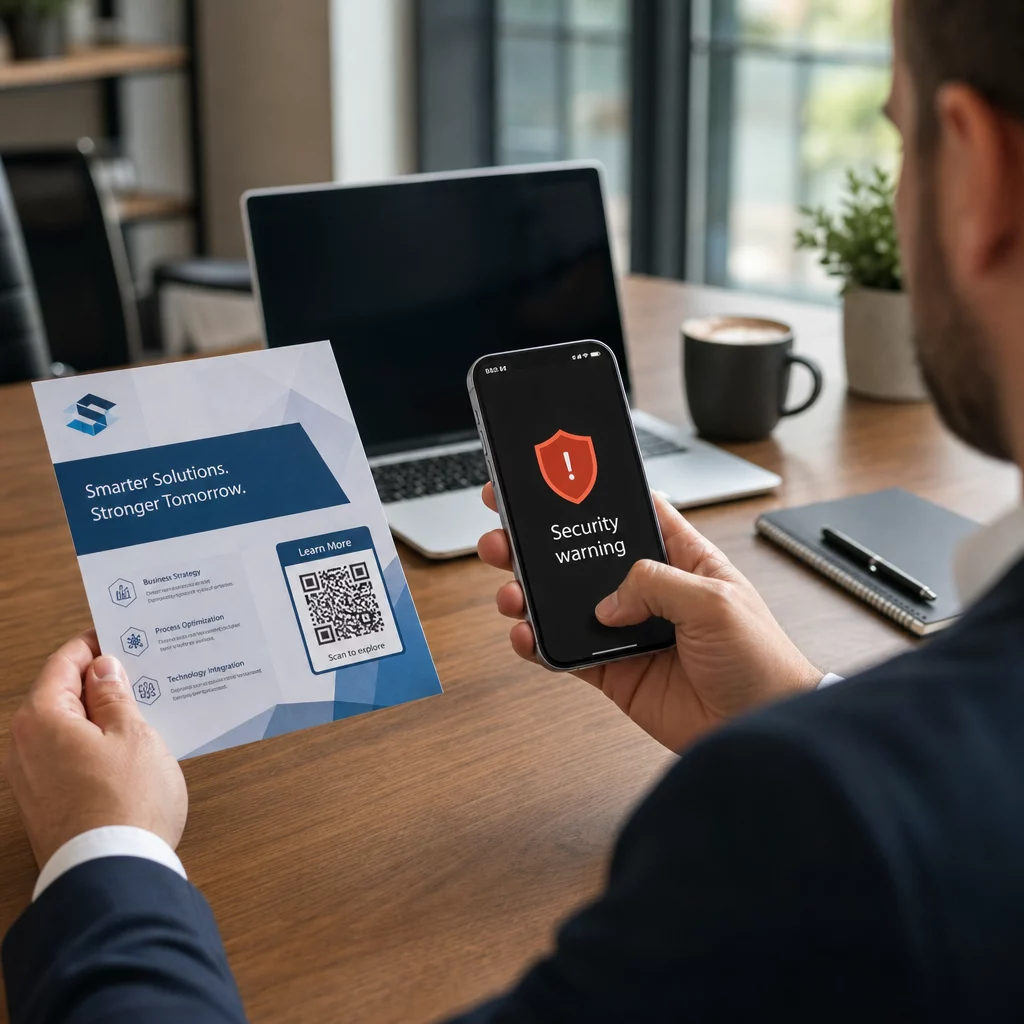
Používa vaša firma QR kódy bez toho, aby vedela, ktoré z nich boli pozmenené? Phishing pomocou QR kódov – bežne nazývaný “quishing” – premieňa každodennú vymoženosť na pascu na krádež prihlasovacích údajov a tradičné bezpečnostné filtre ho často úplne prehliadajú. Táto príručka popisuje, ako tieto útoky fungujú, čo stoja firmy a aké konkrétne kontroly môžete zaviesť, aby ste ich zastavili.
Ako funguje phishing pomocou QR kódov
Phishing pomocou QR kódov využíva zásadnú slabinu: QR kódy nie sú čitateľné pre ľudí. Pri tradičnej URL adrese si trénované oko často všimne podvrhnutú doménu alebo podozrivý reťazec. QR kód to všetko skrýva. Ako vysvetľuje Alex Mosher, globálny viceprezident spoločnosti MobileIron:
“QR kódy vo svojej podstate skrývajú svoj cieľ. Preto je schopnosť zmeniť QR kód tak, aby ukazoval na alternatívny zdroj bez toho, aby bol odhalený, jednoduchá a vysoko účinná.”
Útočníci vkladajú škodlivé URL adresy do QR kódov, ktoré presmerujú obete na falošné prihlasovacie stránky určené na získavanie prihlasovacích údajov, alebo na stránky, ktoré spúšťajú sťahovanie malvéru. Problém zhoršuje skutočnosť, že mnohé systémy zabezpečenia e-mailov nedokážu dekódovať obrázky QR kódov – vidia obrázok, nie odkaz – takže škodlivý obsah prenikne cez filtre, ktoré by zachytili obyčajnú phishingovú URL adresu.
V roku 2023 tvoril phishing pomocou QR kódov 22 % všetkých phishingových útokov. Jedna rozsiahla quishingová kampaň narástla o 2 400 % v priebehu niekoľkých mesiacov a analýza operácie zameranej na firmy zistila, že približne 29 % škodlivých e-mailov obsahovalo QR kódy.
Kde útočníci umiestňujú škodlivé QR kódy
Útoky prostredníctvom e-mailov a dokumentov sú najbežnejšou metódou doručenia. Útočníci vkladajú QR kódy do príloh PDF alebo Word, aby obišli filtre zabezpečenia e-mailov. V roku 2023 82 % quishingových útokov napodobňovalo dôveryhodné značky – Microsoft bol cieľom v 51 % pozorovaných prípadov, nasledovaný DocuSignom s 31 % a Adobe s 15 %. Medzi polovicou roka 2024 a koncom roka 2024 výskumníci odhalili viac ako 500 000 phishingových e-mailov obsahujúcich QR kódy vložené do súborov PDF.
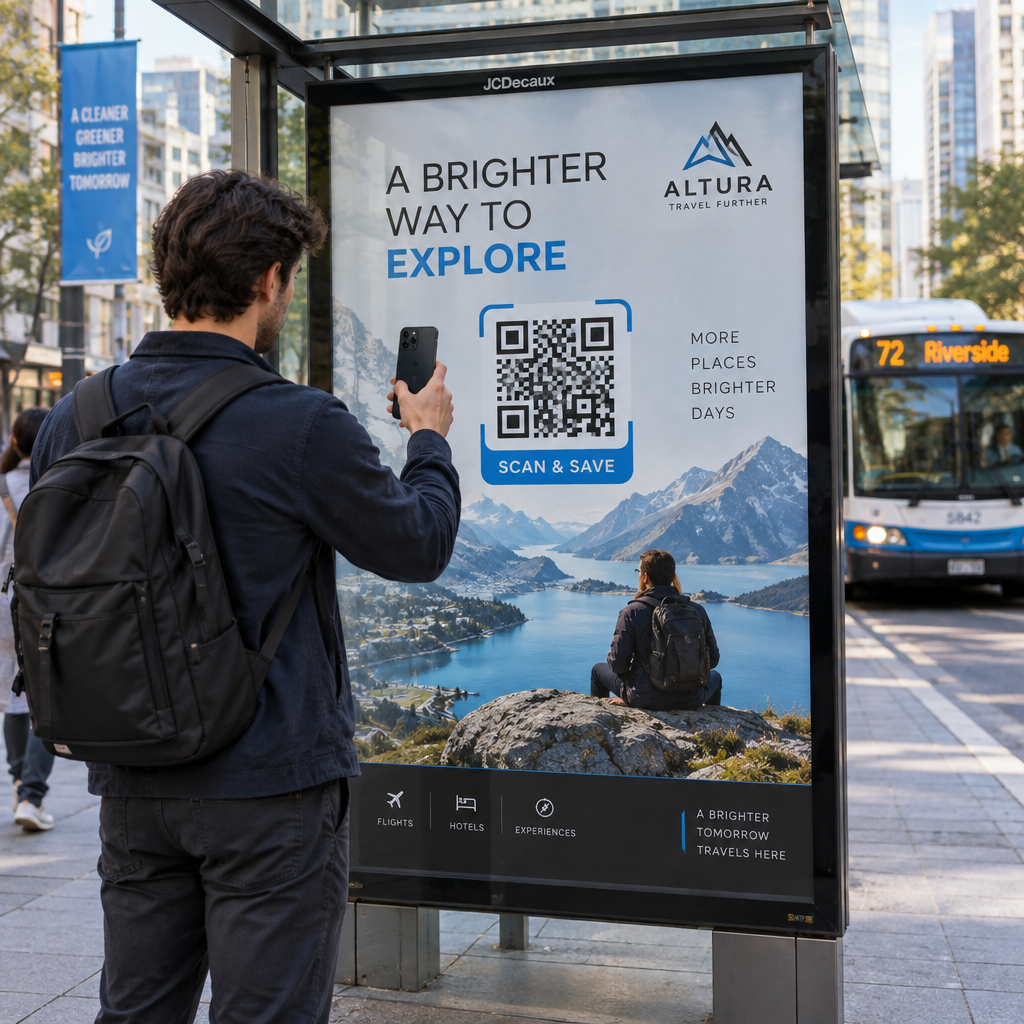
Fyzické manipulácie sú rovnako nebezpečné. Útočníci umiestňujú podvodné nálepky s QR kódmi cez legitímne kódy na miestach s vysokou frekvenciou – v reštauráciách, na parkovacích automatoch, letiskách a v maloobchodných priestoroch. V San Franciscu zločinci umiestnili falošné QR kódy na parkovacie lístky, ktoré presmerovali používateľov na falošnú tranzitnú stránku určenú na krádež údajov o kreditných kartách. Správa sociálneho zabezpečenia konkrétne varuje, že legitímne QR kódy na oficiálnych značkách zvyčajne nie sú nálepky; kód aplikovaný ako nálepka by sa mal považovať za podozrivý.
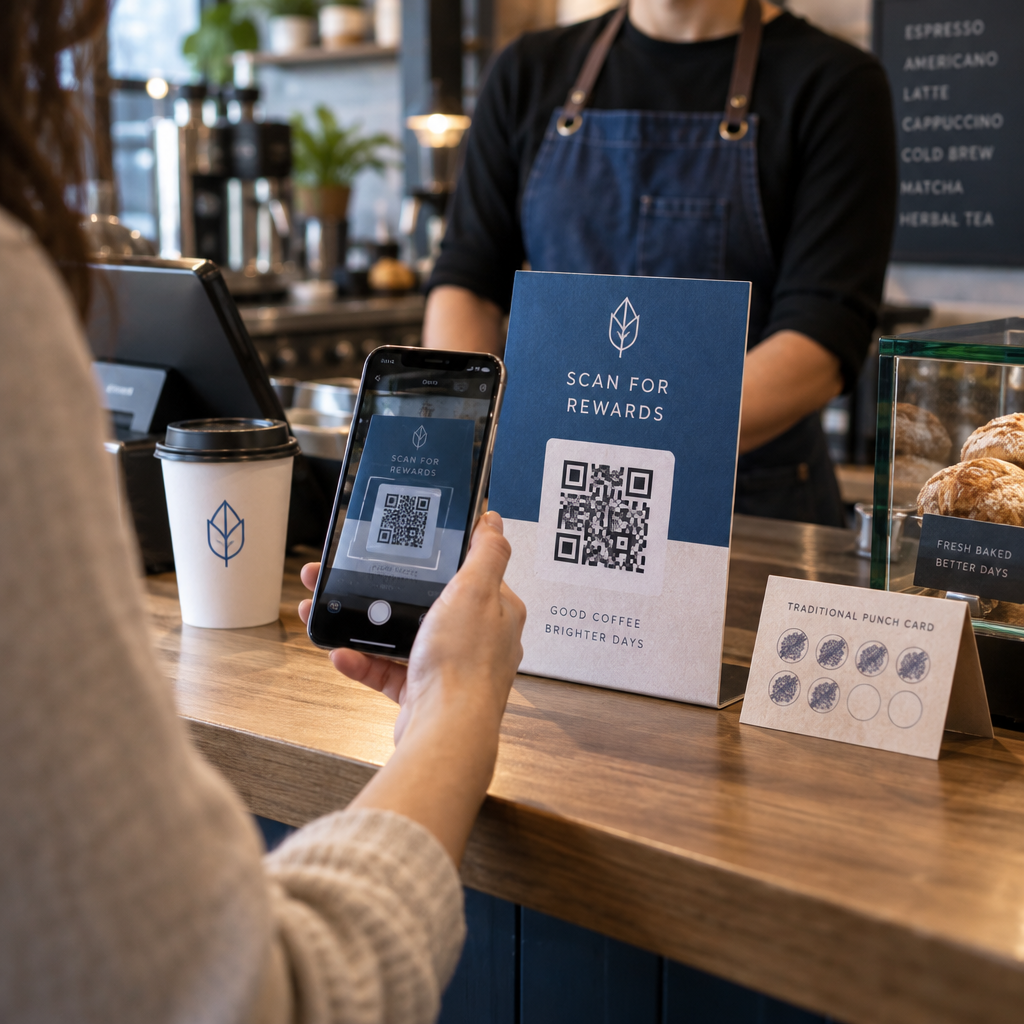
Návnady sociálneho inžinierstva dotvárajú obraz. Obete sú vyzvané, aby naskenovali QR kód, aby si uplatnili zľavu, pripojili sa k bezplatnému Wi-Fi alebo vyplnili prieskum. V jednom zdokumentovanom prípade v Singapure žena naskenovala kód v obchode s bublinkovým čajom očakávajúc vernostnú odmenu. Namiesto toho sa do jej telefónu stiahla škodlivá aplikácia a útočníci jej z bankového účtu vyčerpali 2 000 dolárov.
Čo tieto útoky stoja firmy
Krádež prihlasovacích údajov a dát
Takmer 90 % quishingových útokov je navrhnutých špeciálne na krádež prihlasovacích údajov a citlivých dát. Útočníci presmerujú obete na presvedčivé repliky portálov Microsoft 365, SharePoint alebo bankových portálov. Vedúci pracovníci sú neúmerne často cieľom, pretože ich prihlasovacie údaje odomykajú kritické systémy a privilegované dáta.
Osobné zariadenia to zhoršujú. Keď zamestnanci skenujú QR kódy na telefónoch, ktoré nie sú zaradené do podnikového riadenia, IT tímy nemajú prehľad o tom, čo sa stalo alebo k čomu bol prístup.
Finančné straty
Priemerné náklady na narušenie dát dosiahli v roku 2023 $4,45 milióna, pričom podvody s kompromitáciou firemných e-mailov (Business Email Compromise) dosahovali v priemere $4,89 milióna – a to ešte pred započítaním regulačných pokút a právnych nákladov. Priame straty spôsobené phishingom vzrástli medziročne o 76%. Jednotlivé incidenty ilustrujú rozsah: podvod na železničnej stanici v Spojenom kráľovstve zanechal jednu obeť s dlhom 13 000 £; rodina z Calgary stratila $10 000 v dôsledku podvodu s QR kódom na Facebook Marketplace.
Malé podniky absorbujú neúmerný podiel škôd. V Spojenom kráľovstve čelia malé podniky odhadom 65 000 kybernetickým útokom denne, pričom priemerné náklady na vyriešenie úspešného útoku sa pohybujú okolo $33 700.
Prevádzkové narušenie a poškodenie reputácie
Ukradnuté prihlasovacie údaje často slúžia ako vstupný bod pre nasadenie ransomvéru. V roku 2023 organizácie vynaložili v priemere $1,82 milióna na zotavenie sa z incidentov s ransomvérom. Stavebné a inžinierske firmy čelia riziku útoku QR kódom 19,2-krát vyššiemu ako je priemer; firmy poskytujúce profesionálne služby čelia riziku 18,5-krát vyššiemu.
Okrem prevádzkových prestojov čelia podniky odlivu zákazníkov, vyšším poistným za kybernetickú bezpečnosť a regulačnej kontrole, keď sú vystavené zákaznícke dáta. Obnovenie dôvery po narušení trvá oveľa dlhšie ako vyriešenie samotného technického incidentu.
Ako zabrániť phishingu pomocou QR kódov: Vrstvený prístup
Žiadna jediná kontrola neodstráni quishing. Konzistentné odporúčanie od bezpečnostných výskumníkov, federálnych agentúr a podnikových bezpečnostných tímov je vrstvená obrana kombinujúca filtrovanie e-mailov, kontroly identity, ochranu koncových bodov, školenie zamestnancov a pracovné postupy hlásenia.
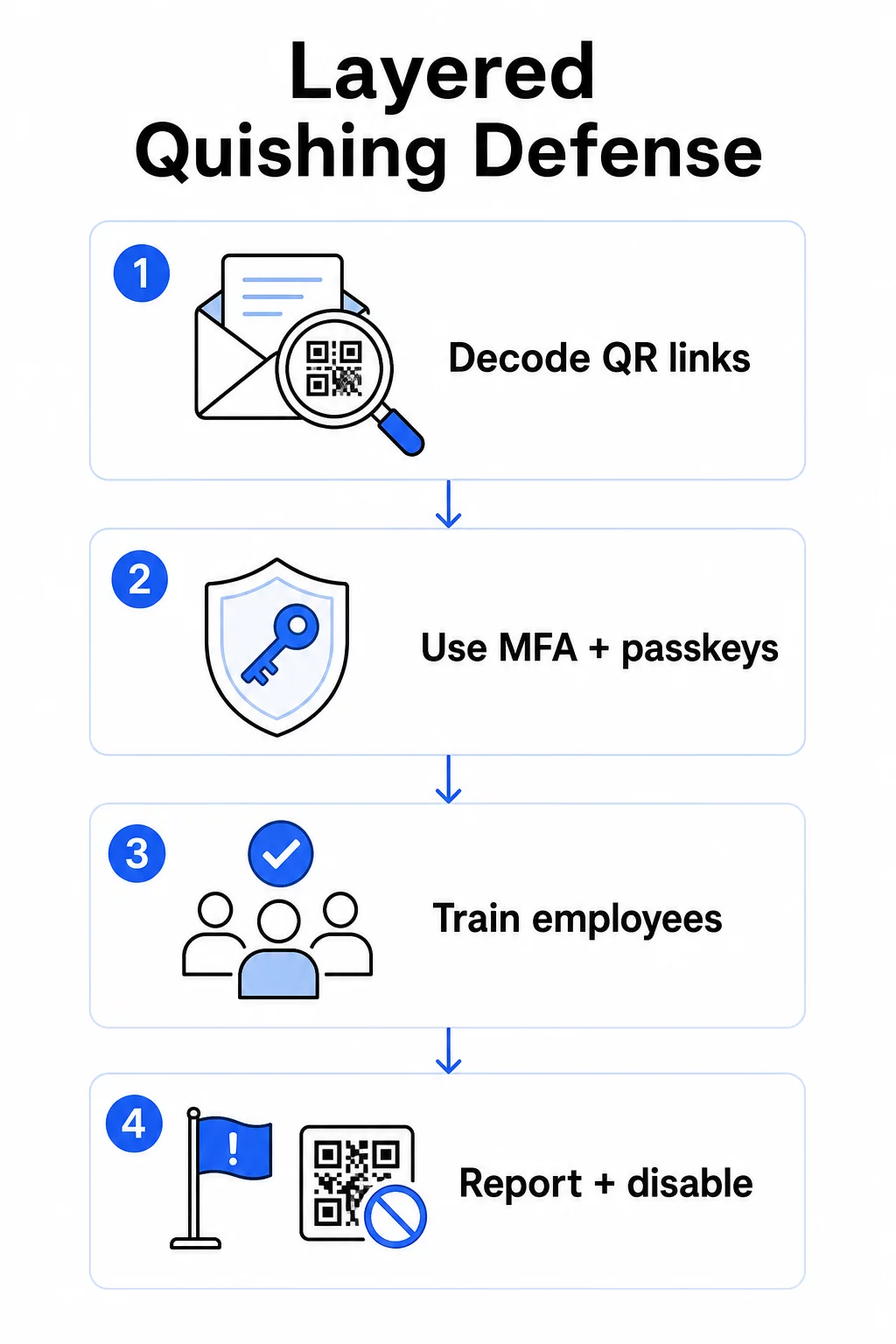
Kontroly zabezpečenia e-mailov
Nakonfigurujte systémy zabezpečenia e-mailov s funkciami, ktoré presahujú štandardné skenovanie odkazov. Efektívne kontroly zahŕňajú:
- Filtrovanie s podporou OCR ktoré dekóduje obrázky QR kódov v e-mailoch a analyzuje vloženú URL adresu proti informáciám o hrozbách
- Anti-phishingové politiky naladené na označovanie obrazových payloadov, najmä QR kódov vložených do príloh PDF alebo dokumentov Office
- Prísne pravidlá spamovej brány, ktoré štandardne považujú nevyžiadané QR kódy v e-mailoch za vysoko rizikové
Konkrétne pre prostredia Microsoft 365, Microsoft Defender for Office 365 zahŕňa dekódovanie obrázkov QR kódov na odhalenie vložených URL adries pre kontrolu reputácie a vyhodnotenie bezpečných odkazov (Safe Links).
Kontroly identity a prístupu
Ukradnuté poverenia sú užitočné len vtedy, ak sa dajú použiť. Vrstvové kontroly identity výrazne znižujú toto riziko:
- Viacfaktorová autentifikácia (MFA) naprieč všetkými účtami, so silnejšími požiadavkami na autentifikáciu pre používateľov s vysokými oprávneniami a vedúcich pracovníkov
- Metódy MFA odolné voči phishingu ako sú hardvérové bezpečnostné kľúče alebo passkeys, ktoré sú viazané na legitímnu doménu a nemôžu byť zachytené podvodnou stránkou
- Blokovanie starších autentifikačných protokolov, ktoré nepodporujú MFA, čím sa eliminuje bežná obchádzková cesta
- Zásady podmieneného prístupu, ktoré označujú alebo blokujú pokusy o prihlásenie z nespravovaných zariadení
Pre hlbší kontext o tom, ako sa QR kódy prelínajú s autentifikačnými pracovnými postupmi, pozrite si ako QR kódy zjednodušujú viacfaktorové overovanie.
Ochrana koncových bodov a zariadení
Spravované zariadenia s aktuálnym zabezpečením koncových bodov poskytujú kritickú bezpečnostnú sieť:
- Nasadenie detekcie a reakcie na koncové body (EDR) na všetkých spravovaných zariadeniach
- Povolenie kontrol reputácie prehliadača (ako napríklad Microsoft SmartScreen), ktoré varujú používateľov predtým, ako sa dostanú na známu phishingovú doménu
- Používanie zásad správy mobilných zariadení (MDM), ktoré vynucujú bezpečnostné základné línie na telefónoch používaných na skenovanie QR kódov pre prácu
- Obmedzenie sťahovania z nespravovaných zariadení v podnikových sieťach
FTC odporúča udržiavať operačné systémy zariadení aktuálne a používať silné, jedinečné heslá pre všetky účty ako základnú hygienu, ktorá znižuje dopad akéhokoľvek úspešného pokusu o phishing.
Školenie a povedomie zamestnancov
Vaši zamestnanci sú najpriamejšou obrannou líniou proti quishingu a školenie musí byť explicitné – všeobecné povedomie o phishingu sa automaticky neprenáša na hrozby súvisiace s QR kódmi.
Efektívne školiace programy zahŕňajú:
- Prečo sú QR kódy nebezpečné: cieľ je skrytý až do naskenovania
- Varovné signály v e-mailoch obsahujúcich QR kódy: naliehavosť, všeobecné pozdravy, nevyžiadané správy od známych značiek a žiadosti o prihlasovacie údaje
- Známky fyzického manipulovania: kódy nalepené ako nálepky na tlačených materiáloch, kódy na neoficiálnych značeniach
- Overovacie návyky: ak QR kód príde v neočakávanom e-maile, kontaktujte odosielateľa prostredníctvom známeho telefónneho čísla alebo oficiálnej webovej stránky namiesto skenovania kódu
- Kontrola URL: po naskenovaní skontrolujte URL v paneli prehliadača pred zadaním akýchkoľvek prihlasovacích údajov – hľadajte preklepy, prehodené písmená alebo neznáme domény
Ministerstvo zdravotníctva a sociálnych služieb USA odporúča školiť koncových používateľov, aby si udržali zdravú mieru skepticizmu a rozpoznali indikátory ako podozrivé adresy odosielateľov, falošné odkazy a nesprávnu gramatiku – všetky sa objavujú v phishingových kampaniach založených na QR kódoch rovnako ako v textových.
Spúšťajte simulované quishingové cvičenia popri štandardných phishingových simuláciách. Zamerajte sa na vysoko rizikové skupiny – vedúcich pracovníkov, finančné tímy a kohokoľvek s administratívnymi oprávneniami – s častejšími a realistickejšími scenármi.
Pre širší pohľad na osvedčené postupy zabezpečenia QR kódov v kybernetickej obrane, vrátane šifrovania a párovania autentifikácie, táto príručka podrobnejšie pokrýva technické kontroly.
Nahlasovanie a reakcia na incidenty
Zamestnanci potrebujú jasný a jednoduchý spôsob nahlasovania podozrivých QR kódov – či už v e-mailoch alebo vo fyzických priestoroch. Tlačidlo na nahlásenie phishingu v e-mailových klientoch odstraňuje prekážky pre digitálne hlásenia. Pre fyzické kódy poskytnite pokyny, ako označiť a odfotografovať podozrivé nálepky alebo manipulované materiály.
Váš plán reakcie na incidenty by mal špecificky riešiť scenáre quishingu s definovanými krokmi:
- Izolujte akýkoľvek účet, ktorý mohol odoslať prihlasovacie údaje prostredníctvom škodlivého QR kódu
- Okamžite zrušte aktívne relácie a resetujte heslá
- Skontrolujte neoprávnený prístup alebo pohyb dát v časovom okne medzi skenovaním a reakciou
- Oznámte dotknutým osobám v súlade s vašou politikou oznamovania narušenia bezpečnosti
- Vykonajte kontrolu po incidente, aby ste zistili, ako QR kód obišiel existujúce kontroly
Vykonajte penetračné testovanie, ktoré zahŕňa scenáre quishingu, aby ste našli medzery skôr, ako to urobia útočníci.
QR kódy, ktoré vaša firma nasadzuje: Zabezpečenie vlastných kódov
Predchádzanie quishingu tiež znamená zabezpečiť, aby QR kódy, ktoré vaša firma zverejňuje, nemohli byť zneužité proti vašim zákazníkom alebo zamestnancom.
Používajte dynamické QR kódy namiesto statických. Statické kódy trvalo kódujú cieľovú URL adresu. Ak je tento cieľ niekedy kompromitovaný, kód sa stáva záväzkom, ktorý nemôžete opraviť bez opätovnej tlače. Dynamické kódy QR ukazujú na krátku presmerovaciu URL adresu, ktorú ovládate – môžete aktualizovať cieľ, presmerovať na novú stránku alebo kód úplne zakázať z riadiaceho panela bez toho, aby ste sa dotkli tlačeného materiálu.
Majte svoje zverejnené QR kódy pod kontrolou Ak máte podozrenie, že jeden z vašich nasadených kódov bol zmanipulovaný alebo ukazuje na nebezpečné miesto, môžete ho okamžite aktualizovať alebo zakázať. Použite Dynamický QR kód generátor na správu všetkých vašich kódov z centralizovaného panela s analýzou skenovania v reálnom čase.
Používajte konzistentnú značku pre vaše kódy. Sedemdesiatjeden percent ľudí nedokáže spoľahlivo rozlíšiť falošný QR kód od legitímneho. Značkové QR kódy – s vaším logom, firemnými farbami a vlastnou doménou v cieľovej URL adrese – dávajú používateľom vizuálny signál, že kód je autentický. Generické čiernobiele QR kódy s nepriehľadnými krátkymi URL adresami takúto záruku neposkytujú.
Monitorujte analytiku skenovania pre anomálie. Dynamické QR kódy zbierajú údaje o skenovaní vrátane časových pečiatok, typov zariadení a geografických polôh. Náhly nárast skenov z neočakávaných regiónov alebo aktivita skenovania mimo bežných pracovných hodín môže naznačovať, že jeden z vašich kódov bol skopírovaný a zlomyseľne redistribuovaný. Analytický panel Pageloot odhaľuje tieto vzory, aby ste mohli rýchlo prešetriť a reagovať.
Pre podrobný pohľad na to, aké údaje o skenovaní vaše kódy zbierajú a ako ich zodpovedne interpretovať, pozrite si pochopenie toho, aké údaje sledujú vaše dynamické QR kódy.
Vykonávajte pravidelné fyzické audity. Pre akékoľvek QR kódy zobrazené na verejných alebo polo-verejných miestach – stoly v reštauráciách, označenia udalostí, displeje vozidiel alebo výklady obchodov – fyzicky kontrolujte kódy podľa pravidelného harmonogramu. Hľadajte nálepky umiestnené cez pôvodný kód a otestujte cieľ každého kódu predtým, ako sa s ním stretnú zákazníci.
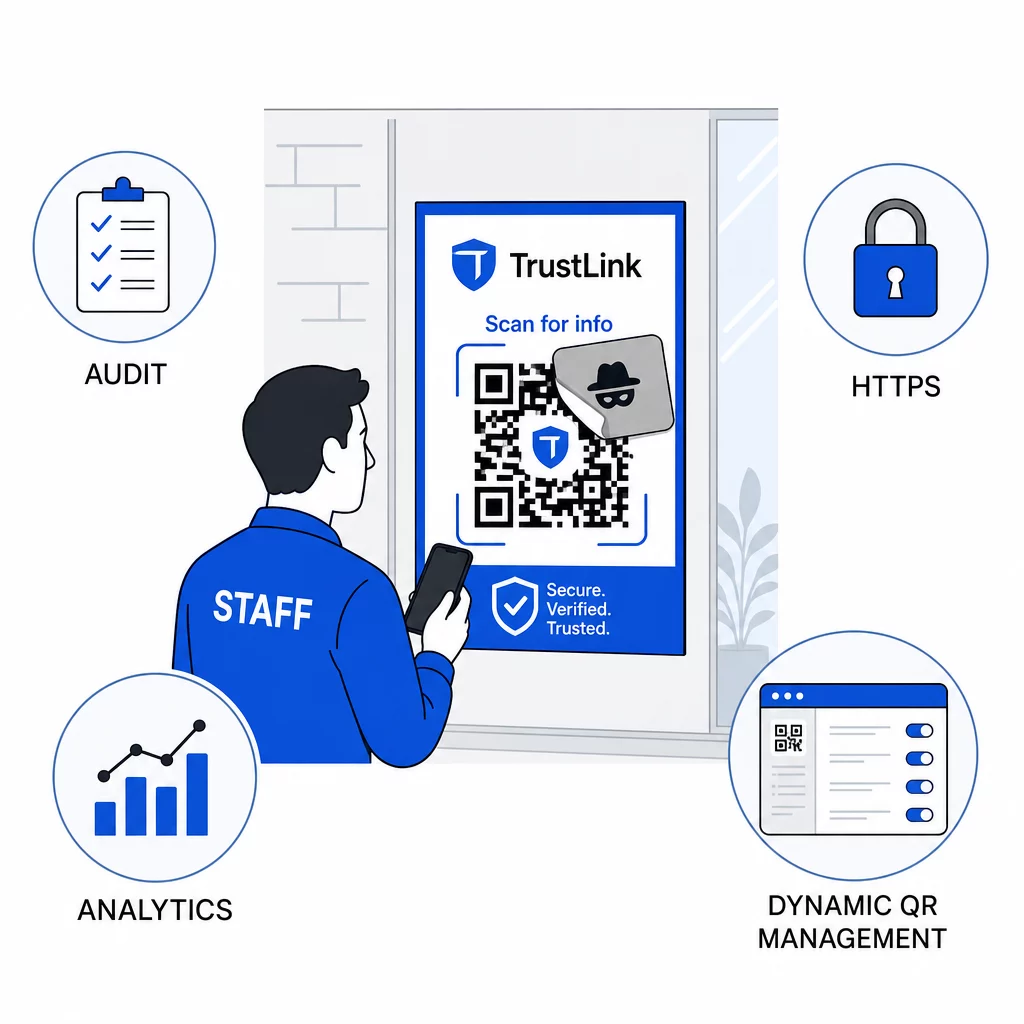
Používajte výhradne ciele HTTPS. Každá URL adresa, na ktorú odkazujú vaše QR kódy, by mala používať HTTPS. Posielanie používateľov na nešifrovaný cieľ HTTP podkopáva dôveru a vystavuje dáta počas prenosu.
Pre ďalšie usmernenia k rizík pre súkromie QR kódov a ako sa im vyhnúť, vrátane toho, ako vyvážiť analytiku s ochranou súkromia používateľov, tento zdroj pokrýva dátové aspekty, ktoré podniky často prehliadajú.
Hodnotenie nástrojov na detekciu
Školenie zamestnancov a kontroly platformy riešia významnú časť rizika, ale špecializované nástroje na detekciu pridávajú ďalšiu vrstvu – najmä pre organizácie s vysokým objemom e-mailov alebo komplexnými nasadeniami QR kódov. Ak hodnotíte možnosti, nástroje určené na detekciu phishingu QR kódov siahajú od podnikových platforiem behaviorálnej analýzy po doplnky e-mailových brán a mobilné skenovacie aplikácie so zabudovanými kontrolami reputácie.
Správna kombinácia závisí od vášho existujúceho bezpečnostného balíka, objemu QR kódov, ktoré prijímate oproti tým, ktoré nasadzujete, a od toho, či je fyzické manipulovanie významným problémom pre vaše lokality. Quishing nie je hypotetická hrozba. Predstavuje významný podiel skutočnej phishingovej aktivity, obchádza kontroly, ktoré väčšina organizácií už má zavedené, a neúmerne sa zameriava na podniky a používateľov, ktorí sú najmenej vybavení na to, aby ho rozpoznali. Uzavretie tejto medzery si vyžaduje zámerné kroky v oblasti zabezpečenia e-mailov, kontrol identity, školenia zamestnancov a QR kódov, ktoré sami publikujete.
Začnite s kontrolami, ktoré môžete implementovať okamžite – MFA, povedomie zamestnancov a prechod vašich publikovaných kódov na dynamickú správu – a potom budujte smerom k vrstvenej obrane, ktorá zabezpečí, že útoky quishingom budú proti vašej organizácii trvalo neúspešné.
Často kladené otázky
Bežný phishing zvyčajne používa viditeľné URL adresy v texte e-mailu alebo hypertextové odkazy, ktoré si vyškolený používateľ môže skontrolovať pred kliknutím. Phishing pomocou QR kódu úplne skrýva cieľ – škodlivá URL adresa je zakódovaná vo vnútri obrázka, neviditeľná až do naskenovania. To tiež sťažuje detekciu e-mailovými bezpečnostnými filtrami, pretože vidia obrázok namiesto odkazu. Výsledkom je, že phishing pomocou QR kódu obchádza mnohé kontroly, ktoré účinne zachytávajú textový phishing.
Zamerajte sa najprv na kontroly s najvyšším dopadom: povoľte viacfaktorovú autentifikáciu na všetkých účtoch, vyškolte zamestnancov, aby považovali neočakávané QR kódy za podozrivé a overovali ich prostredníctvom nezávislých kanálov, a prepnite všetky zverejnené QR kódy zo statických na dynamické, aby ste ich mohli aktualizovať alebo zakázať, ak sa zistí problém. Tieto kroky stoja málo a eliminujú najbežnejšie útočné cesty. Používajte skener QR kódov s funkciou náhľadu URL pred skenovaním neznámych kódov a vytvorte jasný proces pre zamestnancov na nahlasovanie podozrivých kódov IT oddeleniu.
Statické QR kódy trvalo kódujú cieľovú URL adresu.