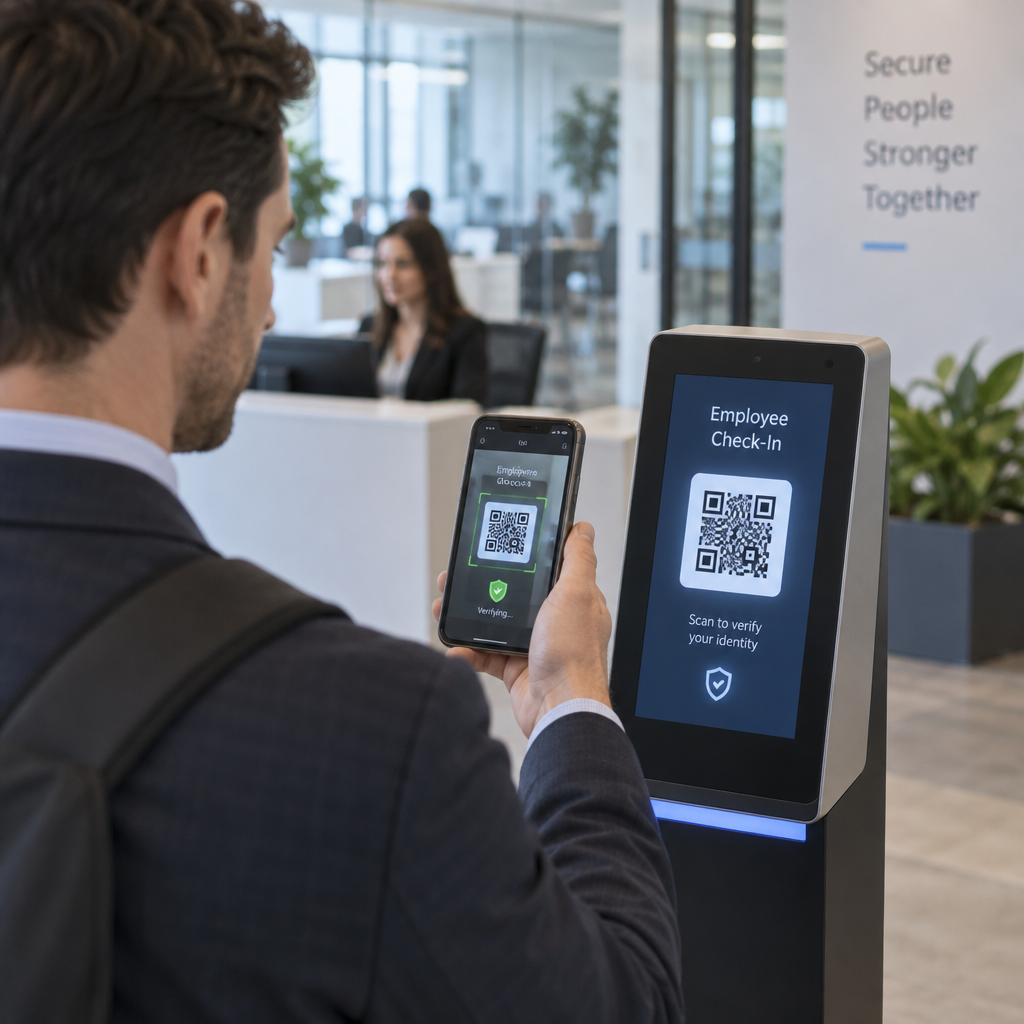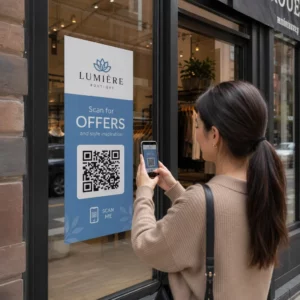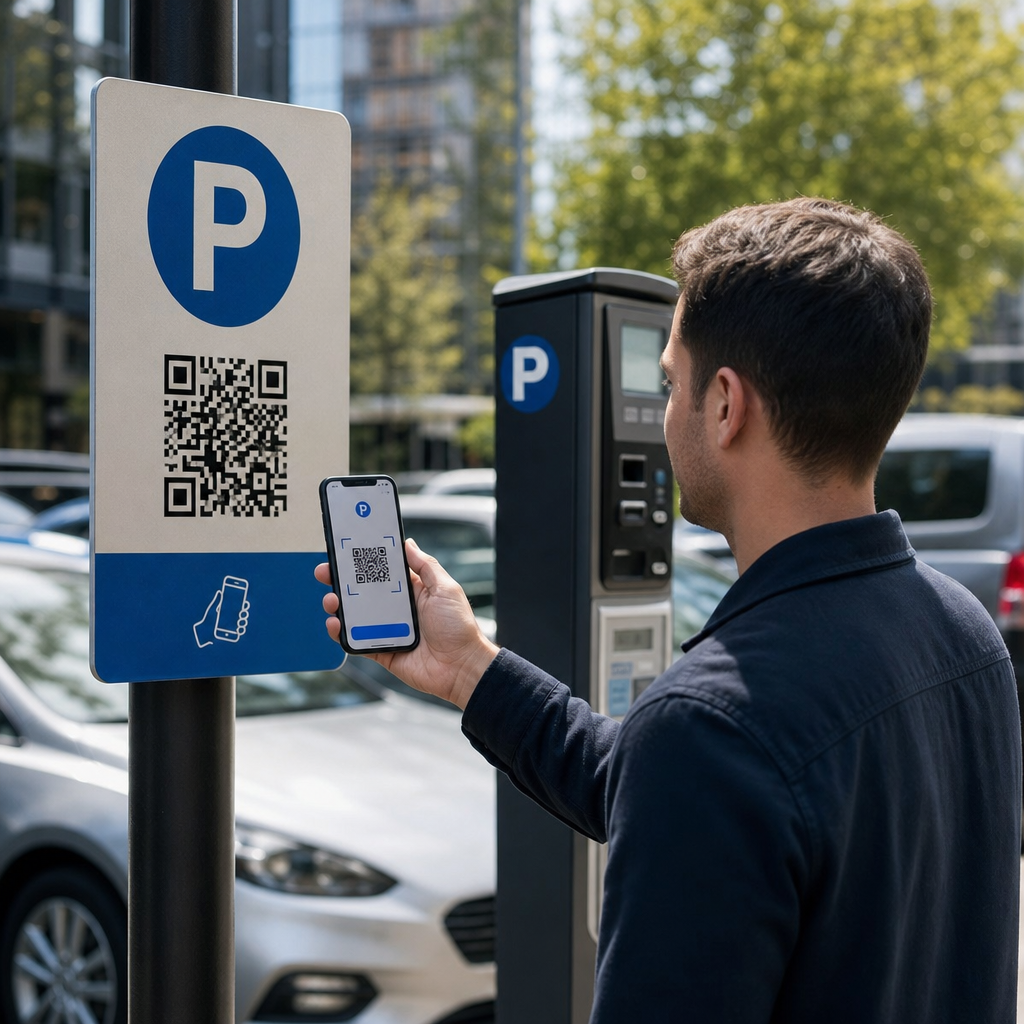
Nu sunteți sigur dacă codul QR de pe acel parcometru este legitim sau o înșelătorie? Codurile QR false pentru parcare reprezintă o amenințare activă și în creștere, fraudatorii plasând autocolante contrafăcute direct peste semnalizarea oficială pentru a fura detaliile de plată. Acest ghid explică exact cum funcționează sistemele autentice de parcare cu cod QR – și cum șoferii și operatorii de parcare pot face diferența.
Cum funcționează sistemele de plată a parcării cu cod QR
Sistemele legitime de parcare cu cod QR urmează un flux de lucru simplu de scanare pentru plată. Când ajungeți la o facilitate de parcare, veți găsi un cod QR afișat pe semnalizarea de la chioșc, panoul de tarife, holul liftului, casa scărilor sau ieșirea din clădire. Înțelegerea fiecărui pas vă ajută să recunoașteți când ceva nu este în regulă.
Începeți prin a scana codul folosind camera încorporată a smartphone-ului dumneavoastră sau o aplicație dedicată Scanare cod QR. Nu este necesară descărcarea unei aplicații – codul deschide o pagină de plată optimizată pentru mobil direct în browserul dumneavoastră. De acolo, introduceți numărul plăcuței de înmatriculare, astfel încât sistemul să poată asocia vehiculul dumneavoastră cu sesiunea de parcare și să permită verificarea aplicării legii. Apoi selectați durata parcării – orară, zilnică, săptămânală sau lunară – și finalizați plata folosind un card de credit sau debit, Apple Pay, Google Pay, Samsung Pay sau o altă metodă acceptată. Întreaga tranzacție este fără numerar și contactless. Pentru parcările fără bariere, sistemul de gestionare a parcării se actualizează automat la confirmare, astfel încât aplicarea legii poate verifica sesiunea dumneavoastră după plăcuță, mai degrabă decât printr-un tichet fizic.
O notă practică importantă: deoarece pagina de plată este online, aveți nevoie de conectivitate celulară sau Wi-Fi fiabilă în momentul plății. Dacă semnalul dumneavoastră este slab, mutați-vă într-o zonă cu o acoperire mai bună înainte de a scana.
De ce operatorii folosesc coduri QR pentru parcare
Parcarea bazată pe coduri QR elimină punctele tradiționale de fricțiune atât pentru șoferi, cât și pentru administratorii de facilități. Pentru șoferi, nu există bilete de urmărit, nu există cozi la o stație de plată și nu este nevoie să vă întoarceți la mașină înainte de a părăsi o facilitate – puteți plăti de pe telefon oriunde în clădire. Pentru operatori, codurile QR reduc dependența de hardware și permit ca o tranzacție completă de parcare să aibă loc pe telefonul clientului printr-un browser standard.
Operatorii de parcare care implementează aceste sisteme pot, de asemenea, să urmărească confirmarea plății în timp real și să semnaleze sesiunile neplătite fără a necesita verificări fizice ale biletelor la porțile de ieșire. Rezultatul este o operațiune mai eficientă care se scalează fără a adăuga hardware scump la fiecare punct de plată.
Adevărata Amenințare: Autocolante False cu Coduri QR
Comoditatea plăților de parcare cu coduri QR a atras un tip specific de fraudă. Escrocii plasează fizic autocolante false cu coduri QR peste semnalizarea legitimă de parcare. Atunci când un șofer neștiutor scanează codul fals, este redirecționat către o pagină de plată falsificată care arată ca cea reală – dar există doar pentru a captura detaliile cardului.
FTC a avertizat în mod explicit cu privire la această tactică, menționând că codurile frauduloase pot trimite utilizatorii către site-uri web falsificate sau chiar pot instala malware pe dispozitivele lor. Un caz bine documentat în Austin, Texas, a înregistrat 29 de coduri QR false plasate pe parcometrele orașului, ducând la furtul detaliilor cardurilor de credit și la achiziții neautorizate. În Marea Britanie, șoferii din York au pierdut până la 400 de lire sterline fiecare după ce au scanat autocolante QR false pe semnalizarea parcărilor consiliului care imita serviciul legitim PayByPhone – un caz detaliat în Avertisment privind escrocheria cu coduri QR pentru parcare pentru șoferii din Marea Britanie.
Aceste incidente nu sunt eșecuri ale tehnologiei de plată QR în sine. Ele sunt rezultatul manipulării semnalizării fizice și al impersonării mărcii și sunt în întregime prevenibile cu precauțiile corecte de ambele părți ale tranzacției.
Cum să Verifici un Cod QR de Parcare Înainte de a Scana
Atât șoferii, cât și operatorii de parcare pot lua măsuri concrete pentru a evita să cadă victime ale codurilor QR false.
Pentru șoferi:
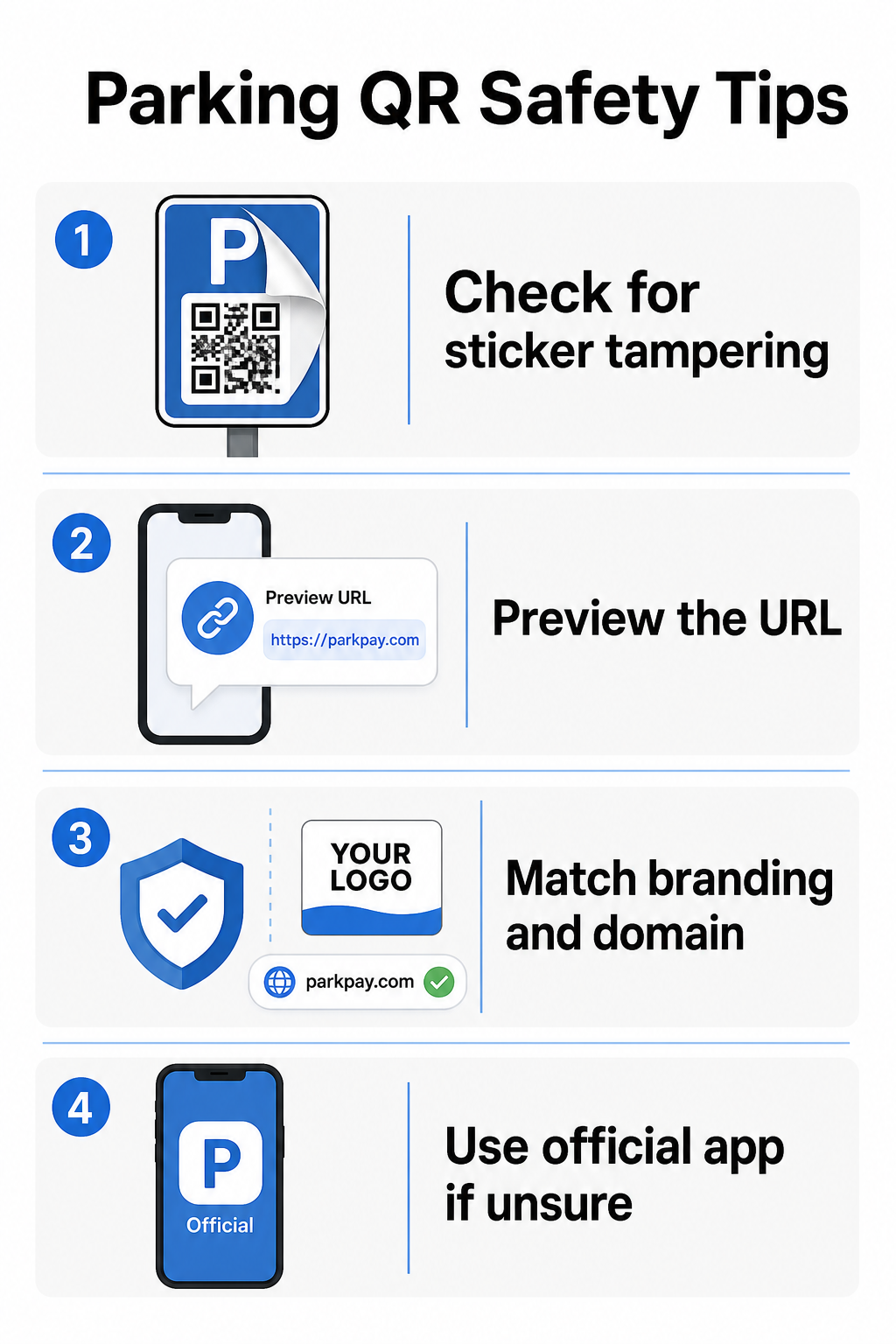
- Căutați autocolante plasate peste semnalizarea existentă. Codurile legitime sunt de obicei imprimate direct pe semnalizarea oficială, nu aplicate ca autocolante ulterioare. Un autocolant așezat peste o altă suprafață este un semnal de alarmă.
- Previzualizați URL-ul înainte de a accesa. Majoritatea smartphone-urilor vă permit să apăsați și să mențineți un cod QR pentru a previzualiza linkul de destinație. Verificați dacă există greșeli de scriere, litere inversate sau domenii necunoscute – acestea sunt semne ale unui site falsificat.
- Verificați brandingul pe pagina de plată. Pagina care se deschide ar trebui să corespundă brandului cunoscut al operatorului. Dacă logo-urile, culorile sau numele de domeniu par suspecte, nu continuați.
- Utilizați aplicația oficială sau o metodă de plată alternativă dacă aveți îndoieli. Autoritățile de parcare orășenești și municipale listează de obicei aplicații oficiale de plată pe semnalizarea lor. Dacă un cod QR pare suspect, plătiți prin aplicația oficială sau contactați direct operatorul de parcare.
- Nu scanați coduri QR trimise în e-mailuri sau mesaje text neașteptate care vă îndeamnă să acționați imediat – operatorii de parcare legitimi nu trimit solicitări de plată nesolicitate.
- Mențineți sistemul de operare al telefonului actualizat și utilizați parole puternice cu autentificare multi-factor pe conturile dumneavoastră pentru a limita daunele potențiale dacă ajungeți pe o pagină malițioasă.
Pentru operatorii de parcare:
- Utilizare materiale de semnalizare cu dovezi de manipulare care fac vizual evident dacă un autocolant a fost aplicat peste codurile oficiale.
- Efectuați inspecții fizice regulate a tuturor semnalizărilor cu coduri QR în întreaga dumneavoastră facilitate.
- Utilizare codurilor QR de brand cu logo-ul și schema de culori imprimate direct în designul codului, făcând contrafacerea semnificativ mai dificilă.
- Dacă este descoperit un cod fraudulos, eliminați-l imediat, documentați incidentul cu fotografii, notificați partenerii de plată și sfătuiți șoferii afectați să conteste plățile la banca sau emitentul cardului lor.
Configurarea plăților cu cod QR pentru o afacere de parcare
Dacă operați o facilitate de parcare și doriți să implementați un sistem legitim de plată bazat pe QR, procesul începe cu o adresă URL de plată – cum ar fi un link către portalul dumneavoastră de plată, pagina de finalizare a comenzii PayPal sau un formular de plată găzduit de Stripe – și un generator de coduri QR fiabil.
Creați un cod QR de plată personalizat cu brandul Inserați adresa URL de plată în Generator cod QR PayPal pentru a crea un cod personalizat, descărcabil, cu logo-ul și culorile brandului dumneavoastră – făcând contrafacerea mai dificilă și mai ușor de încredere pentru șoferi.
Utilizarea unui Generator de coduri QR pentru linkuri vă permite să codificați orice adresă URL a paginii de plată într-un cod scanabil. Pentru operațiuni continue, codurile QR dinamice oferă un avantaj semnificativ: puteți actualiza adresa URL de destinație în orice moment fără a retipări semnalizarea. Dacă furnizorul dumneavoastră de plăți se schimbă, adresa URL de finalizare a comenzii se actualizează sau un cod este compromis, pur și simplu redirecționați codul existent către noua destinație din tabloul de bord.
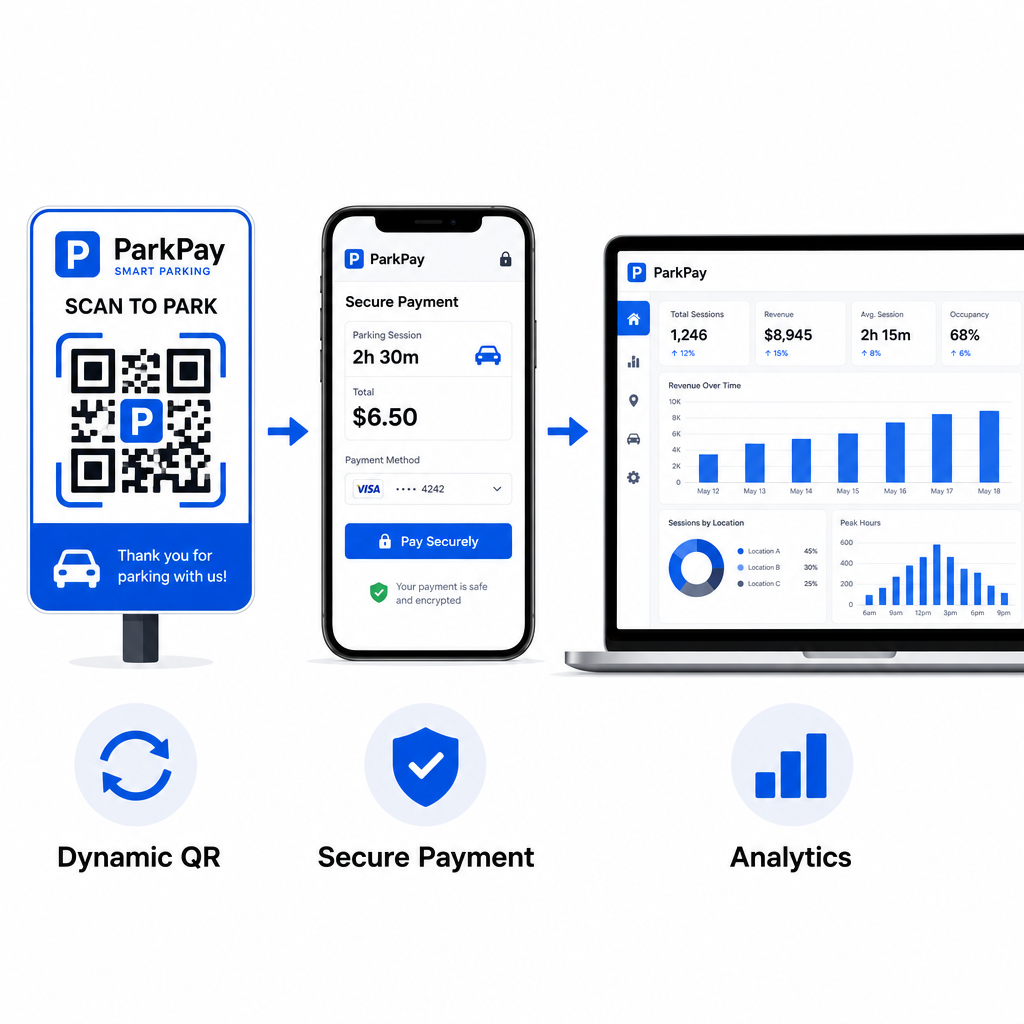
Codurile dinamice vă oferă, de asemenea, acces la analize de scanare în timp real – număr de scanări, marcaje temporale, locații și tipuri de dispozitive – astfel încât să puteți monitoriza activitatea neobișnuită. O creștere bruscă a scanărilor din locații neașteptate, de exemplu, ar putea indica faptul că un cod a fost copiat și distribuit fraudulos. Puteți citi mai multe despre cum plățile cu cod QR funcționează în diferite contexte de afaceri pentru a vedea cum se aplică aceleași principii dincolo de parcare.
Urmăriți fiecare scanare în timp real Folosește Pageloot’s Generator de coduri QR pentru a crea coduri dinamice de plată pentru parcare cu analize complete de scanare. Monitorizați performanța, detectați anomaliile și actualizați destinațiile instantaneu – totul dintr-un singur tablou de bord.
Pentru afacerile care explorează codurile QR în multiple cazuri de utilizare dincolo de parcare, pagina de soluții industriale Pageloot acoperă aplicații în retail, ospitalitate, evenimente și multe altele.
Ce face un cod QR de parcare sigur
Sistemele legitime de plată cu cod QR pentru parcare stratifică mai multe protecții pe care escrocii nu le pot replica ușor:
| Caracteristică de securitate | Ce face |
|---|---|
| Design QR personalizat | Logo-ul și culorile încorporate în cod fac contrafacerea vizual evidentă |
| Destinație criptată SSL | Pagina de plată utilizează HTTPS, protejând datele în tranzit |
| Redirecționări dinamice | Operatorul poate dezactiva sau redirecționa un cod compromis instantaneu |
| Monitorizarea scanărilor | Modelele de scanare neobișnuite declanșează alerte înainte de apariția fraudei pe scară largă |
| Semnalizare cu dovezi de manipulare | Materialele fizice prezintă semne evidente de interferență |
Pentru o privire mai aprofundată asupra modului în care aceste straturi funcționează împreună, ghidurile despre securitatea și viteza plăților cu cod QR și gestionarea riscurilor codurilor QR în plăți acoperă în detaliu aspectele tehnice și operaționale.
Protejarea afacerii dumneavoastră de frauda cu coduri QR
Dincolo de parcare, frauda cu coduri QR este o preocupare în creștere în toate industriile. Aceleași principii se aplică peste tot: coduri personalizate cu brandul, destinații dinamice, audituri regulate și educarea persoanelor care interacționează cu codurile dumneavoastră. Pentru o prezentare completă a strategiilor defensive, consultați ghidul despre cum să vă protejați afacerea de escrocheriile cu coduri QR și prezentarea generală a riscuri de confidențialitate ale codurilor QR și cum să le eviți.
Plățile cu cod QR pentru parcare sunt cu adevărat convenabile și sigure atunci când sunt implementate corect – riscul constă în manipulare, nu în tehnologia în sine. Fie că sunteți un șofer care confirmă un cod înainte de a scana sau un operator care construiește un sistem de plată contactless, pașii de mai sus vă oferă un cadru clar pentru a rămâne în siguranță. Dacă sunteți gata să implementați un cod QR de plată personalizat cu brandul, urmăribil pentru facilitatea dumneavoastră, Generator cod QR PayPal este un punct de plecare practic.
Întrebări frecvente
Căutați autocolante plasate peste semnalizarea existentă, ceea ce este un semn comun de manipulare. Înainte de a accesa, apăsați și mențineți codul QR cu smartphone-ul pentru a previzualiza URL-ul – verificați dacă există greșeli de scriere sau nume de domenii necunoscute. Pagina de plată care se deschide ar trebui să corespundă brandingului cunoscut al operatorului. Dacă ceva pare în neregulă, plătiți folosind aplicația oficială de parcare listată pe semnalizare sau contactați direct unitatea.
Nu. Majoritatea sistemelor de plată a parcării bazate pe QR deschid o pagină de plată.
Îndepărtați imediat semnalizarea frauduloasă și documentați incidentul cu fotografii. Notificați echipa dumneavoastră internă și partenerii de procesare a plăților. Sfătuiți orice șoferi afectați potențial să contacteze banca sau emitentul cardului lor pentru a contesta taxele neautorizate. Pe viitor, utilizați materiale de semnalizare rezistente la manipulare, efectuați inspecții regulate și luați în considerare trecerea la coduri QR dinamice, astfel încât orice cod compromis să poată fi dezactivat și redirecționat instantaneu din tabloul de bord de management.