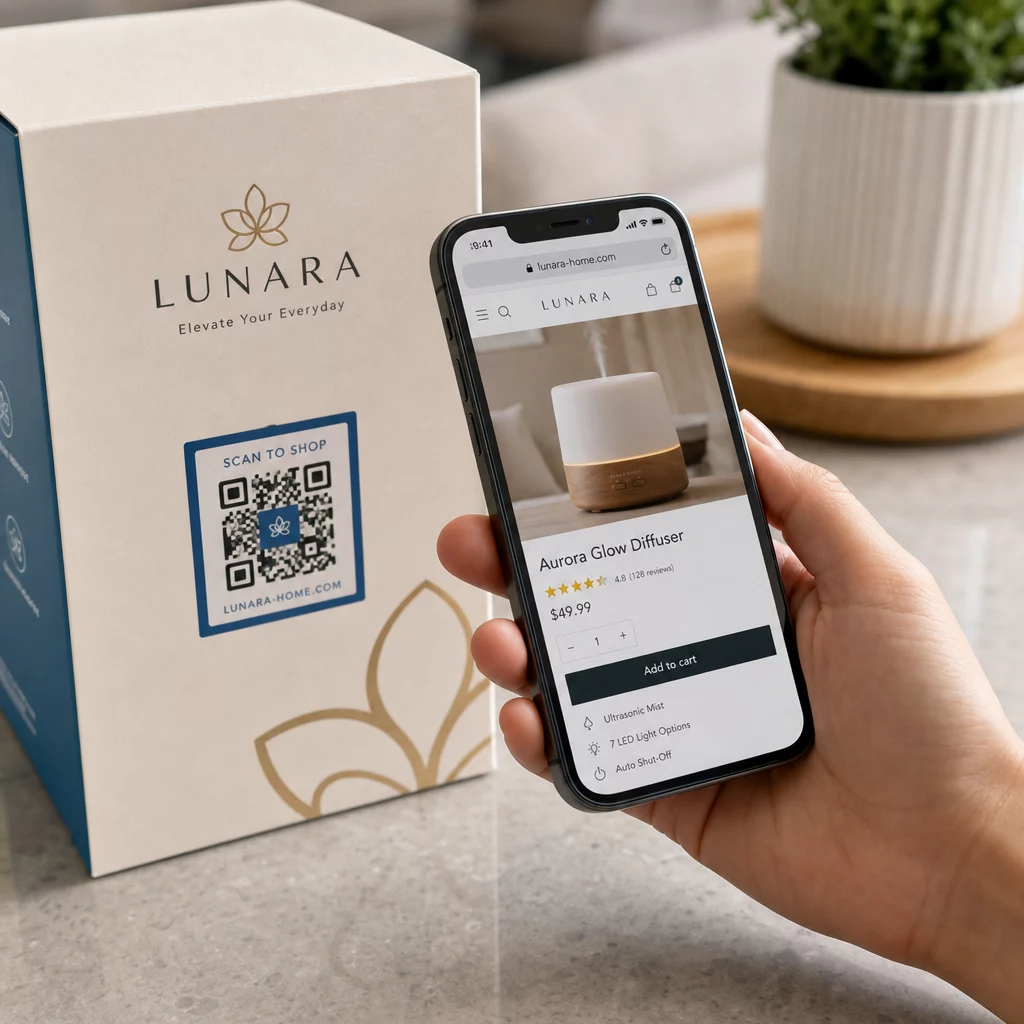
Adakah usaha pemasaran anda menjana trafik tetapi tidak menukarkannya kepada jualan? Jurang antara pelanggan menemui produk anda dan menyelesaikan pembelian adalah di mana kebanyakan pendapatan e-dagang hilang. Kod QR merapatkan jurang itu dengan menghubungkan titik sentuh fizikal secara langsung kepada pengalaman pembelian digital – dan ia boleh diukur setiap langkah.
Mengapa Kod QR Perlu Ada dalam Strategi E-Dagang Anda
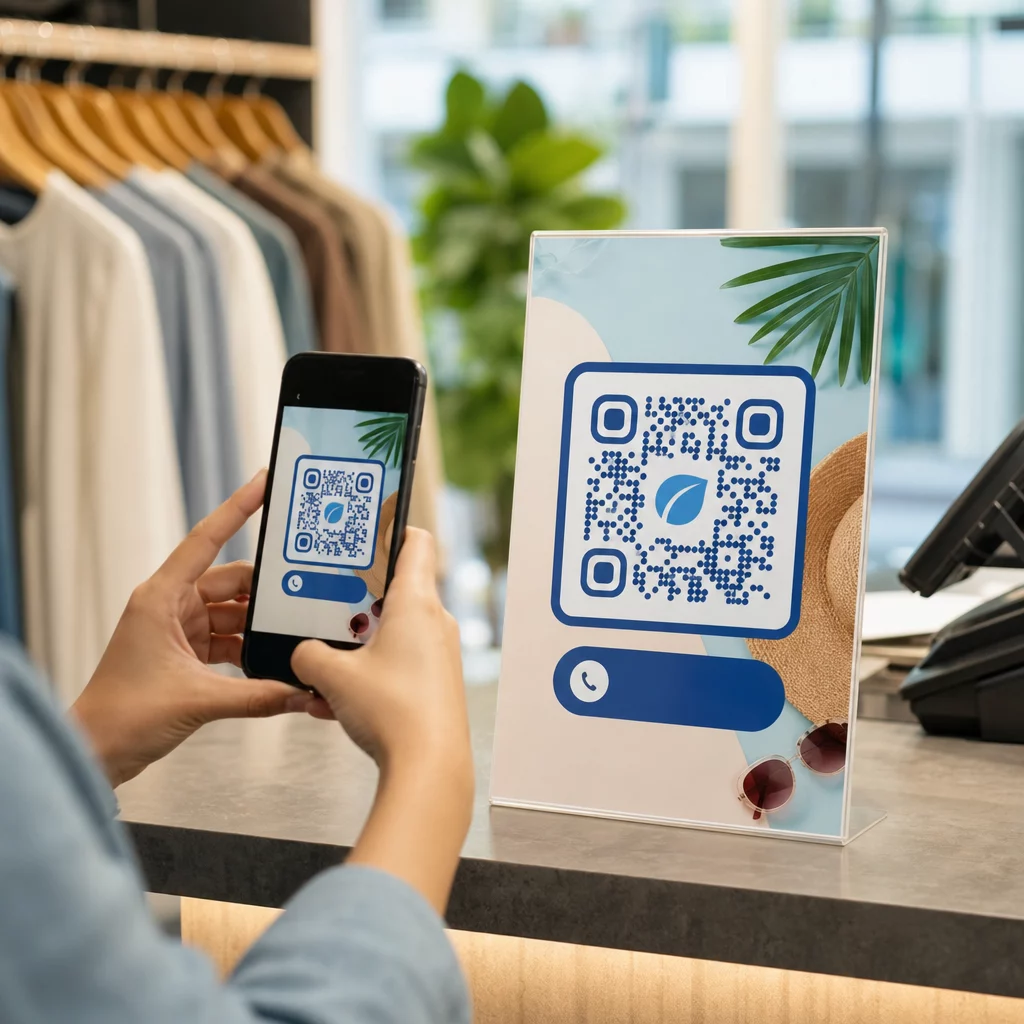
Penerimaan kod QR oleh pengguna telah mencapai tahap di mana geseran untuk mengimbas adalah minimum. Menurut data industri, 64% pembeli mengimbas kod QR pada produk semasa membeli-belah di kedai, dan 42% mengatakan kod QR telah meningkatkan pengalaman membeli-belah secara peribadi mereka dengan ketara. Peralihan tingkah laku itu mewujudkan peluang sebenar bagi jenama e-dagang untuk bertemu pelanggan di mana mereka sudah berada.
Bagi penjual dalam talian, kod QR mempunyai dua tujuan: ia mempercepatkan laluan pembelian dengan menghapuskan langkah tambahan, dan ia menjana data tahap imbasan yang membantu anda memahami dengan tepat bagaimana kempen anda berfungsi. A kod QR dinamik melangkah lebih jauh – ia membolehkan anda mengemas kini URL destinasi pada bila-bila masa tanpa mencetak semula, yang bermaksud kod pada pembungkusan produk boleh menunjuk kepada promosi bermusim hari ini dan tutorial produk bulan depan.
Faedah utama untuk perniagaan e-dagang termasuk:
- Geseran pembelian yang berkurangan – Pelanggan mengimbas dan mendarat terus di halaman produk atau aliran pembayaran, memintas carian sepenuhnya
- Kesinambungan merentas saluran – Pembungkusan fizikal, iklan bercetak, dan bahan e-mel semuanya bersambung dengan lancar ke kedai digital anda
- Penglibatan yang boleh diukur – Analitik imbasan mendedahkan penempatan mana yang menjana trafik paling banyak dan mana yang menukar
- Kandungan fleksibel – Kod dinamik membolehkan anda menukar destinasi tanpa mengeluarkan semula bahan bercetak
- Penglibatan selepas pembelian – Sisipan pembungkusan dan bahan penghantaran menjadi saluran pemasaran aktif
Kes Penggunaan Utama untuk Kod QR E-Dagang
Memahami di mana kod QR memberikan nilai paling tinggi membantu anda mengutamakan di mana untuk bermula. Setiap kes penggunaan di bawah menangani titik geseran tertentu dalam perjalanan pelanggan.
Pautkan Produk Fizikal ke Kedai Dalam Talian
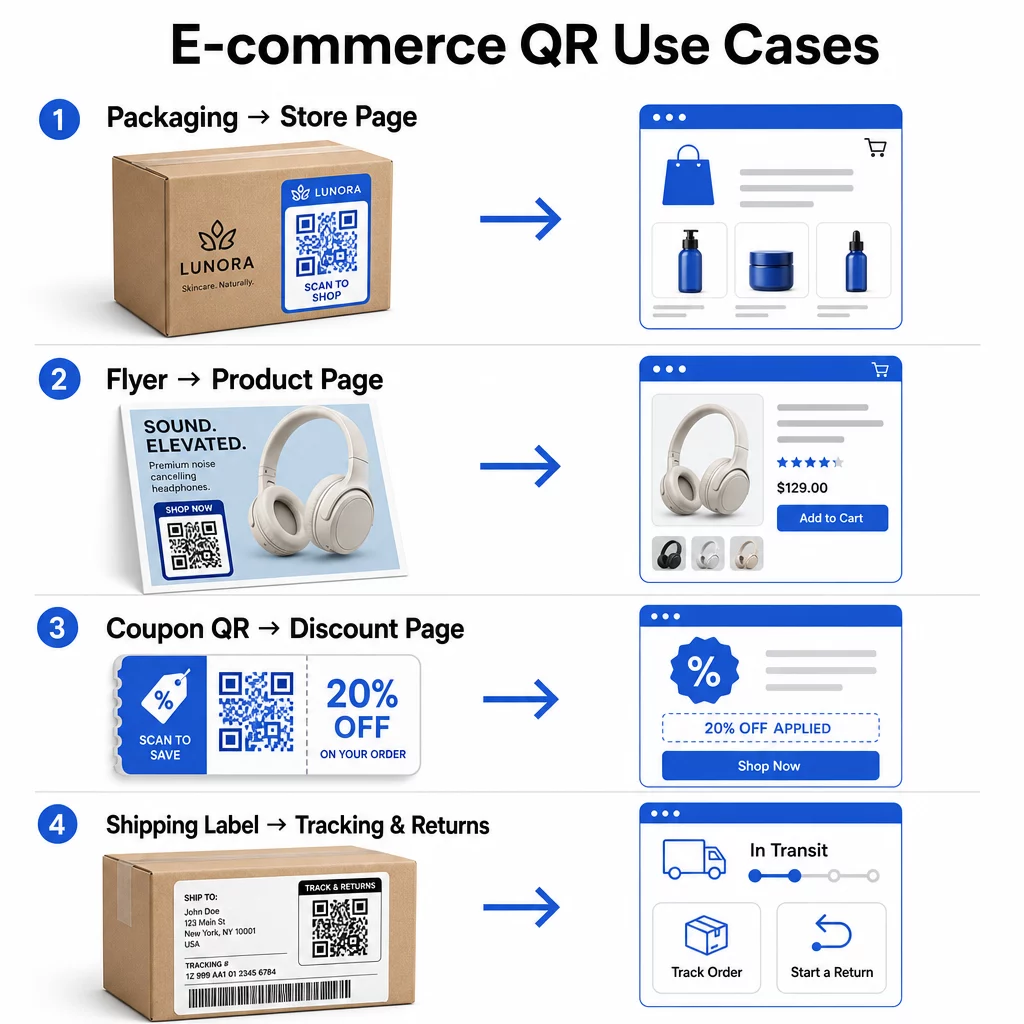
Pembungkusan produk adalah jambatan paling langsung antara item fizikal dan kedai digital anda. Kod QR pada kotak atau label boleh menghantar pelanggan ke halaman produk penuh, aksesori berkaitan, video arahan, atau pautan pesanan semula. Seorang pelanggan Pageloot meletakkan kod QR di dalam pembungkusan mereka dan melaporkan peningkatan 27% dalam lawatan berulang ke kedai Shopify mereka dalam tempoh dua minggu.
Pendekatan ini amat berharga untuk produk dengan lebih banyak butiran daripada yang muat pada label – ramuan, pensijilan, tutorial, dan maklumat waranti semuanya boleh berada di sebalik satu kod yang boleh diimbas. Ketahui lebih lanjut tentang kod QR pada pembungkusan dan bagaimana ia memberi manfaat kepada peruncitan.
Dorong Jualan dengan Kod QR Boleh Beli
Apabila pelanggan melihat produk anda dalam iklan cetak, katalog, atau paparan dalam kedai, kod QR menghapuskan langkah-langkah antara minat dan pembelian. Daripada mencari produk anda atau menaip URL, mereka mengimbas dan mendarat terus di halaman produk atau koleksi terpilih.
Gunakan a penjana kod QR pautan untuk menunjuk setiap kod ke URL tertentu. Dengan kod dinamik, anda boleh mengemas kini destinasi tersebut untuk mencerminkan ketersediaan stok, harga bermusim, atau pakej masa terhad tanpa mencetak semula sebarang bahan.
Tawarkan Kupon dan Promosi Terhad Masa
Kod QR amat berkesan untuk menyampaikan kod diskaun dan tawaran promosi kerana pengalaman itu serta-merta dan tanpa geseran. Pelanggan mengimbas, melihat halaman pendaratan kupon, dan boleh menebus tawaran serta-merta daripada mencari peti masuk mereka untuk kod promosi.
Letakkan kod promosi pada pembungkusan produk, resit bercetak, mel terus, dan papan tanda fizikal untuk menggalakkan pembelian pertama dan pesanan berulang. The Penjana QR code eCoupon membolehkan anda membina halaman pendaratan khusus dengan pelbagai tawaran dan seruan tindakan yang jelas.
Cipta Kod QR Kupon untuk Kedai Anda Paparkan tawaran sensitif masa, kod promosi, dan tawaran eksklusif pada halaman pendaratan berjenama yang dicapai pelanggan anda dengan satu imbasan. Gunakan Penjana QR code eCoupon untuk memulakan.
Dayakan Pembayaran Kod QR
Pembayaran tanpa sentuh adalah jangkaan yang semakin meningkat, terutamanya dalam persekitaran runcit dan perdagangan hibrid di mana pelanggan ingin membayar tanpa beratur di kaunter atau memasukkan butiran kad secara manual. Pembayaran kod QR berfungsi dengan mengarahkan pelanggan ke halaman pembayaran yang dihoskan – mereka mengimbas, mengesahkan jumlah, dan membayar menggunakan kad tersimpan atau dompet mudah alih seperti Apple Pay atau Google Pay.
Kod QR statik pautan ke halaman pembayaran generik di mana pelanggan memasukkan jumlah sendiri. Kod QR dinamik boleh dijana dengan data khusus transaksi supaya pelanggan hanya perlu mengesahkan dan memberi kebenaran. Bagi perniagaan yang mengendalikan pembayaran berulang atau jumlah berubah-ubah, kod pembayaran dinamik mengurangkan ralat input dan mempercepatkan proses pembayaran.
Keselamatan adalah pertimbangan kritikal di sini. Setiap kod QR pembayaran harus menggunakan destinasi yang disahkan dan dilindungi HTTPS. Gunakan kod dinamik jika boleh, kerana ia boleh dinyahaktifkan atau dikemas kini jika diganggu. The Buat QR untuk pembayaran PayPal menyediakan cara mudah untuk mencipta kod pembayaran yang mengarahkan pelanggan ke aliran pembayaran anda. Anda juga boleh menyemak amalan terbaik untuk pembayaran kod QR yang boleh diakses untuk memastikan pelaksanaan anda selamat dan inklusif.
Kumpul Ulasan Google dan Maklum Balas Pelanggan
Bukti sosial adalah salah satu aset paling berharga yang dimiliki oleh perniagaan e-dagang. Cabarannya ialah kebanyakan pelanggan yang berpuas hati tidak meninggalkan ulasan melainkan prosesnya tanpa geseran. Kod QR pada sisipan pembungkusan, kotak penghantaran, atau resit mengurangkan geseran itu kepada satu imbasan.
Arahkan kod terus ke halaman penyerahan ulasan Google anda supaya pelanggan mendarat tepat di tempat yang anda perlukan. The Cara buat QR Google review membolehkan anda mencipta dan menyesuaikan kod ulasan yang boleh anda benamkan merentasi bahan fizikal anda. Untuk pengumpulan maklum balas yang lebih luas, kod QR juga boleh memautkan kepada tinjauan selepas pembelian, membolehkan anda mengumpul pandangan berstruktur tentang pengalaman pembelian. Baca lebih lanjut tentang bagaimana kod QR menyokong perkhidmatan pelanggan e-dagang.
Perbaiki Logistik Penghantaran dan Pemulangan
Label penghantaran dan e-mel pengesahan pesanan adalah saluran pemasaran dan perkhidmatan yang kurang digunakan. Kod QR pada label penghantaran boleh memberikan pelanggan akses segera kepada kemas kini penjejakan masa nyata tanpa mereka perlu mencari nombor penjejakan dan memasukkannya secara manual.
Untuk pemulangan, kod QR yang memautkan terus ke borang permintaan pemulangan menghilangkan bahagian paling mengecewakan dalam pengalaman selepas pembelian. Jenama seperti IKEA telah mengguna pakai model ini – menghantar kod QR melalui e-mel atau SMS selepas pelanggan mendaftar pemulangan – untuk memperkemas logistik terbalik dan mengurangkan hubungan sokongan. Terokai bagaimana kod QR meningkatkan pengalaman penghantaran e-dagang dengan lebih terperinci.
Kembangkan Khalayak Media Sosial
Setiap kepingan pembungkusan fizikal adalah saluran berpotensi untuk mengembangkan pengikut sosial anda. Kod QR yang pautan terus ke profil Instagram, TikTok, atau YouTube anda boleh mengubah pembeli kali pertama menjadi pengikut jangka panjang tanpa sebarang perbelanjaan iklan tambahan.
Ini berfungsi dengan sangat baik dalam momen unboxing, di mana perhatian pelanggan tinggi dan semangat terhadap produk berada di kemuncaknya.
Cara Menjejaki Prestasi Kempen Kod QR
Menjana kod QR hanyalah separuh daripada kerja – memahami bagaimana ia berfungsi adalah apa yang membezakan eksperimen taktikal daripada strategi yang boleh diskalakan.
Kod QR Dinamik dan Analitik Terbina Dalam
Kod QR dinamik menyediakan penjejakan yang paling komprehensif kerana ia menghalakan imbasan melalui pengalihan yang diuruskan yang mencatat metrik dalam masa nyata. Platform pengurusan kod QR seperti Pageloot menangkap:
- Jumlah imbasan dan imbasan unik
- Masa dan tarikh setiap imbasan
- Lokasi geografi imbasan
- Jenis peranti dan sistem pengendalian
Data ini memberitahu anda penempatan mana yang mendorong penglibatan paling banyak, bila pelanggan paling berkemungkinan untuk mengimbas, dan di mana permintaan geografi tertumpu. Untuk melihat dengan lebih mendalam bagaimana penjejakan berfungsi, lihat panduan untuk menjejaki imbasan kod QR dan analitik.
Pantau Kempen Anda dalam Masa Nyata Ingin melihat dengan tepat di mana dan bila pelanggan anda mengimbas bahan anda? Gunakan Penjana dynamic QR code untuk mencipta kod yang boleh dijejak dan mengakses papan pemuka prestasi penuh hari ini.
Parameter UTM untuk Atribusi dalam Google Analytics
Untuk kempen di mana anda memerlukan prestasi kod QR untuk muncul bersama data saluran lain dalam Google Analytics, tambahkan parameter UTM ke URL destinasi sebelum menjana kod. Parameter UTM adalah cebisan pendek yang ditambahkan pada URL yang memberitahu platform analitik anda sumber, medium, dan nama kempen yang berkaitan dengan lawatan.
URL asas yang ditag UTM untuk kod QR pada pembungkusan produk mungkin kelihatan seperti:
“`
https://yourstore.com/product?utmsource=packaging&utmmedium=qrcode&utmcampaign=spring_launch
“`
Lima parameter UTM standard adalah:
- utm_source – Di mana trafik berasal (cth., `packaging`, `flyer`, `receipt`)
- utmmedium – Saluran pemasaran (cth., `qrcode`)
- utmcampaign – Nama kempen tertentu (cth., `springlaunch`)
- utm_term – Kata kunci, biasanya untuk kempen carian berbayar
- utm_content – Untuk membezakan pautan serupa atau varian kreatif
Setelah ditag, pendekkan URL dan jana kod QR anda daripada pautan yang dipendekkan. Imbasan kemudian akan muncul sebagai sumber trafik yang berbeza dalam laporan analitik anda, membolehkan anda mengukur kadar penukaran, hasil, dan tingkah laku khusus untuk trafik yang didorong oleh QR.
Amalan Terbaik Reka Bentuk Kod QR untuk E-Dagang
Kod QR yang pelanggan tidak boleh atau tidak akan imbas tidak memberikan nilai. Prinsip reka bentuk ini memastikan kod anda berfungsi dengan andal di semua penempatan:
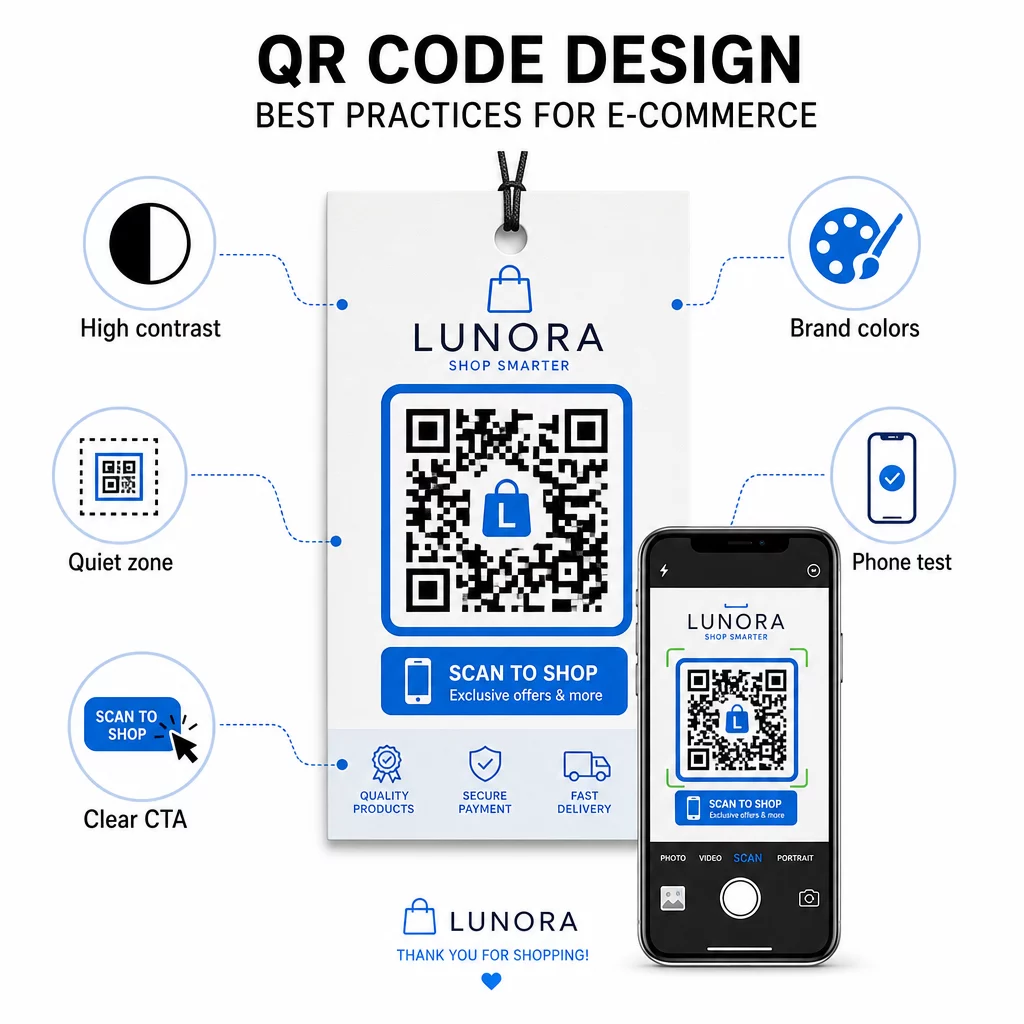
- Gunakan modul gelap pada latar belakang cerah – Hitam di atas putih memberikan kontras terkuat untuk pengecaman kamera dan lebih mudah diakses oleh pengguna dalam keadaan cahaya malap
- Kekalkan zon senyap – Kekalkan sekurang-kurangnya empat modul ruang kosong di sekeliling kod supaya grafik di sekeliling tidak mengganggu pengimbasan
- Ikut garis panduan saiz minimum – Sekurang-kurangnya 1 inci × 1 inci untuk bahan bercetak; lebih besar untuk papan tanda, di mana peraturan umum ialah jarak imbasan maksimum hendaklah kira-kira sepuluh kali lebar kod
- Sertakan seruan tindakan yang jelas – Labelkan kod dengan arahan ringkas seperti “Imbas untuk diskaun 10%” atau “Imbas untuk menjejaki pesanan anda” untuk mengurangkan keraguan dan meningkatkan kadar imbasan
- Uji sebelum anda mencetak – Sahkan kod mengimbas dengan betul pada saiz cetakan akhir, dari jarak yang dijangkakan, dalam pencahayaan realistik, dan merentasi pelbagai model telefon
Untuk halaman pendaratan mudah alih yang dipautkan dari kod QR anda, kelajuan muat dan susun atur mudah alih-pertama adalah kritikal. Halaman harus dimuatkan dalam masa kurang dari tiga saat, dan butang harus cukup besar untuk diketuk dengan mudah. Lihat amalan terbaik halaman pendaratan kod QR mudah alih untuk senarai semak terperinci.
Cara Membuat Kod QR untuk Kedai E-Dagang Anda
Bermula dengan kod QR untuk kedai anda memerlukan tiga langkah:
- Jana kod – Gunakan Penjana kod QR Pageloot untuk membuat kod QR dinamik yang dipautkan ke halaman produk, aliran pembayaran, borang ulasan, atau mana-mana destinasi lain. Pilih dinamik berbanding statik jika anda ingin mengemas kini destinasi kemudian atau menjejaki prestasi.
- Sesuaikan dan jenamakan ia – Tambah logo anda, padankan warna jenama anda, dan sertakan bingkai dengan label seruan bertindak. Kod berjenama membina pengiktirafan dan cenderung menjana lebih banyak imbasan berbanding kod hitam-putih biasa.
- Laksanakan dan pantau – Letakkan kod pada pembungkusan, e-mel, bahan bercetak, atau papan tanda dalam kedai. Gunakan papan pemuka analitik untuk menyemak prestasi imbasan dan menyesuaikan kempen berdasarkan apa yang berkesan.
Untuk idea pelaksanaan khusus industri, halaman penyelesaian kod QR e-dagang merangkumi kes penggunaan merentasi Shopify, WooCommerce, dan platform lain. Anda juga boleh melayari penyelesaian kod QR mengikut industri untuk konteks bagaimana sektor lain mendekati cabaran yang serupa.
Hasil dunia sebenar menunjukkan skala apa yang mungkin: kajian kes jenama e-dagang terkemuka menunjukkan hasil seperti peningkatan 130% dalam jualan dalam talian dan peningkatan 239% dalam penglibatan aplikasi daripada penempatan kod QR yang disasarkan. The kajian kes kod QR e-dagang halaman merangkumi contoh-contoh ini secara terperinci.
Kod QR berfungsi paling baik apabila ia menyelesaikan masalah khusus untuk pelanggan – mendapatkan maklumat dengan lebih cepat, membayar dengan lebih mudah, atau melengkapkan pemulangan tanpa kerumitan. Mulakan dengan satu atau dua titik sentuh bernilai tinggi, ukur hasilnya, dan kembangkan dari sana.
Soalan lazim
Kod QR statik mengekod URL destinasi secara langsung ke dalam corak dan tidak boleh diubah selepas penciptaan.
Kaedah paling boleh dipercayai menggabungkan dua pendekatan. Pertama, gunakan kod QR dinamik melalui platform pengurusan seperti Pageloot, yang merekodkan kiraan imbasan, cap masa, jenis peranti, dan lokasi geografi secara automatik. Kedua, tambahkan parameter UTM pada URL destinasi anda supaya imbasan muncul sebagai sumber trafik yang berbeza dalam Google Analytics, di mana anda boleh mengukur kadar penukaran dan hasil yang dikaitkan dengan setiap kod. Rujuk panduan penjejakan kod QR untuk arahan langkah demi langkah.
Penempatan dengan penglibatan tertinggi dalam e-dagang ialah pembungkusan produk, kotak penghantaran, sisipan pembungkusan, dan e-mel pengesahan pesanan. Titik sentuh ini menjangkau pelanggan pada saat niat tinggi – sejurus selepas pembelian atau semasa pengalaman membuka kotak – menjadikannya sesuai untuk mendorong ulasan, pembelian berulang, dan pengikut sosial. Bahan selepas pembelian seperti resit dan arahan pemulangan juga berkesan kerana pelanggan terlibat secara aktif dengan jenama anda pada masa itu.