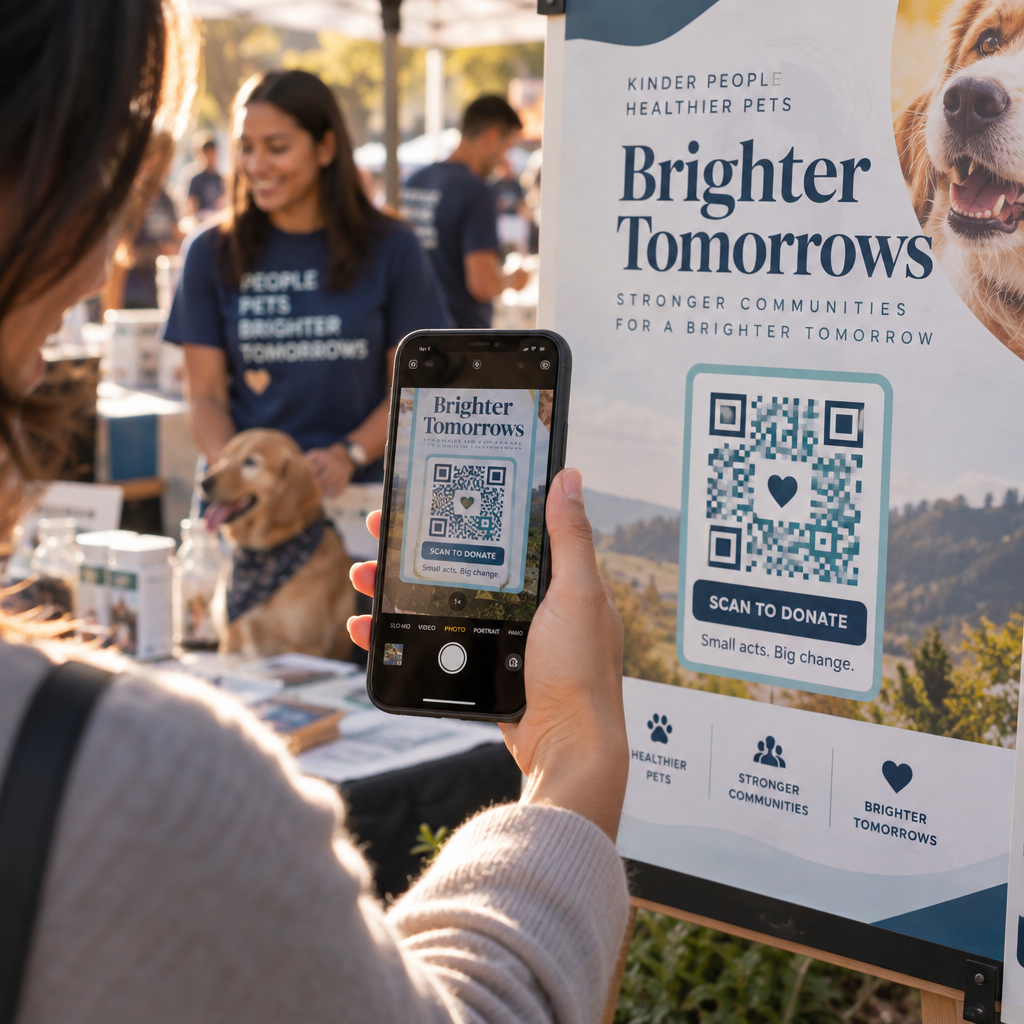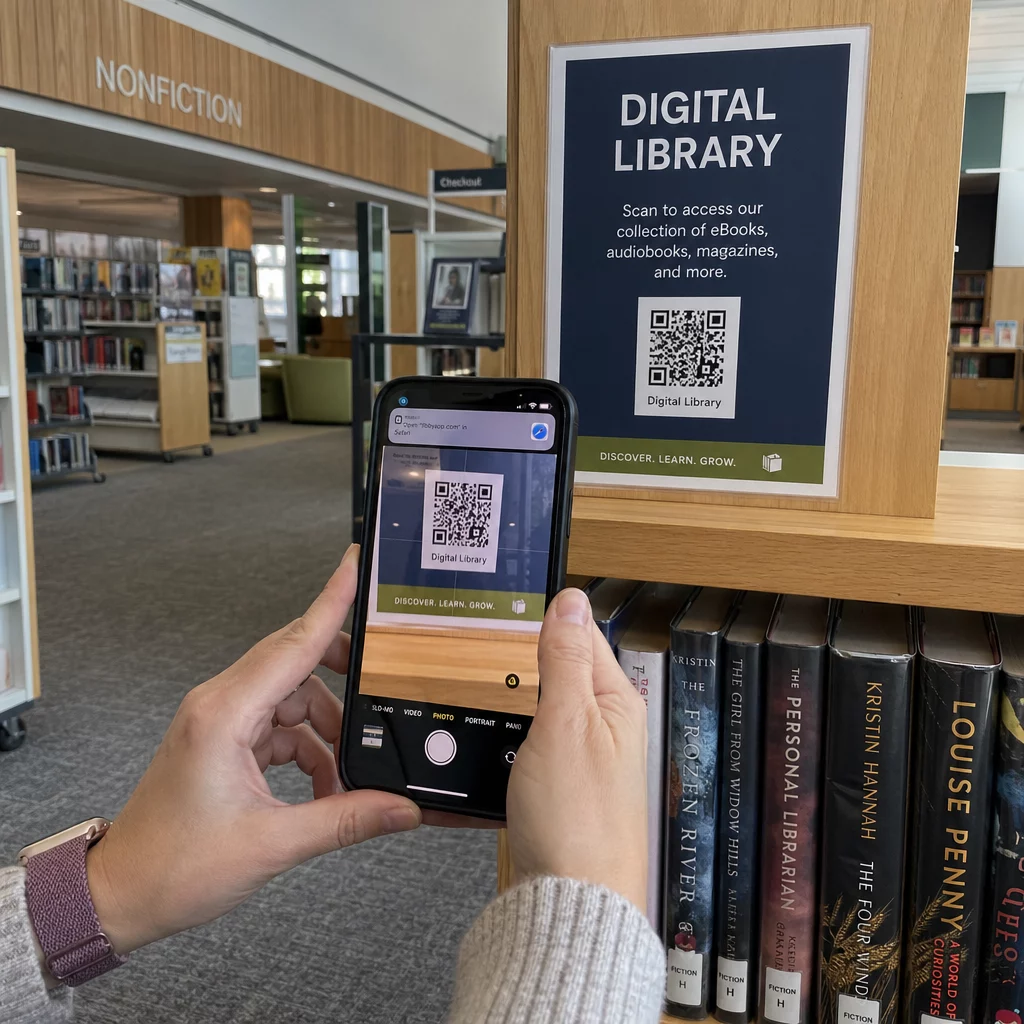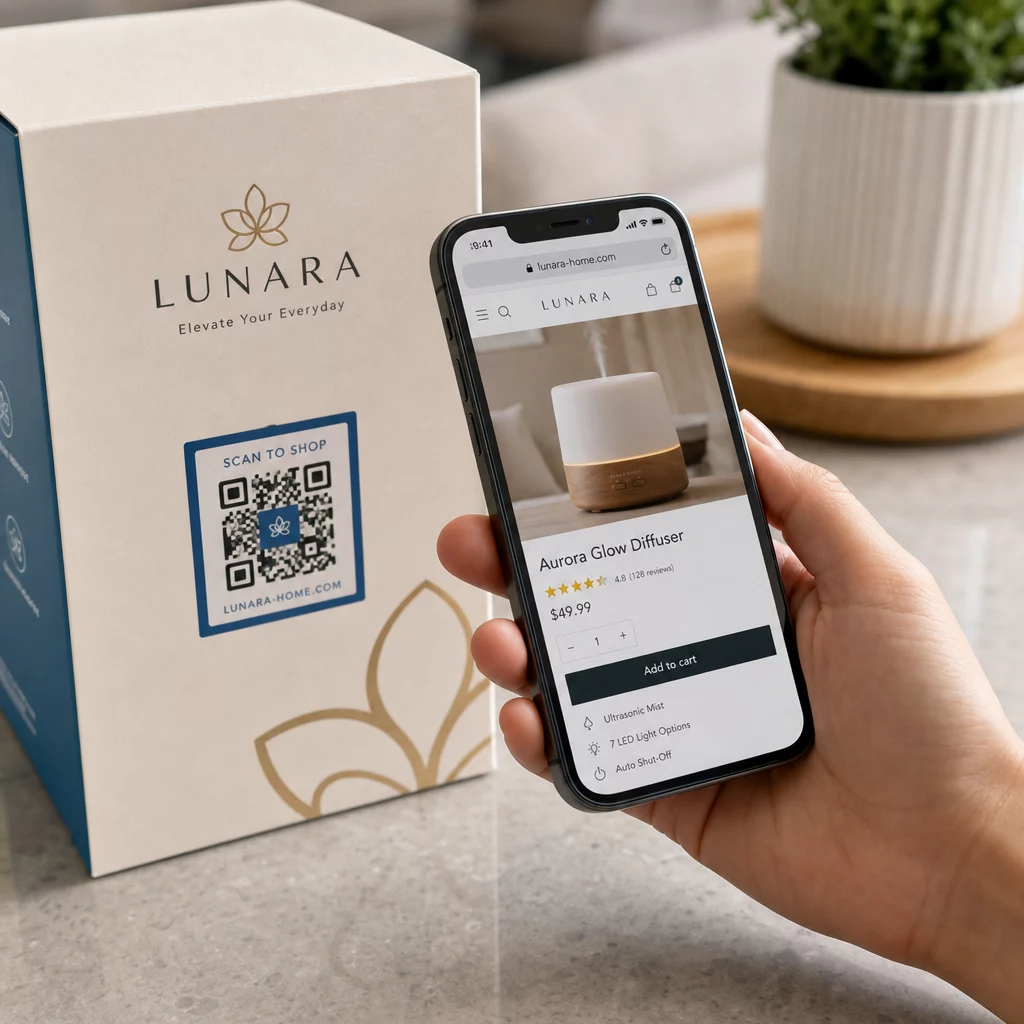
Pazarlama çabalarınız trafik çekiyor ancak bunu satışa dönüştüremiyor mu? Bir müşterinin ürününüzü keşfetmesi ile satın alma işlemini tamamlaması arasındaki boşluk, çoğu e-ticaret gelirinin kaybedildiği yerdir. QR kodları, fiziksel temas noktalarını doğrudan dijital satın alma deneyimlerine bağlayarak bu boşluğu kapatır ve her adımda ölçülebilirler.
QR Kodları Neden E-Ticaret Stratejinizde Olmalı?
Tüketicilerin QR kodlarını benimsemesi, tarama sürtünmesinin minimum olduğu bir noktaya ulaştı. Sektör verilerine göre, alışveriş yapanların 'ü mağazalarda alışveriş yaparken bir ürün üzerindeki QR kodunu taradı ve 'si QR kodlarının yüz yüze alışveriş deneyimlerini önemli ölçüde iyileştirdiğini söyledi. Bu davranışsal değişim, e-ticaret markaları için müşterilerle zaten bulundukları yerde buluşmak için gerçek bir fırsat yaratıyor.
Çevrimiçi satıcılar için QR kodları iki amaca hizmet eder: ekstra adımları ortadan kaldırarak satın alma yolunu hızlandırırlar ve kampanyalarınızın tam olarak nasıl performans gösterdiğini anlamanıza yardımcı olan tarama düzeyinde veriler üretirler. Bir dinamik QR kodu daha da ileri gider – hedef URL'yi yeniden basım yapmadan istediğiniz zaman güncellemenize olanak tanır, bu da ürün ambalajındaki bir kodun bugün mevsimlik bir promosyona ve gelecek ay bir ürün eğitimine işaret edebileceği anlamına gelir.
E-ticaret işletmeleri için temel faydalar şunlardır:
- Azaltılmış satın alma sürtünmesi – Müşteriler tarar ve doğrudan bir ürün sayfasına veya ödeme akışına iner, aramayı tamamen atlar
- Kanallar arası süreklilik – Fiziksel ambalajlar, basılı reklamlar ve e-posta materyalleri dijital mağazanıza sorunsuz bir şekilde bağlanır
- Ölçülebilir etkileşim – Tarama analizleri, hangi yerleşimlerin en çok trafiği çektiğini ve hangilerinin dönüştüğünü ortaya koyar
- Esnek içerik – Dinamik kodlar, basılı materyalleri yeniden yayınlamadan hedefleri değiştirmenize olanak tanır
- Satış sonrası etkileşim – Ambalaj ekleri ve nakliye materyalleri aktif pazarlama kanalları haline gelir
E-Ticaret QR Kodları için Temel Kullanım Durumları
QR kodlarının en çok değeri nerede sağladığını anlamak, nereden başlayacağınıza öncelik vermenize yardımcı olur. Aşağıdaki her kullanım durumu, müşteri yolculuğundaki belirli bir sürtünme noktasını ele alır.
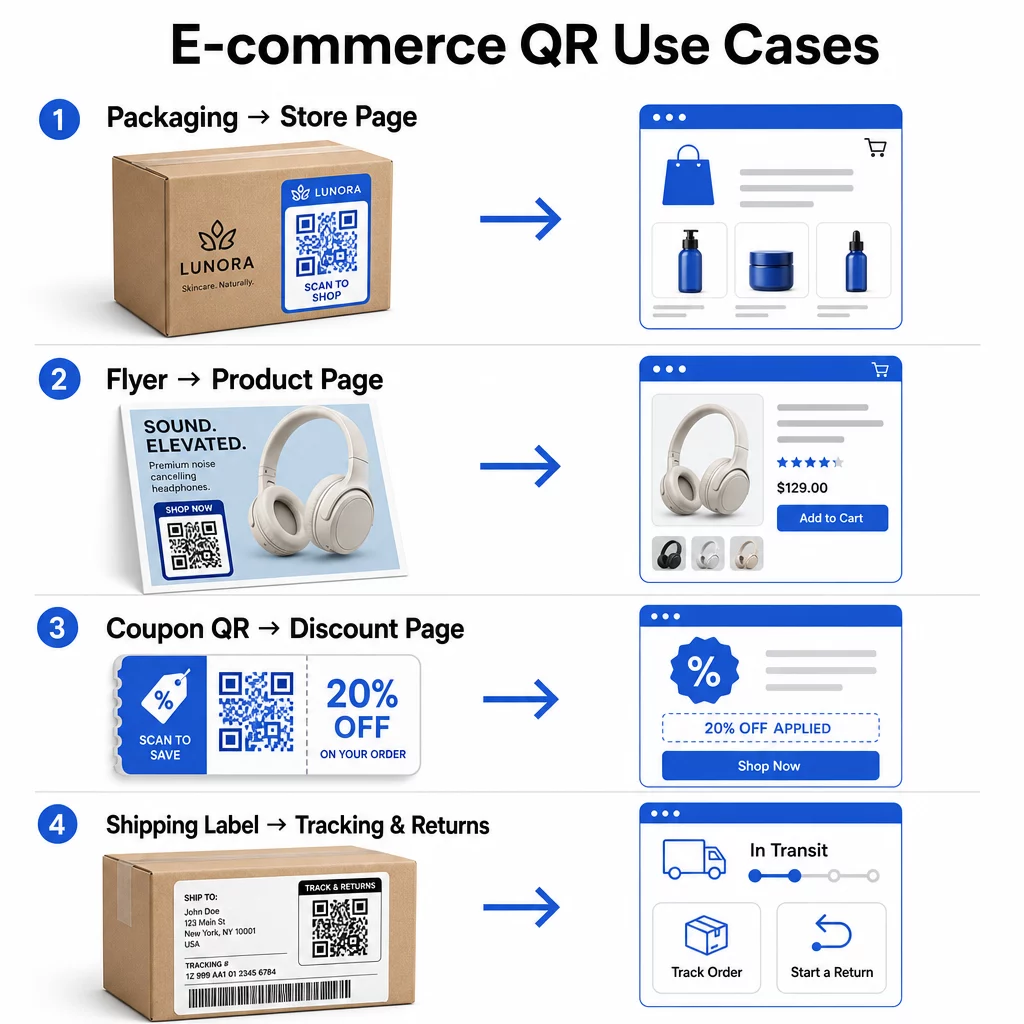
Fiziksel Ürünleri Çevrimiçi Mağazalara Bağlayın
Ürün ambalajı, fiziksel bir ürün ile dijital mağazanız arasındaki en doğrudan köprüdür. Kutu veya etiketteki bir QR kodu, müşterileri tam ürün sayfasına, ilgili aksesuarlara, eğitim videolarına veya yeniden sipariş bağlantısına yönlendirebilir. Bir Pageloot müşterisi, QR kodlarını ambalajlarının içine yerleştirdi ve iki hafta içinde Shopify mağazalarına tekrarlanan ziyaretlerde % artış bildirdi.
Bu yaklaşım, etikete sığandan daha fazla ayrıntıya sahip ürünler için özellikle değerlidir – içerikler, sertifikalar, eğitimler ve garanti bilgileri tek bir taranabilir kodun arkasında yer alabilir. Daha fazlasını öğrenin ambalajdaki QR kodları ve perakendeye nasıl fayda sağladıkları.
Alışveriş Yapılabilir QR Kodları ile Satışları Artırın
Bir müşteri ürününüzü bir basılı reklamda, katalogda veya mağaza içi teşhirde gördüğünde, bir QR kodu ilgi ile satın alma arasındaki adımları ortadan kaldırır. Ürününüzü aramak veya bir URL yazmak yerine, tararlar ve doğrudan ürün sayfasına veya özel olarak seçilmiş bir koleksiyona ulaşırlar.
Kullanın bağlantı QR kod oluşturucunuzun her kodu belirli bir URL'ye yönlendirmek için. Dinamik kodlarla, herhangi bir materyali yeniden basmadan stok durumunu, mevsimsel fiyatlandırmayı veya sınırlı süreli bir paketi yansıtacak şekilde bu hedefi güncelleyebilirsiniz.
Kuponlar ve Süreli Promosyonlar Sunun
QR kodları, indirim kodları ve promosyon teklifleri sunmak için özellikle etkilidir çünkü deneyim anında ve sürtünmesizdir. Bir müşteri tarar, bir kupon açılış sayfası görür ve bir promosyon kodu için gelen kutusunu aramak yerine teklifi hemen kullanabilir.
Hem ilk satın alımları hem de tekrarlanan siparişleri teşvik etmek için ürün ambalajına, basılı makbuzlara, doğrudan postalara ve fiziksel tabelalara promosyon kodları yerleştirin. Kupon QR Kod Oluşturucu birden fazla teklif ve net bir harekete geçirici mesaj içeren özel bir açılış sayfası oluşturmanızı sağlar.
Mağazanız için Kupon QR Kodları Oluşturun Müşterilerinizin tek bir taramayla ulaştığı markalı bir açılış sayfasında zamana duyarlı fırsatları, promosyon kodlarını ve özel teklifleri görüntüleyin. Kullanın Kupon QR Kod Oluşturucu Başlamak için.
QR Kod Ödemelerini Etkinleştirin
Temassız ödeme, özellikle müşterilerin kasada kuyrukta beklemeden veya kart bilgilerini manuel olarak girmeden ödeme yapmak istediği perakende ve hibrit ticaret ortamlarında artan bir beklentidir. QR kod ödemeleri, müşteriyi barındırılan bir ödeme sayfasına yönlendirerek çalışır – tararlar, tutarı onaylarlar ve kayıtlı bir kart veya Apple Pay veya Google Pay gibi bir mobil cüzdan kullanarak ödeme yaparlar.
Statik QR kodları müşterilerin tutarı kendilerinin girdiği genel bir ödeme sayfasına bağlantı. Dinamik QR kodları işleme özel verilerle oluşturulabilir, böylece müşterinin yalnızca onaylaması ve yetkilendirmesi gerekir. Tekrarlayan ödemeleri veya değişken tutarları yöneten işletmeler için dinamik ödeme kodları, giriş hatalarını azaltır ve ödeme sürecini hızlandırır.
Güvenlik burada kritik bir husustur. Her ödeme QR kodu, doğrulanmış, HTTPS ile güvenliği sağlanmış bir hedef kullanmalıdır. Mümkün olduğunda dinamik kodlar kullanın, çünkü bunlar kurcalandığında devre dışı bırakılabilir veya güncellenebilir. Bu PayPal QR Kod Oluşturucu müşterileri ödeme akışınıza yönlendiren ödeme kodları oluşturmanın basit bir yolunu sunar. Ayrıca şunları da inceleyebilirsiniz: Erişilebilir QR Kod Ödemeleri İçin En İyi Uygulamalar uygulamanızın hem güvenli hem de kapsayıcı olmasını sağlamak için.
Google Yorumları ve Müşteri Geri Bildirimleri Toplayın
Sosyal kanıt, bir e-ticaret işletmesinin sahip olduğu en yüksek kaldıraçlı varlıklardan biridir. Buradaki zorluk, çoğu memnun müşterinin süreç sorunsuz olmadığı sürece yorum bırakmamasıdır. Bir ambalaj ekinde, kargo kutusunda veya faturada bulunan bir QR kodu, bu sürtünmeyi tek bir taramaya indirger.
Kodu doğrudan Google yorum gönderme sayfanıza yönlendirin, böylece müşteriler tam olarak istediğiniz yere ulaşır. Bu Google Yorum QR Kod Oluşturucu fiziksel materyallerinize yerleştirebileceğiniz yorum kodları oluşturmanıza ve özelleştirmenize olanak tanır. Daha geniş geri bildirim toplama için, QR kodları satın alma sonrası anketlere de bağlanabilir, bu da satın alma deneyimi hakkında yapılandırılmış içgörüler toplamanıza olanak tanır. Nasıl olduğunu daha fazla okuyun: QR kodları e-ticaret müşteri hizmetlerini destekler.
Teslimat ve İade Lojistiğini İyileştirin
Kargo etiketleri ve sipariş onay e-postaları, yeterince kullanılmayan pazarlama ve hizmet kanallarıdır. Kargo etiketindeki bir QR kodu, müşterilere bir takip numarası bulup manuel olarak girmelerine gerek kalmadan gerçek zamanlı takip güncellemelerine anında erişim sağlayabilir.
İadeler için, doğrudan bir iade talep formuna bağlanan bir QR kodu, satın alma sonrası deneyimin en sinir bozucu kısmını ortadan kaldırır. IKEA gibi markalar, tersine lojistiği kolaylaştırmak ve destek iletişimlerini azaltmak için bu modeli benimsemiştir – bir müşteri iade kaydı yaptıktan sonra e-posta veya SMS yoluyla QR kodları göndererek. Nasıl olduğunu keşfedin: QR kodları e-ticaret teslimat deneyimlerini iyileştirir daha ayrıntılı olarak.
Sosyal Medya Kitlelerini Büyütün
Her bir fiziksel ambalaj parçası, sosyal takipçi kitlenizi büyütmek için potansiyel bir kanaldır. Instagram, TikTok veya YouTube profilinize doğrudan bağlanan bir QR kodu, ilk kez alışveriş yapan birini ek reklam harcaması olmadan uzun vadeli bir takipçiye dönüştürebilir.
Bu, özellikle müşteri ilgisinin yüksek olduğu ve ürün hakkındaki coşkunun zirvede olduğu kutu açma anlarında işe yarar.
QR Kodu Kampanya Performansı Nasıl Takip Edilir
Bir QR kodu oluşturmak işin sadece yarısıdır – nasıl performans gösterdiğini anlamak, taktiksel bir deneyi ölçeklenebilir bir stratejiden ayıran şeydir.
Dinamik QR Kodları ve Dahili Analizler
Dinamik QR kodları en kapsamlı takibi sağlar çünkü taramaları, metrikleri gerçek zamanlı olarak kaydeden yönetilen bir yönlendirme aracılığıyla yönlendirirler. Pageloot gibi bir QR kodu yönetim platformu şunları yakalar:
- Toplam tarama ve benzersiz tarama
- Her taramanın saati ve tarihi
- Taramaların coğrafi konumu
- Cihaz türü ve işletim sistemi
Bu veriler size hangi yerleşimlerin en çok etkileşim sağladığını, müşterilerin ne zaman tarama yapma olasılığının en yüksek olduğunu ve coğrafi talebin nerede yoğunlaştığını gösterir. Takibin nasıl çalıştığına daha derinlemesine bakmak için, QR kodu taramalarını ve analizlerini takip etme rehberi.
Kampanyanızı Gerçek Zamanlı İzleyin Müşterilerinizin materyallerinizi tam olarak nerede ve ne zaman taradığını görmek ister misiniz? Şunu kullanın: Dinamik QR Kod Oluşturucu izlenebilir kodlar oluşturmak ve bugün tam bir performans kontrol paneline erişmek için.
Google Analytics'te Atıf İçin UTM Parametreleri
Google Analytics'te QR kodu performansının diğer kanal verileriyle birlikte görünmesini istediğiniz kampanyalar için, kodu oluşturmadan önce hedef URL'ye UTM parametreleri ekleyin. UTM parametreleri, bir URL'ye eklenen ve analiz platformunuza bir ziyaretle ilişkili kaynağı, ortamı ve kampanya adını bildiren kısa kod parçacıklarıdır.
Ürün ambalajındaki bir QR kodu için temel bir UTM etiketli URL şöyle görünebilir:
“`
https://yourstore.com/product?utmsource=packaging&utmmedium=qrkodu&utmcampaign=spring_launch
“`
Beş standart UTM parametresi şunlardır:
- utm_source – Trafiğin nereden geldiği (örn., `ambalaj`, `el ilanı`, `fiş`)
- utmmedium – Pazarlama kanalı (örn., `qrkodu`)
- utmcampaign – Belirli kampanya adı (örn., `baharlansmanı`)
- utm_term – Anahtar kelimeler, genellikle ücretli arama kampanyaları için
- utm_content – Benzer bağlantıları veya yaratıcı varyantları ayırt etmek için
Etiketlendikten sonra, URL'yi kısaltın ve kısaltılmış bağlantıdan QR kodunuzu oluşturun. Taramalar daha sonra analiz raporlarınızda ayrı bir trafik kaynağı olarak görünecek ve QR odaklı trafiğe özgü dönüşüm oranlarını, geliri ve davranışı ölçmenizi sağlayacaktır.
E-Ticaret İçin QR Kod Tasarım En İyi Uygulamaları
Müşterilerin tarayamadığı veya taramak istemediği bir QR kodu hiçbir değer sağlamaz. Bu tasarım ilkeleri, kodlarınızın tüm yerleşimlerde güvenilir bir şekilde çalışmasını sağlar:
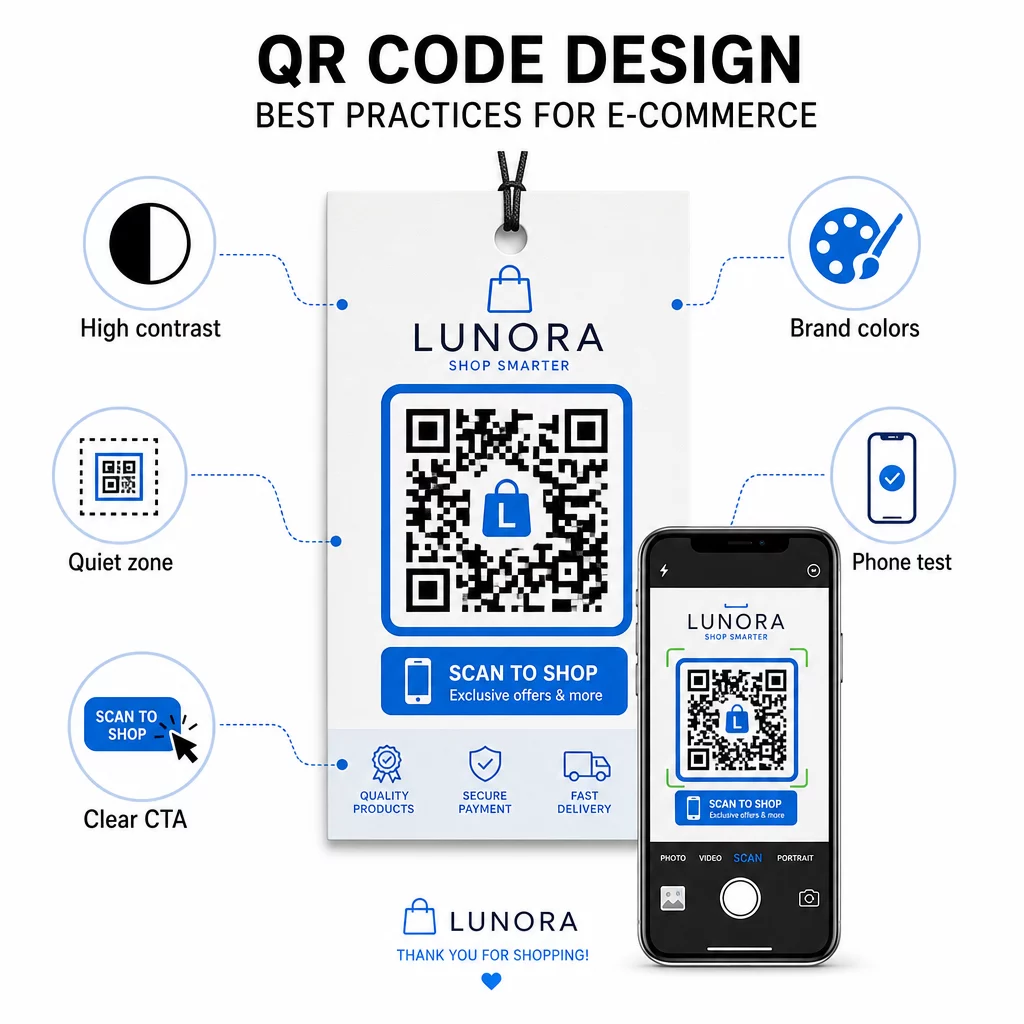
- Açık bir arka plan üzerinde koyu modüller kullanın – Beyaz üzerine siyah, kamera tanıma için en güçlü kontrastı sağlar ve düşük ışık koşullarında kullanıcılar için daha erişilebilirdir
- Sessiz bir bölge bırakın – Çevredeki grafiklerin taramayı engellememesi için kodun etrafında en az dört modül boş alan bırakın
- Minimum boyut yönergelerine uyun – Basılı materyaller için en az 1 inç × 1 inç; tabela için daha büyük, burada genel kural, maksimum tarama mesafesinin kodun genişliğinin yaklaşık on katı olmasıdır
- Açık bir harekete geçirici mesaj ekleyin – Tereddütü azaltmak ve tarama oranlarını artırmak için kodu “ indirim için tarayın” veya “Siparişinizi takip etmek için tarayın” gibi kısa bir talimatla etiketleyin
- Baskıdan önce test edin – Kodun son basılı boyutta, beklenen mesafelerden, gerçekçi aydınlatmada ve birden fazla telefon modelinde doğru tarandığını doğrulayın
QR kodlarınızdan bağlantı verilen mobil açılış sayfaları için yükleme hızı ve mobil öncelikli düzen kritik öneme sahiptir. Sayfalar üç saniyenin altında yüklenmeli ve düğmeler kolayca dokunulabilecek kadar büyük olmalıdır. Bkz. mobil QR kodu açılış sayfası en iyi uygulamalarını ayrıntılı bir kontrol listesi için.
E-Ticaret Mağazanız İçin Nasıl QR Kodu Oluşturulur
Mağazanız için QR kodlarına başlamak üç adım gerektirir:
- Kodu oluşturun – Kullanın Pageloot QR kod oluşturucu bir ürün sayfasına, ödeme akışına, inceleme formuna veya başka herhangi bir hedefe bağlı dinamik bir QR kodu oluşturmak için. Hedefi daha sonra güncellemek veya performansı izlemek istiyorsanız statik yerine dinamik olanı seçin.
- Özelleştirin ve markalaştırın – Logonuzu ekleyin, marka renklerinize uygun hale getirin ve harekete geçirici mesaj etiketi içeren bir çerçeve ekleyin. Markalı kodlar tanınırlık oluşturur ve düz siyah-beyaz kodlara göre daha fazla tarama üretme eğilimindedir.
- Dağıtın ve izleyin – Kodu ambalajlara, e-postalara, basılı materyallere veya mağaza içi tabelalara yerleştirin. Tarama performansını gözden geçirmek ve işe yarayanlara göre kampanyaları ayarlamak için analiz panosunu kullanın.
Sektöre özel uygulama fikirleri için, e-ticaret QR kodu çözümleri sayfası Shopify, WooCommerce ve diğer platformlardaki kullanım durumlarını kapsar. Ayrıca göz atabilirsiniz sektöre göre QR kod çözümleri diğer sektörlerin benzer zorluklara nasıl yaklaştığına dair bağlam için.
Gerçek dünya sonuçları nelerin mümkün olduğunu gösteriyor: önde gelen e-ticaret markalarının vaka çalışmaları, hedeflenen QR kodu dağıtımlarından çevrimiçi satışlarda 0 artış ve uygulama etkileşiminde 9 artış gibi sonuçlar gösteriyor. Bu e-ticaret QR kodu vaka çalışmaları sayfası bu örnekleri ayrıntılı olarak ele alıyor.
QR kodları, müşteri için belirli bir sorunu çözdüğünde en iyi şekilde çalışır – bilgiyi daha hızlı almak, daha kolay ödeme yapmak veya sorunsuz bir iadeyi tamamlamak gibi. Bir veya iki yüksek değerli temas noktasıyla başlayın, sonuçları ölçün ve oradan genişletin.
Sıkça sorulan sorular
Statik bir QR kodu, hedef URL'yi doğrudan desene kodlar ve oluşturulduktan sonra değiştirilemez. Dinamik bir QR kodu, kod yazdırıldıktan sonra bile herhangi bir zamanda güncellenebilen kısa bir yönlendirme bağlantısına işaret eder. E-ticaret için dinamik kodlar genellikle tercih edilir çünkü gerçek zamanlı analizleri destekler, promosyonlar değiştiğinde hedef güncellemelerine izin verir ve daha hızlı taranan daha temiz bir görsel desen üretir. Statik ve dinamik QR kodları sayfasında daha fazla bilgi edinin.
En güvenilir yöntem iki yaklaşımı birleştirir. İlk olarak, Pageloot gibi bir yönetim platformu aracılığıyla dinamik QR kodları kullanın; bu platform tarama sayılarını, zaman damgalarını, cihaz türlerini ve coğrafi konumları otomatik olarak kaydeder. İkinci olarak, hedef URL'lerinize UTM parametreleri ekleyin, böylece taramalar Google Analytics'te ayrı bir trafik kaynağı olarak görünür ve burada her koda atfedilen dönüşüm oranlarını ve geliri ölçebilirsiniz. Adım adım talimatlar için QR kodu izleme kılavuzuna bakın.
E-ticarette en yüksek etkileşime sahip yerleşimler ürün ambalajları, kargo kutuları, ambalaj içi ekler ve sipariş onay e-postalarıdır. Bu temas noktaları, müşterilere yüksek niyet anlarında ulaşır – satın alma işleminden hemen sonra veya kutu açma deneyimi sırasında – bu da onları yorumları, tekrar satın alımları ve sosyal medya takibini teşvik etmek için ideal kılar. Fişler ve iade talimatları gibi satın alma sonrası materyaller de etkilidir çünkü müşteriler o anda markanızla aktif olarak etkileşim halindedir.