Zorgen uw marketinginspanningen voor verkeer, maar wordt dit niet omgezet in verkoop? De kloof tussen een klant die uw product ontdekt en een aankoop voltooit, is waar de meeste e-commerce-inkomsten verloren gaan. QR-codes dichten die kloof door fysieke contactpunten rechtstreeks te verbinden met digitale koopervaringen – en ze zijn meetbaar bij elke stap.
Waarom QR-codes thuishoren in uw e-commerce strategie
De acceptatie van QR-codes door consumenten heeft een punt bereikt waarop de wrijving bij het scannen minimaal is. Volgens branchegegevens scande 64% van de shoppers een QR-code op een product tijdens het winkelen in fysieke winkels, en 42% zei dat QR-codes hun persoonlijke winkelervaring aanzienlijk hebben verbeterd. Die gedragsverandering creëert een reële kans voor e-commerce merken om klanten te ontmoeten waar ze al zijn.
Voor online verkopers dienen QR-codes een tweeledig doel: ze versnellen het aankoopproces door extra stappen te verwijderen, en ze genereren scan-niveau gegevens die u helpen precies te begrijpen hoe uw campagnes presteren. Een dynamische QR-code gaat verder – het stelt u in staat de bestemmings-URL op elk moment bij te werken zonder opnieuw te printen, wat betekent dat een code op productverpakkingen vandaag naar een seizoenspromotie kan verwijzen en volgende maand naar een producthandleiding.
De belangrijkste voordelen voor e-commerce bedrijven zijn:
- Verminderde aankoopwrijving – Klanten scannen en landen direct op een productpagina of afrekenproces, waarbij zoeken volledig wordt omzeild
- Cross-channel continuïteit – Fysieke verpakkingen, gedrukte advertenties en e-mailmaterialen verbinden allemaal naadloos met uw digitale winkel
- Meetbare betrokkenheid – Scananalyses onthullen welke plaatsingen het meeste verkeer genereren en welke converteren
- Flexibele inhoud – Dynamische codes laten u bestemmingen wijzigen zonder gedrukte materialen opnieuw uit te geven
- Betrokkenheid na aankoop – Verpakkingsbijlagen en verzendmaterialen worden actieve marketingkanalen
Sleutelgebruiksscenario's voor e-commerce QR-codes
Begrijpen waar QR-codes de meeste waarde leveren, helpt u te prioriteren waar u moet beginnen. Elk onderstaand gebruiksscenario pakt een specifiek knelpunt in de klantreis aan.
Fysieke producten koppelen aan online winkels
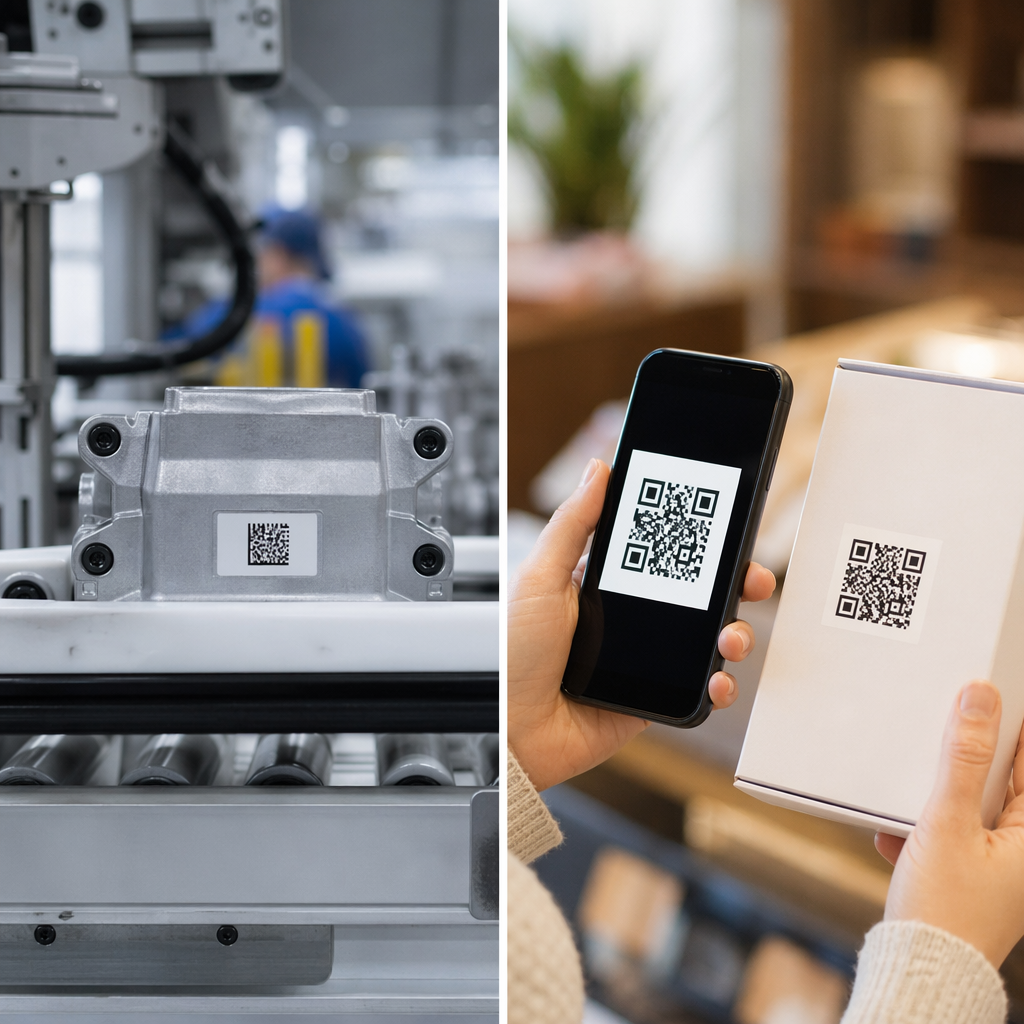
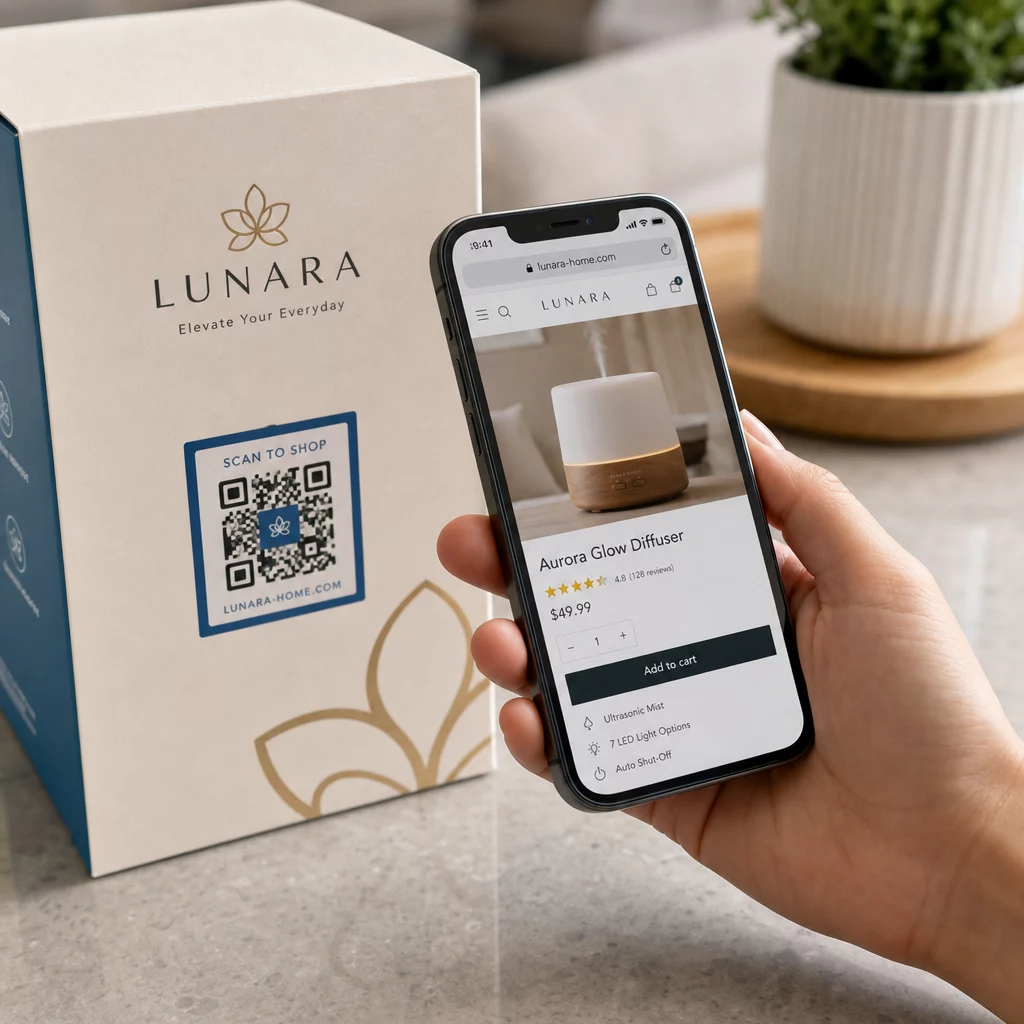
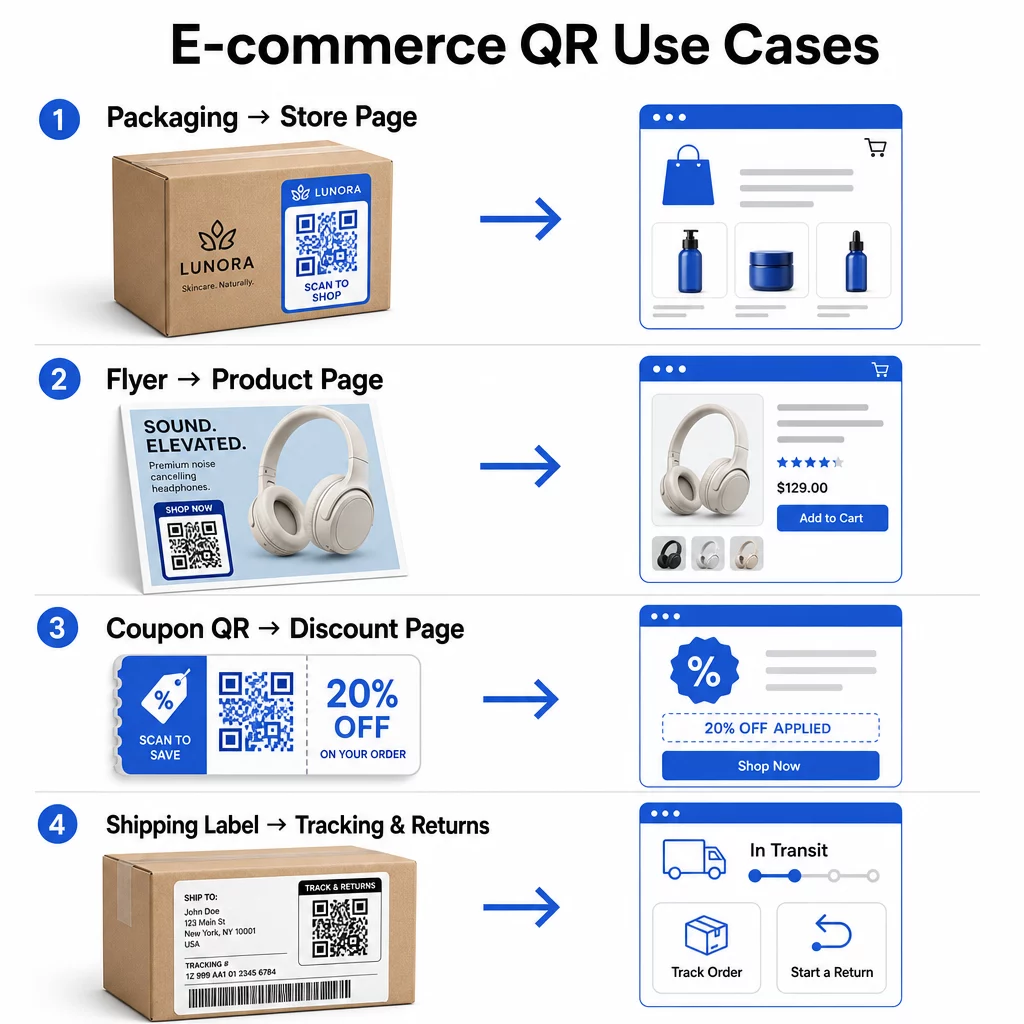
Productverpakkingen vormen de meest directe brug tussen een fysiek artikel en uw digitale etalage. Een QR-code op de doos of het etiket kan klanten naar de volledige productpagina, gerelateerde accessoires, instructievideo's of een herbestellink sturen. Een Pageloot-klant plaatste QR-codes in hun verpakking en rapporteerde een toename van 27% in herhaalbezoeken aan hun Shopify-winkel binnen twee weken.
Deze aanpak is vooral waardevol voor producten met meer details dan op een etiket passen – ingrediënten, certificeringen, tutorials en garantie-informatie kunnen allemaal achter één scanbare code leven. Leer meer over QR-codes op verpakkingen en hoe ze de detailhandel ten goede komen.
Verkoop stimuleren met shoppable QR-codes
Wanneer een klant uw product ziet in een printadvertentie, een catalogus of een display in de winkel, elimineert een QR-code de stappen tussen interesse en aankoop. In plaats van naar uw product te zoeken of een URL in te typen, scannen ze en komen ze direct op de productpagina of een samengestelde collectie terecht.
Gebruik een link QR-codegenerator om elke code naar een specifieke URL te laten verwijzen. Met dynamische codes kunt u die bestemming bijwerken om de voorraadbeschikbaarheid, seizoensprijzen of een tijdelijke bundel weer te geven zonder materialen opnieuw af te drukken.
Bied Coupons en Tijdelijke Promoties aan
QR-codes zijn bijzonder effectief voor het leveren van kortingscodes en promotieaanbiedingen, omdat de ervaring direct en wrijvingsloos is. Een klant scant, ziet een landingspagina voor coupons en kan de aanbieding onmiddellijk inwisselen in plaats van in zijn inbox naar een promotiecode te zoeken.
Plaats promotiecodes op productverpakkingen, geprinte bonnen, direct mail en fysieke bewegwijzering om zowel eerste aankopen als herhaalbestellingen aan te moedigen. De QR code maken voor coupons laat u een speciale landingspagina bouwen met meerdere aanbiedingen en een duidelijke call-to-action.
Coupon QR-codes maken voor uw winkel Toon tijdelijke aanbiedingen, promotiecodes en exclusieve aanbiedingen op een branded landingspagina die uw klanten met één scan bereiken. Gebruik de QR code maken voor coupons om te beginnen.
QR-codebetalingen inschakelen
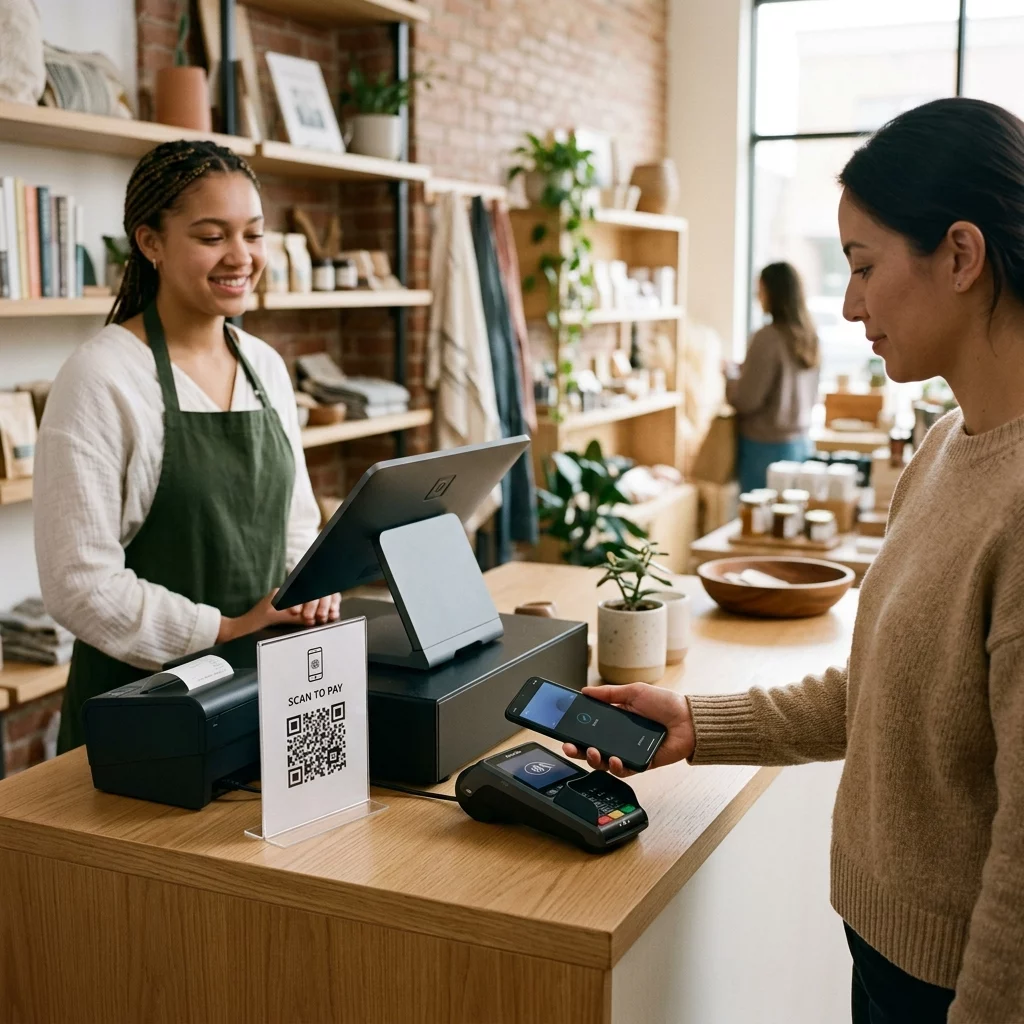
Contactloos afrekenen is een groeiende verwachting, vooral in de detailhandel en hybride handelsomgevingen waar klanten willen betalen zonder in de rij te staan bij een kassa of handmatig kaartgegevens in te voeren. QR-codebetalingen werken door de klant naar een gehoste betaalpagina te leiden – ze scannen, bevestigen het bedrag en betalen met een opgeslagen kaart of mobiele portemonnee zoals Apple Pay of Google Pay.
Statische QR codes link naar een algemene betaalpagina waar klanten zelf het bedrag invoeren. Dynamische QR codes kan worden gegenereerd met transactiespecifieke gegevens, zodat de klant alleen hoeft te bevestigen en te autoriseren. Voor bedrijven die terugkerende betalingen of variabele bedragen verwerken, verminderen dynamische betaalcodes invoerfouten en versnellen ze het afrekenproces.
Beveiliging is hier een cruciale overweging. Elke betalings-QR-code moet een geverifieerde, HTTPS-beveiligde bestemming gebruiken. Gebruik waar mogelijk dynamische codes, aangezien deze kunnen worden gedeactiveerd of bijgewerkt als ermee is geknoeid. De PayPal QR code maken biedt een eenvoudige manier om betaalcodes te maken die klanten naar uw betaalstroom leiden. U kunt ook de Toegankelijke QR-codebetalingen: best practices bekijken om ervoor te zorgen dat uw implementatie zowel veilig als inclusief is.
Verzamel Google Reviews en Klantfeedback
Social proof is een van de meest waardevolle activa die een e-commercebedrijf heeft. De uitdaging is dat de meeste tevreden klanten geen reviews achterlaten, tenzij het proces wrijvingsloos is. Een QR-code op een verpakkingsinlegger, verzenddoos of kassabon vermindert die wrijving tot een enkele scan.
Wijs de code direct naar uw Google review-inzendpagina, zodat klanten precies terechtkomen waar u ze nodig heeft. De Google review QR code maken laat u reviewcodes maken en aanpassen die u kunt opnemen in uw fysieke materialen. Voor een bredere feedbackverzameling kunnen QR-codes ook linken naar enquêtes na aankoop, zodat u gestructureerde inzichten kunt verzamelen over de koopervaring. Lees meer over hoe QR-codes de klantenservice van e-commerce ondersteunen.
Verbeter de logistiek van leveringen en retouren
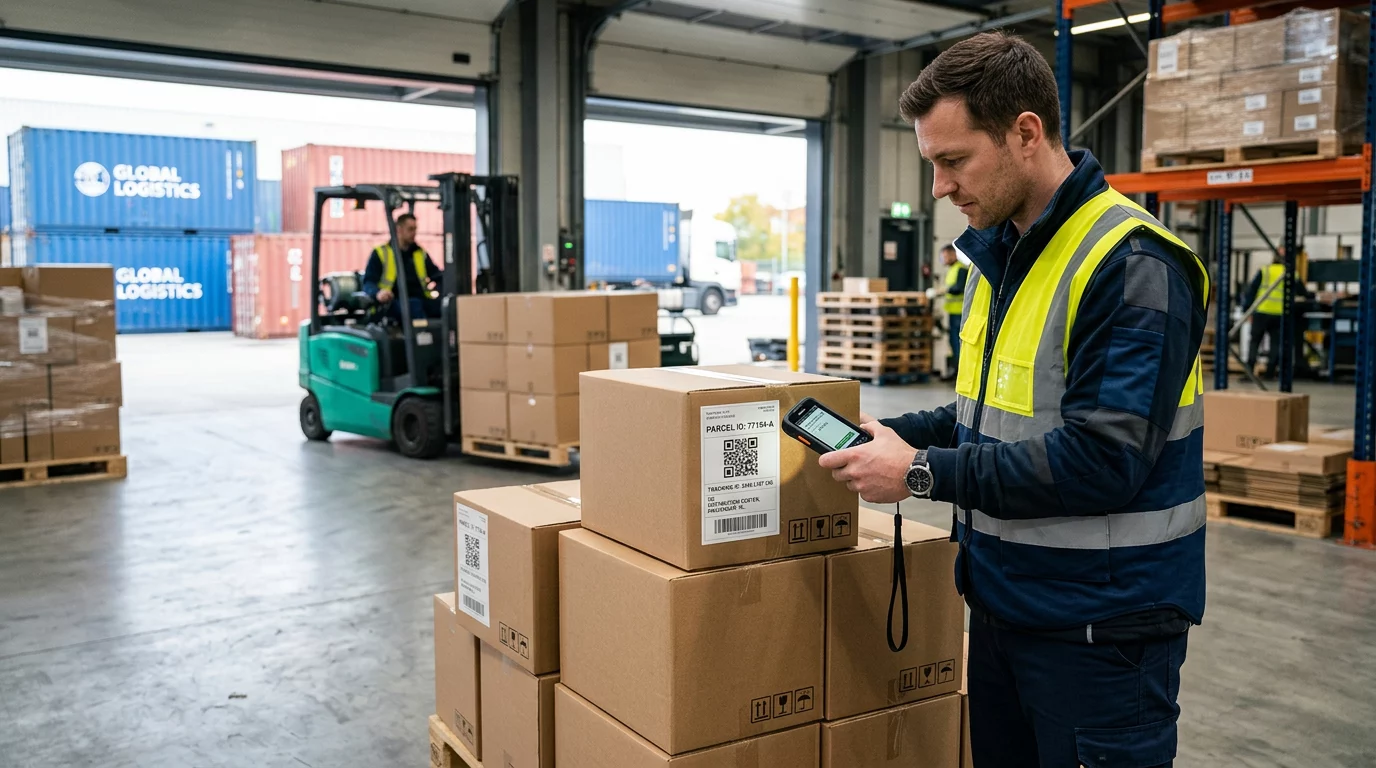
Verzendlabels en orderbevestigingsmails zijn onderbenutte marketing- en servicekanalen. Een QR-code op het verzendlabel kan klanten direct toegang geven tot realtime trackingupdates, zonder dat ze een trackingnummer hoeven te zoeken en handmatig in te voeren.
Voor retouren verwijdert een QR-code die direct linkt naar een retourformulier het meest frustrerende deel van de post-aankoopervaring. Merken zoals IKEA hebben dit model overgenomen – door QR-codes via e-mail of sms te sturen nadat een klant een retour heeft geregistreerd – om de retourlogistiek te stroomlijnen en het aantal contacten met de ondersteuning te verminderen. Ontdek hoe QR-codes de e-commerce bezorgervaringen verbeteren in meer detail.
Socialemediapubliek laten groeien
Elke fysieke verpakking is een potentieel kanaal om je sociale volgers te laten groeien. Een QR-code die rechtstreeks linkt naar je Instagram-, TikTok- of YouTube-profiel kan een nieuwe koper omzetten in een langdurige volger zonder extra advertentie-uitgaven.
Dit werkt bijzonder goed tijdens unboxing-momenten, wanneer de aandacht van de klant hoog is en het enthousiasme over het product op zijn hoogtepunt is.
Hoe de prestaties van QR-codecampagnes te volgen
Het genereren van een QR-code is slechts de helft van het werk – begrijpen hoe deze presteert, is wat een tactisch experiment onderscheidt van een schaalbare strategie.
Dynamische QR-codes en ingebouwde analyses
Dynamische QR codes bieden de meest uitgebreide tracking omdat ze scans routeren via een beheerde omleiding die statistieken in realtime vastlegt. Een QR-codemanagementplatform zoals Pageloot legt vast:
- Totaal aantal scans en unieke scans
- Tijd en datum van elke scan
- Geografische locatie van de scan
- Apparaattype en besturingssysteem
Deze gegevens vertellen je welke plaatsingen de meeste betrokkenheid genereren, wanneer klanten het meest waarschijnlijk scannen, en waar de geografische vraag geconcentreerd is. Voor een diepere blik op hoe tracking werkt, zie de gids voor het volgen van QR-codescans en analyses.
Monitor uw campagne in realtime Wilt u precies zien waar en wanneer uw klanten uw materialen scannen? Gebruik de Dynamische QR code generator om vandaag nog traceerbare codes te maken en toegang te krijgen tot een volledig prestatiedashboard.
UTM-parameters voor attributie in Google Analytics
Voor campagnes waarbij je de prestaties van QR-codes naast andere kanaalgegevens in Google Analytics wilt zien, voeg je UTM-parameters toe aan de bestemmings-URL voordat je de code genereert. UTM-parameters zijn korte fragmenten die aan een URL worden toegevoegd en die je analyseplatform de bron, het medium en de campagnenaam vertellen die geassocieerd zijn met een bezoek.
Een basis-URL met UTM-tags voor een QR-code op productverpakkingen zou er als volgt uit kunnen zien:
“`
https://yourstore.com/product?utmsource=packaging&utmmedium=qrcode&utmcampaign=spring_launch
“`
De vijf standaard UTM-parameters zijn:
- utm_source – Waar het verkeer vandaan komt (bijv. `verpakking`, `flyer`, `bon`)
- utmmedium – Het marketingkanaal (bijv. `qrcode`)
- utmcampaign – De specifieke campagnenaam (bijv. `lentelancering`)
- utm_term – Zoekwoorden, meestal voor betaalde zoekcampagnes
- utm_content – Om vergelijkbare links of creatieve varianten te onderscheiden
Eenmaal getagd, verkort de URL en genereer uw QR-code vanuit de verkorte link. Scans verschijnen dan als een aparte verkeersbron in uw analyserapporten, zodat u conversiepercentages, omzet en gedrag specifiek voor QR-gestuurd verkeer kunt meten.
Best practices voor QR-codeontwerp voor e-commerce
Een QR-code die klanten niet kunnen of willen scannen, levert geen waarde op. Deze ontwerpprincipes zorgen ervoor dat uw codes betrouwbaar werken op alle plaatsen:
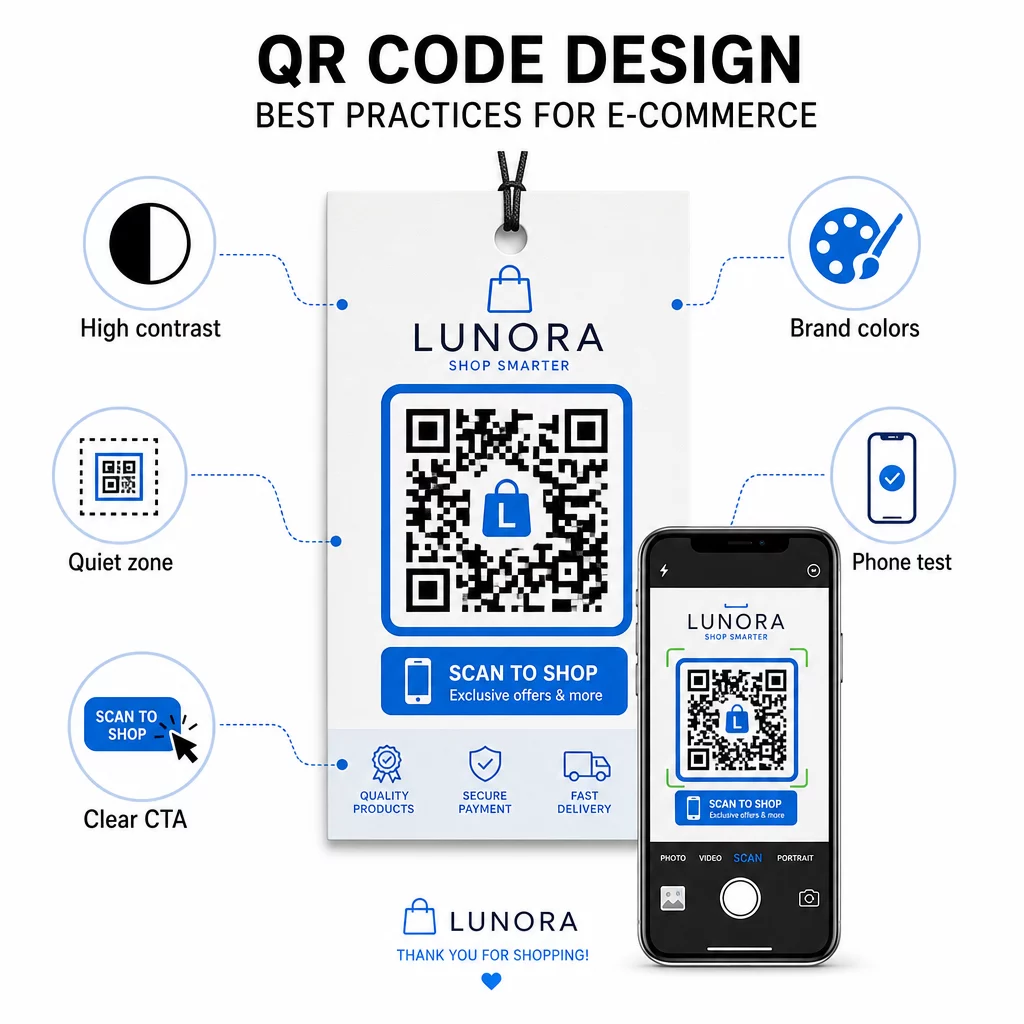
- Gebruik donkere modules op een lichte achtergrond – Zwart op wit biedt het sterkste contrast voor cameradetectie en is toegankelijker voor gebruikers bij weinig licht
- Houd een rustige zone aan – Houd minstens vier modules lege ruimte rond de code, zodat omringende afbeeldingen het scannen niet verstoren
- Volg de richtlijnen voor minimale grootte – Minimaal 1 inch × 1 inch voor gedrukt materiaal; groter voor bewegwijzering, waarbij de vuistregel is dat de maximale scanafstand ongeveer tien keer de breedte van de code moet zijn
- Voeg een duidelijke call-to-action toe – Label de code met een korte instructie zoals “Scan voor 10% korting” of “Scan om uw bestelling te volgen” om aarzeling te verminderen en het aantal scans te verhogen
- Test voordat je print – Controleer of de code correct scant op de uiteindelijke afgedrukte grootte, vanaf de verwachte afstanden, bij realistische verlichting en op meerdere telefoonmodellen
Voor mobiele landingspagina's die via uw QR-codes zijn gekoppeld, zijn laadsnelheid en een mobile-first lay-out cruciaal. Pagina's moeten binnen drie seconden laden en knoppen moeten groot genoeg zijn om gemakkelijk aan te tikken. Zie best practices voor mobiele QR-code landingspagina's voor een gedetailleerde checklist.
Hoe u een QR-code maakt voor uw e-commercewinkel
Aan de slag gaan met QR-codes voor uw winkel omvat drie stappen:
- Genereer de code – Gebruik de Pageloot QR-codegenerator om een dynamische QR-code te maken die is gekoppeld aan een productpagina, betaalstroom, beoordelingsformulier of een andere bestemming. Kies dynamisch boven statisch als u de bestemming later wilt bijwerken of de prestaties wilt volgen.
- Aanpassen en branden – Voeg uw logo toe, stem af op uw merkkleuren en voeg een kader toe met een call-to-action label. Codes met een merknaam bouwen herkenbaarheid op en genereren doorgaans meer scans dan gewone zwart-wit codes.
- Implementeren en monitoren – Plaats de code op verpakkingen, e-mails, drukwerk of in-store signage. Gebruik het analytics dashboard om de scanprestaties te beoordelen en campagnes aan te passen op basis van wat werkt.
Voor branchespecifieke implementatie-ideeën, de e-commerce QR-code oplossingen pagina behandelt use cases voor Shopify, WooCommerce en andere platforms. U kunt ook bladeren QR-code oplossingen per branche voor context over hoe andere sectoren vergelijkbare uitdagingen aanpakken.
Resultaten uit de praktijk tonen de schaal van wat mogelijk is: casestudy's van toonaangevende e-commerce merken laten resultaten zien zoals een toename van 130% in online verkoop en een toename van 239% in app-betrokkenheid door gerichte QR-code implementaties. De e-commerce QR-code casestudy's pagina behandelt deze voorbeelden in detail.
QR-codes werken het beste wanneer ze een specifiek probleem voor de klant oplossen – sneller informatie krijgen, gemakkelijker betalen of een retourzending zonder gedoe voltooien. Begin met één of twee waardevolle touchpoints, meet de resultaten en breid van daaruit uit.
Veelgestelde vragen
Een statische QR-code codeert de bestemmings-URL direct in het patroon en kan na creatie niet meer worden gewijzigd. Een dynamische QR-code verwijst naar een korte omleidingslink die op elk moment kan worden bijgewerkt, zelfs nadat de code is afgedrukt. Voor e-commerce zijn dynamische codes over het algemeen te verkiezen omdat ze real-time analyses ondersteunen, bestemmingsupdates mogelijk maken wanneer promoties veranderen, en een schoner visueel patroon produceren dat sneller scant. Leer meer op de pagina over statische versus dynamische QR-codes.
De meest betrouwbare methode combineert twee benaderingen. Ten eerste, gebruik dynamische QR-codes via een beheerplatform zoals Pageloot, dat automatisch scan tellingen, tijdstempels, apparaattypen en geografische locaties registreert. Ten tweede, voeg UTM-parameters toe aan uw bestemmings-URL's, zodat scans verschijnen als een afzonderlijke verkeersbron in Google Analytics, waar u conversiepercentages en inkomsten kunt meten die aan elke code zijn toegeschreven. Zie de handleiding voor het volgen van QR-codes voor stapsgewijze instructies.
De plaatsen met de hoogste betrokkenheid in e-commerce zijn productverpakkingen, verzenddozen, verpakkingsinserts en orderbevestigingsmails. Deze contactpunten bereiken klanten op momenten van hoge intentie – direct na aankoop of tijdens de unboxing-ervaring – waardoor ze ideaal zijn voor het stimuleren van recensies, herhaalaankopen en sociale volgers. Materialen na aankoop, zoals bonnen en retourinstructies, zijn ook effectief omdat klanten op dat moment actief betrokken zijn bij uw merk.