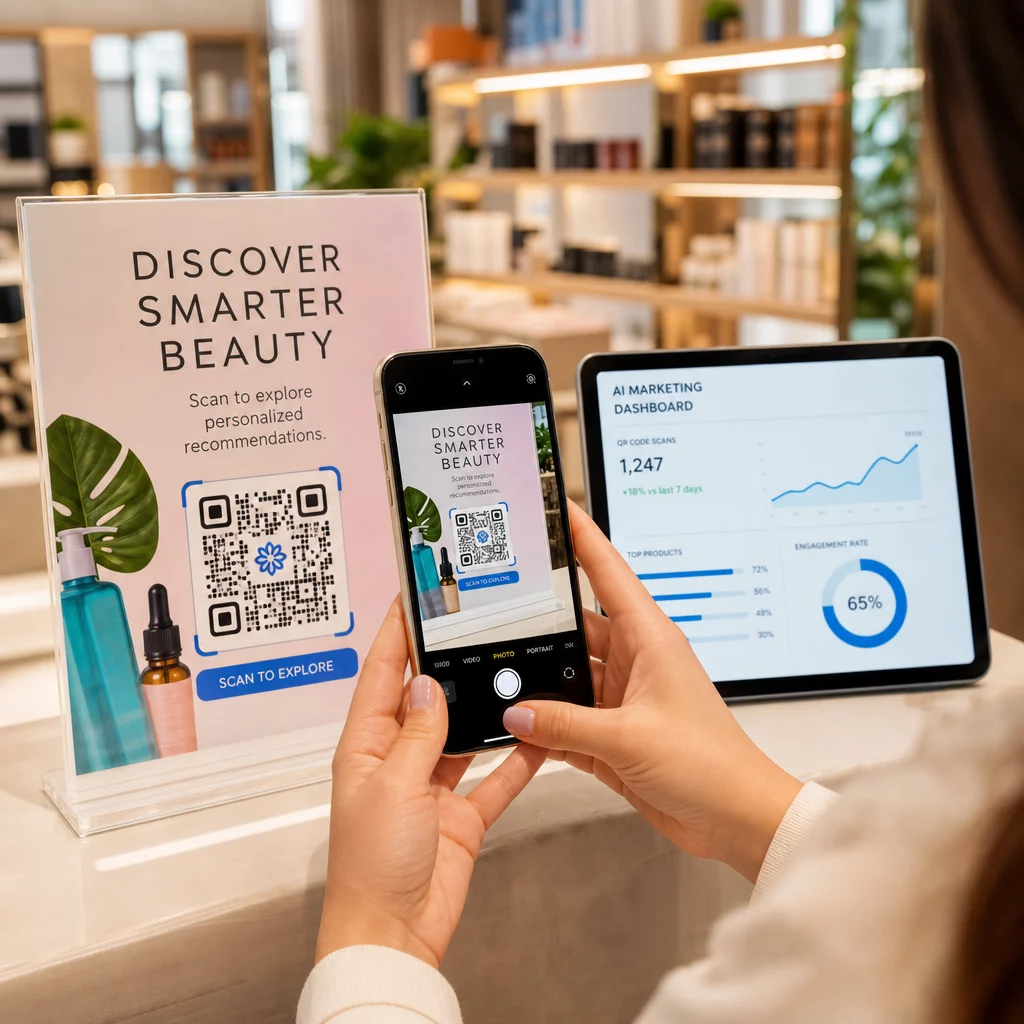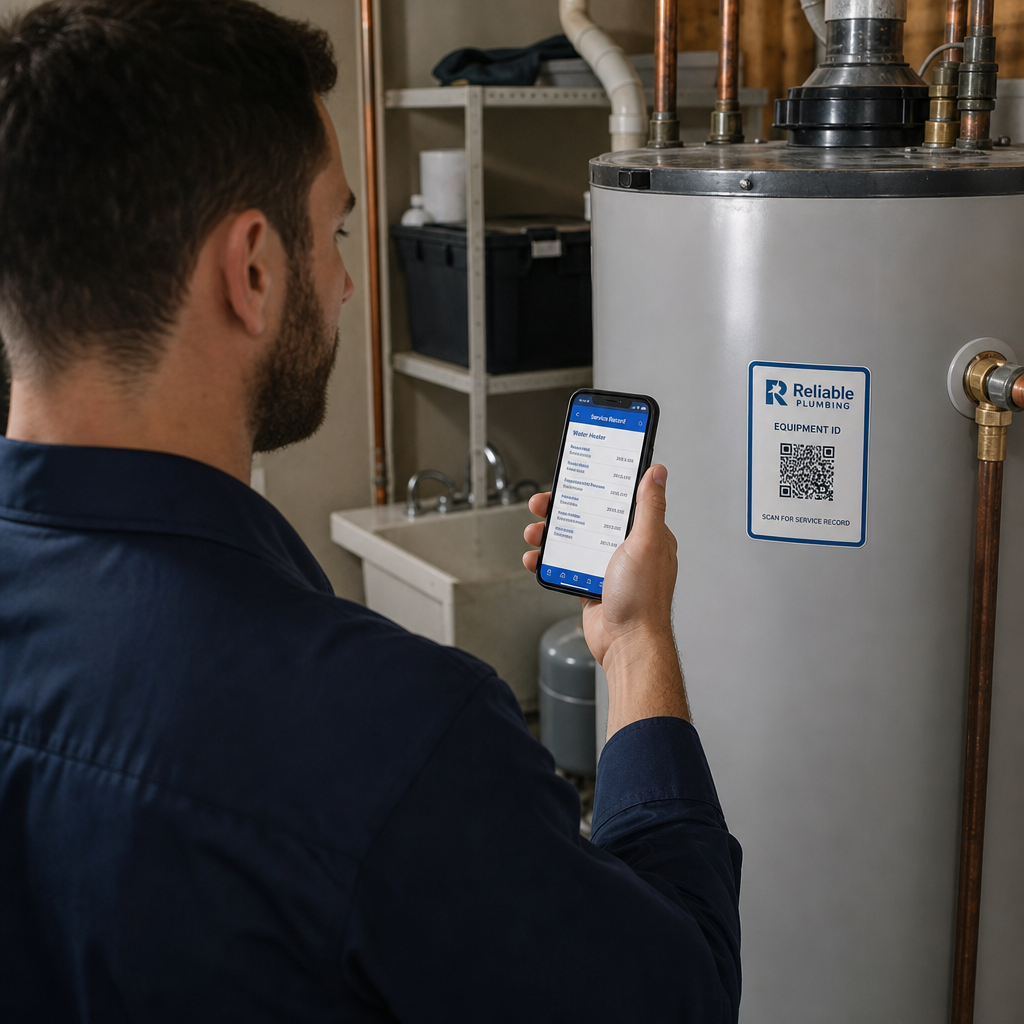
Marketing erőfeszítései forgalmat generálnak, de nem alakítják át értékesítéssé? Az ügyfél termékfelfedezése és a vásárlás befejezése közötti szakadék az, ahol a legtöbb e-kereskedelmi bevétel elvész. A QR-kódok áthidalják ezt a szakadékot azáltal, hogy a fizikai érintkezési pontokat közvetlenül a digitális vásárlási élményekhez kapcsolják – és minden lépés mérhető.
Miért tartoznak a QR-kódok az e-kereskedelmi stratégiájába?
A QR-kódok fogyasztói elfogadottsága elérte azt a pontot, ahol a szkenneléshez szükséges súrlódás minimális. Iparági adatok szerint a vásárlók 64%-a szkennelt be QR-kódot egy terméken bolti vásárlás során, és 42%-uk mondta, hogy a QR-kódok jelentősen javították a személyes vásárlási élményüket. Ez a viselkedésbeli változás valós lehetőséget teremt az e-kereskedelmi márkák számára, hogy ott találkozzanak az ügyfelekkel, ahol már vannak.
Az online értékesítők számára a QR-kódok kettős célt szolgálnak: felgyorsítják a vásárlás útját azáltal, hogy eltávolítják az extra lépéseket, és szkennelési szintű adatokat generálnak, amelyek segítenek pontosan megérteni, hogyan teljesítenek kampányai. A dinamikus QR-kód továbbmegy – lehetővé teszi a cél URL bármikori frissítését újranyomtatás nélkül, ami azt jelenti, hogy egy termékcsomagoláson lévő kód ma egy szezonális promócióra, jövő hónapban pedig egy termékbemutatóra mutathat.
Az e-kereskedelmi vállalkozások fő előnyei a következők:
- Csökkentett vásárlási súrlódás – Az ügyfelek beolvassák és közvetlenül egy termékoldalra vagy fizetési folyamatra kerülnek, teljesen megkerülve a keresést
- Csatornák közötti folytonosság – A fizikai csomagolás, a nyomtatott hirdetések és az e-mail anyagok mind zökkenőmentesen kapcsolódnak digitális áruházához
- Mérhető elkötelezettség – A szkennelési analitika feltárja, mely elhelyezések generálják a legtöbb forgalmat és melyek konvertálnak
- Rugalmas tartalom – A dinamikus kódok lehetővé teszik a célok megváltoztatását a nyomtatott anyagok újbóli kiadása nélkül
- Vásárlás utáni elkötelezettség – A csomagolási betétek és a szállítási anyagok aktív marketingcsatornákká válnak
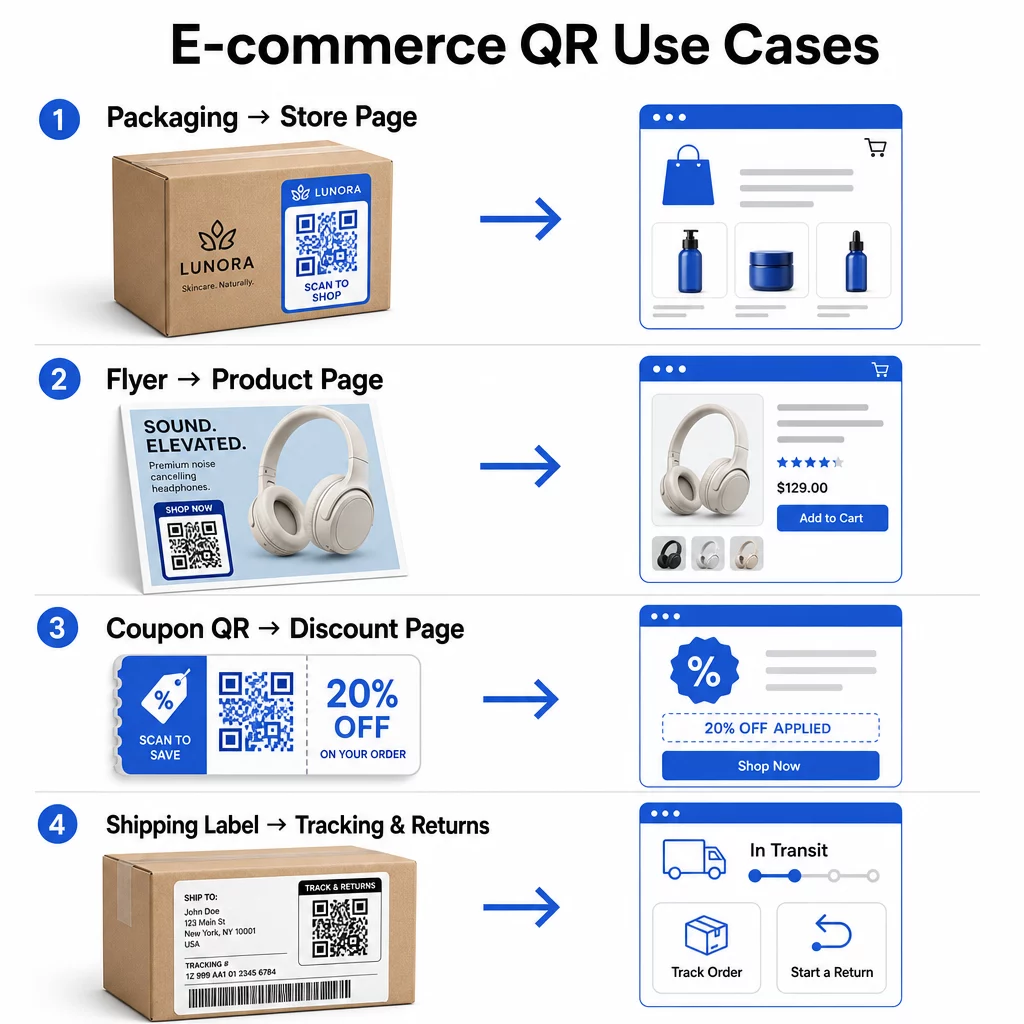
E-kereskedelmi QR-kódok fő felhasználási esetei
Annak megértése, hogy a QR-kódok hol nyújtják a legnagyobb értéket, segít rangsorolni, hol érdemes kezdeni. Az alábbi felhasználási esetek mindegyike a vásárlói út egy-egy specifikus súrlódási pontját kezeli.
Fizikai termékek összekapcsolása online áruházakkal
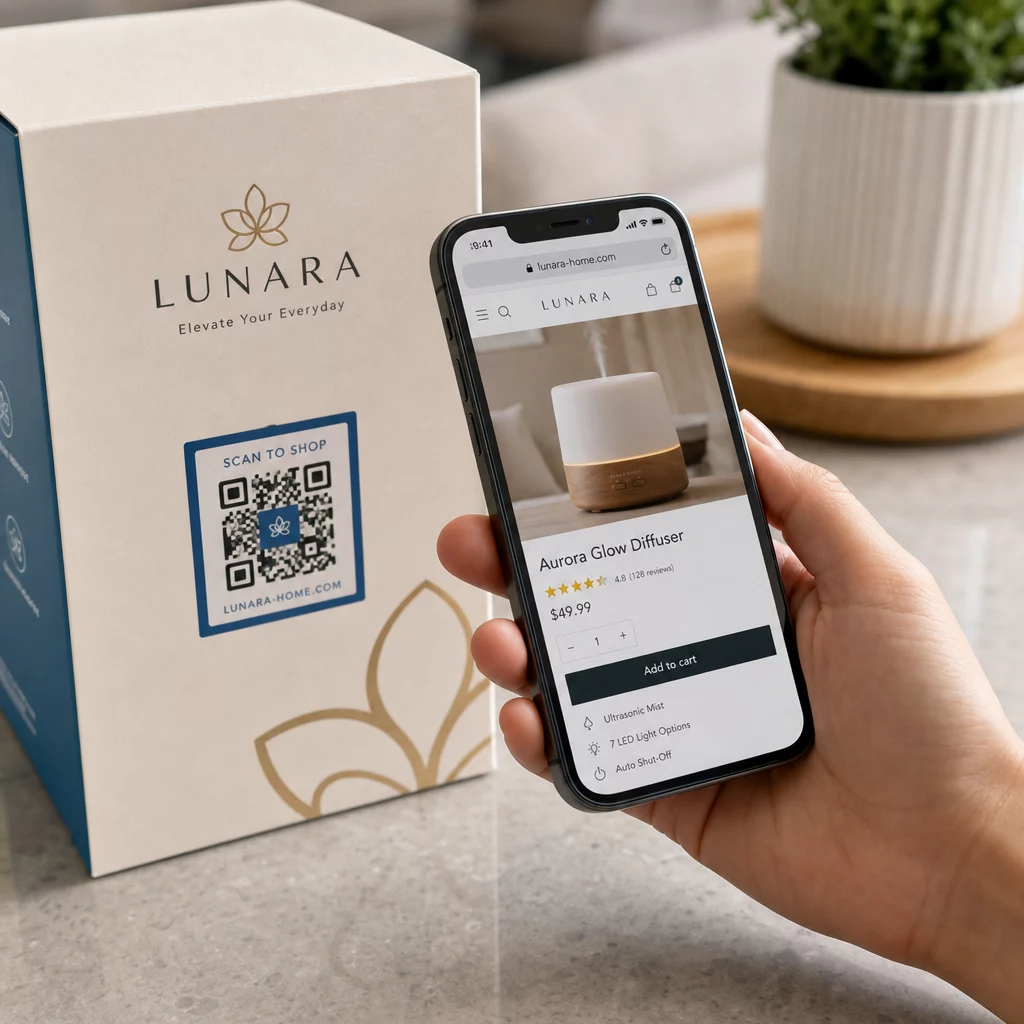
A termékcsomagolás a legközvetlenebb híd egy fizikai termék és a digitális kirakat között. A dobozon vagy címkén lévő QR-kód elküldheti a vásárlókat a teljes termékoldalra, kapcsolódó kiegészítőkhöz, oktatóvideókhoz vagy egy újrarendelési linkre. Egy Pageloot ügyfél QR-kódokat helyezett el a csomagolásában, és két héten belül 27%-os növekedést jelentett a Shopify áruházukba történő ismételt látogatások számában.
Ez a megközelítés különösen értékes olyan termékek esetében, amelyekről több részletet kell közölni, mint amennyi egy címkére elfér – az összetevők, tanúsítványok, oktatóanyagok és garanciális információk mind egyetlen szkennelhető kód mögött élhetnek. Tudjon meg többet a csomagoláson lévő QR-kódokról és azok kiskereskedelmi előnyeiről.
Növelje az eladásokat vásárolható QR-kódokkal
Amikor egy vásárló meglátja termékét egy nyomtatott hirdetésben, katalógusban vagy bolti kiállításban, a QR-kód kiküszöböli az érdeklődés és a vásárlás közötti lépéseket. Ahelyett, hogy megkeresné a terméket vagy beírna egy URL-t, egyszerűen beolvassa, és közvetlenül a termékoldalra vagy egy válogatott gyűjteményre jut.
Használj link QR-kód generátor minden kódot egy adott URL-re irányítson. Dinamikus kódokkal frissítheti ezt a célállomást, hogy tükrözze a készlet elérhetőségét, a szezonális árakat vagy egy korlátozott idejű csomagot anélkül, hogy bármilyen anyagot újra kellene nyomtatnia.
Kuponok és időérzékeny promóciók felajánlása
A QR-kódok különösen hatékonyak a kedvezménykódok és promóciós ajánlatok továbbításában, mert az élmény azonnali és súrlódásmentes. A vásárló beolvassa, lát egy kupon céloldalt, és azonnal beválthatja az ajánlatot, ahelyett, hogy az e-mail fiókjában keresne egy promóciós kódot.
Helyezzen el promóciós kódokat a termékcsomagoláson, nyomtatott nyugtákon, direkt marketing leveleken és fizikai táblákon, hogy ösztönözze az első vásárlásokat és az ismételt rendeléseket egyaránt. A Kuponkód generátor QR kóddal lehetővé teszi, hogy dedikált céloldalt építsen több ajánlattal és egyértelmű cselekvésre ösztönzéssel.
Hozzon létre kupon QR-kódokat az áruházához Jelenítsen meg időérzékeny ajánlatokat, promóciós kódokat és exkluzív ajánlatokat egy márkás céloldalon, amelyet ügyfelei egyetlen szkenneléssel elérhetnek. Használja a Kuponkód generátor QR kóddal hogy elkezdhessük.
QR-kódos fizetések engedélyezése
Az érintésmentes fizetés egyre növekvő elvárás, különösen a kiskereskedelmi és hibrid kereskedelmi környezetekben, ahol az ügyfelek sorban állás vagy kártyaadatok manuális bevitele nélkül szeretnének fizetni. A QR-kódos fizetések úgy működnek, hogy az ügyfelet egy hosztolt fizetési oldalra irányítják – beolvassák, megerősítik az összeget, és tárolt kártyával vagy mobil pénztárcával, például Apple Pay vagy Google Pay segítségével fizetnek.
Statikus QR-kódok link egy általános fizetési oldalra, ahol az ügyfelek maguk írják be az összeget. Dinamikus QR-kódok generálható tranzakcióspecifikus adatokkal, így az ügyfélnek csak meg kell erősítenie és engedélyeznie. Az ismétlődő fizetéseket vagy változó összegeket kezelő vállalkozások számára a dinamikus fizetési kódok csökkentik a beviteli hibákat és felgyorsítják a fizetési folyamatot.
A biztonság kritikus szempont itt. Minden fizetési QR-kódnak ellenőrzött, HTTPS-biztosított célállomást kell használnia. Használjon dinamikus kódokat, ahol lehetséges, mivel ezek manipulálás esetén deaktiválhatók vagy frissíthetők. A PayPal pénzfogadás QR kóddal egyszerű módot biztosít fizetési kódok létrehozására, amelyek az ügyfeleket a fizetési folyamatához irányítják. Áttekintheti továbbá a legjobb gyakorlatokat az akadálymentes QR-kódos fizetésekhez annak biztosítására, hogy az implementációja biztonságos és inkluzív legyen.
Gyűjtsön Google véleményeket és vásárlói visszajelzéseket
A közösségi bizonyíték az egyik legnagyobb tőkeáttételi eszköz, amellyel egy e-kereskedelmi vállalkozás rendelkezik. A kihívás az, hogy a legtöbb elégedett ügyfél nem hagy véleményt, hacsak a folyamat nem súrlódásmentes. Egy QR-kód a csomagoláson, szállítódobozon vagy nyugtán egyetlen szkennelésre csökkenti ezt a súrlódást.
Mutasson a kóddal közvetlenül a Google véleménybeküldő oldalára, hogy az ügyfelek pontosan oda érkezzenek, ahová szüksége van rájuk. A Google értékelés QR kód generátor lehetővé teszi, hogy véleménykódokat hozzon létre és szabjon testre, amelyeket beágyazhat fizikai anyagaiba. A szélesebb körű visszajelzésgyűjtés érdekében a QR-kódok utólagos vásárlási felmérésekre is hivatkozhatnak, lehetővé téve strukturált betekintések gyűjtését a vásárlási élményről. Olvasson többet arról, hogyan a QR-kódok támogatják az e-kereskedelmi ügyfélszolgálatot.
Javítsa a szállítási és visszaküldési logisztikát
A szállítási címkék és a rendelés visszaigazoló e-mailek alulhasznált marketing- és szolgáltatási csatornák. Egy QR-kód a szállítási címkén azonnali hozzáférést biztosíthat az ügyfeleknek a valós idejű nyomon követési frissítésekhez anélkül, hogy nyomon követési számot kellene keresniük és manuálisan beírniuk.
Visszaküldés esetén egy, közvetlenül a visszaküldési űrlapra mutató QR-kód eltávolítja a vásárlás utáni élmény legfrusztrálóbb részét. Az olyan márkák, mint az IKEA, átvették ezt a modellt – QR-kódokat küldenek e-mailben vagy SMS-ben, miután az ügyfél regisztrálta a visszaküldést – a fordított logisztika egyszerűsítése és a támogatási kapcsolatok csökkentése érdekében. Fedezze fel, hogyan a QR-kódok javítják az e-kereskedelmi szállítási élményeket részletesebben.
Növelje a közösségi média közönségét
Minden fizikai csomagolás potenciális csatorna a közösségi követőbázis növelésére. Egy QR-kód, amely közvetlenül az Instagram, TikTok vagy YouTube profiljára mutat, egy első alkalommal vásárlót hosszú távú követővé alakíthat további hirdetési költségek nélkül.
Ez különösen jól működik a kicsomagolási pillanatokban, amikor az ügyfelek figyelme magas, és a termék iránti lelkesedés a csúcson van.
Hogyan követhető nyomon a QR-kód kampány teljesítménye
Egy QR-kód generálása csak a munka fele – annak megértése, hogy hogyan teljesít, az választja el a taktikai kísérletet egy skálázható stratégiától.
Dinamikus QR-kódok és beépített analitika
Dinamikus QR-kódok biztosítják a legátfogóbb nyomon követést, mert a szkenneléseket egy kezelt átirányításon keresztül vezetik, amely valós időben naplózza a metrikákat. Egy QR-kód kezelő platform, mint a Pageloot, rögzíti:
- Összes szkennelés és egyedi szkennelés
- Minden beolvasás ideje és dátuma
- A szkennelés földrajzi helye
- Eszköztípus és operációs rendszer
Ez az adat megmutatja, mely elhelyezések generálják a legtöbb elkötelezettséget, mikor a legvalószínűbb, hogy az ügyfelek szkennelnek, és hol koncentrálódik a földrajzi kereslet. A nyomon követés működésének mélyebb megértéséhez lásd a útmutatót a QR-kód szkennelések és analitika nyomon követéséhez.
Kampányának valós idejű nyomon követése Szeretné pontosan látni, hol és mikor szkennelik be ügyfelei az anyagaidat? Használja a Dinamikus QR-kód generátor nyomon követhető kódok létrehozásához és egy teljesítmény-irányítópult eléréséhez még ma.
UTM paraméterek az attribúcióhoz a Google Analyticsben
Azoknál a kampányoknál, ahol a QR-kód teljesítményének más csatornaadatok mellett kell megjelennie a Google Analyticsben, adjon hozzá UTM paramétereket a cél URL-hez a kód generálása előtt. Az UTM paraméterek rövid kódrészletek, amelyek egy URL-hez vannak hozzáfűzve, és amelyek megmondják az analitikai platformjának a látogatáshoz kapcsolódó forrást, médiumot és kampánynevet.
Egy alapvető, UTM-címkével ellátott URL egy termékcsomagoláson lévő QR-kódhoz így nézhet ki:
“`
https://yourstore.com/product?utmsource=packaging&utmközeg=QRkód&utmcampaign=spring_launch
“`
Az öt szabványos UTM paraméter a következő:
- utm_source – A forgalom eredete (pl. `csomagolás`, `szórólap`, `nyugta`)
- utmmedium – A marketingcsatorna (pl. `qrkód`)
- utmcampaign – A konkrét kampánynév (pl. `tavasziindítás`)
- utm_term – Kulcsszavak, jellemzően fizetett keresési kampányokhoz
- utm_content – Hasonló linkek vagy kreatív változatok megkülönböztetésére
Címkézés után rövidítse le az URL-t, és generálja a QR-kódot a rövidített linkből. A beolvasások ezután külön forgalmi forrásként jelennek meg az analitikai jelentéseiben, lehetővé téve a konverziós arányok, a bevétel és a QR-vezérelt forgalomra jellemző viselkedés mérését.
QR-kód tervezési bevált gyakorlatok e-kereskedelemhez
Egy QR-kód, amelyet az ügyfelek nem tudnak vagy nem akarnak beolvasni, értéktelen. Ezek a tervezési elvek biztosítják, hogy kódjai megbízhatóan működjenek minden elhelyezésben:
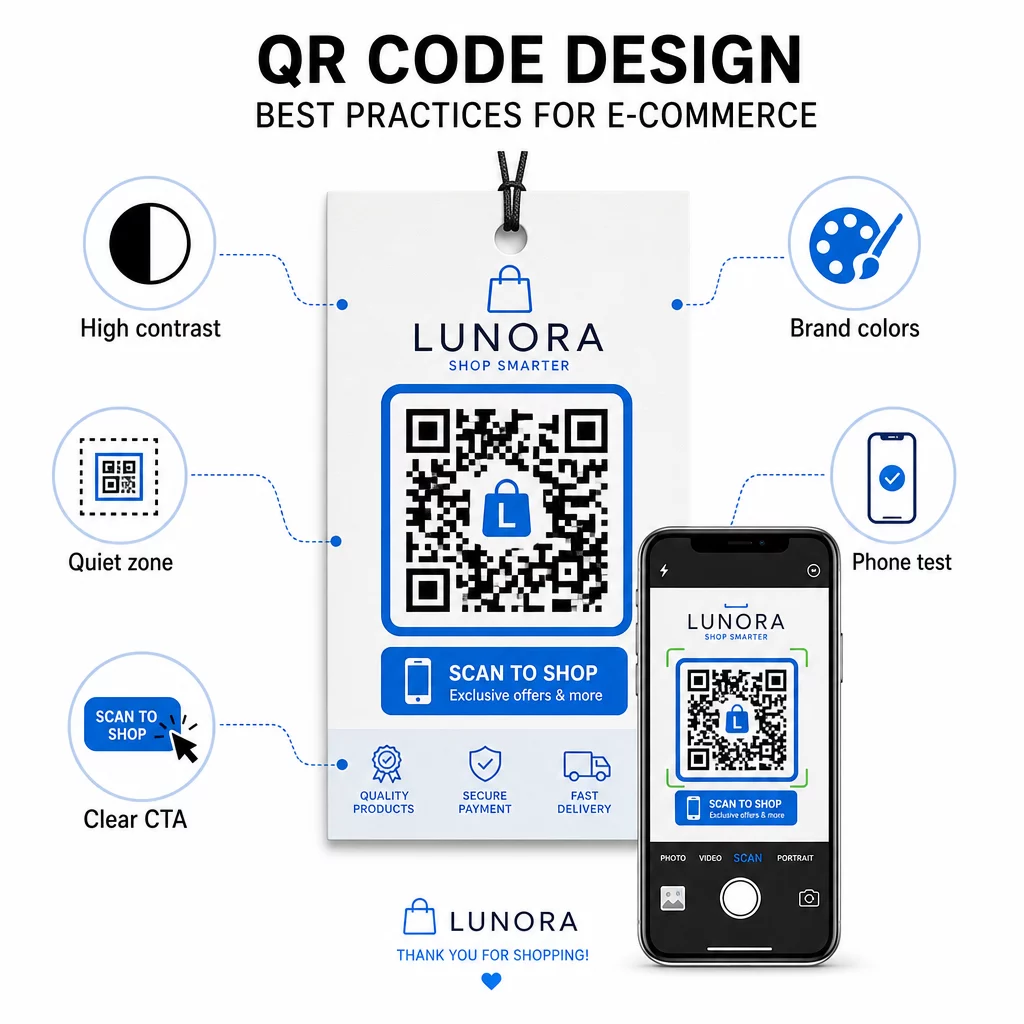
- Használjon sötét modulokat világos háttéren – A fekete-fehér a legerősebb kontrasztot biztosítja a kamerafelismeréshez, és jobban hozzáférhető a felhasználók számára gyenge fényviszonyok között
- Tartson fenn egy csendes zónát – Hagyjon legalább négy modulnyi üres helyet a kód körül, hogy a környező grafikák ne zavarják a beolvasást
- Tartsa be a minimális méretre vonatkozó irányelveket – Legalább 1 hüvelyk × 1 hüvelyk nyomtatott anyagokhoz; nagyobb táblákhoz, ahol az ökölszabály az, hogy a maximális beolvasási távolság nagyjából tízszerese legyen a kód szélességének
- Tegyen bele egyértelmű cselekvésre ösztönzést – Címkézze fel a kódot egy rövid utasítással, például “Olvassa be 10% kedvezményért” vagy “Olvassa be a rendelés nyomon követéséhez”, hogy csökkentse a habozást és növelje a beolvasási arányt
- Teszteld nyomtatás előtt – Ellenőrizze, hogy a kód helyesen olvasható-e a végleges nyomtatott méretben, a várható távolságokból, valósághű megvilágításban és több telefonmodellen keresztül
A QR-kódokról hivatkozott mobil céloldalak esetében a betöltési sebesség és a mobilra optimalizált elrendezés kritikus fontosságú. Az oldalaknak három másodpercen belül be kell tölteniük, és a gomboknak elég nagynak kell lenniük a könnyű érintéshez. Lásd mobil QR-kód céloldal bevált gyakorlatokat egy részletes ellenőrzőlistáért.
Hogyan hozzunk létre QR-kódot e-kereskedelmi üzletünk számára
Az üzletéhez tartozó QR-kódok használatának megkezdése három lépésből áll:
- Generálja a kódot – Használja a Pageloot QR-kód generátor egy dinamikus QR-kód létrehozásához, amely egy termékoldalra, fizetési folyamatra, véleményezési űrlapra vagy bármely más célra mutat. Válassza a dinamikusat a statikus helyett, ha később frissíteni szeretné a célt vagy nyomon követni a teljesítményt.
- Testreszabás és márkázás – Adja hozzá logóját, illessze a márka színeihez, és foglalja keretbe egy cselekvésre ösztönző felirattal. A márkázott kódok növelik az ismertséget, és általában több beolvasást generálnak, mint az egyszerű fekete-fehér kódok.
- Telepítés és felügyelet – Helyezze el a kódot csomagoláson, e-mailekben, nyomtatott anyagokon vagy bolti feliratokon. Használja az analitikai műszerfalat a beolvasási teljesítmény áttekintéséhez, és igazítsa a kampányokat ahhoz, ami működik.
Iparág-specifikus megvalósítási ötletekért a e-kereskedelmi QR-kód megoldások oldala bemutatja a Shopify, WooCommerce és más platformok használati eseteit. Böngészhet továbbá QR-kód megoldásokat iparágak szerint azért, hogy kontextust kapjon arról, hogyan közelítik meg más szektorok a hasonló kihívásokat.
Valós eredmények mutatják be a lehetőségek nagyságrendjét: vezető e-kereskedelmi márkák esettanulmányai olyan eredményeket mutatnak, mint az online értékesítés 130%-os növekedése és az alkalmazás-elkötelezettség 239%-os növekedése célzott QR-kód telepítésekből. A e-kereskedelmi QR-kód esettanulmányok oldal részletesen bemutatja ezeket a példákat.
A QR-kódok akkor működnek a legjobban, ha egy konkrét problémát oldanak meg az ügyfél számára – gyorsabb információhoz jutás, könnyebb fizetés vagy problémamentes visszaküldés. Kezdje egy-két nagy értékű érintkezési ponttal, mérje meg az eredményeket, és onnan bővítse.
Gyakori kérdések
A statikus QR-kód közvetlenül a mintába kódolja a cél URL-t, és létrehozás után nem módosítható. A dinamikus QR-kód egy rövid átirányítási linkre mutat, amely bármikor frissíthető, még azután is, hogy a kódot kinyomtatták. Az e-kereskedelemben a dinamikus kódok általában előnyösebbek, mert támogatják a valós idejű analitikát, lehetővé teszik a cél frissítését, amikor a promóciók változnak, és tisztább vizuális mintát eredményeznek, amely gyorsabban szkennelhető. Tudjon meg többet a statikus vs. dinamikus QR-kódok oldalán.
A legmegbízhatóbb módszer két megközelítést ötvöz. Először is, használjon dinamikus QR-kódokat egy Pageloot-hoz hasonló kezelőplatformon keresztül, amely automatikusan naplózza a szkennelések számát, az időbélyegeket, az eszköz típusait és a földrajzi helyeket. Másodszor, adjon hozzá UTM paramétereket a cél URL-jeihez, hogy a szkennelések különálló forgalmi forrásként jelenjenek meg a Google Analyticsben, ahol mérheti a konverziós arányokat és az egyes kódokhoz rendelt bevételt. Lásd a QR-kód követési útmutatót a lépésről lépésre történő utasításokért.
Az e-kereskedelemben a legmagasabb elkötelezettséget mutató elhelyezések a termékcsomagolás, a szállítási dobozok, a csomagolási betétek és a rendelés-visszaigazoló e-mailek. Ezek az érintkezési pontok nagy szándékú pillanatokban érik el az ügyfeleket – közvetlenül a vásárlás után vagy a kicsomagolási élmény során – így ideálisak vélemények, ismételt vásárlások és közösségi követések ösztönzésére. A vásárlás utáni anyagok, mint a nyugták és a visszaküldési útmutatók, szintén hatékonyak, mert az ügyfelek abban a pillanatban aktívan elkötelezettek a márkája iránt.