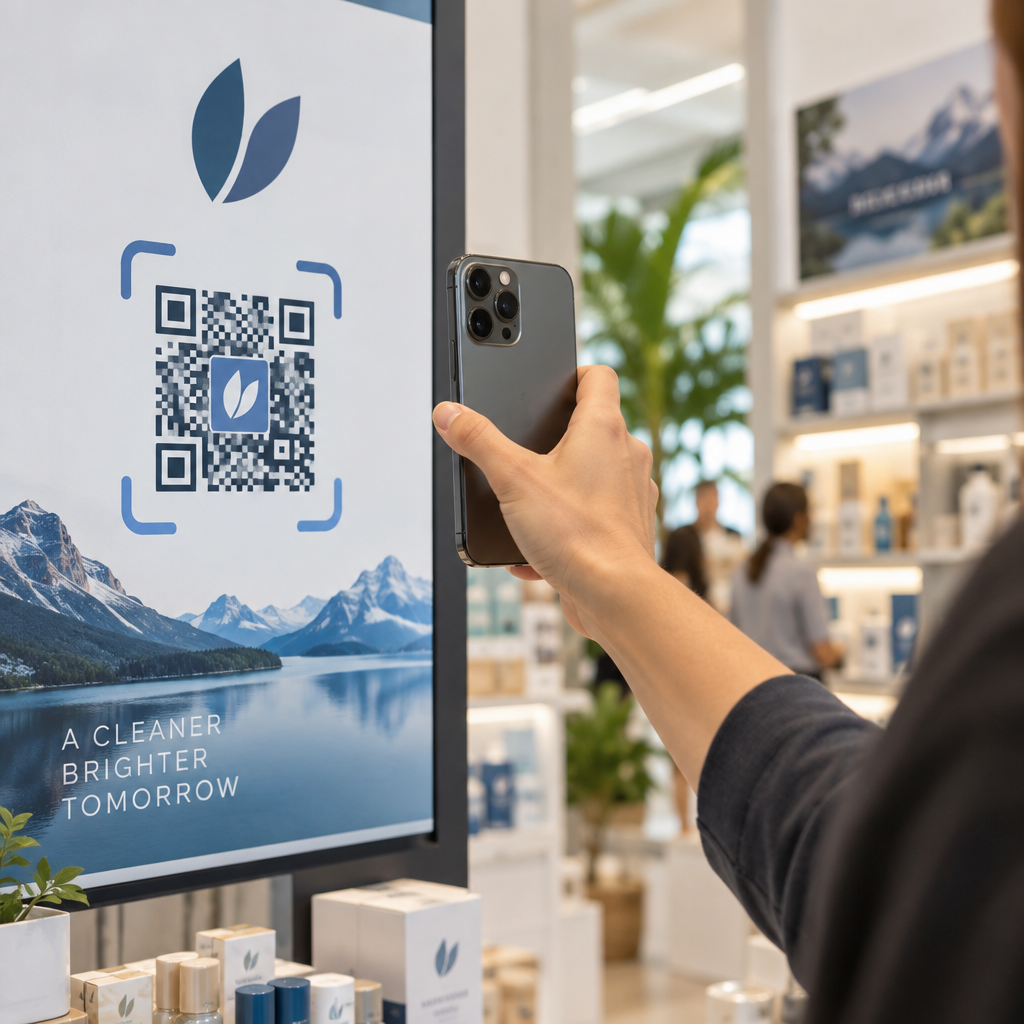
Apakah pelanggan Anda kesulitan memindai kode QR Anda pada percobaan pertama? Pemindaian yang lambat atau tertunda membuat pengguna frustrasi dan menyebabkan kampanye yang terbengkalai dan konversi yang hilang. Dengan menerapkan penyesuaian desain yang ditargetkan dan optimasi teknis, Anda dapat memastikan kode Anda memicu pemindaian instan pada kamera smartphone mana pun.
Mengapa Kontras adalah Fondasi Kemampuan Pindai
Sensor kamera membaca kode QR dengan mendeteksi perbedaan cahaya antara modul gelap dan latar belakang terang. Ketika kontras lemah, kamera pemindai kesulitan membedakan antara elemen data dan permukaan, yang mengakibatkan pencarian fokus otomatis yang lambat atau kegagalan pemindaian total. Meskipun warna merek yang disesuaikan membuat aset terlihat berbeda secara visual, keterbacaan fungsional harus selalu diutamakan.
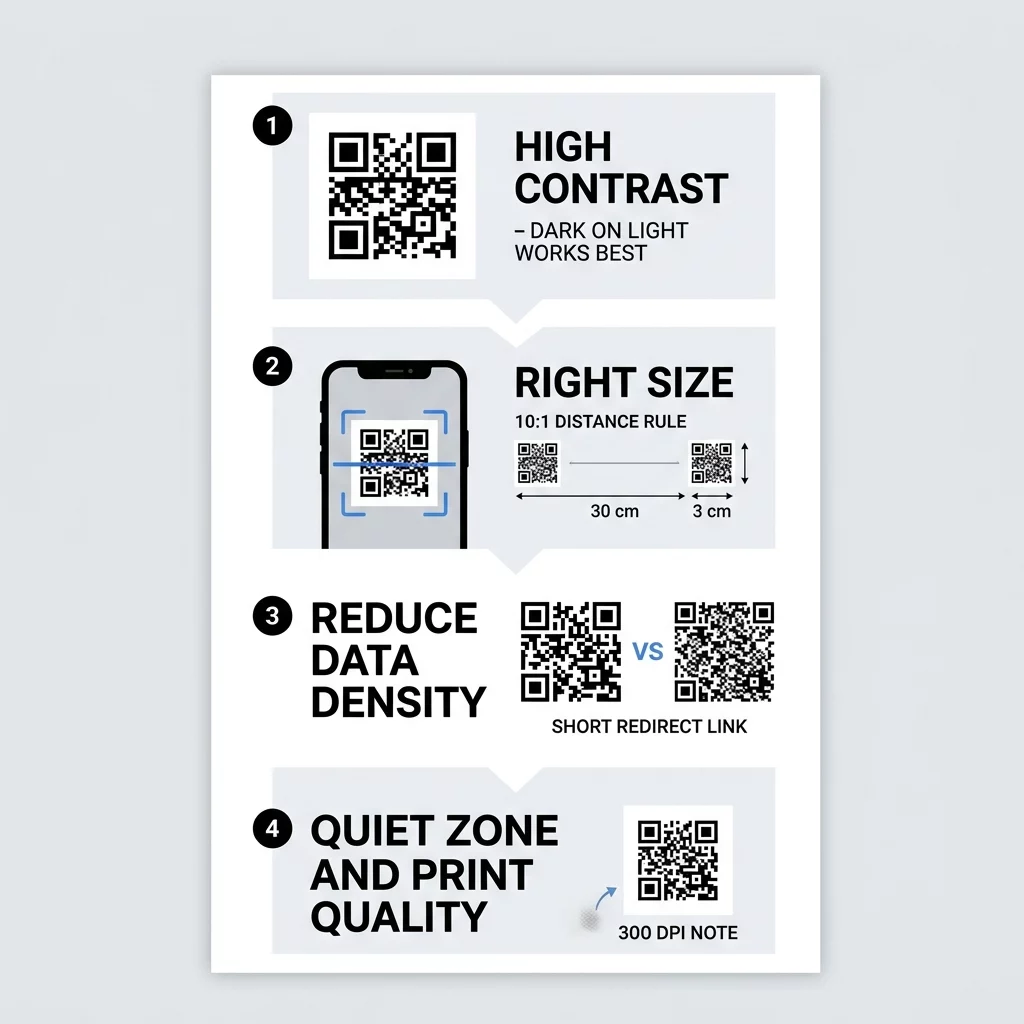
Untuk memaksimalkan kecepatan pemindaian, tempatkan modul latar depan gelap di latar belakang yang bersih dan terang. Hitam standar pada putih memberikan rasio kontras tertinggi yaitu 21:1, memungkinkan kamera untuk mendekode data dalam milidetik. Saat mengintegrasikan warna merek, pertahankan rasio kontras minimum 4.5:1. Hindari kombinasi warna terang-pada-terang, warna pastel yang lembut, dan desain terbalik yang menampilkan kode putih pada latar belakang gelap, karena banyak pembaca kamera seluler asli tidak dapat menafsirkan polaritas terbalik. Tinjau panduan kami untuk praktik terbaik kontras warna kode QR untuk memilih kombinasi yang mempertahankan waktu respons kamera.
Memilih Ukuran yang Tepat untuk Jarak Pemindaian
Dimensi fisik secara langsung menentukan seberapa cepat kamera dapat menyelesaikan kotak data individual. Jika kode terlalu kecil untuk jarak pengguna, lensa tidak dapat fokus tajam pada pola kisi. Standar universal untuk menghitung dimensi adalah rasio 10:1, yang berarti lebar kode harus berukuran setidaknya sepersepuluh dari total jarak antara perangkat seluler dan tampilan.
Untuk item genggam seperti kartu nama, tag produk, dan brosur, ukuran cetak fisik minimum adalah 2 × 2 cm (0,8 × 0,8 inci). Jika mencetak pada kertas karton bertekstur atau kemasan yang memancarkan cahaya, perbesar kode sebesar 25% hingga 50% untuk mencegah penundaan pembacaan kamera. Konsultasikan dengan panduan ukuran kode QR kami yang lengkap untuk mencocokkan dimensi media Anda dengan jarak pandang.
| Aplikasi Cetak | Jarak Pemindaian Khas | Dimensi Minimum yang Direkomendasikan |
|---|---|---|
| Kartu nama | 4–8 inci | 2 × 2 cm (0,8 × 0,8 inci) |
| Menu restoran | 12–20 inci | 3 × 3 cm (1,2 × 1,2 inci) |
| Kemasan produk | 15–25 inci | 5 × 5 cm (2,0 × 2,0 inci) |
| Poster dan tanda dinding | 5 kaki atau lebih | 15 × 15 cm (6,0 × 6,0 inci) |
Mengurangi Kepadatan Data dengan Kode Dinamis
Setiap karakter yang tertanam dalam kode QR statis menambahkan modul fisik ke dalam kisi. Kode yang mengkodekan alamat web yang luas memerlukan pola yang padat – seperti kisi Versi 10 dengan 57 × 57 modul – memaksa perangkat lunak kamera untuk menganalisis ribuan titik kecil. Pola berdensitas tinggi mengharuskan pengguna untuk memegang ponsel mereka dengan stabil pada panjang fokus yang tepat, memperlambat pengalaman pemindaian. Pola yang kompleks juga mengalami penyerapan tinta selama pencetakan, di mana titik-titik yang berdekatan menyatu dan mendistorsi data.
Kode QR dinamis mengatasi tantangan ini dengan mengarahkan pengguna melalui tautan pengalihan singkat. Karena URL yang dikodekan mengandung lebih sedikit karakter, simbol tetap berada pada versi kepadatan yang lebih rendah dengan modul yang lebih besar dan terdefinisi dengan jelas. Pola sederhana ini memungkinkan sensor kamera untuk segera meregistrasi kode dari sudut lebar dan kondisi cahaya yang bervariasi. Untuk memahami keseimbangan antara payload dan struktur simbol, jelajahi panduan kami untuk memahami batas data kode QR.
Mengonfigurasi koreksi kesalahan juga memengaruhi kepadatan. Standar QR memiliki empat tingkat (L, M, Q, H) menggunakan algoritma Reed–Solomon untuk memulihkan data yang rusak dari 7% hingga 30%. Meskipun koreksi tinggi sangat penting saat menambahkan logo di tengah atau menempatkan kode di lingkungan yang kotor, redundansi yang berlebihan meningkatkan jumlah modul yang tidak perlu. Untuk materi pemasaran standar tanpa grafik tersemat, Tingkat M (pemulihan 15%) menawarkan keseimbangan ideal antara daya tahan dan kepadatan modul rendah. Anda dapat membaca lebih lanjut tentang cara kerja koreksi kesalahan untuk memilih pengaturan yang tepat untuk lingkungan distribusi Anda.
Buat Kode Dinamis yang Cepat dan Dapat Dipindai Ingin menjaga pola modul tetap bersih dan memperbarui tujuan kapan saja? Gunakan Generator Kode QR untuk merancang kode berkecepatan tinggi dengan kontras optimal dan merek khusus.
Melindungi Pola Finder dengan Quiet Zone
Quiet zone adalah batas kosong yang mengelilingi seluruh perimeter kode QR. Menurut spesifikasi ISO/IEC 18004, batas ini harus berukuran minimal empat modul lebar di keempat sisinya. Jika modul individual berukuran 2 mm, quiet zone harus tetap bebas setidaknya 8 mm dari teks, pola desain, batas, atau karya seni apa pun.
Perangkat lunak pemindaian seluler menggunakan tiga kotak sudut – yang dikenal sebagai pola deteksi posisi atau pola finder – untuk mengidentifikasi sudut, kemiringan, dan orientasi kode. Ketika grafik, teks, atau lipatan kemasan mengganggu quiet zone, pemindai optik tidak dapat membedakan di mana kode dimulai. Menerapkan yang telah kami tetapkan praktik terbaik untuk keterbacaan kode QR memastikan margin Anda mengisolasi kode dengan bersih dari tata letak grafis yang ramai.
Kemasan melengkung menyajikan hambatan fisik lain untuk pemindaian cepat. Mencetak melintasi lengkungan kaleng, botol, atau tube tekan akan menekan modul secara horizontal dari perspektif kamera, membingungkan mesin dekode. Selalu letakkan kode pada bidang permukaan datar jika memungkinkan, atau kurangi jejak kode relatif terhadap diameter wadah sehingga kamera menangkap simbol penuh tanpa distorsi.
Resolusi Cetak dan Pemilihan Bahan
Kejelasan digital file grafis Anda dan tekstur fisik bahan cetak Anda menentukan seberapa tajam kamera memecahkan setiap modul. Grafis beresolusi rendah menghasilkan tepi yang lembut dan berpiksel yang mengharuskan kamera untuk memfokuskan ulang berulang kali sebelum memproses data.
Ikuti panduan produksi ini untuk mempertahankan definisi modul yang tajam:
- Ekspor desain dalam format vektor seperti SVG, EPS, atau PDF untuk mempertahankan garis tajam pada dimensi apa pun.
- Pertahankan setidaknya 300 DPI untuk berkas raster, atau 600 DPI untuk cetakan mikro seperti kartu nama.
- Pilih hasil akhir matte atau satin daripada substrat mengkilap untuk menghindari pantulan cahaya.
- Oleskan lapisan latar belakang putih solid di bawah kode jika mencetak pada bahan semi-transparan atau bertekstur.
Laminasi mengkilap dan pembungkus susut reflektif menghasilkan titik silau putih yang intens di bawah pencahayaan langsung, membutakan lensa kamera terhadap modul gelap di bawahnya. Jika hasil akhir mengkilap diperlukan untuk ketahanan kemasan, letakkan kode QR pada bagian label yang tidak reflektif dan datar. Anda dapat meninjau langkah-langkah untuk menguji kode QR sebelum mencetak untuk memeriksa sampel material sebelum proses cetak akhir.
Memvalidasi Kinerja di Berbagai Kondisi Dunia Nyata
Berkas digital yang dapat dipindai dalam hitungan detik pada monitor terkalibrasi dapat gagal saat terpapar pencahayaan toko dunia nyata, bayangan, dan perangkat keras seluler yang bervariasi. Ponsel pintar murah seringkali tidak memiliki optik premium dan stabilisasi optik, sehingga memerlukan kejernihan visual yang lebih kuat untuk memindai dengan cepat.
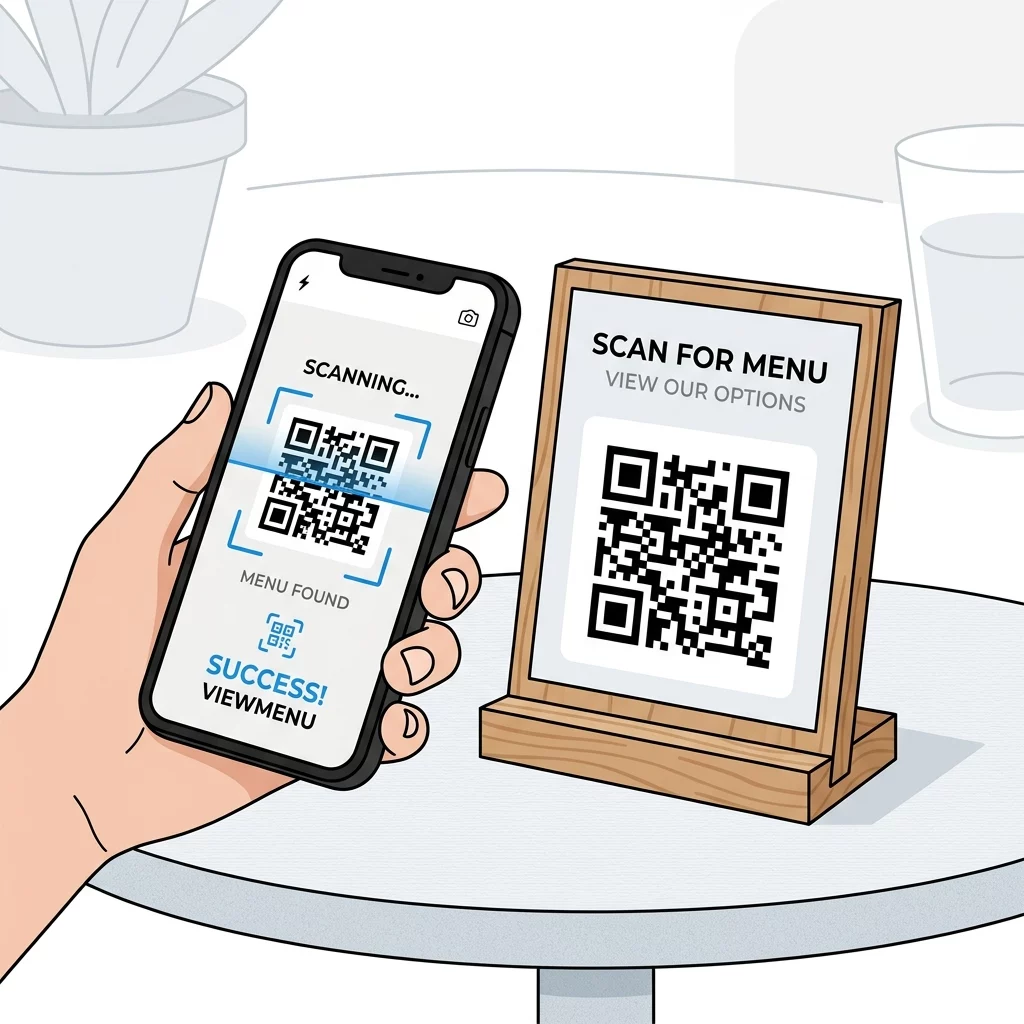
Lakukan validasi lapangan menggunakan rutinitas evaluasi komprehensif:
- Periksa hasil cetak di bawah sinar matahari langsung, pencahayaan neon, dan lingkungan minim cahaya.
- Periksa keterbacaan dari berbagai sudut kamera hingga 45 derajat.
- Verifikasi respons pemindaian di berbagai model ponsel pintar, sistem operasi, dan resolusi kamera.
- Konfirmasikan bahwa URL tujuan dimuat secara instan dan dirender dengan mulus di jaringan seluler.
Jika hasil cetak pengujian Anda membutuhkan lebih dari dua detik untuk mendaftar, evaluasi potensi hambatan tata letak dengan menjelajahi mengapa kode QR Anda tidak berfungsi. pemindai kode QR online untuk memverifikasi bahwa string payload data didekodekan dengan bersih tanpa karakter yang hilang.
Mengoptimalkan kode Anda untuk pemindaian instan memerlukan kombinasi ukuran yang memadai, kontras yang bersih, zona tenang yang luas, dan kepadatan data yang rendah. Dengan memperlakukan persyaratan fisik dan optik sensor kamera dengan perhatian yang sama seperti merek visual Anda, Anda memberikan perjalanan fisik-ke-digital yang lancar untuk audiens Anda. Buat, sempurnakan, dan terapkan kampanye kinerja tinggi Anda berikutnya menggunakan Pageloot QR Code Generator untuk menangkap setiap pemindaian dengan mudah.
Pertanyaan yang sering diajukan
Mengurangi kepadatan data dengan beralih dari kode statis ke kode QR dinamis memiliki dampak terbesar pada kecepatan. Kode dinamis menyimpan URL pendek, menciptakan kisi sederhana dengan modul yang lebih besar yang dapat dikenali dan didekodekan secara instan oleh kamera ponsel cerdas.
Ya, asalkan ada kontras yang kuat antara modul dan latar belakang. Pertahankan rasio kontras setidaknya 4,5:1 dengan elemen latar depan gelap pada latar belakang terang, dan hindari warna pastel terang, gradien, atau skema terbalik.
Zona tenang harus memiliki lebar minimal empat modul di keempat sisi simbol kode. Menjaga batas ini benar-benar bersih dari teks, grafik, dan batas memungkinkan sensor optik untuk mengidentifikasi pola deteksi posisi tanpa penundaan pembacaan.