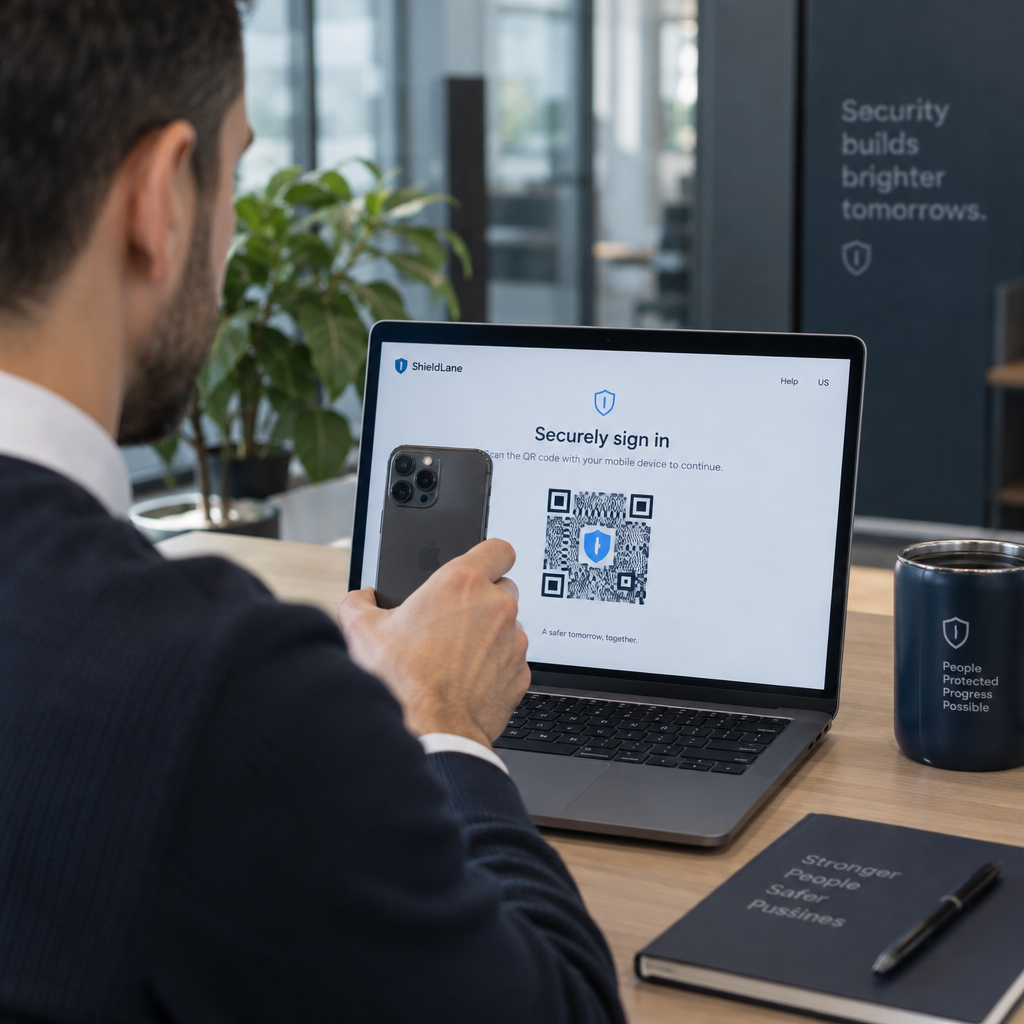
Are your employees overwhelmed by typing verification codes across multiple logins every day? This daily friction slows productivity and encourages poor credential habits that expose organizations to account takeover. Using QR code-based multi-factor authentication creates a streamlined login workflow that strengthens enterprise security against modern credential theft.
Cách thức hoạt động của xác thực mã QR
QR codes serve two distinct functions in modern access management: initial authenticator enrollment and dynamic session authentication. Understanding the technical mechanics of each workflow helps IT administrators evaluate where QR technology fits within an identity architecture.
During traditional enrollment, a service generates a shared cryptographic secret and packages it into an `otpauth://` provisioning URI. The login screen encodes this uniform resource identifier into a static setup code. When you scan this code with a mobile authenticator, such as during a hướng dẫn thiết lập mã QR của LastPass workflow, the app extracts the Base32-encoded secret, algorithm settings, and time interval. Both your authenticator application and the authentication server then run the Time-Based One-Time Password (TOTP) algorithm to produce matching six-digit codes that refresh every 30 seconds.
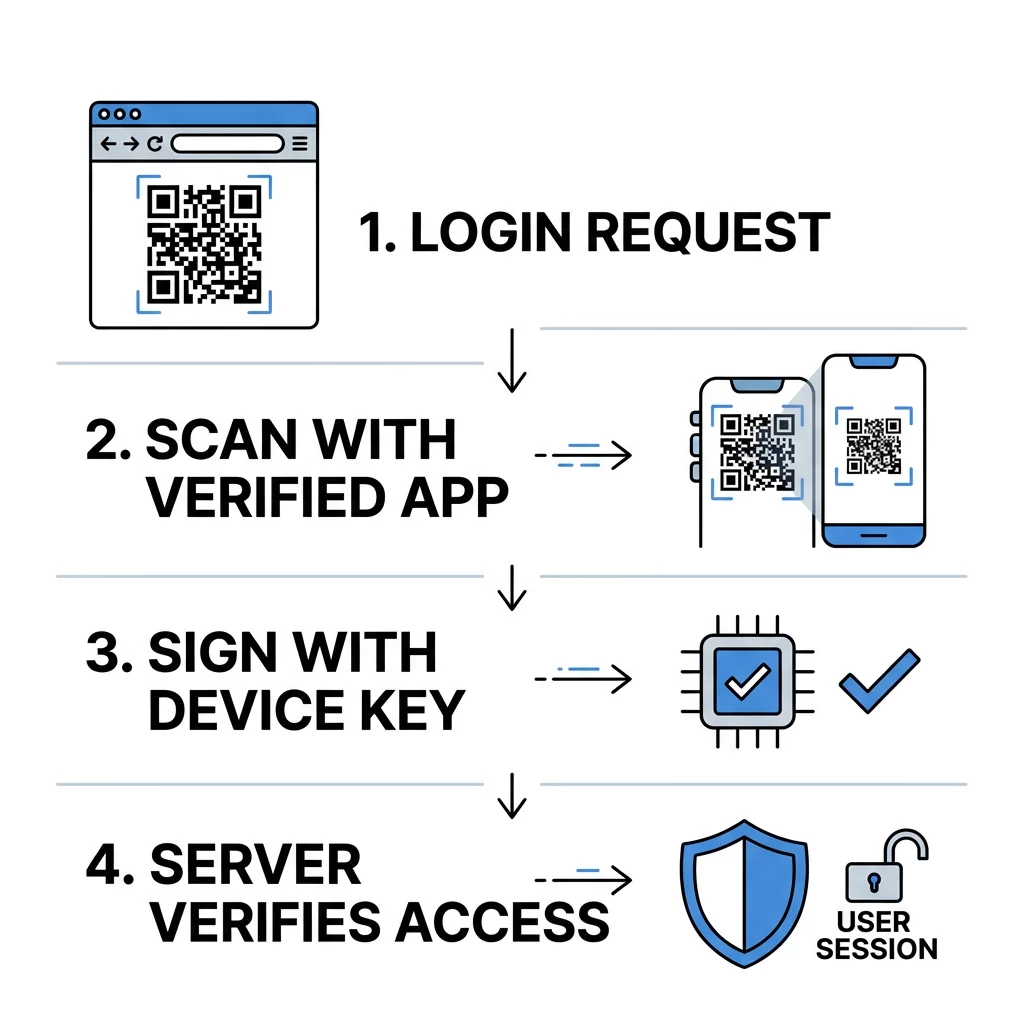
For session logins and cross-device sign-ins, modern systems utilize dynamic QR codes instead of static secrets. This FIDO cross-device authentication architecture operates through a multi-step exchange:
- The workstation browser requests a sign-in session from the authentication server, which generates an ephemeral challenge called a nonce.
- The server encodes this session data, along with a shared secret and public key parameters, into a short-lived QR code displayed on the screen.
- You scan the code using a trusted mobile device that holds an authorized passkey or private key in its hardware security module.
- The devices establish a local verification channel using Bluetooth Low Energy (BLE) to ensure your phone is physically adjacent to the computer display.
- An end-to-end encrypted network tunnel forms between the two devices to exchange cryptographic assertions.
- You authorize the sign-in on your phone by unlocking the screen with biometrics or a PIN, prompting the phone to sign the challenge and complete the login.
This cross-device model is already familiar to millions of users through services like Gmail QR code logins, where the visual code initiates a hardware-backed handshake without manual password entry.
Evaluating MFA Methods and Phishing Resistance
Identity and access management architectures vary dramatically in how well they protect against adversary-in-the-middle (AiTM) proxy attacks and credential harvesting. Federal security authorities, including the Cybersecurity and Infrastructure Security Agency (CISA) and the National Institute of Standards and Technology (NIST), classify multi-factor methods based on whether they provide verifier-impersonation resistance.
| Authentication Method | Phishing Resistance | Primary Vulnerabilities | Operational Overhead |
|---|---|---|---|
| FIDO Passkeys / QR Cross-Device | High (Phishing-resistant) | Physical theft of unlocked device | Low; instant biometric tap |
| App Push (Number Matching) | Vừa phải | User error under persistent fatigue | Low; prompt on mobile screen |
| App Push (Simple Approval) | Thấp | MFA fatigue spamming | Very Low; single click |
| TOTP Authenticator App | Thấp | Real-time phishing proxies | Moderate; manual code entry |
| SMS One-Time Passcode | Không có | SIM swapping, SS7 interception | Low; universally available |
SMS verification provides the lowest level of protection because cellular carriers remain vulnerable to SIM swapping and signaling exploitation. NIST limits the use of out-of-band SMS codes for high-assurance scenarios.
Standard TOTP authenticators provide replay resistance against static password reuse, but they lack verifier-impersonation resistance. If an employee enters a six-digit code into a spoofed landing page, an automated reverse proxy captures that token and replays it to the legitimate server before the 30-second window expires.
Simple push notifications introduce vulnerabilities to MFA fatigue attacks, where malicious actors bombard an employee with approval prompts until they inadvertently tap confirm. Adding number matching significantly reduces fatigue exploits, but it still does not match the cryptographic binding of public-key cryptography.
Evaluating Mã QR so với mật khẩu trong SSO highlights the power of FIDO-governed cross-device QR authentication. Because the authentication messages rely on public-key cryptography bound to the specific domain origin, an attacker hosting a phishing site cannot replay the assertion to gain access. Biometrics add an extra layer to this flow, serving locally to unlock private keys inside the device rather than transmitting sensitive biological templates across the network.
Security Controls and Encrypted Payloads
Dynamic QR codes used in enterprise access control depend on rigorous cryptographic hygiene. Implementing mã QR được mã hóa cho các nền tảng xác thực ensures that intercepted payloads cannot be parsed or tampered with by rogue scanning utilities. Organizations typically apply symmetric AES-256 encryption for rapid on-screen rendering or asymmetric RSA protocols where only a specific internal app manages the decryption key.
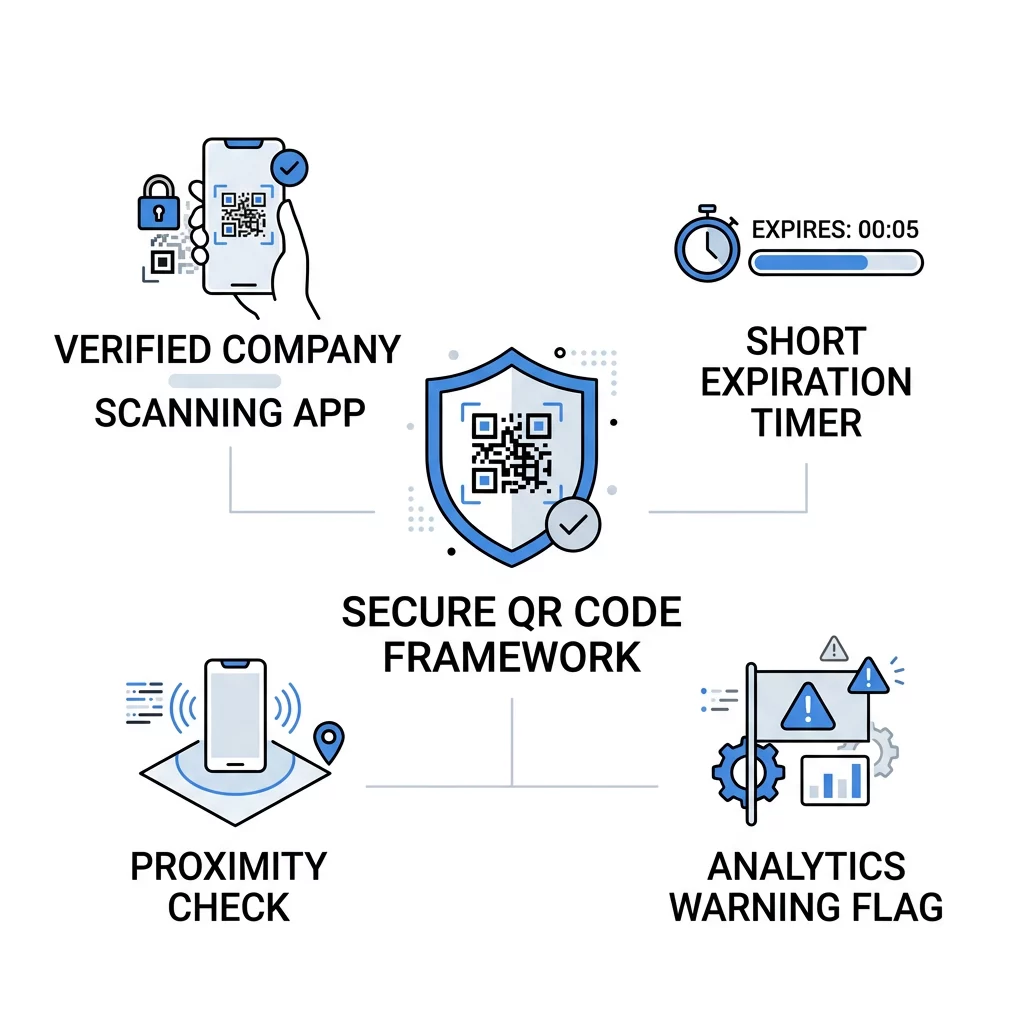
A vital defense mechanism in dynamic authentication is the strict enforcement of Time-to-Live (TTL) limits. While standard marketing codes remain active indefinitely, an authentication QR code must expire within 30 to 60 seconds. This brief validity window prevents replay attacks where an eavesdropper captures a screenshot or video recording of an unattended screen to attempt authorization later.
Proximity validation adds a second technical boundary. In FIDO-compliant cross-device interactions, the computer and the mobile device perform a Bluetooth Low Energy handshake. Because Bluetooth signals degrade rapidly over distance, this verification confirms that the scanning phone is located within physical proximity of the terminal screen, neutralizing remote interception attempts from external networks.
Deploy Secure QR Infrastructure Need to evaluate and validate your organization’s authentication architecture? Follow these kiểm tra các phương pháp hay nhất về xác thực mã QR to identify vulnerabilities before rolling out to users.
Mitigating Quishing and Enrollment Risks
While QR authentication architecture provides robust protocol security, organizations must account for procedural vulnerabilities and social engineering threats. Attackers frequently use QR code phishing, commonly referred to as “quishing,” to bypass secure email gateways. Because security filters inspect text rather than embedded image patterns, malicious actors send PDFs containing fraudulent QR codes designed to steal corporate credentials. Understanding QR code phishing business risks and fixes is critical for IT security teams.
Another overlooked vulnerability occurs during initial TOTP registration. When an application displays a QR code containing an `otpauth://` URI, that image exposes the permanent shared secret in plaintext. If an employee captures a screenshot for backup, stores it in an unencrypted personal drive, or scans it over an unsecured connection, that secret is exposed indefinitely without automated expiration.
To protect authentication workflows against these vulnerabilities, security teams should implement defensive safeguards:
- Train personnel on how to spot fake QR codes before scanning by inspecting the root domain and confirming HTTPS encryption before inputting credentials.
- Restrict registration procedures to managed corporate networks and enforce administrative approvals for newly paired mobile authenticators.
- Apply established các phương pháp hay nhất về xác thực mã QR của Salesforce to audit administrative logs for anomalous registration locations or unexpected device pairings.
- Use sandboxed corporate scanning applications that evaluate URLs against enterprise threat intelligence feeds before resolving destinations.
- Combine visual codes with contextual device telemetry as outlined in Xác minh danh tính bằng mã QR trong an ninh mạng to detect impossible travel patterns.
Strengthening Enterprise Identity Security
Transitioning from static passwords and vulnerable SMS codes to dynamic QR code authentication eliminates manual entry friction while delivering cryptographic assurance. By leveraging short-lived challenges, Bluetooth proximity checks, and FIDO standards, organizations build login flows that resist phishing proxies and credential stuffing. Review your current identity provider configurations, audit existing enrollment procedures, and implement dynamic cross-device authentication to protect your organization’s sensitive digital perimeter.
Câu hỏi thường gặp
Yes, QR codes used in cross-device cryptographic handshakes or authenticator apps are significantly more secure than SMS codes. SMS messages can be intercepted through SIM-swapping attacks and cellular network vulnerabilities, whereas QR-initiated authentications rely on local devices and cryptographic keys.
Dynamic login QR codes expire within 30 to 60 seconds and require proximity validation via Bluetooth Low Energy. An attacker attempting to reuse a photographed code cannot establish the local encrypted channel required to complete authentication.
Enterprise identity systems provide fallback authentication options when optical scanning fails. Administrators can configure hardware security keys, time-based one-time passcodes entered manually from an authenticator app, or temporary bypass codes to maintain uninterrupted access.