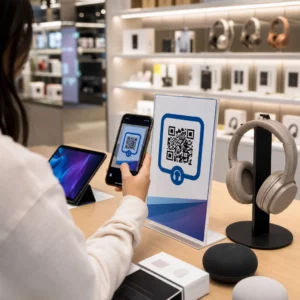
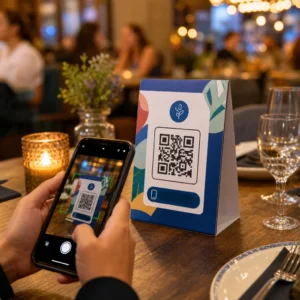
Adakah kakitangan bilik paip anda menghabiskan terlalu banyak masa menjawab soalan yang sama tentang bir anda? Antara senarai paip yang berputar, butiran ABV, padanan makanan, dan keluaran bermusim, memastikan pelanggan dimaklumkan tanpa membebankan pasukan anda adalah cabaran operasi yang sebenar. Panduan ini merangkumi bagaimana kilang bir menggunakan kod QR untuk menyelesaikan masalah itu – daripada senarai paip digital hingga alat maklum balas pelanggan.
Mengapa Bilik Paip Beralih kepada Kod QR
Bilik paip dan pub bir mewakili 73% daripada semua perniagaan pembuatan bir kraf A.S., namun hanya menyumbang 15% daripada jumlah isipadu bir kraf. Struktur itu meletakkan beban yang besar pada pengalaman terus kepada pengguna, dan panduan industri semakin menunjukkan untuk menggandakan pengalaman bilik paip sebagai jalan ke hadapan bagi pembuat bir kraf.
Kod QR sesuai secara semula jadi dengan strategi itu. Satu kod yang boleh diimbas di atas meja boleh menggantikan timbunan menu berlamina, memberikan pelanggan akses segera kepada nota rasa dan butiran bir, dan menjemput mereka untuk mengikuti kilang bir anda di media sosial – semuanya tanpa memerlukan kakitangan untuk meninggalkan bar.
Untuk perniagaan dalam hospitaliti, kod QR menawarkan cara kos rendah untuk menghubungkan ruang fizikal dengan kandungan digital. Kilang bir sangat sesuai kerana maklumat yang pelanggan inginkan – ABV, IBU, penerangan gaya, pilihan penerbangan – berubah secara berkala dan mendapat manfaat daripada dikemas kini tanpa mencetak semula.
Senarai Paip Digital: Kes Penggunaan Paling Praktikal Anda
Aplikasi yang paling segera adalah menggantikan atau menambah senarai paip bercetak anda dengan versi digital yang boleh diakses pelanggan dengan mengimbas kod di bar, di khemah meja, atau di pintu masuk.
A kod QR menu membolehkan anda membina senarai paip digital yang menunjukkan nama bir, gaya, ABV, IBU, nota rasa, dan harga mengikut saiz tuangan. Menu kilang bir sering termasuk tuangan sampel dan penerbangan juga, jadi anda boleh menyusun menu digital anda untuk mencerminkan semua pilihan yang tersedia tanpa kekangan pemformatan papan hitam atau kad kertas.
Kelebihan operasi utama adalah anda boleh mengemas kini menu tanpa menyentuh kod QR fizikal. Apabila tong bir habis dan musim baharu menggantikannya, anda mengemas kini destinasi digital – kod bercetak di atas meja kekal sama. Ini penting dalam persekitaran di mana senarai paip boleh berubah setiap hari atau mingguan.
Cipta Senarai Paip Digital untuk Kilang Bir Anda Bersedia untuk membina menu yang boleh diakses pelanggan anda dengan satu imbasan? Gunakan Penjana menu QR untuk kedai makan untuk memuat naik senarai paip anda sebagai PDF atau membina menu mudah alih interaktif – dan kemas kini pada bila-bila masa tanpa mencetak semula.
Apa yang Perlu Dimasukkan dalam Menu Digital Kilang Bir
Senarai paip digital yang tersusun rapi membantu pelanggan membuat keputusan dengan lebih cepat dan mengurangkan pertanyaan berulang-alik dengan kakitangan. Pertimbangkan untuk menyusunnya berdasarkan elemen berikut:
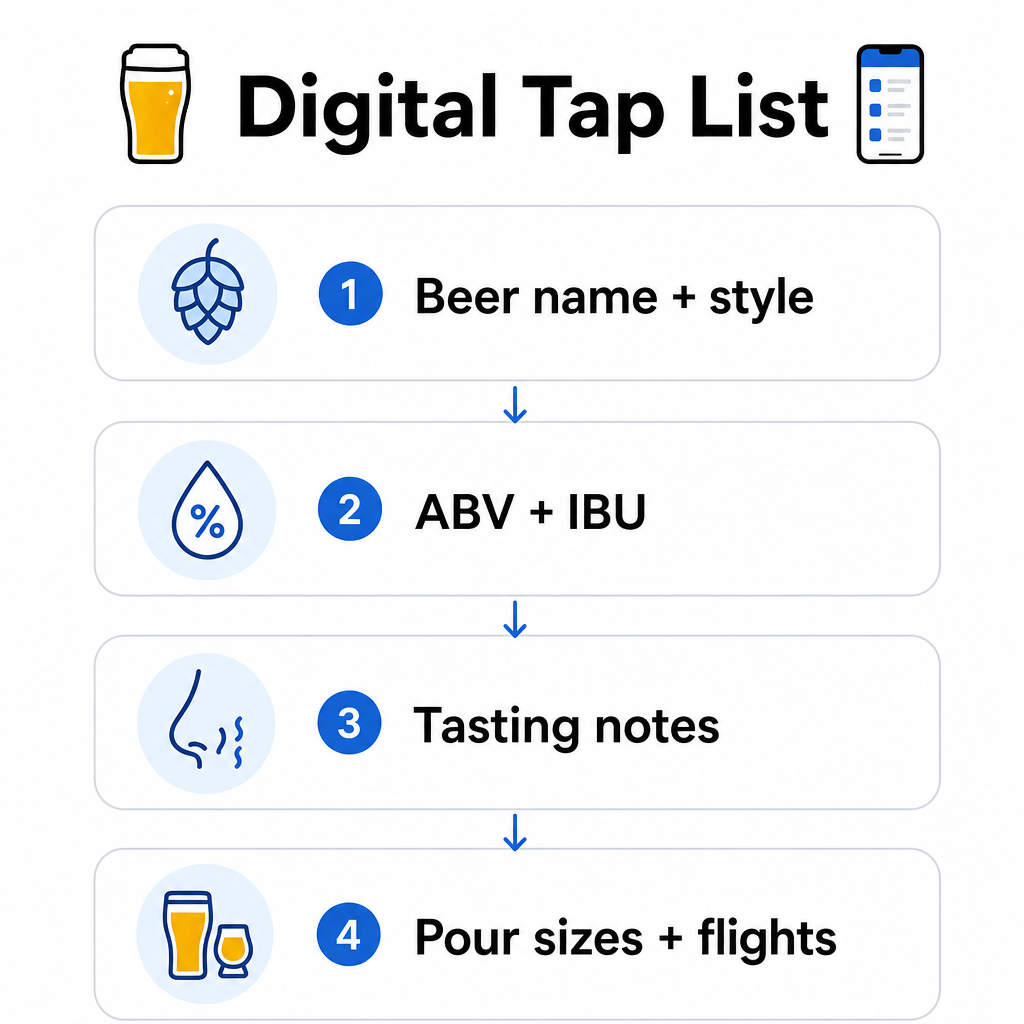
- Nama dan gaya bir – cth., West Coast IPA, Hazy Double IPA, Dry Irish Stout
- ABV dan IBU – membantu pelanggan mengukur kekuatan dan kepahitan sepintas lalu
- Nota rasa atau penerangan rasa – “rasa sitrus dengan kemasan kering” lebih berguna daripada sekadar “IPA”
- Saiz tuangan dan harga yang tersedia – jika anda menawarkan 5 oz, 10 oz, dan pain, setiap saiz harus mempunyai harga tersendiri yang disenaraikan
- Pilihan penerbangan dan sampel – tunjukkan dengan jelas bagaimana penerbangan disusun dan dihargai
- Keluaran bermusim atau terhad – nyatakan ini supaya pelanggan tahu apa yang baharu
Jika kilang bir anda juga menyajikan makanan, kod QR yang sama boleh memautkan ke menu makanan dan minuman penuh. Bagi tetamu dengan sekatan diet atau kebimbangan alergen, format digital memudahkan untuk memasukkan maklumat ramuan terperinci. Ambil perhatian bahawa pelabelan alergen TTB untuk label alkohol kekal sukarela di bawah peraturan semasa, tetapi berkongsi maklumat ini secara proaktif melalui menu digital anda adalah amalan yang baik untuk kepercayaan pelanggan.
Menggunakan Kod QR PDF untuk Menu Bir dan Bahan Promosi
Jika anda sudah mempunyai senarai paip yang direka dalam format PDF, anda boleh menjana kod QR yang memautkan terus ke fail tersebut. Pelanggan mengimbas dan PDF dibuka pada telefon mereka – tiada aplikasi diperlukan.
Pendekatan ini berfungsi dengan baik untuk beberapa senario khusus kilang bir:
- Kad menu bermusim yang anda reka bentuk semula setiap suku tahun
- Helaian pendidikan bir untuk pengambilalihan paip atau acara
- Bahan promosi bercetak untuk lawatan kilang bir yang anda ingin luaskan secara digital
- Panduan rasa yang disusun berdasarkan penerbangan
Kod QR PDF sangat praktikal kerana anda boleh menukar PDF yang dipautkan tanpa mengubah kod bercetak. Jika anda mencetak sejumlah khemah meja untuk acara bermusim dan menu berubah di tengah-tengah cetakan, anda mengemas kini PDF dan bukannya mencetak semula kod. Yang aplikasi kod QR PDF yang lebih luas untuk perniagaan merangkumi cara tambahan untuk menerapkan pendekatan ini merentasi pemasaran dan operasi.
Mengumpul Ulasan Google Semasa Pelanggan Masih Terlibat
Masa terbaik untuk meminta ulasan adalah sejurus selepas pengalaman positif – yang di dalam taproom bermaksud semasa seseorang sedang menghabiskan segelas bir yang hebat, bukan tiga hari kemudian apabila mereka telah lupa nama-nama bir.
A kod QR Google review yang diletakkan di atas meja, alas cawan, atau resit anda membawa pelanggan terus ke halaman ulasan Google Business anda dengan satu imbasan. Menambah arahan ringkas seperti “Menikmati kunjungan anda? Beritahu orang lain” menjadikan permintaan itu terasa semula jadi daripada mendesak.
Lebih banyak ulasan membantu kilang bir anda menduduki ranking dalam hasil carian tempatan dan membina kredibiliti dengan pelawat baharu yang sedang memutuskan di mana untuk menghabiskan petang. Ia adalah titik sentuhan usaha rendah dengan impak hiliran sebenar terhadap trafik pejalan kaki.
Di Luar Menu: Aplikasi Kod QR Taproom Lain
Kod QR boleh berfungsi beberapa fungsi lain merentasi operasi taproom anda.
Media sosial dan pendaftaran surat berita – A kod QR pautan pada khemah meja atau bahagian atas bar anda boleh mengarahkan pelawat ke Instagram, halaman Facebook anda, atau borang pendaftaran e-mel. Tetamu yang berseronok bersedia untuk terus berhubung, jadi berikan mereka cara mudah untuk melakukannya semasa pengalaman itu masih segar.
Acara dan pengumuman keluaran – Pautkan kod QR ke halaman pendaratan dengan acara akan datang, tarikh keluaran bir, atau perubahan waktu taproom. Kerana kod QR dinamik boleh dikemas kini selepas dicetak, anda boleh menggunakan kod fizikal yang sama untuk mempromosikan acara akan datang yang berbeza dari semasa ke semasa tanpa mencetak semula apa-apa.
Pendidikan bir dan kisah kilang bir – Sesetengah kilang bir menggunakan kod QR untuk berkongsi kisah di sebalik bir – strain yis, varieti hop, inspirasi untuk resipi. Kandungan jenis ini memperdalam pengalaman taproom tanpa memerlukan kakitangan untuk memberikan penjelasan penuh dengan setiap tuangan. Ia berfungsi dengan sangat baik untuk keluaran terhad atau kolaborasi di mana latar belakang adalah sebahagian daripada daya tarikan.
Pembayaran tanpa sentuh – Pilihan pembayaran berasaskan QR boleh mempercepatkan proses pembayaran di taproom yang sibuk. Pelanggan mengimbas, menyemak bil mereka, dan membayar – mengurangkan ulang-alik di bar semasa waktu puncak. The faedah pembayaran kod QR dalam tetapan restoran terpakai secara langsung kepada operasi taproom juga.
Sambungkan Setiap Titik Sentuhan Taproom ke Kandungan Digital Menggunakan Penjana Kod QR untuk mencipta kod berjenama, boleh dijejak untuk senarai bir anda, media sosial, acara, dan banyak lagi – semuanya diuruskan dari satu papan pemuka.
Kod QR Dinamik lwn. Statik: Apa yang Perlu Diketahui oleh Kilang Bir
Terdapat dua jenis kod QR: statik dan Dinamik. Memahami perbezaan itu membantu anda memilih alat yang betul untuk setiap aplikasi.
| CIRI | Kod QR Statik | Kod QR Dinamik |
|---|---|---|
| URL Destinasi | Tetap semasa penciptaan | Boleh dikemas kini bila-bila masa |
| ANALITIK | Tiada | Imbasan, lokasi, jenis peranti, masa |
| Terbaik untuk | Sekali sahaja atau pautan kekal | Senarai bir, acara, kandungan berputar |
| Pencetakan semula diperlukan selepas kemas kini? | ya | Tidak |
Untuk kebanyakan aplikasi kilang bir – terutamanya senarai bir dan promosi acara – kod QR dinamik adalah pilihan yang tepat. Senarai bir berubah. Acara datang dan pergi. Menu bermusim berputar. Kod dinamik membolehkan anda mengemas kini destinasi tanpa membuang bahan cetakan anda, yang penting apabila anda telah melabur dalam khemah meja atau alas cawan yang dicetak khas.
Kod dinamik juga memberikan anda analitik: berapa kali kod diimbas, dari lokasi mana, pada peranti mana, dan pada waktu bila. Data itu memberitahu anda sama ada tetamu sebenarnya berinteraksi dengan menu digital anda atau mengabaikannya – yang membantu anda memutuskan di mana untuk meletakkan kod dan cara mereka bentuknya untuk keterlihatan yang lebih baik. Untuk pecahan penuh tentang apa yang dijejak oleh kod dinamik dan mengapa ia penting, lihat data apa yang dikumpul oleh kod QR dinamik.
Mereka Bentuk Kod QR untuk Persekitaran Taproom
Taproom menampilkan keadaan fizikal tertentu yang perlu anda ambil kira: pencahayaan ambien yang boleh berkisar dari terang hingga malap, permukaan yang termasuk kayu, papan hitam, dan kaca, dan tetamu yang mungkin mengimbas dari jarak capaian lengan di bangku bar.
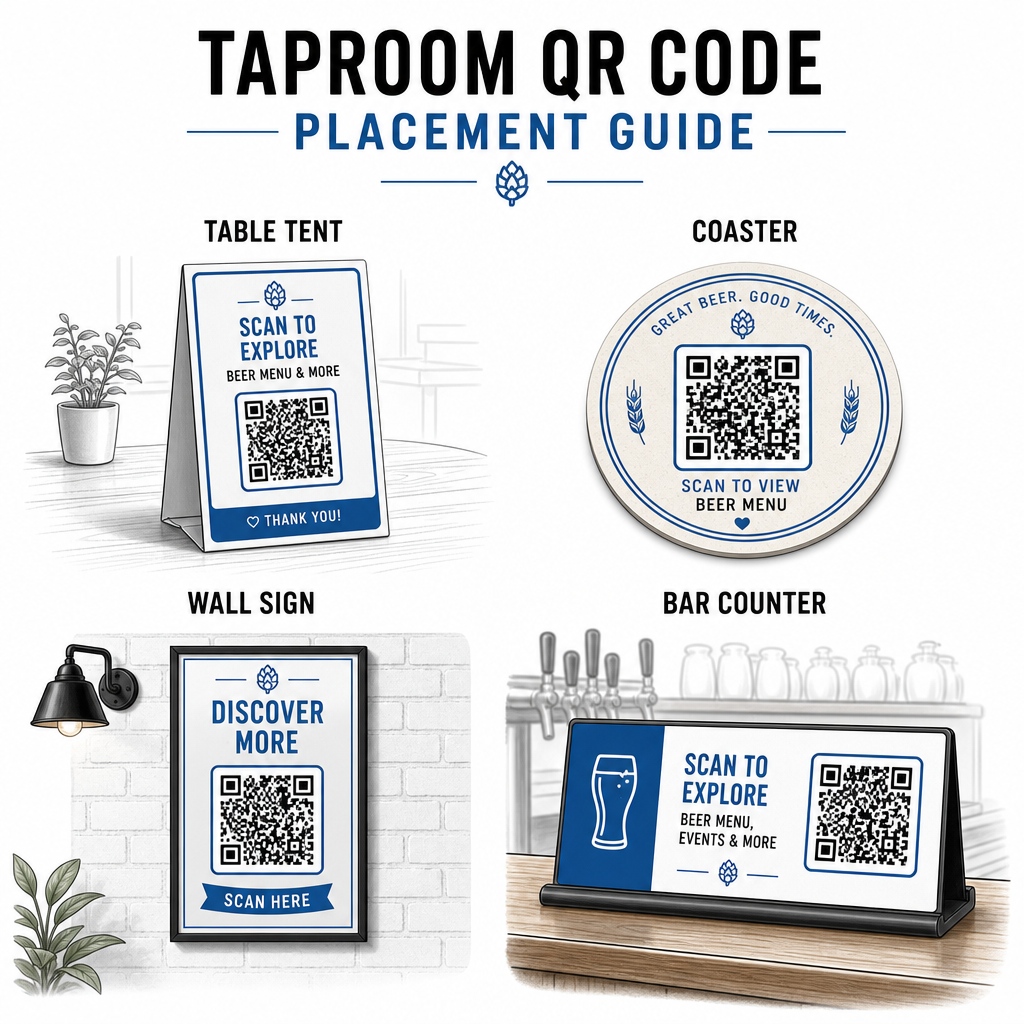
Beberapa garis panduan praktikal yang diambil dari amalan terbaik untuk kebolehbacaan kod QR:
- Saiz – Gunakan minimum 2 × 2 cm (kira-kira 0.8 × 0.8 inci) untuk pengimbasan jarak dekat. Untuk kod yang diletakkan di dinding atau papan hitam di mana tetamu mengimbas dari jarak yang lebih jauh, gunakan peraturan 10:1: lebar kod hendaklah sekurang-kurangnya satu persepuluh daripada jarak pengimbasan yang dijangkakan.
- Berbeza – Kekalkan kontras yang kuat antara corak kod dan latar belakangnya. Corak gelap pada latar belakang terang adalah standard. Elakkan meletakkan kod terus pada kayu gelap tanpa medan latar belakang putih di belakangnya.
- Zon senyap – Tinggalkan margin yang jelas di sekeliling kod – kira-kira 0.25 inci – supaya pengimbas dapat mencari dan membaca kod tanpa elemen sekeliling mengganggu.
- Permukaan – Elakkan permukaan melengkung atau bertekstur seperti botol. Khemah meja, alas cawan, menu bercetak, dan papan tanda dinding adalah penempatan terbaik. Menggunakan kod QR pada khemah meja meliputi spesifik penempatan dengan lebih terperinci.
- Format fail – Muat turun kod anda dalam format SVG, EPS, atau PDF untuk cetakan berkualiti tinggi. Format raster seperti JPG merosot pada saiz cetakan yang lebih besar dan boleh menjadi tidak boleh dibaca.
Jika anda menambah logo kilang bir anda pada kod – yang membantu dengan pengecaman jenama – gunakan tahap pembetulan ralat Q atau H, dan pastikan logo tidak melebihi 30% daripada kawasan kod untuk mengelakkan gangguan dengan kebolehan imbasan.
Had Jujur untuk Dirancang
Kod QR berguna, tetapi ia berfungsi paling baik sebagai pelengkap kepada pengalaman taproom anda daripada pengganti penuh untuk setiap titik sentuh analog.
Penyelidikan secara konsisten menunjukkan bahawa sebahagian besar pengunjung masih memilih menu fizikal. Data tinjauan menunjukkan bahawa 67% pengunjung lebih suka mempunyai pilihan menu digital dan tradisional daripada salah satu daripadanya. Menyimpan beberapa menu bercetak atau papan hitam tersedia bersama kod QR selaras dengan pilihan kebanyakan tetamu dan mengelakkan pengasingan mereka yang mendapati persediaan QR-sahaja mengecewakan.
Terdapat juga pertimbangan kebolehcapaian yang patut ditangani secara langsung:
- Tetamu tanpa telefon pintar, atau dengan peranti lama yang sukar mengimbas, memerlukan pilihan alternatif yang tersedia
- Menu yang dihantar sebagai PDF imej sahaja boleh menjadi tidak boleh diakses oleh tetamu yang menggunakan pembaca skrin – menu teks berstruktur atau HTML lebih inklusif
- Wi-Fi lemah di bangunan taproom lama boleh melambatkan masa muat menu, mengecewakan tetamu – pastikan rangkaian dalaman anda dapat mengendalikan permintaan sebelum membuang menu fizikal sepenuhnya
Menangani isu-isu ini lebih awal – menyimpan menu kertas sandaran yang tersedia, memastikan kandungan digital anda dimuatkan dengan cepat, dan menguji kod anda dalam keadaan pencahayaan sebenar taproom anda – menjadikan kod QR satu kemudahan dan bukannya titik geseran untuk tetamu anda.
Menjejaki Apa yang Berkesan
Salah satu kelebihan kod QR dinamik yang kurang digunakan di taproom ialah lapisan analitik. Jika anda meletakkan kod di bar, di meja, dan berhampiran pintu masuk, anda boleh melihat lokasi mana yang menjana imbasan terbanyak. Jika anda menjalankan promosi bermusim dan memautkannya melalui kod QR, anda boleh mengukur berapa ramai orang yang sebenarnya terlibat dengannya.
Dari masa ke masa, data ini membantu anda membuat keputusan penempatan yang lebih baik, memahami kandungan mana yang menarik minat tetamu, dan mengukur sama ada penglibatan digital anda berkembang seiring dengan trafik pejalan kaki. Ia juga membantu anda mengenal pasti zon mati – lokasi di mana kod diletakkan tetapi jarang diimbas – supaya anda boleh menyesuaikan diri dengan sewajarnya.
Jenis pengukuran ini amat relevan untuk taproom yang sangat bergantung pada kunjungan berulang dan promosi dari mulut ke mulut. Untuk melihat dengan lebih luas bagaimana kod QR berfungsi untuk industri hospitaliti, termasuk strategi penjejakan dan penglibatan, sumber hospitaliti merangkumi gambaran penuh.
Mengendalikan taproom yang cekap bermaksud memberikan tetamu maklumat yang mereka inginkan dengan cepat sambil memastikan kakitangan anda fokus pada apa yang mereka lakukan terbaik. Kod QR mengendalikan lapisan maklumat – senarai paip, butiran bir, pengumuman acara, dan gesaan ulasan – tanpa menambah kerumitan operasi. Mulakan dengan kod QR menu dinamik di meja anda, tambah gesaan ulasan Google, dan gunakan analitik imbasan untuk memperhalusi penempatan dan kandungan dari situ.
Mulakan dengan Kod QR Taproom Cipta kod QR pertama anda dalam beberapa minit dengan Penjana Kod Pageloot QR – sesuaikannya dengan penjenamaan kilang bir anda, pautkannya ke senarai paip anda atau mana-mana destinasi digital, dan kemas kini pada bila-bila masa tanpa mencetak semula.
Soalan lazim
Ya, jika anda menggunakan kod QR dinamik. Kod dinamik menggunakan URL pengalihan yang diuruskan oleh platform tersebut, jadi anda boleh mengemas kini kandungan destinasi – seperti PDF senarai paip baharu atau halaman menu langsung – pada bila-bila masa tanpa menjana kod baharu atau menggantikan kod fizikal di atas meja atau alas cawan anda.
Sediakan menu fizikal atau papan hitam tersedia sebagai sandaran. Data tinjauan menunjukkan bahawa 67% daripada pengunjung lebih suka mempunyai pilihan menu digital dan tradisional, jadi pendekatan hibrid melayani pelbagai jenis tetamu yang paling luas. Kod QR berfungsi paling baik sebagai pelengkap kepada, bukan pengganti untuk, alternatif analog.
Dengan kod QR dinamik, anda mendapat akses kepada analitik imbasan – termasuk jumlah imbasan, masa imbasan, jenis peranti, dan data lokasi. Letakkan kod yang berbeza di lokasi yang berbeza (bar, meja, pintu masuk) untuk membandingkan penglibatan mengikut kawasan, dan gunakan data tersebut untuk mengoptimumkan penempatan dan reka bentuk dari semasa ke semasa.