Bruger dit taproom-personale for meget tid på at besvare de samme spørgsmål om dine øl? Mellem roterende fadølslister, ABV-detaljer, madparringer og sæsonudgivelser er det en reel operationel udfordring at holde kunderne informeret uden at overvælde dit team. Denne guide dækker, hvordan bryggerier bruger QR-koder til at løse det problem – fra digitale fadølslister til værktøjer til kundefeedback.
Hvorfor taprooms vender sig mod QR-koder
Taprooms og brewpubs repræsenterer 73% af alle amerikanske håndbryggerivirksomheder, men tegner sig kun for 15% af den samlede mængde håndbrygget øl. Denne struktur lægger en enorm vægt på den direkte-til-forbruger-oplevelse, og branchevejledning peger i stigende grad på at fordoble indsatsen for taproom-oplevelser som vejen frem for håndbryggere.
QR-koder passer naturligt ind i den strategi. En enkelt scannbar kode på et bord kan erstatte en stak laminerede menuer, give kunderne øjeblikkelig adgang til smagsnoter og øldetaljer og invitere dem til at følge dit bryggeri på sociale medier – alt sammen uden at kræve, at personalet forlader baren.
For virksomheder inden for gæstfrihed, tilbyder QR-koder en billig måde at forbinde fysiske rum med digitalt indhold. Bryggerier er et særligt godt match, fordi den information kunderne ønsker – ABV, IBU, stilbeskrivelser, flight-muligheder – ændrer sig regelmæssigt og drager fordel af at blive opdateret uden genoptryk.
Den digitale fadølsliste: Dit mest praktiske anvendelsestilfælde
Den mest umiddelbare anvendelse er at erstatte eller supplere din trykte fadølsliste med en digital version, som kunderne kan få adgang til ved at scanne en kode ved baren, på bordtelte eller ved indgangen.
EN menu-QR-kode giver dig mulighed for at opbygge en digital fadølsliste, der viser ølnavne, stilarter, ABV, IBU, smagsnoter og priser efter hældestørrelse. Bryggerimenuer inkluderer ofte også smagsprøver og flights, så du kan strukturere din digitale menu til at afspejle alle tilgængelige muligheder uden formateringsbegrænsningerne fra en tavle eller et papirkort.
Den vigtigste operationelle fordel er, at du kan opdatere menuen uden at røre ved den fysiske QR-kode. Når en fustage er tom, og en ny sæsonøl erstatter den, opdaterer du den digitale destination – den trykte kode på bordet forbliver den samme. Dette er vigtigt i et miljø, hvor fadølslisten kan ændre sig dagligt eller ugentligt.
Opret en digital fadølsliste til dit bryggeri Klar til at opbygge en menu, dine kunder kan få adgang til med én scanning? Brug QR-kode menu generator til at uploade din fadølsliste som en PDF eller opbygge en interaktiv mobilmenu – og opdatere den når som helst uden genoptryk.
Hvad skal inkluderes på et bryggeris digitale menu
En velstruktureret digital fadølsliste hjælper kunderne med at træffe beslutninger hurtigere og reducerer frem og tilbage med personalet. Overvej at organisere den omkring følgende elementer:
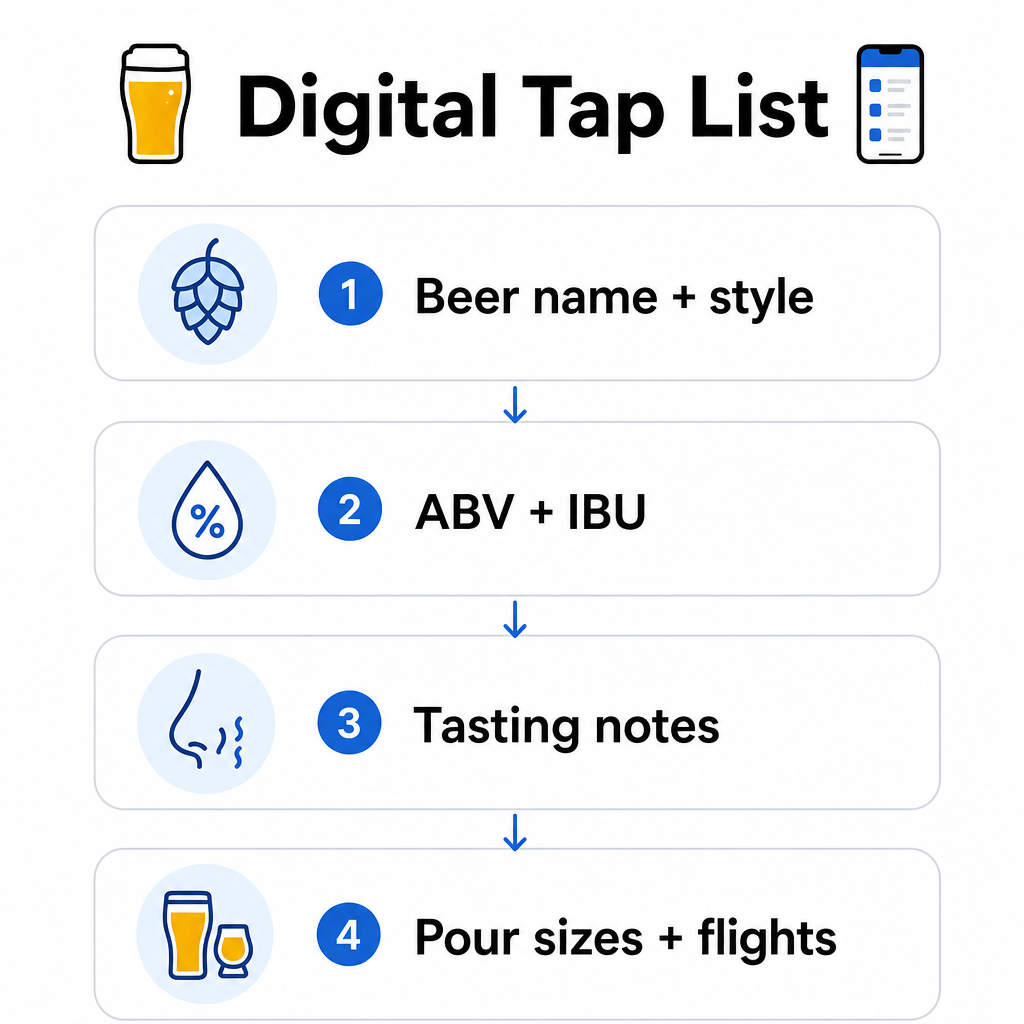
- Ølnavn og stil – f.eks. West Coast IPA, Hazy Double IPA, Dry Irish Stout
- ABV og IBU – hjælper kunderne med at vurdere styrke og bitterhed med et øjeblik
- Smagsnoter eller smagsbeskrivelser – “citruspræget med en tør finish” er mere nyttigt end blot “IPA”
- Tilgængelige hældestørrelser og priser – hvis du tilbyder 5 oz, 10 oz og en pint, skal hver størrelse have sin egen pris angivet
- Flight- og smagsprøvemuligheder – vis tydeligt, hvordan flights er struktureret og prissat
- Sæsonbestemte eller begrænsede udgivelser – fremhæv disse, så kunderne ved, hvad der er nyt
Hvis dit bryggeri også serverer mad, kan den samme QR-kode linke til en komplet mad- og drikkemenu. For gæster med diætrestriktioner eller allergihensyn gør et digitalt format det lettere at inkludere detaljerede ingrediensoplysninger. Bemærk, at TTB's allergenmærkning for alkoholmærkater forbliver frivillig under gældende regler, men proaktivt at dele denne information via din digitale menu er en god praksis for kundetillid.
Brug af PDF QR-koder til ølmenuer og markedsføringsmateriale
Hvis du allerede har en designet fadølsliste i PDF-format, kan du generere en QR-kode, der linker direkte til den fil. Kunderne scanner, og PDF'en åbnes på deres telefon – ingen app påkrævet.
Denne tilgang fungerer godt for flere bryggerispecifikke scenarier:
- Sæsonbestemte menukort, du redesigner kvartalsvis
- Øluddannelsesark til tap takeovers eller arrangementer
- Trykt markedsføringsmateriale til bryggeriture, som du ønsker at udvide digitalt
- Smagsguider struktureret omkring flights
PDF QR-koder er særligt praktiske, fordi du kan udskifte den linkede PDF uden at ændre den trykte kode. Hvis du udskriver en række bordtelte til et sæsonbestemt arrangement, og menuen ændrer sig midt i oplaget, opdaterer du PDF'en i stedet for at genoptrykke koderne. De bredere anvendelser af PDF QR-koder for virksomheder dækker yderligere måder at anvende denne tilgang på tværs af marketing og drift.
Indsamling af Google-anmeldelser, mens kunderne stadig er engagerede
Det bedste tidspunkt at bede om en anmeldelse er lige efter en positiv oplevelse – hvilket i et taproom betyder, mens nogen er ved at afslutte en god fadøl, ikke tre dage senere, når de har glemt ølnavnene.
EN QR-kode til Google-anmeldelser placeret på dit bord, din ølbrik eller din kvittering fører kunderne direkte til din Google My Business-anmeldelsesside med en enkelt scanning. Tilføjelse af en kort opfordring som “Nød du dit besøg? Fortæl det til andre” får anmodningen til at føles naturlig snarere end påtrængende.
Flere anmeldelser hjælper dit bryggeri med at rangere i lokale søgeresultater og opbygge troværdighed hos nye besøgende, der beslutter, hvor de skal tilbringe en eftermiddag. Det er et lavindsats-kontaktpunkt med reel nedstrøms effekt på fodgængertrafik.
Ud over menuen: Andre QR-kodeapplikationer til taprooms
QR-koder kan tjene flere andre funktioner på tværs af dine taproom-operationer.
Tilmeldinger til sociale medier og nyhedsbreve – En QR-kode til et link på bordkort eller din bardisk kan lede besøgende til din Instagram, Facebook-side eller en e-mail-tilmeldingsformular. Gæster, der har haft en god tid, er modtagelige for at holde kontakten, så giv dem en nem måde at gøre det på, mens oplevelsen stadig er frisk.
Begivenheds- og udgivelsesannonceringer – Link en QR-kode til en landingsside med kommende begivenheder, øludgivelsesdatoer eller ændringer i taproom-åbningstider. Fordi dynamiske QR-koder kan opdateres efter udskrivning, kan du bruge den samme fysiske kode til at promovere forskellige kommende begivenheder over tid uden at genoptrykke noget.
Øluddannelse og bryggeriets historie – Nogle bryggerier bruger en QR-kode til at dele historien bag en øl – gærstammen, humlesorten, inspirationen til opskriften. Denne form for indhold uddyber taproom-oplevelsen uden at kræve, at personalet leverer en fuld forklaring ved hver servering. Det fungerer især godt for begrænsede udgivelser eller samarbejdsudgivelser, hvor baggrundshistorien er en del af appellen.
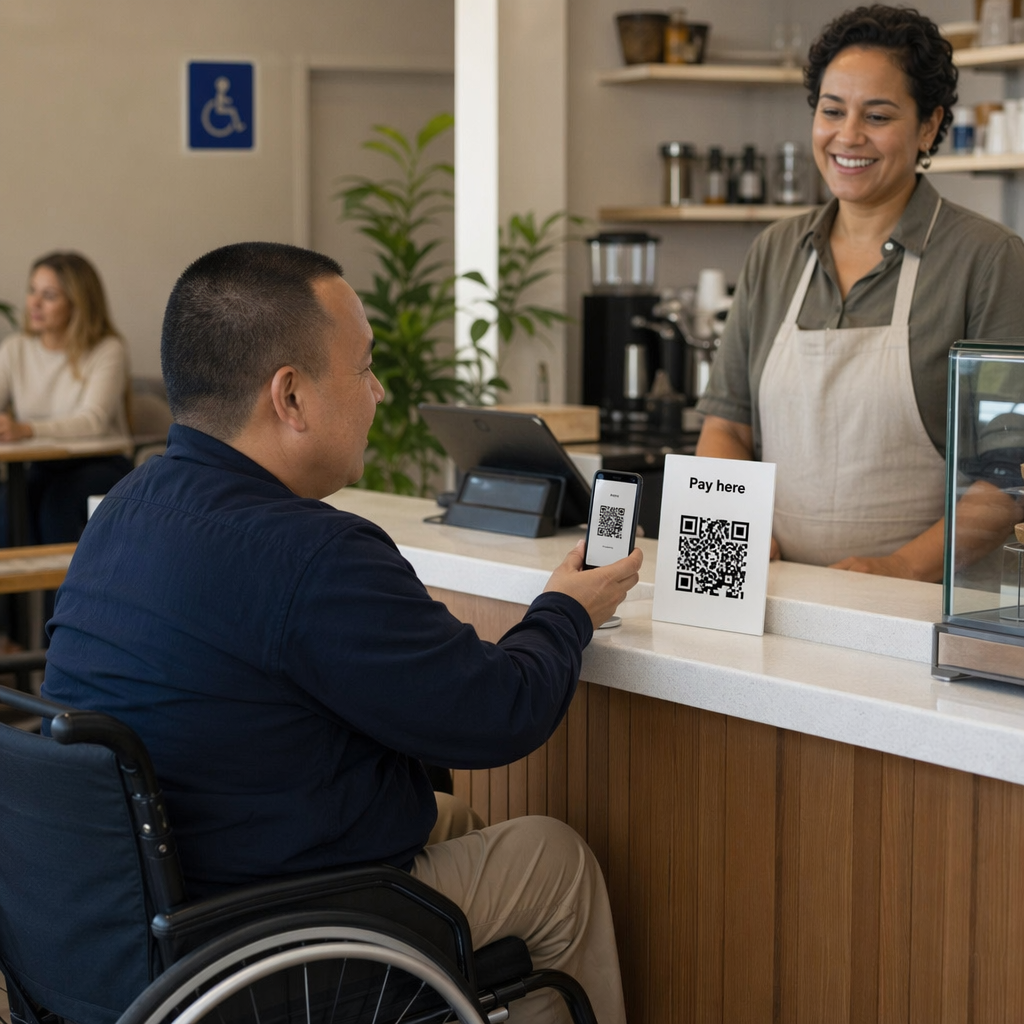
Kontaktløse betalinger – QR-baserede betalingsmuligheder kan fremskynde kasseprocessen i travle taprooms. Kunder scanner, gennemgår deres regning og betaler – hvilket reducerer frem og tilbage ved baren i spidsbelastningsperioder. De fordele ved QR-kodebetalinger i restaurantmiljøer gælder også direkte for taproom-operationer.
Forbind hvert taproom-kontaktpunkt til digitalt indhold Brug QR-kodegenerator til at oprette brandede, sporbare koder til din fadølsliste, sociale medier, begivenheder og mere – alt sammen administreret fra et enkelt dashboard.
Dynamiske vs. statiske QR-koder: Hvad bryggerier bør vide
Der er to typer QR-koder: statisk og Dynamisk. At forstå forskellen hjælper dig med at vælge det rigtige værktøj til hver applikation.
| FUNKTION | Statisk QR-kode | Dynamisk QR-kode |
|---|---|---|
| Destinations-URL | Fast ved oprettelse | Kan opdateres når som helst |
| STATISTIK | Ingen | Scanninger, placeringer, enhedstyper, tidspunkter |
| Bedst til | Engangs- eller permanente links | Fadølslister, begivenheder, roterende indhold |
| Kræver genoptrykning efter opdatering? | Ja | Nej, det er det ikke |
For de fleste bryggeri-applikationer – især fadølslister og begivenhedspromoveringer – er dynamiske QR-koder det rigtige valg. Fadølslisten ændrer sig. Begivenheder kommer og går. Sæsonbestemte menuer roterer. En dynamisk kode lader dig opdatere destinationen uden at kassere dine trykte materialer, hvilket er vigtigt, når du har investeret i specialtrykte bordkort eller ølbrikker.
Dynamiske koder giver dig også analyser: hvor mange gange en kode blev scannet, fra hvilken placering, på hvilke enheder og på hvilke tidspunkter. Disse data fortæller, om gæsterne faktisk engagerer sig i din digitale menu eller ignorerer den – hvilket hjælper dig med at beslutte, hvor koderne skal placeres, og hvordan de skal designes for bedre synlighed. For en fuld gennemgang af, hvad dynamiske koder sporer, og hvorfor det er vigtigt, se hvilke data dynamiske QR-koder indsamler.
Design af QR-koder til et taproom-miljø
Taprooms præsenterer specifikke fysiske forhold, du skal tage højde for: omgivende belysning, der kan variere fra lyst til dæmpet, overflader, der inkluderer træ, tavle og glas, og gæster, der muligvis scanner fra en armslængdes afstand ved en barstol.
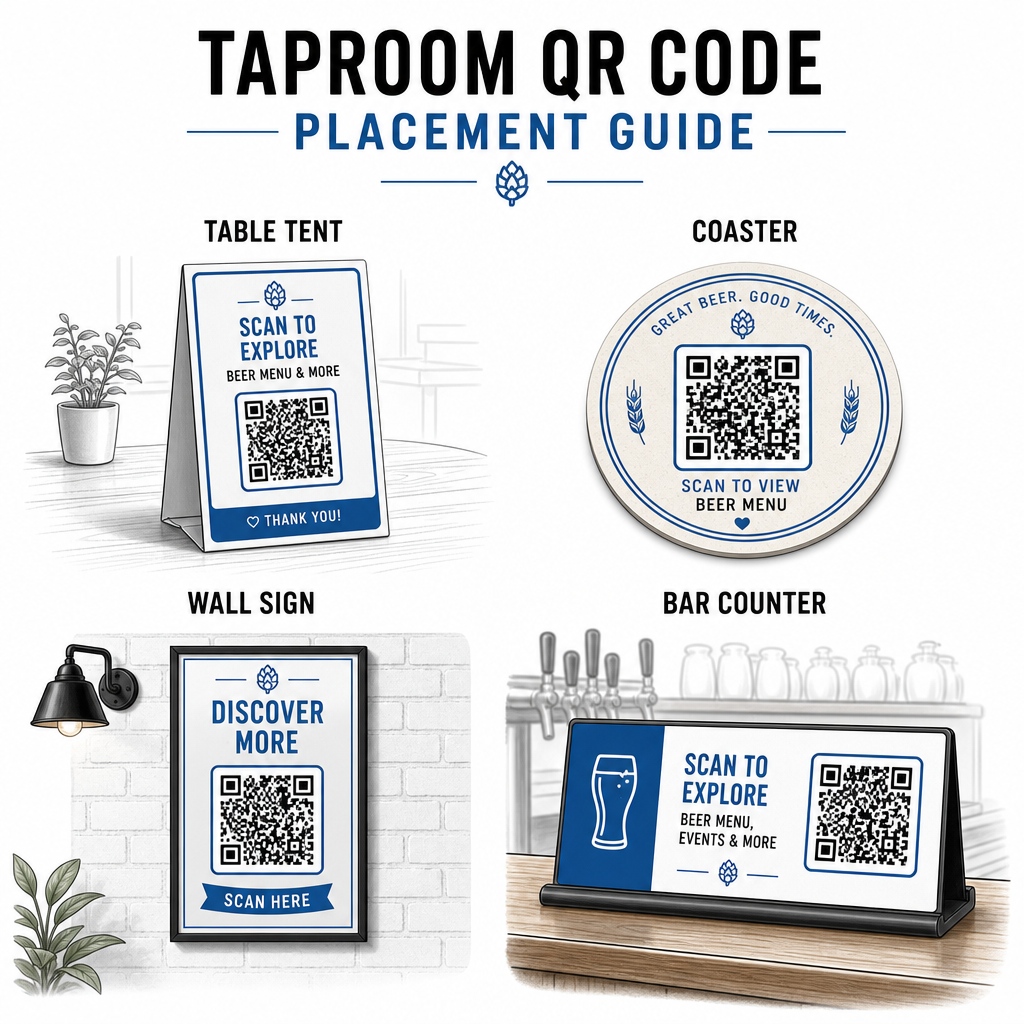
Et par praktiske retningslinjer hentet fra bedste praksis for QR-kodelæsbarhed:
- Størrelse – Brug et minimum på 2 × 2 cm (ca. 0,8 × 0,8 tommer) til scanning på kort afstand. For koder placeret på vægge eller tavler, hvor gæster scanner fra længere væk, anvend 10:1-reglen: kodens bredde skal være mindst en tiendedel af den forventede scanningsafstand.
- Kontrast – Oprethold stærk kontrast mellem kodemønsteret og dets baggrund. Et mørkt mønster på en lys baggrund er standard. Undgå at placere koder direkte på mørkt træ uden et hvidt baggrundsfelt bag dem.
- Stillezone – Efterlad en klar margen omkring koden – ca. 0,25 tommer – så scanneren kan finde og læse koden uden at omgivende elementer forstyrrer.
- Overflade – Undgå buede eller teksturerede overflader som flasker. Bordkort, ølbrikker, trykte menuer og vægskilte er de bedste placeringer. Brug af QR-koder på bordkort dækker placeringsspecifikke detaljer mere udførligt.
- Filformat – Download dine koder i SVG-, EPS- eller PDF-format til udskrivning i høj kvalitet. Rasterformater som JPG forringes ved større udskriftsstørrelser og kan blive ulæselige.
Hvis du tilføjer dit bryggerilogo til koden – hvilket hjælper med brandgenkendelse – brug fejlkorrektionsniveau Q eller H, og hold logoet på ikke mere end 30% af kodeområdet for at undgå at forstyrre scanningsmuligheden.
Ærlige begrænsninger at planlægge ud fra
QR-koder er nyttige, men de fungerer bedst som et supplement til din taproom-oplevelse snarere end en fuld erstatning for hvert analogt berøringspunkt.
Forskning viser konsekvent, at en betydelig del af gæsterne stadig foretrækker fysiske menuer. Undersøgelsesdata indikerer, at 67% af gæsterne foretrækker at have både digitale og traditionelle menuindstillinger frem for den ene eller den anden. At holde nogle trykte eller tavlemenuer tilgængelige sammen med QR-koder stemmer overens med de fleste gæsters præferencer og undgår at fremmedgøre dem, der finder QR-kun-opsætninger frustrerende.
Der er også tilgængelighedsovervejelser, der er værd at adressere direkte:
- Gæster uden smartphones, eller med ældre enheder, der har svært ved at scanne, har brug for en alternativ mulighed tilgængelig
- Menukort leveret som billed-kun PDF'er kan være utilgængelige for gæster, der bruger skærmlæsere – struktureret tekst eller HTML-menuer er mere inkluderende
- Svagt Wi-Fi i ældre taproom-bygninger kan forsinke menuindlæsningstider, hvilket frustrerer gæsterne – sørg for, at dit interne netværk kan håndtere efterspørgslen, før du fjerner fysiske menuer helt
At adressere disse problemer på forhånd – at holde en backup papirmenu tilgængelig, sikre, at dit digitale indhold indlæses hurtigt, og teste dine koder under de faktiske lysforhold i dit taproom – holder QR-koder en bekvemmelighed snarere end et friktionspunkt for dine gæster.
Sporing af, hvad der virker
En af de underudnyttede fordele ved dynamiske QR-koder i et taproom er analyse-laget. Hvis du placerer koder ved baren, på borde og nær indgangen, kan du se, hvilke placeringer der genererer flest scanninger. Hvis du kører en sæsonbestemt kampagne og linker den via en QR-kode, kan du måle, hvor mange mennesker der faktisk engagerede sig i den.
Over tid hjælper disse data dig med at træffe bedre placeringsbeslutninger, forstå, hvilket indhold der resonerer med gæsterne, og måle, om dit digitale engagement vokser sammen med fodgængertrafikken. Det hjælper dig også med at identificere døde zoner – placeringer hvor koder er placeret, men sjældent scannes – så du kan justere derefter.
Denne form for måling er især relevant for taprooms, der er stærkt afhængige af gentagne besøg og mund-til-mund-anbefalinger. For et bredere kig på, hvordan QR-koder tjener hotel- og restaurationsbranchen, herunder sporings- og engagementsstrategier, dækker ressourcen for hotel- og restaurationsbranchen hele billedet.
At drive et effektivt taproom betyder at give gæsterne den information, de ønsker hurtigt, samtidig med at dit personale forbliver fokuseret på det, de gør bedst. QR-koder håndterer informationslaget – fadlister, øldetaljer, begivenhedsmeddelelser og anmeldelsesprompter – uden at tilføje operationel kompleksitet. Start med en dynamisk menu QR-kode på dine borde, tilføj en Google anmeldelsesprompt, og brug scanningsanalyser til at forfine placering og indhold derfra.
Kom i gang med Taproom QR-koder Opret din første QR-kode på få minutter med Pageloot QR-kodegenerator – tilpas den med dit bryggeris branding, link den til din fadliste eller enhver digital destination, og opdater den når som helst uden at genudskrive.
Ofte stillede spørgsmål
Ja, hvis du bruger en dynamisk QR-kode. Dynamiske koder bruger en omdirigerings-URL, der administreres af platformen, så du kan opdatere destinationsindholdet – såsom en ny fadølsliste-PDF eller en live menyside – til enhver tid uden at generere en ny kode eller udskifte den fysiske kode på dine borde eller bordskånere.
Hav en fysisk eller tavlemenu tilgængelig som en backup. Undersøgelsesdata viser, at 67% af gæsterne foretrækker at have både digitale og traditionelle menuindstillinger, så en hybrid tilgang betjener det bredeste udvalg af gæster. QR-koder fungerer bedst som et supplement til, ikke som en erstatning for, analoge alternativer.
Med dynamiske QR-koder får du adgang til scanningsanalyse – inklusive samlede scanninger, scanningstidspunkter, enhedstyper og lokationsdata. Placer forskellige koder forskellige steder (bar, borde, indgang) for at sammenligne engagement pr. område, og brug disse data til at optimere placering og design over tid.