Kas teie kraaniruumi töötajad kulutavad liiga palju aega samadele küsimustele vastamisele teie õllede kohta? Pöörlevate kraaninimekirjade, ABV detailide, toidupaaride ja hooajaliste väljalasete vahel on klientide teavitamine ilma teie meeskonda üle koormamata tõeline operatiivne väljakutse. See juhend käsitleb, kuidas õlletehased kasutavad QR-koode selle probleemi lahendamiseks – alates digitaalsetest kraaninimekirjadest kuni klientide tagasiside tööriistadeni.
Miks kraaniruumid pöörduvad QR-koodide poole
Kraaniruumid ja pruulikojad moodustavad 73% kõigist USA käsitööõlletootmise ettevõtetest, kuid moodustavad vaid 15% kogu käsitööõlle mahust. See struktuur paneb tohutu kaalu otse tarbijale suunatud kogemusele ja tööstuse juhised viitavad üha enam kraaniruumi kogemustele keskendumisele kui käsitööõlletootjate edasisele teele.
QR-koodid sobivad sellesse strateegiasse loomulikult. Üks skaneeritav kood laual võib asendada virna lamineeritud menüüsid, anda klientidele kohese juurdepääsu degusteerimismärkmetele ja õlle detailidele ning kutsuda neid teie õlletehast sotsiaalmeedias jälgima – seda kõike ilma, et personal peaks baarist eemale astuma.
Ettevõtetele külalislahkuses, pakuvad QR-koodid odavat viisi füüsiliste ruumide ühendamiseks digitaalse sisuga. Õlletehased sobivad eriti hästi, sest teave, mida kliendid soovivad – ABV, IBU-d, stiilikirjeldused, lennuvõimalused – muutub regulaarselt ja sellest on kasu, kui seda saab uuendada ilma uuesti trükkimata.
Digitaalne kraaninimekiri: teie kõige praktilisem kasutusjuhtum
Kõige otsesem rakendus on teie trükitud kraaninimekirja asendamine või täiendamine digitaalse versiooniga, millele kliendid saavad ligi pääseda, skaneerides koodi baaris, lauatelkidel või sissepääsu juures.
A menüü QR-koodi võimaldab teil luua digitaalse kraaninimekirja, mis näitab õlle nimesid, stiile, ABV-d, IBU-d, degusteerimismärkmeid ja hinda valamise suuruse järgi. Õlletehase menüüd sisaldavad sageli ka proovivalamisi ja lende, nii et saate oma digitaalse menüü struktureerida nii, et see kajastaks kõiki saadaolevaid valikuid ilma tahvli või paberkaardi vormindamispiiranguteta.
Peamine operatiivne eelis on see, et saate menüüd uuendada füüsilist QR-koodi puudutamata. Kui vaat tühjeneb ja uus hooajaline asendab selle, uuendate digitaalset sihtkohta – laual olev trükitud kood jääb samaks. See on oluline keskkonnas, kus kraaninimekiri võib muutuda iga päev või nädal.
Looge oma õlletehasele digitaalne kraaninimekiri Kas olete valmis looma menüü, millele teie kliendid saavad ühe skaneerimisega ligi pääseda? Kasutage QR menu: menüü QR-koodi generaator oma kraaninimekirja PDF-ina üles laadimiseks või interaktiivse mobiilimenüü loomiseks – ja uuendage seda igal ajal ilma uuesti trükkimata.
Mida lisada õlletehase digitaalsesse menüüsse
Hästi struktureeritud digitaalne kraaninimekiri aitab klientidel kiiremini otsuseid teha ja vähendab edasi-tagasi suhtlemist personaliga. Kaaluge selle korraldamist järgmiste elementide ümber:
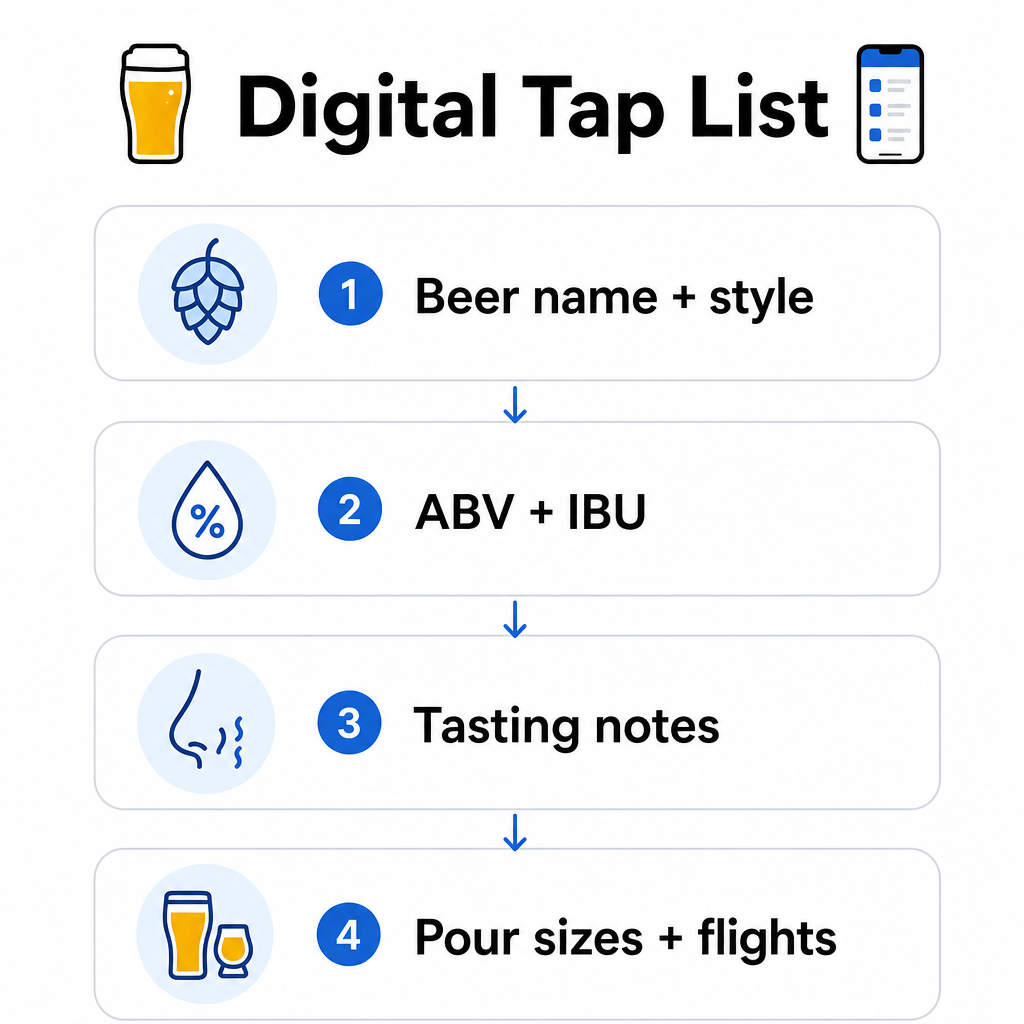
- Õlle nimi ja stiil – nt West Coast IPA, Hazy Double IPA, Dry Irish Stout
- ABV ja IBU – aitab klientidel ühe pilguga hinnata kangust ja kibedust
- Degusteerimismärkmed või maitsekirjeldused – “tsitruseline kuiva järelmaitsega” on kasulikum kui lihtsalt “IPA”
- Saadaolevad valamise suurused ja hinnad – kui pakute 5 untsi, 10 untsi ja pinti, peaks igal suurusel olema oma hind loetletud
- Lennu- ja proovivalikud – näidake selgelt, kuidas lennud on struktureeritud ja hinnastatud
- Hooajalised või piiratud väljalasked – tooge need esile, et kliendid teaksid, mis on uus
Kui teie õlletehas pakub ka toitu, saab sama QR-kood linkida täielikule toidu- ja joogimenüüle. Dieedipiirangutega või allergeenimuredega külalistele muudab digitaalne formaat üksikasjaliku koostisainete teabe lisamise lihtsamaks. Pange tähele, et TTB allergeenide märgistamine alkohoolsete jookide etikettidel jääb kehtivate määruste kohaselt vabatahtlikuks, kuid selle teabe ennetav jagamine digitaalse menüü kaudu on hea tava klientide usalduse loomiseks.
PDF QR-koodide kasutamine õllemenüüde ja lisamaterjalide jaoks
Kui teil on juba PDF-vormingus kujundatud kraaninimekiri, saate luua QR-koodi, mis lingib otse sellele failile. Kliendid skaneerivad ja PDF avaneb nende telefonis – rakendust pole vaja.
See lähenemine sobib hästi mitmete õlletehase-spetsiifiliste stsenaariumide jaoks:
- Hooajalised menüükaardid, mida te igakvartaliliselt ümber kujundate
- Õllehariduse lehed kraanide ülevõtmiseks või üritusteks
- Trükitud lisamaterjalid õlletehase tuuride jaoks, mida soovite digitaalselt laiendada
- Degusteerimisjuhendid, mis on struktureeritud lendude ümber
PDF QR-koodid on eriti praktilised, sest saate lingitud PDF-i välja vahetada ilma trükitud koodi muutmata. Kui prindite hooajalise ürituse jaoks lauatelkide partii ja menüü muutub keset tirazhi, uuendate PDF-i, mitte ei trüki koode uuesti. PDF QR-koodide laiemad rakendused ettevõtetele hõlmavad täiendavaid viise selle lähenemise rakendamiseks turunduses ja operatsioonides.
Google'i arvustuste kogumine ajal, mil kliendid on veel kaasatud
Parim hetk arvustuse küsimiseks on kohe pärast positiivset kogemust – mis kraaniruumis tähendab ajal, mil keegi lõpetab suurepärase pinti, mitte kolm päeva hiljem, kui nad on õlle nimed unustanud.
A Google'i arvustuse QR-koodile Lauale, alusele või kviitungile asetatu viib kliendid ühe skaneerimisega otse teie Google Businessi arvustuste lehele. Lühikese vihje lisamine nagu “Nautisite külastust? Rääkige teistele” muudab palve loomulikuks, mitte pealet.
More reviews help your brewery rank in local search results and build credibility with new visitors who are deciding where to spend an afternoon. It’s a low-effort touchpoint with real downstream impact on foot traffic.
Beyond the Menu: Other Taproom QR Code Applications
QR codes can serve several other functions across your taproom operations.
Social media and newsletter sign-ups – A lingi QR-koodile on table tents or your bar top can direct visitors to your Instagram, Facebook page, or an email signup form. Guests who had a good time are receptive to staying connected, so give them an easy way to do it while the experience is still fresh.
Event and release announcements – Link a QR code to a landing page with upcoming events, beer release dates, or taproom hour changes. Because dynamic QR codes can be updated after printing, you can use the same physical code to promote different upcoming events over time without reprinting anything.
Beer education and brewery story – Some breweries use a QR code to share the story behind a beer – the yeast strain, the hop variety, the inspiration for the recipe. This kind of content deepens the taproom experience without requiring staff to deliver a full explanation with every pour. It works especially well for limited or collaboration releases where the backstory is part of the appeal.
Contactless payments – QR-põhised maksevõimalused võivad kiirendada kassaprotsessi hõivatud õllebaarides. Kliendid skaneerivad, vaatavad oma arve üle ja maksavad – vähendades edasi-tagasi liikumist baaris tipptundidel. The QR-koodi maksete eelised restoranikeskkonnas kehtivad otseselt ka õllebaari tegevusele.
Ühendage iga õllebaari puutepunkt digitaalse sisuga Kasuta QR-koodi generaator bränditud, jälgitavate koodide loomiseks oma õllevaliku, sotsiaalmeedia, sündmuste ja muu jaoks – kõike hallatakse ühest juhtpaneelist.
Dünaamilised vs. staatilised QR-koodid: mida õlletehased peaksid teadma
QR-koode on kahte tüüpi: staatiline ja Dünaamiline. Erinevuse mõistmine aitab teil valida iga rakenduse jaoks õige tööriista.
| FUNKTSIOON | Staatiline QR-kood | Dünaamiline QR-kood |
|---|---|---|
| Sihtkoha URL | Loomisel fikseeritud | Saab igal ajal uuendada |
| STATISTIKA | Puuduvad | Skaneeringud, asukohad, seadmetüübid, ajad |
| Parim | Ühekordsed või püsivad lingid | Õllevalikud, sündmused, roteeruv sisu |
| Kas pärast uuendamist on vaja uuesti printida? | Jah | Ei |
Enamiku õlletehase rakenduste – eriti õllevalikute ja sündmuste reklaamide – puhul on dünaamilised QR-koodid õige valik. Õllevalik muutub. Sündmused tulevad ja lähevad. Hooajalised menüüd roteeruvad. Dünaamiline kood võimaldab teil sihtkohta uuendada ilma trükitud materjale ära viskamata, mis on oluline, kui olete investeerinud eritellimusel trükitud lauatelkidesse või rannikualustesse.
Dünaamilised koodid annavad teile ka analüütikat: mitu korda koodi skaneeriti, millisest asukohast, millistel seadmetel ja mis kellaaegadel. Need andmed näitavad teile, kas külalised tegelevad teie digitaalse menüüga või ignoreerivad seda – mis aitab teil otsustada, kuhu koode paigutada ja kuidas neid parema nähtavuse tagamiseks kujundada. Täieliku ülevaate saamiseks sellest, mida dünaamilised koodid jälgivad ja miks see oluline on, vaadake milliseid andmeid dünaamilised QR-koodid koguvad.
QR-koodide kujundamine õllebaari keskkonna jaoks
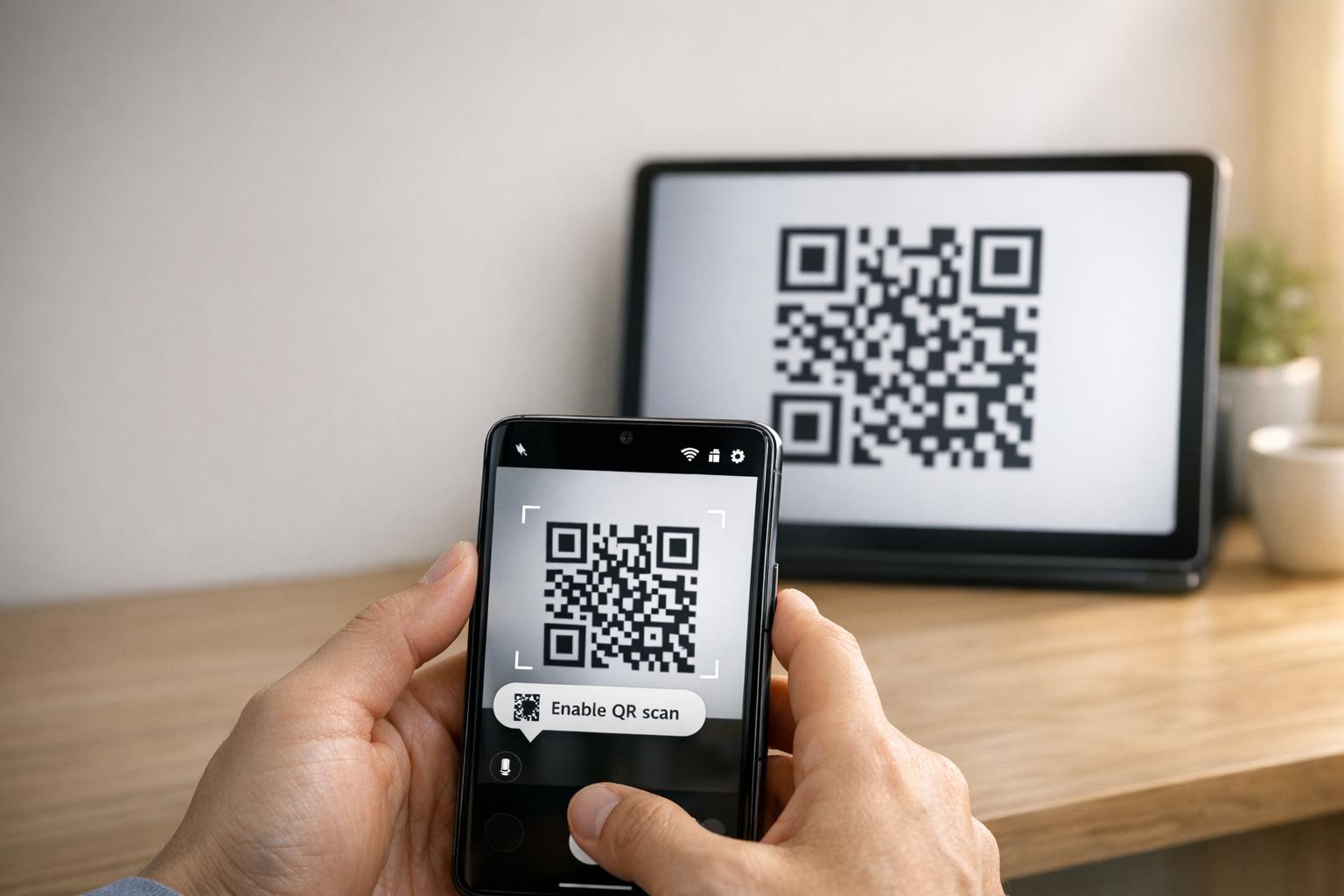
Õllebaarid pakuvad spetsiifilisi füüsilisi tingimusi, millega peate arvestama: ümbritsev valgustus, mis võib varieeruda eredast hämarani, pinnad, mis hõlmavad puitu, tahvlit ja klaasi, ning külalised, kes võivad skaneerida käeulatusest baaritoolilt.
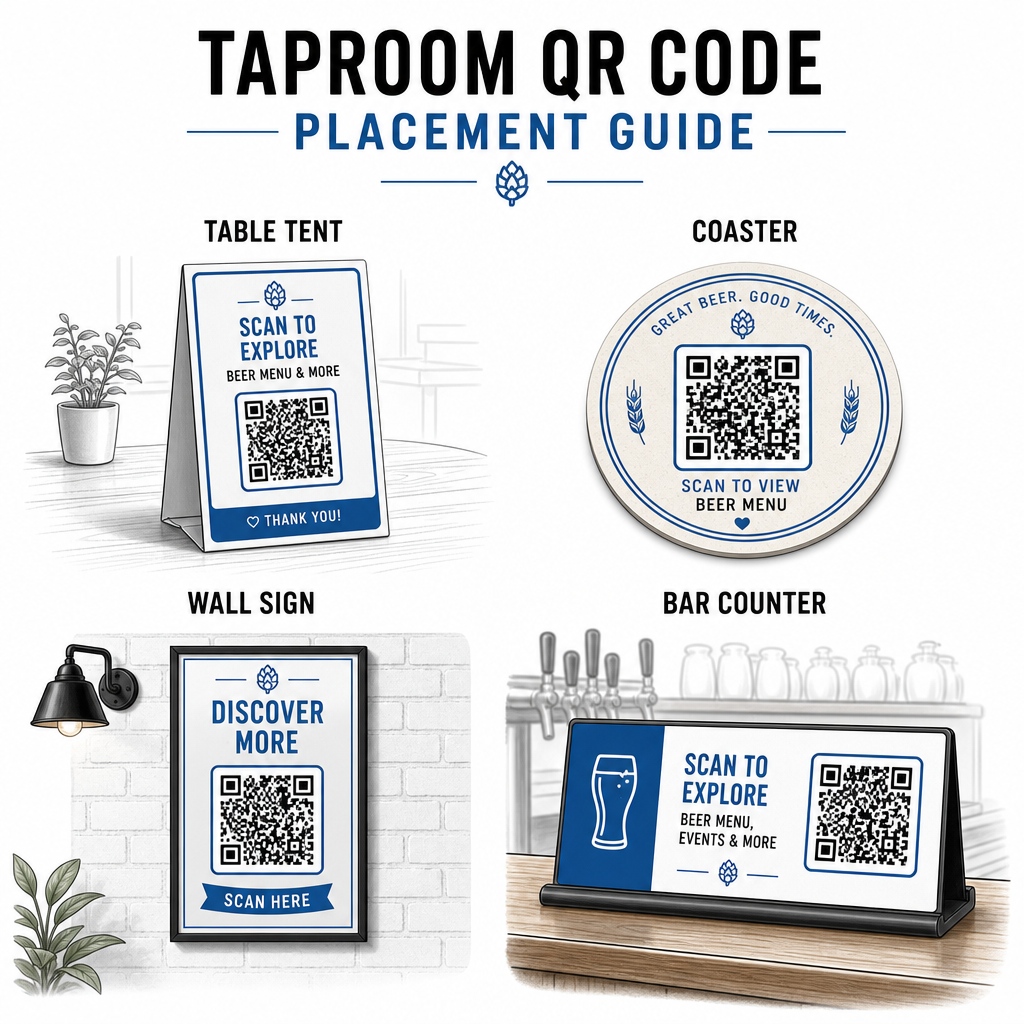
Mõned praktilised juhised, mis on saadud QR-koodi loetavuse parimaid tavasid:
- Suurus – Lähiskaneerimiseks kasutage minimaalselt 2 × 2 cm (umbes 0,8 × 0,8 tolli). Koodide puhul, mis on paigutatud seintele või tahvlitele, kus külalised skaneerivad kaugemalt, rakendage 10:1 reeglit: koodi laius peaks olema vähemalt üks kümnendik eeldatavast skaneerimiskaugusest.
- Kontrast – Säilitage tugev kontrast koodimustri ja selle tausta vahel. Tume muster heledal taustal on standard. Vältige koodide paigutamist otse tumedale puidule ilma valge taustaväljaga nende taga.
- Vaikne tsoon – Jätke koodi ümber selge veerise – umbes 0,25 tolli – et skanner saaks koodi leida ja lugeda ilma ümbritsevate elementide segamiseta.
- Pind – Vältige kumeraid või tekstuurseid pindu, nagu pudelid. Lauatelgid, alused, trükitud menüüd ja seinasildid on parimad paigutuskohad. QR-koodide kasutamine lauatelkidel käsitleb paigutuse eripärasid üksikasjalikumalt.
- Failivorming – Laadige oma koodid alla SVG, EPS või PDF-vormingus kvaliteetseks printimiseks. Rastervormingud nagu JPG halvenevad suuremate prindisuuruste korral ja võivad muutuda loetamatuks.
Kui lisate oma pruulikoja logo koodile – mis aitab kaasa brändituvastusele – kasutage veaparanduse taset Q või H ning hoidke logo mitte rohkem kui 30% koodi alast, et vältida skannitavuse häirimist.
Ausad piirangud, millega arvestada
QR-koodid on kasulikud, kuid need toimivad kõige paremini teie kraaniruumi kogemuse täiendusena, pigem kui täielik asendus igale analoogsele puutepunktile.
Uuringud näitavad järjepidevalt, et märkimisväärne osa sööjatest eelistab endiselt füüsilisi menüüsid. Küsitluse andmed näitavad, et 67% sööjatest eelistab nii digitaalseid kui ka traditsioonilisi menüüvalikuid, mitte ühte või teist. Mõnede prinditud või tahvlimenüüde hoidmine QR-koodide kõrval vastab enamiku külaliste eelistustele ja väldib nende võõrandumist, kes peavad ainult QR-koodidel põhinevaid lahendusi frustreerivaks.
Samuti on ligipääsetavuse kaalutlused, mida tasub otse käsitleda:
- Külalised ilma nutitelefonideta või vanemate seadmetega, millel on skannimisega raskusi, vajavad alternatiivset võimalust
- Ainult piltidena edastatud PDF-menüüd võivad olla ligipääsmatud ekraanilugejaid kasutavatele külalistele – struktureeritud tekst või HTML-menüüd on kaasavamad
- Nõrk Wi-Fi vanemates kraaniruumi hoonetes võib aeglustada menüü laadimisaegu, frustreerides külalisi – veenduge, et teie sisevõrk suudab nõudlusega toime tulla enne füüsiliste menüüde täielikku eemaldamist
Nende probleemide ennetav lahendamine – hoides varupabermenüü saadaval, tagades digitaalse sisu kiire laadimise ja testides oma koode kraaniruumi tegelikes valgustingimustes – hoiab QR-koodid mugavusena, mitte hõõrdepunktina teie külalistele.
Jälgimine, mis töötab
Üks dünaamiliste QR-koodide alakasutatud eeliseid kraaniruumis on analüütikakiht. Kui paigutate koodid baari, laudadele ja sissepääsu lähedale, näete, millised asukohad genereerivad kõige rohkem skaneeringuid. Kui korraldate hooajalise kampaania ja lingite selle QR-koodi kaudu, saate mõõta, kui paljud inimesed sellega tegelikult suhtlesid.
Aja jooksul aitavad need andmed teil teha paremaid paigutusotsuseid, mõista, milline sisu külalistele meeldib, ja mõõta, kas teie digitaalne kaasatus kasvab koos külastajate arvuga. See aitab teil ka tuvastada surnud tsoone – asukohad, kus koodid on paigutatud, kuid harva skaneeritakse – et saaksite vastavalt kohandada.
Selline mõõtmine on eriti oluline kraaniruumide jaoks, mis tuginevad suuresti korduvkülastustele ja suusõnalisele reklaamile. Laiema ülevaate saamiseks sellest, kuidas QR-koodid teenindavad külalislahkuse tööstust, sealhulgas jälgimis- ja kaasamisstrateegiad, annab külalislahkuse ressurss täieliku pildi.
Tõhusa kraaniruumi haldamine tähendab külalistele kiiresti soovitud teabe andmist, hoides samal ajal oma töötajad keskendununa sellele, mida nad kõige paremini oskavad. QR-koodid haldavad teabekihistust – kraaniloendid, õlle üksikasjad, sündmuste teated ja arvustuste küsimised – lisamata operatiivset keerukust. Alustage dünaamilise menüü QR-koodiga oma laudadel, lisage Google'i arvustuse küsimine ja kasutage skaneerimisanalüütikat paigutuse ja sisu täpsustamiseks sealt edasi.
Alustage kraaniruumi QR-koodidega Looge oma esimene QR-kood minutitega koos Pageloot QR-koodi generaator – kohandage seda oma pruulikoja brändinguga, linkige see oma kraaniloendiga või mis tahes digitaalse sihtkohaga ja värskendage seda igal ajal ilma uuesti printimata.
Korduma kippuvad küsimused
Jah, kui sa kasutad dünaamilist QR-koodi. Dünaamilised koodid kasutavad platvormi hallatavat ümbersuunamise URL-i, nii et sa saad sihtsisu uuendada – näiteks uut kraanikaardi PDF-i või elavat menüülehte – igal ajal, ilma et peaksid genereerima uut koodi või asendama füüsilist koodi oma laudadel või rannikualustel.
Hoidke füüsiline või tahvlimenüü varukoopiana saadaval. Uuringuandmed näitavad, et 67% sööjatest eelistab omada nii digitaalseid kui ka traditsioonilisi menüüvalikuid, seega hübriidlähenemine teenindab kõige laiemaid külaliste ringi. QR-koodid toimivad kõige paremini täiendusena, mitte asendusena, analoogalternatiividele.
Dünaamiliste QR-koodidega saate ligipääsu skannimisanalüütikale – sealhulgas skannimiste koguarvule, skannimisaegadele, seadmetüüpidele ja asukohaandmetele. Asetage erinevad koodid erinevatesse kohtadesse (baar, lauad, sissepääs), et võrrelda kaasatust piirkonniti, ja kasutage neid andmeid paigutuse ja disaini optimeerimiseks aja jooksul.