> 산업 > How Retailers Use QR Codes: Payments, Promotions, and Engagement
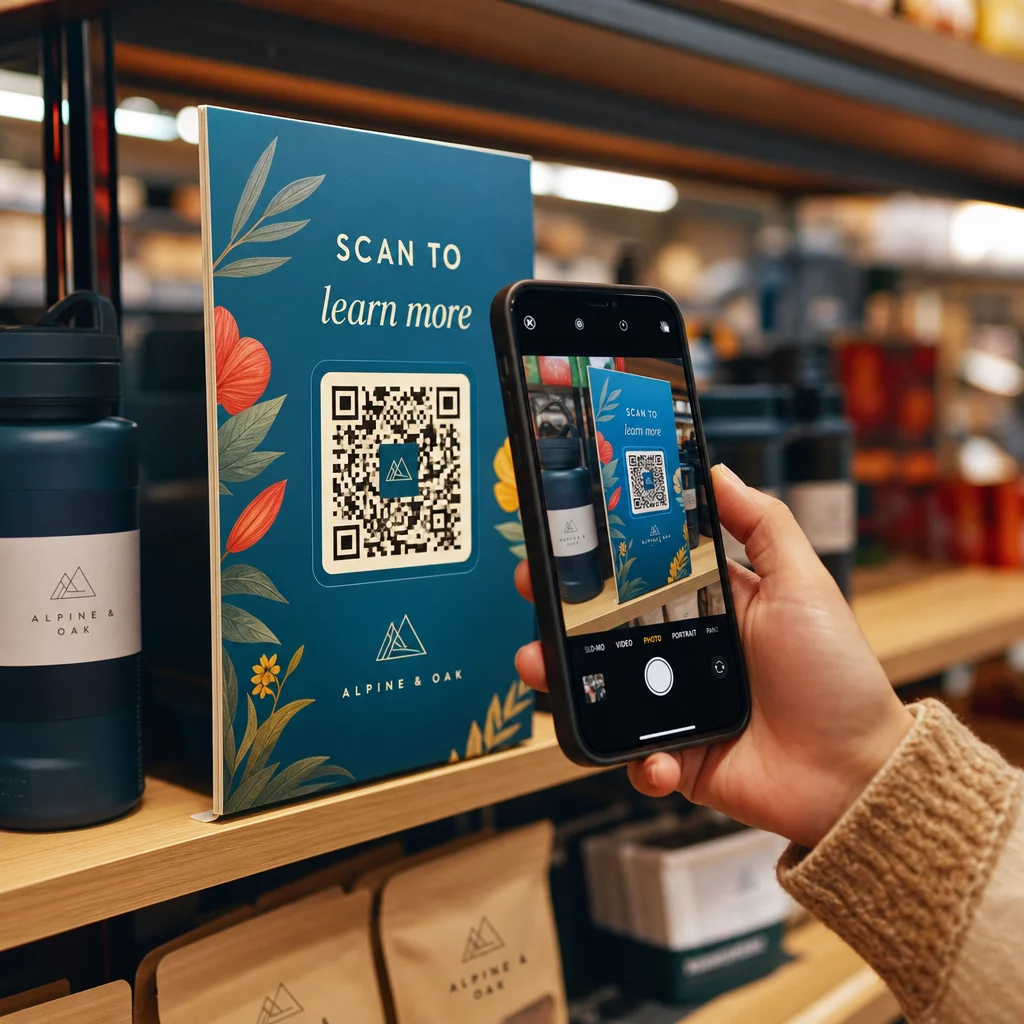
쇼핑객이 QR 코드를 스캔한다

How Retailers Use QR Codes: Payments, Promotions, and Engagement

Discover how retailers use QR codes for contactless payments, promotions, and loyalty programs. This guide covers placement strategy and scan analytics.
Updated on 6월 10, 2026
목차

Are you looking for practical ways to connect your physical store with your customers’ digital habits? Without a bridge between your shelves and your shoppers’ smartphones, you’re leaving engagement – and revenue – on the table. This guide covers how retailers can use QR codes for payments, promotions, product education, and loyalty programs, with practical placement advice and implementation tips.

Why QR Codes Matter for Retailers Today

Smartphone scanning has gone mainstream. An estimated 89 million Americans scanned a QR code in 2025, with that number projected to surpass 100 million in 2026. Around 43% of smartphone users now scan at least one QR code per week, and 72% of consumers say they prefer scanning a QR code over downloading a brand-specific app.

For brick-and-mortar retailers, that behavior creates a direct channel to customers – one that works without an app install, a loyalty card, or a printed coupon. A well-placed QR code can move a shopper from a product shelf to a purchase decision, a loyalty sign-up, or a contactless payment in seconds.

The U.S. QR code payment market alone was valued at over USD 3.5 billion in 2024. More importantly, research suggests that more than a third of surveyed consumers would not buy from certain merchants at all if QR code payment options were unavailable.

Core Use Cases for QR Codes in Retail

Contactless Payments at the Point of Sale

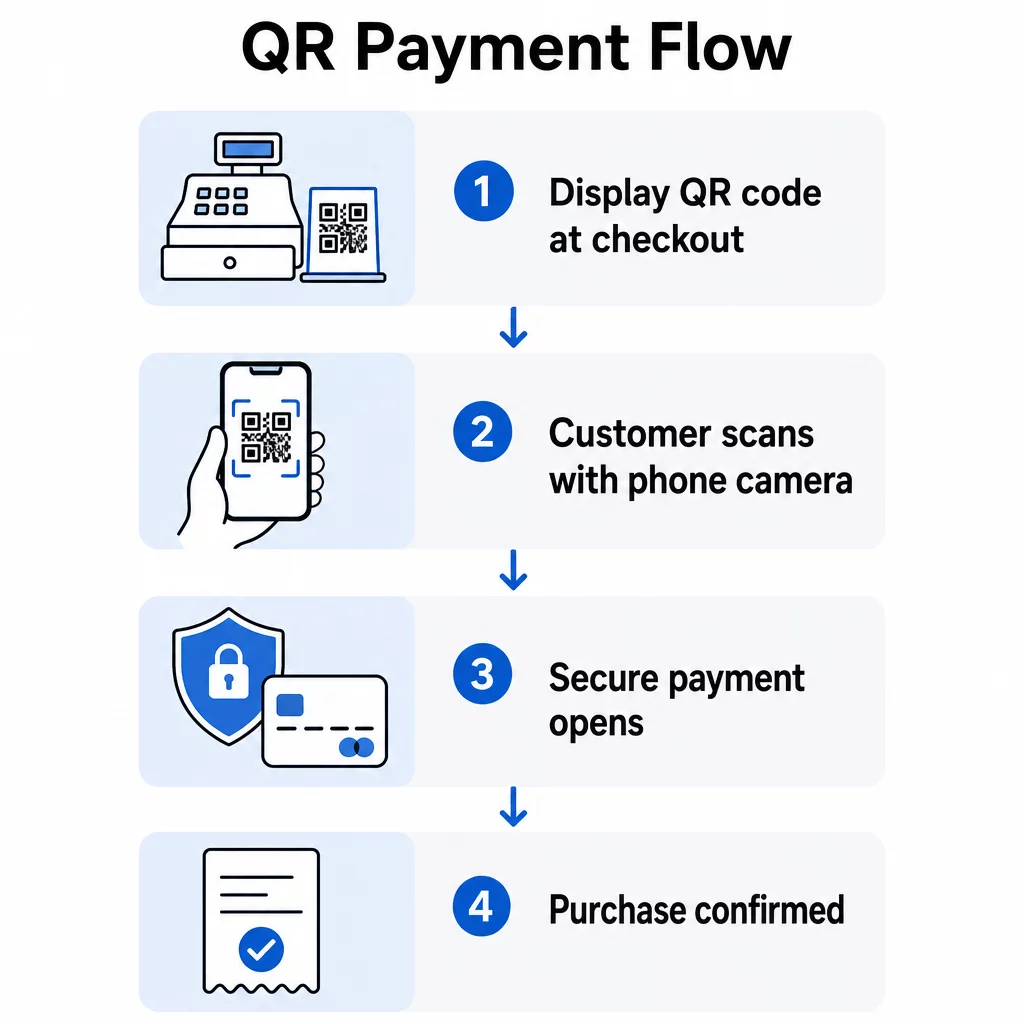
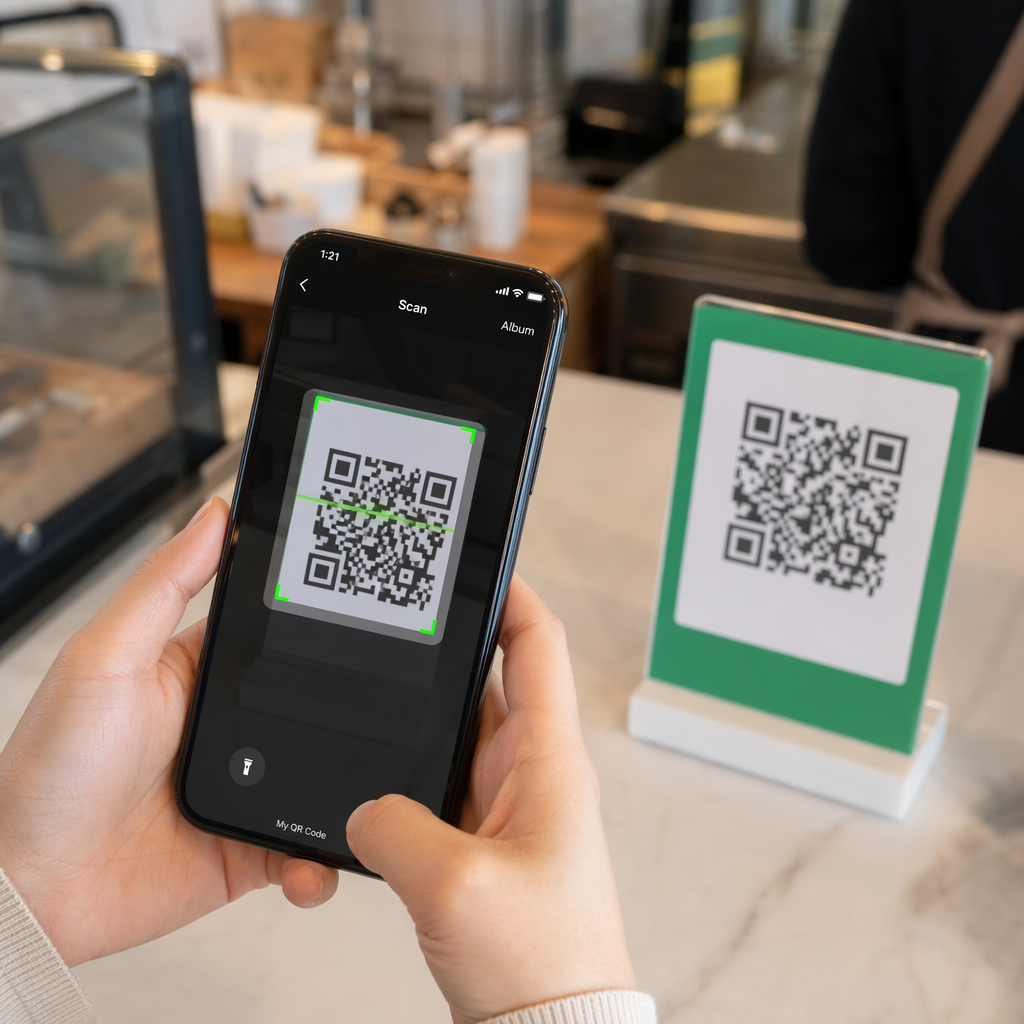
QR code payments eliminate the need for a dedicated card terminal and reduce checkout friction for both staff and customers. The flow is simple: your store displays a QR code at the register or on a printed sign, the customer scans it with their smartphone camera, and the transaction completes through your payment provider – no card swipe, no app download required.

QR payment flow

Retailers like Walmart and Target have used checkout QR codes to connect shoppers to their apps and payment flows. For smaller stores, tools like the PayPal QR 코드 생성기 make it straightforward to accept contactless payments without expensive hardware. You can learn more about the full setup process in the guide on how QR codes simplify retail payments.

Accept Payments Without a Terminal Set up contactless checkout in minutes using the PayPal QR 코드 생성기 – no hardware, no app required.

Promotions, Discounts, and Coupons

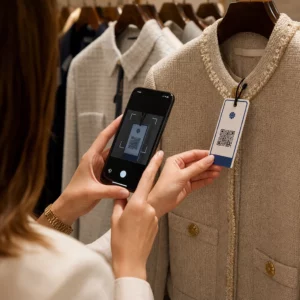
A QR code on a shelf talker, store window, or product hang tag can deliver a discount code, a limited-time offer, or an exclusive deal the moment a customer scans it. This approach works well for:

  • Driving impulse purchases at the point of decision
  • Rewarding customers who are already in-store with scan-to-save offers
  • Promoting seasonal sales or clearance events without reprinting all your signage

The key is specificity. A call to action like “Scan for 20% off today” outperforms a generic “Scan me” every time. Shoppers need to know immediately what they’ll get before they bother to scan. The 쿠폰 QR코드 생성기 lets you build a branded landing page that displays multiple coupons, each with its own description and redirect.

Product Information and Education

Physical shelf space limits what you can communicate about a product. A QR code on the packaging or shelf label extends that space digitally – linking customers to:

  • Video demonstrations or tutorials
  • Ingredient lists, sourcing details, or allergen information
  • Compatibility guides (for electronics, accessories, or parts)
  • Customer reviews and ratings

This approach is especially effective for complex or high-consideration purchases where shoppers want more detail before committing. It also reduces the burden on floor staff to answer repetitive product questions. For a deeper look at how to deploy this on product surfaces, see QR codes on packaging: benefits for retail.

Loyalty Program Enrollment

Signing up for a loyalty program at the register is slow and awkward. A QR code at the checkout counter, on the receipt, or at a dedicated display lets customers enroll from their phone in under a minute – at a moment when they’re already engaged.

Dynamic QR codes work especially well here because you can update the enrollment link without reprinting your materials. If your program platform changes or you run a bonus sign-up campaign, you update the destination, not the code.

Google Reviews and Post-Purchase Feedback

Customer reviews are a direct driver of in-store and online sales. Placing a Google 리뷰 QR 코드 on receipts, fitting room mirrors, or near the exit captures feedback while the shopping experience is still fresh. This is one of the lowest-effort ways to grow your review count and improve local search visibility.

Virtual Product Catalogs and Out-of-Stock Items

Many stores cannot display every color, size, or variant on the floor. A QR code printed on a product card or shelf label can link directly to your full online catalog, allowing customers to browse and order variants you don’t have in stock. This turns a lost sale into an online conversion and keeps customers in your ecosystem rather than pushing them toward a competitor.

Where to Place QR Codes in Your Store

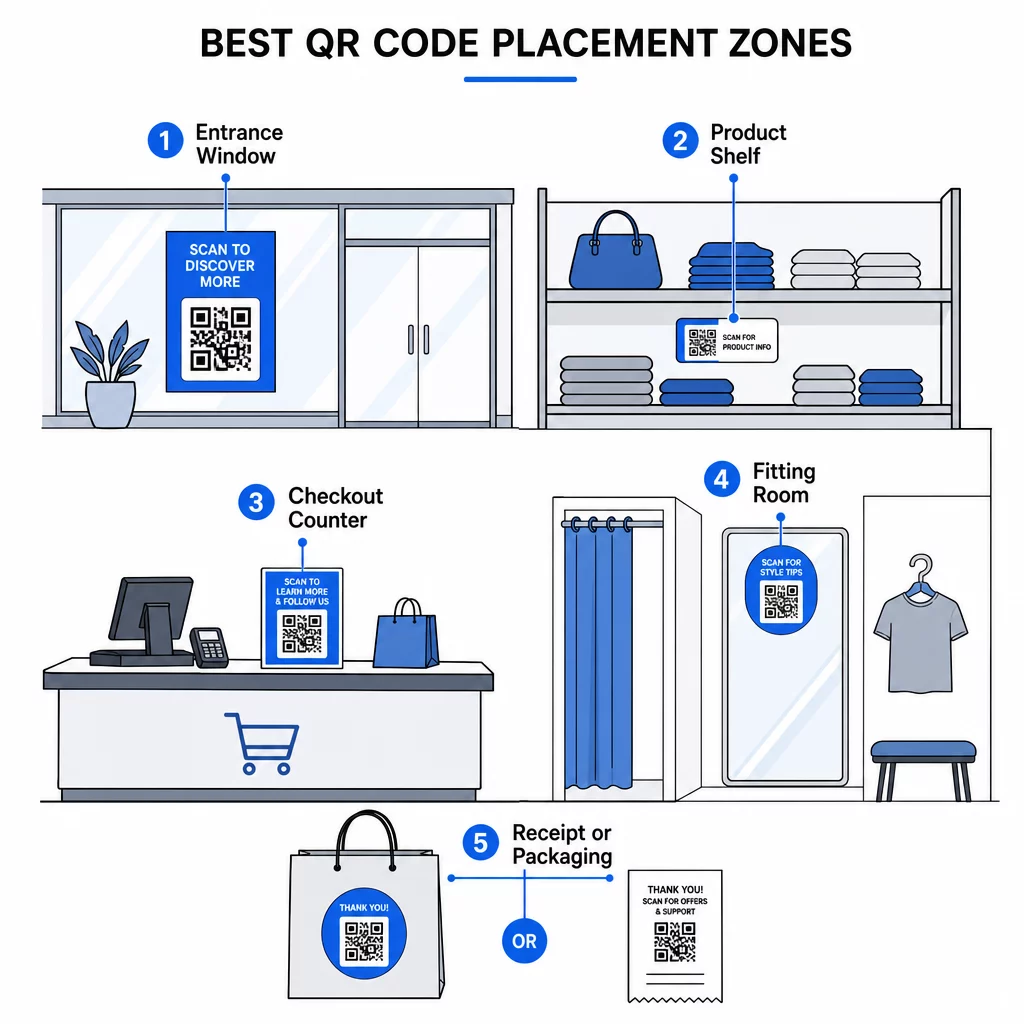
Placement determines whether a QR code gets scanned or ignored. The goal is to put codes where shoppers naturally pause, look, or make decisions. Effective locations include:

Retail QR placements
  • Store entrances and windows – Share current promotions, store hours, or upcoming events. These work even when the store is closed.
  • Product shelves and labels – Link to extended product information, comparison guides, or how-to videos at the exact moment of consideration.
  • Checkout counters – Enable contactless payments, loyalty sign-ups, and digital receipts.
  • Fitting rooms and dressing areas – Request reviews, share styling tips, or surface complementary products.
  • Receipts and packaging – Drive post-purchase engagement, feedback requests, and repeat visits.

For a detailed breakdown of placement strategy by store zone, the guide on 소매점을 위한 최고의 QR 코드 배치 covers specific recommendations and examples.

Static vs. Dynamic QR Codes: Which Should Retailers Use?

정적 QR 코드 encodes a fixed destination directly in the pattern. Once printed, it cannot be changed. If the linked URL changes, you need to reprint.

동적 QR 코드 points to a short redirect URL that you control. You can update the destination at any time – without generating a new code or reprinting your materials. This matters in retail because:

  • Promotions change frequently
  • Product pages get updated or moved
  • Payment links may shift between providers
  • You want scan analytics to measure performance

Dynamic codes also give you access to tracking data: scan counts, geographic locations, device types, and time-of-scan patterns. That data helps you understand which placements are working and which promotions are resonating.

Update Offers Without Reprinting 사용 동적 QR 코드 생성기 to create editable codes for your promotions, product pages, and payment flows – and track every scan from a single dashboard.

For more on how to use QR codes effectively across campaigns, see the how to use QR codes guide.

Best Practices for Retail QR Codes

Following a few consistent guidelines will make the difference between a QR code that gets ignored and one that drives real engagement.

  • Write a specific call to action. Tell shoppers exactly what they’ll get: “Scan to see how it works,” “Scan for 20% off,” or “Scan to join our loyalty program.”
  • Link to mobile-optimized destinations. QR codes are almost always scanned on smartphones. The landing page must load fast and display correctly on a small screen.
  • Use sufficient size and contrast. A minimum of roughly 2 cm × 2 cm is recommended for reliable scanning. Use a dark code on a light, non-reflective background.
  • 인쇄하기 전에 테스트하세요. Check every code on multiple devices and in the lighting conditions of your store before committing to a print run.
  • Keep destinations current. A QR code that leads to a broken page, an expired offer, or the wrong product destroys trust and wastes your placement. Dynamic codes solve this; otherwise, build a regular audit into your workflow.
  • Always include a backup. Not every customer will scan. Consider including a short URL alongside the QR code for shoppers who prefer typing or whose camera app isn’t cooperating.
  • Use HTTPS destinations. For any code handling payments or personal data, always link to secure pages and be transparent about how customer data is used.

For additional industry-specific approaches, browse QR code solutions by industry to see how other retail segments are implementing these tools.

Measuring Your QR Code Performance

Implementing QR codes without tracking results is like running a promotion without a sales report. With dynamic QR codes and built-in analytics, you can measure:

  • Total scan count per code and per location
  • Geographic distribution of scans
  • Device and operating system breakdown
  • Time-of-day and day-of-week patterns, which can inform staffing and offer timing

This data lets you compare placements (does the window code or the receipt code drive more loyalty sign-ups?), refine your calls to action, and build a clearer picture of how your physical store drives digital behavior. The 동적 QR 코드 생성기 includes a centralized dashboard for managing and analyzing all your active codes in one place.

자주 묻는 질문

Do customers need a special app to scan retail QR codes?

No. Most modern smartphones – both iOS and Android – can scan QR codes using the built-in camera app. Customers simply point their camera at the code and tap the notification that appears. No third-party app download is required for basic scanning.

How often should retailers update the content behind their QR codes?

As often as the offer or information changes. Dynamic QR codes make this straightforward – you update the destination URL in your dashboard and every existing printed code immediately points to the new content. At minimum, audit your QR code destinations at the start of each new promotion cycle and whenever product pages or payment links change.

What is the biggest mistake retailers make with QR codes?

Placing a code without a clear call to action. Shoppers need an immediate reason to scan. A vague label like “Scan me” rarely motivates action. A specific prompt – “Scan for 15% off your next purchase” or “Scan to see this in every color” – gives shoppers a concrete benefit and dramatically improves scan rates.

작성자 정보

시임 코스타비는 페이지루트의 콘텐츠 책임자입니다. 그는 페이지루트의 혁신적인 QR 코드 생성 서비스에 대한 글을 쓰고 있습니다. 5년 이상 QR 코드 분야에서 쌓아온 깊이 있는 전문 지식을 바탕으로, 시임은 이 분야의 전문가로 인정받고 있습니다. 그는 QR 기술을 활용하여 디지털 상호작용을 간소화하고 향상시키는 데 크게 기여하고 있습니다.

범주
에 대해 자세히 알아보기
제품 바코드 스캔
바코드 스캐너 방법 일하다

온라인으로 QR 코드를 생성해야하는 경우 QR 코드 만들기 무료로 여기!
Pageloot는 #1 Go-To 솔루션 QR 코드를 만들고 스캔합니다.

QF-09

블로그 세대

20,000개 이상의 브랜드로부터 신뢰를 받아 더 많은 매출, 리뷰, 팔로워를 확보했습니다.

클라이언트 로고
최고 브랜드의 신뢰
5 중 4.8 평가

4.86 / 5 별점

휴고 로랑
휴고 로랑
레스토랑 주인
가장 쉽고 안정적인 QR 코드 생성기. PDF 파일을 즉시 업로드할 수 있습니다. 이제 레스토랑 메뉴가 디지털화되었습니다.
루카스 얀센
루카스 얀센
부동산 개발사
이것은 훌륭한 도구이며 QR 코드를 사용하면 원하는 곳으로 이동할 수 있습니다. 우리는 위치 QR 코드만 사용하지만 유용한 기능이 너무 많습니다.
엠마 모레티
엠마 모레티
소매 제품
사용하기 쉽고 빠릅니다. 그것은 훌륭하게 작동하고 완벽한 이미지를 생성하므로 직원들이 내 vCard를 다운로드할 수 있습니다.
휴고 로랑
휴고 로랑
레스토랑 주인
가장 쉽고 안정적인 QR 코드 생성기. PDF 파일을 즉시 업로드할 수 있습니다. 이제 레스토랑 메뉴가 디지털화되었습니다.
루카스 얀센
루카스 얀센
부동산 개발사
이것은 훌륭한 도구이며 QR 코드를 사용하면 원하는 곳으로 이동할 수 있습니다. 우리는 위치 QR 코드만 사용하지만 유용한 기능이 너무 많습니다.
엠마 모레티
엠마 모레티
소매 제품
사용하기 쉽고 빠릅니다. 그것은 훌륭하게 작동하고 완벽한 이미지를 생성하므로 직원들이 내 vCard를 다운로드할 수 있습니다.
더 많은 QR 코드보기
QR 코드를 스캔하는 고객
QR 코드 사례 연구
방문객 출입구 QR 스캔
QR 코드 에어 비앤비 예약
무엇이든 디지털 경험으로 전환하세요 3분 이내에.

14일 무료 체험.

신용카드는 필요 없습니다.

첫 구매 시 30% 할인

코드를 사용하세요:

MP3 파일 공유

PDF QR 코드를 생성하려면 가입하세요

필요한 모든 것을 업로드하고 표시합니다.

  • 오디오 파일
  • 팟캐스트
  • 음악

가입 시 14일 무료 체험.
체험 기간 후 QR 코드 만료.

오디오 mp3 QR 코드를 생성하려면 가입하세요

프레임으로 더 많은 스캔 확보

QR 코드에 더 많은 프레임을 추가하려면 가입하세요

클릭 유도 문안 프레임은 고객이 QR 코드와 쉽게 상호 작용할 수 있도록 도와줍니다. 사용해 보세요!

가입 시 14일 무료 체험.
체험 기간 후 QR 코드 만료.

QR 코드에 더 많은 프레임을 추가하려면 가입하세요

도형으로 더 많은 스타일 추가

더 많은 도형을 만들려면 가입하세요

QR 코드는 정사각형일 필요가 없습니다. 브랜드 이미지에 맞게 전환해 보세요.

가입 시 14일 무료 체험.
체험 기간 후 QR 코드 만료.

더 많은 도형을 만들려면 가입하세요

QR 코드에 로고 추가

QR 코드에 로고를 추가하려면 가입하세요

로고와 브랜드를 추가하여 QR 코드를 돋보이게 만드세요.

가입 시 14일 무료 체험.
체험 기간 후 QR 코드 만료.

QR 코드에 로고를 추가하려면 가입하세요

스마트 앱 스토어 리디렉션

앱 스토어 QR 코드를 생성하려면 가입하세요

스마트 앱 스토어 QR 코드에 앱 링크를 추가하세요. 사용자는 장치에 따라 리디렉션됩니다.

가입 시 14일 무료 체험.
체험 기간 후 QR 코드 만료.

앱 스토어 QR 코드를 생성하려면 가입하세요

QR 코드에 이미지 업로드

이미지 QR 코드를 생성하려면 가입하세요

이미지를 쉽게 공유하세요. 몇 초 안에 동적으로 이미지를 변경하십시오.

가입 시 14일 무료 체험.
체험 기간 후 QR 코드 만료.

이미지 QR 코드를 생성하려면 가입하세요

PDF 파일 공유

PDF QR 코드를 생성하려면 가입하세요

필요한 모든 것을 업로드하고 표시합니다.

  • 메뉴 및 가격표
  • 명령
  • 모든 문서

가입 시 14일 무료 체험.
체험 기간 후 QR 코드 만료.

PDF QR 코드를 생성하려면 가입하세요

인쇄 없이 나중에 편집

다시 인쇄하지 않고 QR 코드를 편집하려면 가입하세요

동적 QR 코드를 사용하면 새 QR 코드를 인쇄하지 않고도 QR 코드의 내용을 변경할 수 있습니다.

가입 시 14일 무료 체험.
체험 기간 후 QR 코드 만료.

다시 인쇄하지 않고 QR 코드를 편집하려면 가입하세요

언제? 어디서? QR 코드 스캔 추적

QR 코드를 추적하려면 가입하세요

어떤 QR 코드가 가장 많이 스캔되고 무엇이 고객을 가장 흥분시키는지 알아보십시오.

가입 시 14일 무료 체험.
체험 기간 후 QR 코드 만료.

QR 코드를 추적하려면 가입하세요

인쇄 준비 파일 제공

PDF 및 SVG와 같은 벡터 QR 코드를 생성하려면 가입하세요.

.EPS, .PDF, .SVG

HD 해상도로 QR 코드를 다운로드하고 싶으신가요? 인쇄할 준비가 된 벡터 또는 픽셀 형식을 가져옵니다.

가입 시 14일 무료 체험.
체험 기간 후 QR 코드 만료.

PDF 및 SVG와 같은 벡터 QR 코드를 생성하려면 가입하세요.

기다리세요. 귀하의 QR 코드는 로드 중... 로드 중...

나만의 것으로 만들기

나중을 위해 QR 코드를 저장하려면 가입하세요.

다양한 색상, 로고 및 클릭 유도문안 프레임으로 멋진 QR 코드를 만들어 더 많은 스캔을 받으세요.

가입 시 14일 무료 체험.
체험 기간 후 QR 코드 만료.

나중을 위해 QR 코드를 저장하려면 가입하세요.