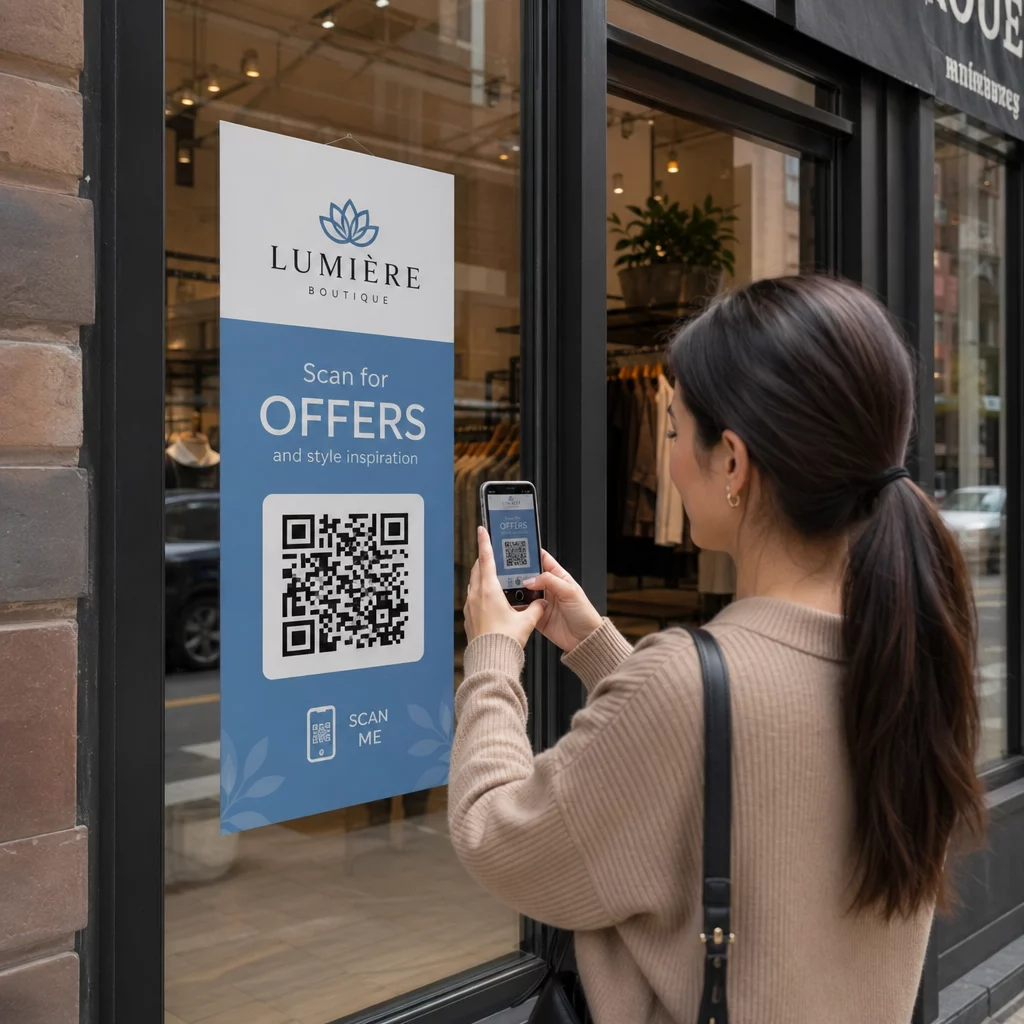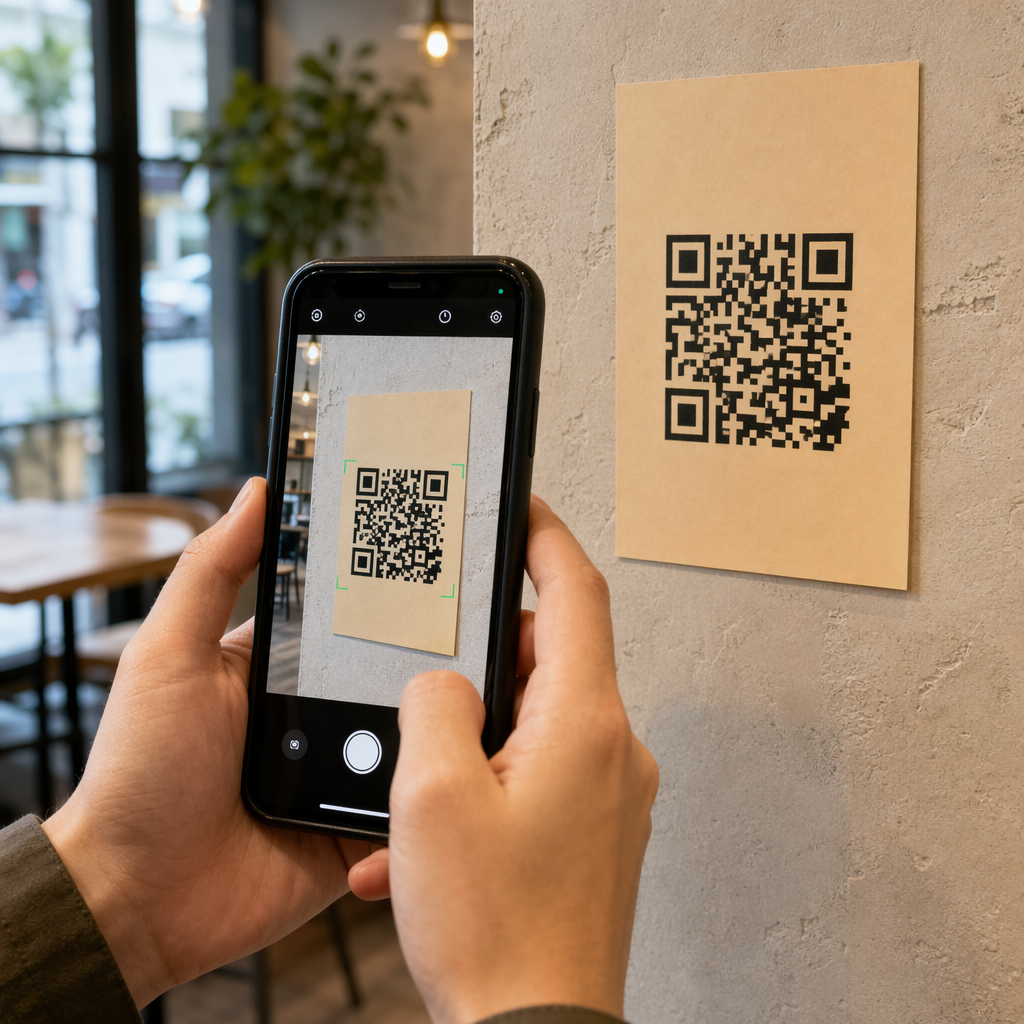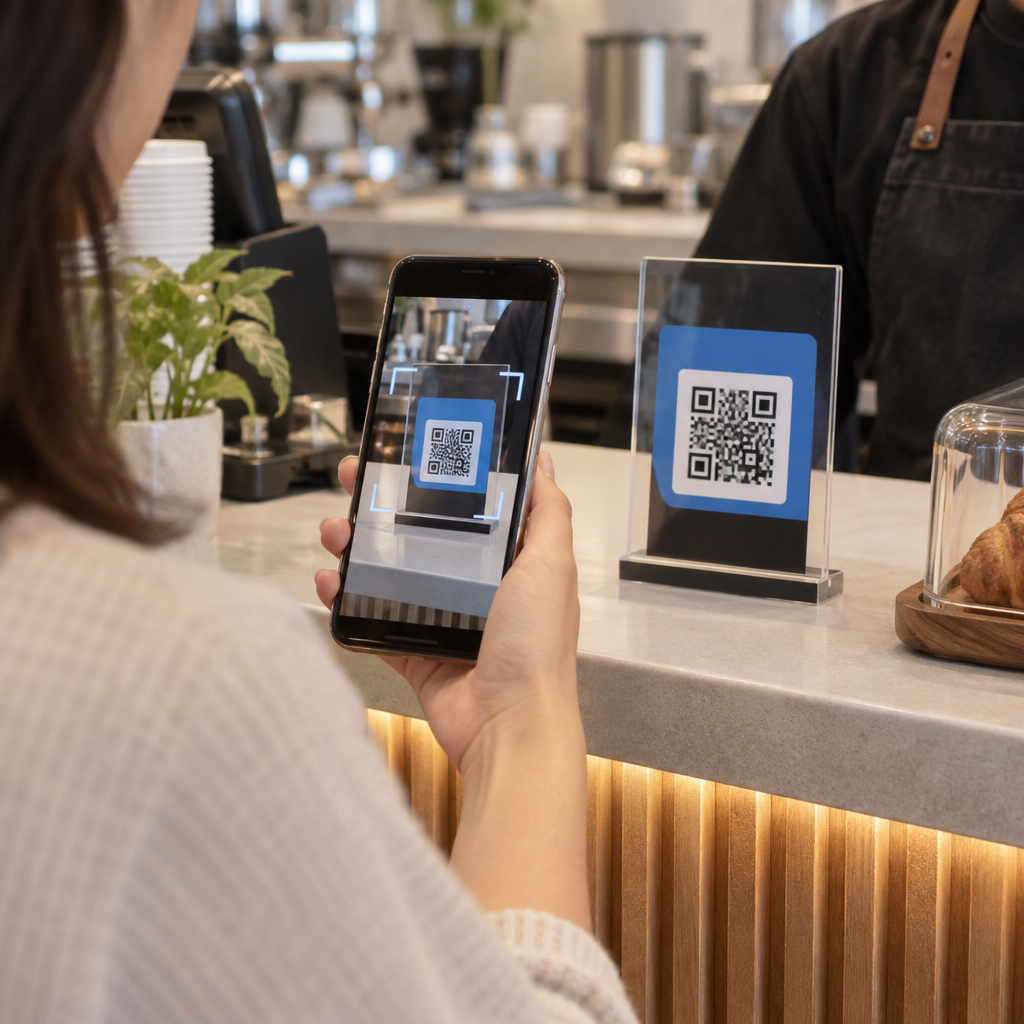
Os seus códigos QR de RA estão a falhar na leitura – ou pior, a iniciar uma experiência que os utilizadores abandonam antes de carregar? Um design deficiente e conteúdo de RA de carregamento lento frustram os utilizadores e desperdiçam o seu orçamento de campanha. Este guia abrange todas as decisões que afetam a fiabilidade da leitura e o envolvimento pós-leitura, desde o tamanho mínimo do código até à otimização de ficheiros de RA.
Fundamentos de Design que Afetam a Fiabilidade da Leitura
A aparência física de um código QR de RA determina se ele será lido. Antes de se preocupar com a experiência de RA em si, estas escolhas fundamentais precisam de estar corretas.
Requisitos de Tamanho e Formato
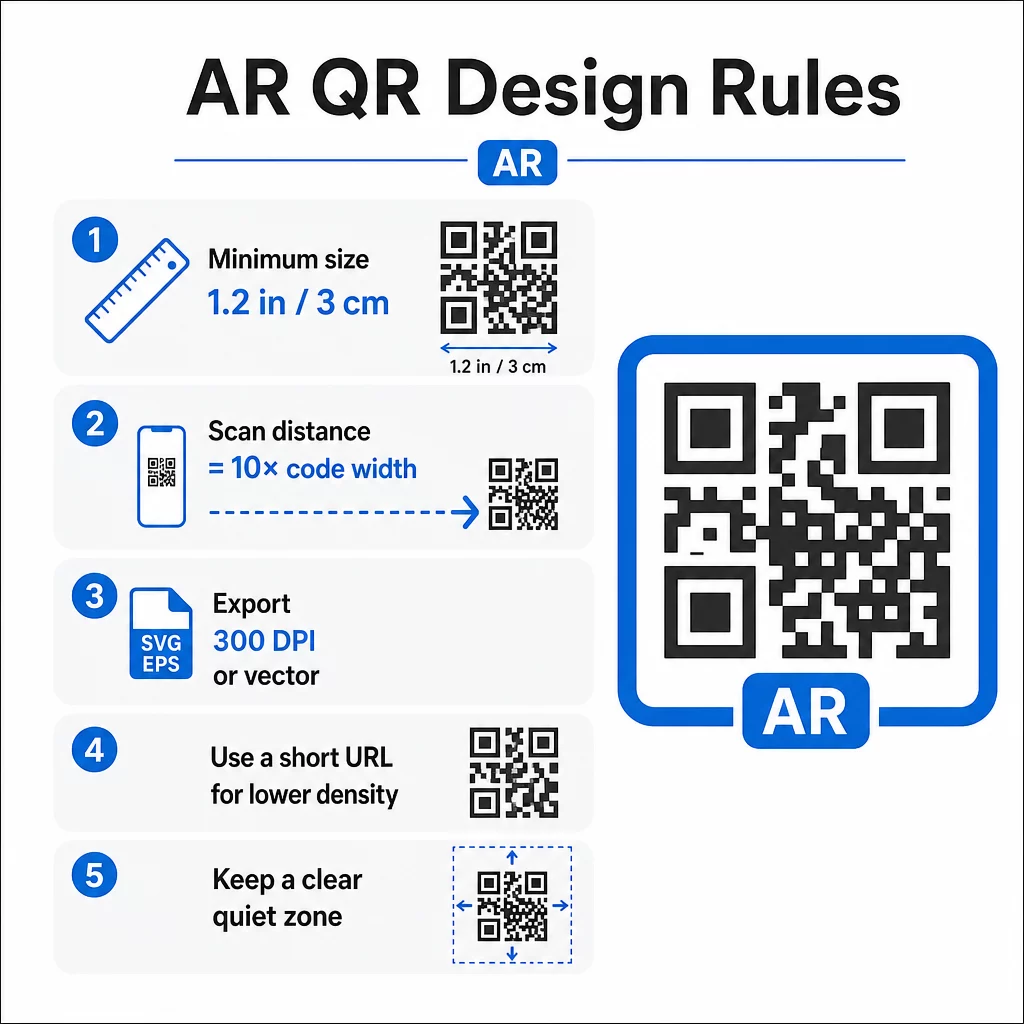
Para uma leitura fiável, imprima o seu código QR de RA com um mínimo de 1.2″×1.2″ (aproximadamente 3 cm×3 cm). Isto dá à maioria das câmaras de smartphones dados suficientes para decodificar o padrão sem que os utilizadores precisem de segurar o telemóvel desconfortavelmente perto. Uma regra prática: a distância de leitura deve ser aproximadamente dez vezes a largura do código. Um código de 2″ pode ser lido a cerca de 20 polegadas de distância.
Para colocações específicas:
- Embalagens de produtos: pelo menos 0.8″×0.8″
- Cartazes ou ecrãs vistos de 3–6 pés: pelo menos 2″×2″
- Superfícies de grande formato como outdoors: escalar proporcionalmente para a distância de visualização esperada
Mantenha sempre uma proporção de aspeto quadrada. Mesmo um ligeiro alongamento distorce o padrão do módulo e torna o código ilegível. Se o seu software de design aplicar restrições de proporção de aspeto durante a exportação ou redimensionamento, verifique novamente as dimensões finais do ficheiro antes de imprimir.
A qualidade de impressão importa tanto quanto o tamanho. Use um mínimo de 300 DPI para qualquer formato raster, e exporte em formatos vetoriais como SVG ou EPS sempre que possível. Estes escalam sem perda de qualidade e são o padrão para produção de impressão profissional. Se o vetor não for uma opção, um PNG de alta resolução é a próxima melhor escolha.
Considere também o URL que está a codificar. URLs mais curtos produzem padrões QR menos densos, que são mais fáceis de ler – especialmente em tamanhos menores ou a maiores distâncias. Se a sua plataforma de RA gerar um URL de destino longo, passe-o por um gerador de código QR de link que codifica um redirecionamento curto em vez do URL completo.
Contraste de Cores e Fiabilidade da Leitura
O contraste é o que permite que uma câmera distinga os módulos do código de seu fundo. A combinação clássica preto no branco oferece contraste máximo e continua sendo a escolha mais confiável. Se você estiver usando cores da marca, procure uma taxa de contraste de pelo menos 4:1 entre os módulos do primeiro plano e o fundo. Descer abaixo de 3:1 aumenta significativamente as falhas de leitura em iluminação variável.
Primeiros planos escuros em fundos claros funcionam bem. Azul-marinho, verde-escuro ou bordô em fundos brancos ou creme são alternativas de marca confiáveis ao preto puro. Inverter isso – módulos claros em um fundo escuro – é problemático. Muitos leitores de QR não são calibrados para designs invertidos, e superfícies escuras brilhantes introduzem reflexos que degradam ainda mais o desempenho.
Evite completamente estas combinações de cores:
- Amarelo no branco
- Cinza claro no branco
- Qualquer combinação pastel sobre pastel
- Vermelho no verde ou azul no laranja (estas também criam barreiras para usuários com deficiências de visão de cores)
Para códigos QR de RA impressos em embalagens brilhantes, teste extensivamente sob múltiplas condições de iluminação. O brilho pode tornar um código perfeitamente projetado ilegível. Acabamentos foscos ou revestimentos UV reduzem a refletividade sem comprometer a durabilidade. Mantenha o fundo atrás do código completamente uniforme – padrões, gradientes ou texturas interferem na capacidade do scanner de ler os limites dos módulos.
Para uma análise mais aprofundada das diretrizes de contraste, consulte melhores práticas de contraste de cores para códigos QR.
Requisitos da Zona de Silêncio
A zona de silêncio é a margem em branco que rodeia o código QR. Os scanners a utilizam para identificar onde o código começa e termina – sem ela, elementos de design circundantes se misturam ao código e causam falhas.
A zona de silêncio mínima é quatro módulos de largura em todos os lados. Um módulo é a menor unidade quadrada no padrão do código. Se cada módulo mede 0,05 polegadas, a zona de silêncio deve ser de pelo menos 0,2 polegadas. Para códigos de RA colocados em ambientes visualmente movimentados, como expositores de varejo ou paredes de museus, estender a zona de silêncio para seis ou oito módulos adiciona uma confiabilidade significativa.
Tenha estas regras em mente:
- Nenhum texto, logotipos ou elementos de design devem aparecer dentro da zona de silêncio
- Bordas e molduras devem ser colocadas fora a zona de silêncio, sem tocar no código
- Se estiver a ter problemas de leitura nos testes, expandir a zona de silêncio é muitas vezes a primeira solução a tentar
Imprima uma versão de teste no tamanho real e digitalize-a em vários dispositivos. Se algum falhar, verifique a zona de silêncio antes de ajustar outros elementos de design.
Para mais orientações sobre tornar os códigos QR mais fáceis de digitalizar, incluindo a zona de silêncio e especificidades de dimensionamento, o guia de legibilidade da Pageloot aborda estes tópicos em detalhe prático.
Adicionar Branding Sem Comprometer a Função
Os códigos QR com marca podem receber significativamente mais leituras do que os códigos simples a preto e branco – a confiança e o reconhecimento desempenham um papel real na decisão de alguém digitalizar. O desafio de design é adicionar identidade visual sem perturbar o padrão subjacente.
Diretrizes de Colocação do Logótipo
A colocação central é padrão porque os códigos QR são construídos com correção de erros que lida com obstruções no meio de forma mais elegante do que nas extremidades. Mantenha o seu logótipo dentro de 15–20% da área total do código. Se o logótipo for complexo ou detalhado, simplifique-o – uma marca limpa e de alto contraste funciona melhor do que uma intrincada que introduz ambiguidade perto dos módulos do código.
Passos práticos ao adicionar um logótipo:
- Use ferramentas de design para dimensionar o logótipo com precisão antes de o incorporar
- Certifique-se de que o logótipo não obscurece os três padrões de localização dos cantos, que são essenciais para a orientação do scanner
- Teste o código de marca em vários dispositivos, incluindo modelos mais antigos com câmeras de menor resolução
- Use o da Pageloot Gerador de QR Code com Logo para pré-visualizar e confirmar a capacidade de leitura antes de finalizar
Compreendendo os Níveis de Correção de Erro
Os códigos QR incluem correção de erro integrada que lhes permite permanecer legíveis mesmo quando parte do padrão está obscurecida ou danificada. Quatro níveis estão disponíveis:
| Nível ECC | Recuperação de Dados | Tamanho Seguro do Logotipo | Notas |
|---|---|---|---|
| L | ~7% | ≤10% da área do código | Melhor para designs simples sem logotipos |
| M | ~15% | 10–15% da área do código | Equilibrado para branding e confiabilidade |
| Q | ~25% | 12–18% da área do código | Funciona bem com formas de logotipo simples |
| H | ~30% | 15–20% da área do código | Ideal para logotipos centralizados; sempre teste exaustivamente |
Para códigos QR AR de marca, Nível H é a escolha certa – especialmente em ambientes onde o código pode ser arranhado, parcialmente coberto ou digitalizado sob iluminação desafiadora. Se você está projetando um código sem logotipo para um ambiente simples e controlado, o Nível M pode ser suficiente.
Para um guia completo sobre como adicionar logotipos a códigos QR sem afetar a capacidade de leitura, incluindo erros comuns e correções, o guia de logotipos da Pageloot cobre o processo passo a passo.
Escolhendo Cores da Marca para Códigos QR
Alto contraste entre módulos e fundo é inegociável. Se a paleta da sua marca naturalmente produz forte contraste, aplicá-la é simples. Para paletas mais claras, use variações de tons mais escuros para os módulos em vez da cor primária da marca.
Mantenha duas ou três cores para manter o design limpo. Evite combinações que reduzam o contraste, como cinza claro sobre branco, amarelo sobre azul claro ou combinações pastel. Ao projetar códigos QR de RA para campanhas, teste suas escolhas de cores em diferentes métodos de impressão e condições de iluminação – o que parece bom na tela pode se comportar de forma diferente no papel.
As ferramentas de personalização da Pageloot permitem que você visualize combinações de cores e verifique o contraste antes de gerar o código final. Para mais exemplos de códigos de marca que funcionam bem em campanhas reais, veja 7 exemplos de códigos QR de marca.
Configuração Técnica para Códigos QR de RA
O design faz com que os usuários digitalizem. A configuração técnica determina o que acontece em seguida e se funciona de forma consistente.
Escolhendo o Gerador de Código QR Certo
O gerador de código QR que você usa afeta diretamente a flexibilidade e o desempenho da sua campanha de RA. A capacidade mais importante a priorizar: códigos QR dinâmicos.
Um código QR dinâmico codifica uma URL de redirecionamento curta em vez do destino final. Esse redirecionamento pode ser atualizado a qualquer momento – mesmo depois que o código foi impresso e distribuído. Para campanhas de RA, isso é importante porque as experiências de RA frequentemente precisam de ajustes: modelos 3D atualizados, páginas de destino revisadas ou novas informações de produtos. Com um código estático, qualquer alteração exige a reimpressão de tudo. Com um código dinâmico, você atualiza o destino em seu painel e cada código existente aponta para o novo conteúdo automaticamente.
Os códigos dinâmicos também suportam análises de digitalização, que são essenciais para entender o desempenho da campanha. Você pode rastrear quantas vezes um código foi digitalizado, quando, de qual local e em qual tipo de dispositivo.
Mantenha as Campanhas de RA Flexíveis Precisa atualizar sua experiência de RA sem reimprimir materiais físicos? Use o Gerador de QR Code Dinâmico para criar códigos que você pode editar a qualquer momento, com análises de digitalização integradas para medir o desempenho.
Para códigos QR de RA em produtos ou embalagens, escolha um gerador com opções de alta correção de erros e suporte total à personalização. Recursos de análise ajudam você a identificar quais posicionamentos têm o melhor desempenho e onde focar os esforços de otimização.
Como os Códigos QR de RA Realmente Funcionam
Vale a pena entender o mecanismo para que você possa tomar decisões informadas sobre sua plataforma de RA. Um código QR contém um URL. Quando escaneado, esse URL abre no navegador do dispositivo ou em um aplicativo compatível. O conteúdo de RA é então entregue através desse destino – seja como uma experiência de RA baseada na web (WebAR) ou através de um aplicativo dedicado.
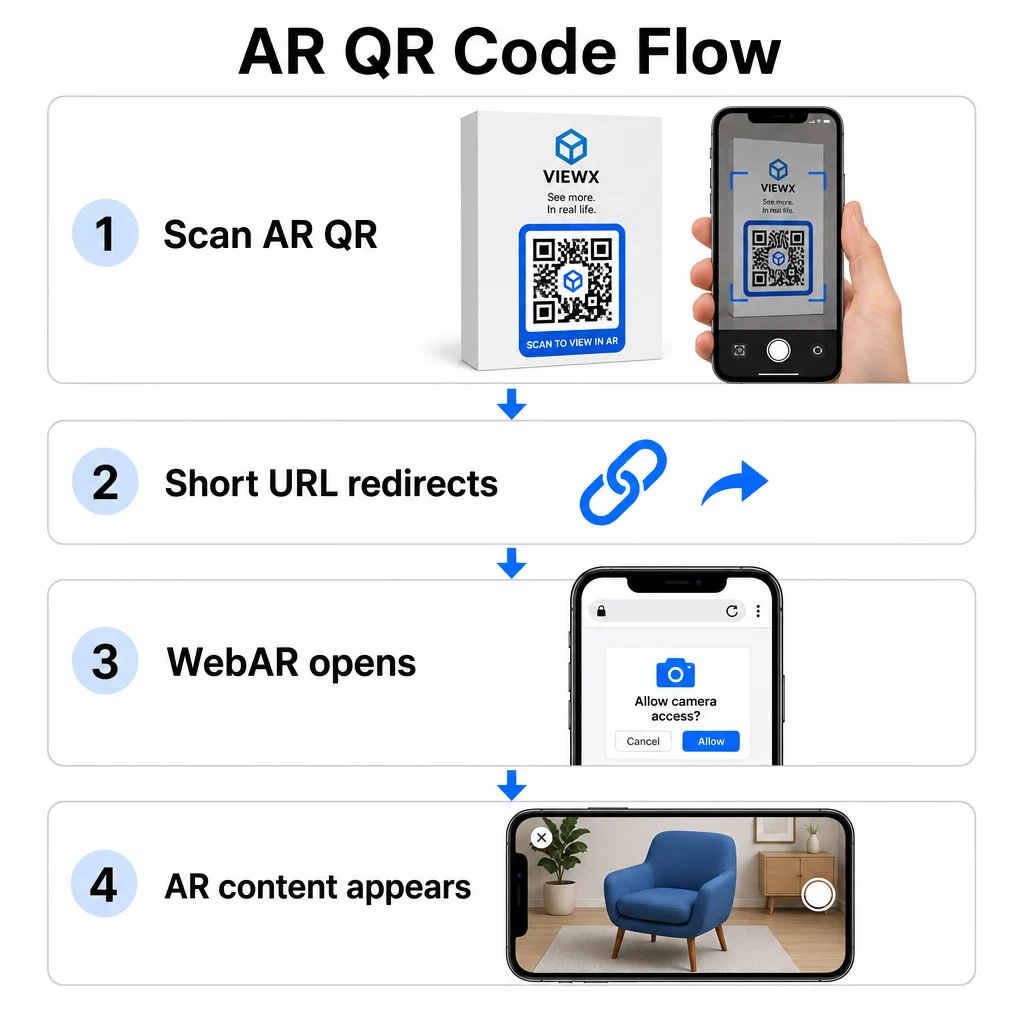
WebAR é particularmente adequado para campanhas porque não requer download de aplicativo. Os usuários escaneiam o código, o navegador deles abre e a experiência de RA é lançada usando a câmera e os sensores do dispositivo. Isso reduz o atrito que causa a desistência e funciona em iOS e Android sem uma etapa de instalação separada. O WebAR pode ser construído com tecnologias como A-Frame com AR.js para rastreamento baseado em marcador ou o “ da Google para RA sem marcador.
Se sua experiência de RA requer capacidades além do que o WebAR suporta – interações complexas, RA persistente ou recursos de hardware específicos – uma abordagem baseada em aplicativo pode ser necessária. Nesse caso, seu código QR deve vincular a um redirecionamento inteligente que direcione os usuários de iOS para a App Store e os usuários de Android para o Google Play.
Para a maioria dos casos de uso de marketing, embalagens e eventos, o WebAR lançado a partir de um código QR dinâmico é a abordagem de menor atrito e mais fácil de manter. Os códigos QR de RA têm sido usados eficazmente em narração de histórias em museus, instalações de artee campanhas de agências de marketing – e em cada caso, a capacidade de atualizar o conteúdo sem reimprimir é uma vantagem operacional significativa.
Otimizando o Conteúdo de RA para Velocidade
Uma vez que alguém escaneia seu código, eles esperam que a experiência de RA apareça em 2–3 segundos. Qualquer coisa mais longa aumenta significativamente a chance de eles saírem antes que carregue.
Alvos principais de otimização:
- Mantenha os arquivos de modelo 3D abaixo de 5 MB; use formatos compactados como GLTF ou GLB para AR baseada na web
- Mantenha os arquivos de vídeo abaixo de 10 MB e use codificação H.264
- Reduza as resoluções das texturas de imagem para 1024×1024 pixels ou menores; use cores sólidas ou texturas procedurais sempre que possível para minimizar os tamanhos dos arquivos
- Use carregamento progressivo – exiba uma versão simplificada do conteúdo AR primeiro, depois carregue detalhes de maior qualidade em segundo plano
- Teste o desempenho de carregamento em conexões 3G e 4G, não apenas Wi-Fi; se o desempenho for ruim em conexões mais fracas, simplifique o conteúdo ou ofereça uma versão mais leve
Hospede os ativos de AR em infraestrutura rápida e confiável. Hospedagem lenta ou não confiável comprometerá até mesmo os arquivos mais bem otimizados.
Testando e Lançando Códigos QR de AR
Nenhuma quantidade de design cuidadoso substitui testes no mundo real. Os códigos QR de AR encontram condições que são impossíveis de simular completamente em uma tela.
Testando em Diferentes Ambientes
Teste nas condições reais onde seu código será usado: luz solar direta, iluminação fluorescente interna, ambientes com pouca luz. A luz solar intensa em superfícies brilhantes é particularmente desafiadora – materiais foscos melhoram significativamente a visibilidade nessas condições.
Para códigos em telas ou displays digitais, teste a capacidade de leitura de diferentes ângulos, alturas e distâncias. Para códigos impressos, teste nos materiais exatos que você usará – o desempenho difere entre papel fosco, embalagens brilhantes e substratos texturizados.
A conectividade afeta a AR mais do que afeta os destinos de códigos QR padrão. Mesmo um código que escaneia perfeitamente pode proporcionar uma experiência quebrada se os ativos de AR falharem ao carregar em um sinal fraco. Teste em áreas com intensidade de sinal variável.
Testando em Múltiplas Plataformas
Dispositivos iOS possuem scanners QR integrados, mas o comportamento varia entre modelos de iPhone e versões do iOS. Teste em várias gerações. A variação do Android é mais significativa – a qualidade da câmera e o poder de processamento diferem consideravelmente entre modelos de baixo custo e premium. Teste em uma variedade de ambos.
Para AR baseada na web, confirme se a experiência carrega corretamente no Safari, Chrome e Firefox. Verifique em diferentes tamanhos e orientações de tela. Se sua experiência AR requer permissões de câmera, verifique se o prompt do navegador aparece e funciona corretamente em cada plataforma.
Para uma abordagem abrangente aos testes entre dispositivos, consulte as orientações da Pageloot sobre melhores práticas de usabilidade de códigos QR.
Monitorização de Desempenho com Análise
Após o lançamento, a análise informa o que realmente está a acontecer com os seus códigos. Com códigos QR dinâmicos e monitorização de leitura, pode monitorizar o desempenho em tempo real e fazer ajustes sem reimprimir.
Principais métricas a monitorizar:
| Métrica | O Que Revela | Ação a Tomar |
|---|---|---|
| Total de leituras / Utilizadores únicos | Alcance e volume da campanha | Teste novas localizações ou CTAs se os números caírem |
| Atividade por hora do dia | Quando os utilizadores interagem mais | Ajuste o tempo de exibição para as horas de pico |
| Divisão por Dispositivo / SO | Desempenho da plataforma | Otimizar para plataformas com menor engajamento |
| Pontos geográficos de interesse | Onde as digitalizações ocorrem | Concentre recursos em áreas de alto desempenho |
| Conversão pós-digitalização | Ações do usuário após a digitalização | Simplificar páginas de destino ou clarificar a oferta |
Rever as análises semanalmente durante campanhas ativas. Padrões no tipo de dispositivo ou dados de localização frequentemente revelam problemas de posicionamento ou design que não eram visíveis durante os testes.
Melhorando a Experiência Após a Digitalização
Uma digitalização suave é apenas o ponto de entrada. A experiência pós-digitalização determina se os usuários interagem com o seu conteúdo de RA ou o abandonam.
Design Otimizado para Dispositivos Móveis
Cada aspeto da experiência pós-digitalização deve ser projetado para uma tela de celular. Layouts responsivos são essenciais – sua página de destino e conteúdo de RA devem se adaptar a diferentes tamanhos e orientações de tela sem quebrar.
Elementos interativos como botões e chamadas para ação devem ter pelo menos 44×44 pixels e ser colocados em áreas amigáveis ao polegar – o centro e as porções inferiores da tela. Deixe espaço suficiente entre os alvos de toque para evitar toques acidentais.
Simplifique o caminho para o conteúdo de RA. Para WebAR, a experiência deve ser lançada diretamente no navegador, sem a necessidade de plugins adicionais além do acesso à câmera. Cada etapa extra aumenta a taxa de abandono. Para páginas de destino de código QR para celular, o guia da Pageloot aborda os requisitos específicos de design e tempo de carregamento que mantêm os usuários engajados após a digitalização.
Se você está entregando múltiplas opções de conteúdo a partir de uma única digitalização, uma de marca página de destino que links para sua experiência de RA junto com outro conteúdo relevante podem melhorar a experiência geral.
Instruções Claras para Conteúdo de RA
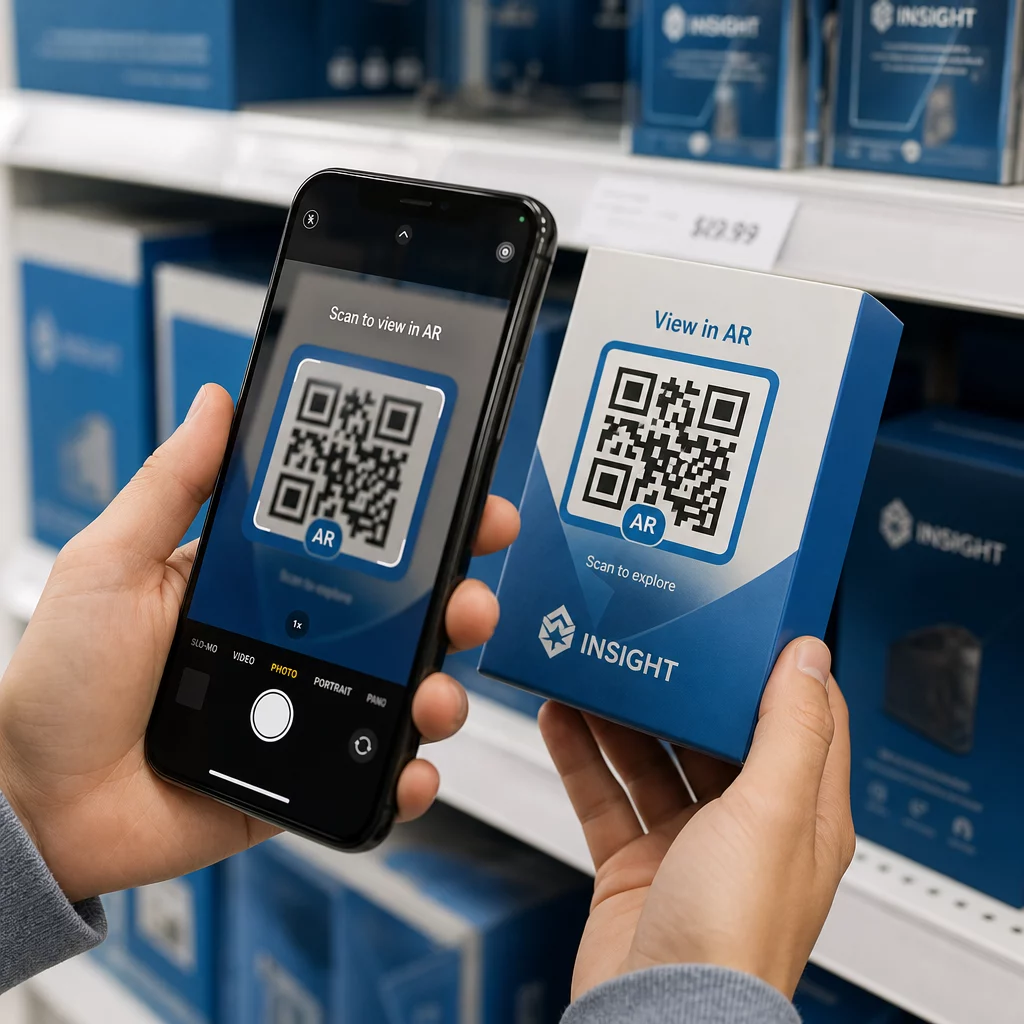
Usuários não familiarizados com RA precisam saber o que está prestes a acontecer e o que fazer. Adicione uma chamada para ação clara perto do próprio código QR físico – algo como “Digitalize para ver em 3D” ou “Digitalize para ver este produto no seu espaço.” O incentivo para digitalizar deve ser óbvio antes que alguém aponte sua câmera.
Uma vez dentro do ambiente de RA, guie os usuários com prompts simples na tela:
- “Aponte sua câmera para a embalagem do produto para ativar a RA”
- “Mova lentamente seu telefone para escanear a superfície”
Posicione elementos interativos – “Adicionar ao Carrinho,” “Saiba Mais,” “Compartilhe Sua Experiência” – para que sejam fáceis de encontrar sem bloquear o conteúdo de RA. Use a divulgação progressiva: comece com os controles mais simples e introduza recursos avançados à medida que os usuários se sentem confortáveis.
Personalização e Acessibilidade
Códigos QR dinâmicos tornam prático adaptar o conteúdo com base na localização, hora ou interações anteriores. Em ambientes de varejo, isso pode significar mostrar produtos relevantes para a região do usuário ou ajustar o idioma do conteúdo com base no local da digitalização.
Considerações de acessibilidade que se aplicam a experiências de RA:
- Adicione descrições de texto para todos os visuais e garanta compatibilidade com leitores de tela
- Ofereça tamanhos de texto ajustáveis, níveis de contraste e volume de áudio
- Forneça legendas ocultas para conteúdo de áudio
- Inclua várias opções de idioma onde relevante
- Evite depender apenas da cor para transmitir informações – use ícones, rótulos de texto ou padrões como suplementos
Códigos QR dinâmicos facilitam as atualizações de idioma: você pode adicionar ou alterar opções sem reimprimir nenhum material físico.
Juntando Tudo
Códigos QR AR confiáveis são o resultado de decisões tomadas em design, configuração técnica e experiência pós-digitalização – não de um único fator. Acerte o tamanho, o contraste e a zona de silêncio. Escolha a correção de erros e a marca que preservem a capacidade de digitalização. Use códigos dinâmicos para que seu conteúdo AR permaneça atualizado sem reimpressão. Teste exaustivamente em dispositivos e ambientes, e então use análises para continuar melhorando após o lançamento.
Comece a Criar Códigos QR AR Use o Gerador de Código QR Pageloot para criar códigos dinâmicos e de marca com análises integradas – e então manter sua experiência AR atualizada sem nunca precisar reimprimir.
Perguntas frequentes
Teste numa variedade de dispositivos iOS e Android, incluindo modelos mais antigos, em múltiplos ambientes de iluminação – luz solar direta, luz fluorescente interna e configurações de pouca luz. Use alto contraste (razão de pelo menos 4:1), mantenha uma zona tranquila clara e evite superfícies brilhantes sempre que possível. Códigos QR dinâmicos permitem-lhe atualizar a experiência de RA vinculada se surgirem problemas de compatibilidade após o lançamento.
Mantenha seu logotipo entre 15–20% da área total do código, centralizado, e use a correção de erro Nível H para compensar a obstrução. Mantenha alto contraste entre os módulos do código e o fundo, e preserve a zona de silêncio ao redor do código. Sempre teste o código com a marca em vários dispositivos e sob iluminação variada antes de imprimir em escala.
Mantenha os arquivos de modelo 3D abaixo de 5 MB usando formatos compactados como GLTF ou GLB, limite os arquivos de vídeo a menos de 10 MB com codificação H.264, e reduza a resolução da textura da imagem para 1024×1024 pixels ou menor. Use carregamento progressivo para mostrar uma versão simplificada primeiro enquanto ativos de maior qualidade carregam em segundo plano. Teste o desempenho em conexões 3G e 4G, não apenas Wi-Fi, para refletir as condições do mundo real.