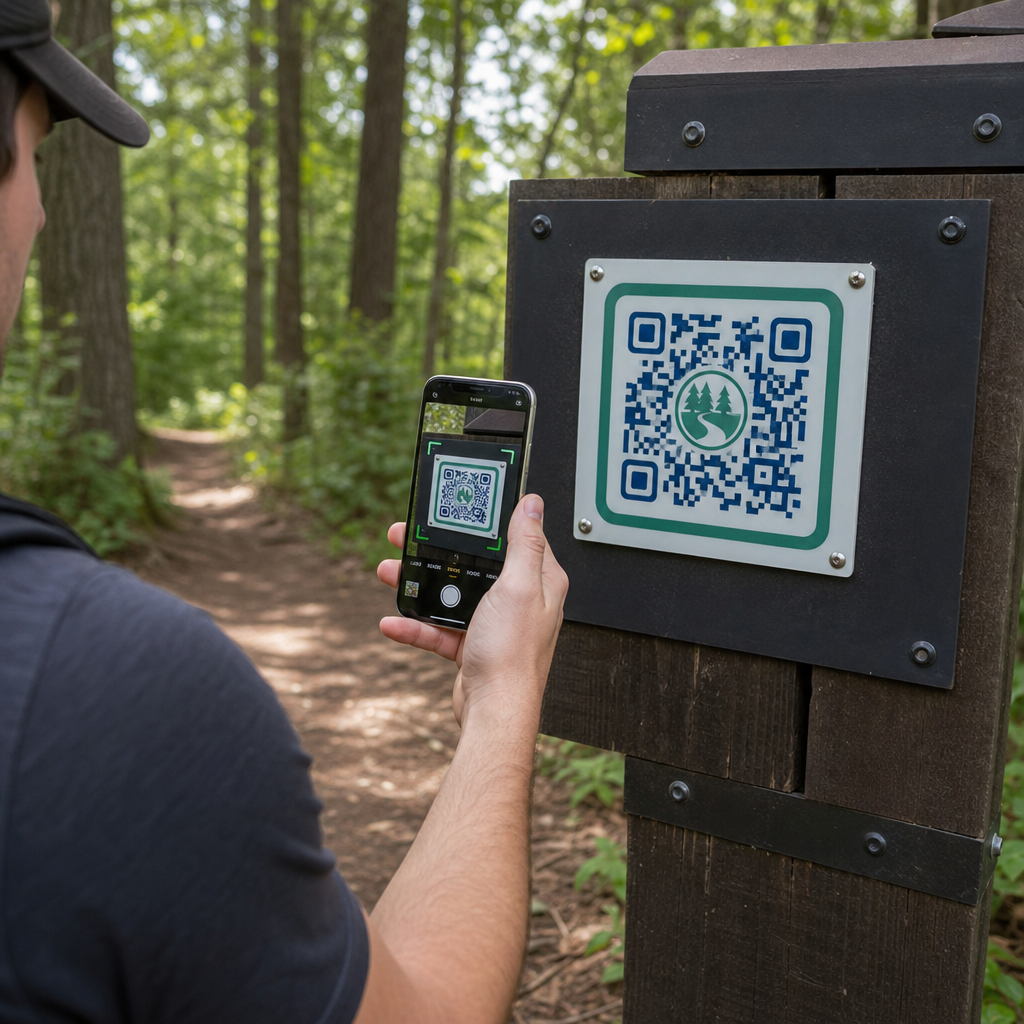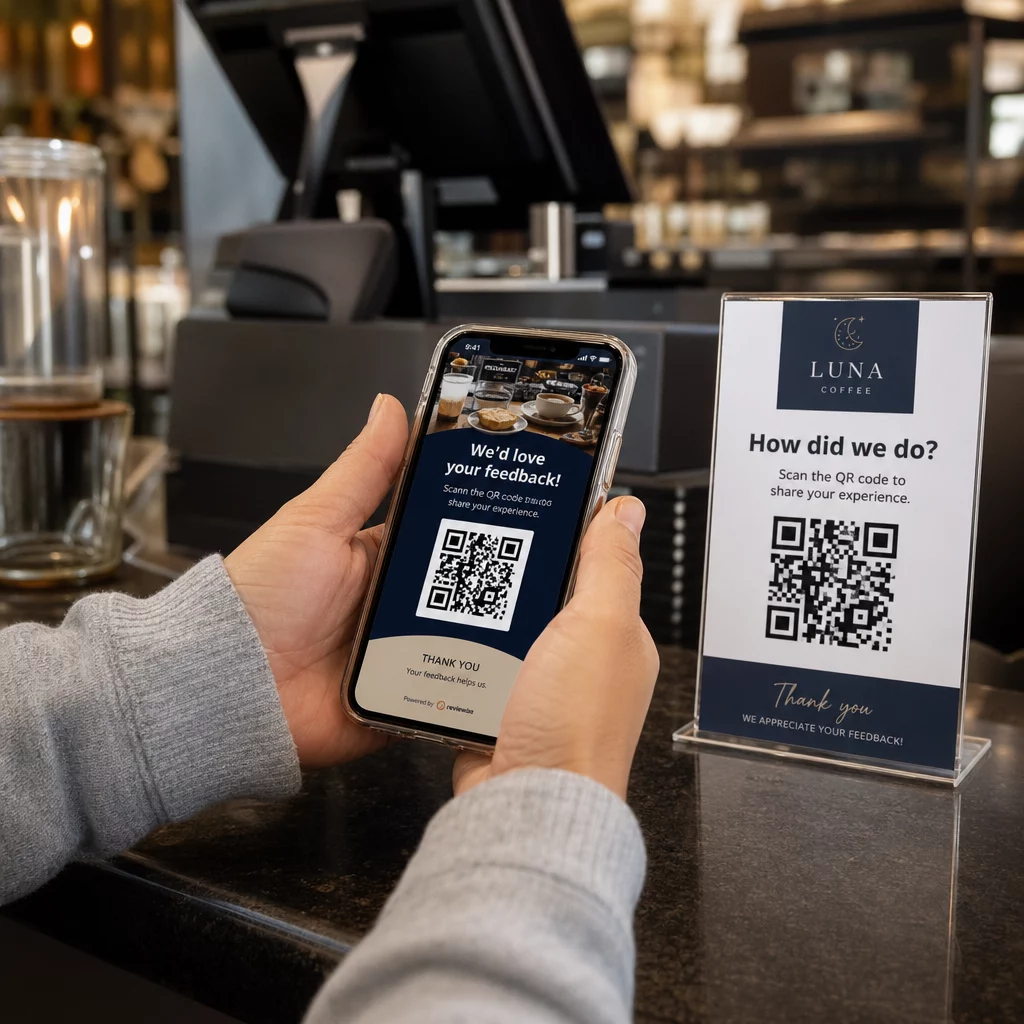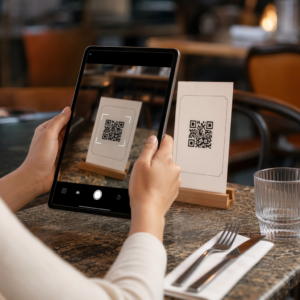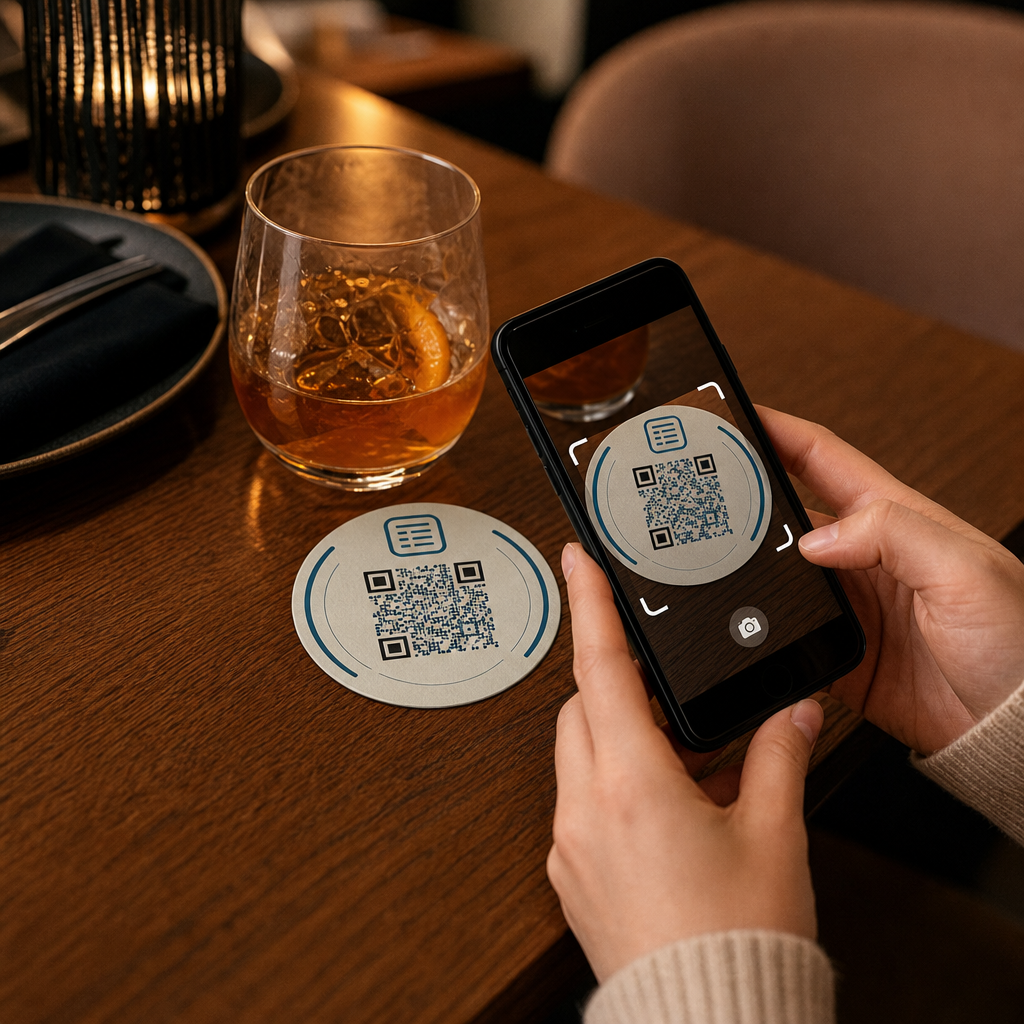

Misafirleriniz Wi-Fi şifresini mi arıyor veya sadece menüyü görmek için bir garsona mı işaret ediyor? Bu küçük sürtünme noktaları hızla birikerek müşterileri hayal kırıklığına uğratır ve personelinizin hızını yavaşlatır. Bu rehber, tek bir taramanın sorunu çözmesini ve size sürekli iyileştirme için veri sağlamasını sağlamak amacıyla QR kodlarını bardak altlıklarına nasıl tasarlayacağınızı, oluşturacağınızı ve dağıtacağınızı tam olarak gösterir.
Bardak Altlıkları Neden Pratik Bir QR Kodu Yüzeyidir
Bir masaya konan her içecek bir bardak altlığı ile gelir. Bu, bardak altlıklarını herhangi bir konaklama ortamında en tutarlı şekilde görüntülenen yüzeylerden biri yapar. Misafirlerin genellikle kenara ittiği masa kartlarının veya birinin kalkıp yanına gitmesini gerektiren duvara monte posterlerin aksine, bir bardak altlığı tüm ziyaret boyunca müşterinizin tam önünde durur.
Bu kalıcılık, bardak altlıklarını üç özel iş için kullanışlı kılar:
- Menü erişimi – misafirlerin oturdukları anda yiyecek ve içeceklere göz atmasını sağlamak
- Wi-Fi paylaşımı – personelin şifreyi vardiya başına onlarca kez tekrarlama ihtiyacını ortadan kaldırmak
- Müşteri etkileşimi takibi – dijital içeriğinizle kaç kişinin, ne zaman ve mekanınızın hangi alanlarından etkileşimde bulunduğunu ölçmek
QR kodlarının nasıl uyduğunu daha geniş bir bakış açısıyla görmek için konaklama ortamlarında, desen tutarlıdır: kod, misafirin ihtiyaç duyduğu anda ne kadar yakınsa, tarama oranı o kadar yüksek olur. Bardak altlıkları olabilecek en yakın konumdadır.
Bardak Altlıkları İçin Doğru QR Kodu Türünü Seçmek
Herhangi bir şey basmadan önce, statik mi yoksa dinamik mi bir QR kodu kullanacağınıza karar vermeniz gerekir. Fark, özellikle bardak altlıkları için pratik sonuçlar doğurur, çünkü yeniden baskı pahalı ve zaman alıcıdır.
Statik QR kodları bilgiyi doğrudan desene kodlar. Oluşturulduktan sonra düzenlenemezler ve taramaları takip etmezler. Wi-Fi QR kodları statik format için doğal bir uyum sağlar – ağ kimlik bilgileriniz nadiren değişir ve bu özel kullanım durumu için analize gerek yoktur.
Dinamik QR kodları bardak altlığını yeniden basmadan istediğiniz zaman güncelleyebileceğiniz kısa bir yönlendirme URL'sine işaret eder. Ayrıca her taramayı kaydeder, zamanı, cihaz türünü ve coğrafi konumu not ederler. Menü erişimi ve etkileşim takibi için dinamik kodlar pratik bir seçimdir. Menünüz mevsimsel olarak değişiyorsa veya yeni bardak altlıkları sipariş etmeden bir promosyonu değiştirmek istiyorsanız, dinamik bir kod bunu kontrol panelinizden yapmanızı sağlar.
Takas basittir: statik kodlar ücretsiz ve kalıcıdır, dinamik kodlar ise abonelik gerektirir ancak size esneklik ve veri sağlar. Sürekli operasyonlar yürüten çoğu konaklama işletmesi için, içeriği yeniden basmadan güncelleme yeteneği, dinamik kodları daha iyi bir uzun vadeli yatırım yapar. Her iki seçeneğin tam dökümü şurada ele alınmıştır: statik ve dinamik QR kodları Sayfa.
Dakikalar İçinde Bardak Altlığına Hazır QR Kodları Oluşturun Kullan Dinamik QR Kod Oluşturucu menü, Wi-Fi ve etkileşim kodlarını istediğiniz zaman güncelleyebileceğiniz şekilde oluşturmak için – yeniden baskı gerekmez.
Bardak Altlıkları İçin Bir Menü QR Kodu Kurulumu
Bir bardak altlığındaki menü QR kodu, misafirinizi taradıkları anda doğrudan temiz, mobil uyumlu bir dijital menüye götürmelidir. Kurulum iki kararı içerir: menünüzün hangi formatta olduğu ve QR kodunu onun etrafında nasıl oluşturduğunuz.
Pageloot'un Menü QR Kod Oluşturucu iki yaklaşımı destekler. İlk olarak, mevcut bir PDF'i yükleyebilirsiniz – zaten tasarlanmış bir menünüz varsa, onu bir dosya yüklemesi veya Google Drive veya Dropbox bağlantısı gibi barındırılan bir URL aracılığıyla bağlayabilirsiniz, bu da çevrimiçi olmanın en hızlı yoludur. İkinci olarak, kategoriler, ürün fotoğrafları, açıklamalar ve fiyatlandırma içeren yapılandırılmış bir menü açılış sayfası oluşturabilir ve mevsimlik özel ürünler, günlük teklifler ve bir PDF'in mobilde her zaman iyi görüntüleyemediği görseller ekleyebilirsiniz.
Özellikle bardak altlıkları için, açılış sayfası yaklaşımı daha iyi performans gösterme eğilimindedir. Misafirler telefonlarında ve mobil optimize edilmiş bir sayfa, sıkıştırma ve yakınlaştırma gerektiren bir PDF'ten daha kolay gezinilebilir. QR tabanlı siparişin tam hizmet iş akışına nasıl uyduğunu daha derinlemesine incelemek için, şuradaki rehber QR kodlu sipariş sistemleri teknik ve operasyonel tarafı ayrıntılı olarak ele alır.
Menünüz yapılandırıldıktan sonra, QR kodunu marka renkleriniz, logonuz ve “Menüyü görmek için tarayın” gibi kısa bir harekete geçirici mesaj içeren bir çerçeve ile özelleştirin. Bu bağlam, misafirlerin tarama yapmadan önce neyi taradıklarını anlamalarına yardımcı olur, bu da tarama oranlarını doğrudan artırır.
Bardak Altlıkları İçin Bir Wi-Fi QR Kodu Kurulumu
Wi-Fi kimlik bilgilerini bir bardak altlığı aracılığıyla paylaşmak, QR kodlarının konaklama sektöründeki en basit ve en anında faydalı uygulamalarından biridir. Bir misafir kodu tarar ve cihazı otomatik olarak bağlanır – görünür şifre yok, personel müdahalesi yok, yazım hatası yok.
Kurulum Pageloot'un kullanımıyla basittir Wi-Fi QR kodu oluşturucu. Ağ adınızı (SSID) girin, güvenlik türünüzü seçin (WPA/WPA2 en yaygın olanıdır), ağ parolasını girin, tasarımı özelleştirin ve indirin. Wi-Fi kimlik bilgileri nadiren değiştiği için, burada statik bir QR kodu yeterlidir ve oluşturmak hiçbir maliyet gerektirmez. Sürecin tam bir açıklaması ve yerleştirme tavsiyesi için, bu misafirleri QR kodu aracılığıyla Wi-Fi'ye bağlama rehberi her adımı ayrıntılı olarak kapsar.
Bir pratik not: Mekanınız ayrı bir misafir ağı kullanıyorsa – ki bu sağlam bir güvenlik uygulamasıdır – QR kodunun misafir ağı kimlik bilgilerini kodladığından, operasyonel ağınızınkini değil, emin olun.
Bardak Altlığı Taramaları Aracılığıyla Müşteri Etkileşimini Takip Etme
Wi-Fi QR kodları statiktir ve tarama verisi oluşturmaz. Ancak menü erişimi ve bardak altlıklarına koyduğunuz diğer kampanya içerikleri için, dinamik QR kodları misafirlerin fiziksel alanınızla nasıl etkileşim kurduğunu canlı olarak görmenizi sağlar.
Pageloot'un QR kodu analiz panonuz her dinamik kod için aşağıdakileri takip eder:
- Zaman içindeki toplam taramalar ve benzersiz taramalar
- Her taramanın tarihi ve saati
- Cihaz türü (iOS, Android veya masaüstü)
- Şehir düzeyine kadar coğrafi konum
- Farklı masa bölgeleri veya mekan alanları için ayrı kodlar kullanıyorsanız yerleştirme düzeyinde karşılaştırmalar
Çok mekanlı bir işletme veya büyük bir etkinlik alanı için bu veriler pratik soruları yanıtlar: Hangi alanlar en çok etkileşimi görüyor? Misafirler öğle veya akşam yemeği servisi sırasında daha fazla mı tarama yapıyor? Menü taramaları, düzenlediğiniz promosyonlarla ilişkili günlerde mi artıyor?
Ayrıca bir Google Form QR kodu bardak altlığından doğrudan misafir geri bildirimi toplamak için. Kısa bir yemek sonrası anketi, personelin kağıt kartlar dağıtmasını veya sözlü olarak yorum istemesini gerektirmeden memnuniyet puanlarını ve yorumları yakalar. Tarama verilerinin pazarlama ve operasyonlarınızı nasıl keskinleştirebileceğine dair daha geniş bir genel bakış için, bu QR kodu izleme rehberi en önemli metrikleri ayrıntılı olarak açıklar.
Her Taramayı Gerçekleştiği Anda Görün Menü etkileşimini takip edin, en yoğun dönemlerinizi belirleyin ve kampanya performansını gerçek zamanlı olarak şununla ölçün: Pageloot'un QR Kod Analizi.
Bardak Altlığında Güvenilir Şekilde Taranabilen Bir QR Kodu Tasarlamak
Bir bardak altlığı, bir QR kodu için fiziksel olarak zorlu bir ortamdır. Islanır, elle tutulur, üst üste konur ve düzensiz aydınlatılır. Bir posterde sorun olmayacak tasarım kararları, bir bardak altlığında tarama hatalarına yol açabilir.
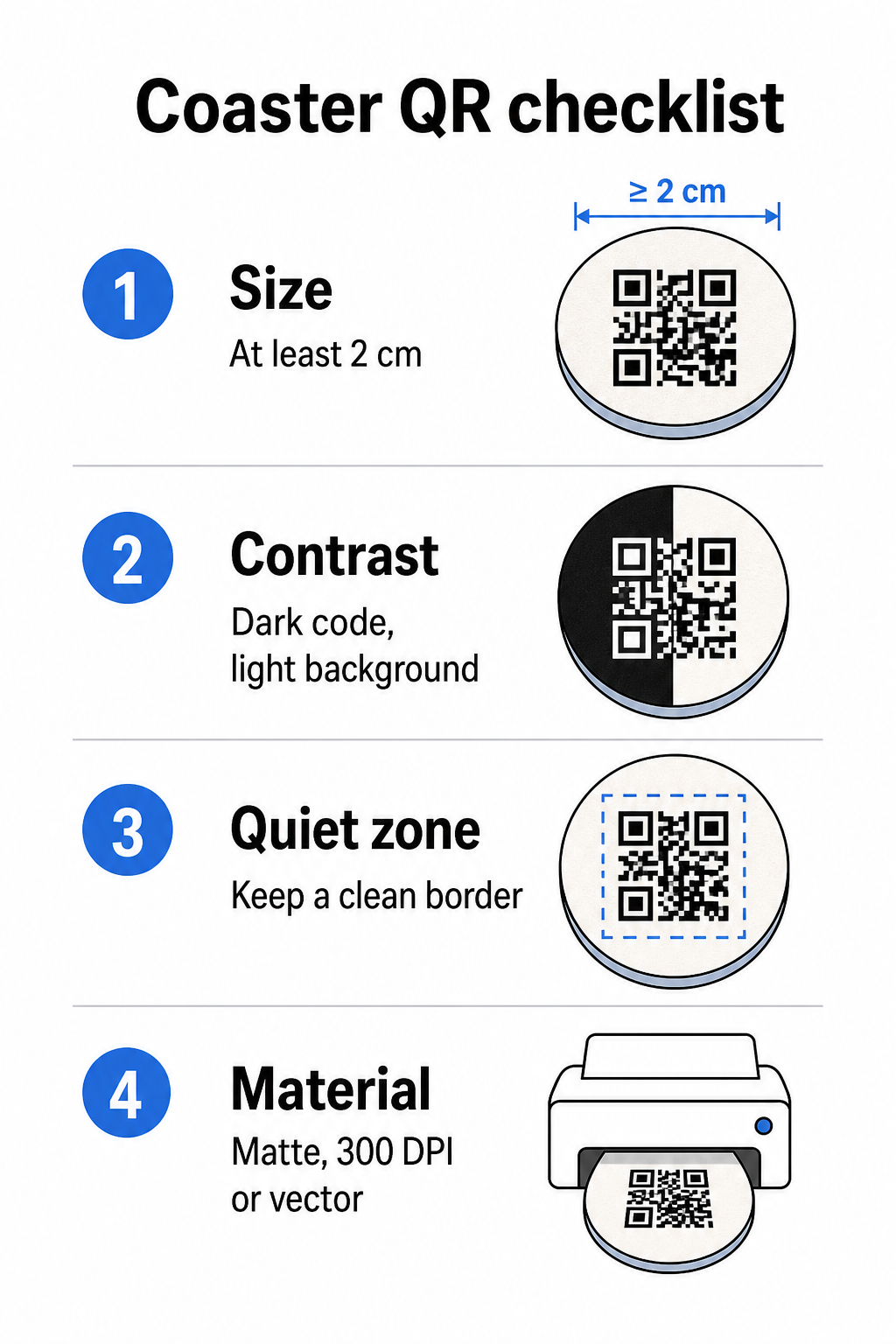
Boyut ilk değerlendirmenizdir. Bir QR kodu için minimum güvenilir boyut, yakın mesafeli tarama için 2 cm × 2 cm'dir (yaklaşık 0.8 inç × 0.8 inç). Standart yuvarlak bir bardak altlığında – tipik olarak 3.5 ila 4 inç çapında – daha büyük boyutlara gitmek için yeriniz vardır, bu da güvenilirliği artırır. Burada 10:1 kuralı geçerlidir: kod genişliği, maksimum tarama mesafesinin yaklaşık onda biri olmalıdır. 1 inçlik bir kod yaklaşık 10 inçte çalışır; 1.5 inçlik bir kod, tipik oturan misafir için daha rahat bir marj sağlar.
Kontrast tarama güvenilirliği için en kritik faktördür. Açık bir arka plan üzerindeki koyu modüller – beyaz üzerinde siyah altın standarttır – başlangıç noktanız olmalıdır. Birçok akıllı telefon kamerası ve tarayıcı uygulaması ters tasarımlarla (koyu bir arka plan üzerinde açık modüller) zorlanır, bu nedenle estetik olarak daha iyi görünse bile bu kombinasyondan kaçının. Minimum 4:1 kontrast oranı önerilen temeldir; daha yüksek daha iyidir. Kırmızı veya turuncu ön planlardan kaçının, çünkü birçok kamera sensörü bu tonları güvenilir bir şekilde algılamakta zorlanır. Bu QR kodu renk kontrastı en iyi uygulamaları sayfasında, standart siyah-beyaz kombinasyonunun dışında kalan marka renkleriyle çalışıyorsanız ayrıntılı bir karşılaştırma tablosu bulunmaktadır.
Sessiz bölge her QR kodunu çevrelemesi gereken net sınıra – her tarafta en az 4 modül genişliğinde – metin, grafik veya tasarım öğelerinin girmemesi anlamına gelir. Bir bardak altlığında, bu, kodun etrafında düz, açık renkli bir kenar boşluğu bırakmak demektir. Bardak altlığı tasarımınız koyu veya görsel olarak yoğun bir arka plana sahipse, tam sessiz bölgeyi içeren QR kodunun arkasına düz beyaz bir dolgu kutusu ekleyin. Bu olmadan, tarayıcılar kod sınırını güvenilir bir şekilde bulamayabilir.
Bitiş ve malzeme bardak altlıklarında diğer çoğu yüzeyden daha önemlidir. Pulpboard kağıt bardak altlıkları konaklama sektöründe en yaygın olanlardır – yoğuşmayı emer ve masa yüzeylerini korur, ancak su geçirmez değildirler. Kağıt bardak altlıklarındaki QR kodları için, parlak yüzeylere mat yüzeyler tercih edilir, çünkü tavan aydınlatmasından gelen parlama taramayı engeller. Kalıcı masa kurulumları veya yeniden kullanılabilir bardak altlıkları gibi daha yüksek dayanıklılık gerektiren uygulamalar için, epoksi veya poliüretan kaplamalı ahşap gibi malzemeler, baskıyı korurken güvenilir taramaya izin verir, ancak bitişin renkli değil şeffaf olması koşuluyla. Malzemeden bağımsız olarak, QR kodunun içinde gradyanlardan, gölgelerden veya şeffaf öğelerden kaçının – bunlar kontrastı azaltır ve gerçek dünya koşullarında taranabilirliği bozar.
Çözünürlük baskı için tartışılamaz. QR kodunuzu her zaman vektör formatında (SVG veya EPS) veya minimum 300 DPI olarak indirin. Düşük çözünürlüklü dışa aktarımlardan büyütülen bitmap dosyaları baskıda bulanık görünecek, bu da kod ekranda kabul edilebilir görünse bile tarama güvenilirliğini azaltacaktır. Tüm baskı ve tasarım yönergeleri şurada mevcuttur: QR kodu okunabilirliği için en iyi uygulamaları rehberimizde bulabilirsiniz.
Bardak Altlığında Pratik Yerleşim ve Bağlam
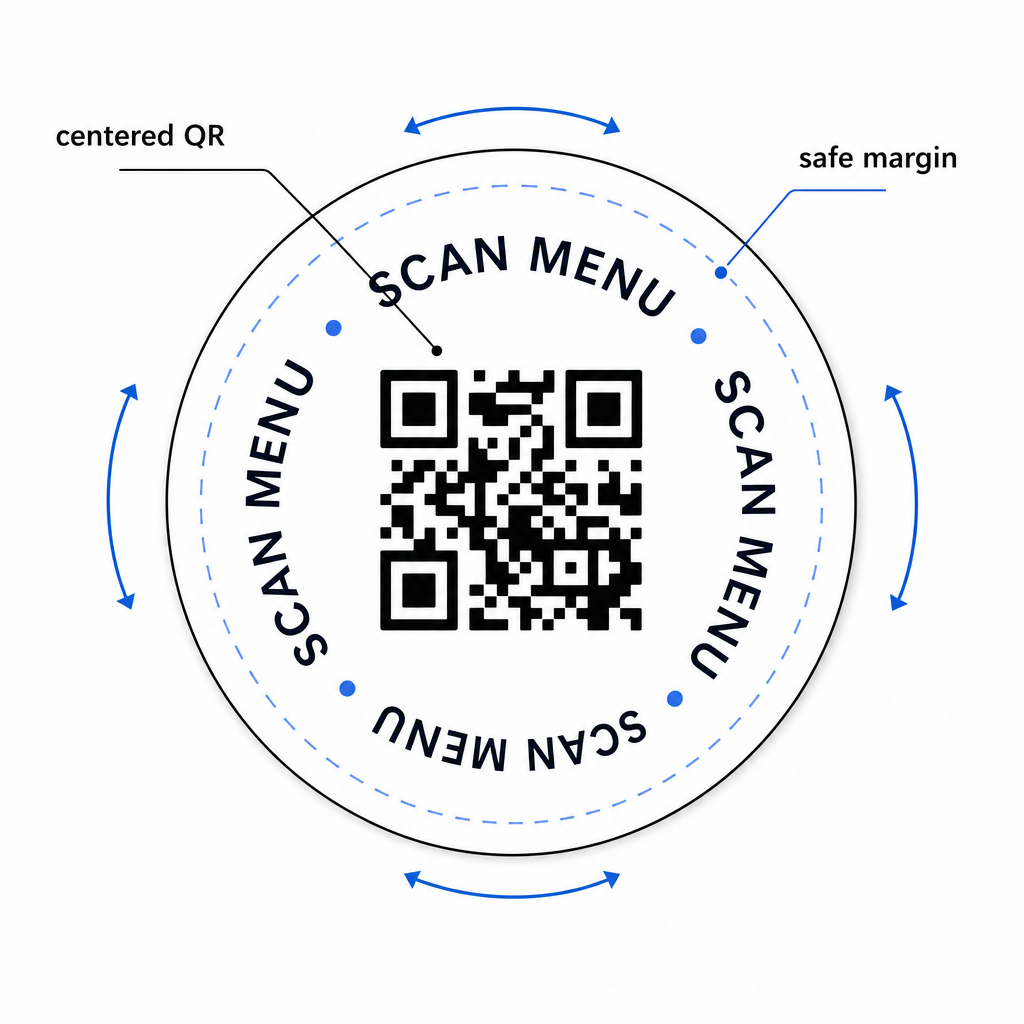
Yalnızca bir QR kodu misafirinize ne işe yaradığını söylemez. Bardak altlığına doğrudan tek satırlık bir eylem çağrısı eklemek – “Menü için tarayın,” “Wi-Fi'ye bağlanın,” “Geri bildiriminizi paylaşın” – belirsizliği ortadan kaldırır ve tarama olasılığını artırır. Bu, özellikle QR kodlarına daha az aşina olan veya sohbetle dikkati dağılan misafirler için önemlidir.
QR kodunu ve eylem çağrısı metnini herhangi bir yönden okunabilir kalacak şekilde konumlandırın. Herhangi bir yöne yerleştirilebilen yuvarlak bir bardak altlığı, kodun ortalanmış olması ve metnin et.
Etkinlikler için, farklı amaçlar için ayrı bardak altlıkları kullanmayı düşünün – biri menü için, biri etkinlik programı için, biri geri bildirim formu için. Her bir bardak altlığını tek bir eyleme odaklamak, misafir deneyimini basitleştirir ve her bir kodun performansını ayrı ayrı izlemeyi kolaylaştırır. Benzer tasarım kısıtlamalarına sahip diğer kompakt QR kod yüzeyleri için, aşağıdaki rehberlik Masa kartlarındaki QR kodları doğrudan geçerlidir.
Toplu Baskıdan Önce Test Etme
Tam üretime geçmeden önce tek bir test bardak altlığı basın. Mekanınızın gerçek aydınlatma koşullarında (tavan aydınlatması, mum ışığı veya alanınızda bir veranda varsa dış mekan güneş ışığı) en az üç farklı cihazda tarayın. Oturan bir misafirin telefonunu tutacağı gerçekçi mesafeden test edin.
Şunları onaylayın:
- Kod, tüm test cihazlarında üç saniyenin altında taranıyor
- Hedef, yalnızca masaüstünde değil, mobilde de doğru şekilde yükleniyor
- Sessiz bölge sağlam ve bardak altlığı kenarı tarafından kırpılmamış
- Kontrast, loş ışık koşullarında korunuyor
Dinamik QR kodları kullanıyorsanız, test baskısından önce hedef URL'nin Pageloot kontrol panelinizde doğru şekilde yapılandırıldığını doğrulayın ve baskıdan sonra yaptığınız menü güncellemelerinin veya yönlendirmelerin tarandığında anında yansıdığını onaylayın.
Bardak altlıkları, misafirinizle oturdukları andan ayrılana kadar kalan birkaç ağırlama temas noktasından biridir. İyi tasarlanmış bir QR kodu, menüye göz atma sürtünmesini ortadan kaldırır, Wi-Fi şifre isteklerini yok eder ve misafirlerin mekanınızla nasıl etkileşim kurduğuna dair ölçülebilir veriler sağlar. Tasarım gereksinimleri spesifik ancak ulaşılabilir: yeterli boyut, güçlü kontrast, temiz bir sessiz bölge ve kodun yanında basılı net bir harekete geçirici mesaj.
Doğru araçlarla başlayın. Pageloot'un Menü QR Kod Oluşturucu dinamik bir menü kodu oluşturmak için, Wi-Fi QR Kod Oluşturucumuzu kullanın sorunsuz misafir ağı erişimi için ve analiz paneli sunar bardak altlıklarınız dolaşıma girdikten sonra etkileşimi izlemek için.
Sıkça sorulan sorular
Teknik olarak evet, ancak önerilmez. Tek bir QR kodu tek bir hedefe işaret eder, bu nedenle her iki işlevi birleştirmek, iki ayrı seçeneğe sahip bir açılış sayfasına bağlantı vermek anlamına gelir – bu da misafir için fazladan bir dokunuş ekler. Daha temiz bir yaklaşım, bardak altlığında her biri net bir etikete sahip iki farklı QR kodu kullanmak veya her amaca ayrı bardak altlığı tasarımları ayırmaktır. Wi-Fi kodları statiktir ve ücretsiz olarak oluşturulabilir; menü kodları ise izleme özellikli dinamik kodlar olarak en iyi şekilde çalışır.
Pageloot kullanarak bardak altlığı QR kodunuzu dinamik bir kod olarak oluşturduysanız, kontrol panelinize giriş yapabilir ve hedef URL'yi veya menü içeriğini istediğiniz zaman güncelleyebilirsiniz. Bardak altlığındaki basılı QR kod aynı kalır; sadece bağlantılı içerik değişir. Dinamik kodların menüler için önerilmesinin başlıca nedenlerinden biri budur – mevsimsel güncellemeler, fiyat değişiklikleri ve ürün stok durumu, yeni bir bardak altlığı partisi sipariş etmeye gerek kalmadan anında yansıtılabilir.
Dinamik bir QR kodu ve Pageloot'un analitikleri ile toplam taramaları, benzersiz taramaları, her taramanın tarih ve saatini, kullanılan cihaz türünü (iOS veya Android) ve şehir düzeyine kadar coğrafi konumu izleyebilirsiniz. Mekanınızın farklı masa bölgelerine veya alanlarına ayrı QR kodları atarsanız, farklı yerleşimler arasındaki performansı da karşılaştırabilirsiniz. Wi-Fi kodları dahil statik QR kodları herhangi bir tarama verisi oluşturmaz.