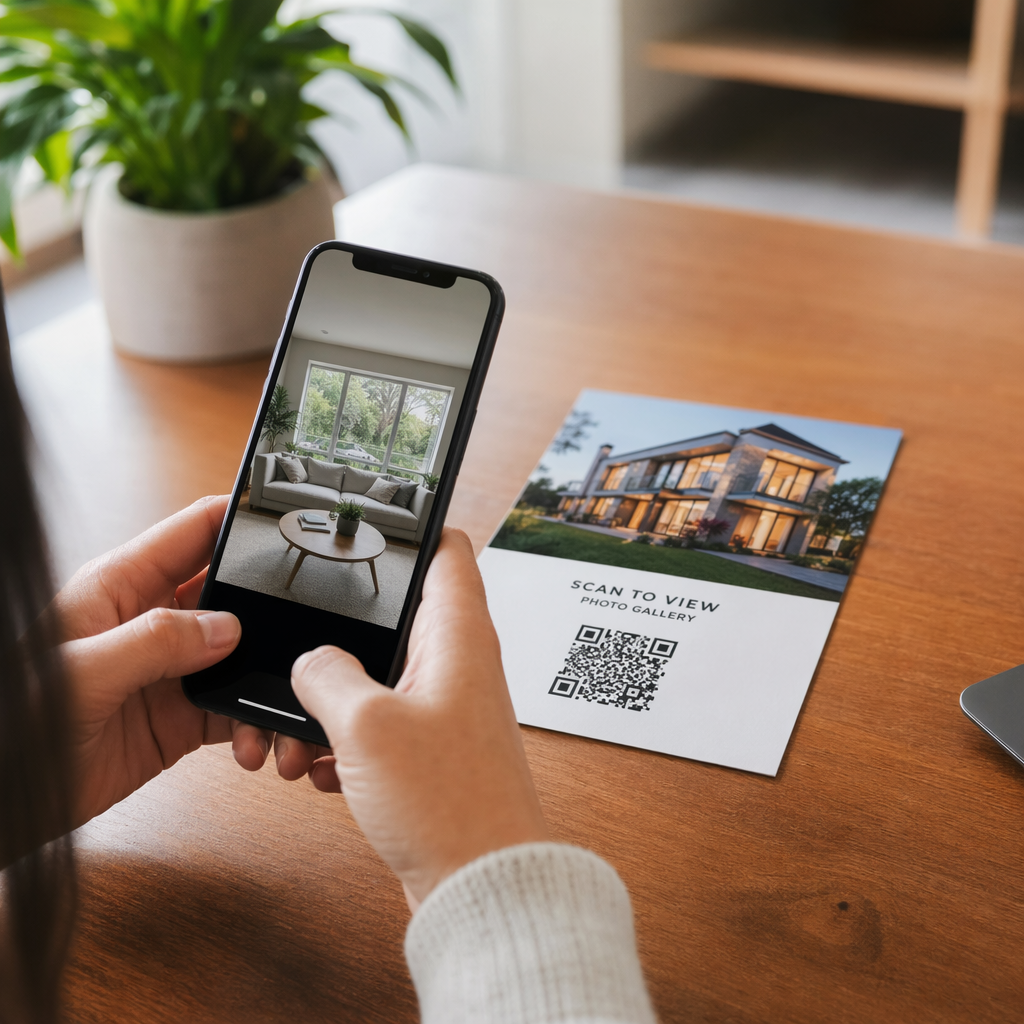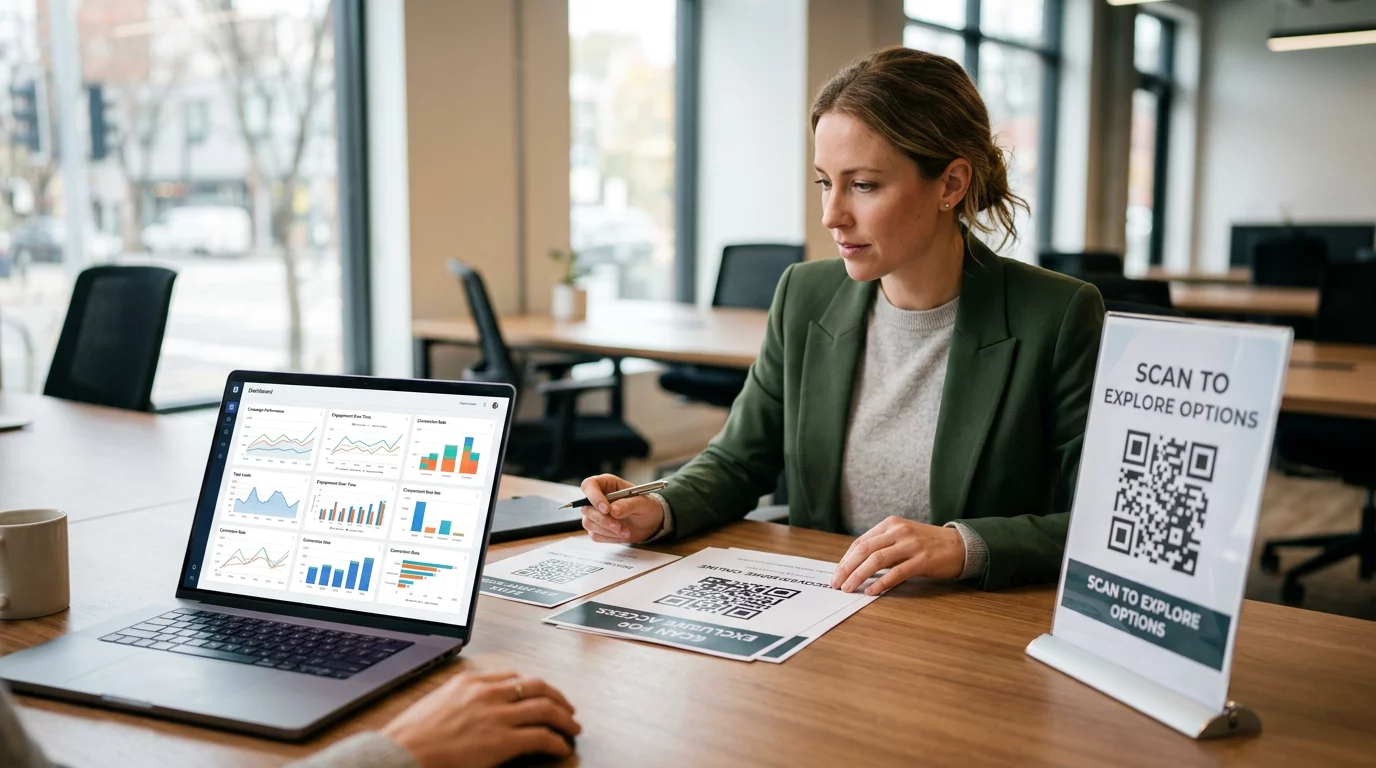

Kas teie külalised jahivad Wi-Fi parooli või annavad teenindajale märku, et menüüd näha? Need väikesed hõõrdepunktid kuhjuvad kiiresti, frustreerides kliente ja aeglustades teie personali. See juhend näitab teile täpselt, kuidas kujundada, genereerida ja paigaldada QR-koode alustele, nii et üks skaneering lahendab probleemi – ja annab teile andmed pidevaks parendamiseks.
Miks alused on praktiline QR-koodi pind
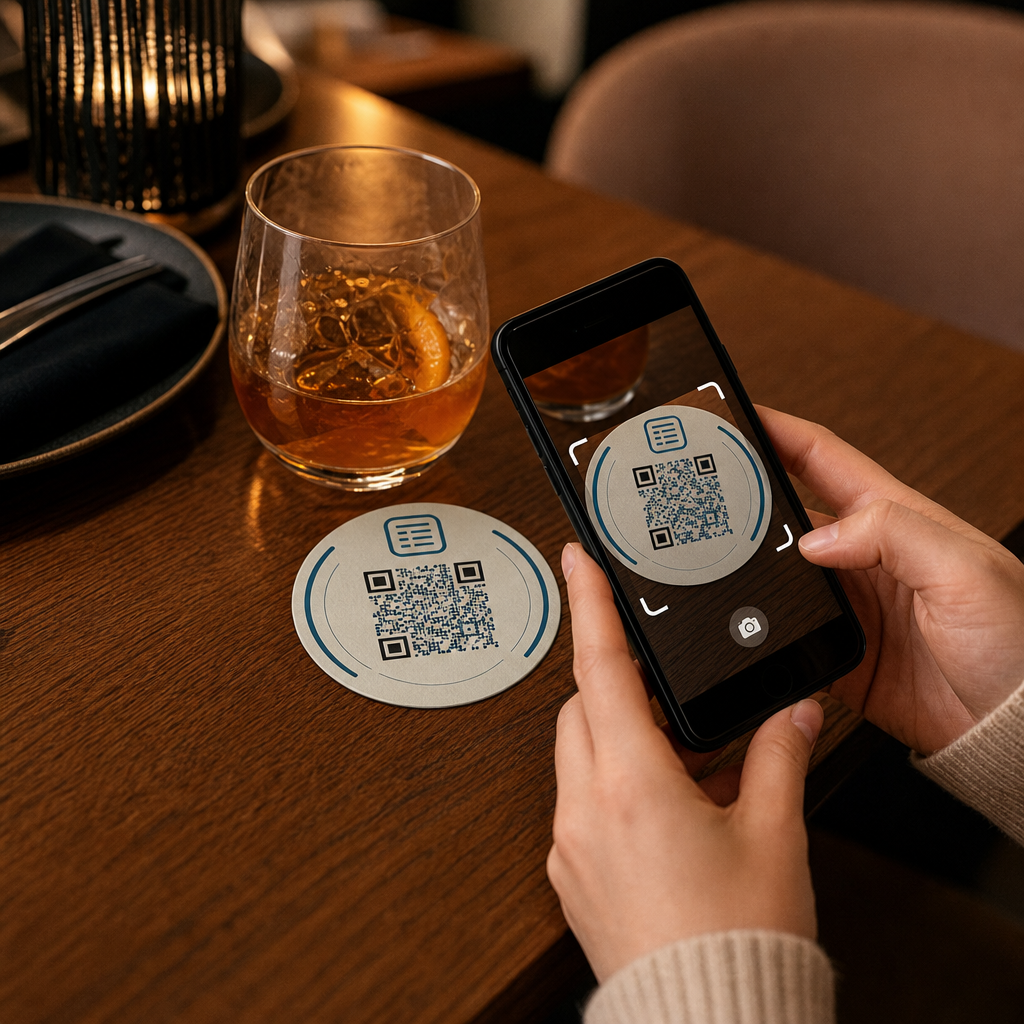
Iga lauale asetatud jook tuleb koos alusega. See teeb alustest ühe kõige järjepidevamalt vaadeldava pinna igas külalislahkuse keskkonnas. Erinevalt lauatelkidest, mida külalised sageli kõrvale lükkavad, või seinale kinnitatud plakatitest, mis nõuavad püstitõusmist ja juurde kõndimist, istub alus otse teie kliendi ees kogu külastuse vältel.
See püsivus muudab alused kasulikuks kolme konkreetse ülesande jaoks:
- Menüüle ligipääs – laseb külalistel toite ja jooke sirvida kohe, kui nad maha istuvad
- Wi-Fi jagamine – kaotab vajaduse personalil parooli kümneid kordi vahetuse jooksul korrata
- Kliendi kaasamise jälgimine – mõõta, kui palju inimesi teie digitaalse sisuga suhtleb, millal ja millistest teie asukoha piirkondadest
Laiema ülevaate saamiseks sellest, kuidas QR-koodid sobivad külalislahkuse keskkondadesse, on muster järjepidev: mida lähemal on kood külalisele hetkel, mil ta seda vajab, seda kõrgem on skaneerimismäär. Alused on nii lähedal, kui üldse võimalik.
Õige QR-koodi tüübi valimine aluste jaoks
Enne midagi printimist peate otsustama, kas kasutada staatilist või dünaamilist QR-koodi. Erinevusel on praktilised tagajärjed just aluste puhul, sest uuesti printimine on kallis ja aeganõudev.
Staatilised QR-koodid kodeerivad teabe otse mustrisse. Neid ei saa pärast loomist muuta ja nad ei jälgi skaneeringuid. Wi-Fi QR-koodid sobivad loomulikult staatilisse formaati – teie võrguandmed muutuvad harva ja selle konkreetse kasutusjuhtumi puhul pole analüütikat vaja.
Dünaamilised QR-koodid viitavad lühikesele ümbersuunamise URL-ile, mida saate igal ajal uuendada ilma alust uuesti trükkimata. Need logivad ka iga skaneeringu, salvestades aja, seadme tüübi ja geograafilise asukoha. Menüüle ligipääsu ja kaasamise jälgimiseks on dünaamilised koodid praktiline valik. Kui teie menüü muutub hooajaliselt või kui soovite vahetada pakkumist ilma uusi aluseid tellimata, võimaldab dünaamiline kood seda teha teie juhtpaneelilt.
Kompromiss on lihtne: staatilised koodid on tasuta ja püsivad, samas kui dünaamilised koodid nõuavad tellimust, kuid annavad teile paindlikkust ja andmeid. Enamiku pidevalt tegutsevate toitlustusettevõtete jaoks muudab sisu uuendamise võimalus ilma uuesti trükkimata dünaamilised koodid paremaks pikaajaliseks investeeringuks. Mõlema valiku täielik ülevaade on toodud lehel staatilised vs. dünaamilised QR-koodid lehekülg.
Loo alustele sobivad QR-koodid minutitega Kasuta Dünaamilise QR koodi generaator menüü-, Wi-Fi- ja kaasamise koodide loomiseks, mida saate igal ajal uuendada – uuesti trükkimine pole vajalik.
Menüü QR-koodi seadistamine alustele
Alusel olev menüü QR-kood peaks suunama teie külalise koheselt puhtale, mobiilisõbralikule digitaalsele menüüle hetkel, mil nad seda skaneerivad. Seadistamine hõlmab kahte otsust: millises formaadis teie menüü asub ja kuidas te selle ümber QR-koodi loote.
Pagelooti QR menu: menüü QR-koodi generaator toetab kahte lähenemist. Esiteks saate üles laadida olemasoleva PDF-i – kui teil on juba kujundatud menüü, saate selle linkida faili üleslaadimise või hostitud URL-i (nt Google Drive'i või Dropboxi lingi) kaudu, mis on kiireim viis veebi jõudmiseks. Teiseks saate luua struktureeritud menüü sihtlehe kategooriate, toote fotode, kirjelduste ja hindadega ning lisada hooajalisi eripakkumisi, päevapakkumisi ja pilte, mida PDF mobiilis alati hästi kuvada ei suuda.
Spetsiaalselt aluste puhul kipub sihtlehe lähenemine paremini toimima. Külalised kasutavad oma telefone ja mobiilile optimeeritud lehel on lihtsam navigeerida kui PDF-il, mis nõuab näpistamist ja suumimist. Põhjalikumaks ülevaateks sellest, kuidas QR-põhine tellimine sobib täisteeninduse töövoogu, vaadake juhendit teemal QR-koodi tellimissüsteemid Katab tehnilise ja operatiivse poole üksikasjalikult.
Kui teie menüü on konfigureeritud, kohandage QR-koodi oma brändivärvide, logoga ja raamiga, millel on lühike üleskutse tegevusele, näiteks “Skannige menüü nägemiseks.” See kontekst aitab külalistel mõista, mida nad skannivad enne, kui nad seda teevad, mis parandab otseselt skannimismäärasid.
Wi-Fi QR-koodi seadistamine joogialustele.
Wi-Fi mandaatide jagamine joogialuse kaudu on üks lihtsamaid ja koheselt kasulikumaid QR-koodide rakendusi külalislahkuses. Külaline skannib koodi ja tema seade ühendub automaatselt – parool pole nähtav, personali ei kaasata, trükivigu pole.
Seadistamine on lihtne Pagelooti abil. Wi-Fi QR-koodi generaatorit. Sisestage oma võrgu nimi (SSID), valige oma turvatüüp (WPA/WPA2 on kõige levinum), sisestage võrgu parool, kohandage disaini ja laadige alla. Kuna Wi-Fi mandaadid harva muutuvad, on staatiline QR-kood siin piisav ja selle genereerimine ei maksa midagi. Protsessi ja paigutuse nõuannete täielikuks läbivaatamiseks, see juhend külaliste ühendamiseks Wi-Fi-ga QR-koodi kaudu katab iga sammu üksikasjalikult.
Üks praktiline märkus: kui teie asutus kasutab eraldi külalisvõrku – mis on hea turvapraktika – veenduge, et QR-kood kodeerib külalisvõrgu mandaadid, mitte teie operatiivvõrgu.
Kliendi kaasamise jälgimine rannaaluse skannimiste kaudu
Wi-Fi QR-koodid on staatilised ega genereeri skannimisandmeid. Kuid menüü juurdepääsuks ja mis tahes muu kampaania sisu jaoks, mille panete rannaalustele, annavad dünaamilised QR-koodid teile reaalajas ülevaate sellest, kuidas külalised teie füüsilise ruumiga suhtlevad.
Pagelooti QR-koodi analüüsi armatuurlaud jälgib järgmist iga dünaamilise koodi kohta:
- Skannimiste koguarv ja unikaalsed skannimised aja jooksul
- Iga skaneeringu kuupäev ja kellaaeg
- Seadme tüüp (iOS, Android või lauaarvuti)
- Geograafiline asukoht kuni linna tasandini
- Paigutustaseme võrdlused, kui kasutate eraldi koode erinevate lauapiirkondade või asutuse alade jaoks
Mitme asukohaga operatsiooni või suure ürituse ruumi puhul vastab see andmestik praktilistele küsimustele: Millised piirkonnad näevad kõige rohkem kaasatust? Kas külalised skannivad rohkem lõuna- või õhtusöögi ajal? Kas menüü skannimised tõusevad päevadel, mis korreleeruvad teie korraldatud kampaaniatega?
Saate linkida ka Google'i vormi QR-kood rannaaluselt, et koguda otsest külaliste tagasisidet. Lühike söögijärgne küsitlus kogub rahulolu skoore ja kommentaare, ilma et personal peaks jagama paberkaarte või küsima arvustusi suuliselt. Laiema ülevaate saamiseks sellest, kuidas skannimisandmed saavad teie turundust ja operatsioone teravdada, see QR-koodi jälgimise juhendist käib läbi kõige olulisemad mõõdikud.
Näe iga skannimist selle toimumise hetkel Jälgige menüü kaasatust, tuvastage oma kõige tihedamad perioodid ja mõõtke kampaania toimivust reaalajas koos Pageloot’i QR-koodi analüütika.
QR-koodi kujundamine, mis skannib usaldusväärselt rannaalusel
Rannaalus on QR-koodi jaoks füüsiliselt nõudlik keskkond. See saab märjaks, seda käsitsetakse, virnastatakse ja valgustatakse ebaühtlaselt. Disainiotsused, mis oleksid plakati peal head, võivad rannaalusel muutuda skannimisvigadeks.
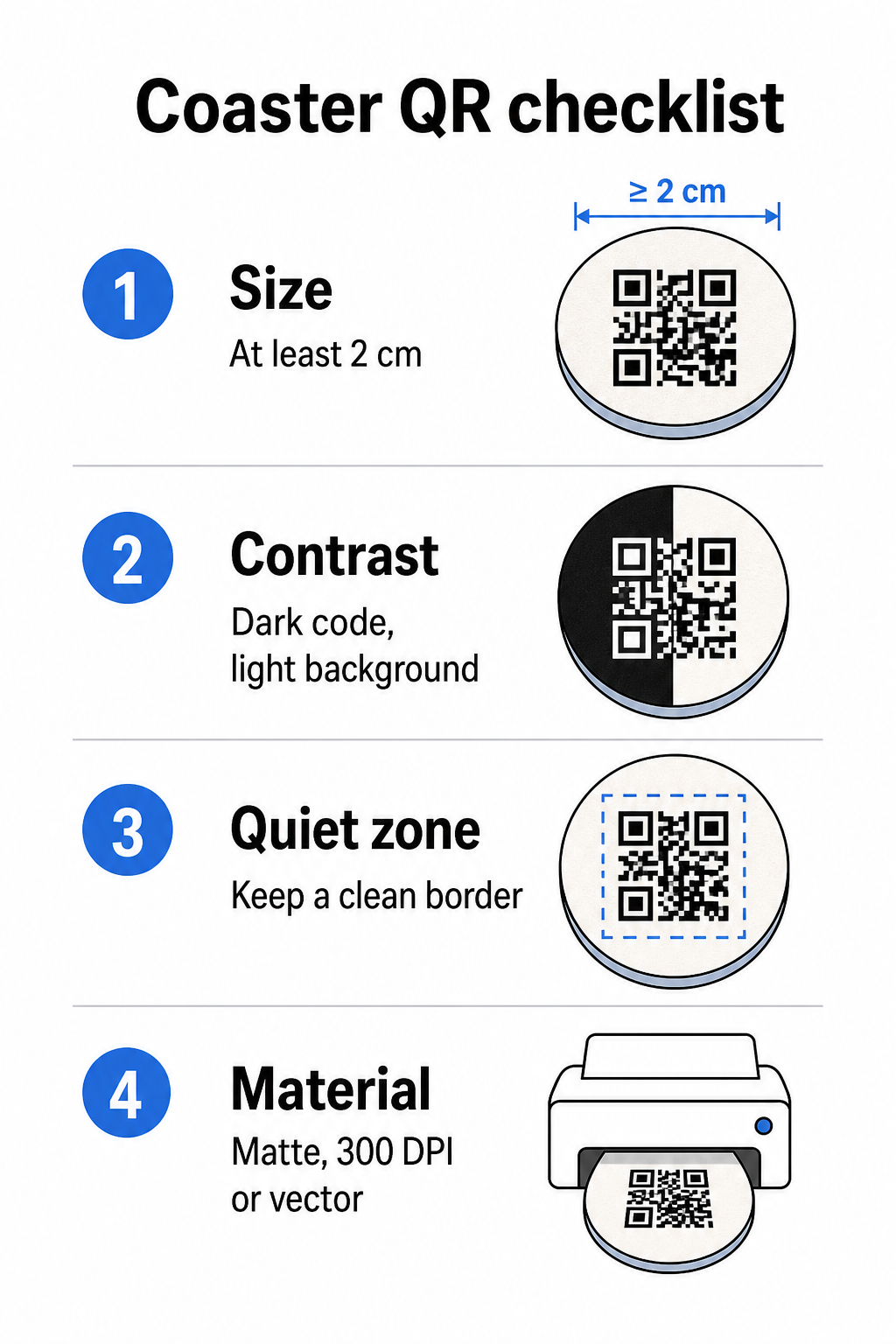
Suurus on teie esimene kaalutlus. QR-koodi minimaalne usaldusväärne suurus on 2 cm × 2 cm (umbes 0,8 tolli × 0,8 tolli) lähiskannimiseks. Standardse ümmarguse rannaaluse peal – tavaliselt 3,5 kuni 4 tolli läbimõõduga – on teil ruumi minna suuremaks, mis parandab usaldusväärsust. 10:1 reegel kehtib siin: koodi laius peaks olema umbes üks kümnendik maksimaalsest skannimiskaugusest. 1-tolline kood töötab umbes 10 tolli kauguselt; 1,5-tolline kood annab mugavama varu tüüpilisele istuvale külalisele.
Kontrast on skannimise usaldusväärsuse kõige kriitilisem tegur. Tumedad moodulid heledal taustal – must valgel olles kuldstandard – peaksid olema teie lähtepunkt. Paljud nutitelefoni kaamerad ja skannerirakendused näevad vaeva pööratud disainidega (heledad moodulid tumedal taustal), seega vältige seda kombinatsiooni, isegi kui see esteetiliselt parem välja näeb. Minimaalne kontrastsussuhe 4:1 on soovitatav baasjoon; kõrgem on parem. Vältige punaseid või oranže esiplaanid, kuna paljud kaameraandurid tuvastavad neid toone usaldusväärselt raskustega. See QR-koodi värvikontrasti parimaid tavasid lehel on üksikasjalik võrdlustabel, kui töötate brändivärvidega, mis jäävad väljapoole standardset mustvalget kombinatsiooni.
Vaikne tsoon viitab selgele piirile, mis peab ümbritsema iga QR-koodi – vähemalt 4 moodulit lai kõikidel külgedel – ilma teksti, graafika või disainielementide sissetungimiseta. Rannaalusel tähendab see, et koodi ümber tuleb jätta ühtlane heledavärviline äär. Kui teie rannaaluse disainil on tume või visuaalselt hõivatud taust, lisage QR-koodi taha ühtlane valge polsterduskast, mis sisaldab täielikku vaikset tsooni. Ilma selleta võivad skannerid koodi piiri usaldusväärselt leida.
Viimistlus ja materjal on rannaalustel olulisemad kui enamikul teistel pindadel. Paberist rannaalused on hotellinduses kõige levinumad – need imavad kondensatsiooni ja kaitsevad lauapindu, kuid need ei ole veekindlad. Paberist rannaaluste QR-koodide puhul on mattviimistlused eelistatavamad läikivatele, sest laevalgustuse peegeldus segab skannimist. Suurema vastupidavusega rakenduste, näiteks püsivate lauainstallatsioonide või korduvkasutatavate rannaaluste puhul kaitsevad materjalid nagu kaetud puit epoksü- või polüuretaanviimistlusega trükist, võimaldades samal ajal usaldusväärset skannimist, tingimusel et viimistlus on läbipaistev, mitte toonitud. Sõltumata materjalist vältige QR-koodi sees gradiente, varje või läbipaistvaid elemente – need vähendavad kontrasti ja rikuvad skannitavust reaalsetes tingimustes.
Resolutsioon on trükkimisel läbirääkimatu. Laadige oma QR-kood alati alla vektormingis (SVG või EPS) või vähemalt 300 DPI-ga. Madala resolutsiooniga eksportidest suurendatud bitmap-failid näivad trükis udused, mis vähendab skaneerimise usaldusväärsust isegi siis, kui kood ekraanil vastuvõetav välja näeb. Täielik trüki- ja disainijuhiste komplekt on saadaval QR-koodi loetavuse parimaid tavasid juhendist.
Praktiline paigutus ja kontekst alusel
QR-kood üksi ei ütle teie külalisele, mida see teeb. Üherealise üleskutse lisamine otse alusele – “Skaneeri menüü jaoks”, “Ühenda Wi-Fi-ga”, “Jaga oma tagasisidet” – eemaldab ebaselguse ja suurendab skaneerimise tõenäosust. See on eriti oluline külalistele, kes on QR-koodidega vähem tuttavad või keda segab vestlus.
Paigutage QR-kood ja üleskutse tekst nii, et need jääksid loetavaks igast suunast. Ümmargusel alusel, mida saab asetada igas suunas, peaks kood olema keskel, tekst paigutatud selle ümber, mitte üles või alla, kus pööramine selle tagurpidi keeraks. Kui teie alustel on määratletud suund, asetage kood silmapaistvasse, takistusteta kohta aluse servast eemale, nii et vaikne tsoon ei lõikuks kunagi stantsimise või trimmimise käigus.
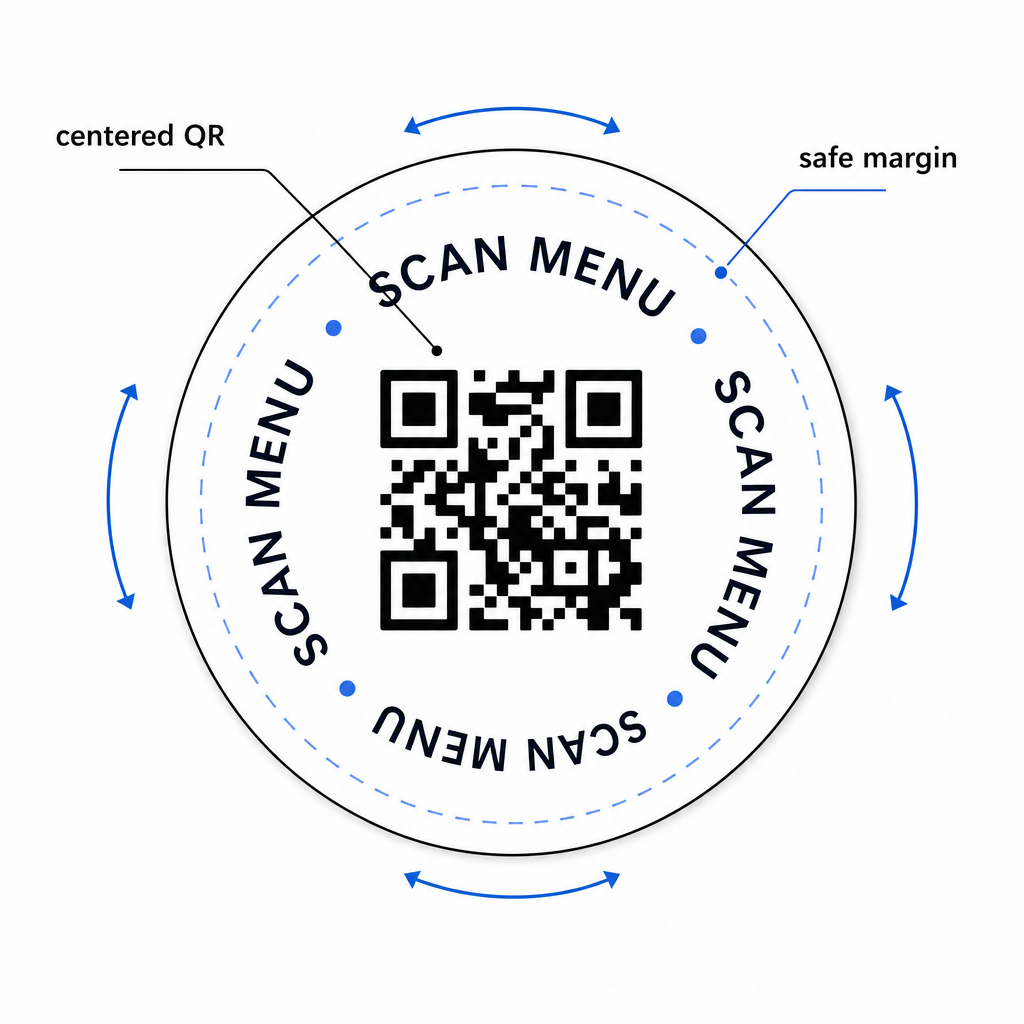
Ürituste puhul kaaluge eraldi aluste kasutamist erinevatel eesmärkidel – üks menüü jaoks, üks ürituse ajakava jaoks, üks tagasisidevormi jaoks. Iga aluse keskendumine ühele tegevusele lihtsustab külalise kogemust ja muudab iga koodi toimivuse eraldi jälgimise lihtsamaks. Teiste sarnaste disainipiirangutega kompaktsete QR-koodi pindade puhul kehtivad juhised QR-koodid lauateltidel kehtib otse.
Testimine enne hulgitrükki
Trükkige üks testalus enne täieliku tootmiskäigu alustamist. Skaneerige seda vähemalt kolme erineva seadmega teie asukoha tegelikes valgustingimustes – laevalgustus, küünlavalgus või väljas päikesevalgus, kui teie ruumil on terrass. Testige realistlikust kaugusest, millelt istuv külaline oma telefoni hoiaks.
Kinnitage, et:
- Kood skaneerib alla kolme sekundi kõigil testseadmetel
- Sihtkoht laadib õigesti mobiilis, mitte ainult lauaarvutis
- Vaikne tsoon on terve ja seda ei ole aluse serv kärpinud
- Kontrast püsib hämarates valgustingimustes
Kui kasutate dünaamilisi QR-koode, veenduge, et siht-URL on teie Pagelooti armatuurlaual õigesti konfigureeritud enne testtrükki, ja kinnitage, et kõik menüüuuendused või ümbersuunamised, mida te pärast trükkimist teete, kajastuvad koheselt skaneerimisel.
Alused on üks väheseid külalislahkuse puutepunkte, mis jäävad teie külalisega hetkest, mil nad maha istuvad, kuni lahkumiseni. Hästi disainitud QR-kood eemaldab hõõrdumise menüü sirvimisel, kõrvaldab Wi-Fi parooli päringud ja annab teile mõõdetavaid andmeid selle kohta, kuidas külalised teie ruumiga suhtlevad. Disaininõuded on spetsiifilised, kuid saavutatavad: piisav suurus, tugev kontrast, puhas vaikne tsoon ja selge üleskutse, mis on trükitud koodi kõrvale.
Alustage õigete tööriistadega. Kasutage Pagelooti QR menu: menüü QR-koodi generaator dünaamilise menüükoodi loomiseks, ja Wi-Fi QR-koodi generaatorit sujuvaks külalisvõrgu juurdepääsuks, ja analüütika armatuurlauda kaasamise jälgimiseks, kui teie alused on ringluses.
Korduma kippuvad küsimused
Tehniliselt jah, kuid see ei ole soovitatav. Üksik QR-kood osutab ühele sihtkohale, seega mõlema funktsiooni kombineerimine tähendab linkimist maandumislehele kahe eraldi valikuga – lisades külalisele ühe lisapuudutuse. Puhtam lähenemine on kasutada rannikualusel kahte eraldi QR-koodi, millest igaühel on selge silt, või pühendada igale otstarbele eraldi rannikualuse kujundused. Wi-Fi koodid on staatilised ja tasuta genereeritavad; menüükoodid töötavad kõige paremini dünaamiliste koodidena, millel on jälgimine lubatud.
Kui sa lõid oma rannasõidulaeva QR-koodi dünaamilise koodina Pagelooti kasutades, saad sisse logida oma juhtpaneelile ja igal ajal uuendada sihtkoha URL-i või menüü sisu. Trükitud QR-kood rannasõidulaeval jääb samaks; ainult lingitud sisu muutub. See on üks peamisi põhjuseid, miks dünaamilisi koode menüüde jaoks soovitatakse – hooajalisi uuendusi, hinnamuutusi ja kaupade saadavust saab koheselt kajastada, ilma et peaks tellima uue partii rannasõidulaevu.
Dünaamilise QR-koodi ja Pagelooti analüütikaga saate jälgida skaneeringute koguarvu, unikaalseid skaneeringuid, iga skaneeringu kuupäeva ja kellaaega, kasutatud seadme tüüpi (iOS või Android) ja geograafilist asukohta linna tasandil. Samuti saate võrrelda toimivust erinevate paigutuste vahel, kui määrate eraldi QR-koodid erinevatele lauapiirkondadele või teie asukoha aladele. Staatilised QR-koodid, sealhulgas Wi-Fi koodid, ei genereeri skaneerimisandmeid.