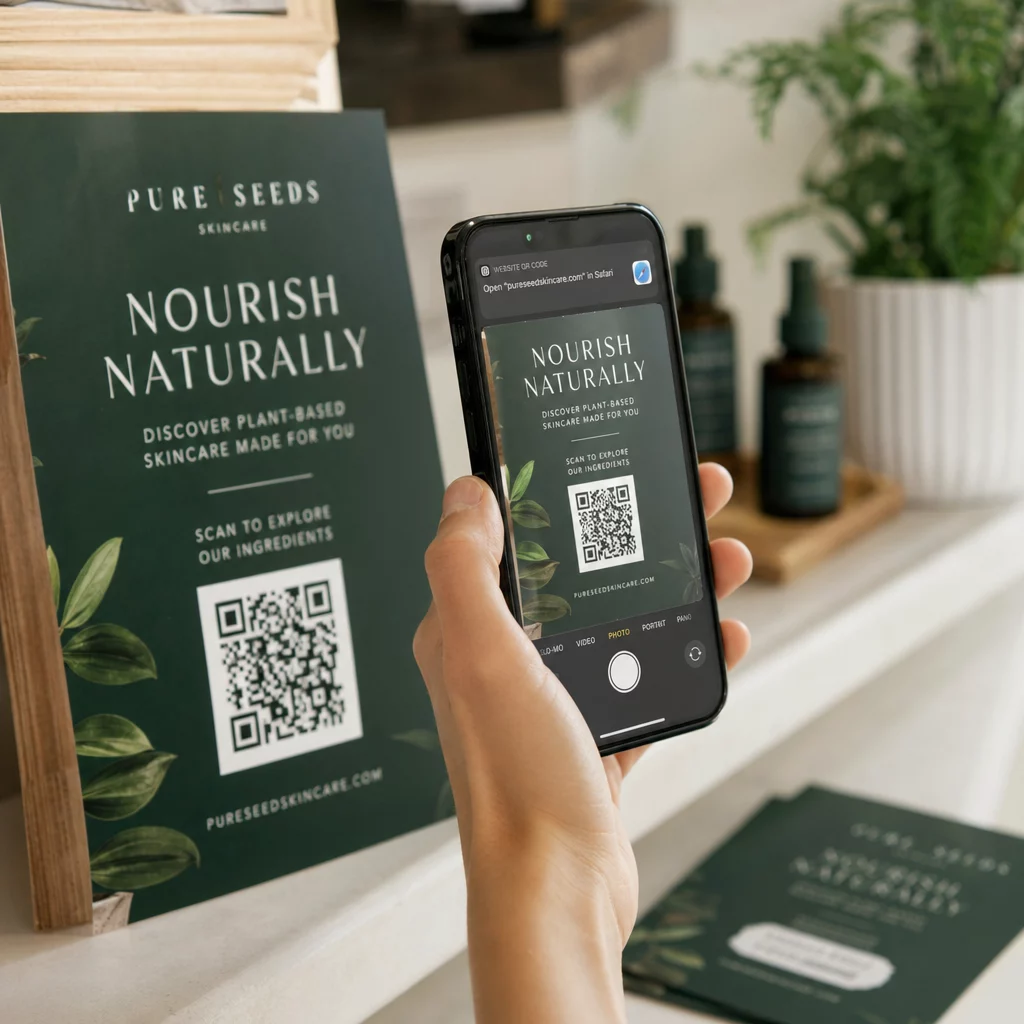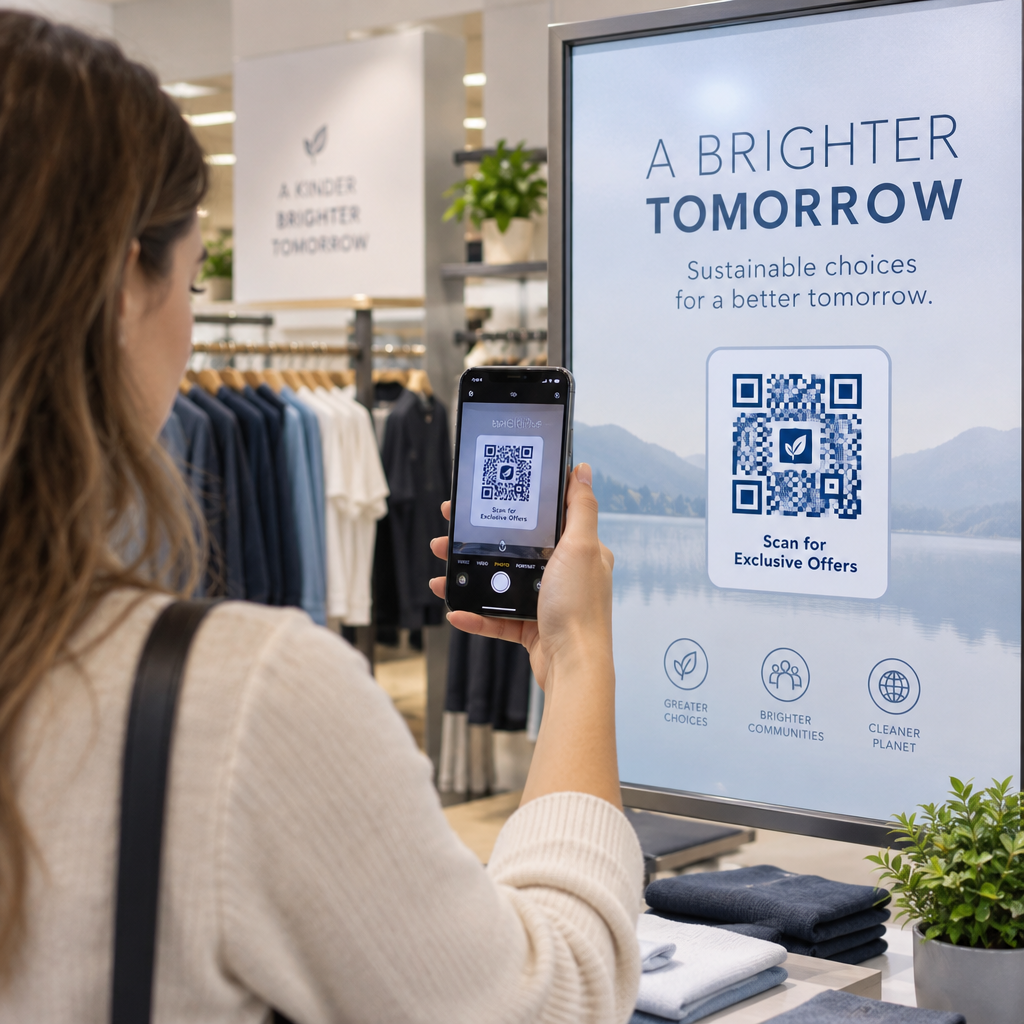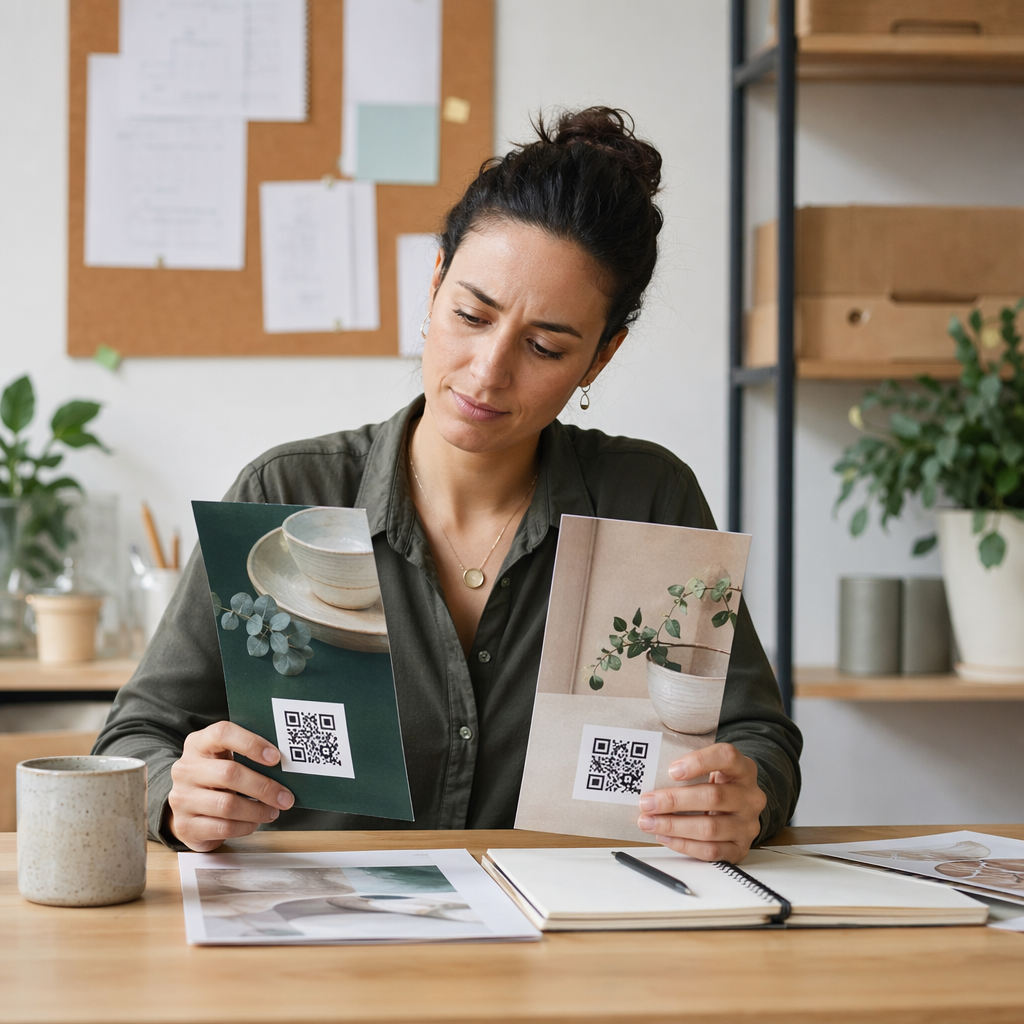

Apakah tamu Anda mencari-cari kata sandi Wi-Fi atau memanggil pelayan hanya untuk melihat menu? Titik-titik gesekan kecil ini cepat menumpuk, membuat pelanggan frustrasi dan memperlambat staf Anda. Panduan ini menunjukkan kepada Anda dengan tepat cara mendesain, membuat, dan menerapkan kode QR pada tatakan gelas sehingga satu pemindaian menyelesaikan masalah – dan memberi Anda data untuk terus meningkatkan.
Mengapa Tatakan Gelas Adalah Permukaan Kode QR yang Praktis
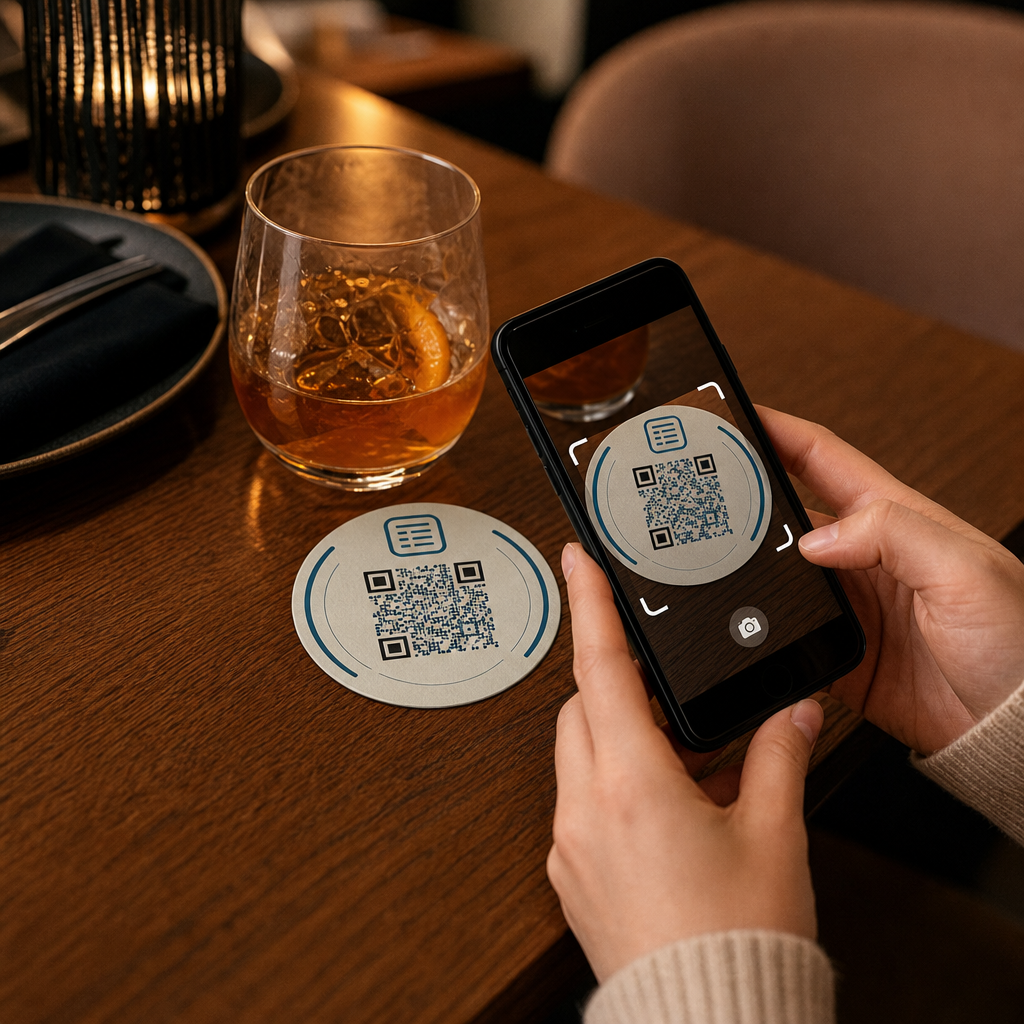
Setiap minuman yang mendarat di meja dilengkapi dengan tatakan gelas. Itu menjadikan tatakan gelas salah satu permukaan yang paling konsisten dilihat di lingkungan perhotelan mana pun. Tidak seperti tenda meja, yang sering disingkirkan tamu, atau poster yang dipasang di dinding yang mengharuskan seseorang untuk berdiri dan berjalan mendekat, tatakan gelas berada tepat di depan pelanggan Anda selama seluruh kunjungan.
Daya tahan itu membuat tatakan gelas berguna untuk tiga pekerjaan spesifik:
- Akses menu – memungkinkan tamu menelusuri makanan dan minuman saat mereka duduk
- Berbagi Wi-Fi – menghilangkan kebutuhan staf untuk mengulang kata sandi puluhan kali per shift
- Pelacakan keterlibatan pelanggan – mengukur berapa banyak orang yang berinteraksi dengan konten digital Anda, kapan, dan dari area mana di tempat Anda
Untuk melihat lebih luas tentang bagaimana kode QR cocok di seluruh lingkungan perhotelan, polanya konsisten: semakin dekat kode itu dengan tamu pada saat mereka membutuhkannya, semakin tinggi tingkat pemindaian. Tatakan gelas adalah yang paling dekat.
Memilih Jenis Kode QR yang Tepat untuk Tatakan Gelas
Sebelum Anda mencetak apa pun, Anda perlu memutuskan apakah akan menggunakan kode QR statis atau dinamis. Perbedaannya memiliki konsekuensi praktis khusus untuk tatakan gelas, karena pencetakan ulang mahal dan memakan waktu.
Kode QR statis mengkodekan informasi langsung ke dalam pola. Mereka tidak dapat diedit setelah dibuat, dan mereka tidak melacak pemindaian. Kode QR Wi-Fi sangat cocok untuk format statis – kredensial jaringan Anda jarang berubah, dan tidak ada kebutuhan untuk analitik pada kasus penggunaan spesifik itu.
Kode QR dinamis mengarah ke URL pengalihan singkat yang dapat Anda perbarui kapan saja tanpa mencetak ulang tatakan gelas. Mereka juga mencatat setiap pemindaian, merekam waktu, jenis perangkat, dan lokasi geografis. Untuk akses menu dan pelacakan keterlibatan, kode dinamis adalah pilihan praktis. Jika menu Anda berubah secara musiman, atau jika Anda ingin menukar promosi tanpa memesan tatakan gelas baru, kode dinamis memungkinkan Anda melakukannya dari dasbor Anda.
Pertukarannya lugas: kode statis gratis dan permanen, sementara kode dinamis memerlukan langganan tetapi memberi Anda fleksibilitas dan data. Untuk sebagian besar bisnis perhotelan yang menjalankan operasi berkelanjutan, kemampuan untuk memperbarui konten tanpa mencetak ulang menjadikan kode dinamis investasi jangka panjang yang lebih baik. Rincian lengkap kedua opsi dibahas di kode QR statis vs. dinamis halaman.
Buat Kode QR Siap Tatakan Gelas dalam Hitungan Menit Menggunakan Generator QR Code Dinamis untuk membangun kode menu, Wi-Fi, dan keterlibatan yang dapat Anda perbarui kapan saja – tidak perlu mencetak ulang.
Menyiapkan Kode QR Menu untuk Tatakan Gelas
Kode QR menu pada tatakan gelas harus membawa tamu Anda langsung ke menu digital yang bersih dan responsif seluler saat mereka memindai. Pengaturannya melibatkan dua keputusan: format apa yang digunakan menu Anda, dan bagaimana Anda membangun kode QR di sekitarnya.
Pageloot Generator kode QR menu mendukung dua pendekatan. Pertama, Anda dapat mengunggah PDF yang sudah ada – jika Anda sudah memiliki menu yang dirancang, Anda dapat menautkannya melalui unggahan file atau URL yang di-host seperti tautan Google Drive atau Dropbox, yang merupakan jalur tercepat untuk online. Kedua, Anda dapat membangun halaman arahan menu terstruktur dengan kategori, foto item, deskripsi, dan harga, dan menambahkan penawaran musiman, proposisi harian, dan gambar yang tidak selalu dapat ditampilkan dengan baik oleh PDF di perangkat seluler.
Khusus untuk tatakan gelas, pendekatan halaman arahan cenderung berkinerja lebih baik. Tamu menggunakan ponsel mereka, dan halaman yang dioptimalkan untuk seluler lebih mudah dinavigasi daripada PDF yang memerlukan cubit dan perbesar. Untuk melihat lebih dalam bagaimana pemesanan berbasis QR cocok dengan alur kerja layanan penuh, panduan tentang sistem pemesanan kode QR mencakup sisi teknis dan operasional secara rinci.
Setelah menu Anda dikonfigurasi, sesuaikan kode QR dengan warna merek Anda, logo, dan bingkai dengan ajakan bertindak singkat seperti “Pindai untuk melihat menu.” Konteks ini membantu tamu memahami apa yang mereka pindai sebelum mereka melakukannya, yang secara langsung meningkatkan tingkat pemindaian.
Menyiapkan Kode QR Wi-Fi untuk Tatakan Gelas
Berbagi kredensial Wi-Fi melalui tatakan gelas adalah salah satu aplikasi kode QR paling sederhana dan paling segera berguna di perhotelan. Seorang tamu memindai kode dan perangkat mereka terhubung secara otomatis – tidak ada kata sandi yang terlihat, tidak ada keterlibatan staf, tidak ada kesalahan ketik.
Pengaturannya lugas menggunakan Pageloot's generator kode QR Wi-Fi. Masukkan nama jaringan Anda (SSID), pilih jenis keamanan Anda (WPA/WPA2 adalah yang paling umum), masukkan kata sandi jaringan, sesuaikan desain, dan unduh. Karena kredensial Wi-Fi jarang berubah, kode QR statis sudah cukup di sini dan tidak memerlukan biaya untuk dibuat. Untuk panduan lengkap proses dan saran penempatan, yang panduan untuk menghubungkan tamu ke Wi-Fi melalui kode QR mencakup setiap langkah secara rinci.
Satu catatan praktis: jika tempat Anda menggunakan jaringan tamu terpisah – yang merupakan praktik keamanan yang baik – pastikan kode QR mengkodekan kredensial jaringan tamu, bukan jaringan operasional Anda.
Melacak Keterlibatan Pelanggan Melalui Pemindaian Tatakan Gelas
Kode QR Wi-Fi bersifat statis dan tidak menghasilkan data pemindaian. Namun untuk akses menu dan konten kampanye lain yang Anda letakkan pada tatakan gelas, kode QR dinamis memberi Anda tampilan langsung tentang bagaimana tamu berinteraksi dengan ruang fisik Anda.
Pageloot dasbor analitik kode QR melacak hal berikut untuk setiap kode dinamis:
- Total pemindaian dan pemindaian unik seiring waktu
- Tanggal dan waktu setiap pemindaian
- Jenis perangkat (iOS, Android, atau desktop)
- Lokasi geografis hingga tingkat kota
- Perbandingan tingkat penempatan jika Anda menggunakan kode terpisah untuk zona meja atau area tempat yang berbeda
Untuk operasi multi-tempat atau ruang acara besar, data ini menjawab pertanyaan praktis: Area mana yang paling banyak mendapatkan keterlibatan? Apakah tamu lebih banyak memindai selama layanan makan siang atau makan malam? Apakah pemindaian menu melonjak pada hari-hari yang berkorelasi dengan promosi yang Anda jalankan?
Anda juga dapat menautkan sebuah Kode QR Formulir Google dari tatakan gelas untuk mengumpulkan umpan balik tamu secara langsung. Survei singkat setelah makan menangkap skor kepuasan dan komentar tanpa mengharuskan staf membagikan kartu kertas atau meminta ulasan secara lisan. Untuk gambaran yang lebih luas tentang bagaimana data pemindaian dapat mempertajam pemasaran dan operasi Anda, yang panduan pelacakan kode QR menjelaskan metrik yang paling penting.
Lihat Setiap Pemindaian Saat Terjadi Lacak keterlibatan menu, identifikasi periode tersibuk Anda, dan ukur kinerja kampanye secara real time dengan Analitik Kode QR Pageloot.
Mendesain Kode QR yang Dapat Dipindai dengan Andal pada Tatakan Gelas
Tatakan gelas adalah lingkungan yang menuntut secara fisik untuk kode QR. Tatakan gelas menjadi basah, dipegang, ditumpuk, dan diterangi secara tidak merata. Keputusan desain yang akan baik-baik saja pada poster dapat menjadi kegagalan pemindaian pada tatakan gelas.
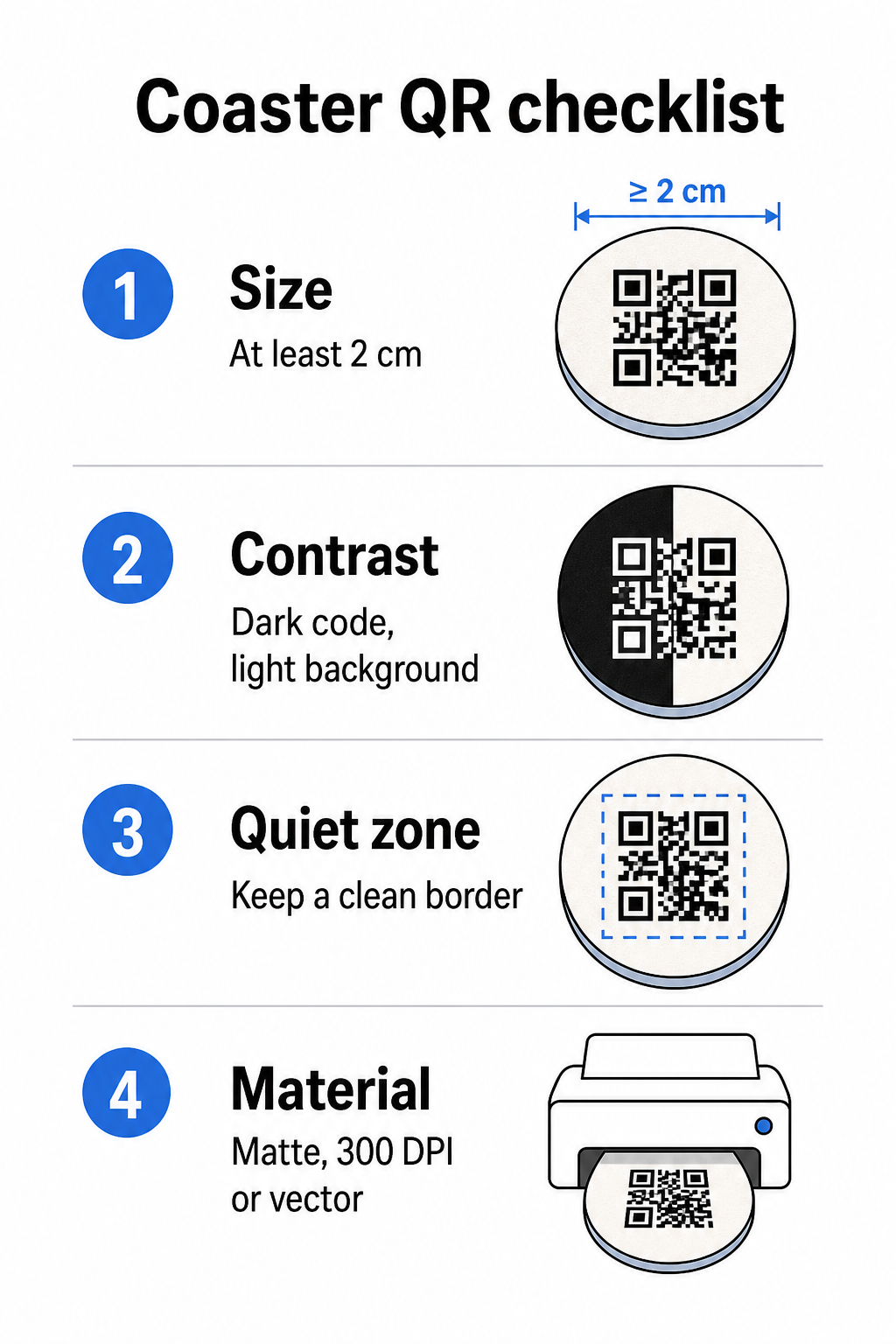
Ukuran adalah pertimbangan pertama Anda. Ukuran minimum yang andal untuk kode QR adalah 2 cm × 2 cm (sekitar 0,8 inci × 0,8 inci) untuk pemindaian jarak dekat. Pada tatakan gelas bundar standar – biasanya berdiameter 3,5 hingga 4 inci – Anda memiliki ruang untuk membuatnya lebih besar, yang meningkatkan keandalan. Aturan 10:1 berlaku di sini: lebar kode harus kira-kira sepersepuluh dari jarak pemindaian maksimum. Kode 1 inci berfungsi pada jarak sekitar 10 inci; kode 1,5 inci memberikan margin yang lebih nyaman untuk tamu yang duduk pada umumnya.
Kontras adalah faktor paling penting untuk keandalan pemindaian. Modul gelap pada latar belakang terang – hitam di atas putih menjadi standar emas – harus menjadi titik awal Anda. Banyak kamera ponsel cerdas dan aplikasi pemindai kesulitan dengan desain terbalik (modul terang pada latar belakang gelap), jadi hindari kombinasi tersebut meskipun terlihat lebih baik secara estetika. Rasio kontras minimum 4:1 adalah dasar yang direkomendasikan; lebih tinggi lebih baik. Hindari latar depan merah atau oranye, karena banyak sensor kamera kesulitan mendeteksi warna-warna ini dengan andal. Yang praktik terbaik kontras warna kode QR halaman memiliki tabel perbandingan terperinci jika Anda bekerja dengan warna merek yang berada di luar kombinasi hitam-putih standar.
Zona tenang mengacu pada batas jelas yang harus mengelilingi setiap kode QR – setidaknya selebar 4 modul di semua sisi – tanpa teks, grafik, atau elemen desain yang mengganggu. Pada tatakan gelas, ini berarti menyisakan margin berwarna terang yang solid di sekitar kode. Jika desain tatakan gelas Anda memiliki latar belakang gelap atau ramai secara visual, tambahkan kotak padding putih solid di belakang kode QR yang mencakup zona tenang penuh. Tanpa itu, pemindai dapat gagal menemukan batas kode dengan andal.
Finishing dan bahan lebih penting pada tatakan gelas daripada pada sebagian besar permukaan lainnya. Tatakan gelas kertas pulpboard adalah yang paling umum di industri perhotelan – tatakan gelas ini menyerap kondensasi dan melindungi permukaan meja, tetapi tidak tahan air. Untuk kode QR pada tatakan gelas kertas, hasil akhir matte lebih disukai daripada gloss karena silau dari pencahayaan di atas kepala mengganggu pemindaian. Untuk aplikasi dengan daya tahan lebih tinggi seperti instalasi meja permanen atau tatakan gelas yang dapat digunakan kembali, bahan seperti kayu berlapis dengan lapisan epoksi atau poliuretan melindungi cetakan sambil memungkinkan pemindaian yang andal, asalkan lapisannya bening dan bukan berwarna. Terlepas dari bahannya, hindari gradien, bayangan, atau elemen transparan di dalam kode QR itu sendiri – ini mengurangi kontras dan merusak kemampuan pemindaian dalam kondisi dunia nyata.
Resolusi tidak dapat ditawar untuk dicetak. Selalu unduh kode QR Anda dalam format vektor (SVG atau EPS) atau minimal 300 DPI. File bitmap yang diperbesar dari ekspor resolusi rendah akan tampak buram saat dicetak, yang mengurangi keandalan pemindaian bahkan ketika kode terlihat dapat diterima di layar. Satu set lengkap panduan cetak dan desain tersedia di praktik terbaik untuk keterbacaan kode QR panduan kami.
Penempatan Praktis dan Konteks pada Tatakan Gelas
Kode QR saja tidak memberi tahu tamu Anda apa fungsinya. Menambahkan ajakan bertindak satu baris langsung pada tatakan gelas – “Pindai untuk menu,” “Terhubung ke Wi-Fi,” “Bagikan umpan balik Anda” – menghilangkan ambiguitas dan meningkatkan kemungkinan pemindaian. Ini sangat penting bagi tamu yang kurang akrab dengan kode QR atau yang terganggu oleh percakapan.
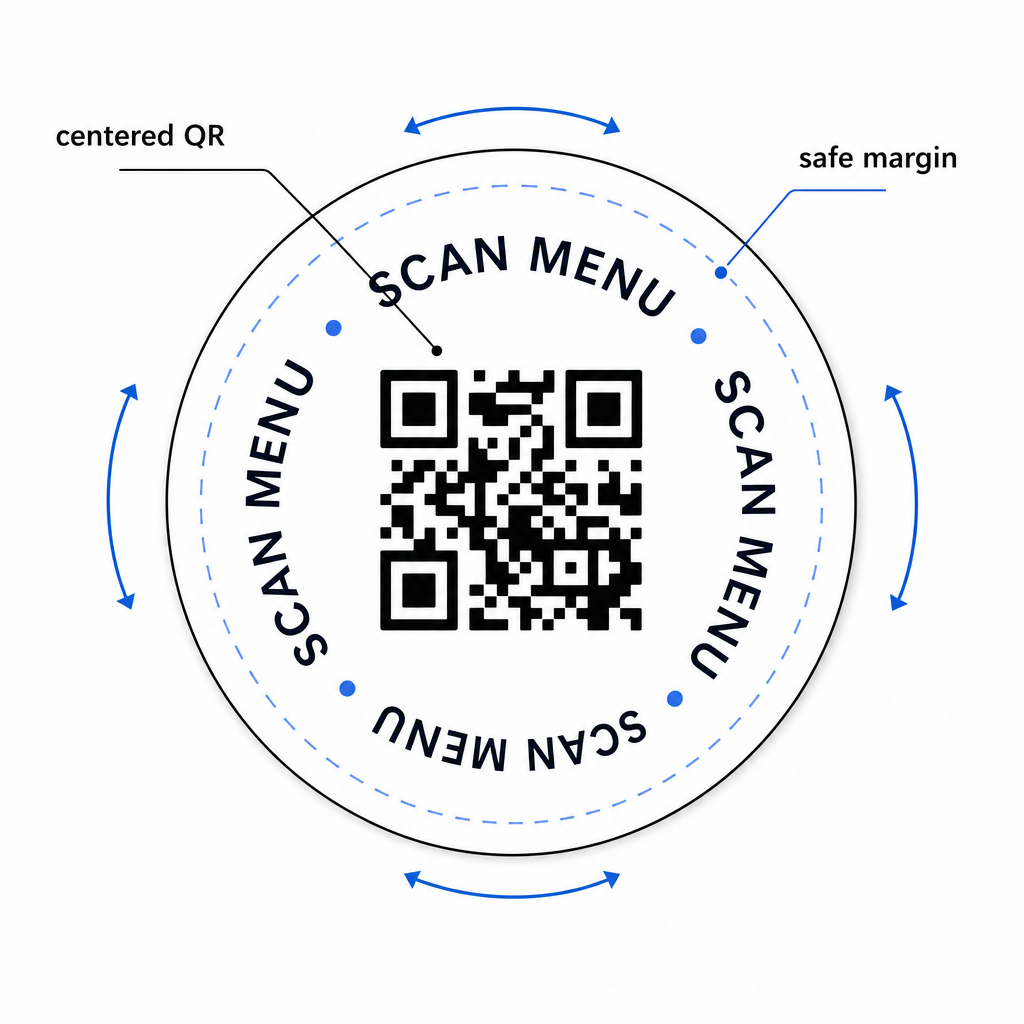
Posisikan kode QR dan teks ajakan bertindak agar tetap terbaca dari orientasi mana pun. Tatakan gelas bundar yang dapat ditempatkan ke arah mana pun harus memiliki kode di tengah, dengan teks diatur di sekitarnya daripada di atas atau di bawah di mana rotasi akan membalikkannya. Jika tatakan gelas Anda memiliki orientasi yang ditentukan, tempatkan kode di area yang menonjol dan tidak terhalang jauh dari tepi tatakan gelas sehingga zona tenang tidak pernah terpotong selama pemotongan atau pemangkasan.
Untuk acara, pertimbangkan untuk menggunakan tatakan gelas terpisah untuk tujuan yang berbeda – satu untuk menu, satu untuk jadwal acara, satu untuk formulir umpan balik. Menjaga setiap tatakan gelas fokus pada satu tindakan menyederhanakan pengalaman tamu dan membuatnya lebih mudah untuk melacak kinerja setiap kode secara terpisah. Untuk permukaan kode QR ringkas lainnya dengan batasan desain serupa, panduan tentang Kode QR pada tenda meja berlaku secara langsung.
Pengujian Sebelum Anda Mencetak dalam Jumlah Besar
Cetak satu tatakan gelas uji sebelum berkomitmen pada produksi penuh. Pindai di setidaknya tiga perangkat berbeda dalam kondisi pencahayaan aktual tempat Anda – pencahayaan atas, cahaya lilin, atau sinar matahari luar ruangan jika tempat Anda memiliki teras. Uji dari jarak realistis di mana tamu yang duduk akan memegang ponsel mereka.
Konfirmasikan bahwa:
- Kode memindai dalam waktu kurang dari tiga detik di semua perangkat uji
- Tujuan memuat dengan benar di perangkat seluler, bukan hanya desktop
- Zona tenang utuh dan tidak terpotong oleh tepi tatakan gelas
- Kontras tetap terjaga dalam kondisi pencahayaan redup
Jika Anda menggunakan kode QR dinamis, verifikasi bahwa URL tujuan dikonfigurasi dengan benar di dasbor Pageloot Anda sebelum cetak uji, dan konfirmasikan bahwa setiap pembaruan menu atau pengalihan yang Anda buat setelah mencetak segera tercermin saat dipindai.
Tatakan gelas adalah salah satu dari sedikit titik sentuh perhotelan yang tetap bersama tamu Anda sejak mereka duduk hingga mereka pergi. Kode QR yang dirancang dengan baik menghilangkan gesekan dari penjelajahan menu, menghilangkan permintaan kata sandi Wi-Fi, dan memberi Anda data terukur tentang bagaimana tamu berinteraksi dengan tempat Anda. Persyaratan desainnya spesifik tetapi dapat dicapai: ukuran yang cukup, kontras yang kuat, zona tenang yang bersih, dan ajakan bertindak yang jelas dicetak di samping kode.
Mulailah dengan alat yang tepat. Gunakan Pageloot’s Generator kode QR menu untuk membangun kode menu dinamis, Generator Kode QR Wi-Fi untuk akses jaringan tamu yang mulus, dan dasbor analitik untuk melacak keterlibatan setelah tatakan gelas Anda beredar.
Pertanyaan yang sering diajukan
Secara teknis ya, tetapi tidak disarankan. Satu kode QR mengarah ke satu tujuan, jadi menggabungkan kedua fungsi berarti menautkan ke halaman arahan dengan dua opsi terpisah – menambahkan ketukan ekstra untuk tamu. Pendekatan yang lebih bersih adalah menggunakan dua kode QR yang berbeda pada tatakan gelas, masing-masing dengan label yang jelas, atau mendedikasikan desain tatakan gelas terpisah untuk setiap tujuan. Kode Wi-Fi bersifat statis dan gratis untuk dibuat; kode menu berfungsi paling baik sebagai kode dinamis dengan pelacakan diaktifkan.
Jika Anda membuat kode QR tatakan gelas Anda sebagai kode dinamis menggunakan Pageloot, Anda dapat masuk ke dasbor Anda dan memperbarui URL tujuan atau konten menu kapan saja. Kode QR yang tercetak pada tatakan gelas tetap sama; hanya konten yang tertaut yang berubah. Ini adalah salah satu alasan utama mengapa kode dinamis direkomendasikan untuk menu – pembaruan musiman, perubahan harga, dan ketersediaan item semuanya dapat segera tercermin tanpa memesan batch tatakan gelas yang baru.
Dengan kode QR dinamis dan analitik Pageloot, Anda dapat melacak total pemindaian, pemindaian unik, tanggal dan waktu setiap pemindaian, jenis perangkat yang digunakan (iOS atau Android), dan lokasi geografis hingga tingkat kota. Anda juga dapat membandingkan kinerja di berbagai penempatan jika Anda menetapkan kode QR terpisah ke zona meja atau area tempat Anda yang berbeda. Kode QR statis, termasuk kode Wi-Fi, tidak menghasilkan data pemindaian apa pun.