Savez-vous quels emplacements physiques génèrent réellement vos scans de codes QR – et lesquels sont un poids mort ? Sans données de niveau de localisation, vous devinez. Ce guide explique comment les analyses basées sur l'IA mesurent l'engagement des codes QR par géographie et comment vous pouvez utiliser ces informations pour améliorer les performances de vos campagnes.
Pourquoi les données de localisation sont importantes pour les campagnes de codes QR
Les codes QR apparaissent sur les affiches, les emballages, la signalisation, les menus et les supports événementiels. Chaque emplacement existe dans un environnement physique différent avec un public différent. Sans données de niveau de localisation, vous pouvez voir qu'une campagne a obtenu 500 scans – mais vous ne pouvez pas dire s'ils proviennent de votre vitrine, de votre publicité de transport en commun ou d'un stand de salon professionnel.
Le suivi de localisation répond à cette question. Il vous indique quels emplacements fonctionnent, quand ils génèrent le plus d'activité et comment l'engagement varie selon les régions ou les lieux. Ces informations alimentent directement des décisions plus intelligentes sur l'endroit où placer les codes, le contenu à afficher et le moment de lancer des promotions.
Selon les projections d'eMarketer, le nombre d'utilisateurs de smartphones américains scannant des codes QR devrait passer de 83,4 millions en 2022 à 99,5 millions d'ici 2025 – rendant un suivi précis de plus en plus important à mesure que l'audience augmente.
Comment fonctionne le suivi de localisation des codes QR
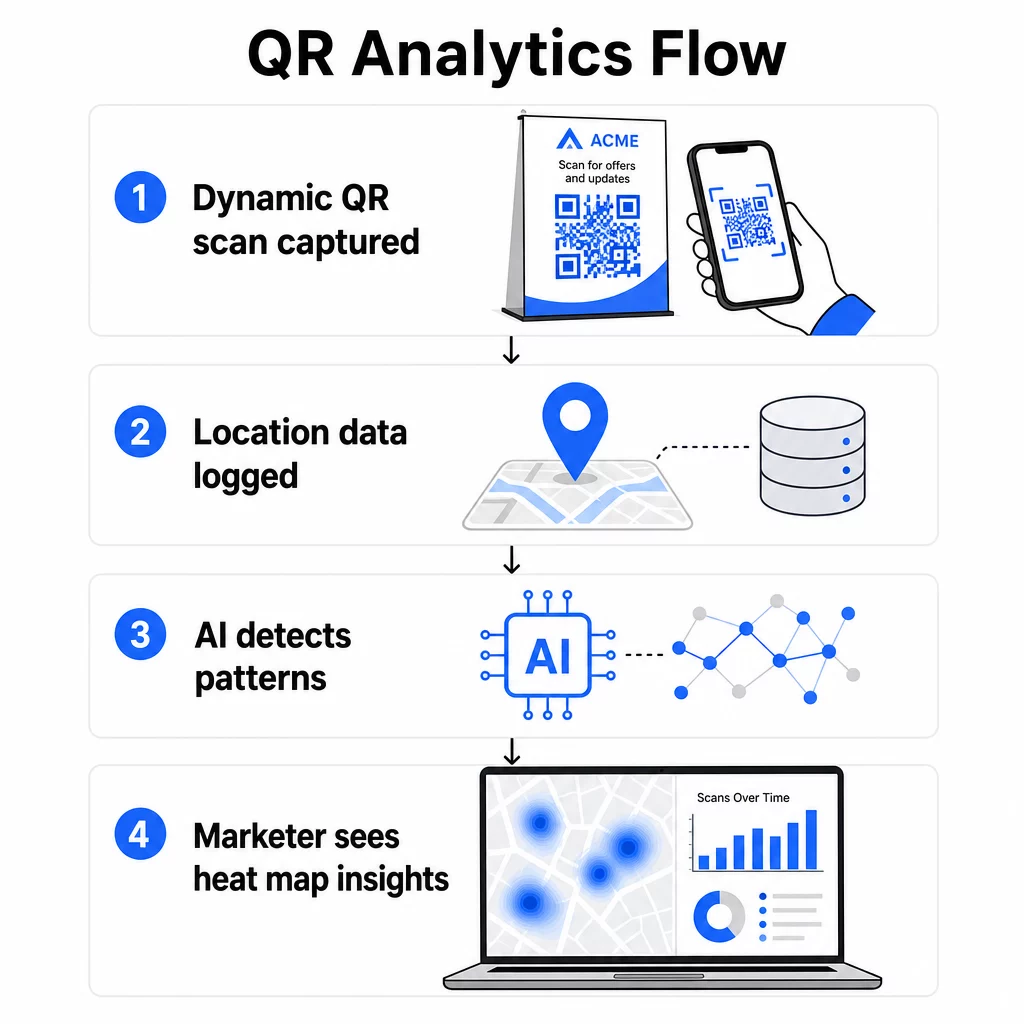
Le suivi de localisation n'est possible qu'avec les codes QR dynamiques. Contrairement aux codes statiques, qui encodent une destination fixe et n'enregistrent rien, les codes QR dynamiques acheminent chaque scan via un serveur de suivi intermédiaire. Ce serveur enregistre les données relatives à l'événement de scan – y compris l'heure, le type d'appareil et la localisation – avant de rediriger l'utilisateur vers l'URL de destination finale.
Vous pouvez en savoir plus sur le fonctionnement complet dans le guide sur le fonctionnement du suivi et de l'analyse des codes QR.
Il existe deux méthodes principales utilisées par les plateformes pour déterminer où un scan a eu lieu :
Suivi de localisation basé sur l'IP résout une ville et un pays à partir de l'adresse IP du réseau auquel l'appareil de scan est connecté. Cette approche fonctionne automatiquement sans nécessiter le consentement de l'utilisateur et est efficace pour l'analyse au niveau régional. Cependant, la précision est limitée – généralement autour de 50 à 70 % au niveau de la ville – et des incohérences peuvent survenir lorsqu'un appareil est connecté à un réseau cellulaire enregistré dans une région différente.
Suivi de localisation basé sur le GPS recueille les coordonnées exactes de l'appareil de scan. Cette méthode est beaucoup plus précise, exacte à quelques mètres près, mais elle nécessite que l'utilisateur accorde explicitement l'autorisation de localisation via une invite du navigateur. C'est le bon choix pour les campagnes où des données de placement précises sont importantes, comme le suivi de grands lieux ou les promotions géolocalisées.
Pour la plupart des campagnes, le suivi basé sur l'IP fournit des informations régionales suffisantes. Le suivi basé sur le GPS est réservé aux cas d'utilisation où des coordonnées exactes sont nécessaires – et où vous disposez d'un mécanisme de consentement clair.
Commencer le suivi des scans par emplacement Besoin de savoir où vos campagnes génèrent de l'engagement ? Utilisez le Générateur de QR code dynamique pour créer des codes traçables et visualiser les données de scan par pays, ville et emplacement – le tout depuis un seul tableau de bord.
Quelles données sont capturées à chaque scan
Chaque scan d'un code QR dynamique génère un ensemble de points de données. Collectivement, ceux-ci construisent une image détaillée de l'engagement qui va bien au-delà d'un simple décompte de scans. Les métriques clés suivies incluent :
- Localisation géographique – pays, région et ville dérivés de l'adresse IP, ou coordonnées GPS précises lorsque le consentement est donné
- Horodatage – date et heure exactes, permettant l'analyse des périodes de pic d'engagement sur les jours et les heures
- Type d'appareil et système d'exploitation – iOS vs Android, mobile vs ordinateur de bureau, modèles d'appareils spécifiques et type de navigateur
- Type de réseau – cellulaire vs Wi-Fi, ce qui peut indiquer si les utilisateurs sont stationnaires ou en transit
- Fréquence de scan – scans totaux vs scans uniques, distinguant l'engagement répété des interactions initiales
Le comportement post-scan – sessions, taux de rebond, temps passé sur la page, conversions – peut également être suivi lorsque les codes QR sont combinés avec les paramètres UTM pour Google Analytics. Cela boucle la boucle entre un scan physique et ce qui se passe sur votre page de destination.
Comment l'IA traite les données de localisation en informations exploitables
Les données brutes de scan deviennent exploitables grâce à l'analyse basée sur l'IA. Plutôt que d'exiger des marketeurs qu'ils trient manuellement les journaux de scans, les modèles d'IA traitent automatiquement de grands volumes de données liées à la localisation et mettent en évidence des modèles qui seraient autrement difficiles à détecter.
Cartes thermiques géographiques
Les cartes thermiques traduisent le volume de scans en représentations visuelles de la densité d'engagement à travers les emplacements. Les zones de forte activité sont immédiatement visibles, ce qui permet d'identifier facilement quels emplacements sont plus performants que d'autres. Un détaillant avec des codes QR dans plusieurs magasins, par exemple, peut voir en un coup d'œil si l'emplacement phare surpasse les magasins régionaux – ou si un placement spécifique en magasin génère constamment plus de scans que d'autres.
Vous pouvez explorer cette approche plus en détail dans le guide sur le suivi de l'engagement des codes QR avec des cartes thermiques.
Reconnaissance des modèles temporels
L'IA identifie quand les scans se regroupent par heure de la journée, jour de la semaine ou période saisonnière. Un café pourrait découvrir que les scans du matin proviennent principalement de clients réguliers tandis que les scans de l'après-midi attirent de nouveaux visiteurs. Un musée pourrait constater que les codes QR aux points d'entrée sont très utilisés pendant les 30 premières minutes d'ouverture. Ces modèles informent directement sur le moment d'exécuter des promotions sensibles au temps et sur la manière de doter en personnel les emplacements pendant les périodes de fort engagement.
Modélisation prédictive
Les modèles d'IA entraînés sur des données de scans historiques peuvent prévoir les tendances d'engagement futures par emplacement. Cela permet des ajustements proactifs de campagne – déplaçant le budget vers les emplacements très performants avant un pic saisonnier, ou identifiant les lieux où l'engagement est en baisse avant que cela n'affecte les résultats globaux de la campagne.
Comparaison inter-emplacements
Lorsqu'une campagne s'étend sur plusieurs emplacements physiques, l'IA permet une évaluation comparative directe des performances entre les lieux. Les spécialistes du marketing peuvent identifier quelles régions, quels formats de magasin ou quels types de placement surpassent constamment les autres et reproduire ces conditions ailleurs.
Analyses basées sur l'IA vs. Méthodes traditionnelles
La différence pratique entre le suivi basé sur l'IA et les anciennes méthodes manuelles devient claire lorsque vous les comparez côte à côte.
| FONCTIONNALITÉ | Analyses basées sur l'IA | Méthodes traditionnelles |
|---|---|---|
| Vitesse de collecte des données | Traitement en temps réel | Saisie manuelle avec des heures ou des jours de délai |
| Précision de la localisation | Cartographie GPS et IP | Estimations générales ou enregistrement manuel |
| Reconnaissance de formes | Détection automatique des tendances et des anomalies | Analyse manuelle nécessitant beaucoup de temps |
| Capacités prédictives | Prévisions basées sur des données historiques | Limité au rapport d'événements passés |
| Analyse inter-sites | Comparaison en temps réel entre les sites | Nécessite des systèmes séparés par site |
| Cartographie du parcours utilisateur | Suit le chemin complet du scan à la conversion | Fragmenté avec des points de contact manquants |
Les méthodes traditionnelles – compteurs de scans basiques, enquêtes manuelles, journaux de feuilles de calcul – sont chronophages et offrent des informations limitées. Les plateformes basées sur l'IA traitent des milliers de points de données automatiquement, offrant une image plus complète sans travail manuel.
Mise en place de campagnes de codes QR basées sur la localisation
La base de toute campagne basée sur la localisation est un code QR dynamique. La solution de Pageloot Générateur de code QR vous permet de créer des codes avec une image de marque personnalisée – votre logo, les couleurs de votre marque et des modèles de conception – tout en permettant un suivi analytique complet dès le moment où vous les déployez.
Une fois créés, les codes QR dynamiques peuvent voir leur URL de destination mise à jour à tout moment sans avoir à réimprimer les supports. Ceci est particulièrement précieux pour les campagnes qui évoluent avec le temps, vous permettant de modifier une promotion saisonnière, de tester une nouvelle page de destination ou de rediriger le trafic vers un contenu mis à jour sans remplacer la signalisation physique.
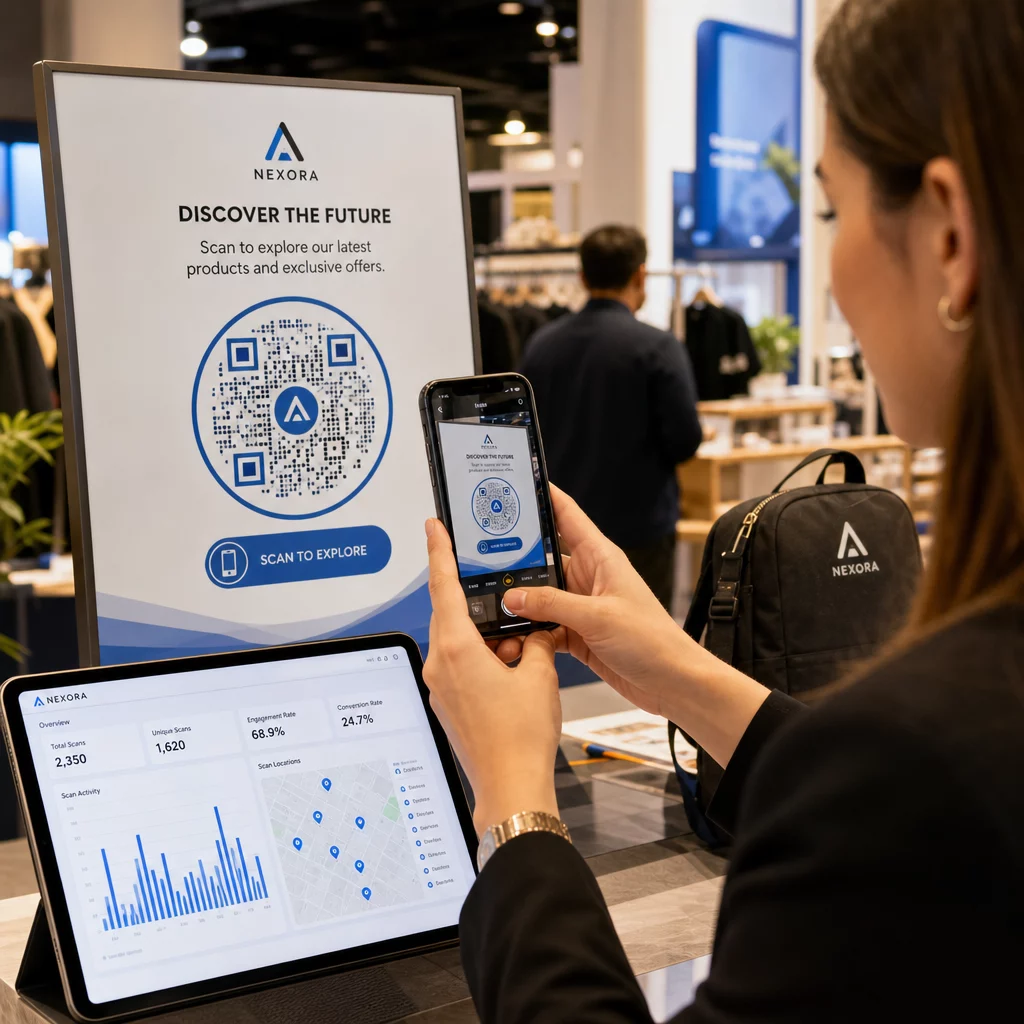
Le tableau de bord d'analyse intégré fournit une vue centralisée de toutes les données de scan : nombre total de scans au fil du temps, répartitions géographiques par pays et ville, distribution par type d'appareil et comparaisons au niveau du placement. Les filtres par plage de dates, localisation ou type de campagne vous permettent d'explorer les données les plus pertinentes pour une décision donnée.
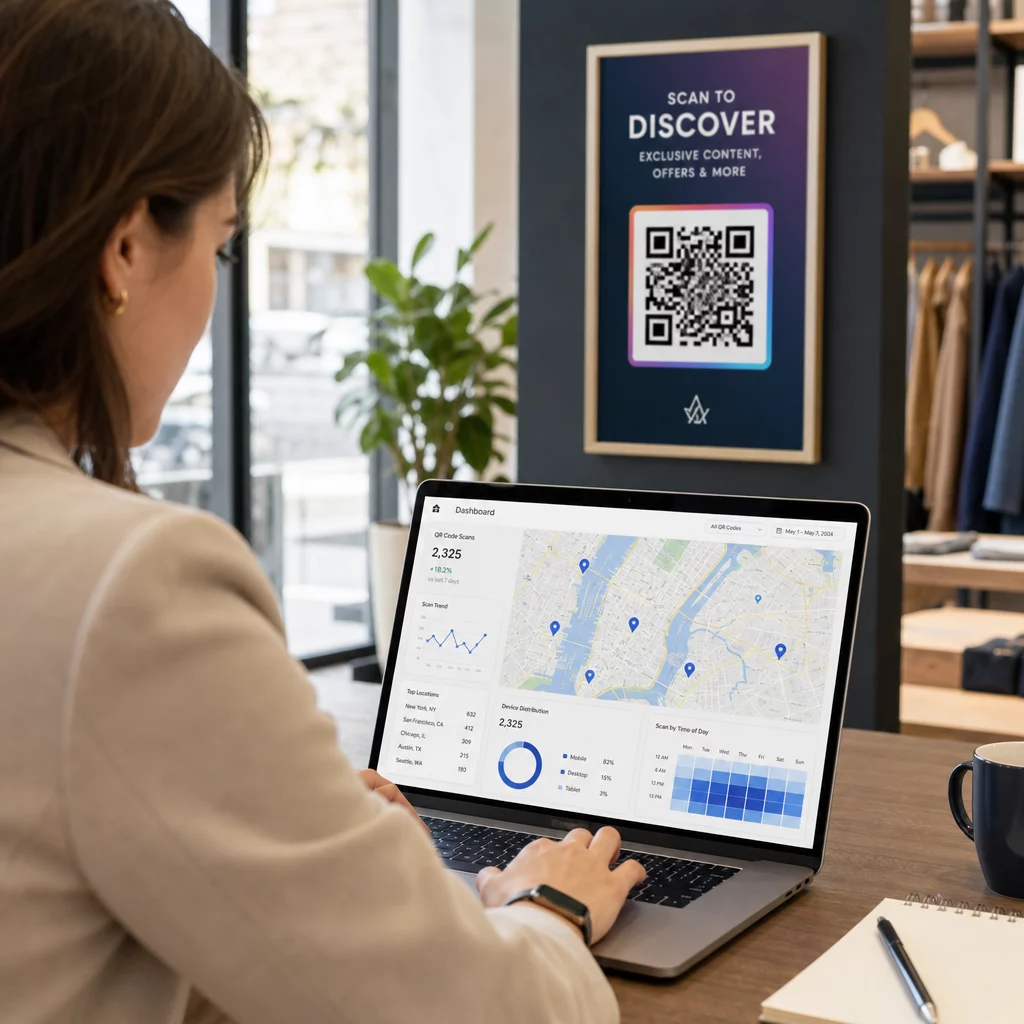
Pour en savoir plus sur la configuration de votre tableau de bord et la définition des paramètres de suivi, consultez le guide des tableaux de bord d'analyse de codes QR.
Applications Pratiques par Industrie
Le suivi des codes QR basé sur la localisation a des applications concrètes dans un éventail d'industries :
- Vente au détail – Identifiez quels emplacements en magasin (entrée, cabine d'essayage, caisse) génèrent le plus de scans et utilisez ces données pour planifier les promotions ou ajuster le personnel. Les codes spécifiques à un emplacement peuvent proposer différentes offres en fonction de l'endroit où un client scanne dans le magasin.
- Événements et conférences – Suivez l'utilisation des points d'entrée, surveillez les mouvements de foule dans les salles de session et recueillez des données de présence sans processus d'enregistrement manuel.
- Soins de santé – Placez des codes QR aux entrées des départements pour suivre le flux des patients et identifier les goulots d'étranglement dans la navigation au sein de l'établissement.
- Hospitalité – Surveillez quelles tables, emplacements ou points de contact avec les clients génèrent le plus d'engagement numérique, puis utilisez ces données pour optimiser les placements de menus ou les supports promotionnels.
- L'éducation – Utilisez des codes QR à l'échelle du campus pour la navigation, l'accès aux ressources et le suivi des présences, les données de localisation révélant les zones qui suscitent le plus d'engagement.
Pour les entreprises multi-sites, l'analyse basée sur l'IA à travers tous les lieux peut révéler des schémas qui ne seraient pas visibles en examinant un seul emplacement de manière isolée.
Confidentialité et Conformité
Les données de localisation – en particulier les coordonnées GPS précises – sont classées comme informations personnelles sensibles en vertu des lois sur la confidentialité des États américains, y compris le CCPA et le Virginia Consumer Data Protection Act. Ces lois exigent des divulgations claires sur les données collectées, la manière dont elles sont utilisées et la manière dont les utilisateurs peuvent se désinscrire.
Étapes pratiques de conformité incluent :
- Utiliser le suivi basé sur l'IP par défaut, ce qui ne nécessite pas de consentement
- Obtenir une autorisation explicite du navigateur avant de collecter les coordonnées GPS
- Anonymiser les données collectées afin qu'elles ne puissent pas être reliées à des utilisateurs individuels
- Appliquer la minimisation des données – ne collecter que ce qui est nécessaire pour l'objectif de la campagne
- Définir des limites de rétention des données et purger les données de localisation détaillées après une période définie
Pageloot anonymise les données de scan par défaut, les informations de localisation détaillées n'étant collectées qu'après des invites de consentement explicites. La plateforme s'aligne sur les cadres de conformité GDPR et CCPA, ajustant automatiquement les pratiques de collecte de données en fonction des exigences régionales applicables.
Pour une présentation détaillée de la mise en œuvre de la conformité, consultez le guide sur assurer la conformité GDPR dans l'analyse des codes QR.
Meilleures pratiques pour le placement des codes QR
Même les meilleures analyses ne peuvent compenser un mauvais placement physique. L'endroit où vous placez un code QR détermine les données de localisation que vous collectez et le nombre de scans que vous générez réellement.
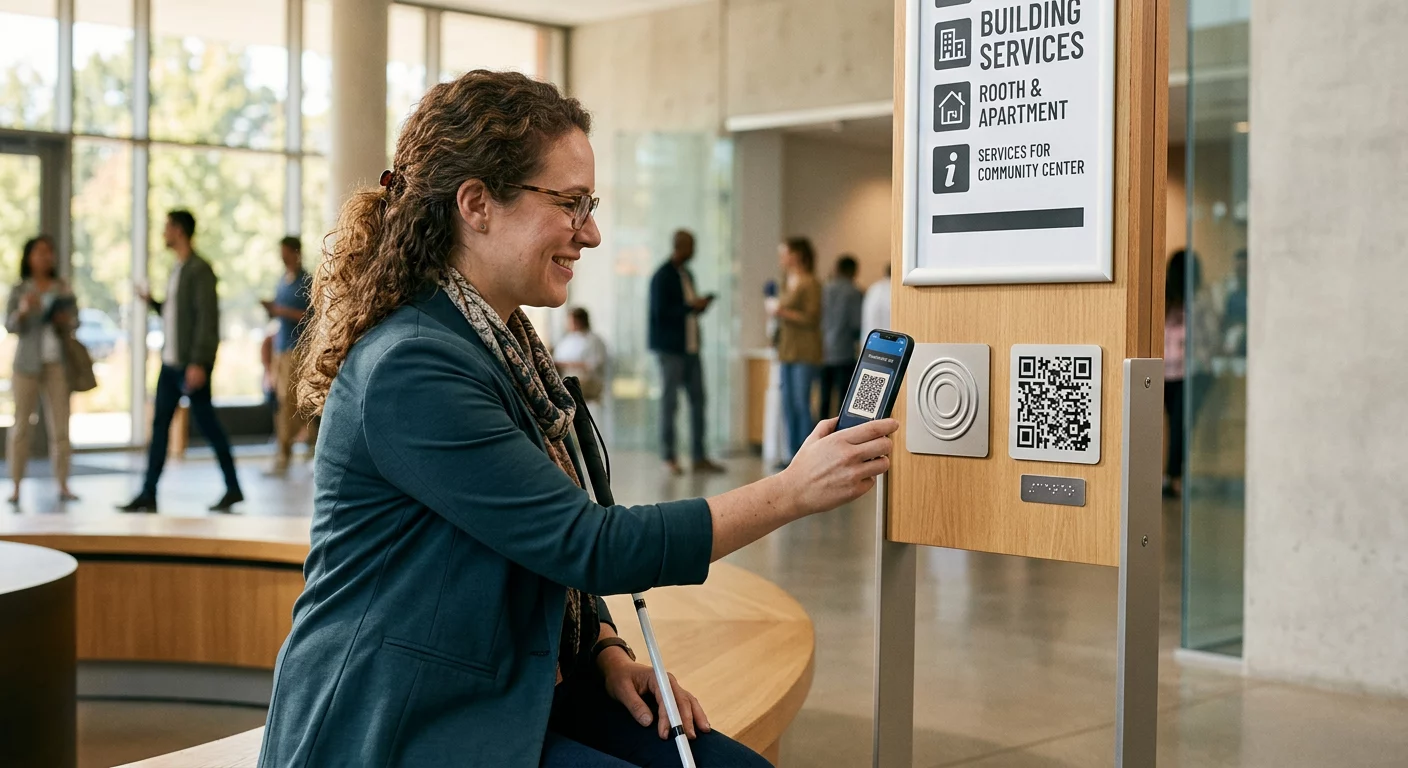
- Placez les codes à hauteur des yeux près des points d'arrêt naturels – batteries d'ascenseurs, comptoirs de caisse, porte-menus et bornes d'information
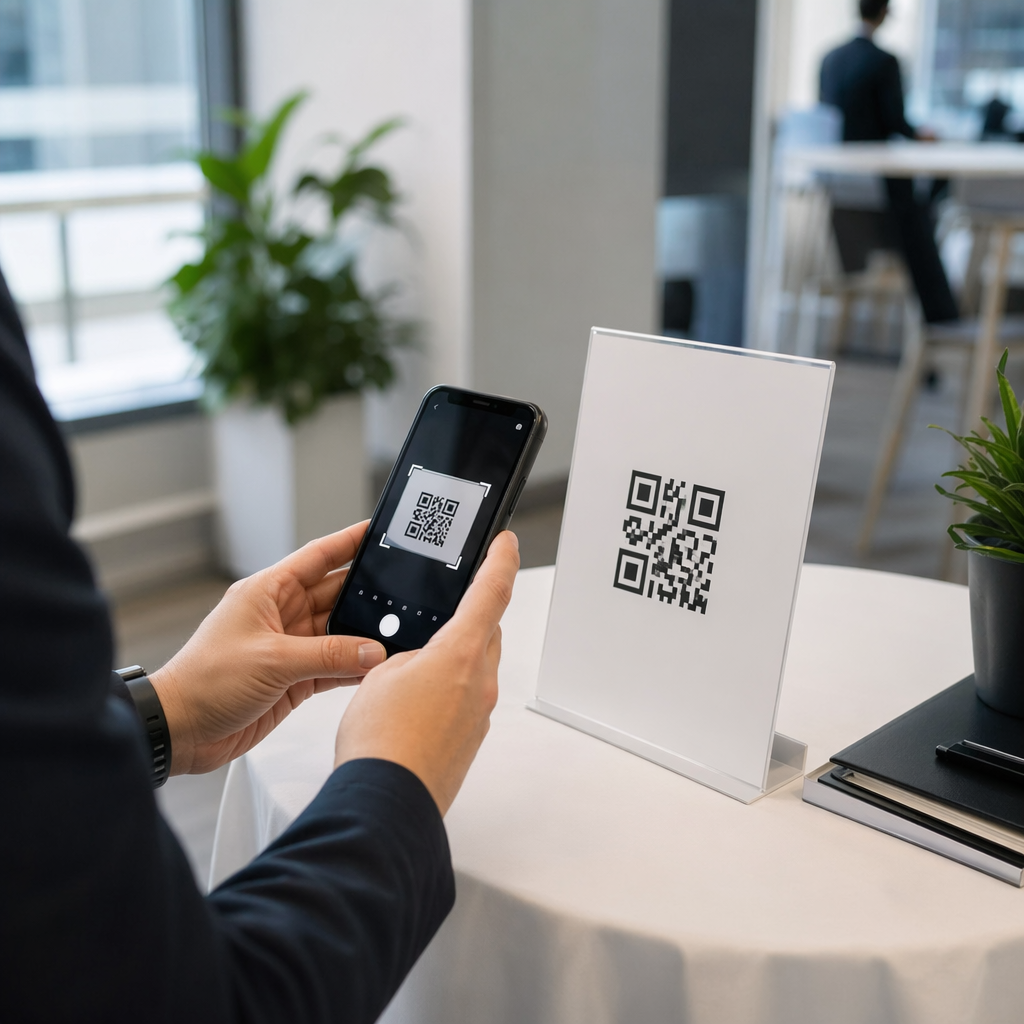
- Dimensionnez les codes de manière appropriée : au moins 1 × 1 pouce pour le scan à courte portée, 4 × 4 pouces ou plus pour le scan à distance
- Évitez les emplacements avec des ombres dures, la lumière directe du soleil ou une faible lumière ambiante
- Incluez toujours un appel à l'action clair (“ Scannez pour le menu du jour ”, “ Scannez pour vérifier la disponibilité ”) afin que les utilisateurs comprennent pourquoi ils devraient scanner
- Pour les campagnes multi-sites, attribuez des paramètres de suivi distincts à chaque emplacement afin que vos analyses puissent différencier les performances par lieu
Les codes dynamiques facilitent l'exécution de tests A/B sur différents emplacements sans réimpression. Si le contenu vidéo est plus performant à un endroit et qu'un PDF fonctionne mieux à un autre, vous pouvez mettre à jour la destination de chaque code indépendamment en fonction des données.
Découvrez quels emplacements génèrent un réel engagement Utilisez de Pageloot fonctionnalités d'analyse pour comparer les performances de scan sur chaque emplacement, type d'appareil et période – et ajuster les campagnes en fonction de ce que les données montrent réellement.
Utiliser les informations de localisation pour l'automatisation du marketing
Les données de localisation en temps réel ouvrent la porte à des campagnes automatisées et contextuelles. L'IA peut détecter les emplacements à fort engagement et déclencher du contenu ciblé pour ces zones. Une campagne géorepérée, par exemple, peut diffuser un contenu de page de destination différent selon l'endroit exact où un scan se produit – un visiteur de musée scannant près d'une exposition reçoit des informations spécifiques à cette exposition, et non la page d'accueil du musée.
Les données de localisation s'intègrent également aux plateformes d'e-mail et de CRM, permettant la segmentation de l'audience basée sur le comportement de scan et la géographie. Les utilisateurs qui scannent à un emplacement de magasin spécifique peuvent être ajoutés à une séquence de suivi pertinente, tandis que les utilisateurs de différentes régions peuvent recevoir du contenu adapté à leur marché.
Les détaillants peuvent utiliser les prévisions de volume de scans pour anticiper les périodes de forte affluence et ajuster le personnel ou les stocks en conséquence. Au fil du temps, la combinaison des données de localisation historiques et de la modélisation prédictive rend les campagnes de plus en plus efficaces – identifiant où concentrer les ressources avant le début du prochain cycle promotionnel.
Pour en savoir plus sur la façon dont les capacités de l'IA s'appliquent aux campagnes QR de manière générale, consultez l'article sur L'IA au service des campagnes marketing par QR code.
Ce que cela signifie pour vos campagnes
Le suivi des codes QR basé sur la localisation transforme les décomptes de scans vagues en informations spécifiques et exploitables. Vous pouvez identifier quels lieux génèrent le plus d'engagement, quand votre audience est la plus active à chaque emplacement, et comment allouer les ressources de campagne en conséquence. Les codes QR dynamiques rendent ce suivi possible sans réimpression de matériel, tandis que les analyses basées sur l'IA révèlent des modèles que les méthodes manuelles ne peuvent tout simplement pas détecter à grande échelle.
La prochaine étape consiste à créer des codes QR dynamiques avec suivi activé et à les déployer sur vos emplacements. À mesure que les données de scan s'accumulent, les modèles géographiques et temporels qui émergeront vous fourniront une base mesurable pour chaque décision future de placement et de campagne.
Explorez La gamme complète de fonctionnalités de Pageloot pour voir comment la création de codes QR, l'analyse et la gestion de campagnes fonctionnent ensemble sur une seule plateforme.
Questions fréquentes
Le suivi basé sur l'IP détermine l'emplacement du scan en résolvant la ville et le pays à partir de l'adresse IP du réseau de l'appareil de scan. Il fonctionne automatiquement sans le consentement de l'utilisateur et convient à l'analyse régionale, bien que la précision soit généralement d'environ 50 à 70 % au niveau de la ville. Le suivi basé sur le GPS collecte des coordonnées précises de l'appareil et est précis à quelques mètres près, mais il nécessite que l'utilisateur accorde explicitement l'autorisation de localisation. Le suivi basé sur l'IP convient à la plupart des campagnes ; le suivi basé sur le GPS est préférable pour les cas d'utilisation nécessitant des données de placement exactes, tels que le géorepérage ou l'analyse de foule dans de grands lieux.
Oui. Les codes QR statiques encodent une destination fixe et ne prennent en charge aucun suivi. Les codes QR dynamiques acheminent chaque scan via un serveur de suivi qui enregistre la localisation, le type d'appareil, l'horodatage et d'autres données avant de rediriger l'utilisateur. Sans code dynamique, aucune donnée de scan n'est enregistrée. Vous pouvez créer et gérer des codes QR dynamiques avec des analyses intégrées en utilisant le générateur de codes QR dynamiques de Pageloot.
Aux États-Unis, la géolocalisation précise est traitée comme une information personnelle sensible en vertu de lois telles que le CCPA et le Virginia Consumer Data Protection Act. Les entreprises doivent fournir des informations claires sur les données collectées, offrir des mécanismes de désinscription et gérer les données en toute sécurité. Le suivi basé sur l'IP ne nécessite généralement pas de consentement ; le suivi basé sur le GPS en nécessite un. Les meilleures pratiques incluent l'anonymisation des données collectées, la minimisation de ce que vous collectez à ce qui est nécessaire, la définition de limites de conservation des données et l'utilisation d'une plateforme qui prend en charge les cadres de conformité GDPR et CCPA. Consultez le guide complet sur la conformité GDPR dans l'analyse des codes QR pour les détails de mise en œuvre.