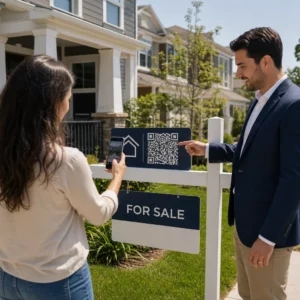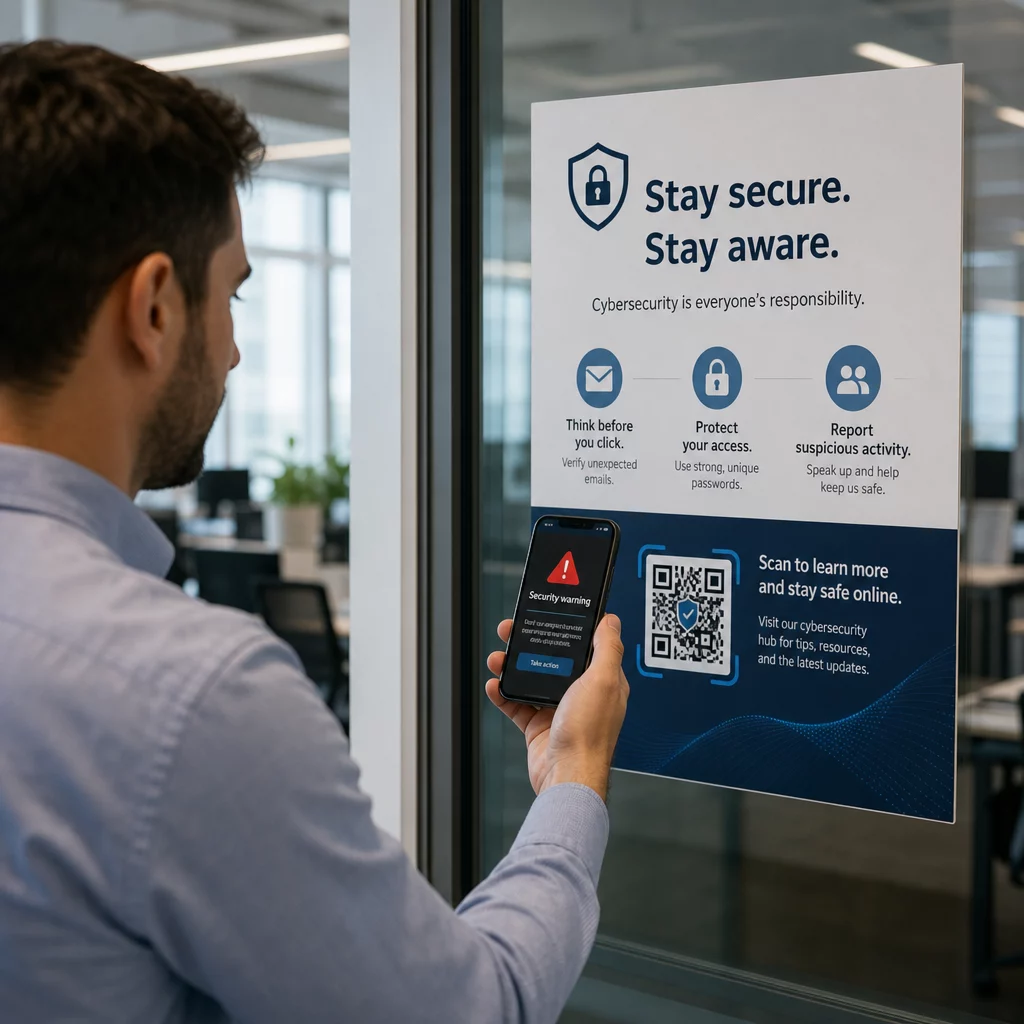
1. Les codes QR mettent-ils votre entreprise en danger ? Les codes QR frauduleux sont un outil de plus en plus courant pour les cybercriminels ciblant les entreprises de toutes tailles – et la plupart des employés ne savent pas comment les repérer. Ce guide explique comment fonctionnent les escroqueries aux codes QR, quels sont les signes avant-coureurs à rechercher et les mesures spécifiques que votre entreprise peut prendre pour rester protégée.
2. Pourquoi les escroqueries aux codes QR sont une menace croissante pour les entreprises
3. Les codes QR sont devenus une partie routinière des affaires – paiements, menus, supports marketing, enregistrements d'événements, et plus encore. Cette familiarité est précisément ce qui les rend attrayants pour les criminels.
4. Ce type d'attaque est connu sous le nom de 5. quishing 6. (hameçonnage par code QR). Les escrocs créent ou modifient des codes QR pour rediriger les gens vers des sites web frauduleux conçus pour voler des identifiants de connexion, des détails de paiement ou d'autres données sensibles – ou pour installer silencieusement des logiciels malveillants sur leur appareil.
7. L'ampleur est significative. Entre mai et juillet 2023, une campagne d'hameçonnage par code QR ciblant les identifiants Microsoft a augmenté de plus de 2 400 %. L'analyse des tendances entre le T4 2023 et le T1 2024 a révélé une augmentation de 433 % des références à l'hameçonnage par code QR. Les cadres sont particulièrement à risque, recevant 42 fois plus d'attaques par code QR que les autres employés en raison de leur accès plus large aux ressources de l'entreprise.
8. Aucune industrie n'est à l'abri. L'énergie, la fabrication, l'assurance, la technologie et les services financiers ont tous été ciblés dans des campagnes documentées. Un seul employé scannant le mauvais code peut ouvrir la porte au vol d'identifiants, à la fraude financière ou à une violation complète du réseau.
9. Comment les escroqueries aux codes QR ciblent les entreprises
10. Comprendre les méthodes utilisées par les criminels est la première étape vers la construction d'une défense efficace. Les attaques de quishing suivent généralement l'un des schémas suivants :
11. E-mails d'hameçonnage avec codes QR intégrés. 12. Les attaquants envoient des e-mails contenant des codes QR qui dirigent les destinataires vers des pages de connexion factices convaincantes – imitant souvent Microsoft 365, des portails bancaires ou des systèmes internes. Étant donné que le lien malveillant est caché à l'intérieur d'une image plutôt que tapé sous forme de texte, de nombreux filtres de sécurité des e-mails ne parviennent pas à le détecter.
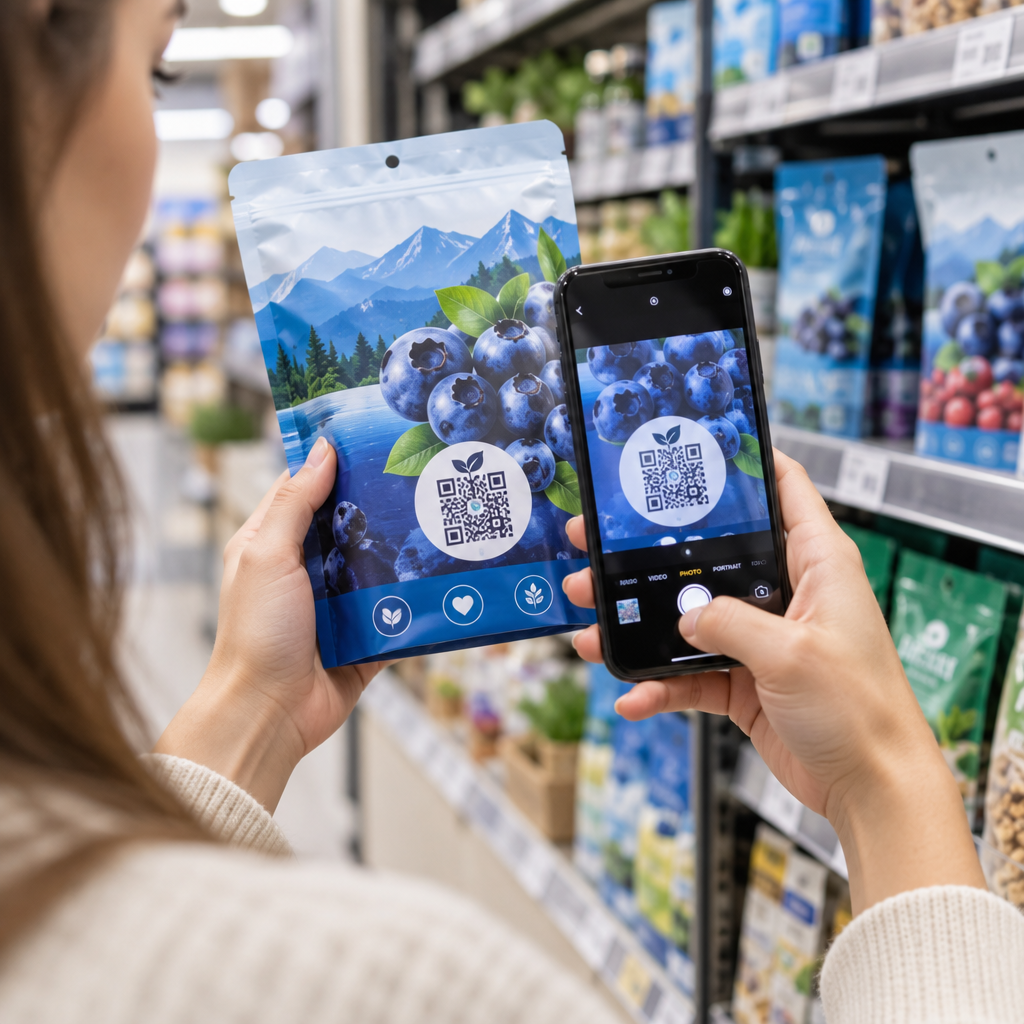
13. Remplacement physique du code. 14. Les criminels impriment des autocollants de codes QR frauduleux et les placent sur des codes légitimes sur des panneaux, des terminaux de paiement, des menus, des parcmètres ou des emballages de produits. Les victimes scannent ce qui semble être un code officiel et sont redirigées vers un faux site. À Austin, au Texas, la police a découvert 29 faux codes QR placés sur des parcmètres de la ville. À York, au Royaume-Uni, 15. de faux codes QR sur la signalisation de stationnement ont redirigé les conducteurs vers des sites de paiement clonés, certains victimes perdant jusqu'à 400 £.
Colis et courriers non sollicités. Le Service d'inspection postale des États-Unis avertit que les escrocs envoient des colis inattendus contenant de petits cadeaux accompagnés de codes QR, demandant aux destinataires de scanner le code pour “ enregistrer ” l'article. Le scan mène à un site contrefait demandant des informations personnelles ou financières.
Usurpation d'identité d'organisations de confiance. Les attaquants se déguisent en agences gouvernementales, banques, services de livraison ou autres entreprises bien connues pour créer un sentiment d'urgence et abaisser la vigilance de la cible avant que le code QR ne soit scanné.
Signes avant-coureurs d'un code QR frauduleux
Il n'existe pas de différence visuelle fiable dans le motif du QR lui-même qui distingue systématiquement un code malveillant d'un code légitime. Au lieu de cela, votre équipe doit évaluer le contexte et le comportement autour du code. Formez les employés à considérer les éléments suivants comme des signaux d'alarme :
- Signes d'altération physique : Le code apparaît comme un autocollant, est collé, semble rayé ou pixélisé, est mal aligné ou est clairement placé sur un autre code imprimé.
- Pas de contexte clair ni de marque : Le code apparaît sur une surface aléatoire, n'a aucune explication de son but ou manque de cohérence de marque de l'organisation qu'il prétend représenter.
- Langage urgent ou sous pression : Le texte environnant exige une action immédiate, un paiement ou une connexion sans raison légitime claire.
- Incohérences de marque : Fautes d'orthographe, logos non concordants, couleurs inhabituelles ou un design qui ne correspond pas à l'apparence normale de l'organisation.
- Une URL de prévisualisation suspecte : Après le scan, l'URL affichée ne correspond pas au domaine attendu, est raccourcie, est mal orthographiée ou manque de HTTPS (pas d'icône de cadenas dans le navigateur).
- Demandes inattendues d'informations sensibles : La page demande des mots de passe, des détails de paiement ou des données personnelles sans raison claire et attendue.
- Livraison non sollicitée : Le code QR est arrivé dans un e-mail, un message texte ou un colis que vous n'attendiez pas – en particulier avec un message vous exhortant à agir rapidement.
Pour un examen plus approfondi de l'identification des codes compromis, le guide des meilleures pratiques pour la sécurité des codes QR en cyberdéfense couvre la détection et la réponse aux incidents en détail.
Comment protéger votre entreprise : une liste de contrôle pratique
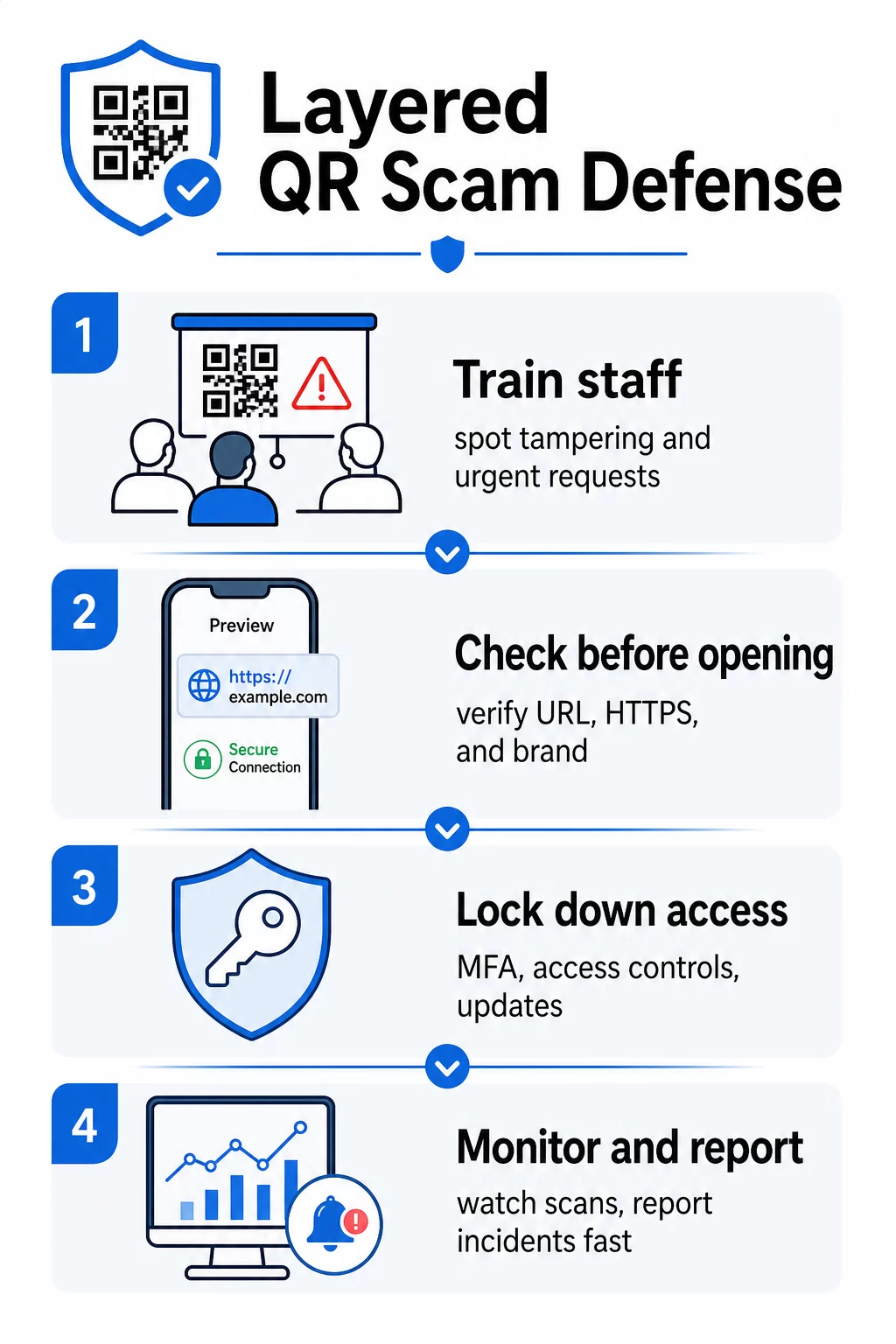
Protéger votre organisation contre les escroqueries aux codes QR nécessite des défenses en couches – aucune mesure seule n'est suffisante. Le FBI recommande une stratégie multicouche qui combine la formation des employés, les contrôles techniques, l'authentification forte et la surveillance continue.
Former les employés à reconnaître le quishing
L'erreur humaine reste la vulnérabilité la plus exploitée dans les attaques par code QR. Une formation régulière et pratique devrait couvrir :
- Ne jamais scanner de codes QR provenant d'e-mails, de messages texte, de colis ou de dépliants inattendus – même s'ils semblent provenir d'une source fiable
- Toujours prévisualiser l'URL avant de l'ouvrir après le scan, et vérifier les fautes d'orthographe, les domaines non concordants ou l'absence de HTTPS
- Inspecter physiquement les codes QR sur le lieu de travail pour détecter des signes d'altération, en particulier sur les terminaux de paiement, la signalisation ou les supports imprimés
- Vérifier la source d'un code QR via un canal séparé et fiable avant de saisir des identifiants ou des informations de paiement
- Signaler immédiatement tout code QR suspect via un processus d'escalade interne clair
Le FBI recommande spécifiquement d'établir des protocoles internes formels pour signaler les codes suspects afin que les incidents puissent être rapidement escaladés et traités.
Mettre en œuvre une authentification forte et des contrôles d'accès
Les identifiants volés lors d'attaques de quishing ne peuvent causer de graves dommages que s'ils accordent un accès non contrôlé. Le FBI et les autorités de cybersécurité recommandent :
- Exiger une authentification multi-facteurs (MFA) résistante au phishing pour tous les accès à distance et les systèmes sensibles
- Appliquer des contrôles d'accès basés sur les rôles afin que les employés ne puissent accéder qu'aux systèmes et aux données pertinents pour leur rôle
- Envisager une stratégie de zéro confiance qui vérifie continuellement les demandes d'accès plutôt que d'accorder une confiance aveugle au réseau
Maintenir les systèmes et les logiciels à jour
Les mesures de protection techniques réduisent la surface d'attaque disponible pour les criminels. Assurez-vous que votre organisation maintient :
- Des systèmes d'exploitation, des logiciels antivirus et des correctifs de sécurité à jour sur tous les appareils
- Des filtres anti-spam et web actifs sur les systèmes de messagerie et de réseau
- Des exigences de mots de passe forts pour tous les comptes
La FTC conseille de mettre à jour les systèmes d'exploitation des téléphones spécifiquement pour se protéger contre les logiciels malveillants distribués par code QR.
Sécurisez les codes QR que votre entreprise crée et déploie
Vos propres codes QR peuvent devenir des vecteurs de fraude s'ils ne sont pas correctement gérés. Prendre le contrôle de vos codes est l'un des moyens les plus directs de protéger à la fois vos clients et votre réputation.
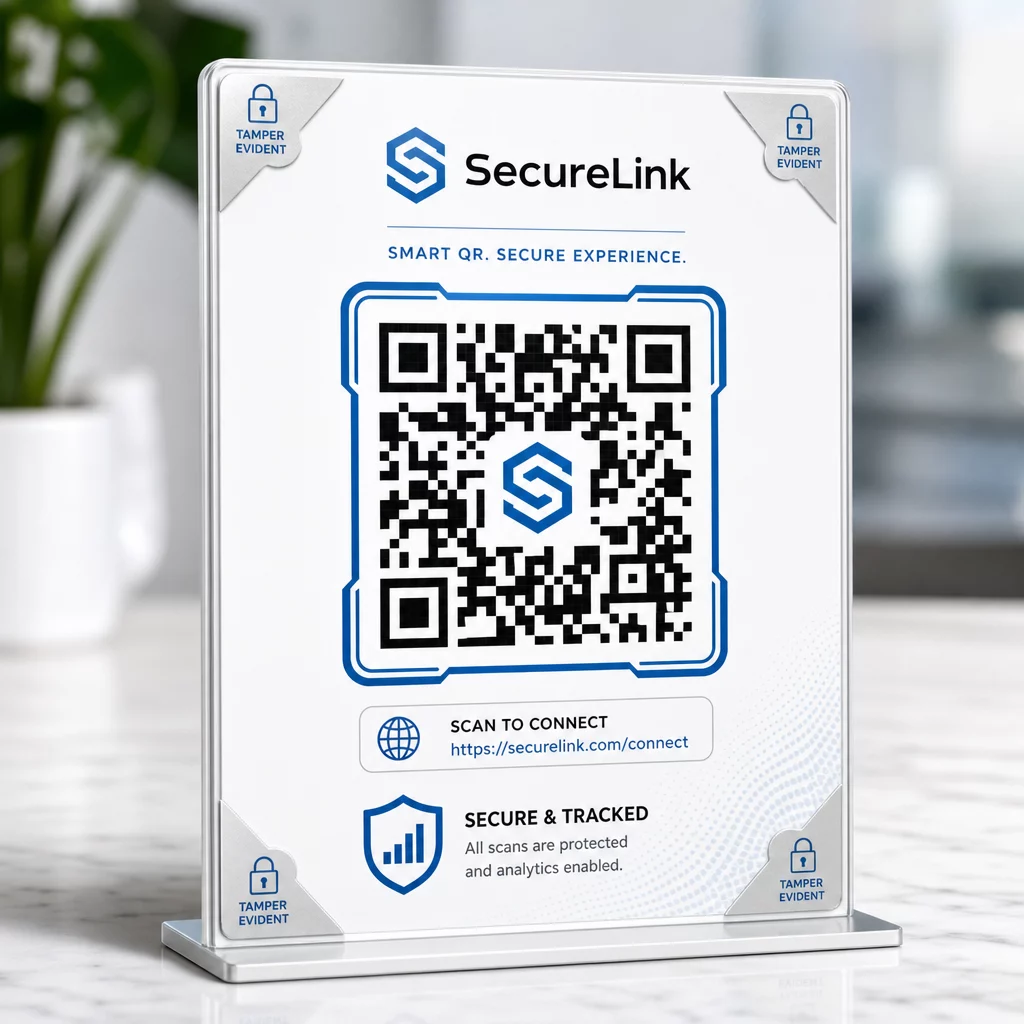
Utilisez des codes QR dynamiques au lieu de codes statiques. Contrairement aux codes statiques, les codes QR dynamiques peuvent être modifiés, surveillés et désactivés après avoir été imprimés. Si un code est altéré ou redirigé vers une destination malveillante, vous pouvez le mettre à jour ou le désactiver sans rien réimprimer. Les codes statiques, en revanche, sont permanents – si la destination est compromise, il n'y a aucun moyen de la corriger.
Appliquez une image de marque personnalisée à chaque code. Les codes avec votre logo, les couleurs de votre marque et votre identité visuelle sont beaucoup plus difficiles à reproduire de manière convaincante pour les criminels. Les codes de marque offrent également aux clients et aux employés un point de référence visuel – si un code ne semble pas correct, il se démarque. C'est une recommandation essentielle de bonnes pratiques de génération de codes QR sécurisés.
Liez toujours à des destinations HTTPS. Assurez-vous que chaque code QR que vous publiez mène à un site avec un certificat SSL valide. Évitez les destinations HTTP pour tout code utilisé dans les paiements, les flux de connexion ou la collecte de données.
Surveillez l'activité de scan pour détecter les anomalies. Les analyses en temps réel vous permettent de repérer des schémas inhabituels – des pics soudains de volume de scans, des anomalies géographiques ou des types d'appareils inattendus – qui peuvent indiquer qu'un code a été compromis ou remplacé. Outils de suivi de code QR peut vous alerter de ces signaux avant que des dommages importants ne soient causés.
Inspectez physiquement les codes déployés régulièrement. Planifiez des vérifications de routine de tous les codes QR affichés dans des lieux publics. Photographiez chaque code lors de sa première mise en place afin d'avoir une référence à laquelle comparer. Recherchez des signes d'autocollants superposés, de désalignement ou d'altération.
Protégez vos codes avec une surveillance en temps réel Vous voulez détecter une activité de scan suspecte avant qu'elle ne devienne un problème sérieux ? Utilisez le Générateur de QR code dynamique pour créer des codes modifiables et traçables avec des analyses intégrées – et mettez à jour ou désactivez instantanément tout code si quelque chose semble anormal.
Protégez vos clients au point de scan
Si votre entreprise affiche des codes QR pour les paiements, les menus ou les interactions avec les clients, prenez des mesures pour aider les clients à vérifier qu'ils scannent un code légitime :
- Affichez des instructions claires près de chaque code expliquant à quoi il mène et quelles informations les clients seront invités à fournir
- Ajoutez une marque visible et un nom de domaine afin que les clients puissent vérifier la destination avant d'interagir
- Fournissez une méthode alternative pour accéder aux mêmes informations (une URL directe, un menu imprimé, etc.) afin que les clients ne soient jamais contraints de scanner s'ils sont incertains
- Affichez des avis visibles encourageant les clients à signaler les codes suspects à votre équipe
Pour en savoir plus sur la réduction des risques liés aux codes QR dans les contextes de paiement, y compris des conseils spécifiques à l'industrie pour le commerce de détail et le commerce électronique, consultez le guide dédié à la sécurité des paiements.
En cas d'incident : Que faire
Si un employé ou un client signale un code QR potentiellement compromis, agissez immédiatement :
- Désactivez ou mettez à jour le code QR dynamique affecté afin qu'il ne dirige plus vers la destination malveillante
- Documentez l'incident et conservez les preuves pour l'enquête
- Informez les parties affectées afin qu'elles puissent surveiller leurs comptes et changer leurs mots de passe
- Signalez l'incident aux autorités compétentes – l'Internet Crime Complaint Center (IC3) du FBI pour la cyberfraude liée aux entreprises, et la FTC pour les escroqueries ciblant les consommateurs
- Examinez vos autres codes déployés pour vérifier s'il y a eu des altérations similaires
Avoir un plan de réponse aux incidents en place avant que quelque chose ne tourne mal est beaucoup moins coûteux que d'improviser sous pression.
Questions fréquentes
Le quishing est une forme d'hameçonnage qui utilise des codes QR au lieu de liens textuels pour diriger les victimes vers des sites web malveillants. Parce que l'URL malveillante est intégrée dans une image, elle contourne souvent les filtres de sécurité des e-mails qui détecteraient normalement les liens suspects en texte brut. Le résultat est le même – vol d'identifiants, de détails de paiement ou installation de logiciels malveillants – mais la méthode de livraison rend la détection plus difficile pour les outils automatisés comme pour les utilisateurs.
Recherchez des signes physiques tels que des autocollants placés sur des codes existants, un désalignement, des rayures ou une pixellisation. Vérifiez le contexte environnant – le code a-t-il une marque claire qui correspond à l'organisation ? L'URL de prévisualisation après la numérisation correspond-elle au domaine attendu et utilise-t-elle HTTPS ? Soyez particulièrement méfiant envers les codes accompagnés d'un langage urgent ou situés dans des endroits inhabituels sans explication claire. Il n'y a pas de différence visuelle dans le motif QR lui-même qui signale de manière fiable une intention malveillante, donc le contexte est primordial.
Les codes QR dynamiques peuvent être modifiés, surveillés et désactivés après avoir été imprimés – ainsi, si un code est compromis, vous pouvez le mettre à jour ou le désactiver immédiatement sans réimpression. Ils fournissent également des analyses de scan en temps réel, vous permettant de détecter des activités anormales telles que des scans géographiques inattendus ou des pics de volume soudains. Les codes QR statiques ont une destination fixe qui ne peut pas être modifiée, ce qui signifie que toute compromission nécessite la création et le redéploiement d'un code entièrement nouveau, sans aucun moyen de récupérer ce qui a déjà été distribué.