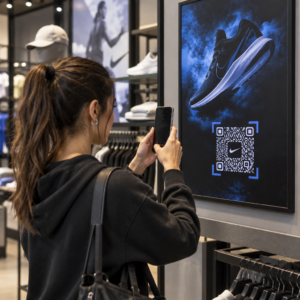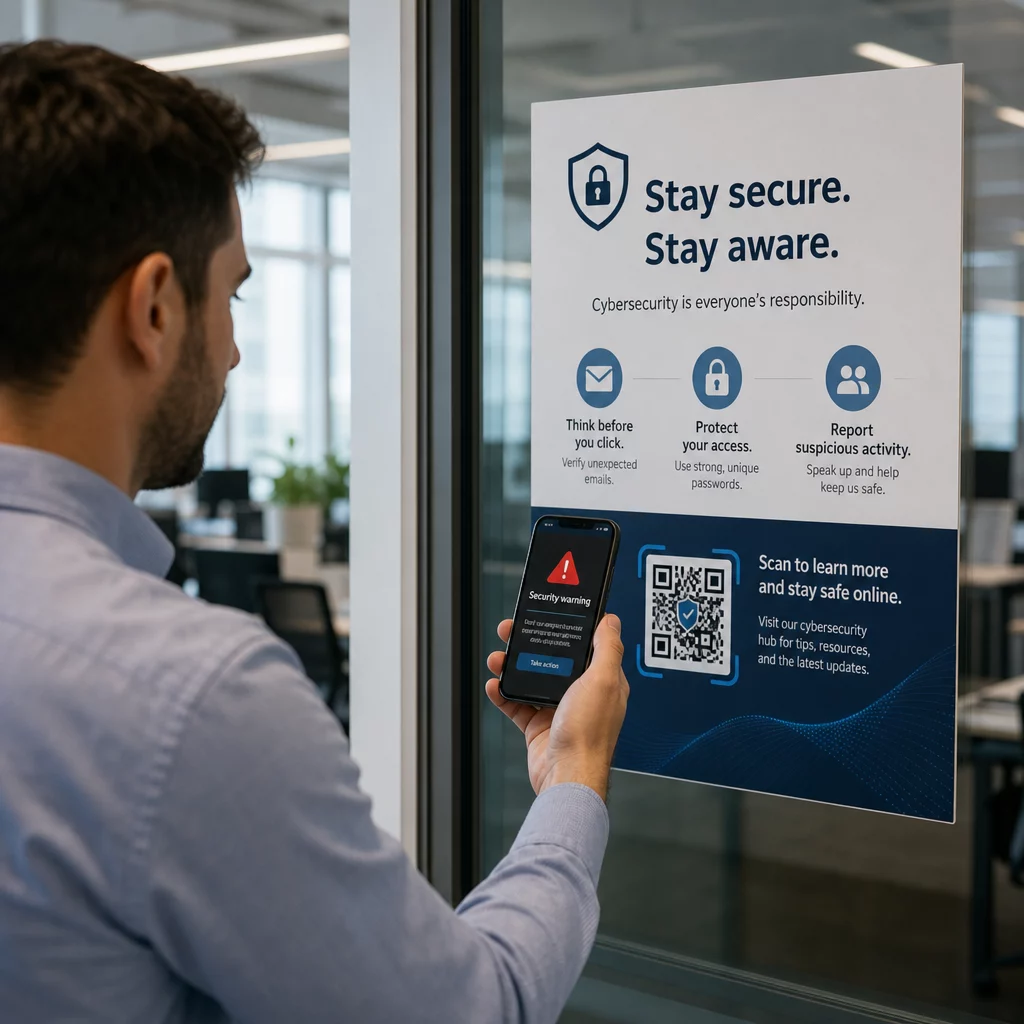
1. Kas QR-koodid seavad teie ettevõtte ohtu? Petturlikud QR-koodid on üha tavalisem küberkurjategijate tööriist, mis sihib igas suuruses ettevõtteid – ja enamik töötajaid ei tea, kuidas neid ära tunda. See juhend selgitab, kuidas QR-koodi pettused toimivad, milliseid hoiatusmärke otsida ja milliseid konkreetseid samme teie ettevõte saab kaitstuna püsimiseks astuda.
2. Miks QR-koodi pettused on kasvav ärioht
3. QR-koodid on muutunud äritegevuse rutiinseks osaks – maksed, menüüd, turundusmaterjalid, üritustele registreerimine ja palju muud. Just see tuttavlikkus teebki need kurjategijatele atraktiivseks.
4. Seda tüüpi rünnakut tuntakse kui 5. quishing 6. (QR-koodi andmepüük). Petturid loovad või muudavad QR-koode, et suunata inimesi petturlikele veebisaitidele, mis on loodud sisselogimisandmete, makseandmete või muu tundliku teabe varastamiseks – või pahavara vaikseks installimiseks nende seadmesse.
7. Ulatus on märkimisväärne. Ajavahemikul mai ja juuli 2023 kasvas Microsofti sisselogimisandmetele suunatud QR-koodi andmepüügi kampaania enam kui 2400%. Aastate 2023 Q4 ja 2024 Q1 vaheliste trendide analüüs leidis QR-koodi andmepüügi viidete 433% kasvu. Juhid on eriti ohustatud, saades 42 korda rohkem QR-koodi rünnakuid kui teised töötajad, kuna neil on laiem juurdepääs ettevõtte ressurssidele.
8. Ükski tööstusharu pole immuunne. Energia-, tootmis-, kindlustus-, tehnoloogia- ja finantsteenuste sektorid on kõik olnud dokumenteeritud kampaaniate sihtmärgiks. Üksainus töötaja, kes skannib vale koodi, võib avada ukse sisselogimisandmete vargusele, finantspettusele või täielikule võrgu rikkumisele.
9. Kuidas QR-koodi pettused ettevõtteid sihivad
10. Kurjategijate kasutatavate meetodite mõistmine on esimene samm tõhusa kaitse loomisel. Quishing-rünnakud järgivad üldjuhul ühte mitmest mustrist:
11. Andmepüügi e-kirjad manustatud QR-koodidega. 12. Ründajad saadavad e-kirju, mis sisaldavad QR-koode, mis suunavad vastuvõtjad veenvatele võltsitud sisselogimislehtedele – sageli jäljendades Microsoft 365, pangaportaale või sisesüsteeme. Kuna pahatahtlik link on peidetud pildi sisse, mitte sisestatud tekstina, ei suuda paljud e-posti turvafiltrid seda tabada.
13. Füüsiline koodi asendamine. 14. Kurjategijad prindivad petturlikke QR-koodi kleebiseid ja asetavad need siltidele, makseterminalidele, menüüdele, parkimismõõturitele või toote pakenditele. Ohvrid skannivad seda, mis näib olevat ametlik kood, ja suunatakse võltsitud saidile. Texase osariigis Austinis avastas politsei 29 võltsitud QR-koodi, mis olid paigutatud linna parkimismõõturitele. Ühendkuningriigis Yorkis, 15. võltsitud QR-koodid parkimissiltidel suunasid autojuhid kloonitud maksesaitidele, kusjuures mõned ohvrid kaotasid kuni 400 naela.
Soovimatud pakid ja post. Ameerika Ühendriikide Postiinspektsiooni Teenistus hoiatab, et petturid saadavad ootamatuid pakke, mis sisaldavad väikeseid kingitusi koos QR-koodidega, paludes saajatel koodi skaneerida eseme “registreerimiseks”. Skaneerimine viib võltsitud saidile, mis küsib isiklikke või finantsandmeid.
Usaldusväärsete organisatsioonide imitatsioon. Ründajad maskeerivad end valitsusasutusteks, pankadeks, kullerteenusteks või teisteks tuntud ettevõteteks, et tekitada kiireloomulisust ja alandada sihtmärgi valvsust enne QR-koodi skaneerimist.
Petturliku QR-koodi hoiatavad märgid
QR-mustris endas puudub usaldusväärne visuaalne erinevus, mis eristaks järjepidevalt pahatahtlikku koodi legitiimsest. Selle asemel peab teie meeskond hindama koodi ümbritsevat konteksti ja käitumist. Koolitage töötajaid käsitlema järgmist punaste lippudena:
- Füüsilise manipuleerimise märgid: Kood ilmub kleebisena, on teibitud, näeb välja kriimustatud või pikseldatud, on valesti joondatud või on selgelt paigutatud teise trükitud koodi peale.
- Puudub selge kontekst või bränding: Kood ilmub juhuslikul pinnal, selle otstarvet ei selgitata või puudub järjepidev bränding organisatsioonilt, mida see väidab esindavat.
- Kiireloomuline või survet avaldav keel: Ümbritsev tekst nõuab kohest tegevust, makset või sisselogimist ilma selge legitiimse põhjuseta.
- Brändingu ebakõlad: Kirjavead, sobimatud logod, ebatavalised värvid või disain, mis ei vasta organisatsiooni tavapärasele välimusele.
- Kahtlane eelvaate URL: Pärast skaneerimist ei vasta kuvatav URL oodatavale domeenile, on lühendatud, on valesti kirjutatud või puudub HTTPS (brauseris puudub tabaluku ikoon).
- Ootamatud tundliku teabe päringud: Leht küsib paroole, makseandmeid või isikuandmeid ilma selge ja oodatud põhjuseta.
- Soovimatu kohaletoimetamine: QR-kood saabus e-kirja, tekstisõnumi või pakina, mida te ei oodanud – eriti koos sõnumiga, mis kutsus teid kiiresti tegutsema.
Kompromiteeritud koodide tuvastamise sügavama ülevaate saamiseks on küberturvalisuse QR-koodide parimate tavade juhend hõlmab üksikasjalikult tuvastamist ja intsidentidele reageerimist.
Kuidas kaitsta oma ettevõtet: praktiline kontrollnimekiri
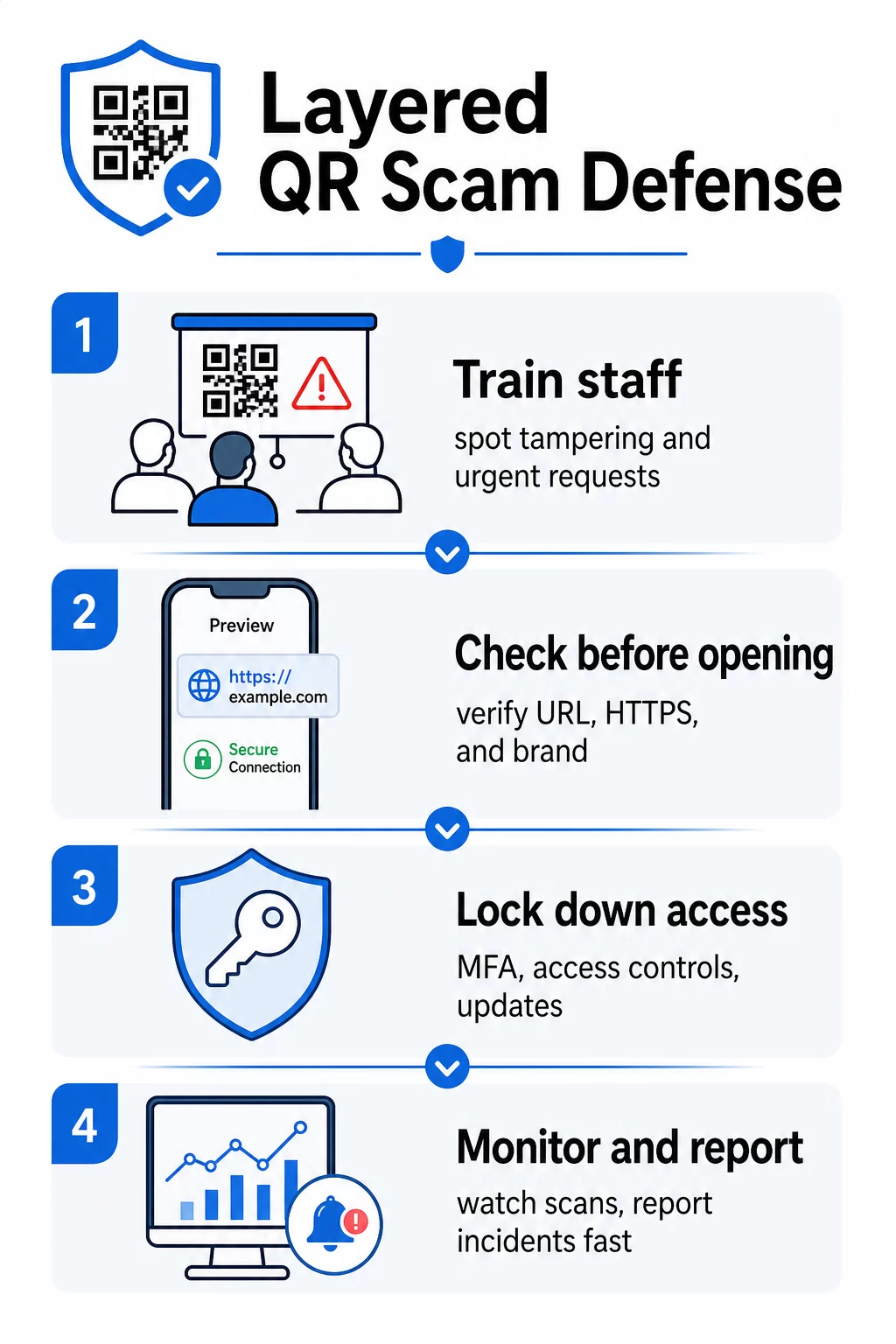
Oma organisatsiooni kaitsmine QR-koodi pettuste eest nõuab mitmekihilist kaitset – ükski meede pole iseenesest piisav. FBI soovitab mitmekihilist strateegiat, mis ühendab töötajate koolituse, tehnilised kontrollid, tugeva autentimise ja pideva jälgimise.
Koolitage töötajaid quishingut ära tundma
Inimlik viga jääb QR-koodi rünnakutes kõige enam ära kasutatud haavatavuseks. Regulaarne ja praktiline koolitus peaks hõlmama järgmist:
- Mitte kunagi skannida QR-koode ootamatutest e-kirjadest, tekstisõnumitest, pakenditest või flaieritest – isegi kui need näivad pärinevat usaldusväärsest allikast
- Alati eelvaadata URL-i enne selle avamist pärast skannimist ja kontrollida õigekirjavigu, sobimatuid domeene või puuduvat HTTPS-i
- Füüsiliselt kontrollida QR-koode töökohal rikkumise märkide suhtes, eriti makseterminalidel, siltidel või trükistel
- Kontrollida QR-koodi allikat eraldi, usaldusväärse kanali kaudu enne mis tahes mandaatide või makseandmete sisestamist
- Teatada kahtlastest QR-koodidest viivitamatult selge sisemise eskaleerimisprotsessi kaudu
FBI soovitab konkreetselt luua ametlikud sisemised protokollid kahtlaste koodide teatamiseks, et intsidente saaks kiiresti eskaleerida ja lahendada.
Rakendage tugevat autentimist ja juurdepääsukontrolle
Quishing-rünnakute kaudu varastatud mandaadid võivad tõsist kahju tekitada ainult siis, kui need annavad kontrollimatu juurdepääsu. FBI ja küberturvalisuse ametiasutused soovitavad:
- Nõudes õngitsemiskindel mitmefaktoriline autentimine (MFA) kõigi kaugjuurdepääsude ja tundlike süsteemide jaoks
- Rollipõhiste juurdepääsukontrollide rakendamine, et töötajad pääseksid ligi ainult oma rolliga seotud süsteemidele ja andmetele
- Kaaludes nullusaldusstrateegiat, mis pidevalt kontrollib juurdepääsutaotlusi, selle asemel et anda üldine võrgu usaldus
Hoidke süsteemid ja tarkvara ajakohasena
Tehnilised kaitsemeetmed vähendavad kurjategijatele kättesaadavat rünnakupinda. Veenduge, et teie organisatsioon säilitab:
- Ajakohased operatsioonisüsteemid, viirusetõrjetarkvara ja turvapaigad kõigil seadmetel
- Aktiivsed rämpsposti- ja veebifiltrid e-posti ja võrgusüsteemides
- Tugevad paroolinõuded kõigil kontodel
FTC soovitab telefonide operatsioonisüsteeme uuendada spetsiaalselt QR-koodi kaudu leviva pahavara eest kaitsmiseks.
Turvake QR-koodid, mida teie ettevõte loob ja kasutusele võtab
Teie enda QR-koodid võivad muutuda pettusevektoriteks, kui neid ei hallata korralikult. Oma koodide kontrolli alla võtmine on üks otsesemaid viise kaitsta nii oma kliente kui ka oma mainet.
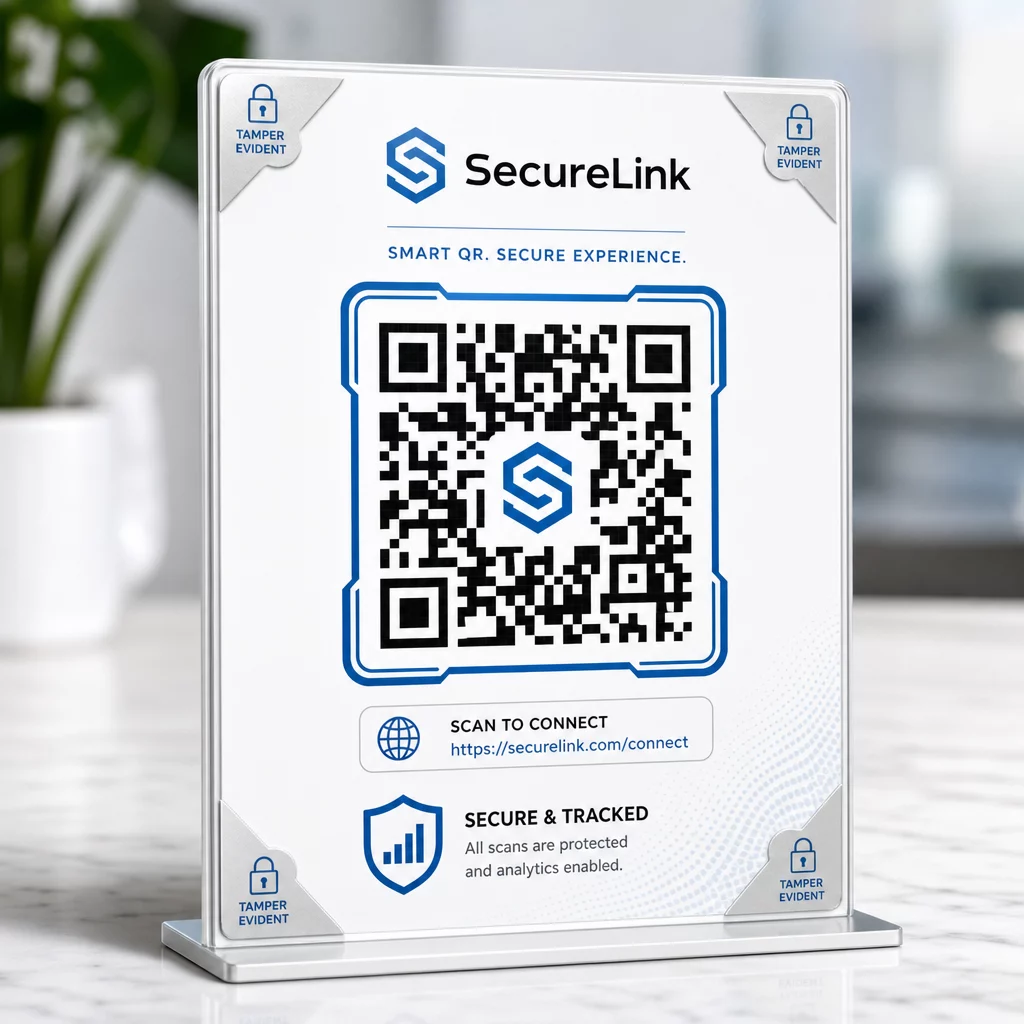
Kasutage staatiliste asemel dünaamilisi QR-koode. Erinevalt staatilistest koodidest, dünaamilised QR-koodid saab neid pärast printimist redigeerida, jälgida ja deaktiveerida. Kui koodi on rikutud või see on suunatud pahatahtlikule sihtkohale, saate seda värskendada või keelata ilma midagi uuesti printimata. Staatilised koodid on seevastu püsivad – kui sihtkoht on kompromiteeritud, ei ole seda võimalik parandada.
Rakendage igale koodile kohandatud bränding. Teie logo, brändivärvide ja visuaalse identiteediga koode on kurjategijatel oluliselt raskem veenvalt kopeerida. Bränditud koodid annavad klientidele ja töötajatele ka visuaalse võrdluspunkti – kui kood ei näe õige välja, torkab see silma. See on põhisooovitus alates turvalise QR-koodi loomise parimad tavad.
Linkige alati HTTPS-sihtkohtadele. Veenduge, et iga avaldatud QR-kood viib kehtiva SSL-sertifikaadiga saidile. Vältige HTTP-sihtkohti mis tahes koodide puhul, mida kasutatakse maksetes, sisselogimisvoogudes või andmete kogumisel.
Jälgige skannimistegevust anomaaliate suhtes. Reaalajas analüütika võimaldab teil märgata ebatavalisi mustreid – äkilisi skannimismahu hüppeid, geograafilisi anomaaliaid või ootamatuid seadmetüüpe –, mis võivad viidata koodi kompromiteerimisele või asendamisele. QR-koodi jälgimise tööriistad saab teid nende signaalide eest hoiatada enne, kui märkimisväärne kahju on tehtud.
Kontrollige regulaarselt paigaldatud koode füüsiliselt. Planeerige rutiinsed kontrollid kõikidele avalikes kohtades kuvatavatele QR-koodidele. Pildistage iga koodi esmakordsel paigaldamisel, et teil oleks võrdluspunkt. Otsige märke ülekattekleepsudest, valest joondusest või rikkumisest.
Kaitske oma koode reaalajas jälgimisega Kas soovite tuvastada kahtlast skannimistegevust enne, kui sellest saab tõsine probleem? Kasutage Dünaamilise QR koodi generaator et luua redigeeritavaid, jälgitavaid koode sisseehitatud analüütikaga – ja värskendada või keelata mis tahes koodi koheselt, kui midagi tundub valesti olevat.
Kaitske oma kliente skannimispunktis
Kui teie ettevõte kuvab QR-koode maksete, menüüde või kliendisuhtluse jaoks, astuge samme, et aidata klientidel veenduda, et nad skaneerivad legitiimset koodi:
- Kuvage iga koodi lähedal selged juhised, mis selgitavad, kuhu see viib ja millist teavet klientidelt küsitakse
- Lisage nähtav bränding ja domeeninimi, et kliendid saaksid sihtkoha enne interaktsiooni kontrollida
- Pakkuge alternatiivset meetodit sama teabe juurde pääsemiseks (otsene URL, prinditud menüü jne), et kliendid ei oleks kunagi sunnitud skaneerima, kui nad on ebakindlad
- Postitage nähtavad teated, mis julgustavad kliente kahtlastest koodidest teie meeskonnale teatama
Lisateavet vähendamise kohta QR-koodi riskid maksekontekstides, sealhulgas valdkonnaspetsiifilised juhised jaekaubanduse ja e-kaubanduse jaoks, leiate spetsiaalsest makseturvalisuse juhendist.
Kui intsident juhtub: mida teha
Kui töötaja või klient teatab potentsiaalselt kompromiteeritud QR-koodist, tegutsege koheselt:
- Keelake või värskendage mõjutatud dünaamiline QR-kood, et see ei suunaks enam pahatahtlikule sihtkohale
- Dokumenteerige intsident ja säilitage tõendid uurimiseks
- Teavitage mõjutatud osapooli, et nad saaksid kontosid jälgida ja paroole muuta
- Teatage intsidendist asjaomastele ametiasutustele – FBI Internetikuritegevuse Kaebuste Keskusele (IC3) äriga seotud küberpettuste ja FTC-le tarbijatele suunatud pettuste kohta
- Vaadake üle oma teised kasutusel olevad koodid, et kontrollida sarnast rikkumist
Intsidentidele reageerimise plaani olemasolu enne, kui midagi valesti läheb, on palju odavam kui surve all improviseerimine.
Korduma kippuvad küsimused
Quishing on andmeõngitsus, mis kasutab QR-koode tekstipõhiste linkide asemel, et suunata ohvreid pahatahtlikele veebisaitidele. Kuna pahatahtlik URL on pildile manustatud, möödub see sageli e-posti turvafiltritest, mis tavaliselt püüaksid kahtlased lingid lihttekstis kinni. Tulemus on sama – varastatud mandaadid, makseandmed või pahavara installimine – kuid edastusviis muudab selle tuvastamise raskemaks nii automatiseeritud tööriistadele kui ka kasutajatele.
Otsige füüsilisi märke, nagu olemasolevate koodide peale kleebitud kleepsud, vale joondus, kriimustused või pikselatsioon. Kontrollige ümbritsevat konteksti – kas koodil on selge bränding, mis vastab organisatsioonile? Kas eelvaate URL pärast skannimist vastab oodatud domeenile ja kasutab HTTPS-i? Olge eriti kahtlustav koodide suhtes, millega kaasneb kiireloomuline keel või mis asuvad ebatavalistes kohtades ilma selge selgituseta. QR-mustris endas ei ole visuaalset erinevust, mis usaldusväärselt viitaks pahatahtlikule kavatsusele, seega on kontekst kõik.
Dünaamilisi QR-koode saab pärast printimist muuta, jälgida ja deaktiveerida – nii et kui kood on kompromiteeritud, saate seda kohe uuendada või keelata ilma uuesti printimata. Need pakuvad ka reaalajas skaneerimisanalüüsi, mis võimaldab teil tuvastada anomaalset tegevust, nagu ootamatud geograafilised skaneeringud või äkilised mahuhüpped. Staatilistel QR-koodidel on fikseeritud sihtkoht, mida ei saa muuta, mis tähendab, et iga kompromiss nõuab täiesti uue koodi loomist ja uuesti juurutamist, ilma võimaluseta taastada seda, mis oli juba levitatud.