1. Setter QR-koder virksomheten din i fare? Svindelaktige QR-koder er et stadig vanligere verktøy for cyberkriminelle som retter seg mot selskaper i alle størrelser – og de fleste ansatte vet ikke hvordan de skal oppdage dem. Denne guiden forklarer hvordan QR-kodesvindel fungerer, hvilke advarselstegn du skal se etter, og de spesifikke trinnene virksomheten din kan ta for å holde seg beskyttet.
2. Hvorfor QR-kodesvindel er en voksende trussel mot virksomheter
3. QR-koder har blitt en rutinemessig del av forretningsdriften – betalinger, menyer, markedsføringsmateriell, innsjekkinger til arrangementer og mer. Denne kjennskapen er nettopp det som gjør dem attraktive for kriminelle.
4. Denne typen angrep er kjent som 5. quishing 6. (QR-kode-phishing). Svindlere lager eller manipulerer QR-koder for å omdirigere folk til svindelaktige nettsteder designet for å stjele påloggingsinformasjon, betalingsdetaljer eller andre sensitive data – eller for å installere skadelig programvare stille på enheten deres.
7. Omfanget er betydelig. Mellom mai og juli 2023 vokste en QR-kode-phishing-kampanje rettet mot Microsoft-legitimasjon med mer enn 2 400 %. Analyse av trender mellom Q4 2023 og Q1 2024 fant en økning på 433 % i referanser til QR-kode-phishing. Ledere er spesielt utsatt, og mottar 42 ganger flere QR-kodeangrep enn andre ansatte på grunn av deres bredere tilgang til selskapets ressurser.
8. Ingen bransje er immun. Energi, produksjon, forsikring, teknologi og finansielle tjenester har alle blitt målrettet i dokumenterte kampanjer. En enkelt ansatt som skanner feil kode kan åpne døren for tyveri av legitimasjon, økonomisk svindel eller et fullstendig nettverksbrudd.
9. Hvordan QR-kodesvindel retter seg mot virksomheter
10. Å forstå metodene kriminelle bruker er det første skrittet mot å bygge et effektivt forsvar. Quishing-angrep følger vanligvis ett av flere mønstre:
11. Phishing-e-poster med innebygde QR-koder. 12. Angripere sender e-poster som inneholder QR-koder som leder mottakere til overbevisende falske påloggingssider – ofte etterligner de Microsoft 365, bankportaler eller interne systemer. Fordi den ondsinnede lenken er skjult inne i et bilde i stedet for å være skrevet som tekst, klarer mange e-postsikkerhetsfiltre ikke å fange den opp.
13. Fysisk kodeutskifting. 14. Kriminelle skriver ut svindelaktige QR-kodeklistremerker og plasserer dem over legitime koder på skilting, betalingsterminaler, menyer, parkeringsautomater eller produktemballasje. Ofre skanner det som ser ut til å være en offisiell kode og blir omdirigert til et falskt nettsted. I Austin, Texas, oppdaget politiet 29 falske QR-koder plassert på byens parkeringsautomater. I York, Storbritannia, 15. falske QR-koder på parkeringsskilting omdirigerte sjåfører til klonede betalingssider, der noen ofre tapte opptil £400., with some victims losing up to £400.
Uønskede pakker og post. United States Postal Inspection Service advarer om at svindlere sender uventede pakker som inneholder små gaver sammen med QR-koder, og ber mottakere om å skanne koden for å “registrere” varen. Skanning fører til et forfalsket nettsted som ber om personlige eller økonomiske detaljer.
Utgir seg for å være pålitelige organisasjoner. Angripere forkler seg som offentlige etater, banker, leveringstjenester eller andre kjente selskaper for å skape en følelse av hast og senke målets forsvar før QR-koden skannes.
Advarselstegn på en svindel-QR-kode
Det er ingen pålitelig visuell forskjell i selve QR-mønsteret som konsekvent skiller en ondsinnet kode fra en legitim. I stedet må teamet ditt evaluere konteksten og oppførselen rundt koden. Tren ansatte til å behandle følgende som røde flagg:
- Tegn på fysisk tukling: Koden fremstår som et klistremerke, er teipet på, ser ripet eller pikselert ut, er feiljustert, eller er tydelig plassert over en annen trykt kode.
- Ingen klar kontekst eller merkevarebygging: Koden vises på en tilfeldig overflate, har ingen forklaring på formålet, eller mangler konsekvent merkevarebygging fra organisasjonen den hevder å representere.
- Presserende eller høytrykkspråk: Omgivende tekst krever umiddelbar handling, betaling eller pålogging uten en klar legitim grunn.
- Merkevareinkonsistenser: Feilstavinger, uoverensstemmende logoer, uvanlige farger, eller et design som ikke samsvarer med organisasjonens normale utseende.
- En mistenkelig forhåndsvisnings-URL: Etter skanning samsvarer ikke URL-en som vises med det forventede domenet, er forkortet, er feilstavet, eller mangler HTTPS (ingen hengelåsikon i nettleseren).
- Uventede forespørsler om sensitiv informasjon: Siden ber om passord, betalingsdetaljer eller personlige data uten en klar, forventet grunn.
- Uoppfordret levering: QR-koden ankom i en e-post, tekstmelding eller pakke du ikke forventet – spesielt med en melding som oppfordret deg til å handle raskt.
For en dypere titt på identifisering av kompromitterte koder, er veiledningen for beste praksis for QR-kodesikkerhet i cyberforsvar dekker deteksjon og hendelsesrespons i detalj.
Slik beskytter du bedriften din: En praktisk sjekkliste
Å beskytte organisasjonen din mot QR-kode-svindel krever lagdelte forsvar – ingen enkelt tiltak er nok alene. FBI anbefaler en flerlagsstrategi som kombinerer ansattopplæring, tekniske kontroller, sterk autentisering og kontinuerlig overvåking.
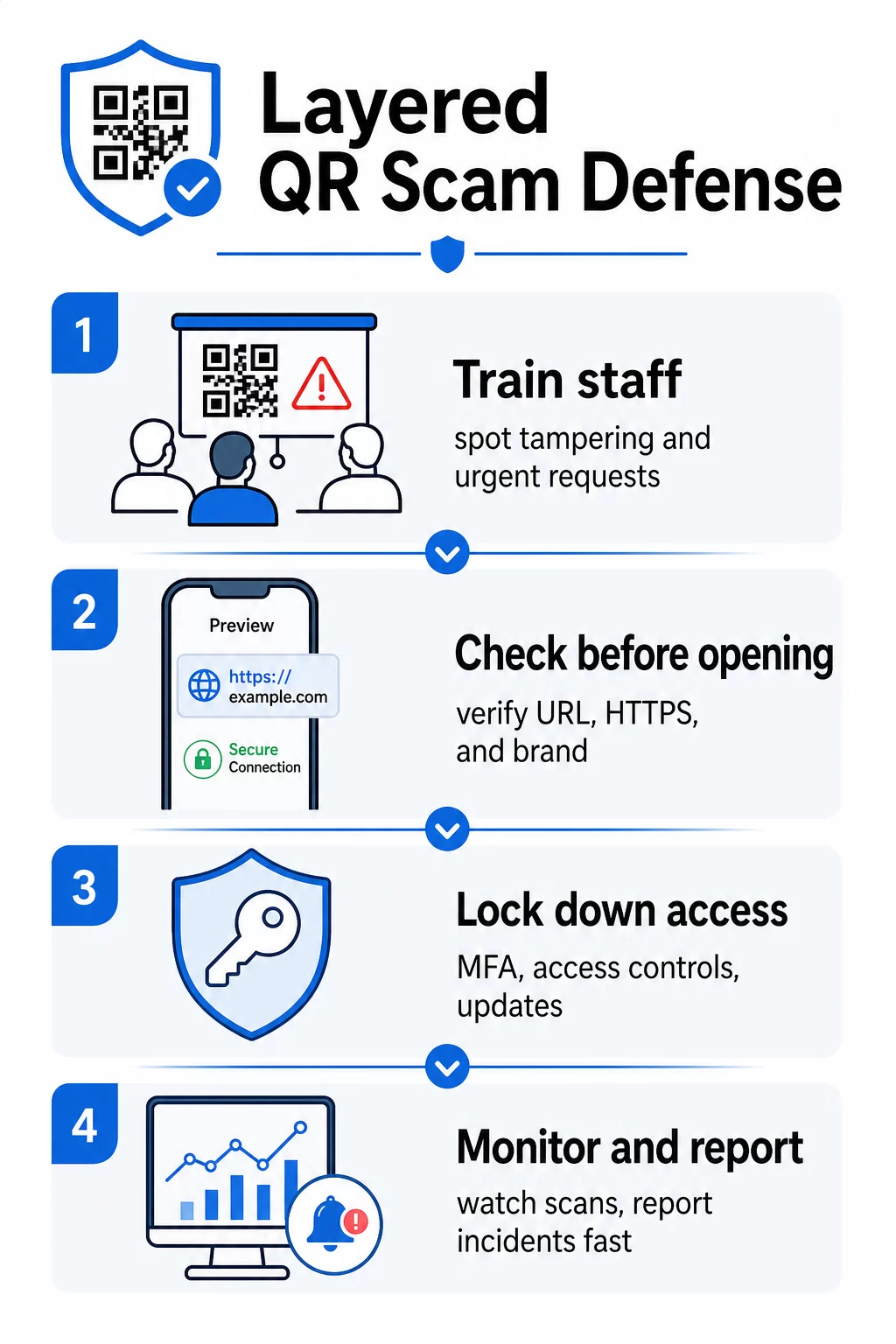
Tren ansatte til å gjenkjenne quishing
Menneskelig feil forblir den mest utnyttede sårbarheten i QR-kodeangrep. Regelmessig, praktisk opplæring bør dekke:
- Aldri skanne QR-koder fra uventede e-poster, tekstmeldinger, pakker eller flygeblader – selv om de ser ut til å komme fra en pålitelig kilde
- Alltid forhåndsvise URL-en før du åpner den etter skanning, og sjekke for stavefeil, feilaktige domener eller manglende HTTPS
- Fysisk inspisere QR-koder på arbeidsplassen for tegn på tukling, spesielt på betalingsterminaler, skilting eller trykt materiale
- Verifisere kilden til en QR-kode gjennom en separat, pålitelig kanal før du legger inn legitimasjon eller betalingsinformasjon
- Rapportere mistenkelige QR-koder umiddelbart gjennom en klar intern eskaleringsprosess
FBI anbefaler spesifikt å etablere formelle interne protokoller for rapportering av mistenkelige koder slik at hendelser raskt kan eskaleres og håndteres.
Implementer sterk autentisering og tilgangskontroller
Legitimasjon stjålet gjennom quishing-angrep kan bare forårsake alvorlig skade hvis de gir ukontrollert tilgang. FBI og cybersikkerhetsmyndigheter anbefaler:
- Kreve phishing-resistent flerfaktorautentisering (MFA) for all fjernaksess og sensitive systemer
- Bruke rollebaserte tilgangskontroller slik at ansatte kun får tilgang til systemer og data som er relevante for deres rolle
- Vurdere en nulltillitsstrategi som kontinuerlig verifiserer tilgangsforespørsler i stedet for å gi generell nettverkstillit
Hold systemer og programvare oppdatert
Tekniske sikkerhetstiltak reduserer angrepsflaten tilgjengelig for kriminelle. Sørg for at organisasjonen din opprettholder:
- Oppdaterte operativsystemer, antivirusprogramvare og sikkerhetsoppdateringer på alle enheter
- Aktive spam- og nettfiltre på e-post- og nettverkssystemer
- Sterke passordkrav på tvers av alle kontoer
FTC anbefaler å oppdatere telefonens operativsystemer spesifikt for å beskytte mot skadelig programvare levert via QR-kode.
Sikre QR-kodene bedriften din lager og distribuerer
Dine egne QR-koder kan bli vektorer for svindel hvis de ikke blir riktig administrert. Å ta kontroll over kodene dine er en av de mest direkte måtene å beskytte både kundene dine og omdømmet ditt på.
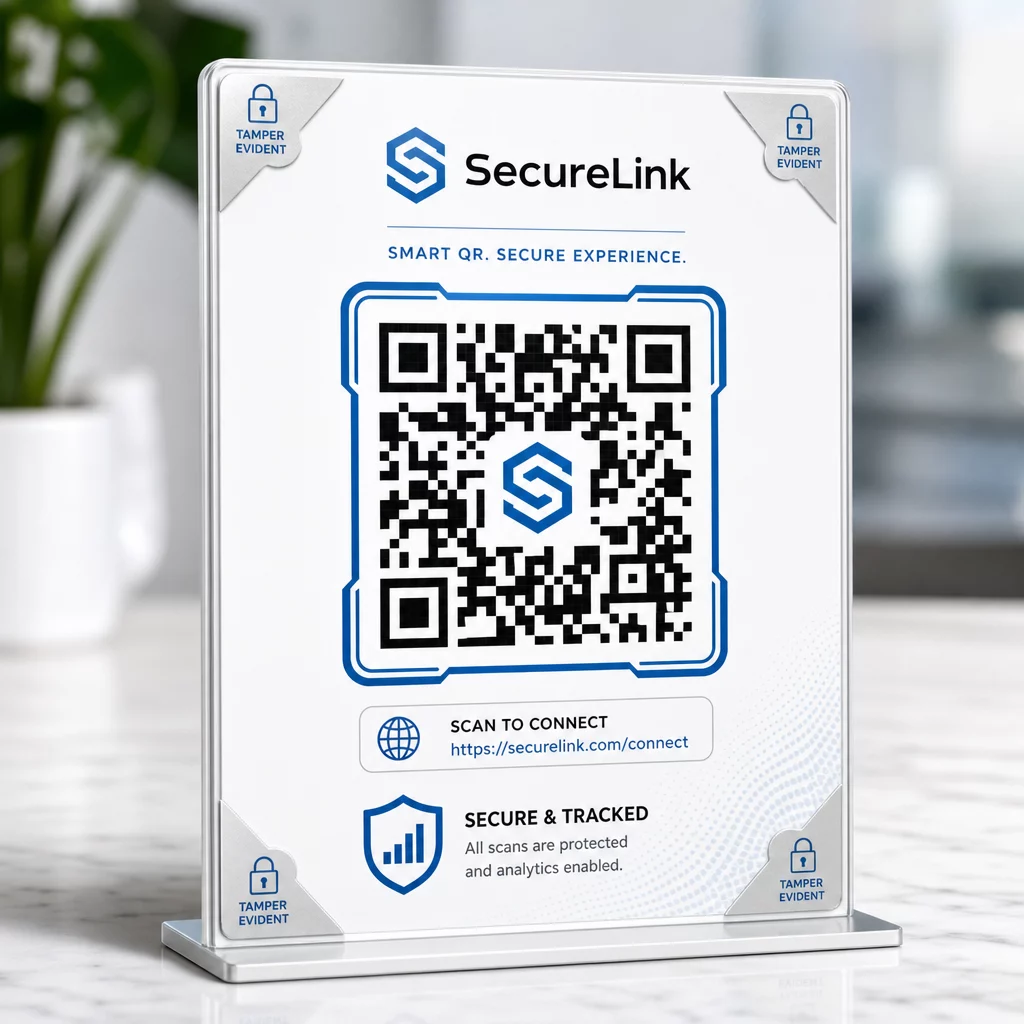
Bruk dynamiske QR-koder i stedet for statiske. I motsetning til statiske koder, dynamiske QR-koder kan redigeres, overvåkes og deaktiveres etter at de er skrevet ut. Hvis en kode er tuklet med eller omdirigert til en ondsinnet destinasjon, kan du oppdatere eller deaktivere den uten å skrive ut noe på nytt. Statiske koder er derimot permanente – hvis destinasjonen er kompromittert, er det ingen måte å rette det på.
Bruk tilpasset merkevarebygging på hver kode. Koder med din logo, merkevarefarger og visuelle identitet er betydelig vanskeligere for kriminelle å overbevisende kopiere. Merkevarekoder gir også kunder og ansatte et visuelt referansepunkt – hvis en kode ikke ser riktig ut, skiller den seg ut. Dette er en kjerneanbefaling fra sikker QR-kodegenerering beste praksis.
Lenk alltid til HTTPS-destinasjoner. Sørg for at hver QR-kode du publiserer fører til et nettsted med et gyldig SSL-sertifikat. Unngå HTTP-destinasjoner for koder som brukes i betalinger, påloggingsflyter eller datainnsamling.
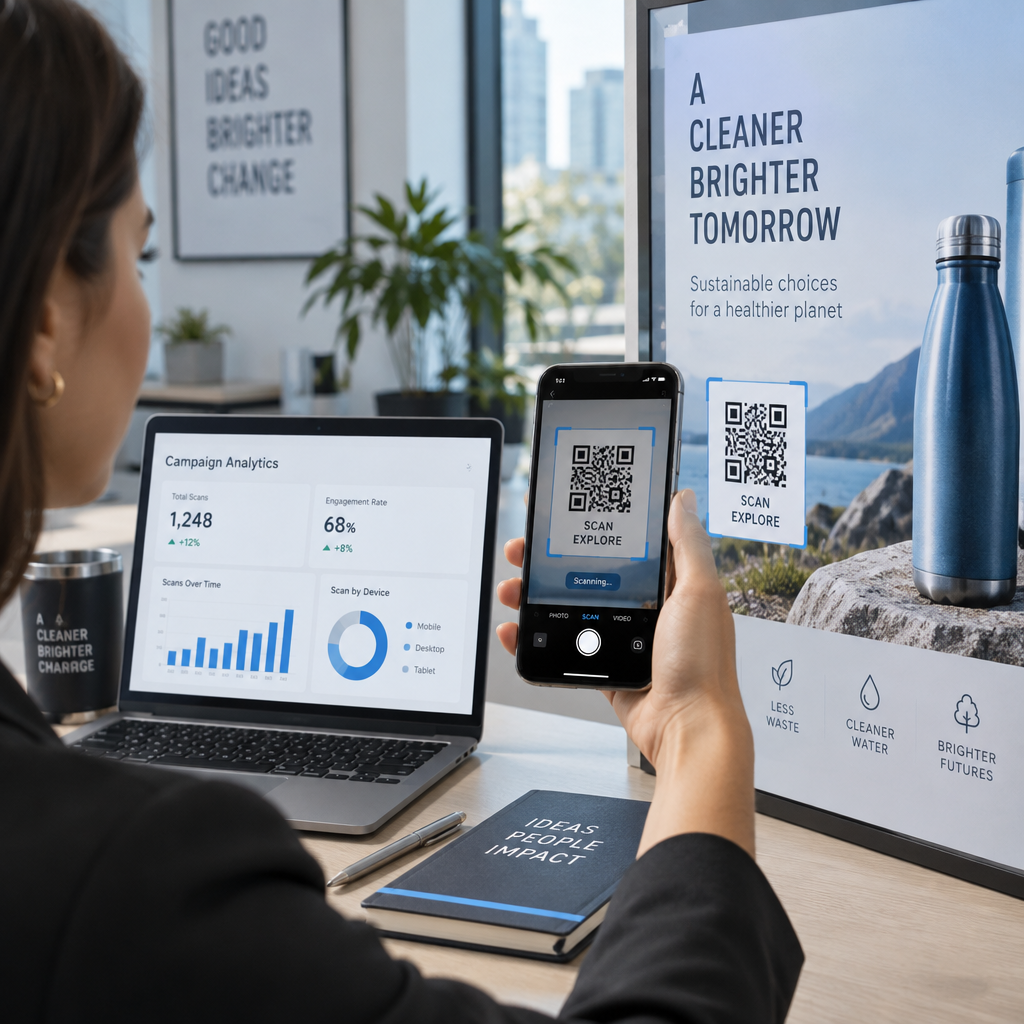
Overvåk skanneaktivitet for avvik. Sanntidsanalyse lar deg oppdage uvanlige mønstre – plutselige topper i skannevolum, geografiske avvik eller uventede enhetstyper – som kan indikere at en kode er kompromittert eller erstattet. Verktøy for sporing av QR-koder kan varsle deg om disse signalene før betydelig skade er skjedd.
Inspiser utplasserte koder fysisk regelmessig. Planlegg rutinemessige kontroller av alle QR-koder som vises på offentlige steder. Fotografer hver kode når den først plasseres, slik at du har en referanse å sammenligne med. Se etter tegn på overleggsklistremerker, feiljustering eller tukling.
Beskytt kodene dine med sanntidsovervåking Vil du oppdage mistenkelig skanneaktivitet før det blir et alvorlig problem? Bruk Dynamisk QR-kode generator for å lage redigerbare, sporbare koder med innebygd analyse – og oppdater eller deaktiver enhver kode umiddelbart hvis noe ser galt ut.
Beskytt kundene dine ved skannepunktet
Hvis bedriften din viser QR-koder for betalinger, menyer eller kundeinteraksjoner, ta skritt for å hjelpe kunder med å verifisere at de skanner en legitim kode:
- Vis tydelige instruksjoner nær hver kode som forklarer hva den fører til og hvilken informasjon kunder vil bli bedt om å oppgi
- Legg til synlig merkevarebygging og et domenenavn slik at kunder kan verifisere destinasjonen før de interagerer
- Gi en alternativ metode for å få tilgang til samme informasjon (en direkte URL, en trykt meny osv.) slik at kunder aldri blir tvunget til å skanne hvis de er usikre
- Heng opp synlige oppslag som oppfordrer kunder til å rapportere mistenkelige koder til teamet ditt
For mer om å redusere QR-koderisikoer i betalingssammenhenger, inkludert bransjespesifikk veiledning for detaljhandel og e-handel, se den dedikerte veiledningen for betalingssikkerhet.
Når en hendelse inntreffer: Hva du skal gjøre
Hvis en ansatt eller kunde rapporterer en potensielt kompromittert QR-kode, handle umiddelbart:
- Deaktiver eller oppdater den berørte dynamiske QR-koden slik at den ikke lenger leder til den ondsinnede destinasjonen
- Dokumenter hendelsen og bevar bevis for etterforskning
- Varsle berørte parter slik at de kan overvåke kontoer og endre passord
- Rapporter hendelsen til relevante myndigheter – FBIs Internet Crime Complaint Center (IC3) for forretningsrelatert nettsvindel, og FTC for forbrukerfokuserte svindler
- Gjennomgå dine andre utplasserte koder for å sjekke for lignende tukling
Å ha en hendelsesresponsplan på plass før noe går galt er langt mindre kostbart enn å improvisere under press.
Ofte stilte spørsmål
Quishing er nettfisking som bruker QR-koder i stedet for tekstbaserte lenker for å lede ofre til ondsinnede nettsteder. Fordi den ondsinnede URL-en er innebygd i et bilde, omgår den ofte e-postsikkerhetsfiltre som normalt ville fanget opp mistenkelige lenker i ren tekst. Resultatet er det samme – stjålne legitimasjoner, betalingsdetaljer eller installasjon av skadelig programvare – men leveringsmetoden gjør det vanskeligere for både automatiserte verktøy og brukere å oppdage.
Se etter fysiske tegn som klistremerker plassert over eksisterende koder, feiljustering, riper eller pikselering. Sjekk den omkringliggende konteksten – har koden tydelig merkevarebygging som samsvarer med organisasjonen? Samsvarer forhåndsvisnings-URL-en etter skanning med det forventede domenet og bruker HTTPS? Vær spesielt mistenksom overfor koder ledsaget av presserende språk eller på uvanlige steder uten en klar forklaring. Det er ingen visuell forskjell i selve QR-mønsteret som pålitelig signaliserer ondsinnet hensikt, så kontekst er alt.
Dynamiske QR-koder kan redigeres, overvåkes og deaktiveres etter at de er skrevet ut – så hvis en kode blir kompromittert, kan du oppdatere eller deaktivere den umiddelbart uten å skrive den ut på nytt. De gir også sanntids skanneanalyser, slik at du kan oppdage unormal aktivitet som uventede geografiske skanninger eller plutselige volumtopper. Statiske QR-koder har en fast destinasjon som ikke kan endres, noe som betyr at ethvert kompromiss krever at man oppretter og distribuerer en helt ny kode uten mulighet til å gjenopprette det som allerede var distribuert.