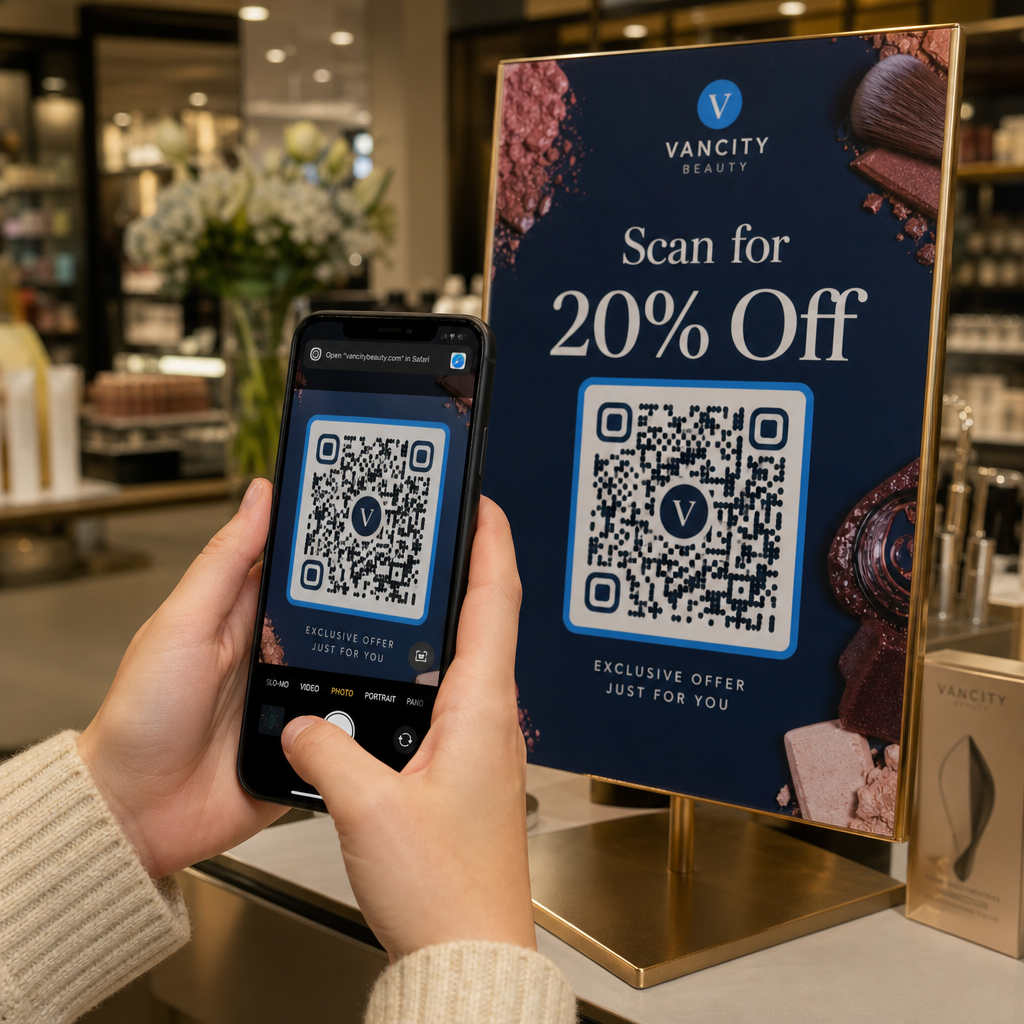
Kas teie QR-koode ignoreeritakse? Enamik inimesi jätab QR-koodi vahele mitte sellepärast, et nad ei saa seda skannida, vaid sellepärast, et nad ei tea, miks nad peaksid. See juhend tutvustab teile konkreetseid CTA näiteid, disainistrateegiaid ja paigutusprintsiipe, mis annavad inimestele tõelise põhjuse oma kaamera suunamiseks.
Miks teie QR-kood vajab enamat kui lihtsalt koodi ennast
QR-kood on lihtsalt muster. Ilma kontekstita palub see inimestel teha usuhüppe – skannida seda tundmatut asja ja vaadata, mis juhtub. See on kõrge latt ja enamik inimesi ei ületa seda.
Tugev üleskutse tegevusele lahendab selle, vastates ühele küsimusele, mida iga potentsiaalne skanner küsib: Mis kasu sellest mulle on? Pagelooti uuringud näitavad, et selge CTA lisamine QR-koodile võib suurendada skannimismäärasid kuni 52% võrra – ja mõnes kontekstis võib tõus olla veelgi suurem, sõltuvalt disainist ja pakkumisest.
CTA ei pea olema keeruline. See peab olema spetsiifiline, kasule orienteeritud ja paigutatud kohta, kus inimesed seda näevad, enne kui nad otsustavad, kas skannida.
Looge sisseehitatud CTA-dega bränditud QR-koode Kujundage QR-koode kohandatud raamide, logode ja üleskutse tegevusele tekstiga, mis ütleb inimestele täpselt, mida nad saavad. Proovige QR-koodi generaator tasuta 14 päeva – krediitkaarti pole vaja.
Allahindluse ja pakkumise CTA-d
Need on kõige lihtsamad CTA-d ja järjepidevalt ühed parima jõudlusega, sest need muudavad väärtuse koheselt konkreetseks.
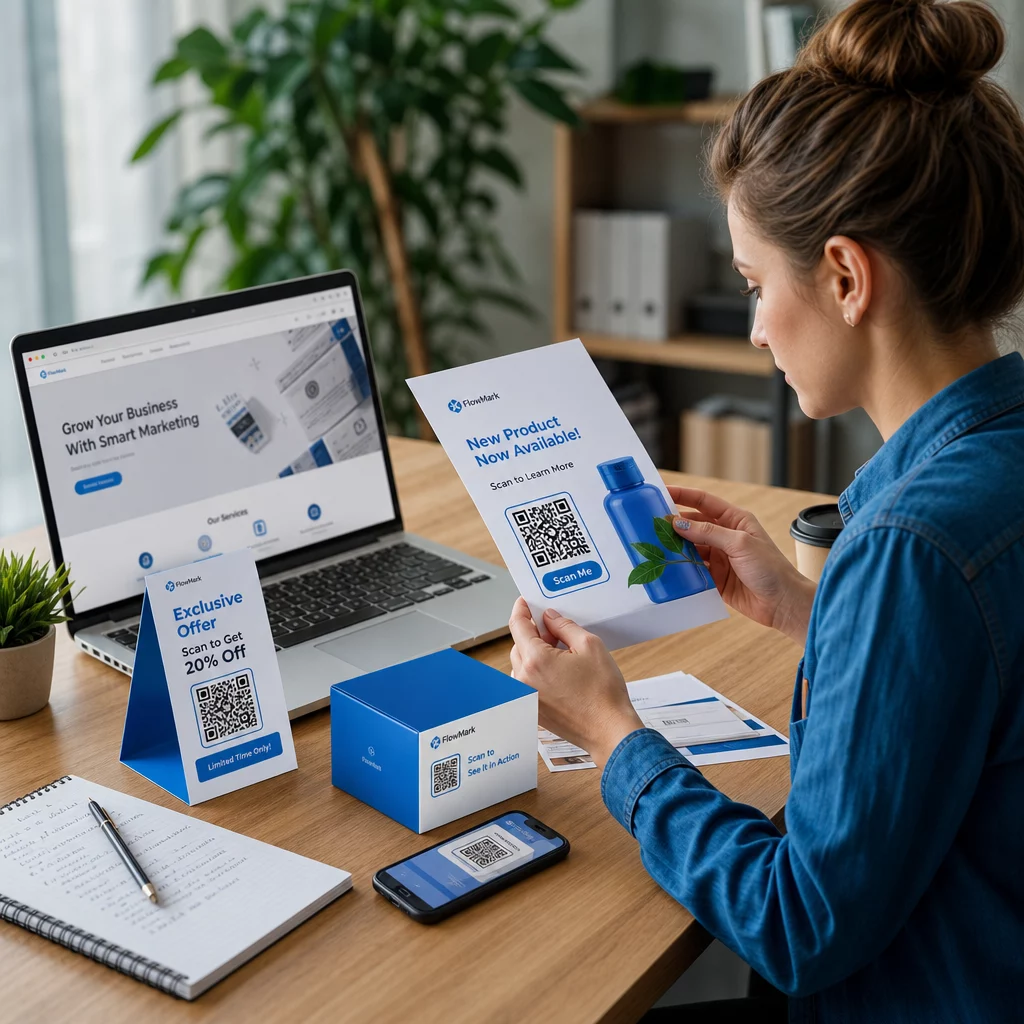
- “Skannige, et saada 20% allahindlust oma järgmiselt tellimuselt”
- “Skannige, et avada tänane pakkumine”
- “Hankige sooduskood – skannige siin”
- “Skannige tasuta saatmiskoodi saamiseks”
Võti on spetsiifilisus. “Skannige allahindluse saamiseks” on nõrgem kui “Skannige 20% allahindluse saamiseks”, sest teine versioon ütleb inimesele täpselt, mida ta saab. Ühes dokumenteeritud testis genereeris jaemüügi CTA, mis oli sõnastatud kui “15% allahindlus! Uurige, kuidas skannides”, 250 skannimist, samas kui “Skannige ja võida auhind!” tõi samast paigutusest vaid 90.
Parim: Tootepakendid, jaemüügiriiulite sildid, flaierid, otsepostitus, aknakleebised.
Menüü ja tooteteabe CTA-d
48% USA tarbijatest kasutab QR-koode kõige sagedamini restoranide menüüde vaatamiseks ja 43% kasutab neid tooteteabele juurdepääsuks. See teeb informatiivsetest CTA-dest ühe kõige loomulikuma ja hõõrdumatuma kasutusjuhtumi.
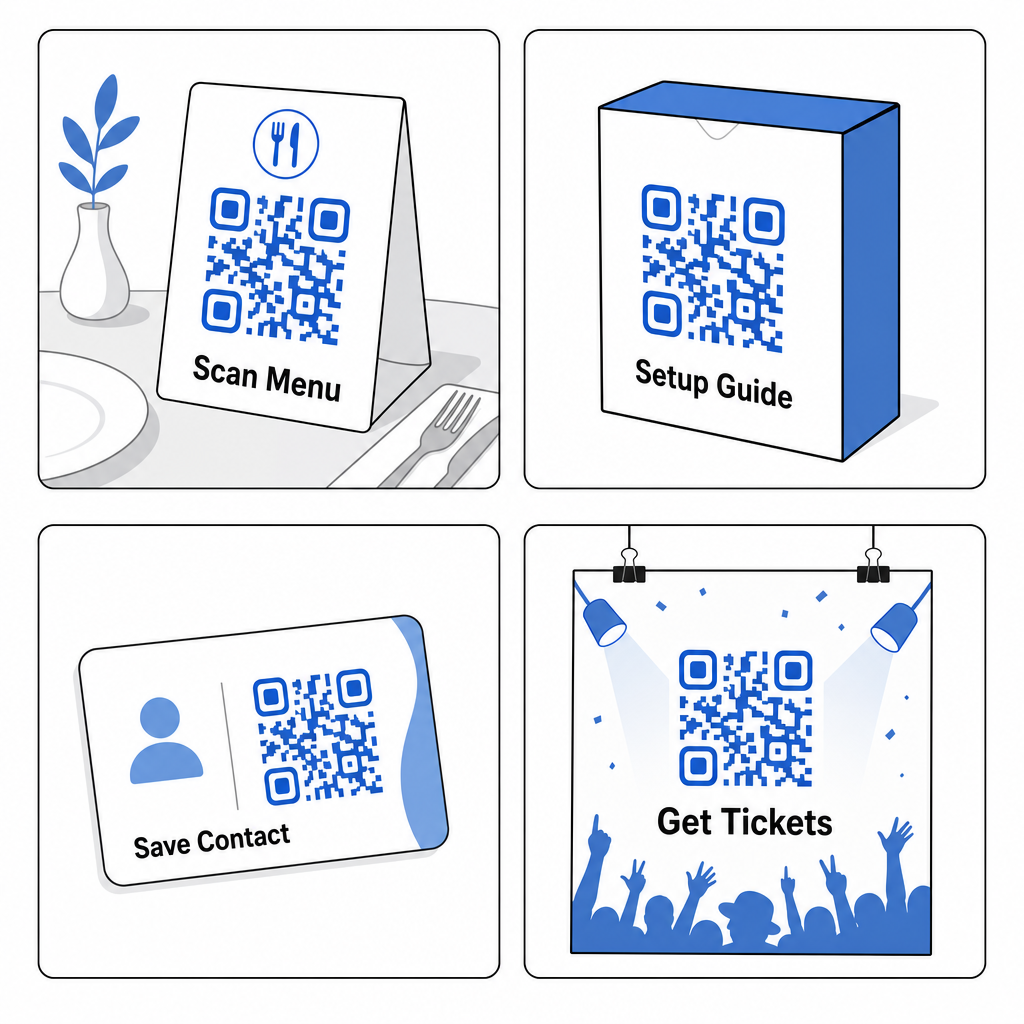
- “Skannige, et näha täielikku menüüd”
- “Skannige koostisosade ja allergeeniteabe saamiseks”
- “Vaadake seadistusjuhendit – skannige siin”
- “Skannige spetsifikatsioonide, arvustuste ja videote saamiseks”
Need CTA-d töötavad, sest need lahendavad konkreetse probleemi, mis inimesel sel hetkel juba on. Neilt ei paluta teha midagi lisaks – neile antakse kiirem tee teabeni, mida nad juba soovivad.
Parim: Restorani lauakaardid, tootesildid, pakendi sisendid, messistendid.
Ürituste ja piletite CTA-d
31% tarbijatest kasutab QR-koode ürituste piletite hankimiseks, mis tähendab, et üritustele keskendunud CTA-d kasutavad juba väljakujunenud käitumist. Ürituste puhul kipuvad hõõrdumist vähendavad CTA-d ületama üldisi viipasid – teie plakati ees seisev inimene on juba huvitatud, seega peab CTA lihtsalt eemaldama järelejäänud takistuse.
- “Jäta järjekord vahele – skannige piletite ostmiseks”
- “Skannige täieliku ürituste kava saamiseks”
- “Registreeru siin – skannige oma koha broneerimiseks”
- “Skannige eksklusiivsete ürituste uuenduste saamiseks”
Parim: Ürituste plakatid, stendid kohtade lähedal, konverentsisildid, trükitud programmid.
Sotsiaalmeedia ja jälgimise CTA-d
Sotsiaalmeedia jälgijaskonna kasvatamine füüsilistest puutepunktidest on üks QR-koodide kõige alakasutatud kasutusviise. Selle asemel, et loetleda käepidet, mida inimesed peavad meeles pidama ja sisestama, muudab QR-kood jälgimise ühe puudutusega toiminguks.
- “Jälgi meid Instagramis – skannige siin”
- “Vaadake telgitagust sisu – skannige jälgimiseks”
- “Skannige meie kogukonnaga liitumiseks”
- “Vaadake meie uusimat videot – skannige kohe”
CTA peaks nimetama konkreetse platvormi ja konkreetse eelise. “Skannige jälgimiseks” on hea; “Skannige, et jälgida meid TikTokis iganädalaste õpetuste saamiseks” on parem, sest see ütleb inimestele, millise sisuga nad liituvad.
Parim: Tootepakendid, kauplusesildid, visiitkaardid, ürituste boksid, trükireklaamid.
Rakenduse allalaadimise CTA-d
Rakenduste installide suunamine füüsilistelt materjalidelt on üks valdkond, kus QR-koodidel on selge eelis mis tahes muu trükimehhanismi ees. Kood kõrvaldab rakenduse nime järgi otsimise hõõrdumise ja allalaadimisviiba sidumine kohese eelise – allahindluse, eksklusiivse sisu või kiirema kontole juurdepääsuga – suurendab oluliselt konversiooni kaugemale lihtsatest uudishimupõhistest viipadest.
- “Laadige rakendus alla – skannige installimiseks”
- “Hankige rakendus – saadaval iOS-is ja Androidis”
- “Skannige allalaadimiseks ja saate 10% allahindlust oma esimeselt tellimuselt”
- “Skannige oma kontole mobiilis juurdepääsuks”
Parim: Tootepakendid, kviitungid, visiitkaardid, välireklaam, kauplusesildid.
Pange oma QR-kood logoga silma paistma Bränditud QR-kood teie logoga keskel märgatakse kiiremini ja loob usaldust enne skannimist. Looge oma kood QR-koodi generaator logoga ja hakake iga trükitud materjaliga rohkem skaneeringuid koguma.
Tagasiside ja arvustuste üleskutsed
Kliendiarvustused on enamiku ettevõtete jaoks kriitilise tähtsusega, kuid nende kogumine on kurikuulsalt keeruline. QR-koodid, mis on paigutatud klienditeekonna õigel hetkel – kohe pärast sööki, kassas, kviitungil – muudavad palvele kohese reageerimise lihtsaks. Ajastus ja paigutus on siin olulised: QR-kood, mis palub arvustust lauatelgil, on palju tõhusam kui kviitungile maetud kood, sest inimene on endiselt kogemuses ja tõenäolisemalt tegutseb.
- “Kas külastus meeldis? Skannige, et jätta arvustus”
- “Hinda meid – võtab 30 sekundit”
- “Teie tagasiside on oluline – skannige siin”
- “Skannige, et jagada oma kogemust”
Parim: Restorani lauakaardid, kviitungid, ostujärgsed pakendi lisad, kassaletid, teeninduse ootealad.
Müügivihjete genereerimise ja konsultatsiooni üleskutsed
Teenindusettevõtete jaoks võivad QR-koodid asendada veebivormi URL-i, mida keegi ei hakka sisestama. Hästi paigutatud kood õige üleskutsega annab potentsiaalsetele klientidele otsese ja madala hõõrdumisega tee ühenduse võtmiseks. Sõnal “tasuta” on siin eriline kaal – see vähendab tajutavat kohustust piisavalt, et uudishimulikud, kuid veendumata potentsiaalsed kliendid skannivad lisateabe saamiseks, andes teile sooja müügivihje, mitte kellegi, kes edasi liigub.
- “Hankige tasuta hinnapakkumine – skannige alustamiseks”
- “Broneerige oma tasuta konsultatsioon – skannige siin”
- “Skannige tasuta juhendi allalaadimiseks”
- “Nõudke oma tasuta prooviperiood – skannige kohe”
Parim: Teenindusbrošüürid, visiitkaardid, stendid, messimaterjalid, otsepostitus.
Võrgustike loomise ja kontakti üleskutsed
QR-kood visiitkaardil muudab paberitüki interaktiivseks kontaktivahetuseks. Selle asemel, et keegi teie andmed hiljem käsitsi sisestaks (kui nad seda üldse teevad), skannivad nad korra ja teie teave salvestatakse koheselt.
- “Skannige minu kontaktandmete salvestamiseks”
- “Ühendage LinkedInis – skannige siin”
- “Skannige minu täieliku portfoolio jaoks”
- “Hankige minu digitaalne kaart – skannige ühenduse loomiseks”
Pageloot'i Firma visiitkaart QR-koodiga, saate luua koodi, mis edastab täieliku vKaardi, lingib teie LinkedIni ja isegi jälgib, mitu korda koodi on skannitud – kasulikud andmed võrgustike loomise ürituste järelkontrolliks.
Parim: Visiitkaardid, konverentsi nimesildid, messiboksi materjalid, e-posti allkirjad.
Disainipõhimõtted, mis panevad QR-koodi CTA-d tööle
Teie CTA sõnastus on oluline, kuid ka see, kuidas see on esitatud. Järgmised disainipõhimõtted määravad, kas teie CTA-d tegelikult loetakse ja selle järgi tegutsetakse.
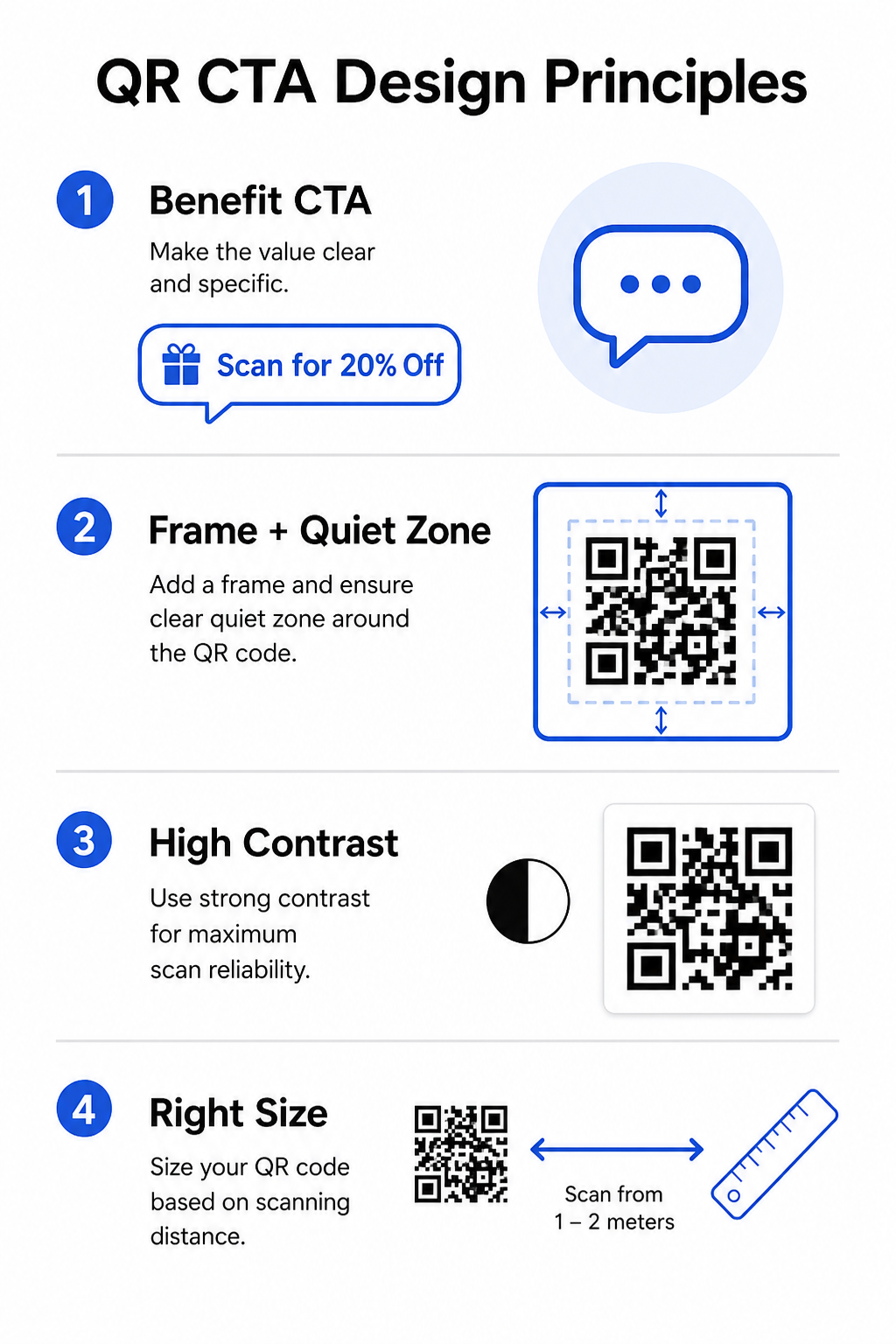
Kasutage raami CTA koodiga ühendamiseks
A QR-koodi raam on piir, mis ümbritseb koodi ja sisaldab teie CTA teksti. See rühmitab visuaalselt juhise ja koodi kokku, nii et neid loetakse ühe ühikuna. Levinud formaadid hõlmavad teksti koodi kohal või all (“Skanni menüü nägemiseks”) või täisraamiga raami koos kutse tegevusele vahelehega.
Kriitiline reegel: hoidke alati vähemalt nelja mooduli suurune vaiketsoon koodi kõikidel külgedel. See on selge veeris, mis võimaldab skanneritel eraldada mustri ümbritsevatest disainielementidest. Raam, mis tungib sellesse ruumi, vähendab skannimise usaldusväärsust.
Hoidke CTA tekst lühike ja tegevusele suunatud
Teie CTA peaks võimaluse korral mahtuma ühele reale. Alustage tegusõnaga ja tooge välja kasu. “Skanni 20% soodustuse saamiseks” ja “Hangi tasuta juhend” toimivad hästi, sest need on otsesed ja tulemustele keskendunud. “Palun skannige seda QR-koodi, et saada lisateavet meie praeguste sooduspakkumiste kohta” ei toimi – see matab kasu ja nõuab lugeja kannatlikkuselt liiga palju.
Pikemad CTA-d toimivad ainult siis, kui formaat annab neile ruumi – näiteks täisleheküljeline ajakirjakuulutus või aeglase liiklusega jaemüügiekraan. Stendidel, siltidel või väiksematel trükimaterjalidel võidab lühidus iga kord. Väliformaatidele kohandatud üksikasjalike näidete kohta vaadake QR-koodi CTA-d stendidele.
Kontrast ja värv
QR-kood ise vajab tumedad moodulid heledal taustal usaldusväärseks skaneerimiseks. Standardse loetavuse tagamiseks on nõutav minimaalne kontrastsussuhe 4:1 – must valgel jääb kõige universaalsemalt usaldusväärseks kombinatsiooniks. See kehtib koodimustri enda kohta, mitte tingimata ümbritseva raami või CTA teksti kohta.
Kui kasutate oma QR-koodis brändivärve, testige koodi enne printimist mitmel seadmel. Värvid, mis ekraanil tunduvad eristatavad, võivad printimisel olla ebapiisava kontrastiga, põhjustades skaneerimisvigu kohapeal.
Suurustage see skaneerimiskauguse järgi
Kohandage oma QR-koodi suurus sellega, kui kaugel inimesed seda skaneerides asuvad. Praktiline reegel: koodi laius peaks olema ligikaudu üks kümnendik oodatavast skaneerimiskaugusest. Restoranilaual oleva koodi puhul, vaadatuna 50 cm kauguselt, tähendab see vähemalt 5 x 5 cm. Käeulatuses hoitava visiitkaardi puhul on miinimum 2 x 2 cm. Lisateavet selle kohta, kuidas paigutus ja suurus mõjutavad skannimismäärasid erinevatel materjalidel, leiate ülim juhend QR-koodi paigutamiseks turunduses.
Testi ja korda dünaamiliste QR-koodidega
Staatilised QR-koodid kodeerivad fikseeritud sihtkoha. Kui teie sihtleht muutub, teie kampaania nihkub või soovite testida kahte erinevat CTA-d, et näha, kumb toob rohkem skannimisi, sunnib staatiline kood teid kõike uuesti printima.
Dünaamilised QR-koodid võimaldavad teil sihtkohta pärast printimist uuendada ja annavad teile juurdepääsu skannimisanalüütikale – sealhulgas millal, kus ja millisel seadmel iga skannimine toimus. See muudab praktiliseks käivitada A/B teste CTA-del, vahetada hooajalisi pakkumisi ja mõõta, millised paigutused tegelikult toimivad. Iga kampaania puhul, mis hõlmab trükitud materjale suures mahus, on dünaamilised koodid ainus mõistlik valik.
CTA-de sobitamine konteksti ja paigutusega
Erinevad keskkonnad nõuavad erinevaid lähenemisi. Alljärgnev tabel pakub kiiret viidet oma CTA stiili joondamiseks materjaliga, millel see ilmub.
| paigutus | Soovitatav CTA stiil | Märkused |
|---|---|---|
| Stend / välireklaam | Lühike, kiireloomuline (“Skanni tänase pakkumise saamiseks”) | Maksimaalselt üks rida; vajalik suur koodisuurus |
| Restoranilaua kaart | Funktsionaalne (“Skanni, et näha täielikku menüüd”) | Juba motiveeritud publik; minimaalne müük vajalik |
| Tootepakend | Kasule orienteeritud (“Skanni seadistusjuhendi saamiseks”) | Püüab ostujärgset tähelepanu |
| visiitkaart | Kontaktile keskendunud (“Skanni minu info salvestamiseks”) | Puhas, professionaalne raamimine töötab kõige paremini |
| Jaemüügiriiul / väljapanek | Pakkumisele orienteeritud (“Skanni 20% allahindluse saamiseks”) | Kasu peab olema kohene ja nähtav |
| Mess / ürituse boks | Kogemus või müügivihje (“Skanni tasuta näidise saamiseks”) | Motiveeri tegevust kiire keskkonnas |
| Otsepostitus | Uudishimu või pakkumine (“Ava oma eksklusiivne pakkumine”) | Paarita isikupärastamisega kõrgema vastuse saamiseks |
Õige CTA õiges kohas on see, mis eristab skannitud QR-koodi ignoreeritud koodist. Alustage ülaltoodud näidetest, testige oma sõnumeid dünaamiliste koodide abil ja kasutage skannimisanalüütikat, et tuvastada, mis töötab. See QR-koodi generaator annab teile tööriistad iga koodi loomiseks, kohandamiseks ja jälgimiseks ühest juhtpaneelist – nii saate jätkata parendamist ilma uuesti printimata.
Korduma kippuvad küsimused
Alustage tegusõnaga ja öelge konkreetne kasu – näiteks “Sk.
CTA tekst saab ilmuda QR-koodi ümber oleva raami ülal, all või sees. Kriitiline nõue on säilitada vaikne tsoon – selge, vähemalt nelja mooduli laiune veeris – koodimustri ning mis tahes ümbritseva teksti või graafiliste elementide vahel. QR-koodi raam, mis rikub seda ruumi, võib põhjustada skaneerimisvigu.
Kutse tegevusele (CTA) ise töötab samamoodi olenemata kooditüübist. Erinevus seisneb selles, et dünaamilised QR-koodid võimaldavad teil sihtkohta muuta pärast printimist ja annavad teile juurdepääsu skannimisanalüütikale – sealhulgas skannimiste arv, asukohad ja seadmetüübid. See teeb võimalikuks testida erinevaid kutseid tegevusele (CTA-sid) ja sihtlehti, mõõta, mis töötab, ja värskendada kampaaniaid materjale uuesti printimata.