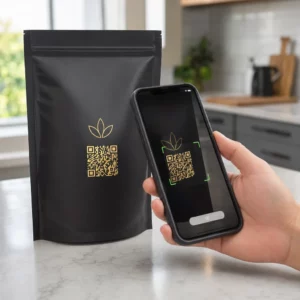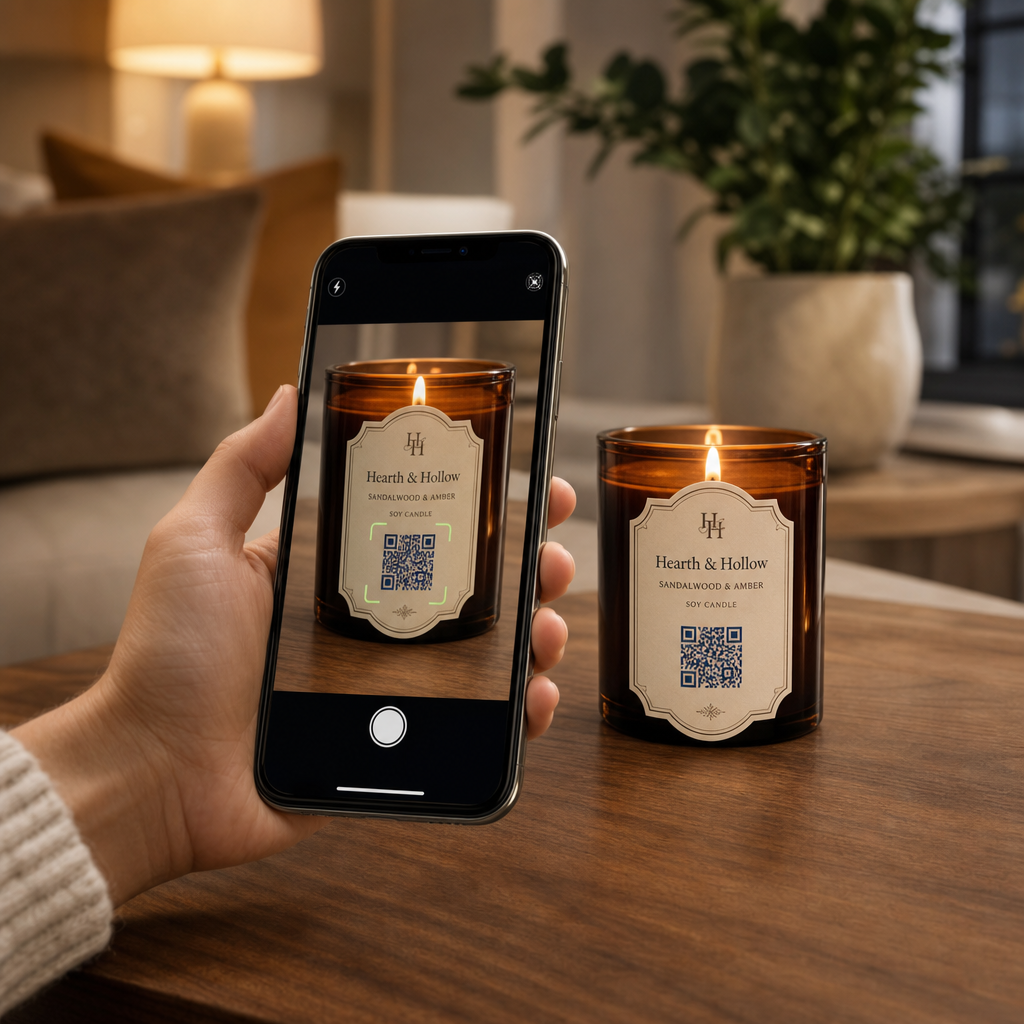
Kas teil on raskusi oma brändiloo ja kampaaniate jagamisega väikestel küünlaetikettidel? Füüsilise etiketi pindala on äärmiselt piiratud, sundides tootjaid ohverdama tootekirjeldusi, kasutusjuhendeid või kingisõnumeid. QR-koodide lisamine teie pakendile ühendab füüsilised tooted interaktiivse digitaalse sisuga, hoides samal ajal teie visuaalse paigutuse puhtana.
Loovad viisid QR-koodide kasutamiseks küünlaetikettidel
Küünlad on mitmekülgsed tooted, mida ostetakse tavaliselt isiklikuks kodukaunistuseks, heaolu esemeteks või läbimõeldud kingitusteks. Skaneeritava digitaalse punkti integreerimine teie anumale või pakendile tõstab tavalise toote kaasahaaravaks brändikogemuseks.
- Isikupärastatud kingisõnumite edastamine: Võimaldades ostjatel lisada video-, heli- või kirjalikke märkmeid, kasutades a Teksti QR koodi loomine või MP3 QR-koodi generaator muudab küünlad meeldejäävateks kingitusteks pühadeks, pulmadeks või mälestusüritusteks.
- Lõhna sidumine kureeritud esitusloenditega: Lõhnaprofiilide sobitamine helimeeleoludega, kasutades a Spotify QR-koodi generaator võimaldab ostjatel skaneerida purki, et mängida lõhnale vastavat muusikat, koos lisateabe üksikasjadega, mis on saadaval meie juhendis Spotify esitusloendite jagamise kohta.
- Korduvmüügi suurendamine sooduskampaaniate kaudu: Kliendilojaalsuse soodustamine, pakkudes sihipäraseid pakkumisi, kasutades a Kupongi QR-koodi generaator otse karbil soodustab korduvaid veebitellimusi.
- Põhjalike küünlahoolduse juhiste pakkumine: Käsitsi valatud vaha, eeterlike õlide profiilide, tahtide kärpimise juhiste ja purkide taaskasutamise näpunäidete jagamine hoiab füüsilised etiketid korras.
Regulatiivse vastavuse tasakaalustamine etiketiruumiga
Strateegiliste paigutuste planeerimisel QR-koodide paigutamine toote pakendile, peate tasakaalustama digitaalse kaasatuse kohustuslike juriidiliste pakendamisnõuetega.
Ameerika Ühendriikides peavad tarbijaküünalde etiketid järgima ausa pakendamise ja märgistamise seadust (FPLA). See föderaalne seadus nõuab, et peamised kuvapaneelid sisaldaksid kindlaid teabeelemente:
- Identiteedi avaldus, mis kirjeldab selgelt eset (näiteks “Lõhnastatud sojavaha küünal”).
- Sisu netokogus kuvatakse nii USA tavaühikutes (untsides) kui ka meetermõõdustiku ühikutes (grammides).
- Tootja, pakendaja või turustaja ärinimi ja füüsiline asukoht (linn, osariik ja sihtnumber).
Lisaks nõuavad ASTM F2058 alusel kehtestatud ohutusstandardid selgeid tuleohutuse hoiatusi. Standardsed hoiatussildid sisaldavad kolme põhilist ettevaatusabinõu: „Põleta silma all“, „Hoia eemal tuleohtlikest materjalidest“ ja „Hoia eemal lastest ja lemmikloomadest“. Kui paigutate täielikud tuleohutusjuhised purgi alumisele paneelile, siis pakendistandardid nõuavad, et külje- või ülemine silt peaks kasutajatele andma juhise: „Ohutusteabe saamiseks vaata alumist paneeli.“
Taustalugude, aroomipüramiidide ja turunduslinkide paigutamine skannitava koodi taha aitab täita kohustuslikke regulatiivseid tekstinõudeid, kaitstes samal ajal teie pakendi üldist esteetikat.
Suurendage korduvaid tellimusi dünaamiliste allahindlustega Kas soovite premeerida klientide lojaalsust ilma iga kampaania jaoks küünlapakendit uuesti trükkimata? Looge muudetavaid allahindluslinke kasutades Kupongi QR-koodi generaator täna.
Skannitavate küünlasiltide kujundamise ja printimise juhised
Skannitav kood peab usaldusväärselt toimima igapäevastes valgustus- ja käsitsemistingimustes. Kujunduste klaaspurkidele, alumiiniumkarpidele või pappkarpidele kandmisel rakendage kriitilisi QR-koodi loetavuse parimaid tavasid:
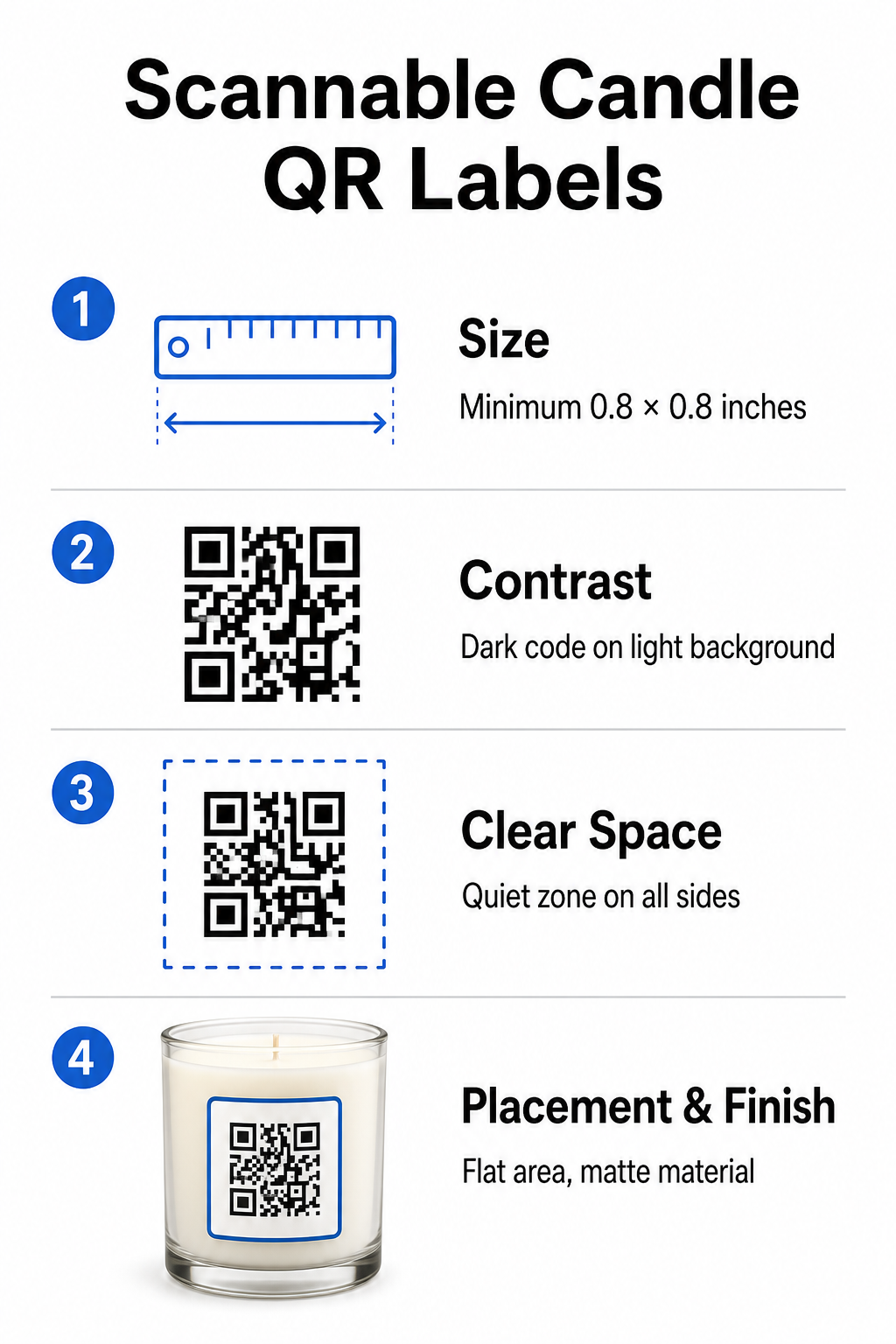
- Õigete trükimõõtmete säilitamine: Hoidke füüsilised mõõtmed vähemalt 0,8 x 0,8 tolli (2 x 2 cm) siltide puhul, laienedes kuni 3 x 3 cm välispakendite puhul, nagu märgitud meie QR-koodi suuruste juhendis.
- Tugeva visuaalse kontrasti tagamine: Kasutage heledatel taustadel tumedaid mustreid, et tavalised telefonikaamerate andurid saaksid maatriksit hõlpsalt lugeda.
- Piisava vaikse ala säilitamine: Hoidke kõigi nelja külje ümber trükkimata äärist, mis on vähemalt neli korda mooduli laiusest.
- Pakendi peegelduse ja pinna kumeruse leevendamine: Asetage koodid lamedale sekundaarpakendile või hoidke sildikoodid kitsad, et vältida kumerat moonutust, eelistades matt- või poolläikivaid sildimaterjale läikivate viimistluste asemel.
- Kvaliteetsete vektorgraafika eksportimine: Salvestage kujundus SVG- või EPS-vormingus 300 DPI või kõrgema eraldusvõimega, et servad jääksid teravad, järgides meie juhendit QR-koodi printimine sildile.
Täiustage oma küünlakogemust heliga Ühendage oma iseloomulikud lõhnad kohandatud heliradade või esitusloenditega, et oma kliente köita. Kasutage Spotify QR-koodi generaator oma toodete jaoks skaneeritavate muusikakoodide loomiseks.
Staatiliste ja dünaamiliste QR-koodide võrdlus küünlabrändidele
Õige koodiarhitektuuri valimine määrab, kas teie müügijärgne turundus jääb aja jooksul kohandatavaks.
| FUNKTSIOON | Staatilised QR-koodid | Dünaamilised QR-koodid |
|---|---|---|
| Muudetav link | Püsiv (ei saa pärast printimist muuta) | Täielikult muudetav igal ajal pakendit uuesti printimata |
| Skannimise analüütika | Jälgimine pole saadaval | Jälgib skaneerimiste koguarvu, asukohta, seadme operatsioonisüsteemi ja aega |
| Mustri tihedus | Tihedam muster pikkade siht-URL-idega | Puhas, madalama tihedusega muster lühikeste ümbersuunamislinkide abil |
| Parim kasutuskohver | Püsivad juhised või lihtsad tekstmärkmed | Hooajalised müügid, muutuvad esitusloendid, dünaamilised kingisõnumid |
Kasutades Dünaamilise QR koodi generaator võimaldab teil muuta reklaamisihtkohti, värskendada hooajalisi muusika esitusloendeid või uuendada digitaalseid kingisõnumeid kaua pärast seda, kui teie tooted riiulitelt lahkuvad. Täielike rakendusdetailide saamiseks vaadake meie põhjalikku juhendit QR-koodide kohta tootesiltidel.
Kuidas luua bränditud QR-koode küünlapakenditele
Kohandatud, printimisvalmis koodide kujundamine oma küünlapakenditele nõuab vaid mõnda struktureeritud sammu:
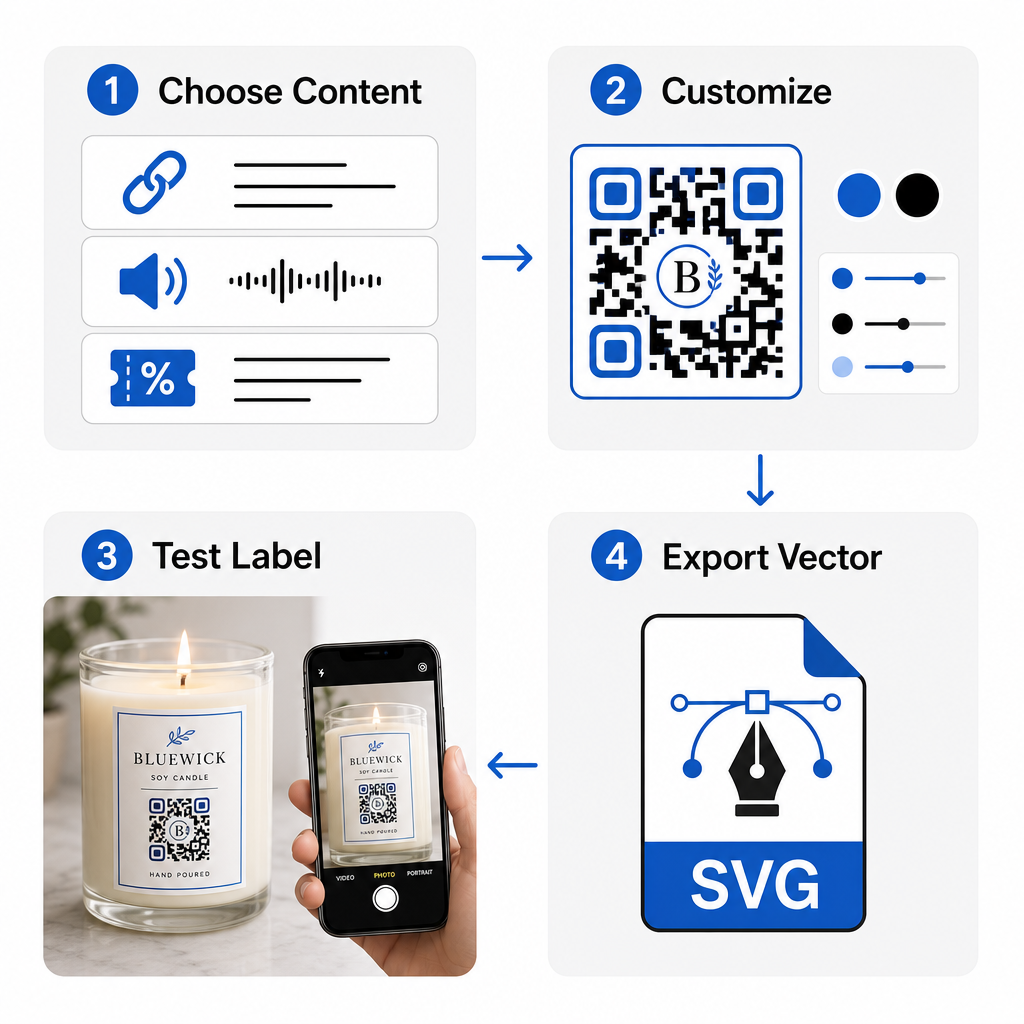
- QR-koodi tüübi valimine: Otsustage, kas suunata ostjad veebisaidile, helifailile, PDF-juhendile või kupongile, kasutades meie QR koodi loomine tasuta.
- Sihtkoha andmete sisestamine: Sisestage sihtkoha veebiaadress või laadige üles oma digitaalne meediafail.
- Visuaalse disaini kohandamine: Rakendage kohandatud brändivärve, raame ja logosid QR-koodi generaator logoga visuaalse usalduse loomiseks.
- Testimine mitmes seadmes: Kontrollige skaneerimisvõimet testprintidel, kasutades erinevaid nutitelefone ja valgustustingimusi.
- Printimisvalmis failide allalaadimine: Eksportige vektorfailid SVG- või EPS-vormingus kõrge eraldusvõimega printimiseks.
Skannitavate koodide integreerimine küünlapakenditesse muudab standardsed füüsilised tooted interaktiivseteks brändi puutepunktideks, ilma et see koormaks üle nõutavat etiketiruumi. Olenemata sellest, kas manustate hooajalisi heliesitusloendeid, pakute sooduspakkumisi või edastate isikupärastatud kliendisõnumeid, annavad digitaalsed lingid teie brändile pikaajalise paindlikkuse. Alustage jälgitavate, kohandatavate koodide loomist juba täna Pageloot'i QR koodi loomine tasuta et tõsta oma küünlapakendamise strateegiat.
Korduma kippuvad küsimused
Jah. QR-koodi saab printida alumisele ohutuspaneelile koos tulekahjuhäiretega, eeldusel, et säilitate piisava värvikontrasti, piisava vaikse tsooni ja selge üleskutse tegevusele põhisildil, mis suunab kliente alumist osa skannima.
Minimaalne soovitatav suurus trükitud QR-koodile põhiküünla etiketil on 0.8 x 0.8 tolli (2 x 2 cm). Sekundaarsel välispakendil või transpordikastidel tagab 3 x 3 cm suurus kiirema ja järjepidevama skaneerimise.
Kui kasutate dünaamilisi QR-koode, saate oma halduspaneelil igal ajal muuta siht-URL-i või digitaalset sisu, ilma et peaksite uuesti trükkima oma füüsilisi küünalde silte või pakendikarpe.