
Kas aeglased patsientide registreerimised ja vastamata jäetud järelkontrollid loovad teie optometria praktikas kitsaskohti? Administratiivsed viivitused frustreerivad patsiente ja suunavad vastuvõtulaua personali otsesest nägemishoiust eemale. Skaneeritavate QR-koodide paigutamine vastuvõtulauale, optilisse müügisaali ja trükitud järelhoolduse lehtedele ühendab patsiendid digitaalsete teenustega koheselt.
Kontaktivaba patsientide registreerimine ja vastuvõtuvormid
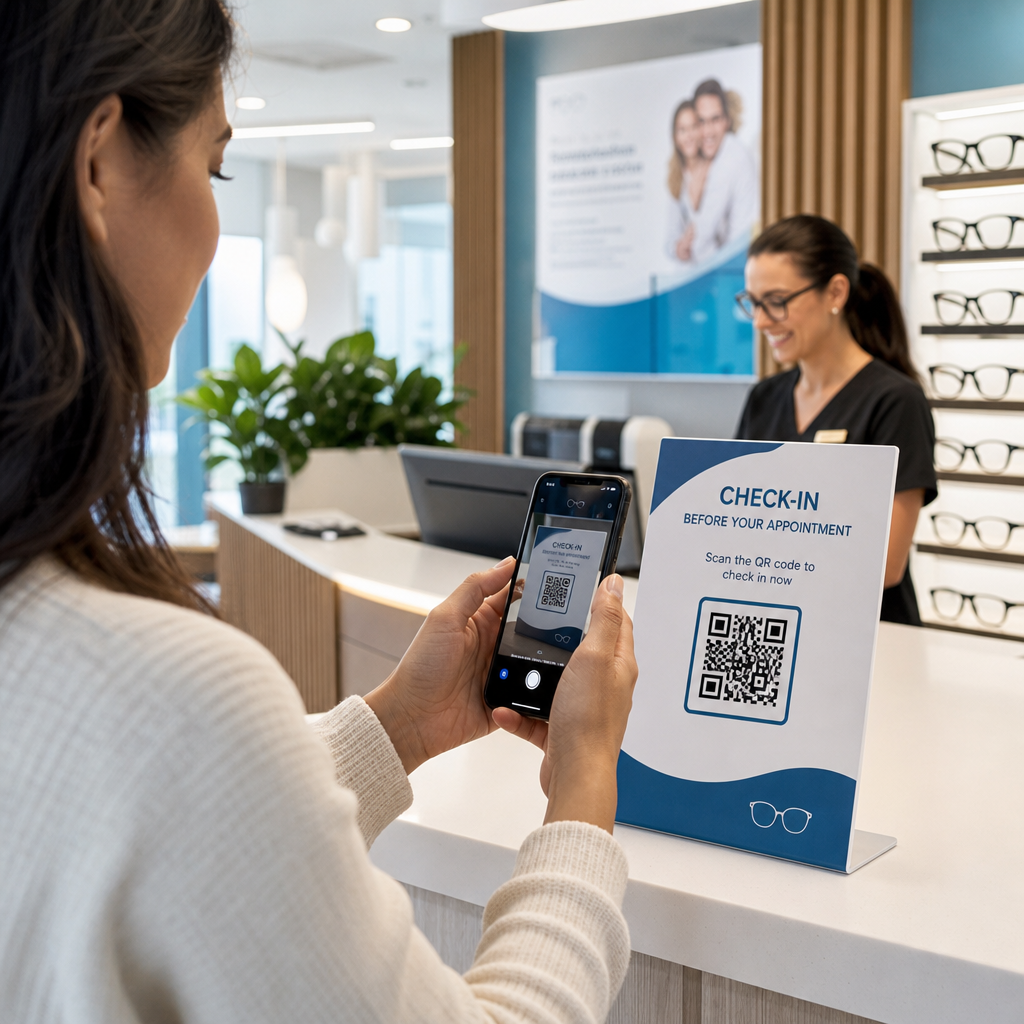
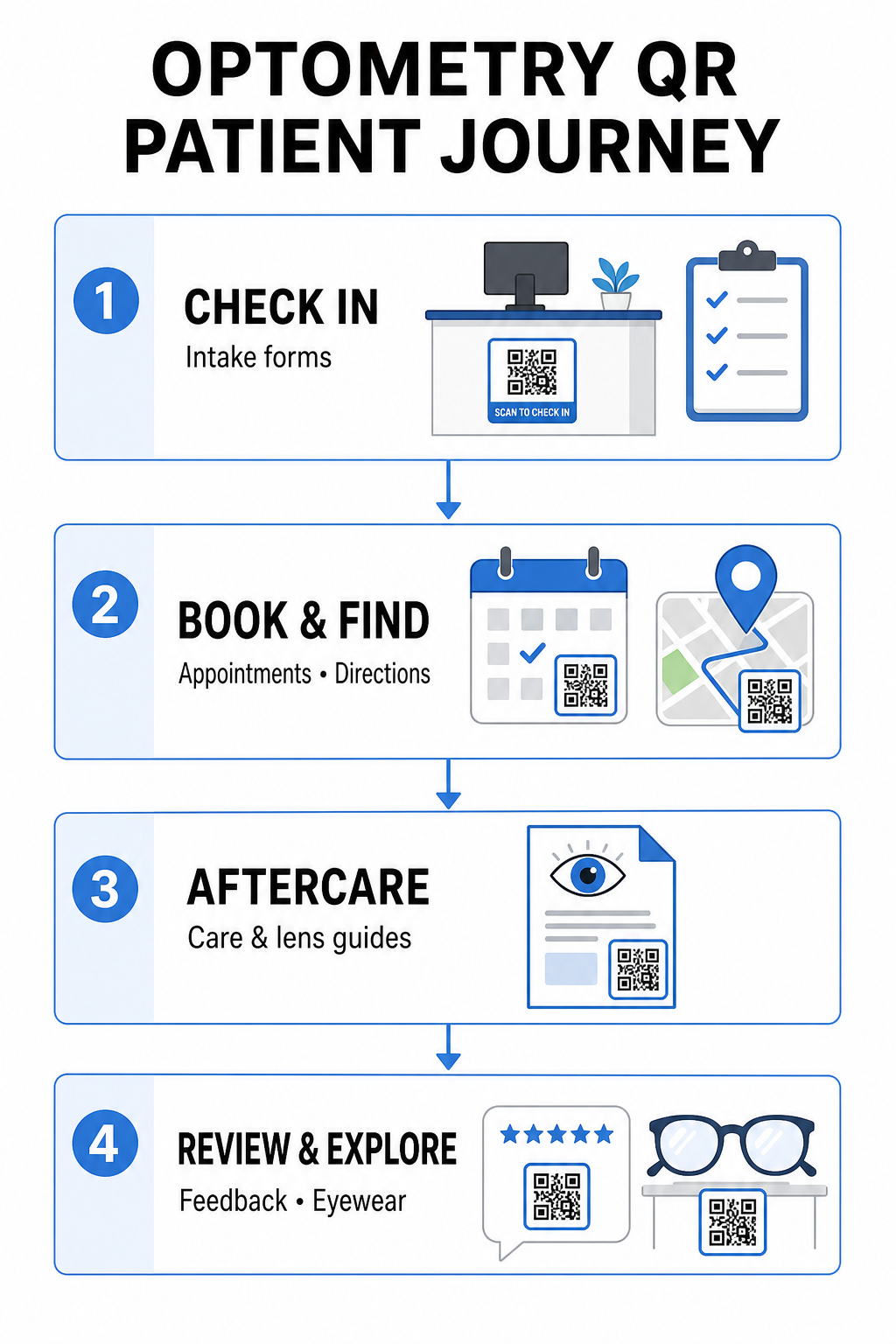
Paberkandjal registreerimispaketid nõuavad käsitsi andmesisestust, loovad ooteruumis füüsilist segadust ja pikendavad üldist ooteaega. Registreerimise QR-koodi kuvamine vastuvõtulauas või sissepääsu juures võimaldab saabuvatel patsientidel täita vastuvõtuvorme, uuendada haiguslugu ja allkirjastada nõusolekudokumente otse oma mobiilseadmetes.
Kasutades Google vorm: QR-koodi generaator, saab teie praksis digitaalsed terviseküsimustikud muuta lihtsateks skaneeritavateks puutepunktideks. Saabuval patsiendil piisab koodi skaneerimisest, oma teabe esitamisest ja teie administratiivmeeskonna teavitamisest, ilma et peaks füüsilist kausta ootama. Sarnaselt digitaalsetele töövoogudele, mida kasutatakse hambaravikabinettides, minimeerib automatiseeritud vastuvõtt ärakirjade vigu ja kiirendab vastuvõtulaua töötlemist.
Optimeerige oma vastuvõtulaua protsessi Kas soovite kaotada paberkandjal registreerimispaketid ja lühendada patsientide ooteaegu? Kasutage Google vorm: QR-koodi generaator , et luua täna oma vastuvõtualale kontaktivabad registreerimispunktid.
Kohtumiste broneerimise ja asukoha navigeerimise lihtsustamine
Rutiinsete nägemiskontrollide, kontaktläätsede paigalduste ja järelkonsultatsioonide haldamine nõuab hõõrdumatut ajastamise töövoogu. Broneerimise QR-koodide paigutamine kohtumise meeldetuletuskaartidele, tagasikutsumiskirjadele ja kliinikuakna siltidele võimaldab patsientidel avada teie veebipõhise broneerimisportaali sekunditega.
Muutes oma ajastamise URL-i skaneeritavaks mustriks koos lingi QR-koodi generaator, annate naasvatele patsientidele kohese võimaluse broneerida oma järgmine visiit. Mitme asukohaga silmaravipraksiste või suuremates meditsiinikompleksides asuvate kliinikute puhul on otsene asukoha juhendamine võrdselt kriitiline. Kaasates koodi, mille on genereerinud a Google Maps QR-koodi loomine Meeldetuletuskaartidele lisatuna tagab see, et patsiendid saavad oma nutitelefonides otse käivitada samm-sammulised sõidujuhised.
Nägemise järelhoolduse ja kontaktläätsede juhiste edastamine
Selged ravi järgsed juhised vähendavad erakorralisi telefonikõnesid ja toetavad patsiendi õiget taastumist pärast spetsialiseeritud protseduure või esmaseid kontaktläätsede paigaldusi. Patsiendid kaotavad sageli paberlehti, mis kirjeldavad prilliraamide hooldust, pupilli laiendamise järgseid ettevaatusabinõusid või kontaktläätsede hügieeninõudeid.
Saate kodeerida digitaalseid juhendeid, õppevideoid ja hoolduslehti skannitavatesse formaatidesse, kasutades PDF QR-koodi generaator. Nende koodide kinnitamine retseptikottidele või väljastamisdokumentatsioonile annab patsientidele püsiva juurdepääsu olulistele järelhoolduse ressurssidele. Tundlike meditsiiniliste uuenduste puhul vaadake üle kehtestatud tavad turvaline terviseandmete jagamine QR-koodidega patsiendi privaatsuse kaitsmiseks info edastamisel.
Praktika turundus, optika müük ja patsientide arvustused
QR-koodid ühendavad teie füüsilise optikakaupluse teie digitaalsete turunduskanalitega, suurendades patsientide kaasatust ja tugevdades teie veebireputatsiooni.
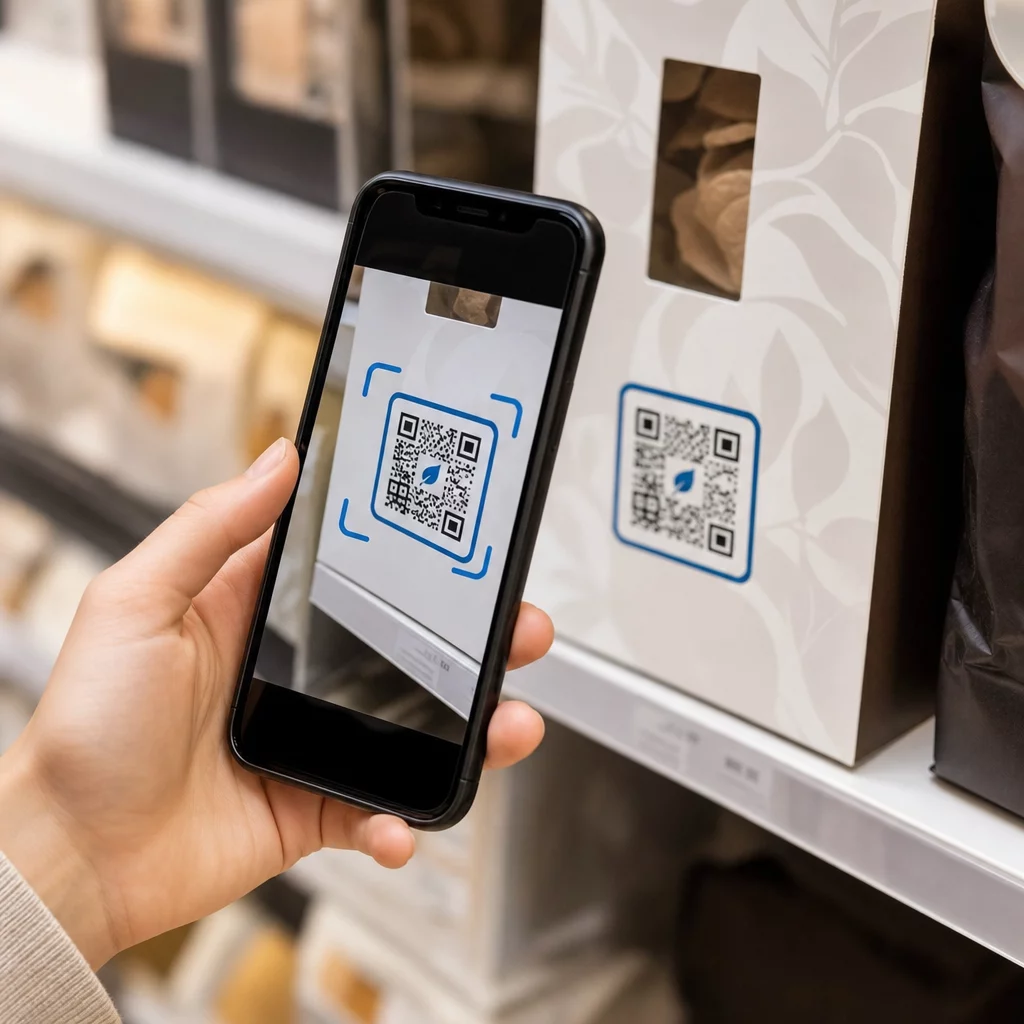
- Prilliraamide detailide kuvamine: Asetage skannitavad koodid disainerprilliraamide kollektsioonide või eriläätsede väljapanekute kõrvale, et patsiendid saaksid sirvides vaadata värvivalikuid, läätseuuendusi või brändilugusid.
- Spetsialisti kontaktandmete jagamine: Printige skannitav kood lehelt vCard QR-koodi generaator praktiseerija visiitkaartidele, et patsiendid saaksid salvestada kliiniku otsesed kontaktandmed otse oma mobiili kontaktiloendisse.
- Patsientide tagasiside kogumine: Paluge rahulolevatel patsientidel jagada oma kogemust enne kliinikust lahkumist. Kasutades Google Review QR-koodi generaator kassa juures suunab patsiendid otse teie arvustuste profiilile, lihtsustades tagasisideprotsessi laiemas kliendi tagasiside QR-kood strateegias.
Staatilised vs. dünaamilised QR-koodid silmaarsti kliinikutele
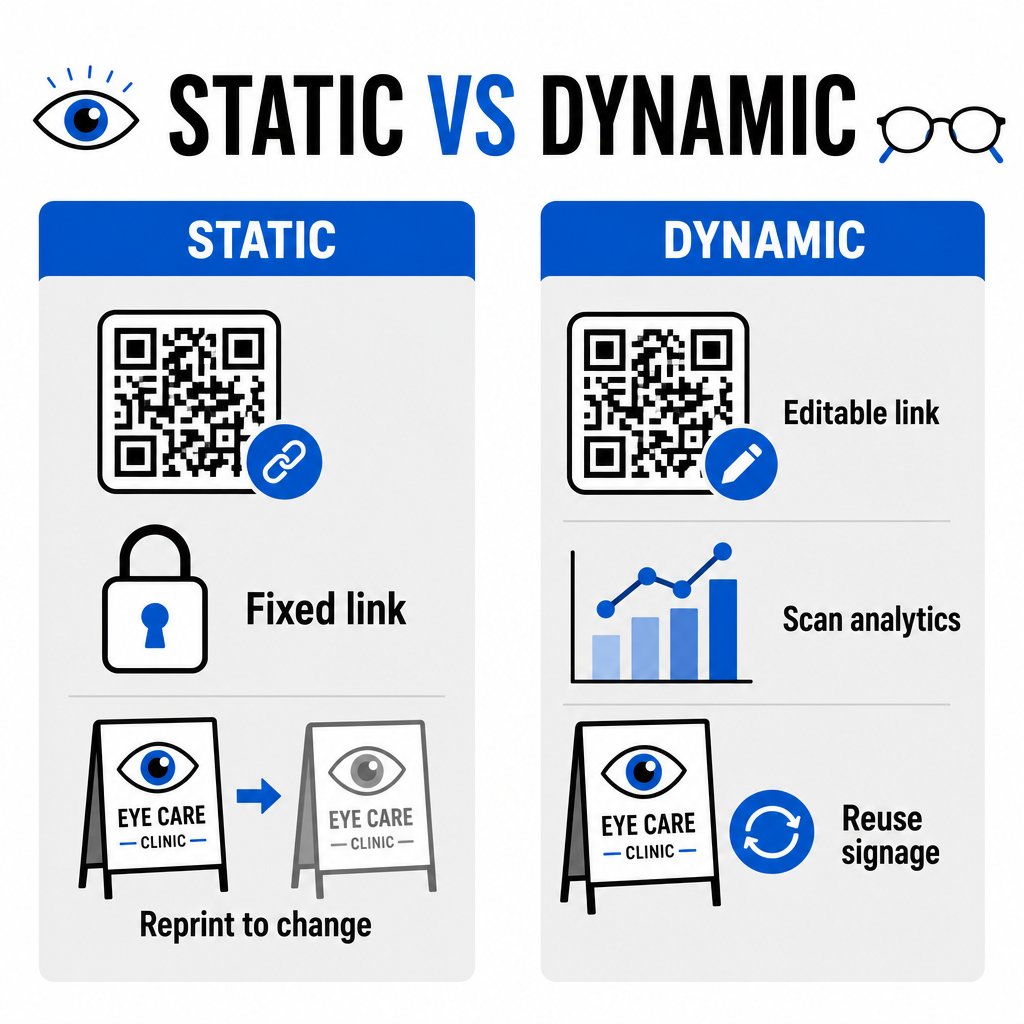
Staatiliste ja dünaamiliste formaatide vahel valimine sõltub sellest, kas teie sihtsisu vajab uuendusi või toimivuse mõõtmist aja jooksul.
| FUNKTSIOON | Staatilised QR-koodid | Dünaamilised QR-koodid |
|---|---|---|
| Sihtkoha URL | Loomisel püsivalt fikseeritud | Täielikult muudetav igal ajal ilma uuesti printimata |
| Skannimise analüütika | Pole saadaval | Skannimiste mahu, asukoha ja seadme reaalajas jälgimine |
| Peamised kasutusjuhud | Püsiv kliiniku Wi-Fi, staatilised juhised | Online broneerimine, hooajalised pakkumised, vastuvõtuvormid |
| Trükise eluiga | Nõuab uuesti trükkimist, kui sihtkoht muutub | Trükitud füüsiliste siltide pidev taaskasutamine |
Aktiivsete kliinikukampaaniate ja aja broneerimise jaoks pakuvad dünaamilised koodid olulist operatiivset teavet. Rakendades QR-koodide jälgimine võimaldab kliinikujuhtidel analüüsida skaneerimise tippaegu ja hinnata, millised füüsilised paigutuskohad annavad kõige suurema patsiendi kaasatuse.
Rakendusstandardid trükkimiseks ja patsiendi privaatsuseks
Tagamaks, et iga patsient naudiks usaldusväärset ja ligipääsetavat kogemust, järgige neid tehnilisi standardeid, kui paigutate skaneeritavaid koode oma kliinikusse:
- Trükisuuruse säilitamine: Trükkige koodid minimaalses suuruses 2 × 2 cm (0,8 × 0,8 tolli) lähimaterjalide, nagu visiitkaardid või järelhoolduslehed, jaoks, reserveerides suuremad suurused seinasiltidele või aknakuvadele.
- Värvikontrasti tagamine: Säilitage tugev visuaalne kontrast, asetades tumedad QR-moodulid heledale taustale, millel on vähemalt 4:1 kontrastsussuhe, vältides kirjusid mustreid või tekstuurseid pindu.
- Vaiksete tsoonide säilitamine: Jätke koodi kõigile neljale küljele selge veeris, mis on vähemalt neli moodulit (võrgustiku väikesed ruudukujulised plokid), et vältida optilise skanneri häireid.
- Vektorfailivormingute valimine: Eksportige kõrge resolutsiooniga vektorvorminguid, nagu 3. SVG või EPS kaubanduslike trükiprojektide jaoks, või salvestage rasterfaile, nagu PNG resolutsiooniga 300 DPI või kõrgema resolutsiooniga.
- Juurdepääsetavate alternatiivide toetamine: Järgige juurdepääsetavuse juhiseid, kuvades QR-koodi kõrval nähtava tekst-URL-i, et patsientidel, kellel pole skaneerimisseadmeid, oleks sihtkohale endiselt juurdepääs.
- Patsiendi privaatsuse kaitsmine: Rakendage krüpteerimist ja administratiivseid kaitsemeetmeid, et kaitsta patsientide vormide ja digitaalsete ajastamise tööriistade kaudu kogutud individuaalselt tuvastatavat terviseinfot.
Laiemate tervishoiu juurutamise raamistike jaoks konsulteerige ülimat juhendit QR-koodide kohta tervishoius ja uurige spetsialiseeritud valikuid erinevates tervishoiutööstuse sektorites.
Optomeetria töövoogude kaasajastamine
QR-koodide integreerimine teie silmahoolduspraksisesse kaotab administratiivse hõõrdumise, kiirendab sisseregistreerimisi ja loob interaktiivseid kokkupuutepunkte teie optikasalongis. Ühendades ligipääsetavad disainistandardid uuendatavate dünaamiliste koodidega, saab teie kliinik pakkuda kaasaegset ja tõhusat teenust patsiendi teekonna igas etapis. Alustage kohandatud, jälgitavate koodide loomist, et täiustada oma optometria praktika töövooge juba täna.
Korduma kippuvad küsimused
QR-koodid võimaldavad patsientidel täita registreerimist, terviseandmete uuendusi ja nõusolekuvorme oma nutitelefonides enne läbivaatusruumi sisenemist. See välistab käsitsi andmesisestuse vastuvõtulauas ja kiirendab patsientide vastuvõttu.
Jah, kui kasutate dünaamilisi QR-koode. Dünaamilised koodid võimaldavad teil sihtkoha URL-i igal ajal oma armatuurlaual muuta, ilma et peaksite uuesti printima oma vastuvõtukuvasid, brošüüre või tagasikutsumise postkaarte.
Printige QR-koode kõrge visuaalse kontrastiga (vähemalt 4:1 suhtega) ja sobiva suurusega (vähemalt 2 × 2 cm). Lisaks esitage koodi kõrval lihttekstina lühike URL, et patsiendid, kellel puudub skaneerimisvõimalus, saaksid sihtkohale endiselt ligi.