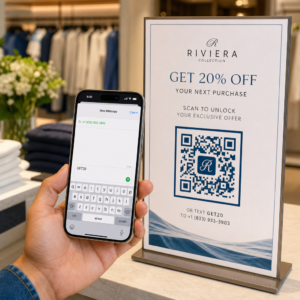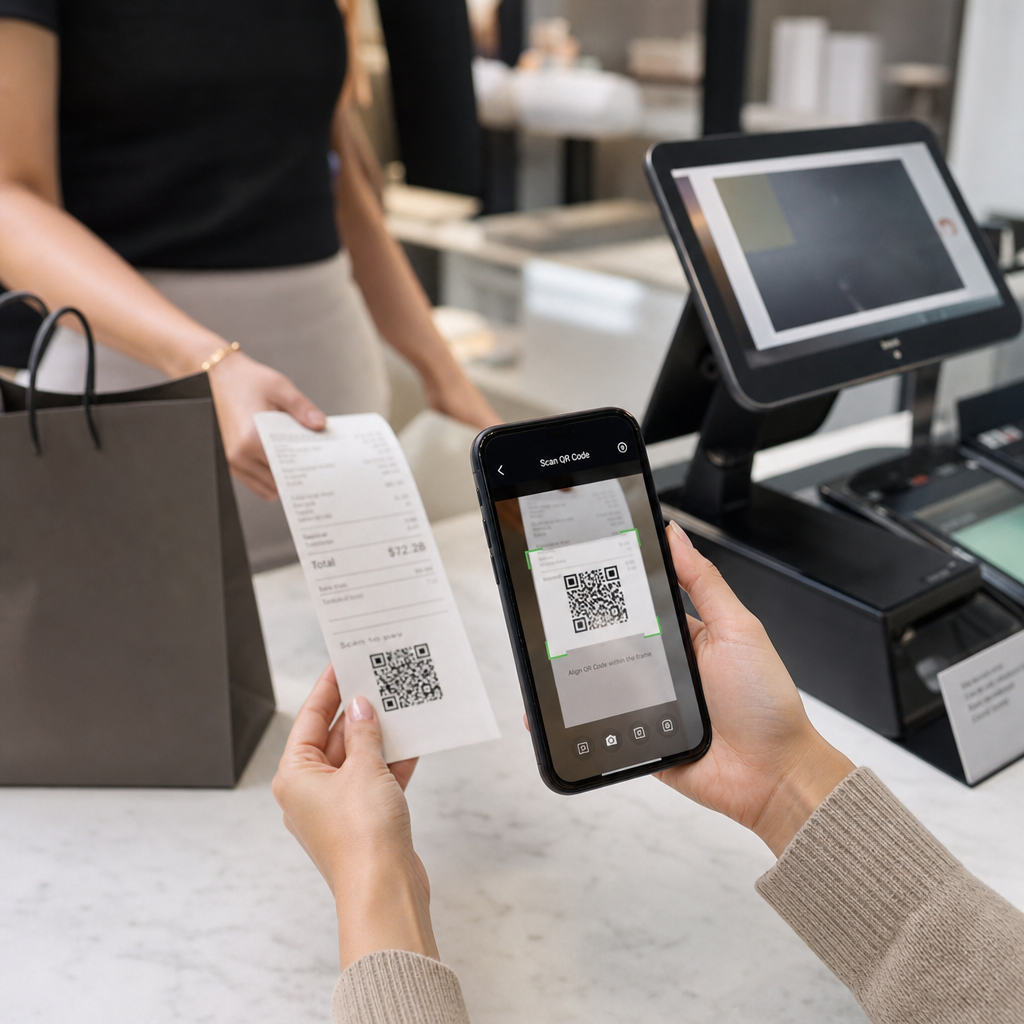
Kas te pole kindel, miks QR-koodid kviitungitel ilmuvad – või kuidas lisada üks oma kviitungile? Ettevõtted kasutavad kviitungite QR-koode kõige jaoks, alates digitaalsest arvepidamisest ja maksunõuete täitmisest kuni lojaalsusprogrammide ja arvustuste kogumiseni. See juhend selgitab, kuidas need töötavad ja kuidas neid seadistada.
Mida QR-kood kviitungil tegelikult teeb
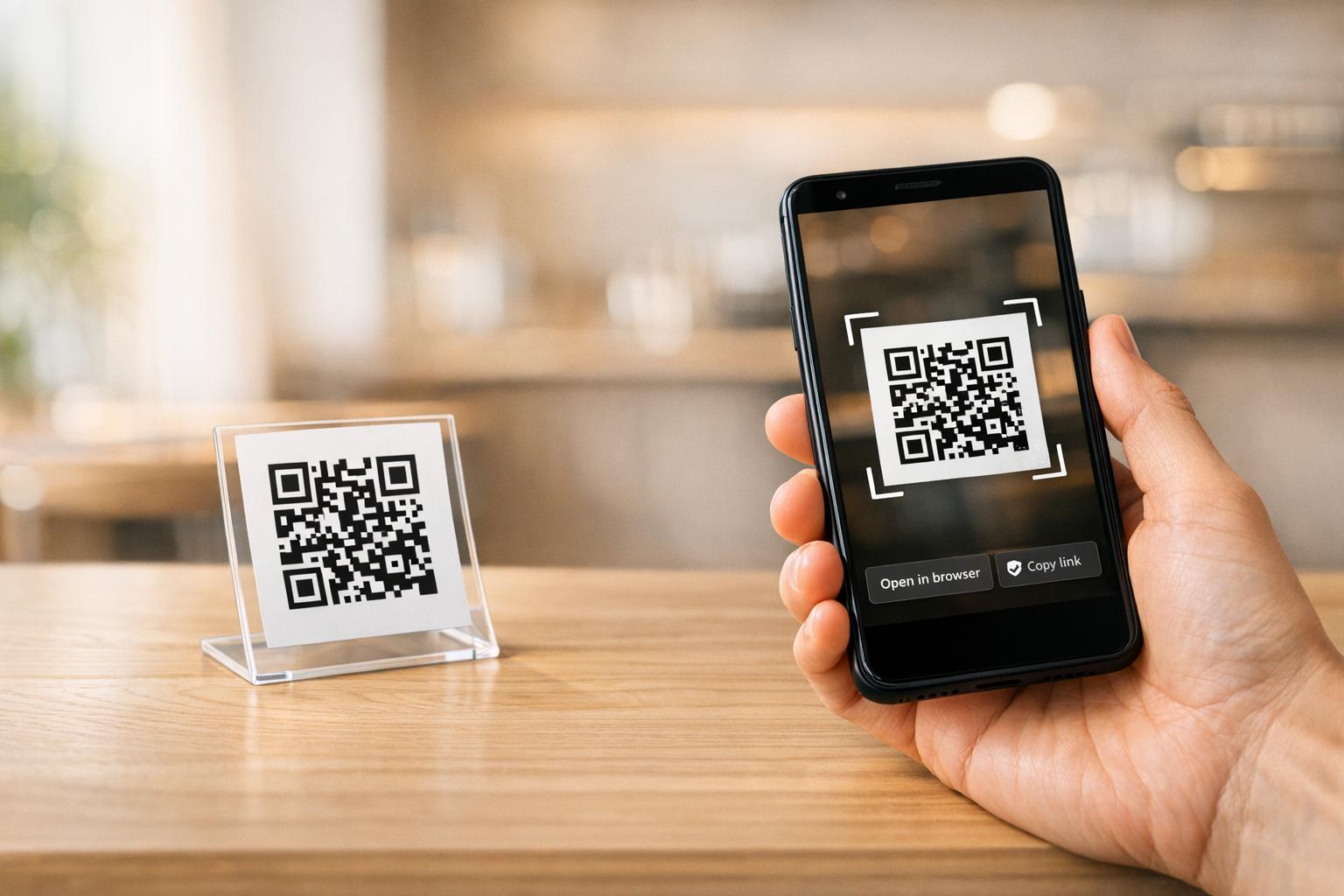
QR-kood on kahemõõtmeline vöötkood, mille nutitelefoni kaamera dekodeerib sekunditega, suunates kasutaja URL-ile, vormile, digitaalsele failile või makselehele – ilma igasuguse sisestamiseta. Kviitungile trükituna muudab see kood paberitüki, mille teie klient oleks tasku pannud või ära visanud, aktiivseks digitaalseks puutepunktiks.
Kviitungi QR-koodi taga olev sihtkoht võib olla peaaegu mis tahes:
- Kviitungi digitaalne versioon (PDF või veebileht)
- Lojaalsusprogrammi registreerimise või punktide lunastamise leht
- Google'i arvustuse küsimine
- Ostujärgne allahindlus või eripakkumine
- Tagasiside vorm
- Makse kinnituse või jootraha leht
Peamine eristus, mida tasub eelnevalt mõista, on staatilised versus dünaamilised QR-koodid. Staatiline kood kodeerib sihtkoha otse – muutke linki ja peate uuesti printima. A dünaamiline QR-kood salvestab selle asemel lühikese ümbersuunamise URL-i, nii et saate sihtkohta igal ajal armatuurlaua kaudu värskendada, puudutamata oma prinditud kviitungeid. Kviitungite kasutusjuhtudel, kus soovite pakkumisi värskendada, lojaalsusprogrammi lehti vahetada või ostujärgset sisu uuendada, on dünaamilised koodid praktiline valik.
Digitaalsed kviitungid: paberi vähendamine ja dokumentide parandamine
Umbes 75% tarbijatest eelistab digitaalseid kviitungeid paberile, tuues põhjuseks lihtsamad tagastused ja ostukirjete parema organiseerimise. Prinditud kviitungil olev QR-kood ületab lõhe: klient saab endiselt füüsilise dokumendi müügikohas, kuid saab skaneerides koheselt salvestada või ligi pääseda digitaalsele koopia.
Sest klientidele, see tähendab:
- Nende ostu otsitav ja salvestatav kirje
- Puudub risk tuhmunud või kadunud paberkviitungi osas tagastusperioodi jooksul
- Kohene juurdepääs toote garantiidele või hooldusjuhistele
Sest ettevõtetele, see tähendab:
- Vähem päringuid vanade tehingute otsimiseks
- Loomulik puutepunkt järelpakkumiste või lojaalsusprogrammi meeldetuletuste jaoks
- Vähendatud hõõrdumine tagastuste ja vahetuste osas
Kui tegutsete jaekaubanduses või külalislahkuses, digitaalse kviitungi QR-koodi sidumine ostujärgse pakkumisega – näiteks allahindlus järgmisel külastusel – annab klientidele konkreetse põhjuse koodi skaneerimiseks, mitte ignoreerimiseks.
Muutke kviitungid digitaalseks kanaliks Kas soovite linkida oma prinditud kviitungid digitaalse sisuga, mida saate igal ajal värskendada? Kasutage Dünaamilise QR koodi generaator kviitungi QR-koodi loomiseks, mida saate ümber suunata alati, kui teie pakkumised muutuvad – uuesti printimine pole vajalik.
Maksunõuete täitmine ja arvepidamine
IRS nõuab ettevõtetelt tugidokumentide säilitamist – sealhulgas müügilehed, arved ja kviitungid – mis toetavad teie raamatupidamise ja maksudeklaratsioonide kirjeid. Kriitiliselt märgib IRS, et kõik nõuded, mis kehtivad paberkandjal dokumentidele, kehtivad ka elektroonilistele dokumentidele: elektrooniline süsteem peab vastama samadele põhilistele arvepidamise põhimõtetele nagu paber, tootma loetavaid dokumente, mis toetavad deklaratsioonikirjeid, ja olema varundatud andmekao vältimiseks.
QR-koodid kviitungitel sobivad sellesse raamistikku kahel praktilisel viisil.
Teie klientidele annab digitaalsele kviitungile linkiv QR-kood neile püsiva, ligipääsetava koopia nende tehingukirjest, toetades nende enda kulude jälgimist või tagastusdokumentatsiooni. Teie ettevõtte jaoks aitab kviitungite linkimine digitaalse arvepidamissüsteemiga – olgu see siis pilvepõhine raamatupidamisplatvorm, PDF-kviitungite arhiiv või tehinguportaal – säilitada organiseeritud ja taastatavaid dokumente, mida IRS ootab. Dokumente tuleks säilitada nii kaua, kui on vaja maksudeklaratsioonis esitatud tulu või mahaarvamiste tõendamiseks, ja elektroonilised varukoopiad on spetsiaalselt soovitatavad.
Mõned praktilised punktid IRS-i juhistest tasub meeles pidada:
- Bruto laekumiste dokumendid (kassalindid, kviitungiraamatud, arved) ja ostudokumendid (krediitkaardi kviitungid, arved) on IRS-i poolt tuvastatud peamiste tugidokumentide hulgas
- Elektroonilised süsteemid peavad olema kooskõlas teie raamatupidamise ja deklaratsioonidega ning pakkuma piisavalt üksikasju alusdokumentide tuvastamiseks
- Dokumente tuleks hoida korrapäraselt, organiseerituna aasta ja tulu või kulu tüübi järgi
QR-koodid ei asenda teie arvepidamissüsteemi – need võivad muuta selle ligipääsetavamaks, ühendades füüsilise kviitungi selle taga oleva digitaalse kirjega. Skaneerimisandmete kogumisel tekkivate privaatsuskaalutluste laiemaks ülevaateks vaadake meie juhendit teemal QR-koodi privaatsusseadused ja peamised regulatsioonid.
Lojaalsusprogrammid: perforaatorikaardi asendamine kassas
Kviitung on jaekaubanduses ja toitlustuses üks kõige alakasutatud lojaalsuse puutepunkte. Klient on juba ostu sooritanud – nad on maksimaalselt kaasatud. QR-kood kviitungi allosas saab nad sekunditega otse teie lojaalsusprogrammi viia.
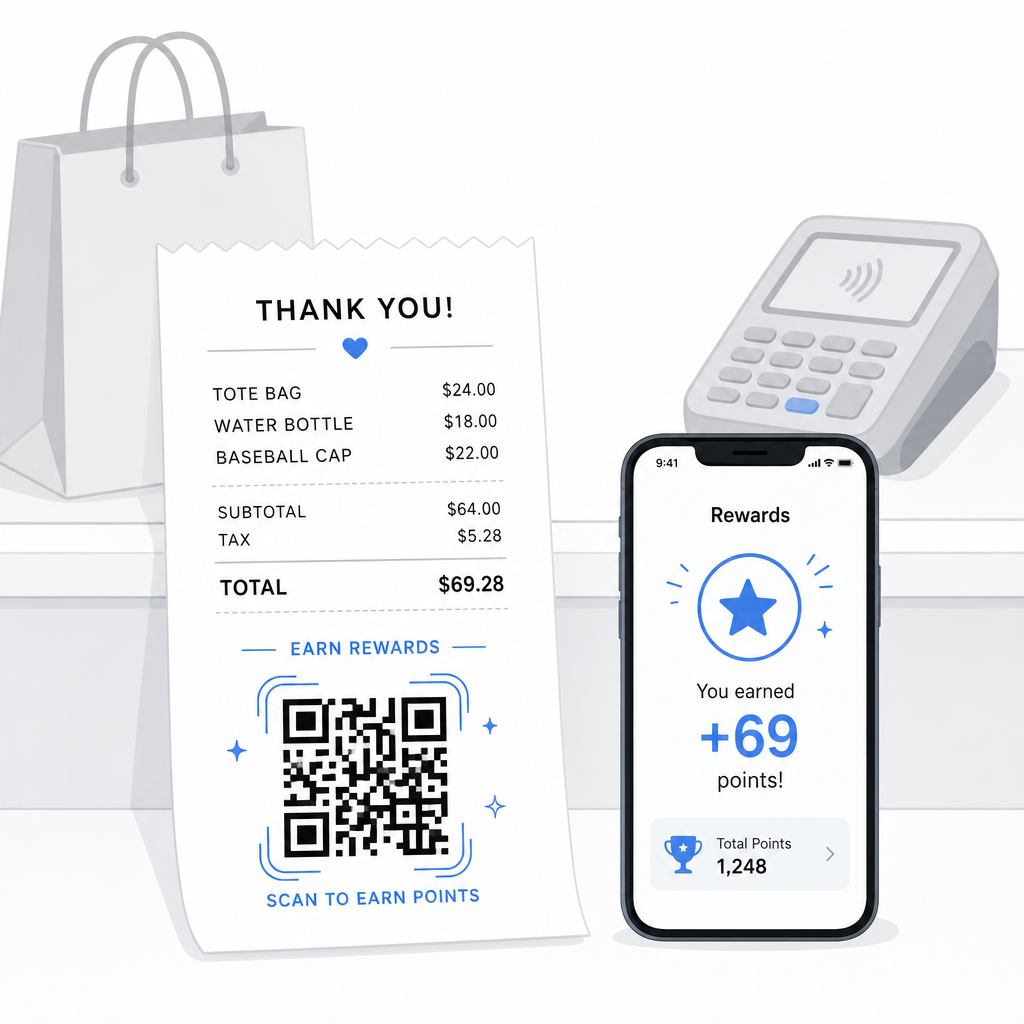
Uuringud näitavad, et lojaalsed kliendid kulutavad 67% rohkem kui uued kliendid, ja 72% USA ettevõtetest, kellel on lojaalsusprogrammid, näevad positiivset investeeringutasuvust. QR-kood kviitungil muudab programmi registreerimise ja punktide lunastamise hõõrdumatuks – rakenduse allalaadimist pole vaja, eraldi kaarti pole vaja kaasas kanda. Nagu Pageloot märgib oma jaemüügi QR-koodi juhendis, QR-koodid toimivad juba loomuliku maksepunktina lojaalsusprogrammi juurdepääsuks ja eksklusiivsete pakkumiste jaoks.
Levinud kviitungipõhised lojaalsussüsteemid hõlmavad:
- Punktide registreerimine: Skaneeri, et liituda ja koheselt kanda punkte praeguse ostu eest
- Tasemepõhised preemiad: Link lehele, mis näitab kliendi praegust taset ja mida nad vajavad järgmisele tasemele jõudmiseks
- Kohene lunastamine: Skaneeri, et saada allahindlust või tasuta toodet kohapeal või järgmise külastuse ajal
- Soovituslingid: Isikupärastatud QR-kood, mida klient saab sõpradega jagada, et laiendada teie programmi ulatust
Selle programmi loomise täieliku juhendi leiate siit: kuidas seadistada QR-koodi lojaalsusprogramme ja võrdlus QR-koodid versus traditsioonilised lojaalsuskaardid.
Lisage lojaalsusprogrammi link igale kviitungile See Lingi QR-koodi generaator võimaldab teil luua bränditud, jälgitava QR-koodi, mis ühendab teie prinditud kviitungid mis tahes lojaalsusplatvormi, preemiate lehe või registreerimisvormiga.
Google'i arvustused ja tagasiside kogumine
Klient, kes just ostu sooritas, on parimas võimalikus meeleolus arvustuse jätmiseks – kui teete selle lihtsaks. QR-kood kviitungi allosas, mis lingib otse teie Google'i arvustuste lehele, eemaldab iga sammu “Mul oli hea kogemus” ja “Ma postitasin sellest” vahel.”
Google'i arvustuste QR-koodid saab printida kviitungitele, menüüdele, pakenditele või mis tahes kliendile suunatud materjalile. Kviitungile paigutamiseks ühendage kood lühikese viipaga, näiteks “Nautisite oma külastust? Andke meile teada 30 sekundiga”, et palve tunduks kerge, mitte nõudlik.
Sama lähenemine töötab ka sisemiste tagasisidevormide puhul, kui eelistate koguda privaatset tagasisidet enne, kui see avalikult ilmub. Sel juhul linkige QR-kood lühikesele küsitlusele, mitte arvustuste platvormile. Mõlemal juhul saab kviitungist ostujärgse kaasamise käivitaja, mis muidu nõuaks eraldi e-posti kampaaniat või järelmeili.
Maksed ja jootraha QR-koodi kaudu
Toitlustuses ja mõnes jaemüügikeskkonnas saab QR-kood kviitungil asendada või täiendada traditsioonilist jootraha küsimist kaarditerminalil. Kliendid skaneerivad, valivad summa ja sooritavad makse mobiilse rahakoti või makselingi kaudu – ilma jagatud seadet käsitsemata.
See on eriti kasulik kaasavõetavate tellimuste, kohaletoimetamise kinnituskviitungite või mis tahes olukorra puhul, kus kaarditerminal ei ole kliendi ees sel hetkel, kui nad soovivad maksta või jootraha lisada. Vaadake juhendit teemal QR-koodid makseteks seadistusvõimaluste kohta erinevate makseteenuse pakkujate lõikes, sealhulgas juhend PayPal QR-koodi seadistamiseks.
Kuidas printida QR-koodi kviitungile: Tehnilised põhitõed
Kui olete oma QR-koodi genereerinud, hõlmab selle printimine kviitungile mõningaid praktilisi kaalutlusi, mis mõjutavad otseselt seda, kas kliendid saavad seda tegelikult skaneerida.
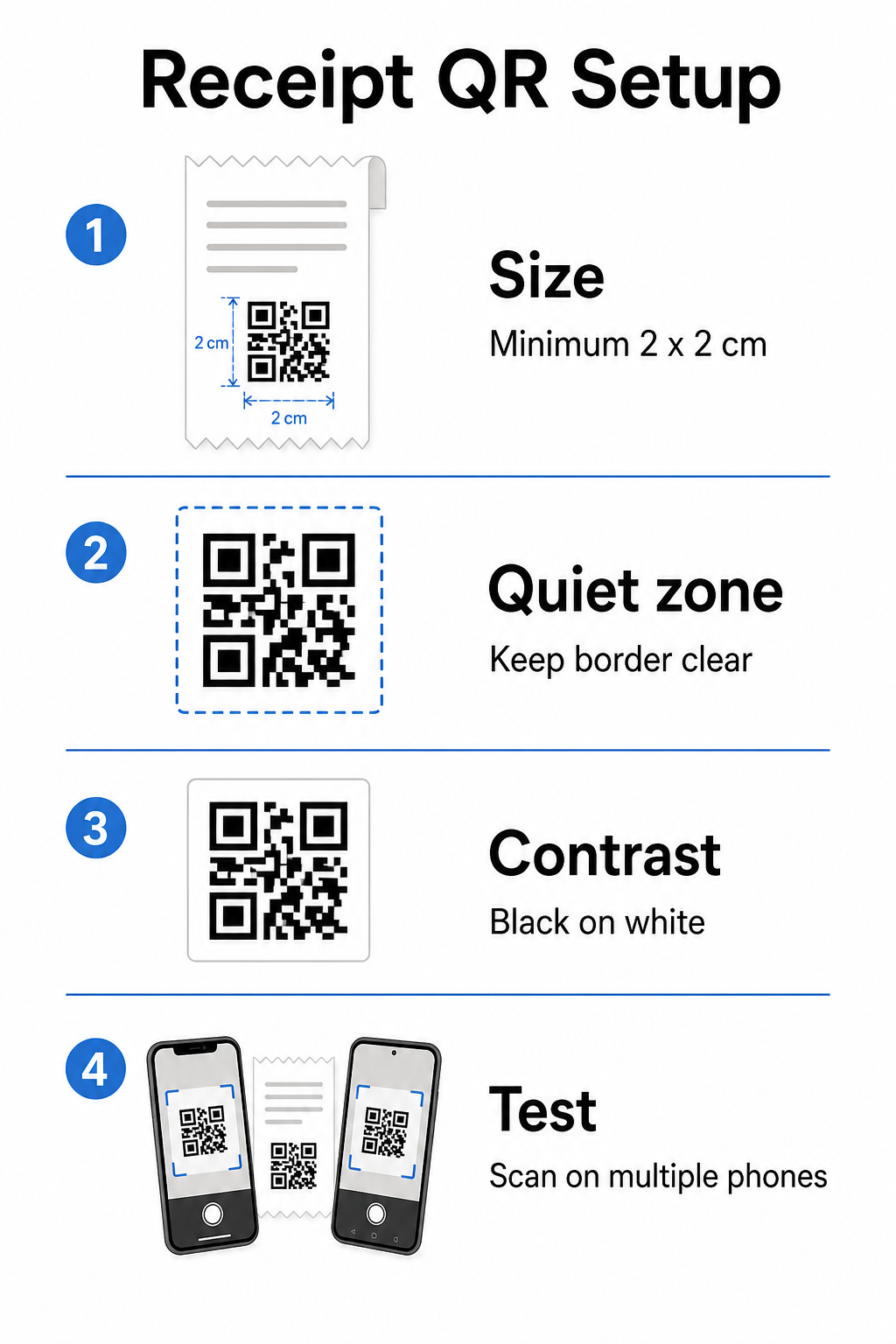
Suurus: Kviitungid on kitsad – tavaliselt 58 mm või 80 mm laiad. Praktiline minimaalne printimissuurus usaldusväärseks nutitelefoni skaneerimiseks on 2 × 2 cm (umbes 0,8 × 0,8 tolli). Standardsel kviitungil sobib 2,5–3 cm kood mugavalt ja skaneerib usaldusväärselt lähedalt, kust klient kviitungit hoiaks. Täieliku ülevaate saamiseks selle kohta, kuidas suurus mõjutab skaneeritavust, vaadake QR-koodi suuruse juhendist.
Vaikne tsoon: Iga QR-kood nõuab selget valget äärist – mida nimetatakse vaikseks tsooniks – vähemalt 4 moodulit (väikesed ruudud) igast küljest. Ärge laske ümbritseval tekstil või graafikal koodi servi ummistada. Puuduv või kitsas vaikne tsoon on üks levinumaid skaneerimisvigade põhjuseid prinditud kviitungitel.
Veaparandus: ISO/IEC 18004 standard määratleb neli veaparanduse taset: L (7%), M (15%), Q (25%) ja H (30%). Kviitungi puhul, mis võib olla volditud või kergelt määrdunud, M-taseme veaparandus on mõistlik algtase. Kui teie kood sisaldab logo ülekatet, minge üle Q- või H-tasemele. Pidage meeles, et kõrgem veaparandus suurendab koodi tihedust, seega testige oma valitud suurust ja veaparanduse taset koos enne disaini lõplikku kinnitamist.
Kontrast: Printige QR-kood mustana valgel, kui vähegi võimalik. Termoprinterid võivad toota madalama kontrastsusega väljundit sõltuvalt paberist ja prindipea kvaliteedist. Testige prinditud koodi mitme seadmega enne laiaulatuslikku kasutuselevõttu – sealhulgas vanemate madala resolutsiooniga kaameratega nutitelefonidega. Üksikasjaliku juhendi leiate siit: QR-koodi loetavuse parimaid tavasid.
POS-integratsioon: Enamik kaasaegseid POS-süsteeme võimaldab kviitungimallide kohandamist. Lisage oma QR-koodi pilt kviitungi jalusesse süsteemi malliredaktoris. Dünaamiliste kasutusjuhtude puhul, kus sihtkoht võib muutuda – hooajalised pakkumised, uuendatud lojaalsuslehed, roteeruvad kampaaniad – kasutage dünaamilist koodi, et prinditud kviitung jääks kehtivaks isegi pärast siht-URL-i värskendamist.
Kviitungi QR-koodi toimivuse jälgimine
Üks praktilisi eeliseid QR-koodi haldusplatvormi kasutamisel tavalise generaatori asemel on juurdepääs skaneerimisanalüütikale. See võimaldab näha: QR-koodi jälgimine, saate jälgida:
- Kui palju kliente koodi tegelikult skaneerib
- Millised asukohad või kassad genereerivad kõige rohkem skaneeringuid
- Millistel kellaaegadel on suurim kaasatus
- Kas koodi kõrval oleva üleskutse teksti muutmine mõjutas skaneerimismäärasid
Need andmed muudavad teie kviitungi mõõdetavaks turunduskanaliks, mitte staatiliseks paberitükiks. Kui teil on mitu asukohta, näitavad asukohapõhised skaneerimisandmed, kus programm töötab ja kus personal võiks klientide suulise julgustamisega skaneerima panna.
Dünaamilised QR-koodid toetavad seda jälgimist loomupäraselt: ümbersuunamisserver logib iga skaneeringu enne kliendi sihtkohta edastamist. Samuti saate värskendada siht-URL-i ilma uusi kviitungeid väljastamata, mis tähendab, et hooajaline kampaania saab alata või lõppeda ilma operatiivsete häireteta. Selle kohta, kuidas see toetab iteratiivset parendamist, vaadake lähemalt siit: kuidas QR-koode tõhusalt kasutada.
Otsustamine, mida kviitungi QR-koodile lisada
Enne koodi genereerimist otsustage selgelt kolm asja.
Sihtkoht: Kuhu skaneering viib? Valige üks peamine tegevus – digitaalne kviitung, lojaalsusprogrammi registreerimine, arvustuste leht või makselink. QR-kood, mis püüab korraga täita mitut eesmärki, tekitab segadust ja vähendab skaneerimismäärasid.
Üleskutse tekst: Printige koodi kõrvale lühike juhis. “Skaneeri kviitungi salvestamiseks”, “Skaneeri punktide teenimiseks” või “Skaneeri arvustuse jätmiseks” loovad kõik selge ootuse. Kliendid skaneerivad oluliselt tõenäolisemalt, kui nad mõistavad täpselt, mida nad saavad.
Koodi tüüp: Kasuta dünaamiline QR-kood Kasutage dünaamilist koodi, kui sihtkoht võib muutuda, kui soovite jälgimisandmeid või kui plaanite korraldada ajas roteeruvaid kampaaniaid. Kasutage staatilist koodi ainult siis, kui sihtkoht on püsivalt fikseeritud ja jälgimine ei ole prioriteet.
Kui kood on aktiivne, käsitlege skaneerimismäära kui mõõdikut, mida te vaatate üle ja parandate – täpselt nagu iga teist kliendi kaasamise kanalit. Väikesed kohandused paigutuses, koodi suuruses või üleskutse tekstis võivad oluliselt mõjutada seda, kui paljud kliendid tegevuse lõpule viivad.
Korduma kippuvad küsimused
Enamiku kasutusjuhtude puhul – digitaalsete kviitungite portaalid, lojaalsusprogrammidesse registreerimine, arvustuste lehed või ostujärgsed pakkumised – töötab üks QR-kood kõigi kviitungite puhul. Dünaamiline QR-kood võimaldab teil sihtkohta värskendada ilma uuesti printimata. Kui teil on vaja jälgida üksikuid tehinguid (näiteks isikupärastatud sooduskoodide väljastamiseks), peaksite genereerima iga tehingu kohta unikaalsed koodid, mis tavaliselt nõuab teie POS-süsteemi ja hulgitootmist toetava QR-platvormi vahelist integreerimist.
QR-kood ise ei ole arvestussüsteem – see on link ühega. IRS nõuab, et elektroonilised andmed oleksid taastatavad, loetavad, teie raamatupidamisega kooskõlastatavad ja varundatud. Kui QR-kood lingib nõuetele vastava digitaalse kviitungite arhiiviga või raamatupidamisplatvormiga, mis vastab nendele standarditele, siis see võib olla osa vastuvõetavast elektroonilisest arvestuse pidamise töövoost. Konsulteerige maksuspetsialistiga juhiste saamiseks, mis on spetsiifilised teie ettevõtte struktuurile ja jurisdiktsioonile.
Kõige levinumad põhjused on liiga väike kood, ebapiisav kontrast termoprintimisel või ümbritseva teksti või graafika poolt ülerahvastatud vaikne tsoon. Printige kood minimaalselt 2 × 2 cm suuruses, hoidke kõigil külgedel selget valget äärist ja testige mitme seadmega – sealhulgas vanemate nutitelefonidega – enne kasutuselevõttu. M-taseme veaparanduse või kõrgema taseme kasutamine lisab vastupidavust väiksemate prindivigade vastu. Lisage alati sihtkoha URL lihttekstina varuvariandina, et kliendid saaksid lehele käsitsi juurde pääseda, kui skannimine ebaõnnestub.