Nejste si jisti, proč se QR kódy objevují na účtenkách – nebo jak si jeden přidat na vlastní? Firmy používají QR kódy na účtenkách pro vše od digitálního vedení záznamů a dodržování daňových předpisů po věrnostní programy a sběr recenzí. Tento průvodce vysvětluje, jak fungují a jak je nastavit.
Co QR kód na účtence skutečně dělá
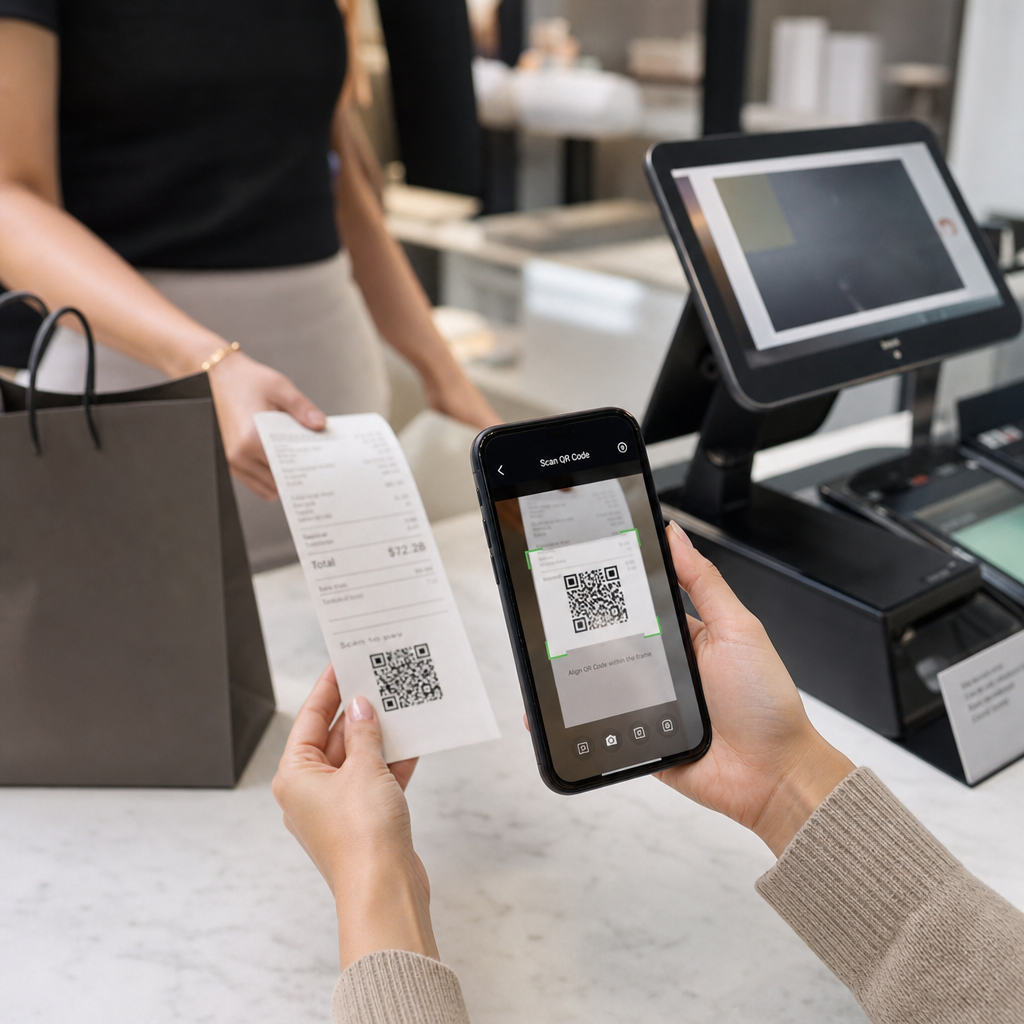
QR kód je dvourozměrný čárový kód, který kamera smartphonu dekóduje během několika sekund a nasměruje uživatele na URL adresu, formulář, digitální soubor nebo platební stránku – bez nutnosti jakéhokoli psaní. Když je vytištěn na účtence, tento kód promění kus papíru, který by si váš zákazník schoval do kapsy nebo vyhodil, v aktivní digitální kontaktní bod.
Cíl za QR kódem na účtence může být téměř cokoli:
- Digitální verze samotné účtenky (PDF nebo webová stránka)
- Stránka pro registraci do věrnostního programu nebo pro uplatnění bodů
- Výzva k recenzi na Google
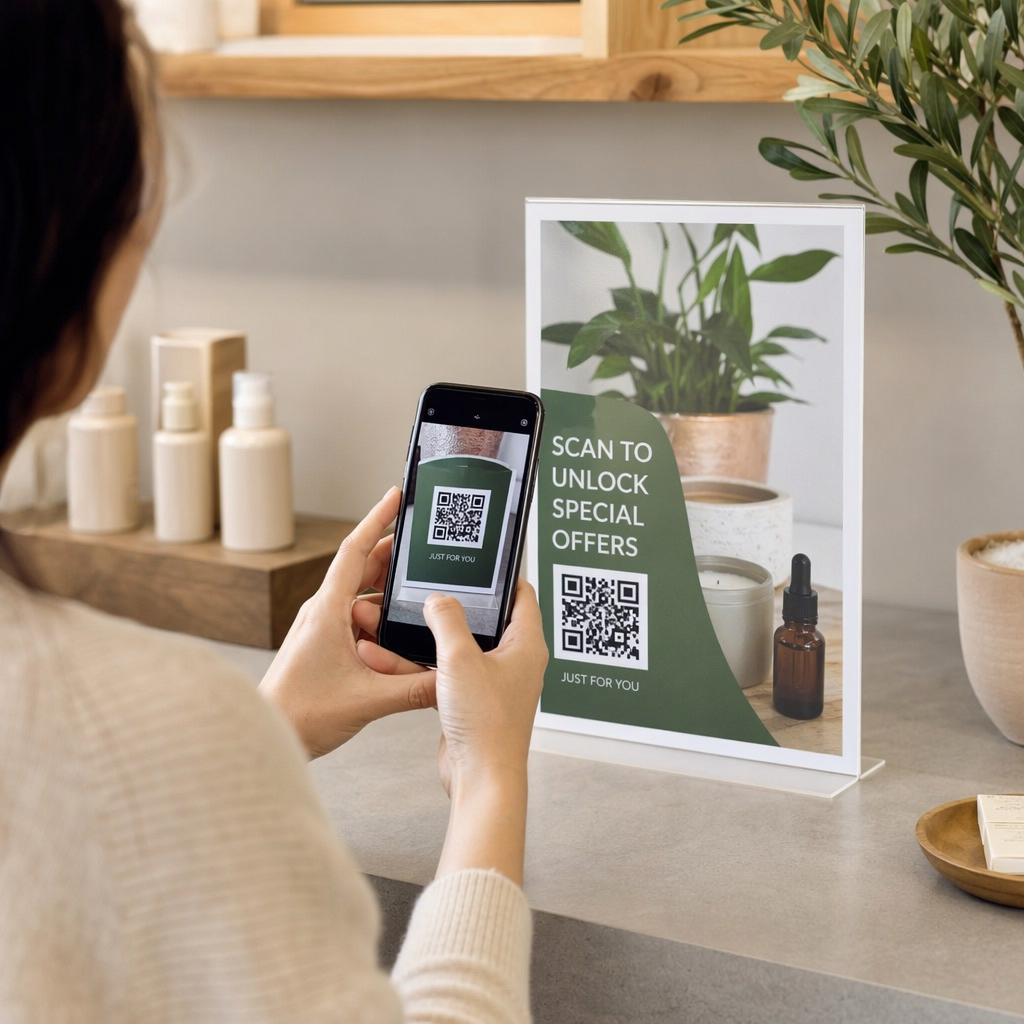
- Poprodejní sleva nebo speciální nabídka
- Formulář zpětné vazby
- Stránka s potvrzením platby nebo spropitným
Klíčový rozdíl, který stojí za to pochopit předem, je statické versus dynamické QR kódy. Statický kód kóduje cíl přímo – změňte odkaz a musíte tisknout znovu. A dynamický QR kód ukládá místo toho krátkou přesměrovací URL adresu, takže můžete cíl kdykoli aktualizovat prostřednictvím ovládacího panelu, aniž byste se dotkli svých tištěných účtenek. Pro případy použití účtenek, kde byste chtěli aktualizovat nabídky, vyměnit stránky věrnostních programů nebo obnovit poprodejní obsah, jsou dynamické kódy praktickou volbou.
Digitální účtenky: Méně papíru a lepší záznamy
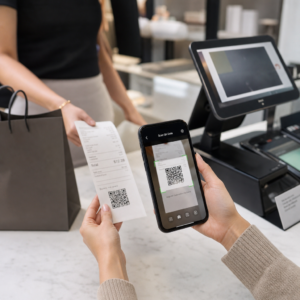
Přibližně 75 % spotřebitelů preferuje digitální účtenky před papírovými, s odkazem na snazší vrácení zboží a lepší organizaci nákupních záznamů. QR kód na tištěné účtence překlenuje tuto mezeru: zákazník stále dostane fyzický dokument v místě prodeje, ale okamžitě si může uložit nebo získat přístup k digitální kopii naskenováním.
Pro zákazníky, to znamená:
- Vyhledávatelný, uložitelný záznam jejich nákupu
- Žádné riziko vybledlé nebo ztracené papírové účtenky během lhůty pro vrácení zboží
- Okamžitý přístup k zárukám na produkty nebo pokynům k péči
Pro firmy, to znamená:
- Méně požadavků na vyhledávání starých transakcí
- Přirozený kontaktní bod pro následné nabídky nebo výzvy k věrnostnímu programu
- Snížené tření při vracení a výměně zboží
Pokud působíte v maloobchodě nebo pohostinství, spárování QR kódu digitální účtenky s poprodejní nabídkou – jako je sleva na další návštěvu – dává zákazníkům konkrétní důvod k naskenování, spíše než k ignorování kódu.
Proměňte účtenky v digitální kanál Chcete propojit své tištěné účtenky s digitálním obsahem, který můžete kdykoli aktualizovat? Použijte Dynamický QR kód k vytvoření QR kódu účtenky, který můžete přesměrovat, kdykoli se vaše nabídky změní – bez nutnosti opětovného tisku.
Dodržování daňových předpisů a vedení záznamů
IRS (americký daňový úřad) vyžaduje, aby podniky uchovávaly podpůrné dokumenty – včetně prodejních dokladů, faktur a účtenek – které podporují záznamy ve vašich účetních knihách a v daňových přiznáních. Kriticky, IRS uvádí, že všechny požadavky platné pro tištěné záznamy platí také pro elektronické záznamy: elektronický systém musí splňovat stejné základní principy vedení záznamů jako papírový, vytvářet čitelné záznamy, které podporují položky v přiznání, a být zálohován, aby se chránil před ztrátou dat.
QR kódy na účtenkách zapadají do tohoto rámce dvěma praktickými způsoby.
Pro vaše zákazníky QR kód odkazující na digitální účtenku jim poskytuje trvalou, přístupnou kopii jejich transakčního záznamu, podporující jejich vlastní sledování výdajů nebo dokumentaci pro vrácení zboží. Pro vaši firmu propojení účtenek s digitálním systémem vedení záznamů – ať už jde o cloudovou účetní platformu, archiv PDF účtenek nebo transakční portál – pomáhá udržovat organizované, dohledatelné záznamy, které IRS očekává. Záznamy by měly být uchovávány tak dlouho, jak je potřeba k doložení příjmů nebo odpočtů v daňovém přiznání, a elektronické zálohy jsou výslovně doporučeny.
Několik praktických bodů z pokynů IRS stojí za to mít na paměti:
- Záznamy o hrubých příjmech (pásky z pokladen, účtenkové knihy, faktury) a nákupní doklady (účtenky z kreditních karet, faktury) patří mezi základní podpůrné dokumenty, které IRS identifikuje
- Elektronické systémy se musí shodovat s vašimi účetními knihami a přiznáními a poskytovat dostatek detailů k identifikaci podkladových zdrojových dokumentů
- Záznamy by měly být uchovávány uspořádaně, organizované podle roku a typu příjmu nebo výdaje
QR kódy nenahrazují váš systém vedení záznamů – mohou ho zpřístupnit propojením fyzické účtenky s digitálním záznamem za ní. Pro širší pohled na úvahy o ochraně soukromí při sběru dat ze skenování se podívejte na našeho průvodce o Zákony o ochraně soukromí QR kódů a klíčové předpisy.
Věrnostní programy: Nahrazení děrované karty u pokladny
Účtenka je jedním z nejméně využívaných kontaktních bodů pro věrnostní programy v maloobchodě a gastronomii. Zákazník již dokončil nákup – je v nejvyšší fázi zapojení. QR kód ve spodní části účtenky je může během několika sekund zavést přímo do vašeho věrnostního programu.
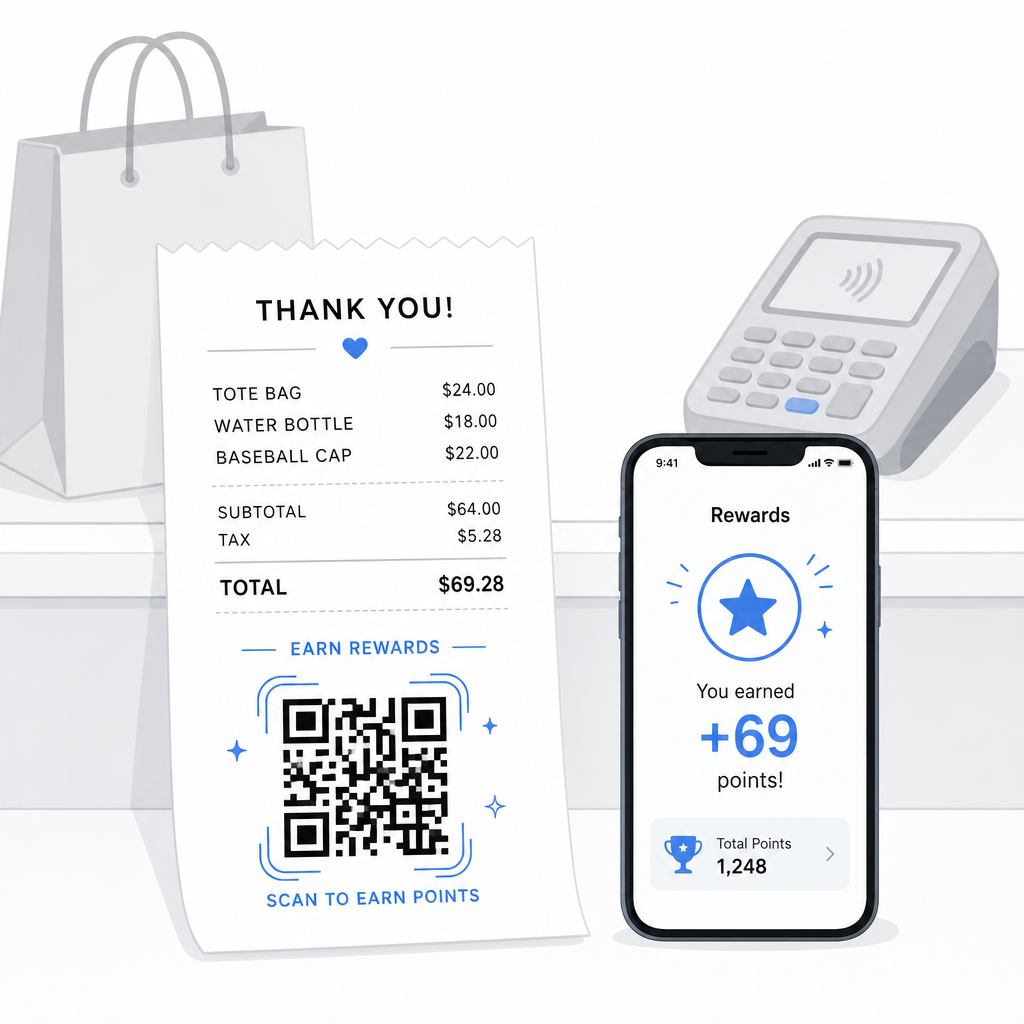
Výzkum ukazuje, že věrní zákazníci utratí o 67 % více než noví zákazníci a 72 % amerických podniků s věrnostními programy zaznamenává pozitivní návratnost investic. QR kód na účtence usnadňuje registraci do programu a uplatnění bodů – není nutné stahovat aplikaci, ani nosit samostatnou kartu. Jak Pageloot uvádí ve svém průvodci QR kódy pro maloobchod, QR kódy již slouží jako přirozený kontaktní bod u pokladny pro přístup k věrnostním programům a exkluzivním nabídkám.
Běžná nastavení věrnostních programů založených na účtenkách zahrnují:
- Registrace bodů: Naskenujte pro připojení a okamžité připsání bodů za aktuální nákup
- Odměny založené na úrovních: Odkaz na stránku zobrazující aktuální úroveň zákazníka a co potřebuje k dosažení další úrovně
- Okamžité uplatnění: Naskenujte pro získání slevy nebo položky zdarma na místě nebo během příští návštěvy
- Doporučující odkazy: Personalizovaný QR kód, který zákazník může sdílet s přáteli pro rozšíření dosahu vašeho programu
Pro kompletní návod, jak vytvořit tento typ programu, viz jak nastavit věrnostní programy s QR kódy a srovnání QR kódů versus tradičních věrnostních karet.
Přidejte odkaz na věrnostní program na každou účtenku Ten Generátor QR kódů pro odkazy vám umožní vytvořit značkový, sledovatelný QR kód, který propojuje vaše tištěné účtenky s jakoukoli věrnostní platformou, stránkou s odměnami nebo registračním formulářem.
Recenze Google a sběr zpětné vazby
Zákazník, který právě dokončil nákup, je v nejlepším možném rozpoložení k zanechání recenze – pokud mu to usnadníte. QR kód ve spodní části účtenky, který odkazuje přímo na vaši stránku s recenzemi Google, odstraňuje každý krok mezi “Měl jsem dobrou zkušenost” a “Zveřejnil jsem to.”
QR kódy pro recenze Google lze tisknout na účtenky, jídelní lístky, obaly nebo jakýkoli materiál určený pro zákazníky. Pro umístění na účtenku spárujte kód s krátkou výzvou, například “Líbila se vám návštěva? Dejte nám vědět za 30 sekund”, aby požadavek působil lehce, nikoli náročně.
Stejný přístup funguje i pro interní formuláře zpětné vazby, pokud dáváte přednost shromažďování soukromé zpětné vazby, než se objeví veřejně. V takovém případě propojte QR kód s krátkým průzkumem namísto platformy pro recenze. Tak či onak, účtenka se stává spouštěčem pro zapojení po nákupu, které by jinak vyžadovalo samostatnou e-mailovou kampaň nebo následnou zprávu.
Platby a spropitné pomocí QR kódu
V gastronomii a některých maloobchodních prostředích může QR kód na účtence nahradit nebo doplnit tradiční výzvu ke spropitnému na platebním terminálu. Zákazníci naskenují, zvolí částku a dokončí platbu prostřednictvím mobilní peněženky nebo platebního odkazu – aniž by manipulovali se sdíleným zařízením.
To je obzvláště užitečné pro objednávky s sebou, potvrzení o doručení, nebo jakoukoli situaci, kdy platební terminál není před zákazníkem v okamžiku, kdy chtějí zaplatit nebo přidat spropitné. Viz průvodce na téma QR kódy pro platby pro možnosti nastavení u různých poskytovatelů plateb, včetně návodu pro nastavení QR kódu PayPal.
Jak vytisknout QR kód na účtenku: Technické základy
Jakmile vygenerujete svůj QR kód, jeho tisk na účtenku zahrnuje několik praktických úvah, které přímo ovlivňují, zda jej zákazníci skutečně dokážou naskenovat.
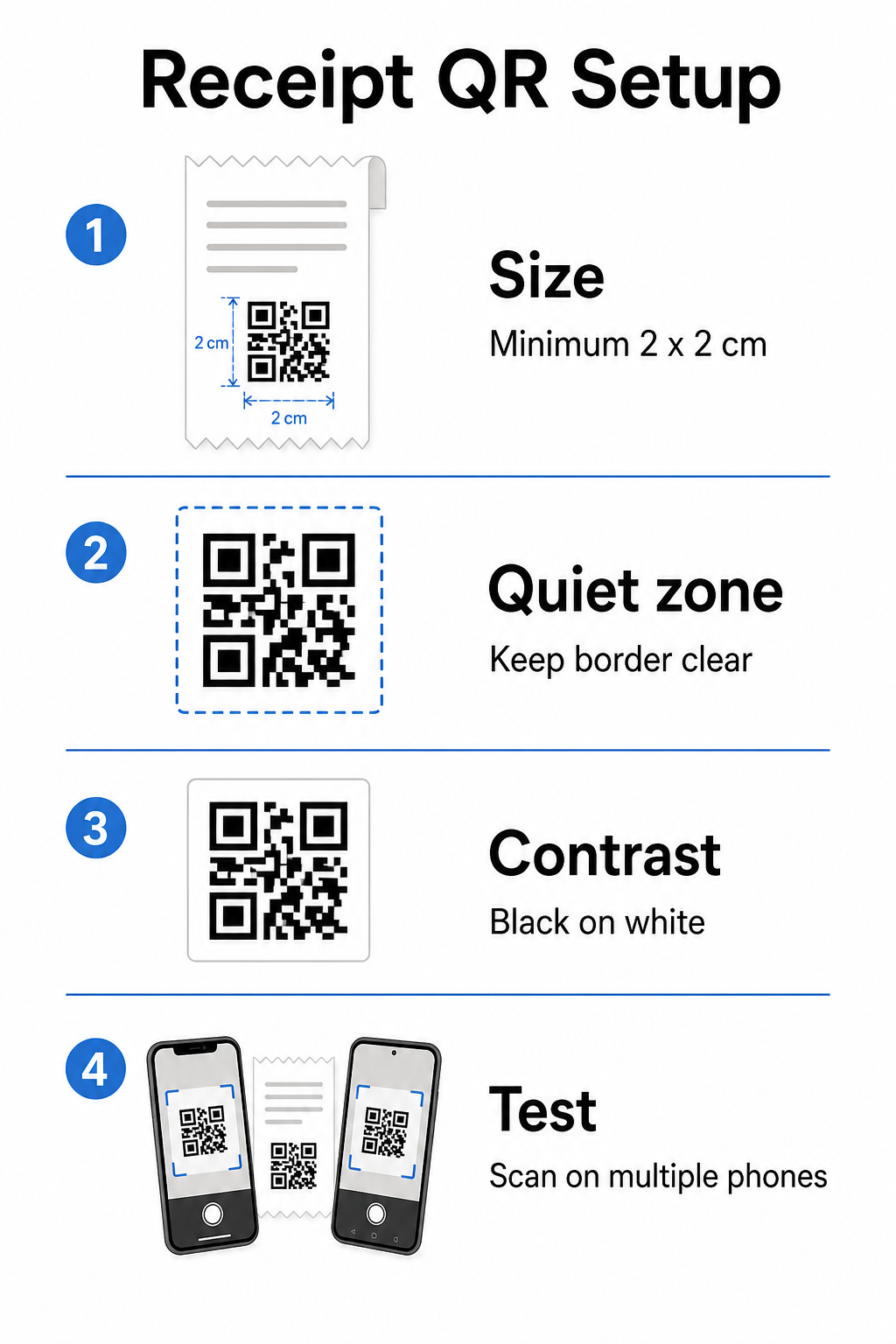
Velikost: Účtenky jsou úzké – obvykle široké 58 mm nebo 80 mm. Praktická minimální velikost tisku pro spolehlivé skenování chytrým telefonem je 2 × 2 cm (asi 0,8 × 0,8 palce). Na standardní účtence se kód o velikosti 2,5–3 cm pohodlně vejde a spolehlivě se skenuje z blízké vzdálenosti, ve které by zákazník držel účtenku. Pro kompletní rozbor toho, jak velikost ovlivňuje skenovatelnost, viz průvodci velikostí QR kódů.
Tichá zóna: Každý QR kód vyžaduje jasný bílý okraj – nazývaný tichá zóna – o velikosti alespoň 4 modulů (malých čtverců) na všech stranách. Nedovolte, aby okolní text nebo grafika přeplňovaly okraje kódu. Chybějící nebo úzká tichá zóna je jednou z nejčastějších příčin selhání skenování na tištěných účtenkách.
Korekce chyb: Norma ISO/IEC 18004 definuje čtyři úrovně korekce chyb: L (7 %), M (15 %), Q (25 %) a H (30 %). Pro účtenku, která může být složená nebo mírně rozmazaná, korekce chyb úrovně M je rozumný základ. Pokud váš kód obsahuje překrytí logem, přejděte na Q nebo H. Mějte na paměti, že vyšší korekce chyb zvyšuje hustotu kódu, proto otestujte zvolenou velikost a úroveň korekce chyb společně před dokončením návrhu.
Kontrast: Vytiskněte QR kód černě na bílém, kdykoli je to možné. Termální tiskárny účtenek mohou produkovat výstup s nižším kontrastem v závislosti na typu papíru a kvalitě tiskové hlavy. Otestujte vytištěný kód na několika zařízeních před zavedením ve velkém měřítku – včetně starších chytrých telefonů s fotoaparáty s nižším rozlišením. Podrobné pokyny naleznete v osvědčené postupy pro čitelnost QR kódů.
Integrace POS: Většina moderních POS systémů umožňuje přizpůsobení šablony účtenky. Přidejte obrázek QR kódu do zápatí účtenky v editoru šablon systému. Pro dynamické případy použití, kde se cíl může měnit – sezónní nabídky, aktualizované věrnostní stránky, rotující akce – použijte dynamický kód, aby vytištěná účtenka zůstala platná i poté, co aktualizujete cílovou URL adresu.
Sledování výkonu QR kódu na účtence
Jednou z praktických výhod používání platformy pro správu QR kódů spíše než základního generátoru je přístup k analytice skenování. S Sledování QR kódu, můžete sledovat:
- Kolik zákazníků skutečně naskenuje kód
- Které lokality nebo pokladny generují nejvíce skenů
- Které denní doby zaznamenávají nejvyšší zapojení
- Zda změna v textu výzvy k akci vedle kódu ovlivnila míru skenování
Tato data promění vaši účtenku v měřitelný marketingový kanál spíše než statický kus papíru. Pokud provozujete více poboček, data o skenování na jednotlivých pobočkách vám řeknou, kde program funguje a kde by personál mohl mít prospěch z verbálního povzbuzování zákazníků ke skenování.
Dynamické QR kódy nativně podporují toto sledování: přesměrovací server zaznamenává každé skenování před přesměrováním zákazníka na cíl. Můžete také aktualizovat cílovou URL adresu bez vydávání nových účtenek, což znamená, že sezónní akce může být spuštěna nebo vypršet bez jakéhokoli provozního narušení. Pro hlubší pohled na to, jak to podporuje iterativní zlepšování, viz jak efektivně používat QR kódy.
Rozhodování, co zahrnout do QR kódu na vaší účtence
Před vygenerováním kódu si jasně ujasněte tři věci.
Cíl: Kam směřuje sken? Vyberte jednu primární akci – digitální účtenka, registrace do věrnostního programu, stránka s recenzemi nebo platební odkaz. QR kód, který se snaží sloužit více účelům najednou, vytváří zmatek a snižuje míru skenování.
Text výzvy k akci: Vytiskněte krátký pokyn vedle kódu. “Naskenujte pro uložení účtenky,” “Naskenujte pro získání bodů,” nebo “Naskenujte pro zanechání recenze” – každý nastavuje jasné očekávání. Zákazníci jsou výrazně pravděpodobněji naskenovat, když přesně rozumí, co dostanou.
Typ kódu: Použijte a dynamický QR kód pokud se cíl může změnit, pokud chcete sledovací data, nebo pokud plánujete spouštět akce, které se v průběhu času střídají. Použijte statický kód pouze v případě, že je cíl trvale pevný a sledování není prioritou.
Jakmile je kód aktivní, považujte míru skenování za metriku, kterou kontrolujete a zlepšujete – stejně jako jakýkoli jiný kanál pro zapojení zákazníků. Malé úpravy umístění, velikosti kódu nebo textu výzvy k akci mohou vést k významným rozdílům v tom, kolik zákazníků dokončí akci.
Často kladené otázky
Pro většinu případů použití – portály digitálních účtenek, registrace do věrnostních programů, stránky s recenzemi nebo nabídky po nákupu – jediný QR kód funguje napříč všemi účtenkami. Dynamický QR kód vám umožňuje aktualizovat cíl bez opětovného tisku. Pokud potřebujete sledovat jednotlivé transakce (například pro vydávání personalizovaných slevových kódů), generovali byste unikátní kódy pro každou transakci, což typicky vyžaduje integraci mezi vaším POS systémem a QR platformou, která podporuje hromadné generování.
QR kód sám o sobě není systémem pro vedení záznamů – je to odkaz na něj. IRS vyžaduje, aby elektronické záznamy byly dohledatelné, čitelné, sladitelné s vašimi účetními knihami a zálohované. Pokud QR kód odkazuje na vyhovující archiv digitálních účtenek nebo účetní platformu, která splňuje tyto standardy, může být součástí přijatelného pracovního postupu pro vedení elektronických záznamů. Konzultujte daňového poradce pro poradenství specifické pro vaši obchodní strukturu a jurisdikci.
Nejčastějšími příčinami jsou příliš malý kód, nedostatečný kontrast z termálního tisku, nebo tichá zóna přeplněná okolním textem nebo grafikou. Vytiskněte kód o minimální velikosti 2 × 2 cm, udržujte jasný bílý okraj na všech stranách a testujte na více zařízeních – včetně starších smartphonů – před spuštěním. Použití korekce chyb úrovně M nebo vyšší přidává odolnost proti drobným tiskovým nedokonalostem. Vždy uveďte cílovou URL v prostém textu jako záložní možnost, aby zákazníci mohli stránku ručně otevřít, pokud skenování selže.