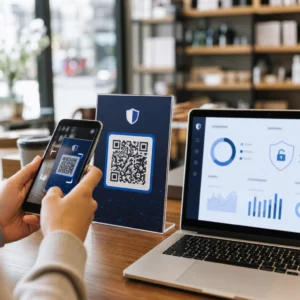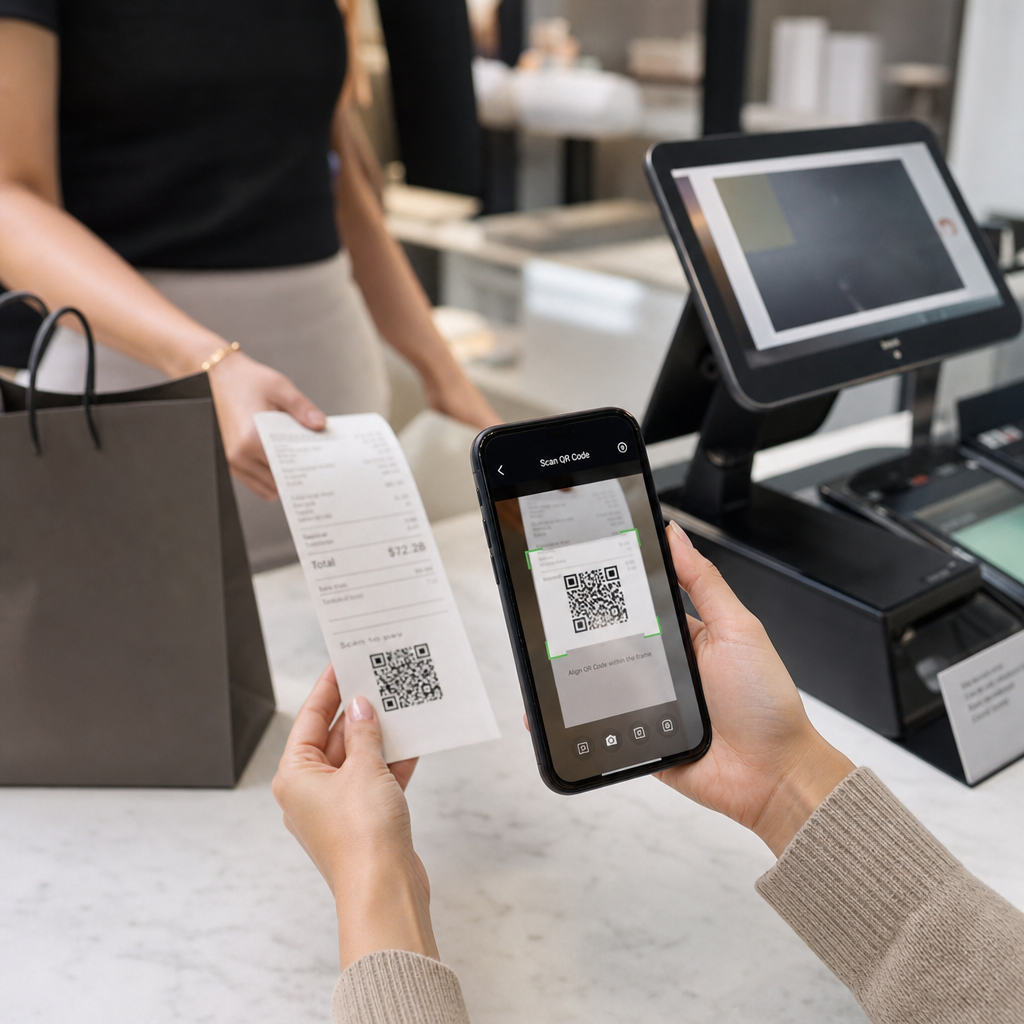
N'êtes-vous pas sûr de la raison pour laquelle des codes QR apparaissent sur les reçus – ou comment en ajouter un aux vôtres ? Les entreprises utilisent les codes QR de reçu pour tout, de la tenue de registres numériques et la conformité fiscale aux programmes de fidélité et à la collecte d'avis. Ce guide explique comment ils fonctionnent et comment les configurer.
Ce que fait réellement un code QR sur un reçu
Un code QR est un code-barres bidimensionnel qu'un appareil photo de smartphone décode en quelques secondes, dirigeant l'utilisateur vers une URL, un formulaire, un fichier numérique ou une page de paiement – sans aucune saisie requise. Lorsqu'il est imprimé sur un reçu, ce code transforme un morceau de papier que votre client allait empocher ou jeter en un point de contact numérique actif.
La destination derrière un code QR de reçu peut être presque n'importe quoi :
- Une version numérique du reçu lui-même (PDF ou page web)
- Une page d'inscription à un programme de fidélité ou de rachat de points
- Une invitation à laisser un avis Google
- Une réduction après l'achat ou une offre spéciale
- Un formulaire de commentaires
- Une page de confirmation de paiement ou de pourboire
La distinction clé à comprendre d'emblée est débat sur les codes QR statiques ou dynamiques. Un code statique encode directement la destination – changez le lien et vous devez réimprimer. Un code QR dynamique stocke une courte URL de redirection à la place, de sorte que vous pouvez mettre à jour la destination à tout moment via un tableau de bord sans toucher à vos reçus imprimés. Pour les cas d'utilisation de reçus où vous pourriez vouloir mettre à jour des offres, échanger des pages de programme de fidélité ou actualiser du contenu après l'achat, les codes dynamiques sont le choix pratique.
Reçus numériques : Réduire le papier et améliorer les registres
Environ 75% des consommateurs préfèrent les reçus numériques au papier, citant des retours plus faciles et une meilleure organisation des registres d'achat. Un code QR sur un reçu imprimé comble le fossé : le client reçoit toujours un document physique au point de vente, mais peut instantanément enregistrer ou accéder à une copie numérique en scannant.
Pour clients, cela signifie :
- Un enregistrement consultable et stockable de leur achat
- Aucun risque de reçu papier décoloré ou perdu pendant une période de retour
- Accès immédiat aux garanties de produits ou aux instructions d'entretien
Pour entreprises, cela signifie :
- Moins de demandes pour rechercher d'anciennes transactions
- Un point de contact naturel pour les offres de suivi ou les invitations aux programmes de fidélité
- Friction réduite autour des retours et des échanges
Si vous opérez dans le commerce de détail ou l'hôtellerie-restauration, associer un code QR de reçu numérique à une offre après l'achat – telle qu'une réduction sur la prochaine visite – donne aux clients une raison concrète de scanner plutôt que d'ignorer le code.
Transformez les reçus en un canal numérique Vous voulez lier vos reçus imprimés à du contenu numérique que vous pouvez mettre à jour à tout moment ? Utilisez le Générateur de QR code dynamique pour créer un code QR de reçu que vous pouvez rediriger chaque fois que vos offres changent – aucune réimpression requise.
Conformité fiscale et tenue de registres
L'IRS exige des entreprises qu'elles conservent les documents justificatifs – y compris les bordereaux de vente, les factures et les reçus – qui étayent les entrées dans vos livres et sur les déclarations de revenus. Il est essentiel de noter que l'IRS stipule que toutes les exigences s'appliquant aux dossiers papier s'appliquent également aux dossiers électroniques: un système électronique doit respecter les mêmes principes de base de tenue de registres que le papier, produire des registres lisibles qui étayent les entrées de déclaration, et être sauvegardé pour protéger contre la perte de données.
Les codes QR sur les reçus s'inscrivent dans ce cadre de deux manières pratiques.
Pour vos clients, un code QR lié à un reçu numérique leur donne une copie permanente et accessible de leur enregistrement de transaction, soutenant leur propre suivi des dépenses ou documentation de retour. Pour votre entreprise, lier les reçus à un système de tenue de registres numériques – qu'il s'agisse d'une plateforme comptable basée sur le cloud, d'une archive de reçus PDF ou d'un portail de transactions – aide à maintenir les registres organisés et récupérables que l'IRS attend. Les registres doivent être conservés aussi longtemps que nécessaire pour justifier les revenus ou les déductions sur une déclaration de revenus, et les sauvegardes électroniques sont spécifiquement recommandées.
Quelques points pratiques des directives de l'IRS méritent d'être gardés à l'esprit :
- Les registres de recettes brutes (bandes de caisse enregistreuse, carnets de reçus, factures) et les documents d'achat (reçus de carte de crédit, factures) figurent parmi les documents justificatifs essentiels identifiés par l'IRS
- Les systèmes électroniques doivent concorder avec vos livres et déclarations et fournir suffisamment de détails pour identifier les documents sources sous-jacents
- Les registres doivent être conservés de manière ordonnée, organisés par année et par type de revenu ou de dépense
Les codes QR ne remplacent pas votre système de tenue de registres – ils peuvent le rendre plus accessible en connectant un reçu physique au registre numérique qui le sous-tend. Pour un aperçu plus large des considérations de confidentialité lors de la collecte de données de scan, consultez notre guide sur Lois sur la confidentialité des codes QR et réglementations clés.
Programmes de fidélité : Remplacer la carte à poinçons à la caisse
Le reçu est l'un des points de contact de fidélisation les plus sous-utilisés dans le commerce de détail et la restauration. Le client a déjà effectué un achat – il est au summum de son engagement. Un code QR au bas du reçu peut le diriger directement vers votre programme de fidélisation en quelques secondes.
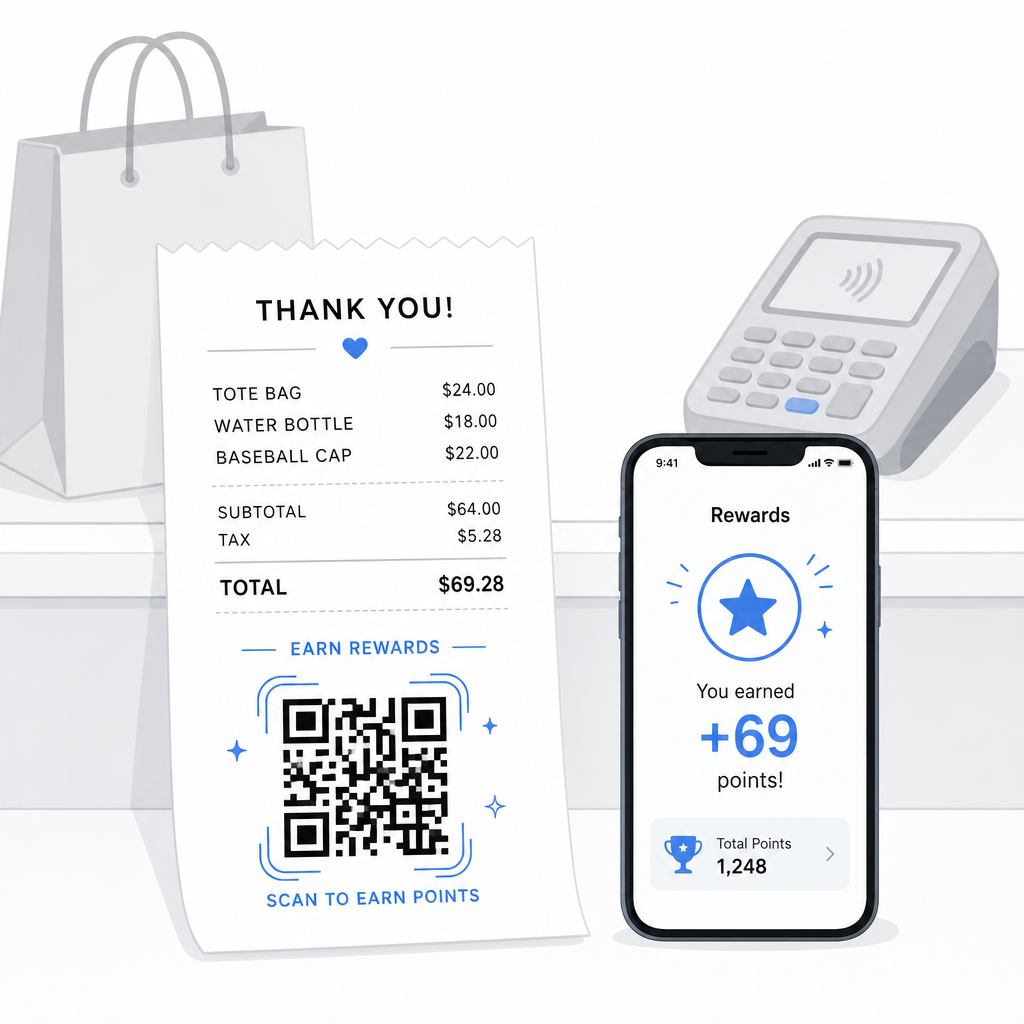
La recherche montre que les clients fidèles dépensent 67 % de plus que les nouveaux clients, et 72 % des entreprises américaines dotées de programmes de fidélisation constatent un retour sur investissement positif. Un code QR sur le reçu rend l'inscription au programme et l'échange de points sans friction – aucun téléchargement d'application requis, aucune carte séparée à transporter. Comme le note Pageloot dans son guide des codes QR pour le commerce de détail, les codes QR servent déjà de point de contact naturel à la caisse pour l'accès à la fidélisation et les offres exclusives.
Les configurations courantes de fidélisation basées sur les reçus comprennent :
- Inscription aux points : Scannez pour adhérer et créditer immédiatement des points pour l'achat actuel
- Récompenses basées sur les niveaux : Lien vers une page affichant le niveau actuel du client et ce dont il a besoin pour atteindre le niveau suivant
- Rachat instantané : Scannez pour réclamer une réduction ou un article gratuit sur place ou lors de la prochaine visite
- Liens de parrainage : Un code QR personnalisé que le client peut partager avec ses amis pour étendre la portée de votre programme
Pour un guide complet sur la création de ce type de programme, voir comment configurer des programmes de fidélité par code QR et une comparaison des codes QR versus cartes de fidélité traditionnelles.
Ajouter un lien de programme de fidélisation à chaque reçu Le Générateur de codes QR de liens vous permet de créer un code QR de marque, traçable, qui connecte vos reçus imprimés à n'importe quelle plateforme de fidélisation, page de récompense ou formulaire d'inscription.
Avis Google et collecte de commentaires
Un client qui vient de finaliser un achat est dans le meilleur état d'esprit possible pour laisser un avis – si vous lui facilitez la tâche. Un code QR au bas du reçu, lié directement à votre page d'avis Google, supprime chaque étape entre “ J'ai eu une bonne expérience ” et “ J'en ai parlé ”.”
Codes QR d'avis Google peuvent être imprimés sur des reçus, des menus, des emballages ou tout autre support destiné aux clients. Pour le placement sur le reçu, associez le code à une courte invite telle que “ Avez-vous apprécié votre visite ? Dites-le-nous en 30 secondes ” pour que la demande semble légère plutôt qu'exigeante.
La même approche fonctionne pour les formulaires de commentaires internes si vous préférez recueillir des commentaires privés avant qu'ils n'apparaissent publiquement. Dans ce cas, liez le code QR à une courte enquête plutôt qu'à une plateforme d'avis. Dans tous les cas, le reçu devient le déclencheur d'un engagement post-achat qui nécessiterait autrement une campagne d'e-mails séparée ou un message de suivi.
Paiements et pourboires via code QR
Dans la restauration et certains environnements de vente au détail, un code QR sur le reçu peut remplacer ou compléter l'invite de pourboire traditionnelle sur un terminal de carte. Les clients scannent, choisissent un montant et effectuent le paiement via un portefeuille mobile ou un lien de paiement – sans manipuler un appareil partagé.
Ceci est particulièrement utile pour les commandes à emporter, les bordereaux de confirmation de livraison ou toute situation où un terminal de carte n'est pas devant le client au moment où il souhaite payer ou ajouter un pourboire. Voir le guide sur les codes QR pour les paiements pour les options de configuration chez différents fournisseurs de paiement, y compris un guide pour Configuration du code QR PayPal.
Comment imprimer un code QR sur un reçu : Notions techniques de base
Une fois que vous avez généré votre code QR, l'imprimer sur un reçu implique quelques considérations pratiques qui affectent directement la capacité des clients à le scanner réellement.
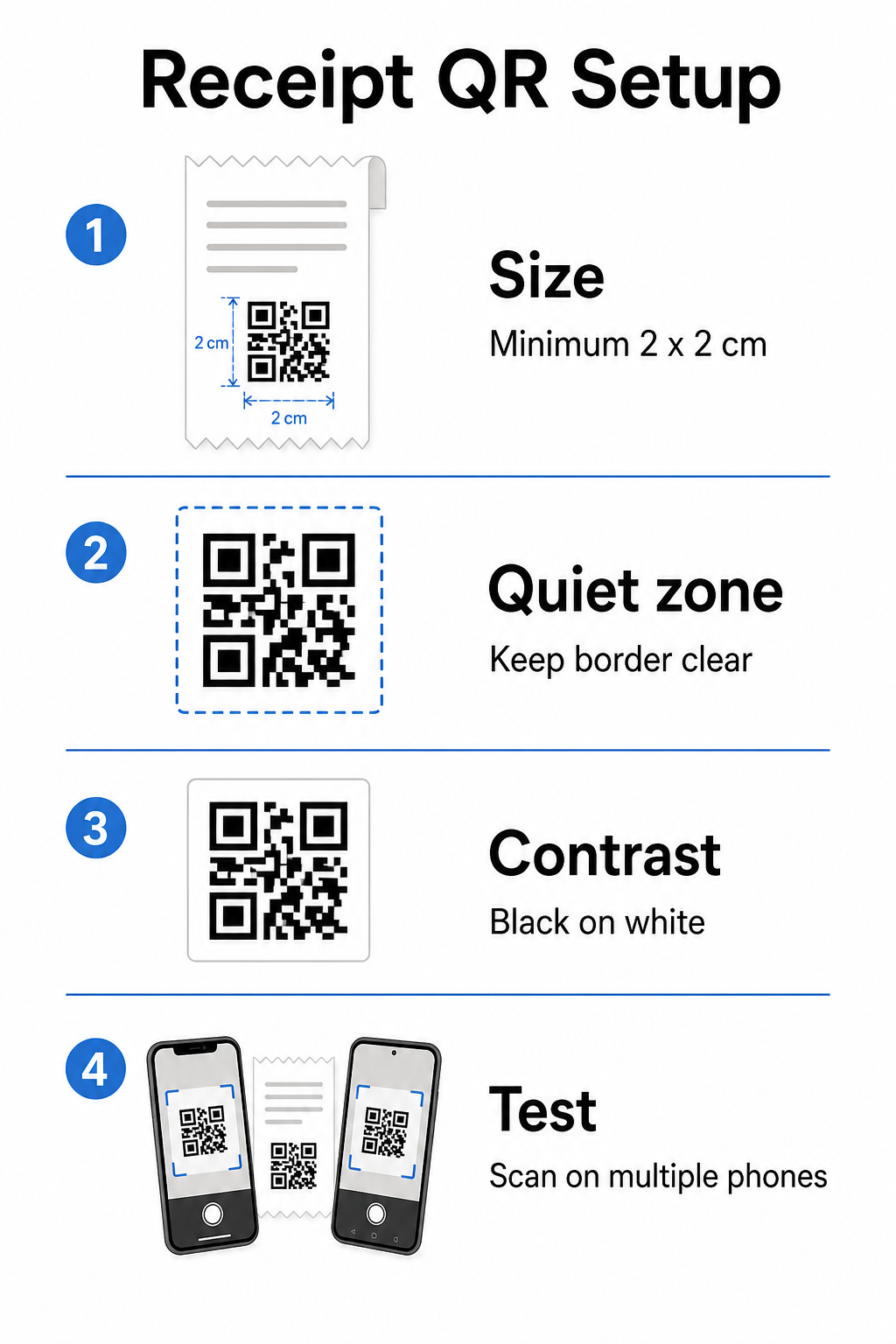
La taille : Les reçus sont étroits – généralement de 58 mm ou 80 mm de large. La taille d'impression minimale pratique pour une numérisation fiable par smartphone est de 2 × 2 cm (environ 0,8 × 0,8 pouces). Sur un reçu standard, un code de 2,5 à 3 cm s'adapte confortablement et se scanne de manière fiable à la courte distance à laquelle un client tiendrait un reçu. Pour une analyse complète de la façon dont la taille affecte la scannabilité, voir le guide des tailles de codes QR.
Zone de silence : Chaque code QR nécessite une bordure blanche claire – appelée zone de silence – d'au moins 4 modules (petits carrés) de tous les côtés. Ne laissez pas le texte ou les graphiques environnants encombrer les bords du code. Une zone de silence manquante ou étroite est l'une des causes les plus courantes d'échecs de numérisation sur les reçus imprimés.
Correction d'erreur : La norme ISO/IEC 18004 définit quatre niveaux de correction d'erreur : L (7 %), M (15 %), Q (25 %) et H (30 %). Pour un reçu qui pourrait être plié ou légèrement taché, correction d'erreur de niveau M est une base raisonnable. Si votre code inclut un logo superposé, passez à Q ou H. Gardez à l'esprit qu'une correction d'erreur plus élevée augmente la densité du code, alors testez ensemble la taille et le niveau de correction d'erreur choisis avant de finaliser la conception.
Contraste : Imprimez le code QR en noir sur blanc chaque fois que possible. Les imprimantes thermiques de reçus peuvent produire une sortie à contraste plus faible selon le type de papier et la qualité de la tête d'impression. Testez le code imprimé sur plusieurs appareils avant de le déployer à grande échelle – y compris les smartphones plus anciens avec des caméras à faible résolution. Pour des conseils détaillés, voir les meilleures pratiques pour la lisibilité des codes QR.
Intégration PDV : La plupart des systèmes PDV modernes permettent la personnalisation des modèles de reçus. Ajoutez votre image de code QR au pied de page du reçu dans l'éditeur de modèles du système. Pour les cas d'utilisation dynamiques où la destination peut changer – offres saisonnières, pages de fidélité mises à jour, promotions tournantes – utilisez un code dynamique afin que le reçu imprimé reste valide même après avoir mis à jour l'URL de destination.
Suivi des performances des codes QR sur les reçus
L'un des avantages pratiques de l'utilisation d'une plateforme de gestion de codes QR plutôt qu'un générateur de base est l'accès aux analyses de scan. Avec Suivi du code QR, vous pouvez surveiller :
- Combien de clients scannent réellement le code
- Quels emplacements ou caisses génèrent le plus de scans
- Quelles heures de la journée voient le pic d'engagement
- Si un changement dans le texte d'appel à l'action à côté du code a affecté les taux de scan
Ces données transforment votre reçu en un canal marketing mesurable plutôt qu'un morceau de papier statique. Si vous gérez plusieurs emplacements, les données de scan par emplacement vous indiquent où le programme fonctionne et où le personnel pourrait bénéficier d'encourager verbalement les clients à scanner.
Les codes QR dynamiques prennent en charge ce suivi nativement : le serveur de redirection enregistre chaque scan avant de rediriger le client vers la destination. Vous pouvez également mettre à jour l'URL de destination sans émettre de nouveaux reçus, ce qui signifie qu'une promotion saisonnière peut être lancée ou expirer sans aucune perturbation opérationnelle. Pour un examen plus approfondi de la manière dont cela soutient l'amélioration itérative, voir comment utiliser efficacement les codes QR.
Décider quoi inclure sur votre code QR de reçu
Avant de générer votre code, définissez clairement trois choses.
Destination : Où mène le scan ? Choisissez une action principale – reçu numérique, inscription à la fidélité, page d'avis ou lien de paiement. Un code QR qui tente de servir plusieurs objectifs à la fois crée de la confusion et réduit les taux de scan.
Texte d'appel à l'action : Imprimez une courte instruction à côté du code. “ Scannez pour enregistrer votre reçu, ” “ Scannez pour gagner des points, ” ou “ Scannez pour laisser un avis ” chacun établit une attente claire. Les clients sont beaucoup plus susceptibles de scanner lorsqu'ils comprennent exactement ce qu'ils obtiendront.
Type de code : Utilisez un code QR dynamique si la destination pourrait changer, si vous voulez des données de suivi, ou si vous prévoyez de lancer des promotions qui tournent au fil du temps. Utilisez un code statique uniquement si la destination est fixée de manière permanente et que le suivi n'est pas une priorité.
Une fois le code en ligne, traitez le taux de scan comme une métrique que vous examinez et améliorez – tout comme vous le feriez pour tout autre canal d'engagement client. De petits ajustements au placement, à la taille du code ou au texte d'appel à l'action peuvent produire des différences significatives dans le nombre de clients qui donnent suite.
Questions fréquentes
Pour la plupart des cas d'utilisation – portails de reçus numériques, inscription à la fidélité, pages d'avis, ou offres post-achat – un seul code QR fonctionne pour tous les reçus. Un code QR dynamique vous permet de mettre à jour la destination sans réimpression. Si vous avez besoin de suivre des transactions individuelles (par exemple, pour émettre des codes de réduction personnalisés), vous généreriez des codes uniques par transaction, ce qui nécessite généralement une intégration entre votre système de point de vente et une plateforme QR qui prend en charge la génération en masse.
Un code QR en soi n'est pas un système de tenue de registres – c'est un lien vers un tel système. L'IRS exige que les registres électroniques soient récupérables, lisibles, rapprochables de vos livres et sauvegardés. Si le code QR renvoie à une archive de reçus numériques conforme ou à une plateforme comptable qui respecte ces normes, il peut faire partie d'un flux de travail de tenue de registres électroniques acceptable. Consultez un professionnel de la fiscalité pour des conseils spécifiques à la structure de votre entreprise et à votre juridiction.
Les causes les plus courantes sont un code trop petit, un contraste insuffisant dû à l'impression thermique, ou une zone de silence encombrée par du texte ou des graphiques environnants. Imprimez le code à un minimum de 2 × 2 cm, maintenez une bordure blanche claire sur tous les côtés, et testez sur plusieurs appareils – y compris les smartphones plus anciens – avant le déploiement. L'utilisation d'une correction d'erreur de niveau M ou supérieur ajoute de la résilience contre les imperfections d'impression mineures. Incluez toujours l'URL de destination en texte brut comme solution de secours afin que les clients puissent accéder à la page manuellement si la numérisation échoue.