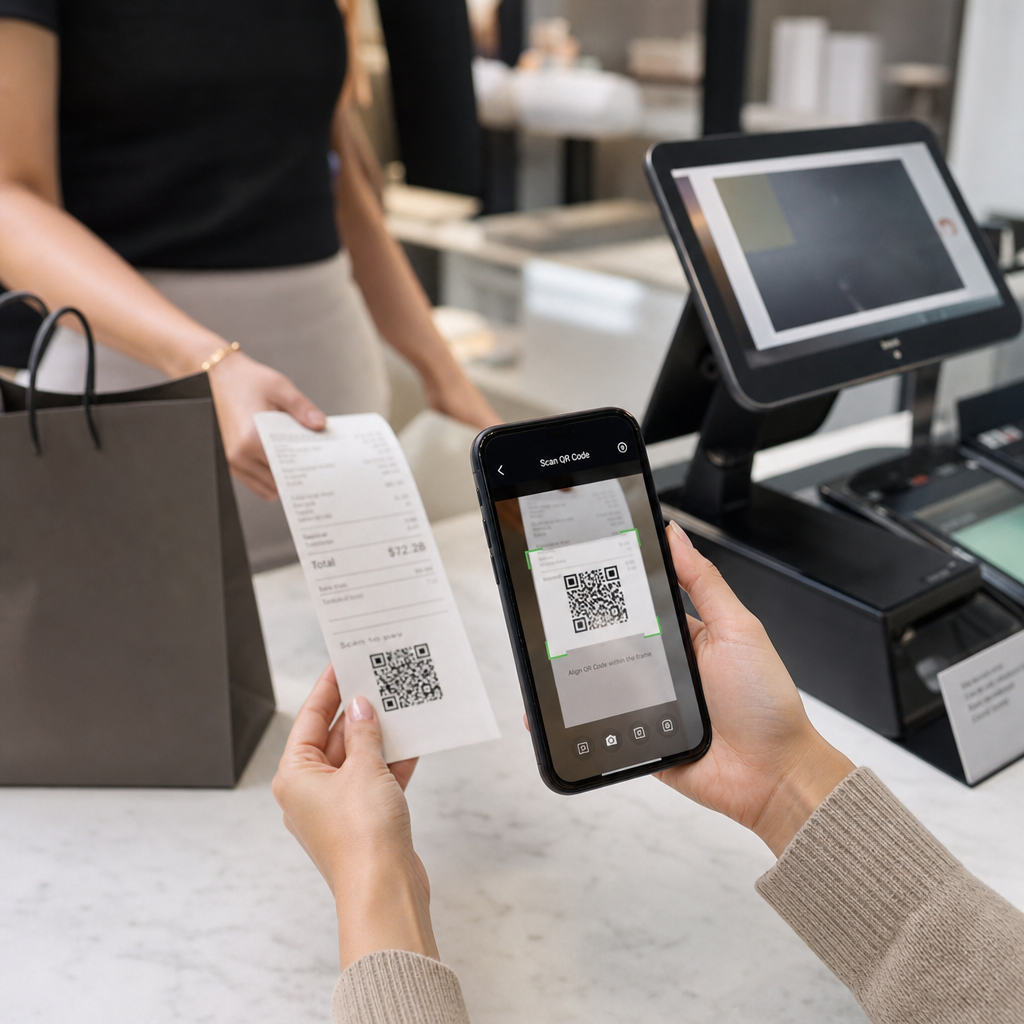
Fişlerde neden QR kodlarının göründüğünden emin değil misiniz – veya kendi fişinize nasıl ekleyeceğinizden mi? İşletmeler, dijital kayıt tutma ve vergi uyumluluğundan sadakat programlarına ve yorum toplamaya kadar her şey için fiş QR kodlarını kullanıyor. Bu rehber, bunların nasıl çalıştığını ve nasıl kurulacağını açıklıyor.
Bir Fişteki QR Kodu Gerçekte Ne İşe Yarar
Bir QR kodu, bir akıllı telefon kamerasının saniyeler içinde çözdüğü, kullanıcıyı bir URL'ye, forma, dijital dosyaya veya ödeme sayfasına yönlendiren iki boyutlu bir barkoddur – herhangi bir yazma gerektirmeden. Bir fişe basıldığında, bu kod müşterinizin cebine koyacağı veya atacağı bir kağıt parçasını aktif bir dijital temas noktasına dönüştürür.
Bir fiş QR kodunun arkasındaki hedef neredeyse her şey olabilir:
- Fişin dijital bir versiyonu (PDF veya web sayfası)
- Bir sadakat programı kaydı veya puan kullanma sayfası
- Bir Google yorum istemi
- Satış sonrası indirim veya özel teklif
- Bir geri bildirim formu
- Bir ödeme onayı veya bahşiş sayfası
Önceden anlaşılması gereken temel ayrım şudur statik ve dinamik QR kodlar. Statik bir kod hedefi doğrudan kodlar – bağlantıyı değiştirirseniz yeniden yazdırmanız gerekir. Bir dinamik QR kodu bunun yerine kısa bir yönlendirme URL'si depolar, böylece basılı fişlerinize dokunmadan bir kontrol paneli aracılığıyla hedefi istediğiniz zaman güncelleyebilirsiniz. Teklifleri güncellemek, sadakat programı sayfalarını değiştirmek veya satış sonrası içeriği yenilemek isteyebileceğiniz fiş kullanım durumları için dinamik kodlar pratik bir seçimdir.
Dijital Fişler: Kağıdı Azaltma ve Kayıtları İyileştirme
Tüketicilerin yaklaşık 'i, daha kolay iadeler ve satın alma kayıtlarının daha iyi düzenlenmesi nedeniyle kağıt yerine dijital fişleri tercih ediyor. Basılı bir fişteki QR kodu bu boşluğu kapatır: müşteri satış noktasında hala fiziksel bir belge alır, ancak tarayarak anında dijital bir kopyayı kaydedebilir veya erişebilir.
İçin müşteriler, bu şu anlama gelir:
- Satın alımlarının aranabilir, saklanabilir bir kaydı
- İade süresi boyunca solmuş veya kaybolmuş kağıt fiş riski yok
- Ürün garantilerine veya bakım talimatlarına anında erişim
İçin işletmeler, bu şu anlama gelir:
- Eski işlemleri arama isteklerinin azalması
- Takip teklifleri veya sadakat programı istemleri için doğal bir temas noktası
- İade ve değişimlerde sürtünmenin azalması
Eğer faaliyet gösteriyorsanız perakende veya ağırlama sektöründe, dijital bir fiş QR kodunu satış sonrası bir teklifle – örneğin bir sonraki ziyarette indirim gibi – eşleştirmek, müşterilere kodu görmezden gelmek yerine taramak için somut bir neden sunar.
Fişleri Dijital Bir Kanala Dönüştürün Basılı fişlerinizi istediğiniz zaman güncelleyebileceğiniz dijital içeriğe bağlamak ister misiniz? Kullanın Dinamik QR Kod Oluşturucu teklifleriniz değiştiğinde yönlendirebileceğiniz bir fiş QR kodu oluşturmak için – yeniden yazdırma gerekmez.
Vergi Uyumluluğu ve Kayıt Tutma
IRS, işletmelerin defterlerinizdeki ve vergi beyannamelerinizdeki girişleri destekleyen satış fişleri, faturalar ve makbuzlar dahil olmak üzere destekleyici belgeleri saklamasını gerektirir. Kritik olarak, IRS şunu belirtir: basılı kayıtlara uygulanan tüm gereksinimler elektronik kayıtlara da uygulanır: elektronik bir sistem, kağıtla aynı temel kayıt tutma ilkelerini karşılamalı, beyanname girişlerini destekleyen okunaklı kayıtlar üretmeli ve veri kaybına karşı yedeklenmelidir.
Fişlerdeki QR kodları bu çerçeveye iki pratik şekilde uyar.
Müşterileriniz için, dijital bir fişe bağlanan bir QR kodu, onlara işlem kayıtlarının kalıcı, erişilebilir bir kopyasını sunar, kendi gider takibi veya iade belgelerini destekler. İşletmeniz için, fişleri dijital bir kayıt tutma sistemine bağlamak – ister bulut tabanlı bir muhasebe platformu, ister bir PDF fiş arşivi veya bir işlem portalı olsun – IRS'nin beklediği düzenli, geri alınabilir kayıtların korunmasına yardımcı olur. Kayıtlar, bir vergi beyannamesindeki gelir veya kesintileri doğrulamak için gerektiği sürece saklanmalı ve elektronik yedeklemeler özellikle tavsiye edilir.
IRS rehberliğinden akılda tutulması gereken birkaç pratik nokta:
- Brüt gelir kayıtları (yazar kasa şeritleri, fiş defterleri, faturalar) ve satın alma belgeleri (kredi kartı fişleri, faturalar) IRS'nin belirlediği temel destekleyici belgeler arasındadır.
- Elektronik sistemler defterleriniz ve beyannamelerinizle uyumlu olmalı ve temel kaynak belgeleri tanımlamak için yeterli ayrıntı sağlamalıdır.
- Kayıtlar düzenli bir şekilde, yıla ve gelir veya gider türüne göre düzenlenerek saklanmalıdır.
QR kodları kayıt tutma sisteminizin yerini almaz – fiziksel bir fişi arkasındaki dijital kayda bağlayarak onu daha erişilebilir hale getirebilirler. Tarama verilerini toplarken gizlilik hususlarına daha geniş bir bakış için, rehberimize bakın: QR kodu gizlilik yasaları ve temel düzenlemeler.
Sadakat Programları: Kasadaki Delikli Kartın Yerini Alma
Makbuz, perakende ve gıda hizmetlerinde en az kullanılan sadakat temas noktalarından biridir. Müşteri zaten bir satın alma işlemini tamamlamıştır – en yüksek etkileşim anındadır. Makbuzun alt kısmındaki bir QR kodu, onları saniyeler içinde doğrudan sadakat programınıza götürebilir.
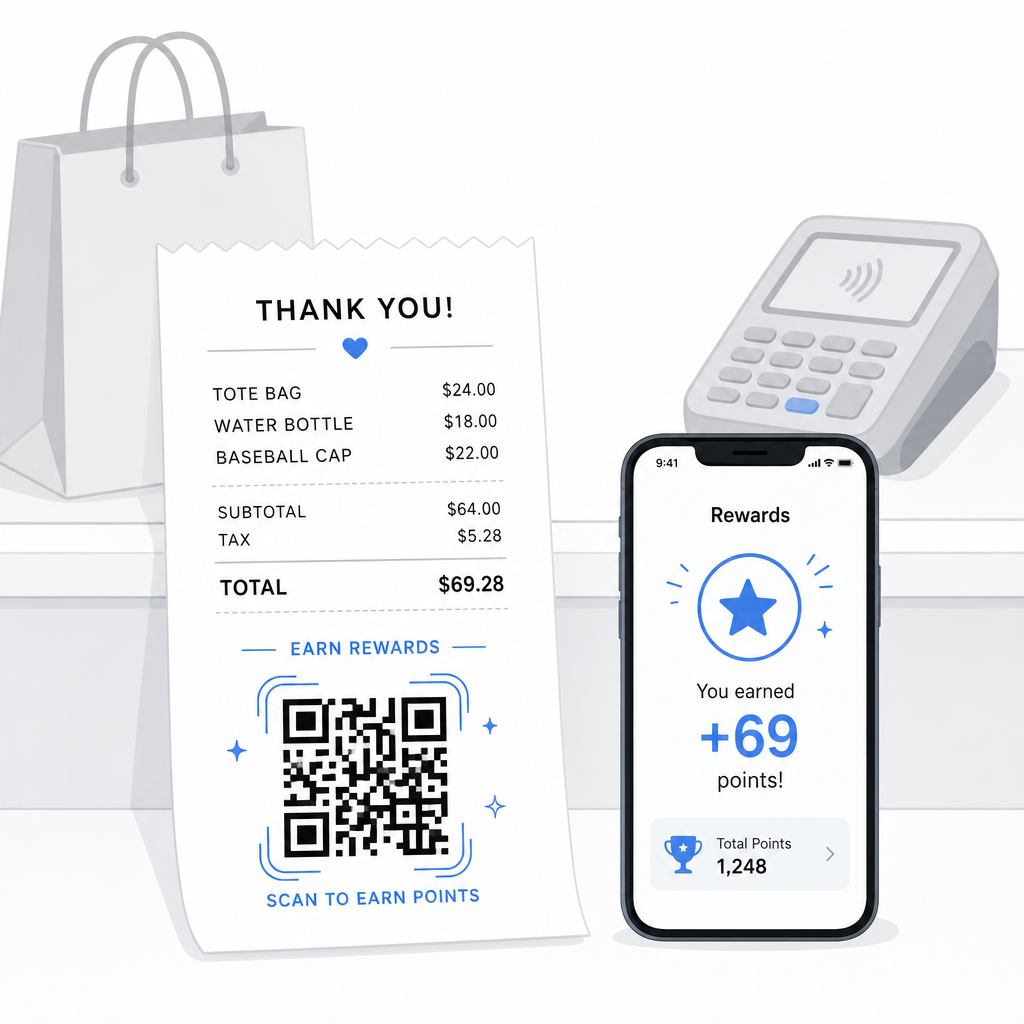
Araştırmalar, sadık müşterilerin yeni müşterilere göre % daha fazla harcadığını ve sadakat programları olan ABD işletmelerinin %'sinin yatırım getirisi elde ettiğini göstermektedir. Makbuz üzerindeki bir QR kodu, programa kaydı ve puan kullanımını sorunsuz hale getirir – uygulama indirme gerektirmez, ayrı bir kart taşıma yok. Pageloot'un perakende QR kodu kılavuzunda belirttiği gibi, QR kodları zaten sadakat erişimi ve özel teklifler için doğal bir ödeme temas noktası olarak hizmet vermektedir.
Yaygın makbuz tabanlı sadakat kurulumları şunları içerir:
- Puan kaydı: Katılmak için tarayın ve mevcut satın alma için hemen puan yükleyin
- Kademe tabanlı ödüller: Müşterinin mevcut kademesini ve bir sonraki seviyeye ulaşmak için neye ihtiyaç duyduğunu gösteren bir sayfaya bağlantı
- Anında kullanma: Anında veya bir sonraki ziyarette indirim veya ücretsiz ürün talep etmek için tarayın
- Yönlendirme bağlantıları: Müşterinin programınızın erişimini genişletmek için arkadaşlarıyla paylaşabileceği kişiselleştirilmiş bir QR kodu
Bu tür bir programı oluşturmaya yönelik tam bir rehber için, QR kod sadakat programları nasıl kurulur ve QR kodları ile geleneksel sadakat kartlarının bir karşılaştırmasına bakın.
Her Makbuza Bir Sadakat Programı Bağlantısı Ekleyin Bu Bağlantı QR Kod Oluşturucu basılı makbuzlarınızı herhangi bir sadakat platformuna, ödül sayfasına veya kayıt formuna bağlayan markalı, izlenebilir bir QR kodu oluşturmanızı sağlar.
Google Yorumları ve Geri Bildirim Toplama
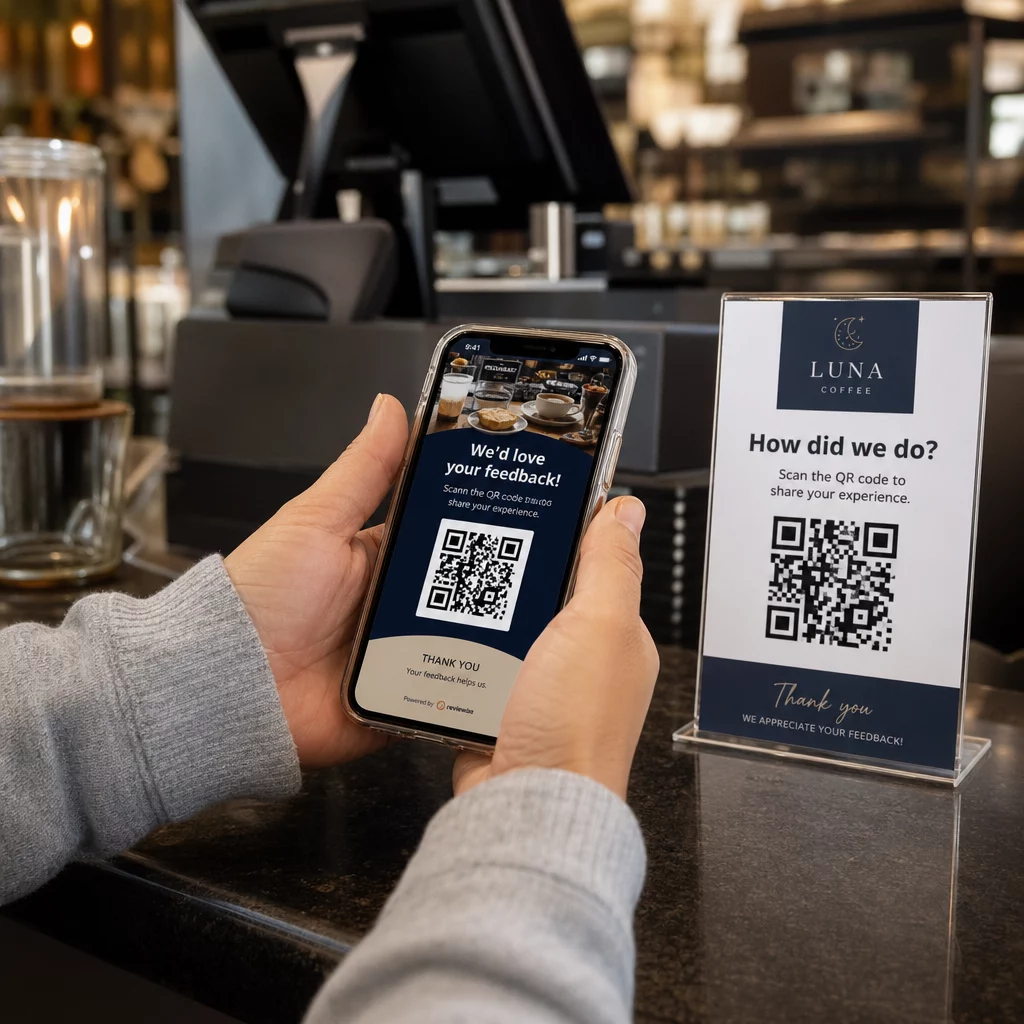
Az önce bir satın alma işlemini tamamlamış bir müşteri, eğer kolaylaştırırsanız, yorum bırakmak için en iyi zihin durumundadır. Makbuzun altındaki, doğrudan Google yorum sayfanıza bağlanan bir QR kodu, “İyi bir deneyim yaşadım” ve “Bunu paylaştım” arasındaki her adımı ortadan kaldırır.”
Google yorum QR kodları makbuzlara, menülere, ambalajlara veya herhangi bir müşteriyle yüz yüze materyale basılabilir. Makbuz yerleşimi için, isteği talepkar olmaktan ziyade hafif hissettirmek için kodu “Ziyaretinizden memnun kaldınız mı? 30 saniyede bize bildirin” gibi kısa bir talimatla eşleştirin.
Aynı yaklaşım, özel geri bildirimleri halka açık görünmeden önce toplamayı tercih ediyorsanız, dahili geri bildirim formları için de geçerlidir. Bu durumda, QR kodunu bir inceleme platformu yerine kısa bir ankete bağlayın. Her iki durumda da, makbuz, aksi takdirde ayrı bir e-posta kampanyası veya takip mesajı gerektirecek olan satış sonrası etkileşim için tetikleyici olur.
QR Kodu ile Ödemeler ve Bahşiş Verme
Gıda hizmeti ve bazı perakende ortamlarında, makbuz üzerindeki bir QR kodu, bir kart terminalindeki geleneksel bahşiş isteminin yerini alabilir veya tamamlayabilir. Müşteriler tarar, bir miktar seçer ve ödemeyi bir mobil cüzdan veya ödeme bağlantısı aracılığıyla tamamlar – ortak bir cihazı kullanmadan.
Bu, özellikle paket siparişler, teslimat onay fişleri veya bir kart terminalinin müşterinin önünde olmadığı herhangi bir durumda, ödeme yapmak veya bahşiş eklemek istedikleri anda kullanışlıdır. ödemeler için QR kodları farklı ödeme sağlayıcıları arasında kurulum seçenekleri için rehbere bakın, PayPal QR kodu kurulumu için bir rehber dahil..
Bir Makbuza QR Kodu Nasıl Yazdırılır: Teknik Temeller
QR kodunuzu oluşturduktan sonra, onu bir makbuza yazdırmak, müşterilerin onu gerçekten tarayıp tarayamayacağını doğrudan etkileyen birkaç pratik hususu içerir.
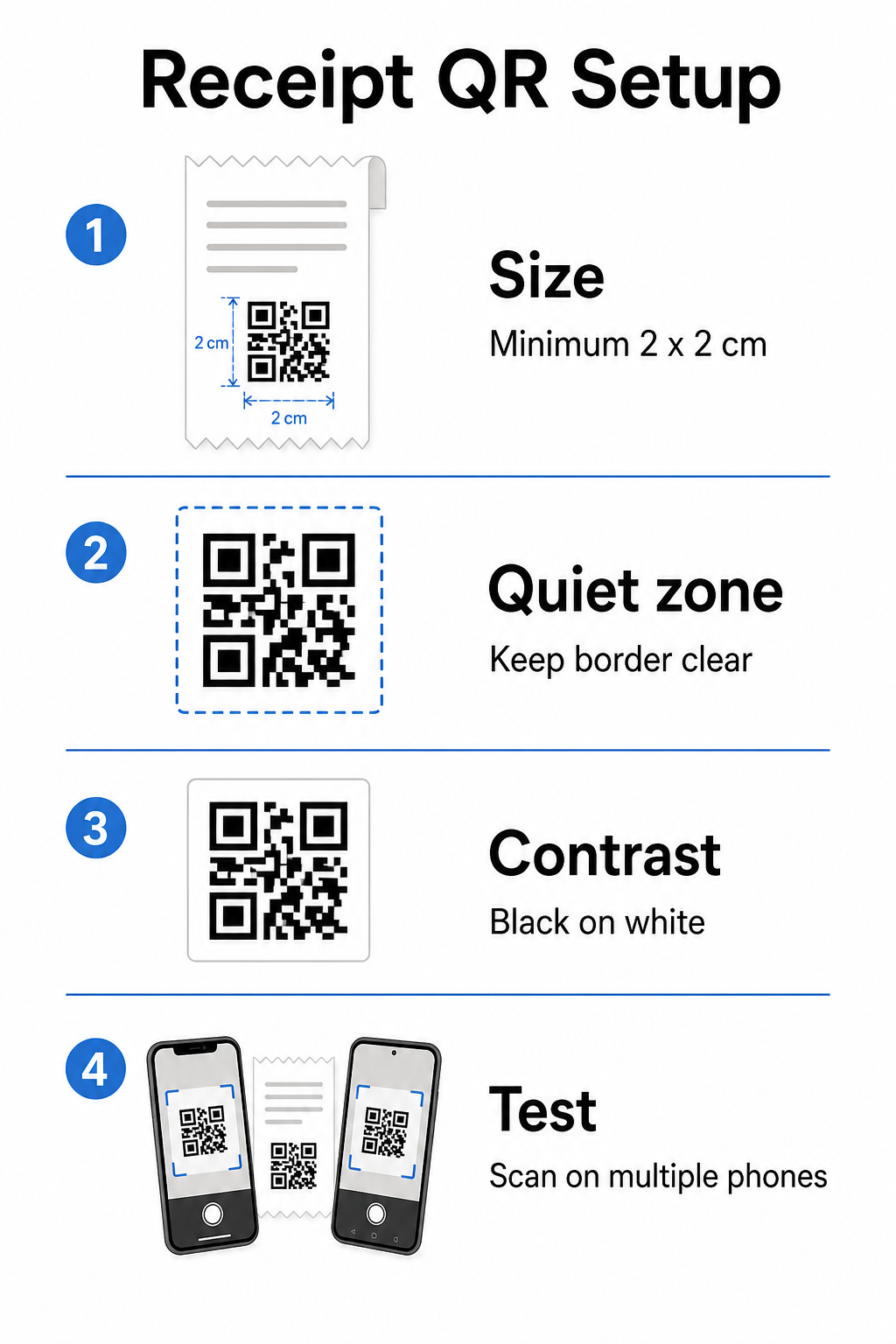
Boyut: Makbuzlar dardır – genellikle 58 mm veya 80 mm genişliğindedir. Güvenilir akıllı telefon taraması için pratik minimum baskı boyutu 2 × 2 cm'dir (yaklaşık 0.8 × 0.8 inç). Standart bir makbuzda, 2.5–3 cm'lik bir kod rahatça sığar ve bir müşterinin makbuzu tutacağı yakın mesafeden güvenilir bir şekilde taranır. Boyutun taranabilirliği nasıl etkilediğine dair tam bir döküm için QR kodu boyut kılavuzu.
Sessiz bölge: Her QR kodu, her tarafta en az 4 modül (küçük kare) içeren, sessiz bölge olarak adlandırılan net beyaz bir kenarlık gerektirir. Çevreleyen metin veya grafiklerin kodun kenarlarını sıkıştırmasına izin vermeyin. Eksik veya dar bir sessiz bölge, basılı makbuzlarda tarama hatalarının en yaygın nedenlerinden biridir.
Hata düzeltme: ISO/IEC 18004 standardı dört hata düzeltme seviyesi tanımlar: L (%7%), M (%), Q (%) ve H (%). Katlanmış veya hafifçe lekelenmiş olabilecek bir makbuz için, M seviyesi hata düzeltme makul bir başlangıç noktasıdır. Kodunuz bir logo katmanı içeriyorsa, Q veya H seviyesine geçin. Unutmayın ki daha yüksek hata düzeltme, kod yoğunluğunu artırır, bu nedenle tasarımı sonlandırmadan önce seçtiğiniz boyutu ve hata düzeltme seviyesini birlikte test edin.
Kontrast: QR kodunu mümkün olduğunda siyah üzerine beyaz yazdırın. Termal fiş yazıcıları, kağıt stoğuna ve baskı kafası kalitesine bağlı olarak daha düşük kontrastlı çıktı üretebilir. Büyük ölçekte kullanıma sunmadan önce yazdırılan kodu, düşük çözünürlüklü kameralara sahip eski akıllı telefonlar da dahil olmak üzere çeşitli cihazlarda test edin. Ayrıntılı rehberlik için bkz. QR kodu okunabilirliği için en iyi uygulamaları.
POS entegrasyonu: Çoğu modern POS sistemi, fiş şablonu özelleştirmesine izin verir. QR kodu görselinizi sistemin şablon düzenleyicisindeki fiş altbilgisine ekleyin. Hedefin değişebileceği dinamik kullanım durumları (mevsimlik teklifler, güncellenmiş sadakat sayfaları, dönen promosyonlar) için, hedef URL'yi güncelledikten sonra bile basılı fişin geçerli kalması için dinamik bir kod kullanın.
Fiş QR Kodu Performansını İzleme
Temel bir jeneratör yerine bir QR kodu yönetim platformu kullanmanın pratik avantajlarından biri, tarama analizlerine erişimdir. İle QR kodu izleme, şunları izleyebilirsiniz:
- Kaç müşteri kodu gerçekten tarıyor
- Hangi konumlar veya kasalar en çok taramayı üretiyor
- Günün hangi saatleri en yüksek etkileşimi görüyor
- Kodun yanındaki harekete geçirici mesaj metnindeki bir değişikliğin tarama oranlarını etkileyip etkilemediği
Bu veriler, fişinizi statik bir kağıt parçası yerine ölçülebilir bir pazarlama kanalına dönüştürür. Birden fazla konum işletiyorsanız, konum başına tarama verileri programın nerede çalıştığını ve personelin müşterileri sözlü olarak taramaya teşvik etmekten nerede fayda sağlayabileceğini size söyler.
Dinamik QR kodları bu izlemeyi doğal olarak destekler: yönlendirme sunucusu, müşteriyi hedefe yönlendirmeden önce her taramayı kaydeder. Ayrıca, yeni fişler düzenlemeden hedef URL'yi güncelleyebilirsiniz; bu da mevsimlik bir promosyonun herhangi bir operasyonel aksaklık olmadan yayına girebileceği veya sona erebileceği anlamına gelir. Bunun yinelemeli iyileştirmeyi nasıl desteklediğine dair daha derin bir bakış için bkz. QR kodlarını etkili bir şekilde nasıl kullanacağınızı.
Fiş QR Kodunuzda Neleri Dahil Edeceğinize Karar Verme
Kodunuzu oluşturmadan önce üç şeyi netleştirin.
Hedef: Tarama nereye gidiyor? Dijital fiş, sadakat kaydı, inceleme sayfası veya ödeme bağlantısı gibi birincil bir eylem seçin. Aynı anda birden fazla amaca hizmet etmeye çalışan bir QR kodu kafa karışıklığı yaratır ve tarama oranlarını düşürür.
Harekete geçirici mesaj metni: Kodun yanına kısa bir talimat yazdırın. “Fişinizi kaydetmek için tarayın”, “Puan kazanmak için tarayın” veya “İnceleme bırakmak için tarayın” ifadelerinin her biri net bir beklenti oluşturur. Müşteriler ne alacaklarını tam olarak anladıklarında önemli ölçüde daha fazla tarama eğilimindedir.
Kod türü: Kullanın dinamik QR kodu hedef değişebilirse, izleme verileri istiyorsanız veya zamanla değişen promosyonlar yürütmeyi planlıyorsanız. Yalnızca hedef kalıcı olarak sabitse ve izleme bir öncelik değilse statik bir kod kullanın.
Kod yayına girdiğinde, tarama oranını diğer herhangi bir müşteri etkileşim kanalı gibi inceleyip iyileştirdiğiniz bir metrik olarak ele alın. Yerleşime, kod boyutuna veya harekete geçirici mesaj metnine yapılan küçük ayarlamalar, kaç müşterinin devam ettiğinde anlamlı farklılıklar yaratabilir.
Sıkça sorulan sorular
Çoğu kullanım durumu için – dijital makbuz portalları, sadakat kaydı, inceleme sayfaları veya satın alma sonrası teklifler – tek bir QR kodu tüm makbuzlarda çalışır. Dinamik bir QR kodu, hedefi yeniden basım yapmadan güncellemenizi sağlar. Bireysel işlemleri takip etmeniz gerekirse (örneğin, kişiselleştirilmiş indirim kodları vermek için), işlem başına benzersiz kodlar oluşturursunuz, bu da genellikle POS sisteminiz ile toplu oluşturmayı destekleyen bir QR platformu arasında entegrasyon gerektirir.
Bir QR kodu kendi başına bir kayıt tutma sistemi değildir – o, birine bir bağlantıdır. IRS, elektronik kayıtların alınabilir, okunabilir, defterlerinizle mutabık ve yedeklenmiş olmasını gerektirir. Eğer QR kodu, bu standartları karşılayan uyumlu bir dijital makbuz arşivine veya muhasebe platformuna bağlanıyorsa, o, kabul edilebilir bir elektronik kayıt tutma iş akışının bir parçası olabilir. İş yapınıza ve yargı alanınıza özel rehberlik için bir vergi uzmanına danışın.
En yaygın nedenler, çok küçük bir kod, termal baskıdan yetersiz kontrast veya çevreleyen metin veya grafiklerle dolu sessiz bir bölgedir. Kodu minimum 2 × 2 cm boyutunda yazdırın, her tarafta net beyaz bir kenarlık bırakın ve kullanıma sunmadan önce eski akıllı telefonlar da dahil olmak üzere birden fazla cihazda test edin. M düzeyinde hata düzeltme veya daha yüksek bir düzey kullanmak, küçük baskı kusurlarına karşı dayanıklılık sağlar. Tarama başarısız olursa müşterilerin sayfaya manuel olarak erişebilmesi için hedef URL'yi her zaman düz metin olarak bir yedek olarak ekleyin.