Oletko epävarma, miksi QR-koodeja ilmestyy kuitteihin – tai miten lisätä sellainen omaasi? Yritykset käyttävät kuittien QR-koodeja kaikkeen digitaalisesta kirjanpidosta ja verotuksen noudattamisesta kanta-asiakasohjelmiin ja arvostelujen keräämiseen. Tämä opas selittää, miten ne toimivat ja miten ne otetaan käyttöön.
Mitä kuitin QR-koodi todella tekee
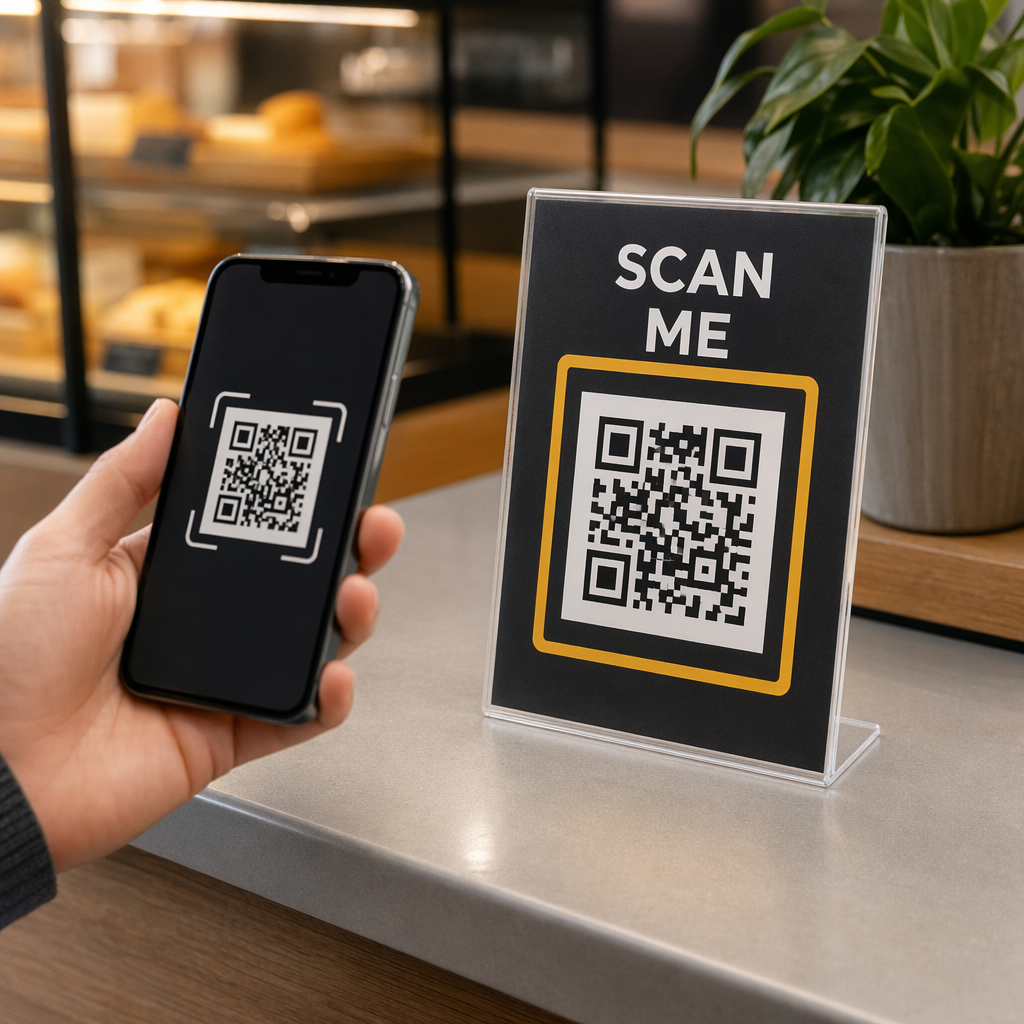
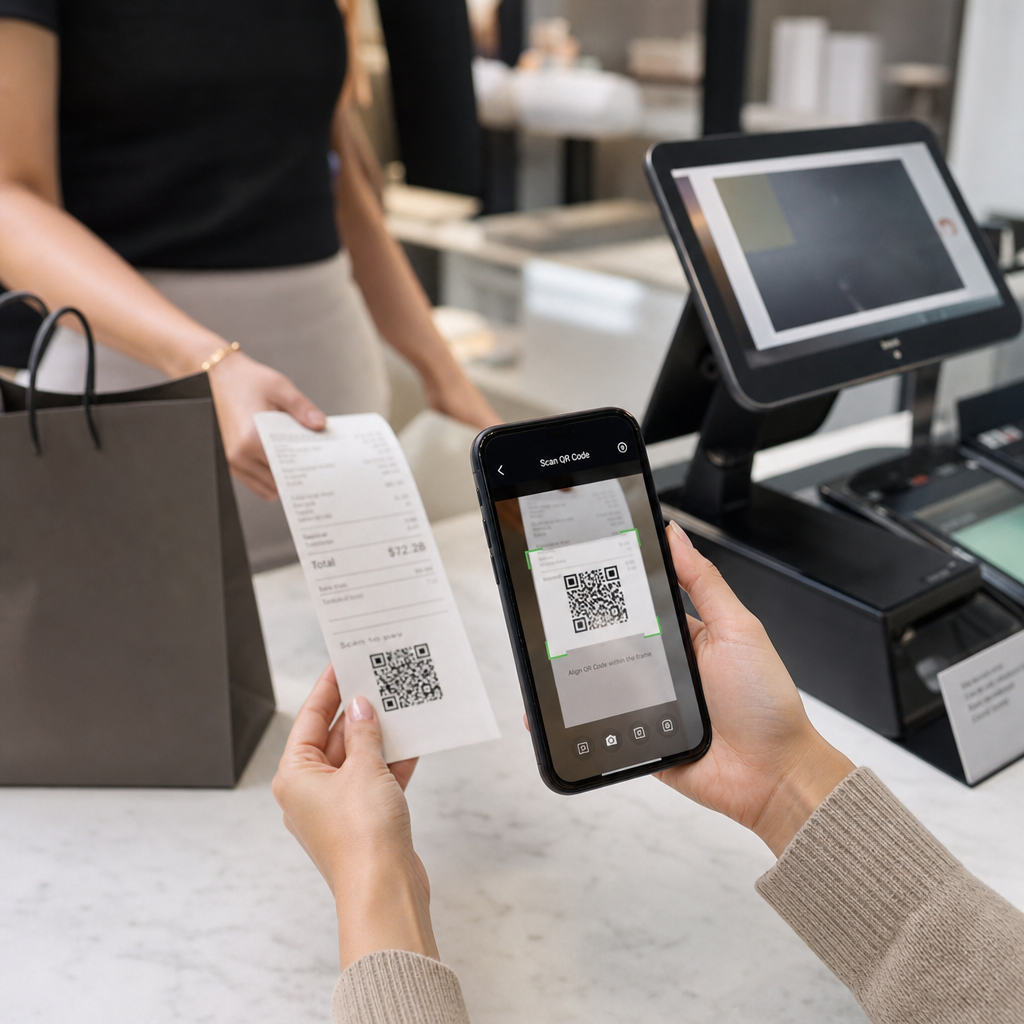
QR-koodi on kaksiulotteinen viivakoodi, jonka älypuhelimen kamera purkaa sekunneissa ohjaten käyttäjän URL-osoitteeseen, lomakkeeseen, digitaaliseen tiedostoon tai maksusivulle – ilman kirjoittamista. Kuitille tulostettuna tämä koodi muuttaa paperinpalasen, jonka asiakkaasi olisi laittanut taskuunsa tai heittänyt pois, aktiiviseksi digitaaliseksi kosketuspisteeksi.
Kuitin QR-koodin takana oleva kohde voi olla melkein mitä tahansa:
- Kuitin digitaalinen versio (PDF tai verkkosivu)
- Kanta-asiakasohjelman ilmoittautumis- tai pisteiden lunastussivu
- Google-arvostelukutsu
- Oston jälkeinen alennus tai erikoistarjous
- Palautelomake
- Maksun vahvistus- tai juomarahasivu
Keskeinen ero, joka kannattaa ymmärtää etukäteen, on staattiset vs. dynaamiset QR-koodit. Staattinen koodi koodaa kohteen suoraan – muuta linkkiä ja sinun on tulostettava uudelleen. A dynaaminen QR-koodi tallentaa sen sijaan lyhyen uudelleenohjaus-URL-osoitteen, joten voit päivittää kohteen milloin tahansa hallintapaneelin kautta koskematta tulostettuihin kuitteihisi. Kuittien käyttötapauksissa, joissa haluat ehkä päivittää tarjouksia, vaihtaa kanta-asiakasohjelmasivuja tai päivittää oston jälkeistä sisältöä, dynaamiset koodit ovat käytännöllinen valinta.
Digitaaliset kuitit: Paperin vähentäminen ja tietojen parantaminen
Noin 75 % kuluttajista suosii digitaalisia kuitteja paperisten sijaan vedoten helpompiin palautuksiin ja ostotietojen parempaan järjestelyyn. Tulostetun kuitin QR-koodi kuromalla umpeen kuilun: asiakas saa edelleen fyysisen asiakirjan myyntipisteessä, mutta voi välittömästi tallentaa tai käyttää digitaalista kopiota skannaamalla.
Sillä asiakkaille, tämä tarkoittaa:
- Haettavissa ja tallennettavissa oleva ostotieto
- Ei riskiä haalistuneesta tai kadonneesta paperikuitista palautusikkunan aikana
- Välitön pääsy tuotetakuisiin tai hoito-ohjeisiin
Sillä yrityksille, tämä tarkoittaa:
- Vähemmän pyyntöjä vanhojen tapahtumien etsimiseen
- Luonnollinen kosketuspiste jatkotarjouksille tai kanta-asiakasohjelman kehotteille
- Vähentynyt kitka palautusten ja vaihtojen ympärillä
Jos toimit vähittäiskaupassa tai ravintola- ja majoitusala, digitaalisen kuitin QR-koodin yhdistäminen oston jälkeiseen tarjoukseen – kuten alennukseen seuraavasta käynnistä – antaa asiakkaille konkreettisen syyn skannata koodi sen sijaan, että he jättäisivät sen huomiotta.
Muuta kuitit digitaaliseksi kanavaksi Haluatko linkittää tulostetut kuittisi digitaaliseen sisältöön, jota voit päivittää milloin tahansa? Käytä Dynaaminen QR-koodi generaattori luodaksesi kuitin QR-koodin, jonka voit uudelleenohjata aina, kun tarjouksesi muuttuvat – uudelleentulostusta ei tarvita.
Verotuksen noudattaminen ja kirjanpito
IRS edellyttää yrityksiltä tositteiden – mukaan lukien myyntikuitit, laskut ja kuitit – säilyttämistä, jotka tukevat kirjauksia kirjanpidossa ja veroilmoituksissa. Kriittisesti, IRS toteaa, että kaikki paperikopioihin sovellettavat vaatimukset koskevat myös sähköisiä tietoja: sähköisen järjestelmän on täytettävä samat perusperiaatteet kuin paperikirjanpidon, tuotettava luettavia tietoja, jotka tukevat palautuskirjauksia, ja oltava varmuuskopioitu tietojen menetyksen estämiseksi.
Kuittien QR-koodit sopivat tähän kehykseen kahdella käytännöllisellä tavalla.
Asiakkaillesi digitaaliseen kuittiin linkittävä QR-koodi antaa heille pysyvän, saatavilla olevan kopion tapahtumatiedoistaan, tukien heidän omaa kuluseurantaansa tai palautusdokumentaatiotaan. Yrityksellesi kuittien linkittäminen digitaaliseen kirjanpitojärjestelmään – olipa kyseessä pilvipohjainen kirjanpitoalusta, PDF-kuittien arkisto tai tapahtumaportaali – auttaa ylläpitämään järjestettyjä, haettavissa olevia tietoja, joita IRS odottaa. Tietoja tulisi säilyttää niin kauan kuin on tarpeen veroilmoituksen tulojen tai vähennysten todentamiseksi, ja sähköisiä varmuuskopioita suositellaan erityisesti.
Muutama käytännön seikka IRS:n ohjeista kannattaa pitää mielessä:
- Bruttomyyntitiedot (kassakuitit, kuittikirjat, laskut) ja ostotositteet (luottokorttikuitit, laskut) kuuluvat IRS:n tunnistamiin keskeisiin tositteisiin
- Sähköisten järjestelmien on täsmättävä kirjanpidon ja ilmoitusten kanssa ja annettava riittävästi yksityiskohtia taustalla olevien lähdeasiakirjojen tunnistamiseksi
- Tiedot tulisi säilyttää järjestelmällisesti, järjestettynä vuoden ja tulo- tai kulutyypin mukaan
QR-koodit eivät korvaa kirjanpitojärjestelmääsi – ne voivat tehdä siitä helpommin saatavilla olevan yhdistämällä fyysisen kuitin sen takana olevaan digitaaliseen tietoon. Laajemman katsauksen tietosuojaan skannaustietojen keräämisessä löydät oppaastamme aiheesta QR-koodien tietosuojalait ja keskeiset säännökset.
Kanta-asiakasohjelmat: Leimakortin korvaaminen kassalla
Kuitti on yksi vähiten hyödynnetyistä kanta-asiakasohjelman kosketuspisteistä vähittäiskaupassa ja ravitsemusalalla. Asiakas on jo tehnyt ostoksen – he ovat sitoutuneisuuden huipulla. QR-koodi kuitin alaosassa voi viedä heidät suoraan kanta-asiakasohjelmaasi sekunneissa.
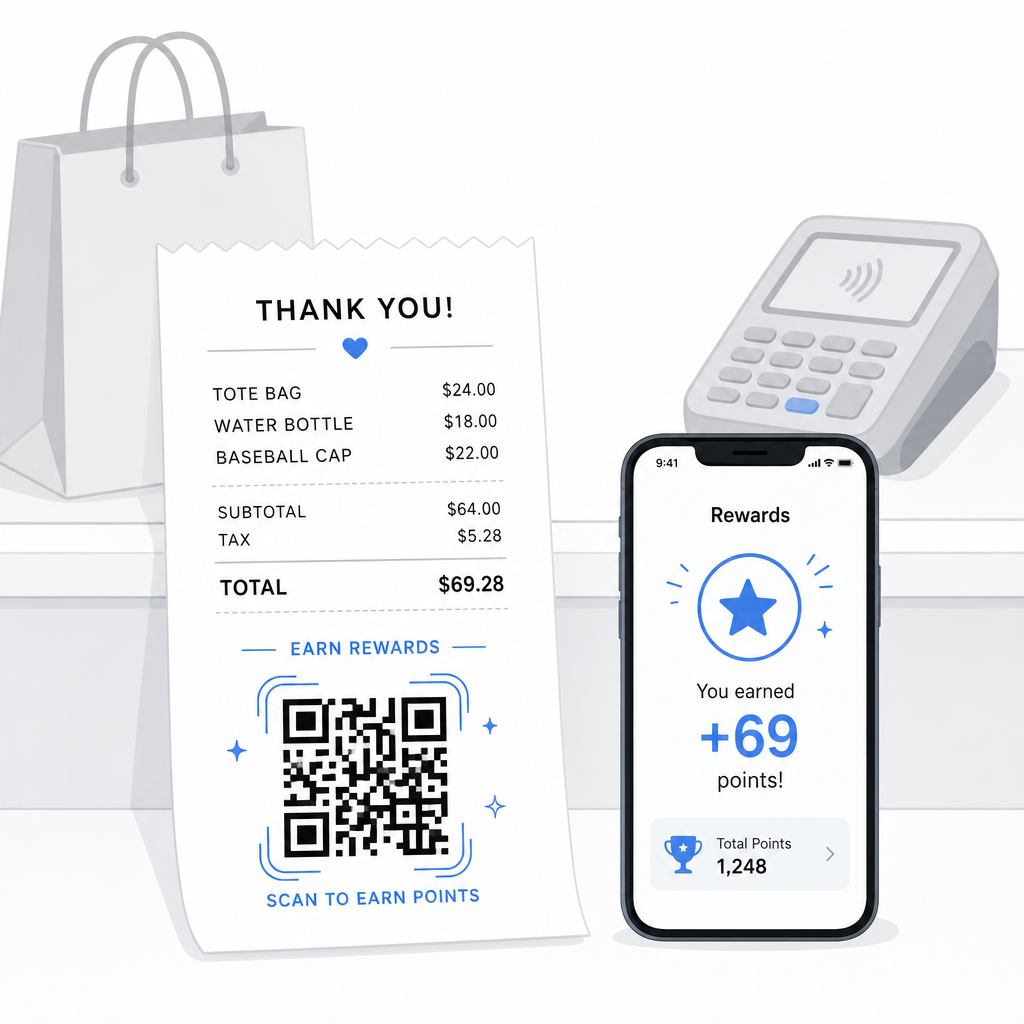
Tutkimukset osoittavat, että uskolliset asiakkaat käyttävät 67 % enemmän kuin uudet asiakkaat, ja 72 % yhdysvaltalaisista yrityksistä, joilla on kanta-asiakasohjelmia, näkee positiivisen sijoitetun pääoman tuoton. QR-koodi kuitissa tekee ohjelmaan liittymisestä ja pisteiden lunastamisesta kitkatonta – ei sovelluksen latausta, ei erillistä korttia mukana. Kuten Pageloot toteaa omassa vähittäiskaupan QR-koodioppaassaan, QR-koodit toimivat jo luonnollisena kassapisteen kosketuspisteenä kanta-asiakasohjelman käyttöön ja eksklusiivisiin tarjouksiin.
Yleisiä kuittipohjaisia kanta-asiakasohjelman asetuksia ovat:
- Pisteiden rekisteröinti: Skannaa liittyäksesi ja hyvitä pisteet välittömästi nykyisestä ostoksesta
- Tasopohjaiset palkinnot: Linkki sivulle, joka näyttää asiakkaan nykyisen tason ja mitä he tarvitsevat seuraavalle tasolle pääsemiseksi
- Välitön lunastus: Skannaa lunastaaksesi alennuksen tai ilmaisen tuotteen paikan päällä tai seuraavan käynnin yhteydessä
- Suosittelulinkit: Henkilökohtainen QR-koodi, jonka asiakas voi jakaa ystävien kanssa laajentaakseen ohjelmasi kattavuutta
Täydellinen opas tällaisen ohjelman rakentamiseen löytyy osoitteesta kuinka perustaa QR-koodipohjaisia kanta-asiakasohjelmia ja vertailu QR-koodit versus perinteiset kanta-asiakaskortit.
Lisää kanta-asiakasohjelman linkki jokaiseen kuittiin Se Linkki QR-koodigeneraattori antaa sinun luoda brändätyn, seurattavan QR-koodin, joka yhdistää painetut kuittisi mihin tahansa kanta-asiakasohjelma-alustaan, palkintosivulle tai rekisteröitymislomakkeeseen.
Google-arvostelut ja palautteen kerääminen
Asiakas, joka on juuri tehnyt ostoksen, on parhaassa mahdollisessa mielentilassa jättää arvostelun – jos teet sen helpoksi. QR-koodi kuitin alaosassa, joka linkittää suoraan Google-arvostelusivullesi, poistaa jokaisen vaiheen “Minulla oli hyvä kokemus” ja “Postasin siitä” väliltä.”
Google-arvostelun QR-koodit voidaan tulostaa kuitteihin, ruokalistoihin, pakkauksiin tai mihin tahansa asiakkaan nähtäville tarkoitettuun materiaaliin. Kuitille sijoitettaessa yhdistä koodi lyhyeen kehotukseen, kuten “Nautitko vierailustasi? Kerro meille 30 sekunnissa”, jotta pyyntö tuntuisi kevyeltä eikä vaativalta.
Sama lähestymistapa toimii sisäisissä palautelomakkeissa, jos haluat kerätä yksityistä palautetta ennen kuin se ilmestyy julkisesti. Siinä tapauksessa linkitä QR-koodi lyhyeen kyselyyn arvostelualustan sijaan. Kummassakin tapauksessa kuitti toimii laukaisijana oston jälkeiselle sitoutumiselle, joka muuten vaatisi erillisen sähköpostikampanjan tai seurantaviestin.
Maksut ja juomarahat QR-koodilla
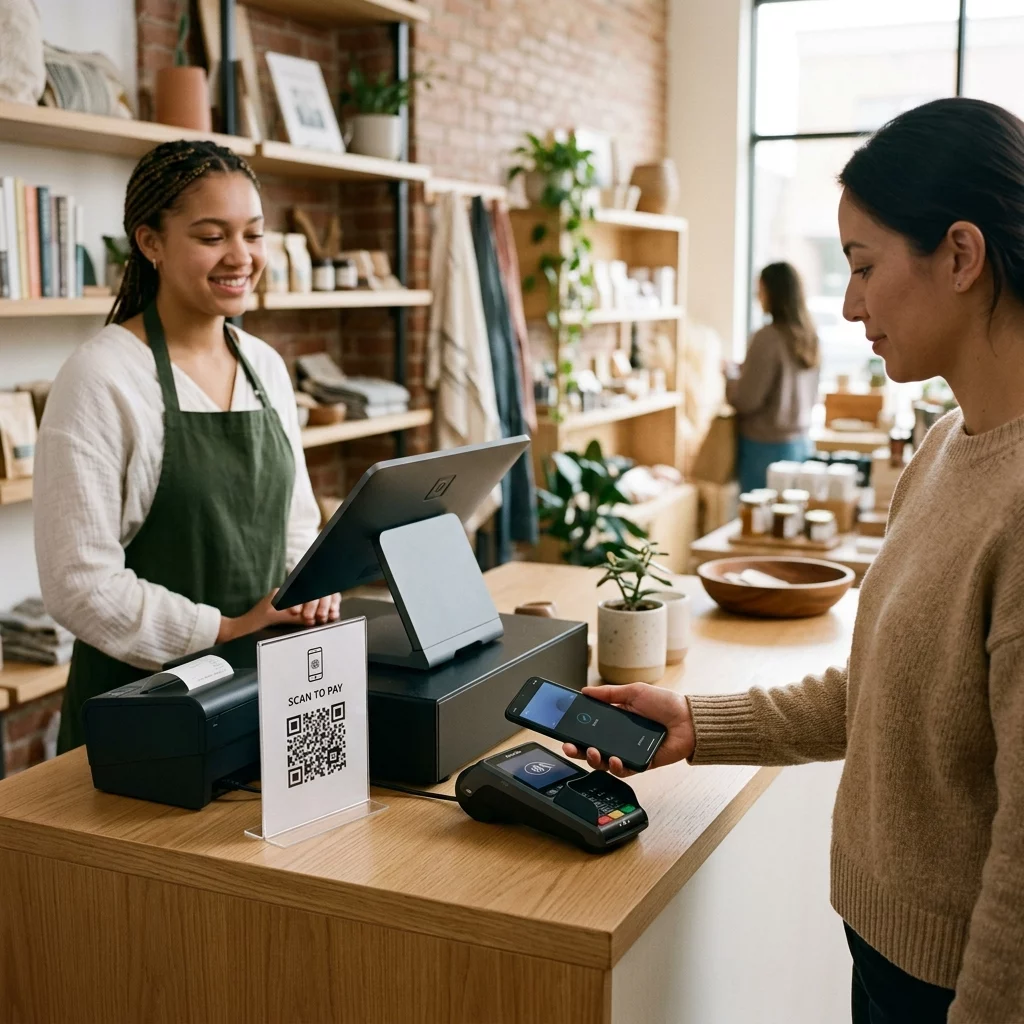
Ravitsemusalalla ja joissakin vähittäiskaupan ympäristöissä QR-koodi kuitissa voi korvata tai täydentää perinteisen juomarahakehotteen korttipäätteessä. Asiakkaat skannaavat, valitsevat summan ja suorittavat maksun mobiililompakon tai maksulinkin kautta – ilman jaetun laitteen käsittelyä.
Tämä on erityisen hyödyllistä noutotilauksissa, toimitusvahvistuskuiteissa tai missä tahansa tilanteessa, jossa korttipääte ei ole asiakkaan edessä sillä hetkellä, kun he haluavat maksaa tai lisätä juomarahaa. Katso opas aiheesta QR-koodit maksamiseen eri maksupalveluntarjoajien asetusvaihtoehdoista, mukaan lukien opas PayPalin QR-koodin asennukseen.
Kuinka tulostaa QR-koodi kuittiin: Tekniset perusasiat
Kun olet luonut QR-koodisi, sen tulostaminen kuittiin sisältää muutamia käytännön näkökohtia, jotka vaikuttavat suoraan siihen, voivatko asiakkaat todella skannata sen.
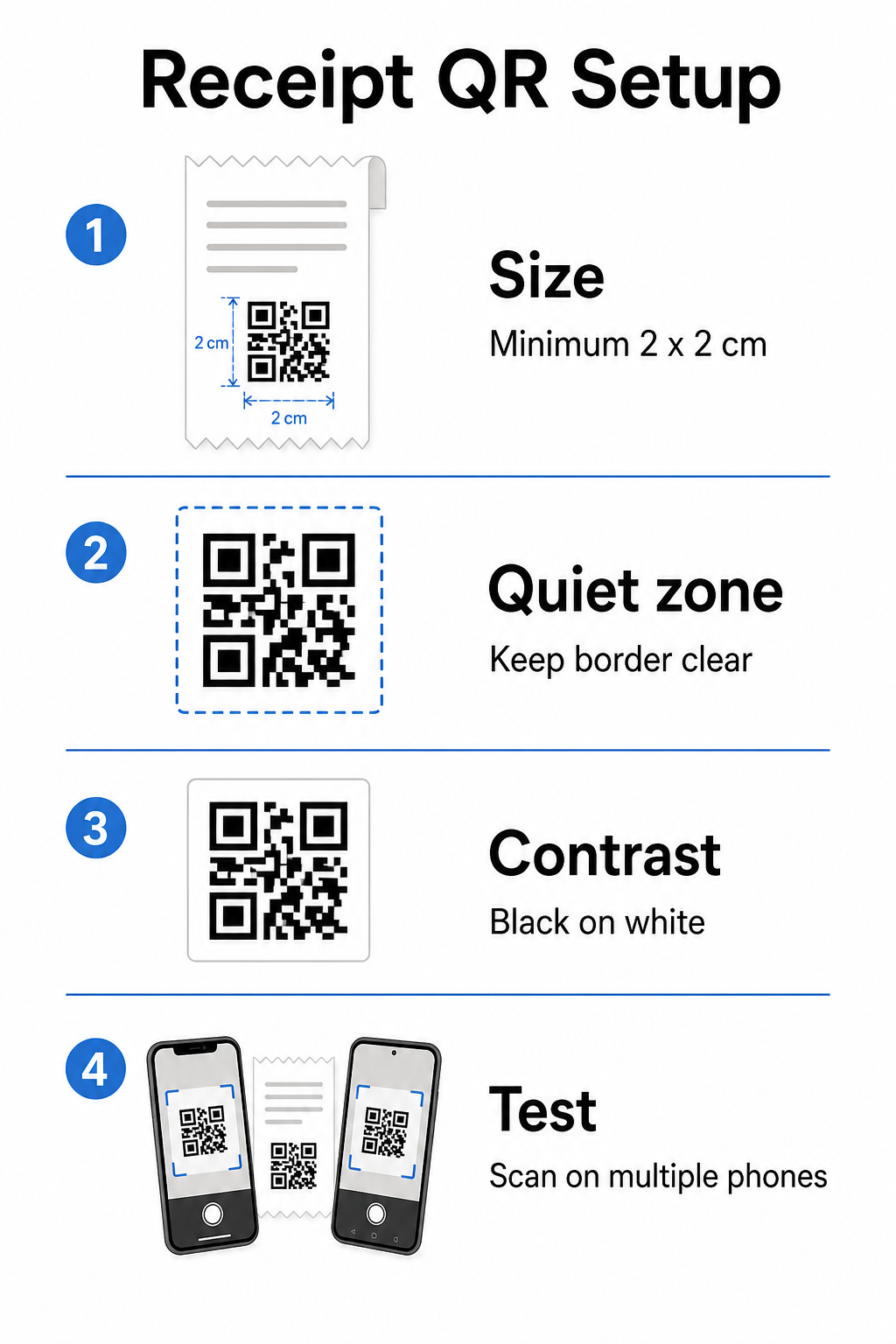
Koko: Kuitit ovat kapeita – tyypillisesti 58 mm tai 80 mm leveitä. Käytännöllinen vähimmäistulostuskoko luotettavaan älypuhelimella skannaamiseen on 2 × 2 cm (noin 0,8 × 0,8 tuumaa). Vakiokuitissa 2,5–3 cm:n koodi mahtuu mukavasti ja skannautuu luotettavasti lähietäisyydeltä, jolla asiakas pitäisi kuittia. Täydellinen erittely siitä, miten koko vaikuttaa skannattavuuteen, löytyy osoitteesta QR-koodin kokooppaastamme.
Hiljainen vyöhyke: Jokainen QR-koodi vaatii selkeän valkoisen reunuksen – jota kutsutaan hiljaiseksi vyöhykkeeksi – vähintään 4 moduulia (pientä neliötä) kaikilla sivuilla. Älä anna ympäröivän tekstin tai grafiikan tunkeutua koodin reunoille. Puuttuva tai kapea hiljainen vyöhyke on yksi yleisimmistä syistä skannausvirheisiin painetuissa kuiteissa.
Virheenkorjaus: ISO/IEC 18004 -standardi määrittelee neljä virheenkorjaustasoa: L (7 %), M (15 %), Q (25 %) ja H (30 %). Kuitille, joka voi olla taitettu tai hieman tahriintunut, M-tason virheenkorjaus on kohtuullinen peruslinja. Jos koodisi sisältää logo-peittokuvan, siirry Q- tai H-tasolle. Muista, että korkeampi virheenkorjaus lisää koodin tiheyttä, joten testaa valitsemasi koko ja virheenkorjaustaso yhdessä ennen suunnittelun viimeistelyä.
Kontrasti: Tulosta QR-koodi mustana valkoiselle aina kun mahdollista. Lämpökuittitulostimet voivat tuottaa heikomman kontrastin tulostetta riippuen paperin laadusta ja tulostuspään laadusta. Testaa tulostettu koodi useilla laitteilla ennen laajamittaista käyttöönottoa – mukaan lukien vanhemmat älypuhelimet, joissa on matalaresoluutioiset kamerat. Katso yksityiskohtaiset ohjeet kohdasta parhaita käytäntöjä QR-koodin luettavuudelle.
POS-integraatio: Useimmat nykyaikaiset POS-järjestelmät mahdollistavat kuittimallien mukauttamisen. Lisää QR-koodikuvasi kuitin alatunnisteeseen järjestelmän mallieditorissa. Dynaamisia käyttötapauksia varten, joissa kohde voi muuttua – kausitarjoukset, päivitetyt kanta-asiakassivut, vaihtuvat kampanjat – käytä dynaamista koodia, jotta tulostettu kuitti pysyy voimassa, vaikka päivittäisit kohde-URL-osoitteen.
Kuittien QR-koodien suorituskyvyn seuranta
Yksi käytännön eduista QR-koodien hallinta-alustan käyttämisessä perusgeneraattorin sijaan on pääsy skannausanalytiikkaan. Kun QR-koodin seuranta, voit seurata:
- Kuinka monta asiakasta todella skannaa koodin
- Mitkä sijainnit tai kassat tuottavat eniten skannauksia
- Mitkä kellonajat näkevät eniten sitoutumista
- Vaikuttiko toimintakehotustekstin muutos koodin vieressä skannausmääriin
Nämä tiedot muuttavat kuittisi mitattavaksi markkinointikanavaksi staattisen paperin sijaan. Jos sinulla on useita toimipisteitä, toimipistekohtaiset skannaustiedot kertovat sinulle, missä ohjelma toimii ja missä henkilökunta voi hyötyä asiakkaiden suullisesta kannustamisesta skannaamaan.
Dynaamiset QR-koodit tukevat tätä seurantaa natiivisti: uudelleenohjauspalvelin kirjaa jokaisen skannauksen ennen kuin ohjaa asiakkaan kohteeseen. Voit myös päivittää kohde-URL-osoitteen ilman uusien kuittien myöntämistä, mikä tarkoittaa, että kausiluonteinen kampanja voi alkaa tai päättyä ilman toiminnallisia häiriöitä. Syvällisempi katsaus siihen, miten tämä tukee iteratiivista parantamista, katso miten QR-koodeja käytetään tehokkaasti.
Päätä, mitä sisällytät kuittisi QR-koodiin
Ennen koodin luomista selvitä kolme asiaa selkeästi.
Kohde: Minne skannaus johtaa? Valitse yksi ensisijainen toiminto – digitaalinen kuitti, kanta-asiakasohjelmaan liittyminen, arvostelusivu tai maksulinkki. QR-koodi, joka yrittää palvella useita tarkoituksia samanaikaisesti, luo hämmennystä ja vähentää skannausmääriä.
Toimintakehotusteksti: Tulosta lyhyt ohje koodin viereen. “Skannaa tallentaaksesi kuittisi,” “Skannaa ansaitaksesi pisteitä,” tai “Skannaa jättääksesi arvostelun” asettavat kukin selkeän odotuksen. Asiakkaat skannaavat huomattavasti todennäköisemmin, kun he ymmärtävät tarkalleen, mitä he saavat.
Koodityyppi: Käytä dynaaminen QR-koodi jos kohde voi muuttua, jos haluat seurantatietoja tai jos aiot järjestää kampanjoita, jotka vaihtuvat ajan myötä. Käytä staattista koodia vain, jos kohde on pysyvästi kiinteä eikä seuranta ole prioriteetti.
Kun koodi on käytössä, käsittele skannausmäärää mittarina, jota tarkastelet ja parannat – aivan kuten minkä tahansa muun asiakasvuorovaikutuskanavan. Pienet säädöt sijoitteluun, koodin kokoon tai toimintakehotustekstiin voivat tuottaa merkittäviä eroja siinä, kuinka moni asiakas toimii ohjeiden mukaan.
Usein kysytyt kysymykset
Useimpien käyttötapausten osalta – digitaaliset kuittiportaalit, kanta-asiakasohjelmaan ilmoittautuminen, arvostelusivut tai oston jälkeiset tarjoukset – yksi QR-koodi toimii kaikissa kuiteissa. Dynaaminen QR-koodi antaa sinun päivittää kohteen ilman uudelleenpainatusta. Jos sinun täytyy seurata yksittäisiä tapahtumia (esimerkiksi henkilökohtaisten alennuskoodien myöntämiseksi), sinä luoisit yksilöllisiä koodeja tapahtumaa kohden, mikä tyypillisesti vaatii integraation sinun POS-järjestelmäsi ja massagenerointia tukevan QR-alustan välillä.
QR-koodi itsessään ei ole kirjanpitojärjestelmä – se on linkki sellaiseen. IRS edellyttää, että sähköiset tiedot ovat haettavissa, luettavissa, täsmäytettävissä kirjanpitosi kanssa ja varmuuskopioituja. Jos QR-koodi linkittää vaatimustenmukaiseen digitaaliseen kuittien arkistoon tai kirjanpitoalustaan, joka täyttää nämä standardit, se voi olla osa hyväksyttävää sähköistä kirjanpitoprosessia. Kysy neuvoa veroneuvojalta yrityksesi rakenteeseen ja lainkäyttöalueeseen liittyvistä erityisohjeista.
Yleisimmät syyt ovat liian pieni koodi, riittämätön kontrasti lämpötulostuksesta tai ympäröivän tekstin tai grafiikan täyttämä hiljainen vyöhyke. Tulosta koodi vähintään 2 × 2 cm kokoisena, säilytä selkeä valkoinen reunus kaikilla sivuilla ja testaa useilla laitteilla – mukaan lukien vanhemmat älypuhelimet – ennen käyttöönottoa. M-tason virheenkorjauksen tai korkeamman tason käyttö lisää kestävyyttä pieniä tulostusvirheitä vastaan. Sisällytä aina kohde-URL selkeänä tekstinä vararatkaisuna, jotta asiakkaat voivat siirtyä sivulle manuaalisesti, jos skannaus epäonnistuu.