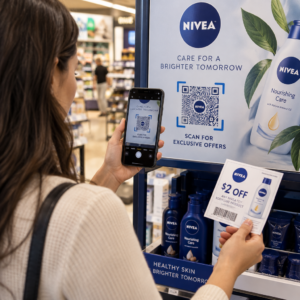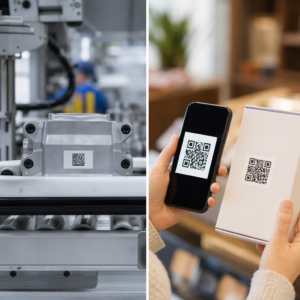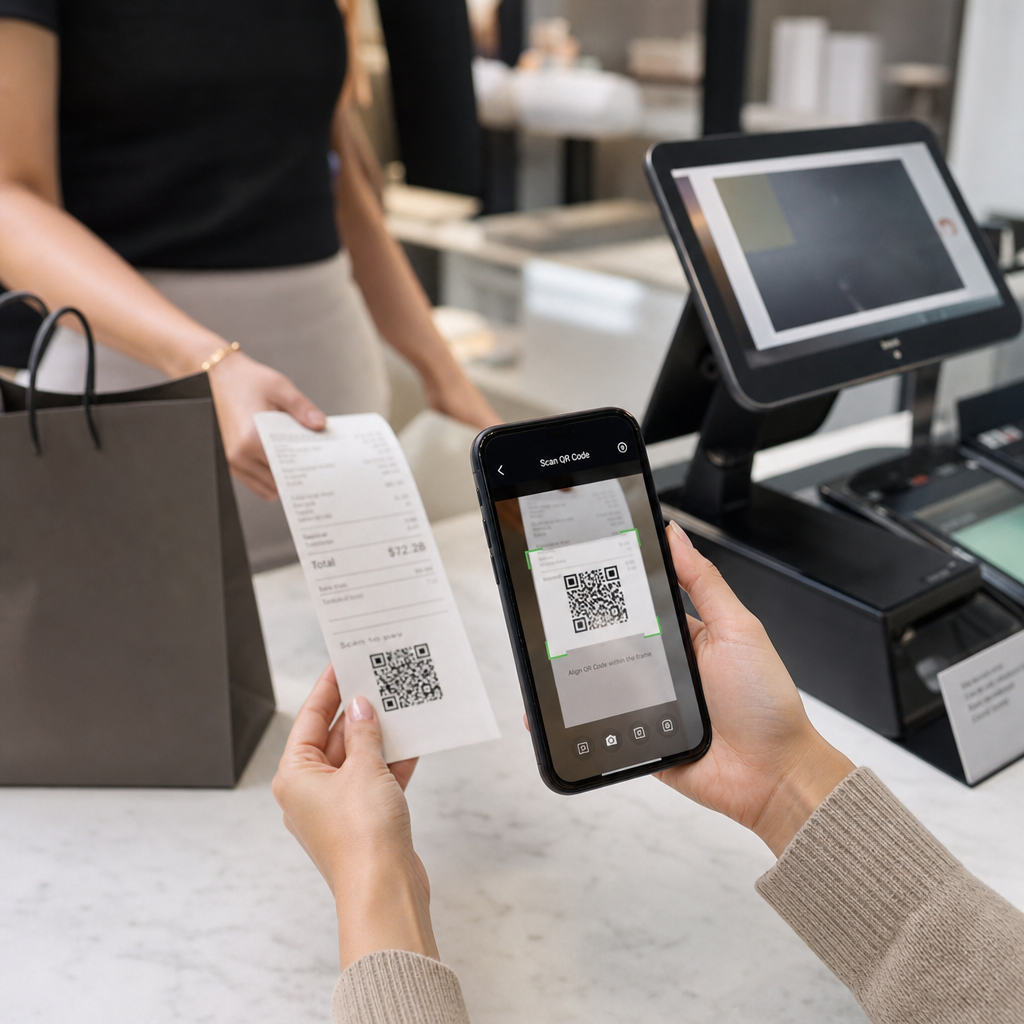
Jeste li nesigurni zašto se QR kodovi pojavljuju na računima – ili kako dodati jedan na svoj? Tvrtke koriste QR kodove na računima za sve, od digitalnog vođenja evidencije i porezne usklađenosti do programa vjernosti i prikupljanja recenzija. Ovaj vodič objašnjava kako funkcioniraju i kako ih postaviti.
Što QR kod na računu zapravo radi
QR kod je dvodimenzionalni barkod koji kamera pametnog telefona dekodira u sekundama, usmjeravajući korisnika na URL, obrazac, digitalnu datoteku ili stranicu za plaćanje – bez potrebe za tipkanjem. Kada se ispiše na računu, taj kod pretvara komad papira koji bi vaš kupac spremio u džep ili odbacio u aktivnu digitalnu dodirnu točku.
Odredište iza QR koda na računu može biti gotovo bilo što:
- Digitalna verzija samog računa (PDF ili web stranica)
- Stranica za upis u program vjernosti ili iskorištavanje bodova
- Poziv na Google recenziju
- Popust nakon kupnje ili posebna ponuda
- Obrazac za povratne informacije
- Stranica za potvrdu plaćanja ili napojnicu
Ključna razlika koju vrijedi razumjeti unaprijed je statični naspram dinamičnih QR kodova. Statički kod izravno kodira odredište – promijenite vezu i morate ponovno ispisati. A dinamički QR kod umjesto toga pohranjuje kratki URL za preusmjeravanje, tako da odredište možete ažurirati bilo kada putem nadzorne ploče bez dodirivanja ispisanih računa. Za slučajeve upotrebe računa gdje biste možda željeli ažurirati ponude, zamijeniti stranice programa vjernosti ili osvježiti sadržaj nakon kupnje, dinamički kodovi su praktičan izbor.
Digitalni računi: Smanjenje papira i poboljšanje evidencije
Oko 75% potrošača preferira digitalne račune umjesto papirnatih, navodeći lakše povrate i bolju organizaciju evidencije kupnji. QR kod na ispisanom računu premošćuje jaz: kupac i dalje dobiva fizički dokument na prodajnom mjestu, ali može odmah spremiti ili pristupiti digitalnoj kopiji skeniranjem.
Za kupcima, to znači:
- Pretraživa, pohranjiva evidencija njihove kupnje
- Nema rizika od izblijedjelog ili izgubljenog papirnatog računa tijekom roka za povrat
- Trenutni pristup jamstvima proizvoda ili uputama za njegu
Za tvrtkama, to znači:
- Manje zahtjeva za pretraživanje starih transakcija
- Prirodna dodirna točka za naknadne ponude ili pozive na program vjernosti
- Smanjeno trenje oko povrata i zamjena
Ako poslujete u maloprodaji ili ugostiteljstvu, uparivanje QR koda digitalnog računa s ponudom nakon kupnje – kao što je popust pri sljedećem posjetu – daje kupcima konkretan razlog za skeniranje, a ne ignoriranje koda.
Pretvorite račune u digitalni kanal Želite li povezati svoje ispisane račune s digitalnim sadržajem koji možete ažurirati bilo kada? Koristite Dinamični QR kod generator za stvaranje QR koda računa koji možete preusmjeriti kad god se vaše ponude promijene – nije potrebno ponovno ispisivanje.
Porezna usklađenost i vođenje evidencije
Porezna uprava zahtijeva od tvrtki da čuvaju prateće dokumente – uključujući prodajne listiće, račune i potvrde – koji podupiru unose u vašim knjigama i na poreznim prijavama. Kritično, Porezna uprava navodi da svi zahtjevi koji se primjenjuju na fizičke zapise također se primjenjuju na elektroničke zapise: elektronički sustav mora ispunjavati ista osnovna načela vođenja evidencije kao i papirnati, proizvoditi čitljive zapise koji podupiru unose u povratima i biti sigurnosno kopiran radi zaštite od gubitka podataka.
QR kodovi na računima uklapaju se u ovaj okvir na dva praktična načina.
Za vaše kupce, QR kod koji povezuje s digitalnim računom daje im trajnu, dostupnu kopiju njihove evidencije transakcija, podržavajući njihovo vlastito praćenje troškova ili dokumentaciju za povrat. Za vaše poslovanje, povezivanje računa s digitalnim sustavom vođenja evidencije – bilo da se radi o računovodstvenoj platformi u oblaku, arhivi PDF računa ili portalu za transakcije – pomaže u održavanju organiziranih, dohvatljivih zapisa koje Porezna uprava očekuje. Zapisi bi se trebali čuvati onoliko dugo koliko je potrebno za potkrepljivanje prihoda ili odbitaka na poreznoj prijavi, a elektroničke sigurnosne kopije su izričito preporučene.
Nekoliko praktičnih točaka iz smjernica Porezne uprave vrijedi imati na umu:
- Evidencija bruto prihoda (trake blagajne, knjige računa, fakture) i dokumenti o kupnji (potvrde kreditnih kartica, fakture) spadaju među ključne prateće dokumente koje Porezna uprava identificira
- Elektronički sustavi moraju biti usklađeni s vašim knjigama i prijavama te pružati dovoljno detalja za identifikaciju temeljnih izvornih dokumenata
- Zapisi bi se trebali čuvati na uredan način, organizirani po godini i vrsti prihoda ili rashoda
QR kodovi ne zamjenjuju vaš sustav vođenja evidencije – oni ga mogu učiniti pristupačnijim povezivanjem fizičkog računa s digitalnim zapisom iza njega. Za širi pogled na razmatranja privatnosti prilikom prikupljanja podataka o skeniranju, pogledajte naš vodič o Zakoni o privatnosti QR kodova i ključni propisi.
Programi vjernosti: Zamjena kartice s pečatima na blagajni
Račun je jedna od najpodcijenjenijih dodirnih točaka vjernosti u maloprodaji i ugostiteljstvu. Kupac je već obavio kupnju – oni su na vrhuncu angažmana. QR kod na dnu računa može ih odvesti izravno u vaš program vjernosti u nekoliko sekundi.
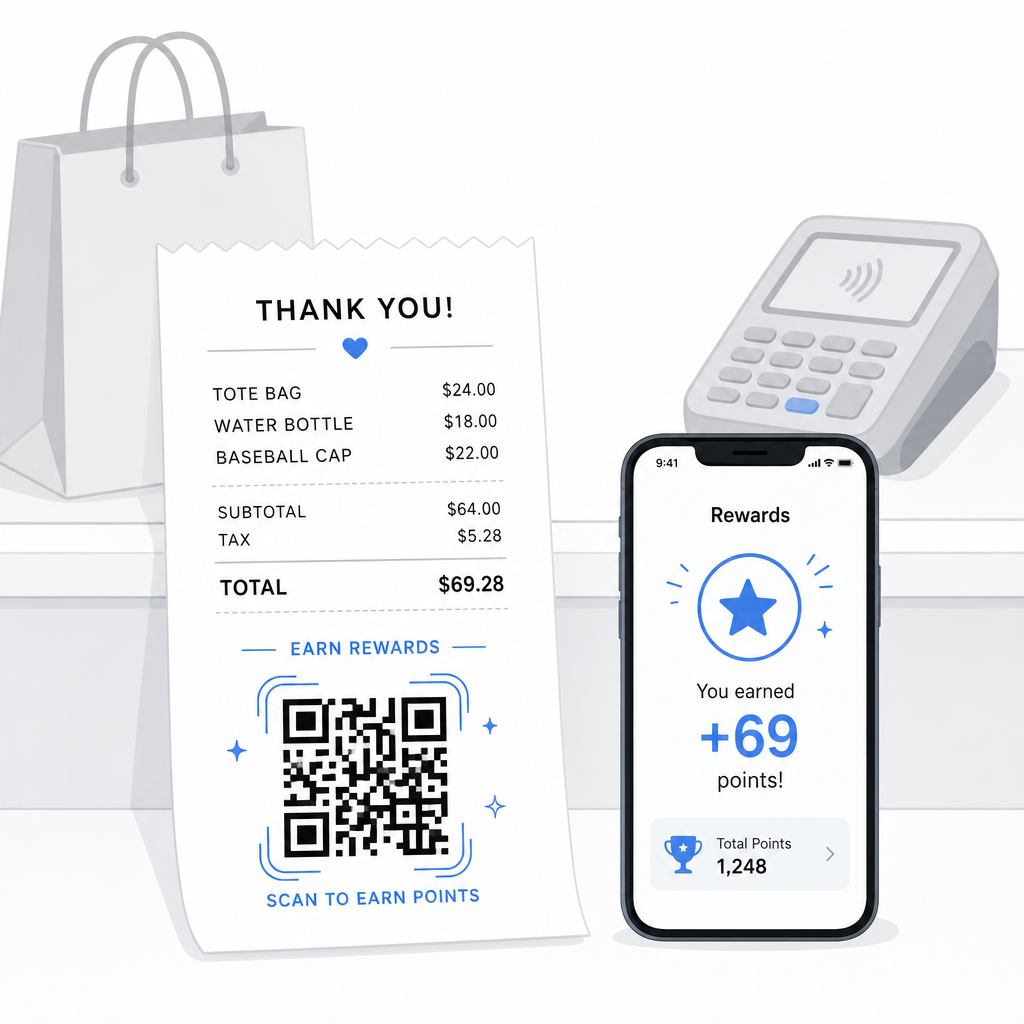
Istraživanja pokazuju da vjerni kupci troše 67% više od novih kupaca, i 72% američkih tvrtki s programima vjernosti bilježi pozitivan povrat ulaganja. QR kod na računu čini upis u program i iskorištavanje bodova besprijekornim – nije potrebno preuzimanje aplikacije, niti nošenje zasebne kartice. Kao što Pageloot napominje u svom vodiču za QR kodove u maloprodaji, QR kodovi već služe kao prirodna dodirna točka na blagajni za pristup vjernosti i ekskluzivne ponude.
Uobičajene postavke vjernosti temeljene na računu uključuju:
- Upis bodova: Skenirajte za pridruživanje i odmah dodijelite bodove za trenutnu kupnju
- Nagrade temeljene na razinama: Poveznica na stranicu koja prikazuje trenutnu razinu kupca i što im je potrebno za postizanje sljedeće razine
- Trenutno iskorištavanje: Skenirajte za preuzimanje popusta ili besplatnog artikla na licu mjesta ili tijekom sljedećeg posjeta
- Preporučne poveznice: Personalizirani QR kod koji kupac može podijeliti s prijateljima kako bi proširio doseg vašeg programa
Za potpuni vodič o izgradnji ovakvog programa, pogledajte kako postaviti programe vjernosti s QR kodovima i usporedbu QR kodova naspram tradicionalnih kartica vjernosti.
Dodajte poveznicu programa vjernosti na svaki račun The Generator QR kodova za linkove omogućuje vam stvaranje brendiranog QR koda koji se može pratiti, a koji povezuje vaše ispisane račune s bilo kojom platformom vjernosti, stranicom nagrada ili obrascem za prijavu.
Google recenzije i prikupljanje povratnih informacija
Kupac koji je upravo obavio kupnju je u najboljem mogućem raspoloženju za ostavljanje recenzije – ako mu to olakšate. QR kod na dnu računa koji izravno vodi na vašu stranicu za Google recenzije uklanja svaki korak između “Imao sam dobro iskustvo” i “Objavio sam to.”
QR kodovi za Google recenzije mogu se ispisati na računima, jelovnicima, ambalaži ili bilo kojem materijalu okrenutom kupcima. Za postavljanje na račun, uparite kod s kratkim upitom poput “Jeste li uživali u posjetu? Javite nam u 30 sekundi” kako bi zahtjev djelovao lagano, a ne zahtjevno.
Isti pristup funkcionira za interne obrasce za povratne informacije ako više volite prikupljati privatne povratne informacije prije nego što se pojave javno. U tom slučaju, povežite QR kod s kratkom anketom, a ne s platformom za recenzije. U svakom slučaju, račun postaje okidač za angažman nakon kupnje koji bi inače zahtijevao zasebnu e-mail kampanju ili poruku za praćenje.
Plaćanja i napojnice putem QR koda
U ugostiteljstvu i nekim maloprodajnim okruženjima, QR kod na računu može zamijeniti ili dopuniti tradicionalni upit za napojnicu na terminalu za kartice. Kupci skeniraju, odaberu iznos i dovrše plaćanje putem mobilnog novčanika ili poveznice za plaćanje – bez rukovanja zajedničkim uređajem.
Ovo je posebno korisno za narudžbe za van, potvrde o dostavi ili bilo koju situaciju gdje terminal za kartice nije ispred kupca u trenutku kada žele platiti ili dodati napojnicu. Pogledajte vodič o QR kodovi za plaćanja za opcije postavljanja kod različitih pružatelja plaćanja, uključujući vodič za postavljanje PayPal QR koda.
Kako ispisati QR kod na računu: Tehničke osnove
Nakon što ste generirali svoj QR kod, ispisivanje istog na računu uključuje nekoliko praktičnih razmatranja koja izravno utječu na to mogu li ga kupci stvarno skenirati.
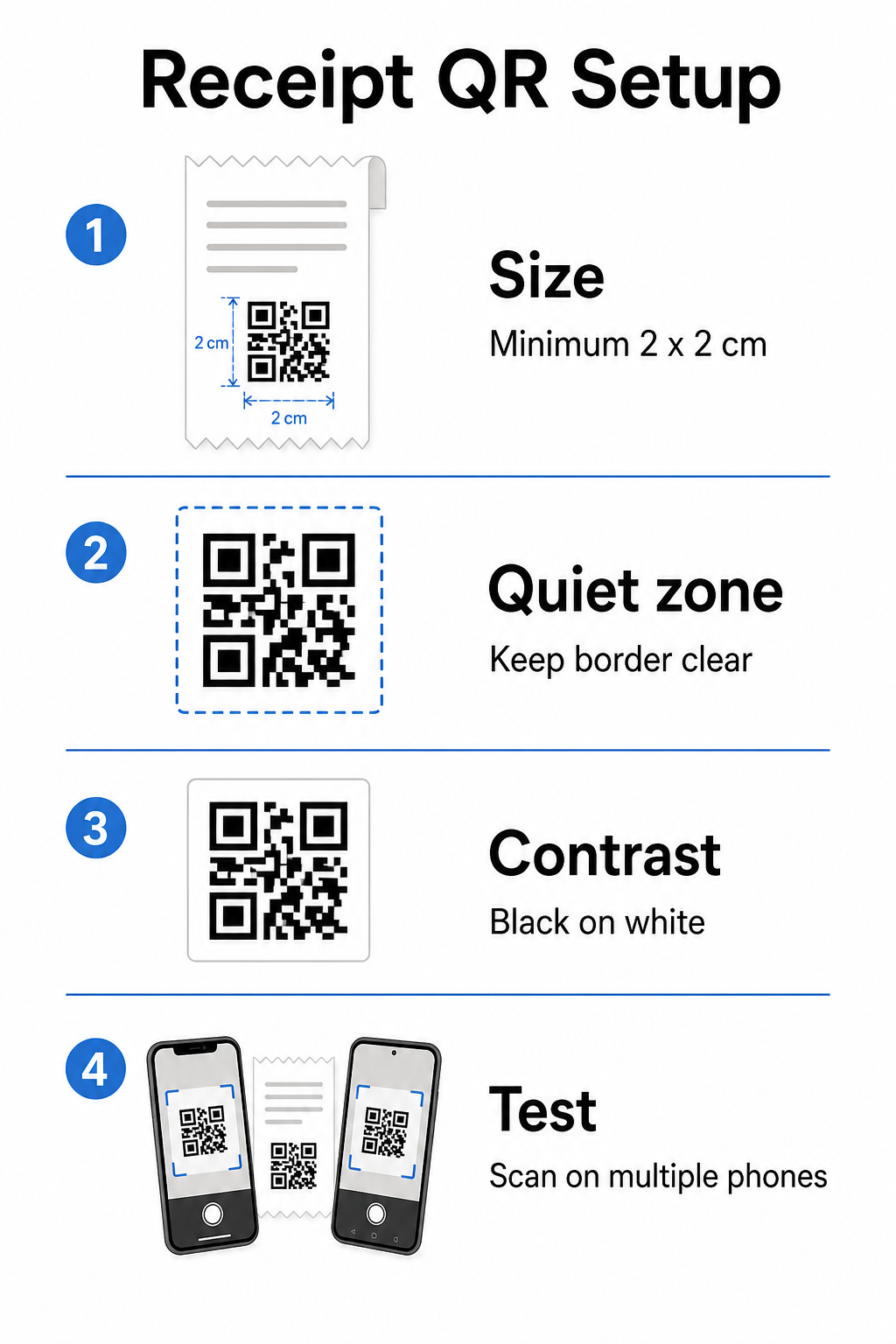
Veličina: Računi su uski – obično široki 58 mm ili 80 mm. Praktična minimalna veličina ispisa za pouzdano skeniranje pametnim telefonom je 2 × 2 cm (oko 0,8 × 0,8 inča). Na standardnom računu, kod veličine 2,5–3 cm udobno staje i pouzdano se skenira iz blizine s koje bi kupac držao račun. Za potpunu analizu kako veličina utječe na mogućnost skeniranja, pogledajte vodiču za veličinu QR koda.
Tiha zona: Svaki QR kod zahtijeva jasan bijeli rub – nazvan mirna zona – od najmanje 4 modula (mala kvadrata) sa svih strana. Ne dopustite da okolni tekst ili grafika pretrpavaju rubove koda. Nedostajuća ili uska mirna zona jedan je od najčešćih uzroka neuspjeha skeniranja na ispisanim računima.
Ispravljanje pogrešaka: Standard ISO/IEC 18004 definira četiri razine ispravljanja pogrešaka: L (7%), M (15%), Q (25%) i H (30%). Za račun koji može biti presavijen ili malo zamrljan, ispravljanje pogrešaka razine M je razumna početna točka. Ako vaš kod uključuje preklapanje logotipa, prijeđite na Q ili H. Imajte na umu da veća ispravka pogrešaka povećava gustoću koda, stoga testirajte odabranu veličinu i razinu ispravljanja pogrešaka zajedno prije finaliziranja dizajna.
Kontrast: Ispišite QR kod crno na bijelom kad god je to moguće. Termalni pisači računa mogu proizvesti izlaz nižeg kontrasta ovisno o vrsti papira i kvaliteti ispisne glave. Testirajte ispisani kod na nekoliko uređaja prije masovne implementacije – uključujući starije pametne telefone s kamerama niže rezolucije. Za detaljne smjernice, pogledajte najbolje prakse za čitljivost QR koda.
POS integracija: Većina modernih POS sustava omogućuje prilagodbu predložaka računa. Dodajte sliku svog QR koda u podnožje računa u uređivaču predložaka sustava. Za dinamične slučajeve upotrebe gdje se odredište može promijeniti – sezonske ponude, ažurirane stranice vjernosti, rotirajuće promocije – koristite dinamički kod tako da ispisani račun ostaje važeći čak i nakon što ažurirate URL odredišta.
Praćenje performansi QR koda na računu
Jedna od praktičnih prednosti korištenja platforme za upravljanje QR kodovima umjesto osnovnog generatora je pristup analitici skeniranja. S Praćenje QR koda, možete pratiti:
- Koliko kupaca zapravo skenira kod
- Koje lokacije ili blagajne generiraju najviše skeniranja
- Koja doba dana bilježe najveći angažman
- Je li promjena u tekstu poziva na akciju pored koda utjecala na stope skeniranja
Ovi podaci pretvaraju vaš račun u mjerljiv marketinški kanal umjesto statičnog komada papira. Ako vodite više lokacija, podaci o skeniranju po lokaciji govore vam gdje program funkcionira i gdje osoblje može imati koristi od usmenog poticanja kupaca na skeniranje.
Dinamički QR kodovi izvorno podržavaju ovo praćenje: poslužitelj za preusmjeravanje bilježi svako skeniranje prije prosljeđivanja kupca na odredište. Također možete ažurirati URL odredišta bez izdavanja novih računa, što znači da sezonska promocija može započeti ili isteći bez ikakvih operativnih prekida. Za dublji uvid u to kako ovo podržava iterativno poboljšanje, pogledajte kako učinkovito koristiti QR kodove.
Odlučivanje što uključiti na vaš QR kod na računu
Prije generiranja koda, jasno riješite tri stvari.
Odredište: Kamo vodi skeniranje? Odaberite jednu primarnu radnju – digitalni račun, upis u program vjernosti, stranica za recenzije, ili poveznica za plaćanje. QR kod koji pokušava služiti višestrukim svrhama odjednom stvara zbrku i smanjuje stope skeniranja.
Tekst poziva na akciju: Ispišite kratku uputu pored koda. “Skenirajte za spremanje računa”, “Skenirajte za skupljanje bodova”, ili “Skenirajte za ostavljanje recenzije” svaka postavlja jasno očekivanje. Kupci će značajno vjerojatnije skenirati kada točno razumiju što će dobiti.
Vrsta koda: Koristi dinamički QR kod ako se odredište može promijeniti, ako želite podatke o praćenju, ili ako planirate provoditi promocije koje se s vremenom rotiraju. Koristite statički kod samo ako je odredište trajno fiksno i praćenje nije prioritet.
Nakon što je kod aktivan, tretirajte stopu skeniranja kao metriku koju pregledavate i poboljšavate – baš kao i bilo koji drugi kanal za angažman kupaca. Male prilagodbe položaja, veličine koda, ili teksta poziva na akciju mogu proizvesti značajne razlike u tome koliko kupaca izvrši radnju.
Često postavljana pitanja
Za većinu slučajeva upotrebe – portali za digitalne račune, upis u program vjernosti, stranice za recenzije ili ponude nakon kupnje – jedan QR kod radi na svim računima. Dinamički QR kod omogućuje vam ažuriranje odredišta bez ponovnog ispisa. Ako trebate pratiti pojedinačne transakcije (na primjer, za izdavanje personaliziranih kodova za popust), generirali biste jedinstvene kodove po transakciji, što obično zahtijeva integraciju između vašeg POS sustava i QR platforme koja podržava masovno generiranje.
Sam QR kod nije sustav za vođenje evidencije – on je poveznica na takav sustav. IRS zahtijeva da elektronička evidencija bude dostupna za dohvat, čitljiva, usklađena s vašim knjigama i sigurnosno kopirana. Ako se QR kod povezuje s usklađenom digitalnom arhivom računa ili računovodstvenom platformom koja ispunjava te standarde, može biti dio prihvatljivog tijeka rada elektroničkog vođenja evidencije. Posavjetujte se s poreznim stručnjakom za smjernice specifične za vašu poslovnu strukturu i nadležnost.
Najčešći uzroci su kod koji je premalen, nedovoljan kontrast od termalnog ispisa, ili tiha zona pretrpana okolnim tekstom ili grafikom. Ispišite kod minimalno 2 × 2 cm, održavajte jasan bijeli rub sa svih strana, i testirajte na više uređaja – uključujući starije pametne telefone – prije puštanja u rad. Korištenje ispravljanja pogrešaka razine M ili više dodaje otpornost na manje tiskarske nesavršenosti. Uvijek uključite odredišni URL u običnom tekstu kao rezervnu opciju kako bi korisnici mogli ručno pristupiti stranici ako skeniranje ne uspije.