> 사용 사례 > QR Codes on Receipts: Uses, Setup, and Benefits
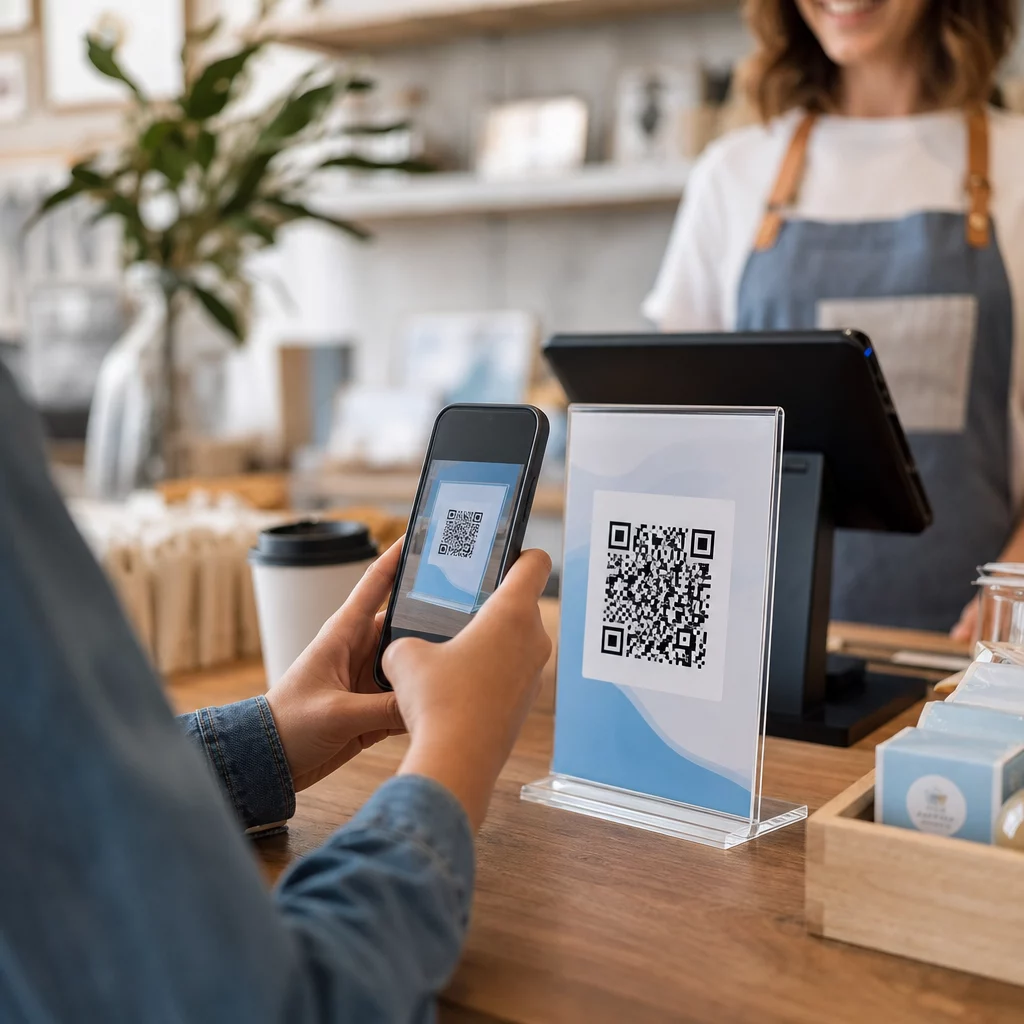
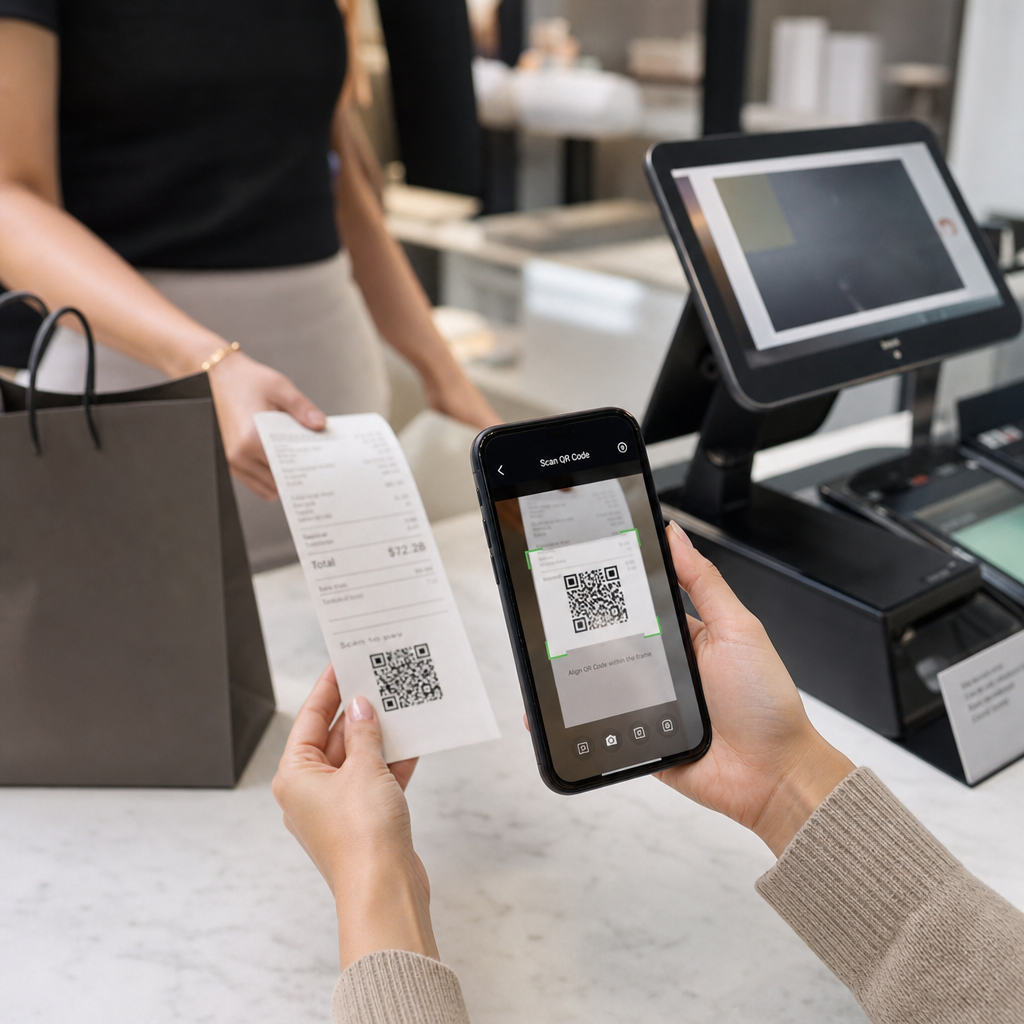
Scanning receipt QR

QR Codes on Receipts: Uses, Setup, and Benefits

Learn how QR codes on receipts simplify tax compliance, boost loyalty programs, and collect reviews. This guide covers setup and printing tips.
Updated on 7월 2, 2026
목차

Are you unsure why QR codes are appearing on receipts – or how to add one to your own? Businesses are using receipt QR codes for everything from digital record-keeping and tax compliance to loyalty programs and review collection. This guide explains how they work and how to set them up.

What a QR Code on a Receipt Actually Does

A QR code is a two-dimensional barcode that a smartphone camera decodes in seconds, directing the user to a URL, form, digital file, or payment page – without any typing required. When printed on a receipt, that code turns a piece of paper your customer was going to pocket or discard into an active digital touchpoint.

The destination behind a receipt QR code can be almost anything:

  • A digital version of the receipt itself (PDF or web page)
  • A loyalty program enrollment or points-redemption page
  • A Google review prompt
  • A post-purchase discount or special offer
  • A feedback form
  • A payment confirmation or tip page

The key distinction worth understanding upfront is 정적 대 동적 QR 코드. A static code encodes the destination directly – change the link and you need to reprint. A 동적 QR 코드 stores a short redirect URL instead, so you can update the destination any time through a dashboard without touching your printed receipts. For receipt use cases where you might want to update offers, swap out loyalty program pages, or refresh post-purchase content, dynamic codes are the practical choice.

Digital Receipts: Reducing Paper and Improving Records

About 75% of consumers prefer digital receipts over paper, citing easier returns and better organization of purchase records. A QR code on a printed receipt bridges the gap: the customer still gets a physical document at the point of sale, but can instantly save or access a digital copy by scanning.

에 대한 customers, this means:

  • A searchable, storable record of their purchase
  • No risk of a faded or lost paper receipt during a return window
  • Immediate access to product warranties or care instructions

에 대한 businesses, this means:

  • Fewer requests to look up old transactions
  • A natural touchpoint for follow-up offers or loyalty program prompts
  • Reduced friction around returns and exchanges

If you operate in retail 또는 hospitality, pairing a digital receipt QR code with a post-purchase offer – such as a discount on the next visit – gives customers a concrete reason to scan rather than ignore the code.

Turn Receipts Into a Digital Channel Want to link your printed receipts to digital content that you can update at any time? Use the 동적 QR 코드 생성기 to create a receipt QR code you can redirect whenever your offers change – no reprinting required.

Tax Compliance and Recordkeeping

The IRS requires businesses to keep supporting documents – including sales slips, invoices, and receipts – that support entries in your books and on tax returns. Critically, the IRS states that all requirements applying to hard copy records also apply to electronic records: an electronic system must meet the same basic recordkeeping principles as paper, produce legible records that support return entries, and be backed up to protect against data loss.

QR codes on receipts fit into this framework in two practical ways.

For your customers, a QR code linking to a digital receipt gives them a permanent, accessible copy of their transaction record, supporting their own expense tracking or return documentation. For your business, linking receipts to a digital recordkeeping system – whether that is a cloud-based accounting platform, a PDF receipt archive, or a transaction portal – helps maintain the organized, retrievable records the IRS expects. Records should be kept as long as needed to substantiate the income or deductions on a tax return, and electronic backups are specifically recommended.

A few practical points from IRS guidance are worth keeping in mind:

  • Gross receipts records (cash register tapes, receipt books, invoices) and purchase documents (credit card receipts, invoices) are among the core supporting documents the IRS identifies
  • Electronic systems must reconcile with your books and returns and provide enough detail to identify underlying source documents
  • Records should be kept in an orderly fashion, organized by year and type of income or expense

QR codes do not replace your recordkeeping system – they can make it more accessible by connecting a physical receipt to the digital record behind it. For a broader look at privacy considerations when collecting scan data, see our guide on QR code privacy laws and key regulations.

Loyalty Programs: Replacing the Punch Card at the Register

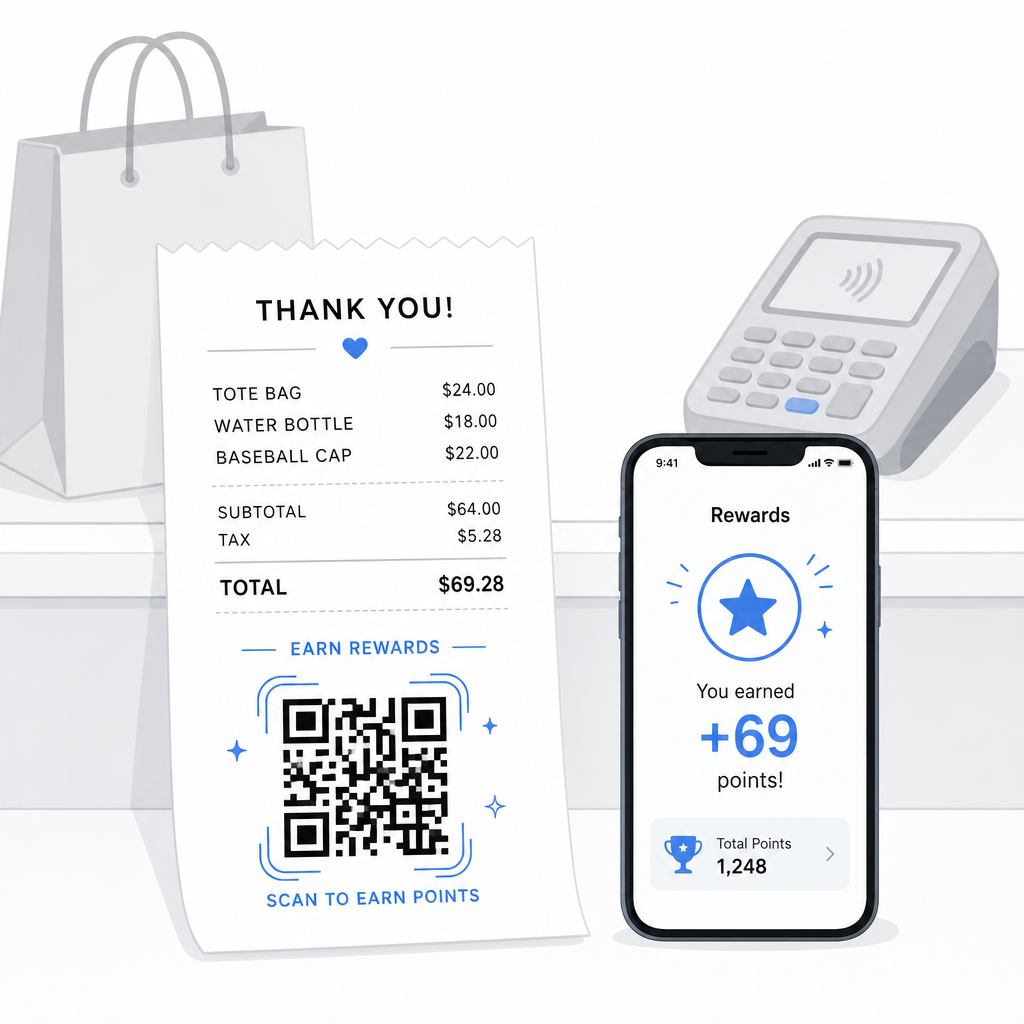
The receipt is one of the most underused loyalty touchpoints in retail and foodservice. The customer already completed a purchase – they are at peak engagement. A QR code at the bottom of the receipt can take them directly into your loyalty program in seconds.

Loyalty receipt rewards

Research shows that loyal customers spend 67% more than new customers, and 72% of U.S. businesses with loyalty programs see a positive return on investment. A QR code on the receipt makes program enrollment and points redemption frictionless – no app download required, no separate card to carry. As Pageloot notes in its retail QR code guide, QR codes already serve as a natural checkout touchpoint for loyalty access and exclusive offers.

Common receipt-based loyalty setups include:

  • Points enrollment: Scan to join and immediately credit points for the current purchase
  • Tier-based rewards: Link to a page showing the customer’s current tier and what they need to reach the next level
  • Instant redemption: Scan to claim a discount or free item on the spot or during the next visit
  • Referral links: A personalized QR code the customer can share with friends to extend your program’s reach

For a full walkthrough on building this kind of program, see how to set up QR code loyalty programs and a comparison of QR codes versus traditional loyalty cards.

Add a Loyalty Program Link to Every Receipt 그만큼 링크 QR 코드 생성기 lets you create a branded, trackable QR code that connects your printed receipts to any loyalty platform, reward page, or sign-up form.

Google Reviews and Feedback Collection

A customer who just completed a purchase is in the best possible state of mind to leave a review – if you make it easy. A QR code at the bottom of the receipt linking directly to your Google review page removes every step between “I had a good experience” and “I posted about it.”

Google review QR codes can be printed on receipts, menus, packaging, or any customer-facing material. For receipt placement, pair the code with a short prompt such as “Enjoyed your visit? Let us know in 30 seconds” to make the ask feel lightweight rather than demanding.

The same approach works for internal feedback forms if you prefer to gather private feedback before it appears publicly. In that case, link the QR code to a short survey rather than a review platform. Either way, the receipt becomes the trigger for post-purchase engagement that would otherwise require a separate email campaign or follow-up message.

Payments and Tipping via QR Code

In food service and some retail environments, a QR code on the receipt can replace or supplement the traditional tip prompt on a card terminal. Customers scan, choose an amount, and complete the payment through a mobile wallet or payment link – without handling a shared device.

This is especially useful for takeout orders, delivery confirmation slips, or any situation where a card terminal is not in front of the customer at the moment they want to pay or add a tip. See the guide on 결제용 QR 코드 for setup options across different payment providers, including a walkthrough for PayPal QR code setup.

How to Print a QR Code on a Receipt: Technical Basics

Once you have generated your QR code, printing it on a receipt involves a few practical considerations that directly affect whether customers can actually scan it.

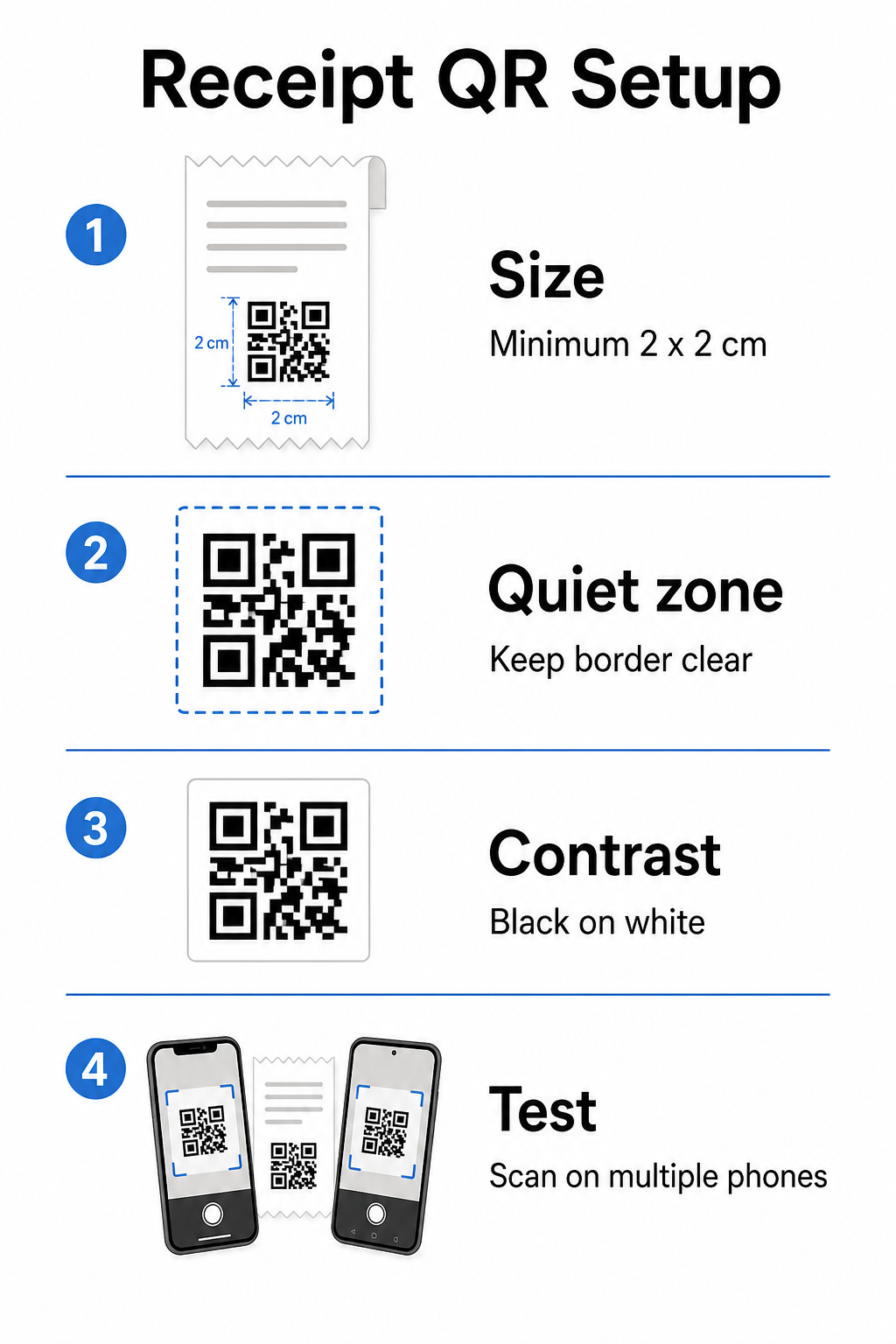
Receipt QR setup

크기: Receipts are narrow – typically 58mm or 80mm wide. The practical minimum print size for reliable smartphone scanning is 2 × 2 cm (about 0.8 × 0.8 inches). On a standard receipt, a code of 2.5–3 cm fits comfortably and scans reliably at the close range a customer would hold a receipt. For a full breakdown of how size affects scannability, see the QR 코드 크기 가이드.

콰이어트 존: Every QR code requires a clear white border – called a quiet zone – of at least 4 modules (small squares) on all sides. Do not let surrounding text or graphics crowd the edges of the code. A missing or narrow quiet zone is one of the most common causes of scanning failures on printed receipts.

Error correction: The ISO/IEC 18004 standard defines four error correction levels: L (7%), M (15%), Q (25%), and H (30%). For a receipt that may be folded or slightly smudged, M-level error correction is a reasonable baseline. If your code includes a logo overlay, step up to Q or H. Keep in mind that higher error correction increases code density, so test your chosen size and error correction level together before finalizing the design.

대비: Print the QR code in black on white whenever possible. Thermal receipt printers can produce lower-contrast output depending on paper stock and print head quality. Test the printed code across several devices before rolling out at scale – including older smartphones with lower-resolution cameras. For detailed guidance, see QR 코드 가독성을 위한 모범 사례.

POS integration: Most modern POS systems allow receipt template customization. Add your QR code image to the receipt footer in the system’s template editor. For dynamic use cases where the destination may change – seasonal offers, updated loyalty pages, rotating promotions – use a dynamic code so the printed receipt remains valid even after you update the destination URL.

Tracking Receipt QR Code Performance

One of the practical advantages of using a QR code management platform rather than a basic generator is access to scan analytics. With QR 코드 추적, you can monitor:

  • How many customers actually scan the code
  • Which locations or registers generate the most scans
  • What times of day see peak engagement
  • Whether a change in the call-to-action text next to the code affected scan rates

This data turns your receipt into a measurable marketing channel rather than a static piece of paper. If you run multiple locations, per-location scan data tells you where the program is working and where staff may benefit from verbally encouraging customers to scan.

Dynamic QR codes support this tracking natively: the redirect server logs each scan before forwarding the customer to the destination. You can also update the destination URL without issuing new receipts, which means a seasonal promotion can go live or expire without any operational disruption. For a deeper look at how this supports iterative improvement, see how to use QR codes effectively.

Deciding What to Include on Your Receipt QR Code

Before generating your code, settle three things clearly.

Destination: Where does the scan go? Pick one primary action – digital receipt, loyalty enrollment, review page, or payment link. A QR code that tries to serve multiple purposes at once creates confusion and reduces scan rates.

Call-to-action text: Print a short instruction next to the code. “Scan to save your receipt,” “Scan to earn points,” or “Scan to leave a review” each set a clear expectation. Customers are significantly more likely to scan when they understand exactly what they will get.

Code type: 사용 동적 QR 코드 if the destination might change, if you want tracking data, or if you plan to run promotions that rotate over time. Use a static code only if the destination is permanently fixed and tracking is not a priority.

Once the code is live, treat scan rate as a metric you review and improve – just as you would any other customer engagement channel. Small adjustments to placement, code size, or call-to-action copy can produce meaningful differences in how many customers follow through.

자주 묻는 질문

Can I use the same QR code on every receipt, or do I need a unique code per transaction?

For most use cases – digital receipt portals, loyalty enrollment, review pages, or post-purchase offers – a single QR code works across all receipts. A dynamic QR code lets you update the destination without reprinting. If you need to track individual transactions (for example, to issue personalized discount codes), you would generate unique codes per transaction, which typically requires integration between your POS system and a QR platform that supports bulk generation.

Do QR codes on receipts satisfy IRS electronic recordkeeping requirements?

A QR code itself is not a recordkeeping system – it is a link to one. The IRS requires that electronic records be retrievable, legible, reconcilable with your books, and backed up. If the QR code links to a compliant digital receipt archive or accounting platform that meets those standards, it can be part of an acceptable electronic recordkeeping workflow. Consult a tax professional for guidance specific to your business structure and jurisdiction.

What should I do if customers cannot scan the QR code on their receipt?

The most common causes are a code that is too small, insufficient contrast from thermal printing, or a quiet zone crowded by surrounding text or graphics. Print the code at a minimum of 2 × 2 cm, maintain a clear white border on all sides, and test across multiple devices – including older smartphones – before rolling out. Using M-level error correction or higher adds resilience against minor print imperfections. Always include the destination URL in plain text as a fallback so customers can access the page manually if scanning fails.

작성자 정보

시임 코스타비는 페이지루트의 콘텐츠 책임자입니다. 그는 페이지루트의 혁신적인 QR 코드 생성 서비스에 대한 글을 쓰고 있습니다. 5년 이상 QR 코드 분야에서 쌓아온 깊이 있는 전문 지식을 바탕으로, 시임은 이 분야의 전문가로 인정받고 있습니다. 그는 QR 기술을 활용하여 디지털 상호작용을 간소화하고 향상시키는 데 크게 기여하고 있습니다.

범주
에 대해 자세히 알아보기
QR 명함 스캔
QR 코드 만들기 명함

온라인으로 QR 코드를 생성해야하는 경우 QR 코드 만들기 무료로 여기!
Pageloot는 #1 Go-To 솔루션 QR 코드를 만들고 스캔합니다.

BL-0303

블로그 세대

20,000개 이상의 브랜드로부터 신뢰를 받아 더 많은 매출, 리뷰, 팔로워를 확보했습니다.

클라이언트 로고
최고 브랜드의 신뢰
5 중 4.8 평가

4.86 / 5 별점

휴고 로랑
휴고 로랑
레스토랑 주인
가장 쉽고 안정적인 QR 코드 생성기. PDF 파일을 즉시 업로드할 수 있습니다. 이제 레스토랑 메뉴가 디지털화되었습니다.
루카스 얀센
루카스 얀센
부동산 개발사
이것은 훌륭한 도구이며 QR 코드를 사용하면 원하는 곳으로 이동할 수 있습니다. 우리는 위치 QR 코드만 사용하지만 유용한 기능이 너무 많습니다.
엠마 모레티
엠마 모레티
소매 제품
사용하기 쉽고 빠릅니다. 그것은 훌륭하게 작동하고 완벽한 이미지를 생성하므로 직원들이 내 vCard를 다운로드할 수 있습니다.
휴고 로랑
휴고 로랑
레스토랑 주인
가장 쉽고 안정적인 QR 코드 생성기. PDF 파일을 즉시 업로드할 수 있습니다. 이제 레스토랑 메뉴가 디지털화되었습니다.
루카스 얀센
루카스 얀센
부동산 개발사
이것은 훌륭한 도구이며 QR 코드를 사용하면 원하는 곳으로 이동할 수 있습니다. 우리는 위치 QR 코드만 사용하지만 유용한 기능이 너무 많습니다.
엠마 모레티
엠마 모레티
소매 제품
사용하기 쉽고 빠릅니다. 그것은 훌륭하게 작동하고 완벽한 이미지를 생성하므로 직원들이 내 vCard를 다운로드할 수 있습니다.
더 많은 QR 코드보기
무엇이든 디지털 경험으로 전환하세요 3분 이내에.

14일 무료 체험.

신용카드는 필요 없습니다.

첫 구매 시 30% 할인

코드를 사용하세요:

MP3 파일 공유

PDF QR 코드를 생성하려면 가입하세요

필요한 모든 것을 업로드하고 표시합니다.

  • 오디오 파일
  • 팟캐스트
  • 음악

가입 시 14일 무료 체험.
체험 기간 후 QR 코드 만료.

오디오 mp3 QR 코드를 생성하려면 가입하세요

프레임으로 더 많은 스캔 확보

QR 코드에 더 많은 프레임을 추가하려면 가입하세요

클릭 유도 문안 프레임은 고객이 QR 코드와 쉽게 상호 작용할 수 있도록 도와줍니다. 사용해 보세요!

가입 시 14일 무료 체험.
체험 기간 후 QR 코드 만료.

QR 코드에 더 많은 프레임을 추가하려면 가입하세요

도형으로 더 많은 스타일 추가

더 많은 도형을 만들려면 가입하세요

QR 코드는 정사각형일 필요가 없습니다. 브랜드 이미지에 맞게 전환해 보세요.

가입 시 14일 무료 체험.
체험 기간 후 QR 코드 만료.

더 많은 도형을 만들려면 가입하세요

QR 코드에 로고 추가

QR 코드에 로고를 추가하려면 가입하세요

로고와 브랜드를 추가하여 QR 코드를 돋보이게 만드세요.

가입 시 14일 무료 체험.
체험 기간 후 QR 코드 만료.

QR 코드에 로고를 추가하려면 가입하세요

스마트 앱 스토어 리디렉션

앱 스토어 QR 코드를 생성하려면 가입하세요

스마트 앱 스토어 QR 코드에 앱 링크를 추가하세요. 사용자는 장치에 따라 리디렉션됩니다.

가입 시 14일 무료 체험.
체험 기간 후 QR 코드 만료.

앱 스토어 QR 코드를 생성하려면 가입하세요

QR 코드에 이미지 업로드

이미지 QR 코드를 생성하려면 가입하세요

이미지를 쉽게 공유하세요. 몇 초 안에 동적으로 이미지를 변경하십시오.

가입 시 14일 무료 체험.
체험 기간 후 QR 코드 만료.

이미지 QR 코드를 생성하려면 가입하세요

PDF 파일 공유

PDF QR 코드를 생성하려면 가입하세요

필요한 모든 것을 업로드하고 표시합니다.

  • 메뉴 및 가격표
  • 명령
  • 모든 문서

가입 시 14일 무료 체험.
체험 기간 후 QR 코드 만료.

PDF QR 코드를 생성하려면 가입하세요

인쇄 없이 나중에 편집

다시 인쇄하지 않고 QR 코드를 편집하려면 가입하세요

동적 QR 코드를 사용하면 새 QR 코드를 인쇄하지 않고도 QR 코드의 내용을 변경할 수 있습니다.

가입 시 14일 무료 체험.
체험 기간 후 QR 코드 만료.

다시 인쇄하지 않고 QR 코드를 편집하려면 가입하세요

언제? 어디서? QR 코드 스캔 추적

QR 코드를 추적하려면 가입하세요

어떤 QR 코드가 가장 많이 스캔되고 무엇이 고객을 가장 흥분시키는지 알아보십시오.

가입 시 14일 무료 체험.
체험 기간 후 QR 코드 만료.

QR 코드를 추적하려면 가입하세요

인쇄 준비 파일 제공

PDF 및 SVG와 같은 벡터 QR 코드를 생성하려면 가입하세요.

.EPS, .PDF, .SVG

HD 해상도로 QR 코드를 다운로드하고 싶으신가요? 인쇄할 준비가 된 벡터 또는 픽셀 형식을 가져옵니다.

가입 시 14일 무료 체험.
체험 기간 후 QR 코드 만료.

PDF 및 SVG와 같은 벡터 QR 코드를 생성하려면 가입하세요.

기다리세요. 귀하의 QR 코드는 로드 중... 로드 중...

나만의 것으로 만들기

나중을 위해 QR 코드를 저장하려면 가입하세요.

다양한 색상, 로고 및 클릭 유도문안 프레임으로 멋진 QR 코드를 만들어 더 많은 스캔을 받으세요.

가입 시 14일 무료 체험.
체험 기간 후 QR 코드 만료.

나중을 위해 QR 코드를 저장하려면 가입하세요.