Bạn có rời khỏi sàn triển lãm thương mại với một chồng danh thiếp và không có cách rõ ràng để theo dõi không? Gần 80% khách hàng tiềm năng từ triển lãm thương mại không bao giờ được theo dõi, biến các khoản đầu tư gian hàng đắt đỏ thành những cơ hội bị bỏ lỡ. Hướng dẫn này sẽ chỉ cho bạn những cách thực tế, đã được chứng minh để sử dụng mã QR tại triển lãm thương mại tiếp theo của bạn nhằm thu hút khách hàng tiềm năng tốt hơn, thu hút người tham dự và chuyển đổi các cuộc trò chuyện tại gian hàng thành doanh số thực tế.
Tại Sao Mã QR Nên Có Tại Mọi Gian Hàng Triển Lãm Thương Mại
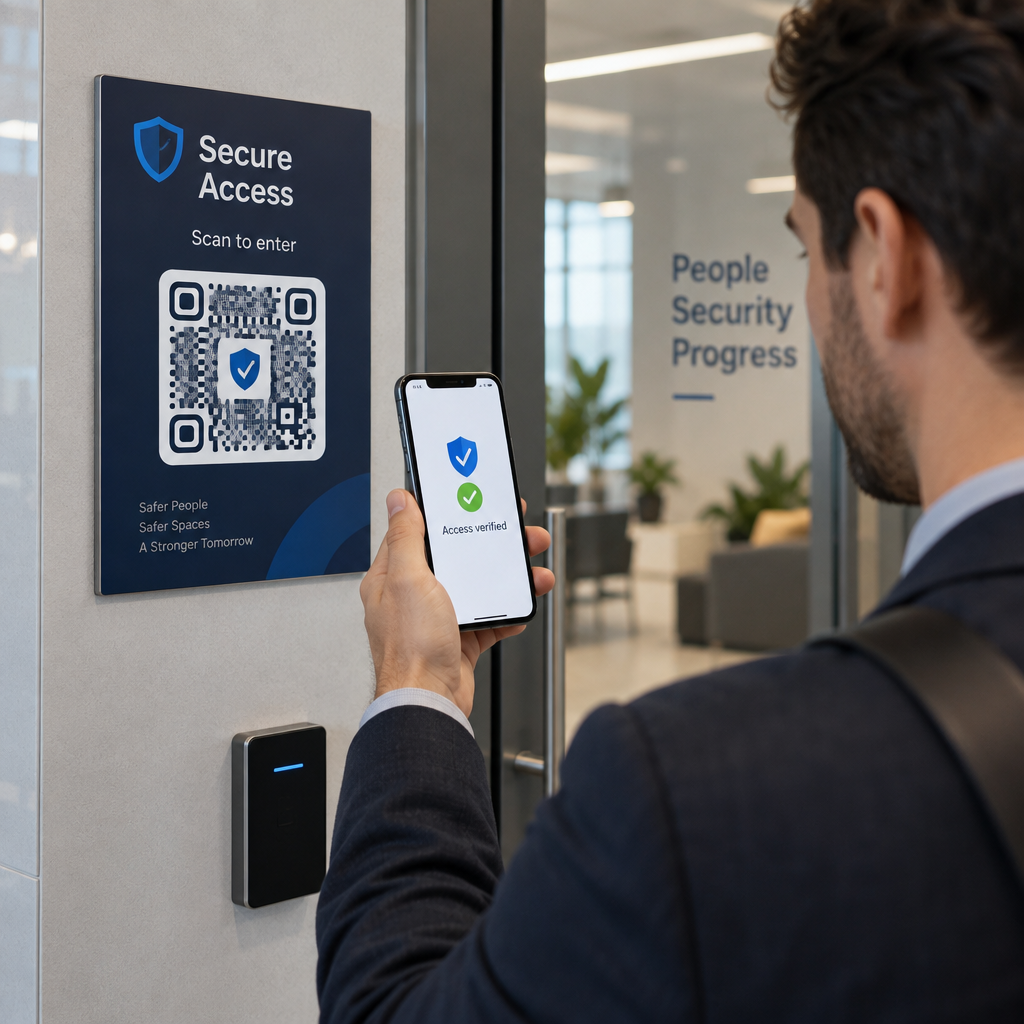
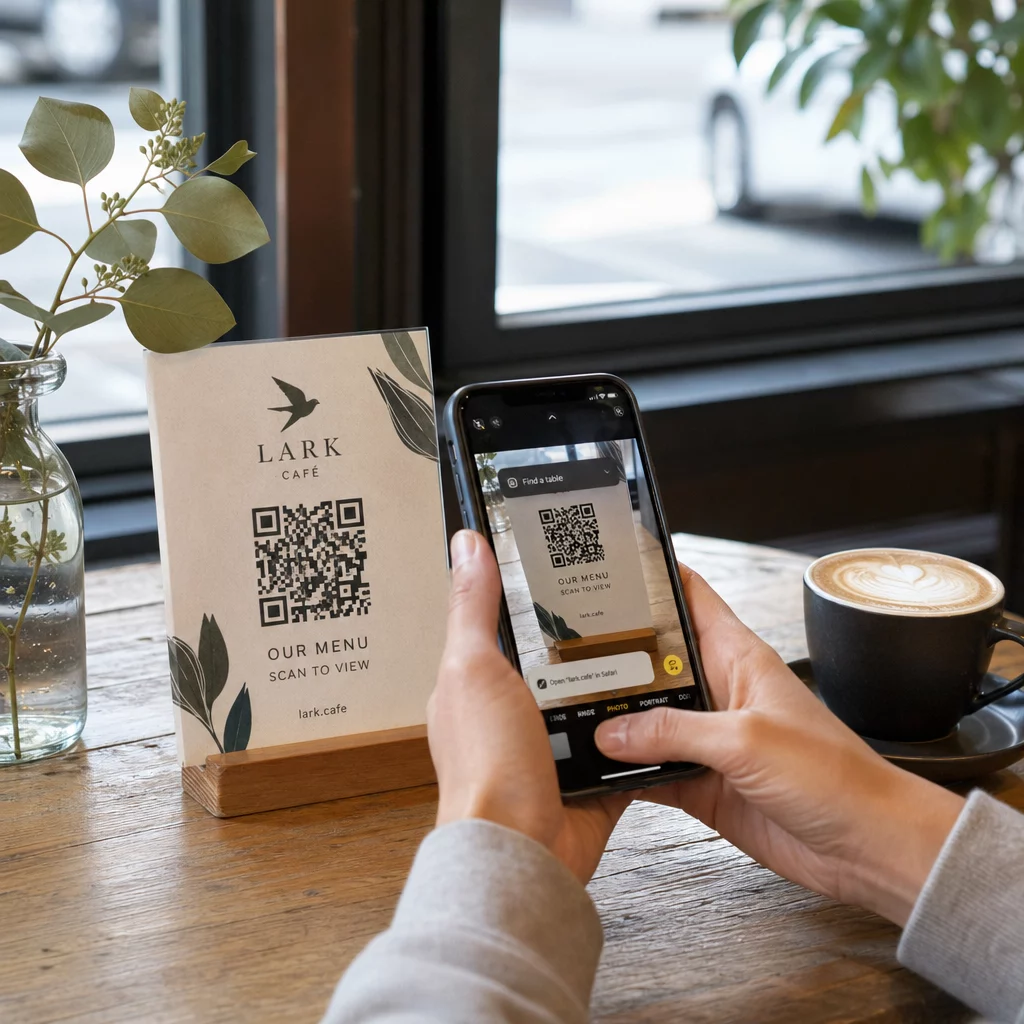
Các triển lãm thương mại là môi trường có nhiều ma sát. Người tham dự di chuyển nhanh, nhân viên của bạn đang xử lý nhiều cuộc trò chuyện cùng lúc, và các biểu mẫu giấy bị thất lạc hoặc bỏ quên. Mã QR loại bỏ ma sát đó bằng cách kết nối một khoảnh khắc vật lý – ai đó đang đứng tại gian hàng của bạn – với một hành động kỹ thuật số diễn ra ngay lập tức trên điện thoại của họ.
Các con số ủng hộ sự thay đổi này. Khoảng 99,5 triệu người dùng điện thoại thông minh ở Hoa Kỳ đã quét mã QR vào năm 2025, tăng 19% so với năm 2022. Người tham dự đã biết cách sử dụng chúng. Nhiệm vụ của bạn là triển khai chúng một cách chiến lược để mỗi lần quét đều phục vụ một mục đích.
Mã QR tại các triển lãm thương mại có thể:
- Chuyển hướng khách truy cập đến một biểu mẫu thu thập khách hàng tiềm năng mà không cần sự can thiệp của nhân viên
- Chia sẻ thông số kỹ thuật sản phẩm, danh mục hoặc video demo ngay lập tức
- Thay thế danh thiếp giấy bằng một liên hệ kỹ thuật số có thể quét được
- Đăng ký người tham dự cho các buổi demo hoặc tư vấn sau triển lãm
- Theo dõi những điểm tiếp xúc nào tại gian hàng tạo ra nhiều tương tác nhất
Sự khác biệt chính cần hiểu trước khi bạn bắt đầu là mã QR động và tĩnh. Mã QR tĩnh nhúng một URL cố định trực tiếp vào mẫu – một khi đã in, nó không thể thay đổi. Mã QR động sử dụng một URL chuyển hướng ngắn mà bạn có thể cập nhật bất cứ lúc nào mà không cần in lại tài liệu vật lý. Đối với một triển lãm thương mại, nơi thông điệp gian hàng có thể thay đổi giữa các ngày triển lãm hoặc nơi việc thay đổi trang đích vào phút chót luôn có thể xảy ra, mã động là lựa chọn thực tế.
Bắt Đầu Xây Dựng Mã QR Triển Lãm Thương Mại Của Bạn Tạo mã QR động mà bạn có thể cập nhật nhanh chóng, theo dõi theo thời gian thực và tùy chỉnh để phù hợp với thương hiệu gian hàng của bạn. Hãy thử Trình tạo mã QR để bắt đầu miễn phí.
Cách Sử Dụng Mã QR Để Thu Thập Khách Hàng Tiềm Năng Tại Gian Hàng Của Bạn
Trường hợp sử dụng mang lại ROI lớn nhất cho mã QR tại triển lãm thương mại là thu thập khách hàng tiềm năng. Khi khách hàng tiềm năng từ triển lãm thương mại được theo dõi trong vòng 7–10 ngày, khoảng 20–30% sẽ chuyển đổi thành cơ hội bán hàng – nhưng điều đó chỉ hiệu quả nếu bạn thực sự thu thập được khách hàng tiềm năng với đủ ngữ cảnh để theo dõi một cách hiệu quả.
Liên Kết Trực Tiếp Đến Một Biểu Mẫu Thu Thập Khách Hàng Tiềm Năng
Đặt một mã QR nổi bật tại gian hàng của bạn liên kết đến một biểu mẫu ngắn, được tối ưu hóa cho thiết bị di động. Giữ biểu mẫu tối đa từ năm đến bảy trường, được sắp xếp theo một luồng hội thoại tự nhiên – tên, công ty, email, mối quan tâm chính và một hoặc hai câu hỏi đủ điều kiện. Câu trả lời trắc nghiệm hoạt động tốt hơn văn bản mở trên màn hình điện thoại.
A Mã QR của Google Form là một cách nhanh chóng để xây dựng điều này mà không cần phát triển tùy chỉnh. Tạo biểu mẫu của bạn, sao chép liên kết chia sẻ, tạo mã QR và bạn đã sẵn sàng. Đối với các nhóm muốn dữ liệu thu thập được chảy trực tiếp vào CRM, việc kết hợp mã QR động với webhook hoặc công cụ tự động hóa có thể tự động định tuyến mỗi lần gửi. Hướng dẫn về Tự động hóa quy trình làm việc quét mã QR bao gồm một cách tiếp cận từng bước để thiết lập điều này.
Thay Thế Danh Thiếp Giấy Bằng Chia Sẻ Liên Hệ Kỹ Thuật Số
Việc phát danh thiếp giấy tại một triển lãm thương mại là một canh bạc – nhiều tấm cuối cùng nằm trong túi áo khoác và không bao giờ được nhìn thấy nữa. Một vCard mã QR cho phép khách hàng tiềm năng quét mã của bạn và lưu chi tiết liên hệ của bạn trực tiếp vào danh bạ điện thoại của họ trong vài giây, không cần nhập thủ công và không có lỗi sao chép.
Để có một công cụ kết nối mạng hoàn chỉnh hơn, một Danh thiếp mã QR có thể bao gồm tên, chức danh, công ty, số điện thoại, email và trang web của bạn. Bạn có thể hiển thị nó trên huy hiệu, biển bàn hoặc một thẻ chuyên dụng mà bạn phát trong các cuộc trò chuyện. Việc quét xử lý việc truyền dữ liệu, và bạn có thể theo dõi có bao nhiêu người thực sự đã lưu thông tin của bạn. Để có cái nhìn rộng hơn về cách mã QR hỗ trợ kết nối mạng sự kiện, hướng dẫn về biến những cái bắt tay tại sự kiện thành khách hàng tiềm năng hướng dẫn toàn bộ quy trình từ lần quét đầu tiên đến khi nhập vào CRM.
Biến Mọi Cái Bắt Tay Thành Một Khách Hàng Tiềm Năng Đã Thu Thập Được Tạo một mã QR vCard cho phép người tham dự lưu liên hệ của bạn ngay lập tức. Sử dụng Tạo mã QR vCard để tạo của bạn trong vài phút.
Chia Sẻ Tài Liệu Sản Phẩm Theo Yêu Cầu
Các tài liệu quảng cáo in ấn đắt tiền và thường kết thúc trong thùng rác. Một Mã QR PDF cho phép bạn liên kết danh mục sản phẩm, bảng thông số kỹ thuật hoặc nghiên cứu điển hình trực tiếp với một mã có thể quét được. Người tham dự nhận được nội dung trên điện thoại của họ ngay lập tức, và bạn tiết kiệm chi phí in ấn.
Bởi vì PDF cơ bản được lưu trữ động, bạn có thể cập nhật tài liệu giữa các ngày triển lãm – thay thế bảng giá đã sửa đổi hoặc tài liệu quảng cáo sản phẩm đã cập nhật – mà không cần chạm vào mã QR đã in trên biểu ngữ của bạn.
Thúc đẩy Đăng ký Sự kiện từ Gian hàng
Nếu bạn đang tổ chức một hội thảo trực tuyến sau triển lãm, buổi giới thiệu sản phẩm, hoặc buổi tư vấn tiếp theo, gian hàng của bạn là nơi thích hợp để thu hút đăng ký. Một mã QR sự kiện liên kết trực tiếp đến trang đích đăng ký của bạn cho phép nhân viên hướng dẫn khách truy cập quan tâm đến một lượt quét thay vì thu thập địa chỉ email thủ công giữa cuộc trò chuyện.
Để biết thêm về việc tích hợp mã QR với quy trình đăng ký sự kiện của bạn, hướng dẫn về xây dựng mã QR động cho việc điểm danh CRM đề cập cách điền trước các trường CRM từ một lượt quét để việc theo dõi được cá nhân hóa ngay từ lần tiếp xúc đầu tiên.
Đủ điều kiện Khách hàng tiềm năng tại Triển lãm, Không chỉ Thu thập họ
Thu thập tên và email là một điểm khởi đầu, không phải là một khách hàng tiềm năng đã hoàn tất. Các nhóm bán hàng cần ngữ cảnh – sản phẩm nào mà khách hàng tiềm năng quan tâm, mức độ khẩn cấp của nhu cầu của họ, và họ đang ở đâu trong chu kỳ mua hàng – để theo dõi hiệu quả.
Một vài thực hành giúp cải thiện chất lượng khách hàng tiềm năng tại thời điểm thu thập:
- Xác định các câu hỏi đủ điều kiện của bạn trước và ánh xạ chúng vào hồ sơ khách hàng lý tưởng của bạn. Quyết định những trường nào là bắt buộc đối với bán hàng và tích hợp chúng vào biểu mẫu của bạn trước khi triển lãm mở cửa.
- Sử dụng một hệ thống đánh giá đơn giản (A, B, C hoặc mức độ quan tâm cao, trung bình, thấp) để nhân viên gian hàng có thể gắn thẻ mức độ khẩn cấp của từng khách hàng tiềm năng tại thời điểm trò chuyện. Thêm điều này dưới dạng một danh sách thả xuống trong biểu mẫu của bạn hoặc ghi lại nó trong một trường ghi chú.
- Thêm một trường ghi chú vào biểu mẫu khách hàng tiềm năng nơi nhân viên có thể ghi lại các chi tiết cụ thể về cuộc trò chuyện – thách thức mà khách hàng tiềm năng đã đề cập, sản phẩm họ đã hỏi, hoặc thời gian họ đưa ra. Ngữ cảnh này là điều làm cho việc theo dõi trở nên cá nhân thay vì chung chung.
- Thực hành trước triển lãm. Thực hiện quy trình thu thập khách hàng tiềm năng với nhân viên gian hàng trong một buổi đóng vai để quy trình làm việc tự nhiên và việc nhập dữ liệu không làm gián đoạn cuộc trò chuyện.
Xác định cấu trúc này trước, thay vì cố gắng giải quyết nó trong suốt triển lãm, là điều phân biệt một danh sách tên với một kênh khách hàng tiềm năng đủ điều kiện.
Đặt Mã QR Khắp Gian hàng của Bạn để Đạt được Phạm vi Tối đa
Một mã QR duy nhất ở một góc gian hàng của bạn bỏ lỡ hầu hết lưu lượng truy cập của bạn. Phân phối mã trên nhiều điểm tiếp xúc để khách tham dự gặp chúng một cách tự nhiên vào những thời điểm khác nhau trong chuyến thăm của họ.
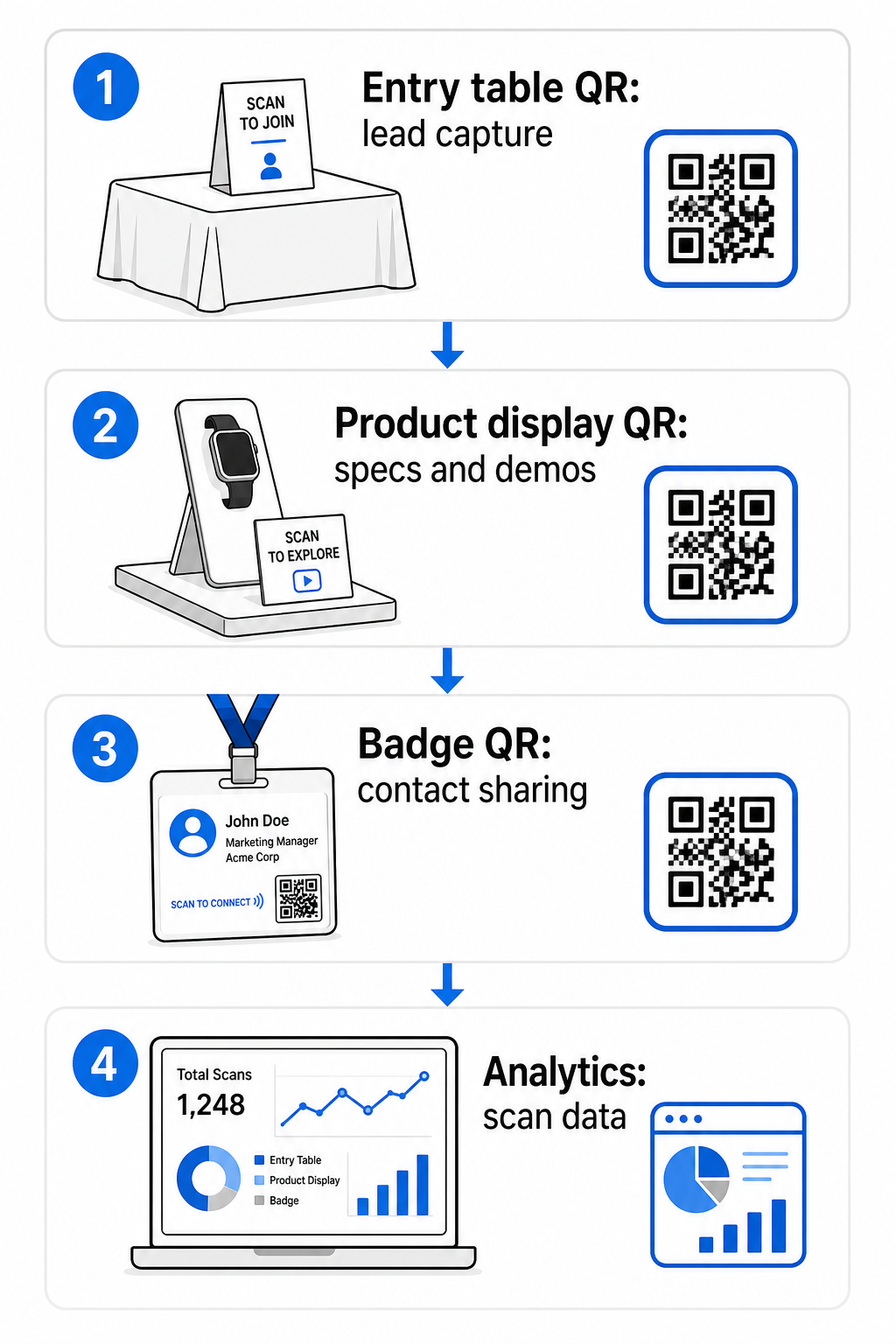
Các vị trí đặt hiệu quả bao gồm:
- Bàn tiếp tân hoặc lối vào: một biểu mẫu thu thập khách hàng tiềm năng hoặc mã thẻ liên hệ như tương tác đầu tiên
- Trưng bày sản phẩm: liên kết đến bảng thông số kỹ thuật, video giới thiệu, hoặc các nghiên cứu điển hình liên quan đến từng sản phẩm
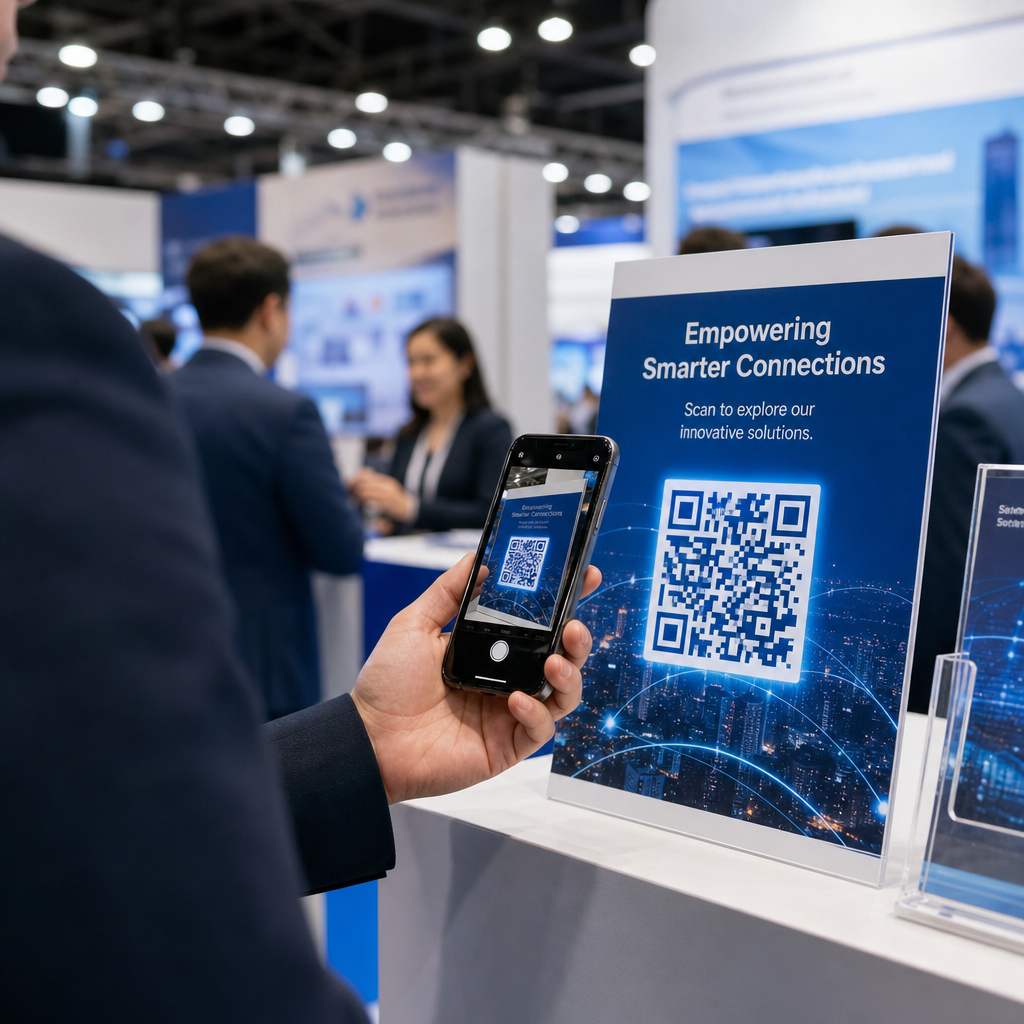
- Biển báo trên bàn: một mã QR liên kết đến danh mục đầu tư của bạn, trang liên hệ, hoặc một ưu đãi đặc biệt của triển lãm
- Tài liệu phát và quà tặng: một mã trên bất kỳ tài liệu in nào đưa khách tham dự trở lại với sự hiện diện kỹ thuật số của bạn sau triển lãm
- Huy hiệu hoặc thẻ tên: một mã vCard cá nhân cho các cuộc trò chuyện kết nối mạng một đối một
Đối với mỗi vị trí đặt, hãy tuân thủ quy tắc tỷ lệ kích thước-khoảng cách quét 10:1: chiều rộng của mã phải xấp xỉ một phần mười của khoảng cách quét dự kiến. Một mã trên biển báo để bàn được nhìn từ hai feet (khoảng 60cm) cần rộng ít nhất 2–3 inch (khoảng 5-7.5cm). Một biểu ngữ được nhìn từ sáu feet (khoảng 1.8m) cần một mã lớn hơn tương ứng. In ở 300 DPI hoặc cao hơn sử dụng các định dạng vector (SVG, EPS, hoặc PDF) để giữ cho mẫu sắc nét.
Các hướng dẫn đặt vị trí bổ sung ảnh hưởng đến độ tin cậy của việc quét trong môi trường triển lãm thương mại bận rộn:
- Đặt mã ở ngang tầm mắt hoặc thấp hơn một chút, ở những vị trí mà khách tham dự tự nhiên dừng lại
- Sử dụng các bề mặt phẳng, mờ, không phản chiếu để tránh chói từ ánh sáng gian hàng
- Duy trì khoảng cách vùng yên tĩnh – một lề rõ ràng rộng ít nhất bốn mô-đun – xung quanh mỗi mã để máy quét có thể phân biệt nó với các đồ họa xung quanh
- thêm một lời kêu gọi hành động ngắn gọn bên cạnh mỗi mã (“Quét để tải hướng dẫn sản phẩm của chúng tôi” hoặc “Quét để tham gia chương trình quà tặng của chúng tôi”) để khách tham dự biết chính xác những gì họ sẽ nhận được trước khi họ quét
Để biết thêm chi tiết về các tiêu chuẩn in ấn và thiết kế, hướng dẫn về các phương pháp hay nhất để đọc mã QR đề cập tỷ lệ tương phản, yêu cầu độ phân giải, và các cân nhắc về bề mặt một cách đầy đủ.
Theo dõi Hiệu suất Gian hàng với Phân tích Mã QR
Một trong những lợi thế bị bỏ qua nhiều nhất của mã QR động tại các triển lãm thương mại là dữ liệu hiệu suất mà chúng tạo ra. Mỗi lượt quét tạo ra một điểm dữ liệu: khi nào nó xảy ra, trên thiết bị nào, từ vị trí địa lý nào. Trong suốt một triển lãm kéo dài nhiều ngày, dữ liệu này cho bạn biết những điểm tiếp xúc nào của gian hàng đang hoạt động và những điểm nào không.
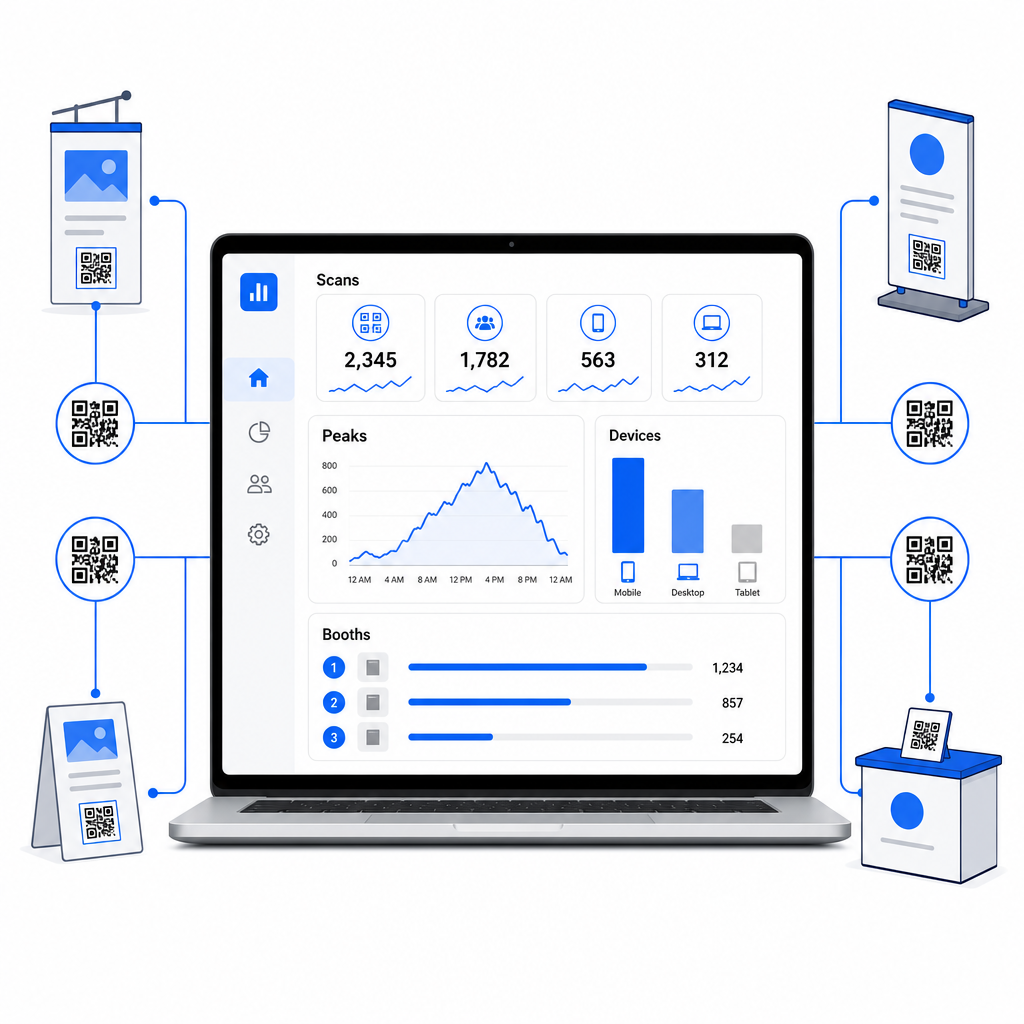
Với bảng điều khiển phân tích của Pageloot, bạn có thể theo dõi:
- Số lượt quét theo mã: tài liệu hoặc màn hình nào đang tạo ra nhiều sự quan tâm nhất
- Thời gian quét: khi nào trong ngày triển lãm khách tham dự tương tác nhiều nhất
- Loại thiết bị: liệu các trang đích di động của bạn có được tối ưu hóa cho đúng đối tượng hay không
- Dữ liệu địa lý: hữu ích cho các chiến dịch đa địa điểm hoặc đa triển lãm
Đây là sự khác biệt giữa việc biết bạn có 300 khách ghé thăm gian hàng và biết rằng 220 trong số họ đã quét mã demo sản phẩm của bạn, 80 đã quét thẻ liên hệ của bạn, và lưu lượng truy cập đạt đỉnh trong hai giờ đầu tiên của mỗi ngày triển lãm. Mức độ hiểu biết đó trực tiếp cải thiện cách bạn phân bổ nhân sự và ưu tiên theo dõi. Để tìm hiểu sâu hơn về những gì các công cụ này tiết lộ và cách hành động dựa trên dữ liệu, hướng dẫn trên Các công cụ mã QR để theo dõi sự kiện bao gồm các chỉ số chính đáng theo dõi.
Xem những điểm chạm gian hàng nào thực sự hiệu quả Theo dõi lượt quét theo vị trí, thời gian và thiết bị trên tất cả các mã QR triển lãm thương mại của bạn. Sử dụng Trình tạo mã QR liên kết để tạo các mã có thể theo dõi với phân tích tích hợp.
Theo dõi trước khi khách hàng tiềm năng nguội lạnh
47% khách tham dự triển lãm thương mại có nhiều khả năng mua hàng từ các nhà triển lãm mà họ gặp tại một triển lãm, và 51% yêu cầu một chuyến thăm theo dõi từ đại diện bán hàng. Cơ hội là có thật – nhưng nó nhạy cảm về thời gian.
Bắt đầu theo dõi trong vòng 24–48 giờ khi sự kiện vẫn còn mới mẻ. Một email xác nhận đơn giản hoặc tin nhắn cảm ơn giúp công ty của bạn luôn được ghi nhớ trước khi khách tham dự chuyển sang triển lãm tiếp theo trong lịch của họ.
Từ đó, phân loại khách hàng tiềm năng của bạn theo mức độ quan tâm và theo sản phẩm hoặc giải pháp cụ thể. Các ghi chú mà nhân viên gian hàng của bạn đã ghi lại trong các cuộc trò chuyện trở thành nguyên liệu thô cho việc tiếp cận cá nhân hóa – tham chiếu đến thách thức cụ thể mà khách hàng tiềm năng đã đề cập, sản phẩm họ hỏi về, hoặc bước tiếp theo họ nói rằng họ đang cân nhắc.
Theo dõi sau triển lãm hiệu quả thường bao gồm:
- A email ban đầu được cá nhân hóa trong vòng 48 giờ, tham chiếu đến triển lãm và cuộc trò chuyện
- A lời kêu gọi hành động cụ thể – lên lịch demo, tham gia hội thảo trực tuyến, xem lại tài nguyên liên quan – thay vì một lời “hãy giữ liên lạc” chung chung”
- Quyền sở hữu được giao cho mỗi khách hàng tiềm năng để những khách hàng tiềm năng đầy hứa hẹn không bị bỏ sót giữa các nhóm
- A chuỗi theo dõi cho khách hàng tiềm năng nóng và lạnh tiếp tục tương tác trong hai đến bốn tuần
Nếu bạn đã thu thập khách hàng tiềm năng thông qua một biểu mẫu liên kết QR được tích hợp với CRM của bạn, phần lớn chuỗi này có thể được tự động hóa ngay từ khi biểu mẫu được gửi. Hướng dẫn về Tự động hóa quy trình làm việc quét mã QR giải thích cách thiết lập điều đó từ đầu đến cuối.
Mã QR sau triển lãm cũng có vai trò ở đây. Một mã QR trong email theo dõi của bạn hoặc trên các tài liệu sau sự kiện có thể liên kết đến một biểu mẫu phản hồi, một ưu đãi đặc biệt, hoặc một trang đặt chỗ – mở rộng tương tác kỹ thuật số ra ngoài khu vực triển lãm.
Xây dựng thương hiệu cho mã QR triển lãm thương mại của bạn
Một mã QR đen trắng đơn giản hòa vào nền của một gian hàng bận rộn. Một mã có thương hiệu – sử dụng màu sắc công ty của bạn, tích hợp logo của bạn và được tạo kiểu để phù hợp với thẩm mỹ gian hàng của bạn – thu hút sự chú ý và thể hiện sự chuyên nghiệp. Mã QR có thương hiệu với logo có thể tăng tỷ lệ quét từ 30% đến 70% so với các mã chung chung.
Để duy trì độ tin cậy khi quét khi thêm các yếu tố hình ảnh:
- Giữ bất kỳ logo nhúng nào nhỏ và tránh xa ba mẫu tìm góc ở các góc của mã
- Sử dụng sửa lỗi cao (Cấp độ H, lên đến 30%) để mã vẫn có thể quét được ngay cả khi có lớp phủ logo
- Duy trì khoảng cách tỷ lệ tương phản tối thiểu 4:1 giữa màu nền trước và nền sau của mã – các mô-đun tối trên nền sáng là sự kết hợp đáng tin cậy nhất
- Kiểm tra mã đã hoàn thành trên nhiều thiết bị và ứng dụng quét, trong điều kiện ánh sáng thực tế của không gian gian hàng của bạn, trước khi triển lãm mở cửa
Để có thêm hướng dẫn thiết kế, các ví dụ về mã QR có thương hiệu bài viết này cho thấy cách tích hợp mã QR vào nhận diện hình ảnh của bạn mà không làm giảm khả năng quét. Bạn cũng có thể duyệt các giải pháp mã QR theo ngành để xem các lĩnh vực khác tiếp cận các ứng dụng gian hàng và sự kiện như thế nào.
Danh sách kiểm tra mã QR triển lãm thương mại của bạn
Trước khi triển lãm mở cửa, hãy thực hiện các bước này để đảm bảo thiết lập mã QR của bạn vững chắc:
| Nhiệm vụ | Chi tiết |
|---|---|
| Xác định mục tiêu thu thập khách hàng tiềm năng | Quyết định dữ liệu bạn cần và xây dựng các trường biểu mẫu của bạn cho phù hợp |
| Tạo mã QR động | Sử dụng mã động để các điểm đến có thể được cập nhật mà không cần in lại |
| Thiết lập các trang đích | Đảm bảo mọi điểm đến đều được tối ưu hóa cho thiết bị di động và tải nhanh |
| Xây dựng thương hiệu cho mã của bạn | Thêm logo, màu sắc và khung kêu gọi hành động vào mỗi mã |
| Đặt mã một cách chiến lược | Bàn đăng ký, trưng bày sản phẩm, tài liệu phát tay, bảng hiệu và huy hiệu |
| Kích thước mã chính xác | Áp dụng tỷ lệ 10:1; tối thiểu 2–3 inch cho bảng hiệu gian hàng |
| Kiểm tra trước triển lãm | Quét trên nhiều thiết bị, trong điều kiện ánh sáng thực tế của gian hàng |
| Hướng dẫn đội ngũ của bạn | Hướng dẫn nhân viên về quy trình làm việc thu thập khách hàng tiềm năng và quy trình đủ điều kiện |
| Giám sát phân tích trong suốt triển lãm | Kiểm tra dữ liệu quét mỗi ngày và điều chỉnh vị trí hoặc thông điệp khi cần |
| Khởi động theo dõi trong vòng 48 giờ | Gửi thông điệp tiếp cận cá nhân hóa khi các cuộc trò chuyện vẫn còn mới mẻ |
Câu hỏi thường gặp
Mã QR động là lựa chọn tốt hơn cho các triển lãm thương mại. Chúng cho phép bạn cập nhật URL đích mà không cần in lại bất kỳ tài liệu nào, điều này hữu ích nếu một trang đích thay đổi giữa các ngày triển lãm hoặc nếu bạn muốn thay đổi nội dung sau sự kiện. Mã động cũng cung cấp phân tích quét – số lượt, thời gian, địa điểm và loại thiết bị – mà mã tĩnh không thể. Bạn có thể tạo mã động bằng cách sử dụng Trình tạo mã QR.
Ba yếu tố thúc đẩy tỷ lệ quét tại các triển lãm thương mại: vị trí, thiết kế và ngữ cảnh. Đặt mã ở ngang tầm mắt tại các vị trí mà khách tham quan thường dừng lại. Sử dụng mã có thương hiệu, độ tương phản cao để nổi bật về mặt hình ảnh. Và luôn bao gồm một lời kêu gọi hành động ngắn gọn bên cạnh mã – “Quét để tải xuống bảng thông số kỹ thuật của chúng tôi” hoặc “Quét để tham gia chương trình tặng quà của chúng tôi” – để khách tham quan biết chính xác những gì họ sẽ nhận được trước khi quét. Một sự trao đổi giá trị rõ ràng là cách đáng tin cậy nhất để tăng cường tương tác.
Bắt đầu bằng cách thu thập khách hàng tiềm năng thông qua một biểu mẫu liên kết QR đưa dữ liệu trực tiếp vào CRM của bạn, bao gồm bất kỳ ghi chú nào mà nhân viên của bạn đã ghi lại trong cuộc trò chuyện. Điều này cung cấp cho đội ngũ bán hàng của bạn ngữ cảnh họ cần để tiếp cận cá nhân hóa. Sau sự kiện, hãy bao gồm mã QR trong email theo dõi liên kết đến trang đặt lịch, đăng ký demo hoặc tài nguyên liên quan. Để tự động hóa việc chuyển giao từ quét đến nhập CRM, hướng dẫn về tự động hóa quy trình làm việc quét mã QR sẽ hướng dẫn thiết lập kỹ thuật từng bước.
Khoảng cách giữa một gian hàng bận rộn.
Xây dựng Hệ thống Mã QR Hoàn chỉnh cho Triển lãm Thương mại của Bạn Tạo, xây dựng thương hiệu và quản lý tất cả mã QR triển lãm thương mại của bạn từ một bảng điều khiển duy nhất – kèm theo phân tích. Bắt đầu với Trình tạo mã QR của chúng tôi ngay hôm nay.