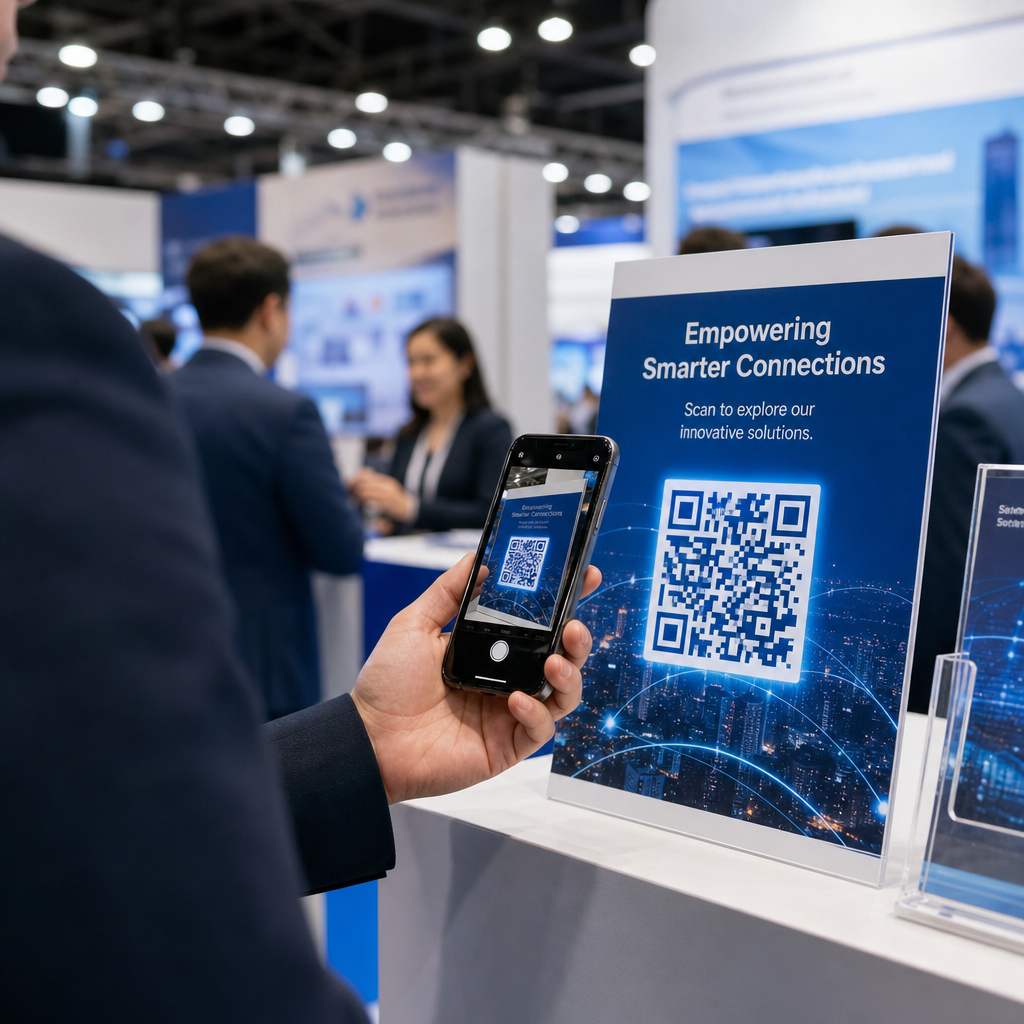
Quittez-vous le salon professionnel avec une pile de cartes de visite et aucun moyen clair de faire un suivi ? Près de 80 % des leads de salons professionnels ne sont jamais suivis, transformant des investissements coûteux en stands en opportunités manquées. Ce guide vous présente des moyens pratiques et éprouvés d'utiliser les codes QR lors de votre prochain salon professionnel pour capturer de meilleurs leads, engager les participants et convertir les conversations de stand en pipeline réel.
Pourquoi les codes QR ont leur place à chaque stand de salon professionnel
Les salons professionnels sont des environnements à forte friction. Les participants se déplacent rapidement, votre personnel gère plusieurs conversations, et les formulaires papier se perdent ou sont abandonnés. Les codes QR éliminent cette friction en connectant un moment physique – quelqu'un debout à votre stand – à une action numérique qui se produit instantanément sur son téléphone.
Les chiffres confirment ce changement. Environ 99,5 millions d'utilisateurs de smartphones américains ont scanné des codes QR en 2025, soit une augmentation de 19 % par rapport à 2022. Les participants savent déjà comment les utiliser. Votre travail consiste à les déployer stratégiquement afin que chaque scan serve un objectif.
Les codes QR lors des salons professionnels peuvent :
- Diriger les visiteurs vers un formulaire de capture de leads sans nécessiter l'intervention du personnel
- Partager instantanément les spécifications de produits, les catalogues ou les vidéos de démonstration
- Remplacer les cartes de visite papier par un contact numérique scannable
- Inscrire les participants à des démonstrations ou des consultations post-salon
- Suivre quels points de contact du stand génèrent le plus d'engagement
La distinction clé à comprendre avant de commencer est codes QR dynamiques vs. statiques. Un code QR statique intègre une URL fixe directement dans le motif – une fois imprimé, il ne peut pas être modifié. Un code QR dynamique utilise une courte URL de redirection que vous pouvez mettre à jour à tout moment sans réimprimer le matériel physique. Pour un salon professionnel, où la messagerie du stand peut changer entre les jours de salon ou où un changement de page de destination de dernière minute est toujours possible, les codes dynamiques sont le choix pratique.
Commencez à créer vos codes QR pour salons professionnels Créez des codes QR dynamiques que vous pouvez mettre à jour à la volée, suivre en temps réel et personnaliser pour correspondre à l'image de marque de votre stand. Essayez le Générateur de codes QR pour commencer gratuitement.
Comment utiliser les codes QR pour la capture de leads à votre stand
Le cas d'utilisation avec le plus grand retour sur investissement pour les codes QR de salons professionnels est la capture de leads. Lorsque les leads de salons professionnels sont suivis dans les 7 à 10 jours, environ 20 à 30 % se transforment en opportunités de vente – mais cela ne fonctionne que si vous avez réellement capturé le lead avec suffisamment de contexte pour un suivi efficace.
Lier directement à un formulaire de capture de leads
Placez un code QR bien en vue à votre stand qui renvoie à un formulaire court et optimisé pour mobile. Limitez le formulaire à cinq à sept champs maximum, ordonnés dans un flux conversationnel naturel – nom, entreprise, e-mail, intérêt principal et une ou deux questions de qualification. Les réponses à choix multiples fonctionnent mieux que le texte libre sur un écran de téléphone.
UNE Code QR du formulaire Google est un moyen rapide de construire cela sans développement personnalisé. Créez votre formulaire, copiez le lien de partage, générez le code QR, et vous êtes en ligne. Pour les équipes qui souhaitent que les données capturées soient directement intégrées à un CRM, l'association d'un code QR dynamique avec un webhook ou un outil d'automatisation peut acheminer chaque soumission automatiquement. Le guide sur Automatisation du flux de travail de scan de code QR couvre une approche étape par étape pour configurer cela.
Remplacer les cartes de visite papier par le partage de contacts numériques
Distribuer des cartes papier lors d'un salon professionnel est un pari – beaucoup finissent dans une poche de manteau et ne sont plus jamais revues. Un Code QR vCard permet à un prospect de scanner votre code et d'enregistrer vos coordonnées directement dans le carnet d'adresses de son téléphone en quelques secondes, sans saisie manuelle et sans erreurs de transcription.
Pour un outil de réseautage plus complet, un Carte de visite avec code QR peut inclure votre nom, titre, entreprise, téléphone, e-mail et site web. Vous pouvez l'afficher sur un badge, un panneau de table ou une carte dédiée que vous distribuez lors des conversations. Le scan gère le transfert de données, et vous pouvez suivre combien de personnes ont réellement enregistré vos informations. Pour un aperçu plus large de la façon dont les codes QR soutiennent le réseautage événementiel, le guide sur transformer les poignées de main d'événements en leads parcourt l'entonnoir complet, du premier scan à l'entrée dans le CRM.
Transformez chaque poignée de main en un lead capturé Générez un code QR vCard qui permet aux participants d'enregistrer instantanément votre contact. Utilisez le Générateur de QR code vCard pour créer le vôtre en quelques minutes.
Partager des documents produits à la demande
Les brochures imprimées sont coûteuses et finissent souvent à la poubelle. Un PDF Code QR vous permet de lier un catalogue de produits, une fiche technique ou une étude de cas directement à un code scannable. Les participants obtiennent le contenu sur leur téléphone immédiatement, et vous économisez sur les coûts d'impression.
Étant donné que le PDF sous-jacent est hébergé dynamiquement, vous pouvez mettre à jour le document entre les jours de salon – échanger une liste de prix révisée ou une brochure de produit mise à jour – sans toucher le code QR imprimé sur votre bannière.
Stimuler l'inscription aux événements depuis le stand
Si vous organisez un webinaire post-salon, une démo de produit ou une consultation de suivi, votre stand est le bon endroit pour capturer les inscriptions. Un code QR d'événement qui lie directement à votre page de destination d'inscription permet au personnel d'orienter les visiteurs intéressés vers un scan plutôt que de collecter manuellement les adresses e-mail en pleine conversation.
Pour en savoir plus sur l'intégration des codes QR avec votre flux de travail d'inscription à l'événement, le guide sur la création de codes QR dynamiques pour les enregistrements CRM couvre comment pré-remplir les champs CRM à partir d'un scan afin que le suivi soit personnalisé dès le premier contact.
Qualifier les leads au salon, pas seulement les capturer
Capturer un nom et un e-mail est un point de départ, pas un lead finalisé. Les équipes de vente ont besoin de contexte – quel produit le prospect était intéressé par, quelle est l'urgence de leur besoin, et où ils se situent dans un cycle d'achat – pour un suivi efficace.
Quelques pratiques qui améliorent la qualité des leads au point de capture :
- Définissez vos questions de qualification à l'avance et associez-les à votre profil client idéal. Décidez quels champs sont requis pour les ventes et intégrez-les à votre formulaire avant l'ouverture du salon.
- Utilisez un système de notation simple (A, B, C ou intérêt élevé, moyen, faible) afin que le personnel du stand puisse étiqueter l'urgence de chaque lead au moment de la conversation. Ajoutez ceci comme liste déroulante dans votre formulaire ou capturez-le dans un champ de notes.
- Ajoutez un champ de notes au formulaire de lead où le personnel peut enregistrer les détails de la conversation – le défi mentionné par le prospect, le produit sur lequel ils ont posé des questions, ou le calendrier qu'ils ont donné. Ce contexte est ce qui rend le suivi personnel plutôt que générique.
- Entraînez-vous avant le salon. Passez en revue le processus de capture de leads avec le personnel du stand lors d'un jeu de rôle afin que le flux de travail soit naturel et que la saisie de données n'interrompe pas la conversation.
Définir cette structure à l'avance, plutôt que d'essayer de la régler pendant le salon, est ce qui sépare une liste de noms d'un pipeline qualifié.
Placer des codes QR sur votre stand pour une portée maximale
Un seul code QR dans un coin de votre stand manque la majeure partie de votre trafic. Distribuez les codes sur plusieurs points de contact afin que les participants les rencontrent naturellement à différents moments de leur visite.
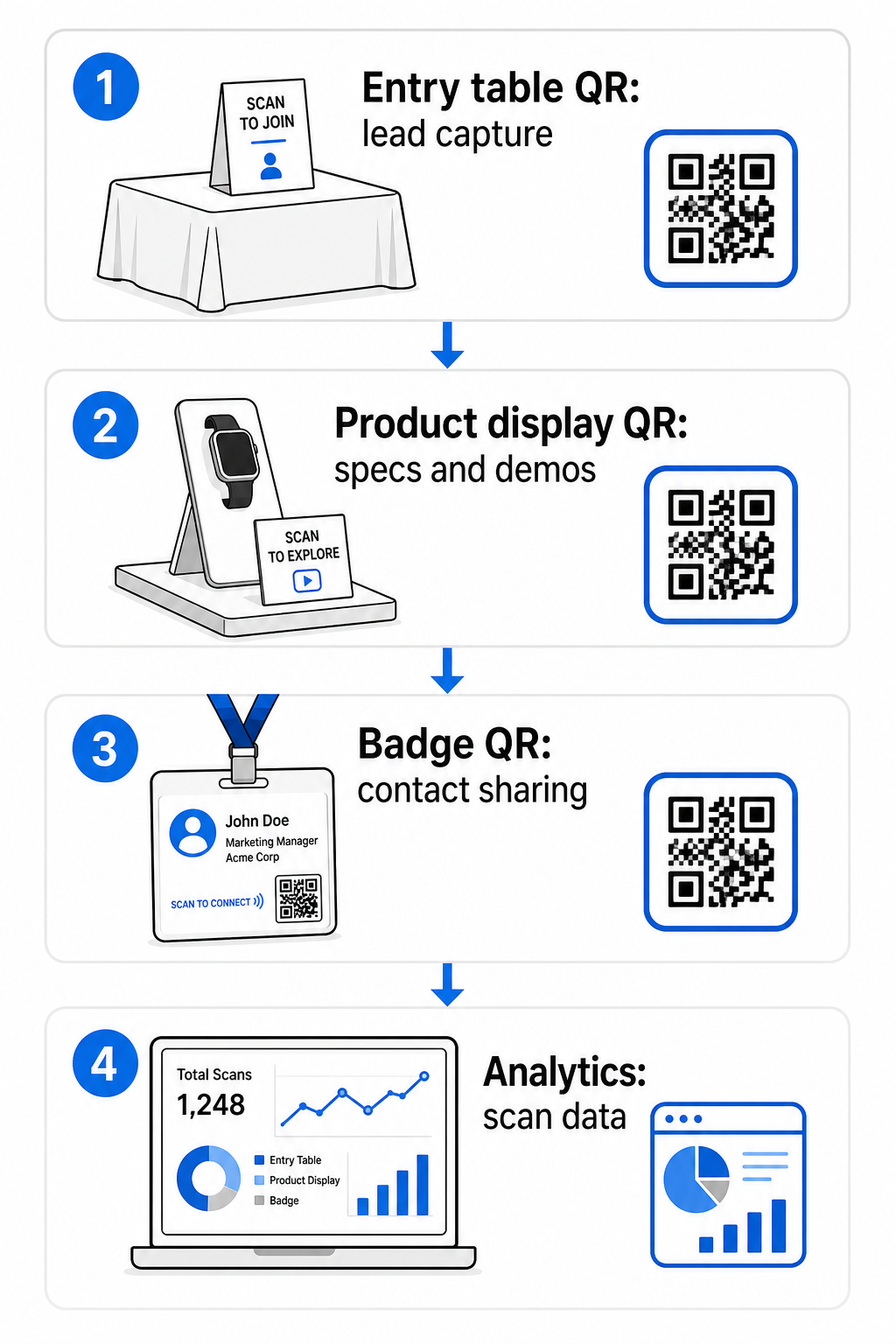
Les emplacements de placement efficaces incluent :
- Table de réception ou d'entrée: un formulaire de capture de leads ou un code de carte de contact comme première interaction
- Présentoirs de produits: liens vers des fiches techniques, des vidéos de démonstration ou des études de cas pertinentes pour chaque produit
- Signalisation de table: un code QR lié à votre portfolio, page de contact ou une offre spéciale salon
- Documents et cadeaux: un code sur tout matériel imprimé qui ramène le participant à votre présence numérique après le salon
- Badge ou étiquette nominative: un code vCard personnel pour les conversations de réseautage individuelles
Pour chaque emplacement, suivez la règle de rapport taille/distance de scan de 10:1: la largeur du code doit être environ un dixième de la distance de scan attendue. Un code sur un panneau de table vu de deux pieds de distance doit mesurer au moins 2 à 3 pouces de large. Une bannière vue de six pieds nécessite un code proportionnellement plus grand. Imprimez à 300 DPI ou plus en utilisant des formats vectoriels (SVG, EPS, ou PDF) pour conserver la netteté du motif.
Directives de placement supplémentaires qui affectent la fiabilité du scan dans un environnement de salon professionnel très fréquenté :
- Positionnez les codes à hauteur des yeux ou légèrement en dessous, dans des endroits où les participants s'arrêtent naturellement
- Utilisez sur des surfaces planes, mates et non-réfléchissantes pour éviter l'éblouissement de l'éclairage du stand
- Maintenez une zone de silence – une marge claire d'au moins quatre modules de large – autour de chaque code afin que les scanners puissent le distinguer des graphiques environnants
- Ajouter un un bref appel à l'action à côté de chaque code (“ Scannez pour télécharger notre guide produit ” ou “ Scannez pour participer à notre tirage au sort ”) afin que les participants sachent exactement ce qu'ils obtiennent avant de scanner
Pour plus de détails sur les normes d'impression et de conception, le guide sur les meilleures pratiques pour la lisibilité des codes QR couvre les rapports de contraste, les exigences de résolution et les considérations de surface en détail.
Suivi des performances du stand avec l'analyse des codes QR
L'un des avantages les plus sous-utilisés des codes QR dynamiques lors des salons professionnels est la donnée de performance qu'ils génèrent. Chaque scan crée un point de donnée : quand cela s'est produit, sur quel appareil, depuis quelle localisation géographique. Sur un salon de plusieurs jours, ces données vous indiquent quels points de contact du stand fonctionnent et lesquels ne fonctionnent pas.
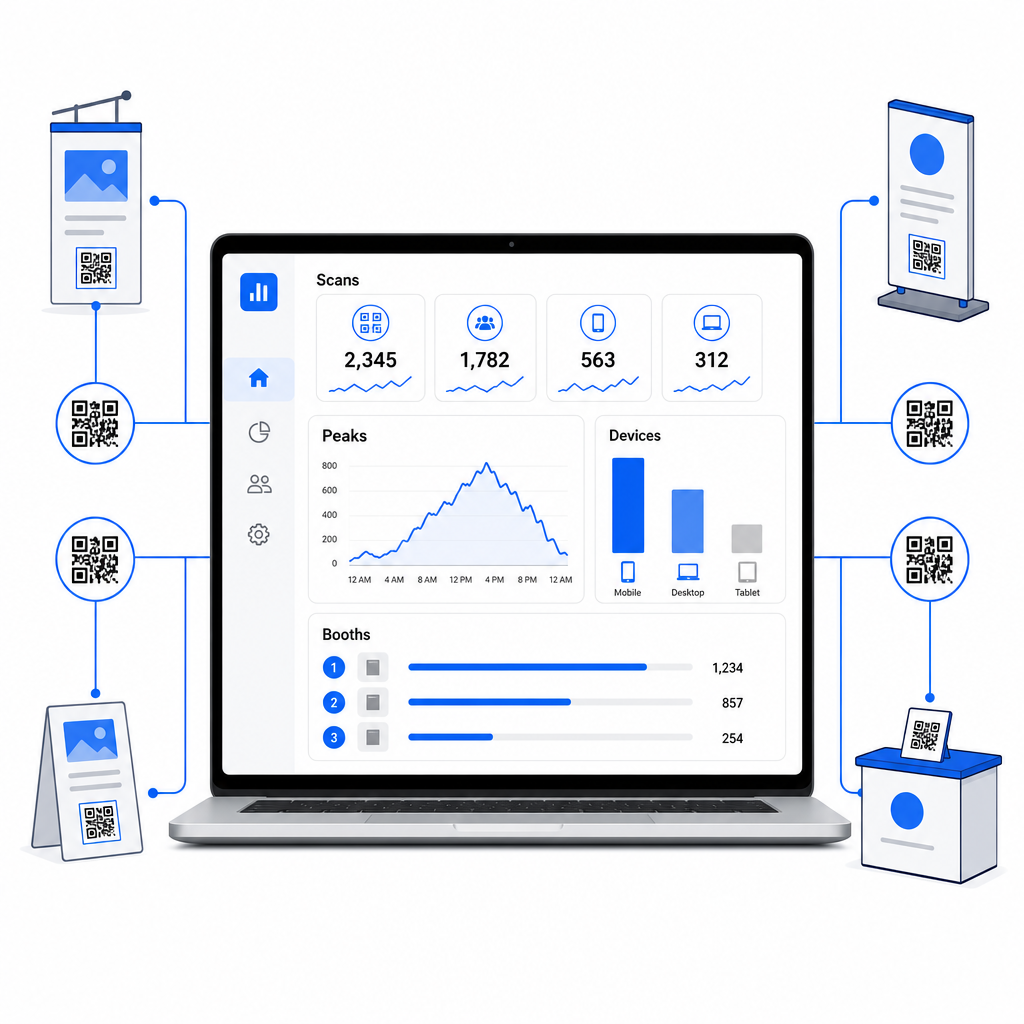
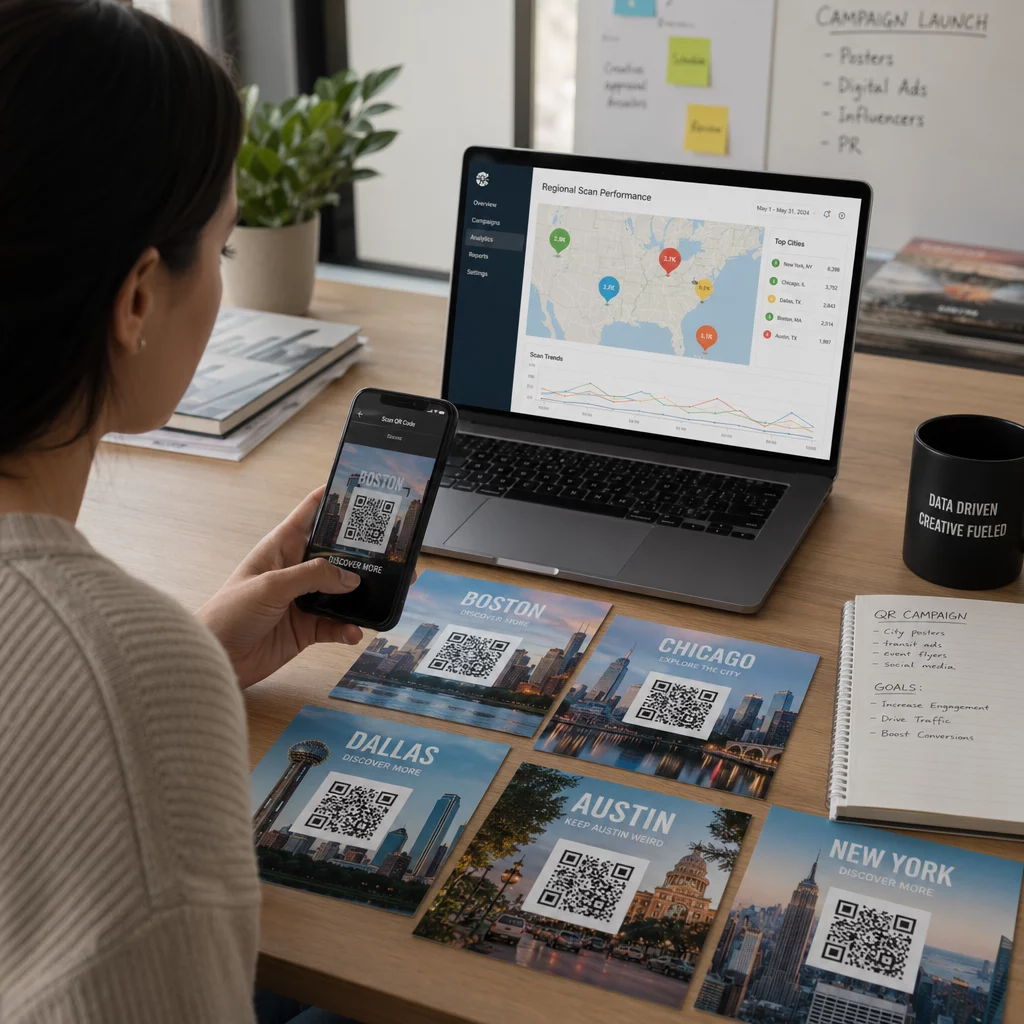
Avec le tableau de bord d'analyse de Pageloot, vous pouvez surveiller :
- Nombre de scans par code: quels matériaux ou présentoirs génèrent le plus d'intérêt
- Heure des scans: quand, pendant la journée du salon, les participants sont les plus engagés
- Types d'appareils: si vos pages de destination mobiles sont optimisées pour la bonne audience
- Données géographiques: utile pour les campagnes multi-sites ou multi-salons
C'est la différence entre savoir que vous avez eu 300 visiteurs de stand et savoir que 220 d'entre eux ont scanné votre code de démonstration de produit, 80 ont scanné votre carte de contact, et que le trafic a culminé dans les deux premières heures de chaque journée de salon. Ce niveau d'information améliore directement la façon dont vous allouez le personnel et priorisez le suivi. Pour un aperçu plus approfondi de ce que ces outils révèlent et comment agir sur les données, le guide sur outils de code QR pour le suivi d'événements couvre les métriques clés à surveiller.
Voir quels points de contact du stand fonctionnent réellement Suivez les scans par emplacement, heure et appareil sur tous vos codes QR de salon professionnel. Utilisez le Générateur de codes QR de liens pour créer des codes traçables avec des analyses intégrées.
Faire un suivi avant que les leads ne refroidissent
47 % des participants aux salons professionnels sont plus susceptibles d'acheter auprès des exposants qu'ils rencontrent lors d'un salon, et 51 % demandent une visite de suivi d'un représentant commercial. L'opportunité est réelle – mais elle est sensible au temps.
Commencez le suivi dans les 24 à 48 heures pendant que l'événement est encore frais. Un simple e-mail de confirmation ou message de remerciement maintient votre entreprise à l'esprit avant que le participant ne passe au prochain salon de son calendrier.
À partir de là, segmentez vos leads par niveau d'intérêt et par intérêt spécifique pour un produit ou une solution. Les notes que votre personnel de stand a capturées pendant les conversations deviennent la matière première pour une approche personnalisée – en faisant référence au défi spécifique mentionné par le prospect, au produit sur lequel il a posé des questions, ou à la prochaine étape qu'il a dit envisager.
Un suivi post-salon efficace comprend généralement :
- UNE e-mail initial personnalisé dans les 48 heures faisant référence au salon et à la conversation
- UNE appel à l'action spécifique – planifier une démo, rejoindre un webinaire, examiner une ressource pertinente – plutôt qu'un générique “ restons en contact ”
- Attribution de la responsabilité pour chaque lead afin que les prospects prometteurs ne passent pas entre les mailles du filet entre les équipes
- UNE séquence de suivi pour les leads chauds et froids qui maintient l'engagement sur deux à quatre semaines
Si vous avez capturé des leads via un formulaire lié à un QR code intégré à votre CRM, une grande partie de cette séquence peut être automatisée dès la soumission du formulaire. Le guide sur Automatisation du flux de travail de scan de code QR explique comment configurer cela de bout en bout.
Les codes QR post-salon ont également un rôle ici. Un code QR dans votre e-mail de suivi ou sur les supports post-événement peut renvoyer à un formulaire de feedback, une offre spéciale ou une page de réservation – étendant l'engagement numérique au-delà du hall d'exposition.
Personnaliser vos codes QR de salon professionnel
Un code QR noir et blanc uni se fond dans l'arrière-plan d'un stand très fréquenté. Un code personnalisé – utilisant les couleurs de votre entreprise, intégrant votre logo et stylisé pour correspondre à l'esthétique de votre stand – attire l'attention et signale le professionnalisme. Les codes QR personnalisés avec logos peuvent augmenter les taux de scan de 30 % à 70 % par rapport aux génériques.
Pour maintenir la fiabilité du scan lors de l'ajout d'éléments visuels :
- Gardez tout logo intégré petit et éloigné des trois motifs de recherche d'angle dans les coins du code
- Utilisez correction d'erreur élevée (Niveau H, jusqu'à 30 %) afin que le code reste scannable même avec une superposition de logo
- Maintenez une rapport de contraste minimum de 4:1 entre les couleurs de premier plan et d'arrière-plan du code – les modules sombres sur un fond clair sont la combinaison la plus fiable
- Testez le code final sur plusieurs appareils et applications de scanner, dans les conditions d'éclairage réelles de votre espace de stand, avant l'ouverture du salon
Pour plus de conseils de conception, l' exemples de codes QR de marque article montre comment intégrer les codes QR dans votre identité visuelle sans sacrifier la scannabilité. Vous pouvez également parcourir les solutions de codes QR par secteur d'activité pour voir comment d'autres secteurs abordent les applications de stand et d'événement.
Votre liste de contrôle des codes QR de salon professionnel
Avant l'ouverture du salon, suivez ces étapes pour vous assurer que votre configuration de code QR est solide :
| Tâche | Détails |
|---|---|
| Définir les objectifs de capture de leads | Décidez des données dont vous avez besoin et créez vos champs de formulaire en conséquence |
| Créer des codes QR dynamiques | Utilisez des codes dynamiques afin que les destinations puissent être mises à jour sans réimpression |
| Configurer les pages de destination | Assurez-vous que chaque destination est optimisée pour les mobiles et se charge rapidement |
| Personnalisez vos codes | Ajoutez un logo, des couleurs et un cadre d'appel à l'action à chaque code |
| Placez les codes stratégiquement | Table d'entrée, présentoirs de produits, documents, signalisation et badges |
| Dimensionnez correctement les codes | Appliquez le rapport 10:1 ; minimum 2 à 3 pouces pour la signalisation de stand |
| Testez avant le salon | Scannez sur plusieurs appareils, dans les conditions d'éclairage réelles du stand |
| Briefez votre équipe | Guidez le personnel à travers le flux de travail de capture de leads et le processus de qualification |
| Surveillez les analyses pendant le salon | Vérifiez les données de scan chaque jour et ajustez le placement ou la messagerie si nécessaire |
| Lancez le suivi dans les 48 heures | Envoyez une approche personnalisée tant que les conversations sont encore fraîches |
Questions fréquentes
Les codes QR dynamiques sont le meilleur choix pour les salons professionnels. Ils vous permettent de mettre à jour l'URL de destination sans réimprimer de matériel, ce qui est utile si une page de destination change entre les jours de salon ou si vous voulez échanger du contenu après l'événement. Les codes dynamiques fournissent également des analyses de scan – nombres, heures, lieux et types d'appareils – que les codes statiques ne peuvent pas. Vous pouvez créer des codes dynamiques en utilisant le générateur de codes QR.
Trois facteurs déterminent les taux de scan lors des salons professionnels : l'emplacement, le design et le contexte. Placez les codes à hauteur des yeux dans des endroits où les participants s'arrêtent naturellement. Utilisez des codes de marque, à contraste élevé, qui se distinguent visuellement. Et incluez toujours un bref appel à l'action à côté du code – “ Scannez pour télécharger notre fiche technique ” ou “ Scannez pour participer à notre concours ” – afin que les participants sachent exactement ce qu'ils obtiendront avant de scanner. Un échange de valeur clair est le moyen le plus fiable d'augmenter l'engagement.
Commencez par capturer des leads via un formulaire lié à un QR qui alimente directement les données dans votre CRM, y compris toutes les notes que votre personnel a enregistrées pendant la conversation. Cela donne à votre équipe de vente le contexte dont elle a besoin pour une approche personnalisée. Après le salon, incluez des codes QR dans les e-mails de suivi menant à une page de réservation, une inscription à une démo ou une ressource pertinente. Pour automatiser le transfert du scan à l'entrée dans le CRM, le guide sur l'automatisation du flux de travail de scan de codes QR explique la configuration technique étape par étape.
L'écart entre un stand achalandé et des revenus mesurables se résume à la manière systématique dont vous capturez, qualifiez et assurez le suivi de chaque conversation. Les codes QR vous offrent un moyen léger et évolutif de faire les trois – sans ajouter de complexité au flux de travail de votre équipe sur le salon. Configurez vos codes dynamiques avant le prochain salon, suivez ce qui fonctionne et laissez les données guider votre stratégie de suivi.
Créez votre configuration complète de codes QR pour salons professionnels Créez, personnalisez et gérez tous vos codes QR de salon professionnel à partir d'un tableau de bord unique – avec des analyses incluses. Commencez avec le Générateur de codes QR aujourd'hui.