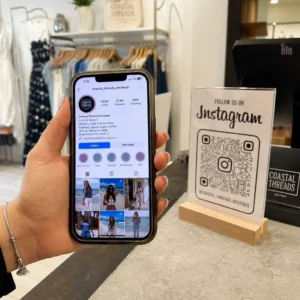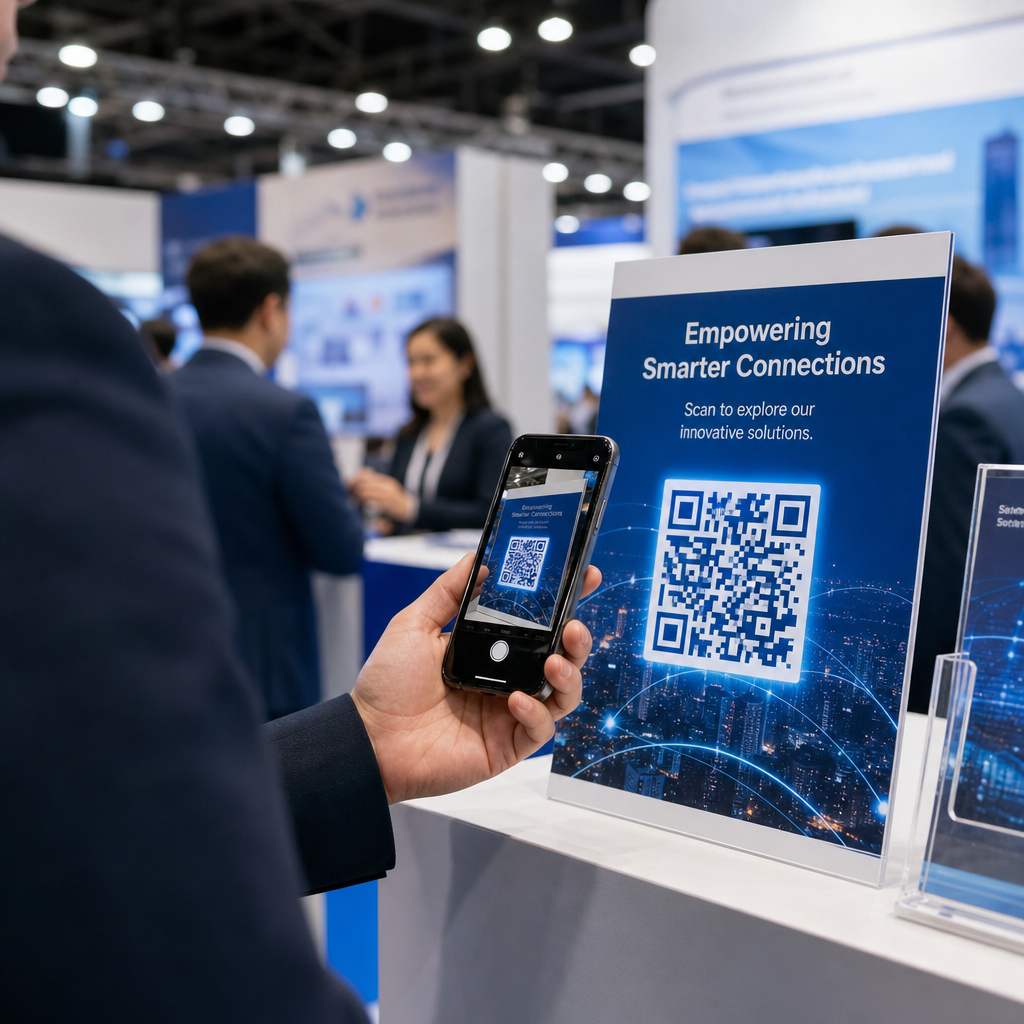
Lämnar du mässgolvet med en hög visitkort och ingen tydlig plan för uppföljning? Nästan 80 % av mässleads följs aldrig upp, vilket förvandlar dyra monterinvesteringar till missade möjligheter. Denna guide går igenom praktiska, beprövade sätt att använda QR-koder på din nästa mässa för att fånga bättre leads, engagera besökare och omvandla monterkonversationer till faktiska affärsmöjligheter.
Varför QR-koder hör hemma i varje mässmonter
Mässor är miljöer med hög friktion. Besökare rör sig snabbt, din personal hanterar flera samtal samtidigt, och pappersformulär tappas bort eller överges. QR-koder tar bort den friktionen genom att koppla en fysisk stund – någon som står vid din monter – till en digital åtgärd som sker omedelbart på deras telefon.
Siffrorna stöder denna förändring. Cirka 99,5 miljoner amerikanska smartphoneanvändare skannade QR-koder under 2025, en ökning med 19 % från 2022. Besökare vet redan hur man använder dem. Din uppgift är att implementera dem strategiskt så att varje skanning tjänar ett syfte.
QR-koder på mässor kan:
- Dirigera besökare till ett formulär för leadfångst utan att kräva personalens ingripande
- Dela produktspecifikationer, kataloger eller demovideor omedelbart
- Ersätta pappersvisitkort med en skanningsbar digital kontakt
- Registrera besökare för demonstrationer eller konsultationer efter mässan
- Spåra vilka monterkontaktpunkter som genererar mest engagemang
Den viktiga skillnaden att förstå innan du börjar är dynamiska vs. statiska QR-koder. En statisk QR-kod bäddar in en fast URL direkt i mönstret – när den väl är utskriven kan den inte ändras. En dynamisk QR-kod använder en kort omdirigerings-URL som du kan uppdatera när som helst utan att trycka om det fysiska materialet. För en mässa, där monterbudskapet kan ändras mellan mässdagar eller där en sista-minuten-ändring av landningssidan alltid är möjlig, är dynamiska koder det praktiska valet.
Börja bygga dina QR-koder för mässor Skapa dynamiska QR-koder som du kan uppdatera i farten, spåra i realtid och anpassa för att matcha din monters varumärke. Prova QR-kodgenerator för att komma igång gratis.
Hur man använder QR-koder för leadinsamling vid din monter
Det mest lönsamma användningsområdet för QR-koder på mässor är leadinsamling. När mässleads följs upp inom 7–10 dagar, konverterar cirka 20–30% till försäljningsmöjligheter – men det fungerar bara om du faktiskt har samlat in leadet med tillräcklig kontext för att kunna följa upp effektivt.
Länka direkt till ett leadinsamlingsformulär
Placera en QR-kod väl synligt vid din monter som länkar till ett kort, mobiloptimerat formulär. Håll formuläret till maximalt fem till sju fält, ordnade i ett naturligt konversationsflöde – namn, företag, e-post, primärt intresse och en eller två kvalificerande frågor. Flervalsfrågor fungerar bättre än fritext på en telefonskärm.
A QR-kod för Google-formulär är ett snabbt sätt att bygga detta utan anpassad utveckling. Skapa ditt formulär, kopiera delningslänken, generera QR-koden, och du är igång. För team som vill att insamlad data ska flöda direkt in i ett CRM, kan en dynamisk QR-kod i kombination med en webhook eller ett automatiseringsverktyg automatiskt dirigera varje inskick. Guiden om Automatisering av arbetsflöden för QR-kodsskanning beskriver en steg-för-steg-metod för att ställa in detta.
Ersätt pappersvisitkort med digital kontaktutdelning
Att dela ut papperskort på en mässa är en chansning – många hamnar i en rockficka och ses aldrig mer. En vCard QR-kod låter en prospekt skanna din kod och spara dina kontaktuppgifter direkt till sin telefons adressbok på några sekunder, utan manuell inmatning och inga transkriptionsfel.
För ett mer komplett nätverksverktyg, ett QR-kod visitkort kan inkludera ditt namn, titel, företag, telefon, e-post och webbplats. Du kan visa den på en namnskylt, en bordsskylt eller ett dedikerat kort som du delar ut under samtal. Skanningen hanterar dataöverföringen, och du kan spåra hur många som faktiskt sparade din information. För en bredare titt på hur QR-koder stöder evenemangsnätverk, guiden om att förvandla evenemangshandslag till leads går igenom hela tratten från första skanning till CRM-inmatning.
Förvandla varje handslag till ett insamlat lead Generera en vCard QR-kod som låter deltagare spara din kontakt direkt. Använd vCard QR-kodgenerator för att skapa din på några minuter.
Dela produktmaterial på begäran
Tryckta broschyrer är dyra och hamnar ofta i papperskorgen. En PDF QR-kod låter dig länka en produktkatalog, ett produktblad eller en fallstudie direkt till en skanningsbar kod. Besökare får innehållet direkt i sin telefon, och du sparar på tryckkostnader.
Eftersom den underliggande PDF:en hostas dynamiskt kan du uppdatera dokumentet mellan mässdagarna – byta ut mot en reviderad prislista eller en uppdaterad produktbroschyr – utan att röra den tryckta QR-koden på din banderoll.
Driv evenemangsregistrering från montern
Om du anordnar ett webinar efter mässan, en produktdemo eller en uppföljningskonsultation, är din monter rätt plats för att samla in registreringar. En QR-kod för evenemang som länkar direkt till din registreringssida låter personalen hänvisa intresserade besökare till en skanning istället för att manuellt samla in e-postadresser mitt i samtalet.
För mer om att integrera QR-koder med ditt arbetsflöde för evenemangsregistrering, guiden om att bygga dynamiska QR-koder för CRM-incheckningar täcker hur man förifyller CRM-fält från en skanning så att uppföljningen blir personlig från första kontakten.
Kvalificera leads på mässan, inte bara samla in dem
Att samla in ett namn och en e-postadress är en startpunkt, inte ett färdigt lead. Säljteam behöver sammanhang – vilken produkt prospektet var intresserat av, hur brådskande deras behov är, och var de befinner sig i en köpcykel – för att följa upp effektivt.
Några metoder som förbättrar leadkvaliteten vid insamlingstillfället:
- Definiera dina kvalificeringsfrågor i förväg och mappa dem till din ideala kundprofil. Bestäm vilka fält som krävs för försäljning och bygg in dem i ditt formulär innan mässan öppnar.
- Använd ett enkelt betygssystem (A, B, C eller högt, medel, lågt intresse) så att monterpersonalen kan tagga varje leads brådskande karaktär vid samtalstillfället. Lägg till detta som en rullgardinsmeny i ditt formulär eller fånga det i ett anteckningsfält.
- Lägg till ett anteckningsfält till leadformuläret där personalen kan anteckna detaljer om samtalet – utmaningen prospektet nämnde, produkten de frågade om, eller tidslinjen de angav. Detta sammanhang är det som gör att uppföljningen känns personlig snarare än generisk.
- Öva före mässan. Gå igenom leadinsamlingsprocessen med monterpersonalen i ett rollspel så att arbetsflödet är naturligt och datainmatning inte avbryter samtalet.
Att definiera denna struktur i förväg, snarare än att försöka reda ut det under mässan, är det som skiljer en lista med namn från en kvalificerad pipeline.
Placera QR-koder i din monter för maximal räckvidd
En enda QR-kod i ett hörn av din monter missar det mesta av din trafik. Distribuera koder över flera beröringspunkter så att besökare stöter på dem naturligt vid olika tillfällen under sitt besök.
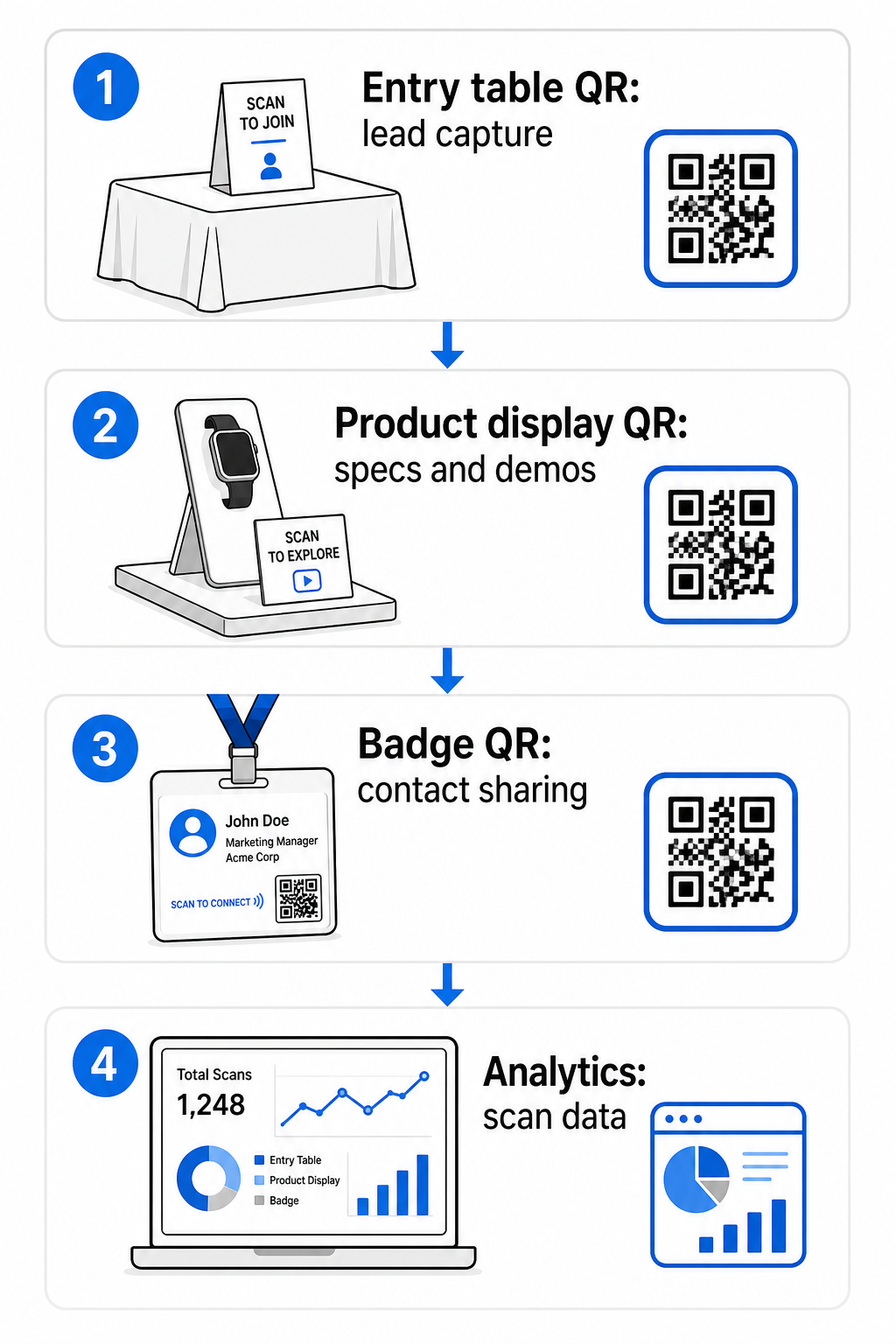
Effektiva placeringsplatser inkluderar:
- Reception eller entrébord: ett leadinsamlingsformulär eller kontaktkortskod som den första interaktionen
- Produktdisplayer: länkar till specifikationsblad, demovideor eller fallstudier relevanta för varje produkt
- Bordsskyltning: en QR-kod som länkar till din portfolio, kontaktsida eller ett speciellt mässerbjudande
- Utdelningar och give-aways: en kod på allt tryckt material som tar besökaren tillbaka till din digitala närvaro efter mässan
- Märke eller namnskylt: en personlig vCard-kod för en-till-en nätverkssamtal
För varje placering, följ 10:1-regeln för storlek-till-skanningsavstånd: kodens bredd bör vara ungefär en tiondel av det förväntade skanningsavståndet. En kod på en bordsskylt som ses från två fots avstånd måste vara minst 2–3 tum bred. En banderoll som ses från sex fots avstånd behöver en proportionellt större kod. Skriv ut med 300 DPI eller högre med vektorformat (SVG, EPS eller PDF) för att hålla mönstret skarpt.
Ytterligare placeringsriktlinjer som påverkar skanningspålitligheten i en hektisk mässmiljö:
- Placera koder på ögonhöjd eller något under, på platser där besökare naturligt stannar upp
- Använda sig av plana, matta, icke-reflekterande ytor för att undvika bländning från monterbelysning
- Bibehåll ett tyst zon – en tydlig marginal på minst fyra moduler bred – runt varje kod så att skannrar kan skilja den från omgivande grafik
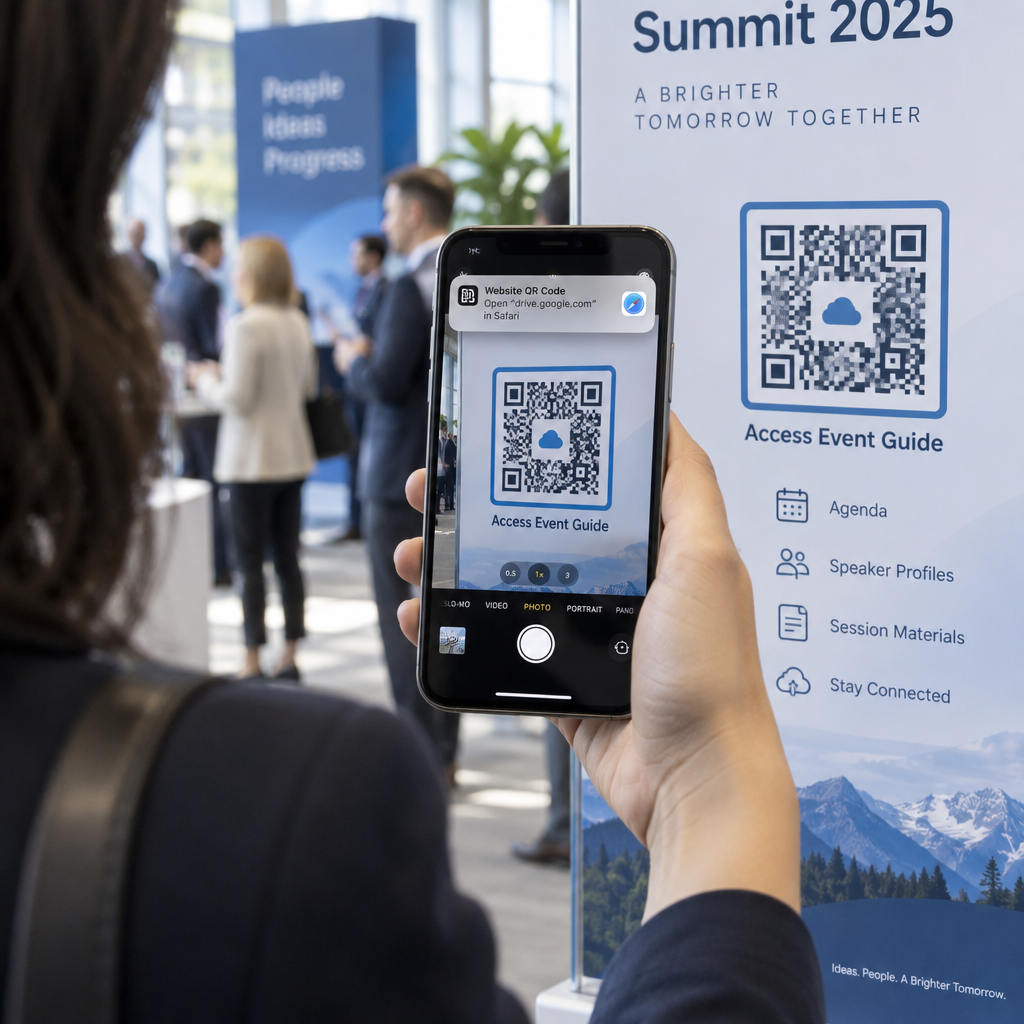
- Lägg till en kort uppmaning till handling bredvid varje kod (“Skanna för att ladda ner vår produktguide” eller “Skanna för att delta i vår tävling”) så att besökare vet exakt vad de får innan de skannar
För mer detaljer om tryck- och designstandarder, guiden om bästa praxis för läsbarhet av QR-koder täcker kontrastförhållanden, upplösningskrav och ytöverväganden i sin helhet.
Spåra monterprestanda med QR-kodanalys
En av de mest underutnyttjade fördelarna med dynamiska QR-koder på mässor är den prestandadata de genererar. Varje skanning skapar en datapunkt: när det hände, på vilken enhet, från vilken geografisk plats. Under en flerdagarsmässa berättar denna data vilka monterberöringspunkter som fungerar och vilka som inte gör det.
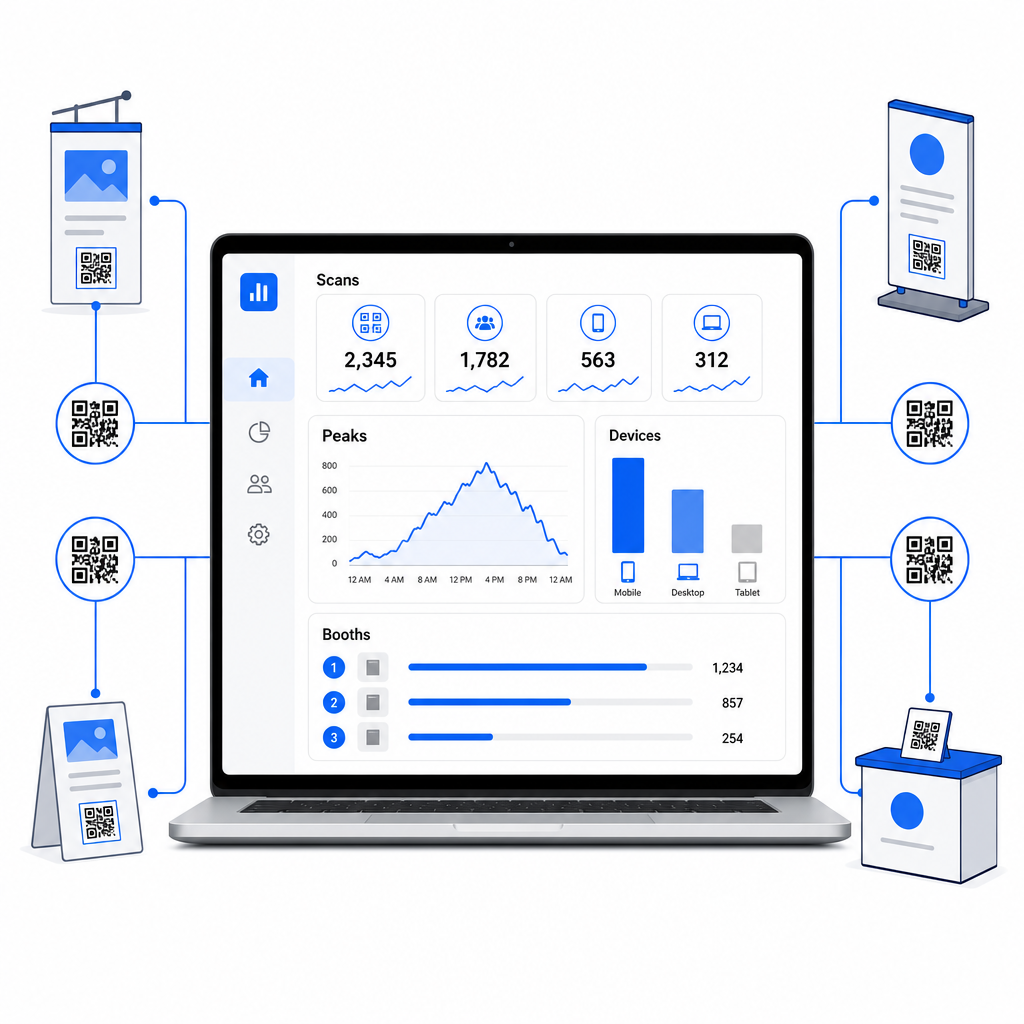
Med Pageloots analyspanel kan du övervaka:
- Antal skanningar per kod: vilka material eller displayer som genererar mest intresse
- Tidpunkt för skanningar: när under mässdagen besökare är mest engagerade
- Enhetstyper: om dina mobila landningssidor är optimerade för rätt publik
- Geografisk data: användbart för kampanjer på flera platser eller flera mässor
Detta är skillnaden mellan att veta att du hade 300 monterbesökare och att veta att 220 av dem skannade din produktdemokod, 80 skannade ditt kontaktkort, och att trafiken nådde sin topp under de första två timmarna av varje mässdag. Den nivån av insikt förbättrar direkt hur du fördelar personal och prioriterar uppföljning. För en djupare titt på vad dessa verktyg visar och hur man agerar på data, finns guiden om QR-kodverktyg för evenemangsspårning täcker de viktigaste mätvärdena att hålla koll på.
Se vilka monterkontaktpunkter som faktiskt fungerar Spåra skanningar efter plats, tid och enhet över alla dina mäss-QR-koder. Använd Länk QR-kodgenerator för att skapa spårbara koder med inbyggd analys.
Följ upp innan leads kallnar
47% av mässbesökarna är mer benägna att köpa från utställare de möter på en mässa, och 51% begär ett uppföljningsbesök från en säljare. Möjligheten är verklig – men den är tidskänslig.
Påbörja uppföljning inom 24–48 timmar medan evenemanget fortfarande är färskt. Ett enkelt bekräftelsemejl eller tackmeddelande håller ditt företag i åtanke innan besökaren går vidare till nästa mässa i sin kalender.
Därifrån segmenterar du dina leads efter intressenivå och efter specifikt produkt- eller lösningsintresse. Anteckningarna din monterpersonal samlade in under samtalen blir råmaterialet för personlig uppsökande verksamhet – med hänvisning till den specifika utmaning prospektet nämnde, produkten de frågade om, eller nästa steg de sa att de övervägde.
Effektiv uppföljning efter mässan inkluderar vanligtvis:
- A personligt första mejl inom 48 timmar med hänvisning till mässan och samtalet
- A specifik uppmaning till handling – boka en demo, delta i ett webbinarium, granska en relevant resurs – snarare än ett generiskt “låt oss hålla kontakten”
- Tilldelat ägarskap för varje lead så att lovande prospekt inte faller mellan stolarna mellan teamen
- A uppföljningssekvens för varma och kalla leads som fortsätter engagemanget under två till fyra veckor
Om du samlade in leads via ett QR-länkat formulär integrerat med ditt CRM, kan mycket av denna sekvensering automatiseras från det ögonblick formuläret skickas in. Guiden om Automatisering av arbetsflöden för QR-kodsskanning förklarar hur man ställer in det från början till slut.
QR-koder efter mässan har också en roll här. En QR-kod i ditt uppföljningsmejl eller på material efter evenemanget kan länka till ett feedbackformulär, ett specialerbjudande eller en bokningssida – vilket förlänger det digitala engagemanget bortom mässgolvet.
Varumärkesanpassa dina mäss-QR-koder
En enkel svartvit QR-kod smälter in i bakgrunden på en upptagen monter. En varumärkesanpassad kod – som använder dina företagfärger, inkluderar din logotyp och är stiliserad för att matcha din monters estetik – drar uppmärksamhet och signalerar professionalism. Varumärkesanpassade QR-koder med logotyper kan öka skanningsfrekvensen med 30% till 70% jämfört med generiska.
För att bibehålla skanningspålitligheten när du lägger till visuella element:
- Håll eventuell inbäddad logotyp liten och borta från de tre hörnidentifieringsmönstren i kodens hörn
- Använda sig av hög felkorrigering (Nivå H, upp till 30%) så att koden förblir skanningsbar även med en logotypöverlagring
- Bibehåll ett minst 4:1 kontrastförhållande mellan kodens förgrunds- och bakgrundsfärger – mörka moduler på en ljus bakgrund är den mest pålitliga kombinationen
- Testa den färdiga koden på flera enheter och skannerappar, under de faktiska ljusförhållandena i din monter, innan mässan öppnar
För mer designvägledning, exempel på varumärkes-QR-koder artikeln visar hur man integrerar QR-koder i sin visuella identitet utan att offra skanningsbarheten. Du kan också bläddra i QR-kodlösningar per bransch för att se hur andra sektorer närmar sig monter- och evenemangsapplikationer.
Din checklista för mäss-QR-koder
Innan mässan öppnar, gå igenom dessa steg för att säkerställa att din QR-kodinställning är stabil:
| Uppgift | Detaljer |
|---|---|
| Definiera mål för leadinsamling | Bestäm vilken data du behöver och bygg dina formulärfält därefter |
| Skapa dynamiska QR-koder | Använd dynamiska koder så att destinationer kan uppdateras utan att skriva ut igen |
| Ställ in landningssidor | Se till att varje destination är mobiloptimerad och laddas snabbt |
| Varumärkesanpassa dina koder | Lägg till logotyp, färger och en uppmaningsram till varje kod |
| Placera koder strategiskt | Entrébord, produktutställningar, utdelningsmaterial, skyltar och märken |
| Storleksanpassa koder korrekt | Tillämpa förhållandet 10:1; minst 2–3 tum för monterskyltar |
| Testa före mässan | Skanna på flera enheter, under monterns faktiska ljusförhållanden |
| Briefa ditt team | Gå igenom arbetsflödet för leadinsamling och kvalificeringsprocessen med personalen |
| Övervaka analys under mässan | Kontrollera skanningsdata varje dag och justera placering eller meddelanden vid behov |
| Starta uppföljning inom 48 timmar | Skicka personlig uppsökande verksamhet medan samtalen fortfarande är färska |
Vanliga frågor
Dynamiska QR-koder är det bättre valet för mässor. De tillåter dig att uppdatera destinations-URL:en utan att trycka om något material, vilket är användbart om en landningssida ändras mellan mässdagar eller om du vill byta ut innehåll efter evenemanget. Dynamiska koder tillhandahåller också skanningsanalys – antal, tider, platser och enhetstyper – som statiska koder inte kan. Du kan skapa dynamiska koder med QR Code Generator.
Tre faktorer driver skanningsfrekvensen på mässor: placering, design och kontext. Placera koder i ögonhöjd på platser där besökare naturligt pausar. Använd varumärkesanpassade, högkontrastkoder som sticker ut visuellt. Och inkludera alltid en kort uppmaning bredvid koden – “Skanna för att ladda ner vårt specifikationsblad” eller “Skanna för att delta i vår tävling” – så att besökare vet exakt vad de får innan de skannar. Ett tydligt värdeutbyte är det mest pålitliga sättet att öka engagemanget.
Börja med att fånga leads genom ett QR-länkat formulär som matar data direkt in i ditt CRM, inklusive eventuella anteckningar som din personal registrerade under konversationen. Detta ger ditt säljteam det sammanhang de behöver för personlig uppsökande verksamhet. Efter mässan, inkludera QR-koder i uppföljningsmejl som länkar till en bokningssida, demo-registrering eller relevant resurs. För att automatisera överlämningen från skanning till CRM-inmatning, går guiden om automatisering av arbetsflödet för QR-kodsskanning igenom den tekniska installationen steg för steg.
Gapet mellan en upptagen monter och mätbara intäkter handlar om hur systematiskt du fångar, kvalificerar och följer upp varje konversation. QR-koder ger dig ett lättviktigt, skalbart sätt att göra alla tre – utan att lägga till komplexitet i ditt teams arbetsflöde på mässgolvet. Ställ in dina dynamiska koder före nästa mässa, spåra vad som fungerar och låt datan vägleda din uppföljningsstrategi.
Bygg din kompletta QR-kodinställning för mässor Skapa, varumärkesanpassa och hantera alla dina QR-koder för mässor från en enda instrumentpanel – med analys inkluderad. Kom igång med QR-kodgenerator idag.