Вы покидаете выставочный зал со стопкой визиток и без четкого плана дальнейших действий? Почти 80% лидов, полученных на выставках, остаются без внимания, превращая дорогостоящие инвестиции в стенд в упущенные возможности. Это руководство покажет вам практичные, проверенные способы использования QR-кодов на вашей следующей выставке для привлечения более качественных лидов, вовлечения посетителей и превращения разговоров у стенда в реальные сделки.
Почему QR-коды должны быть на каждом выставочном стенде
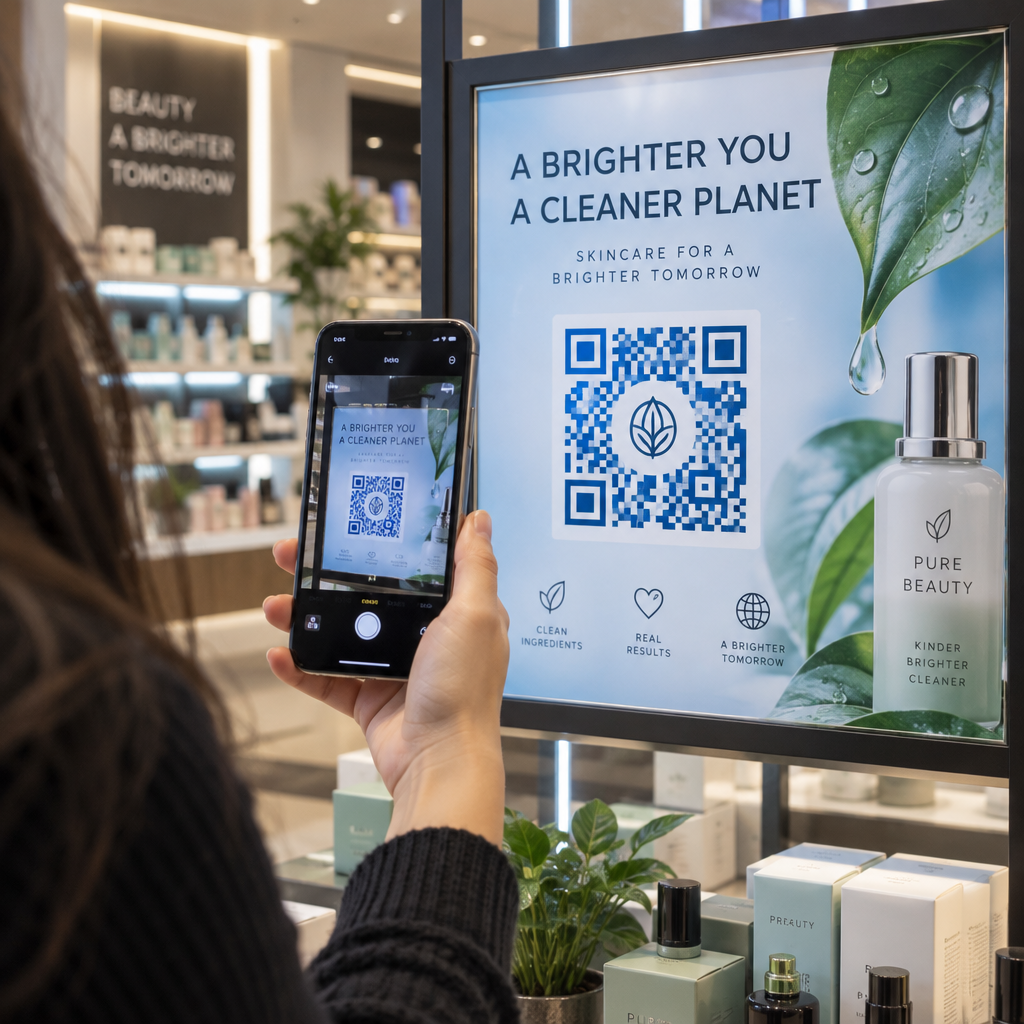
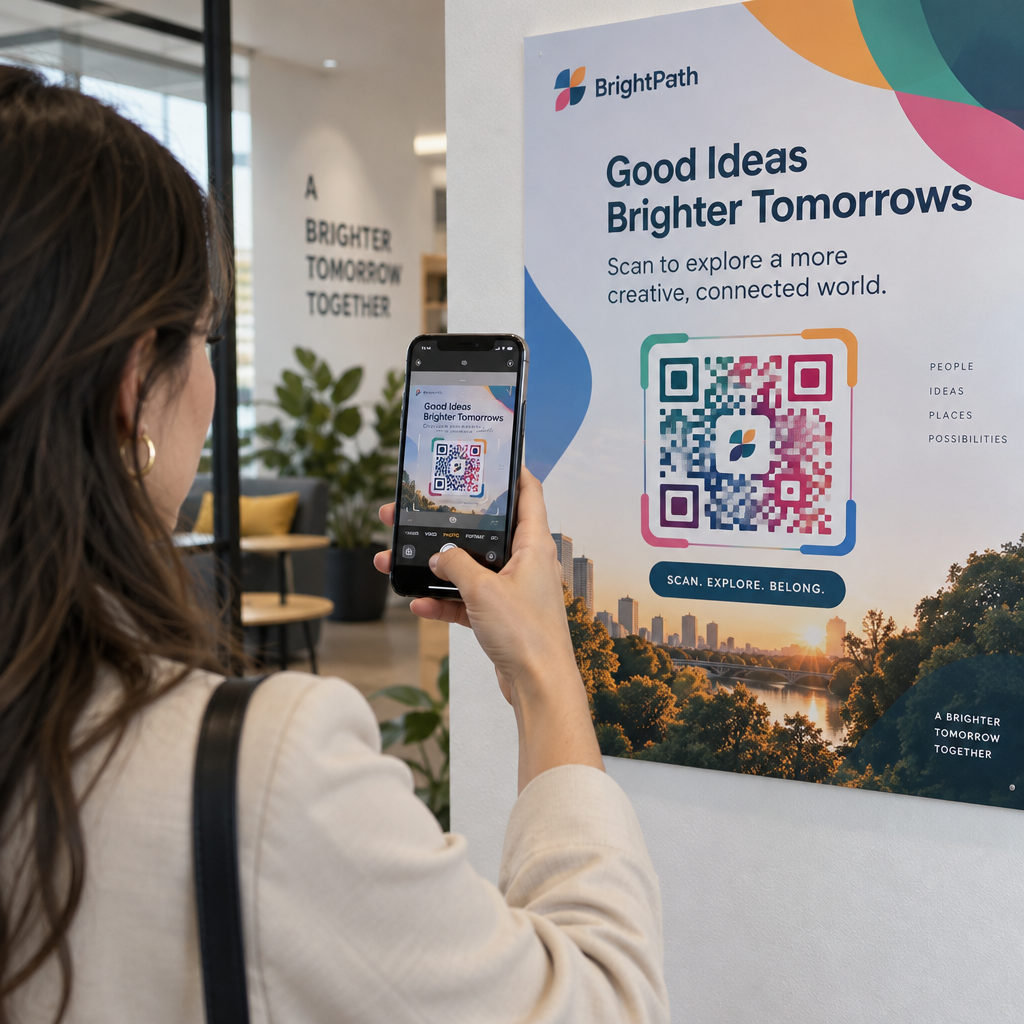
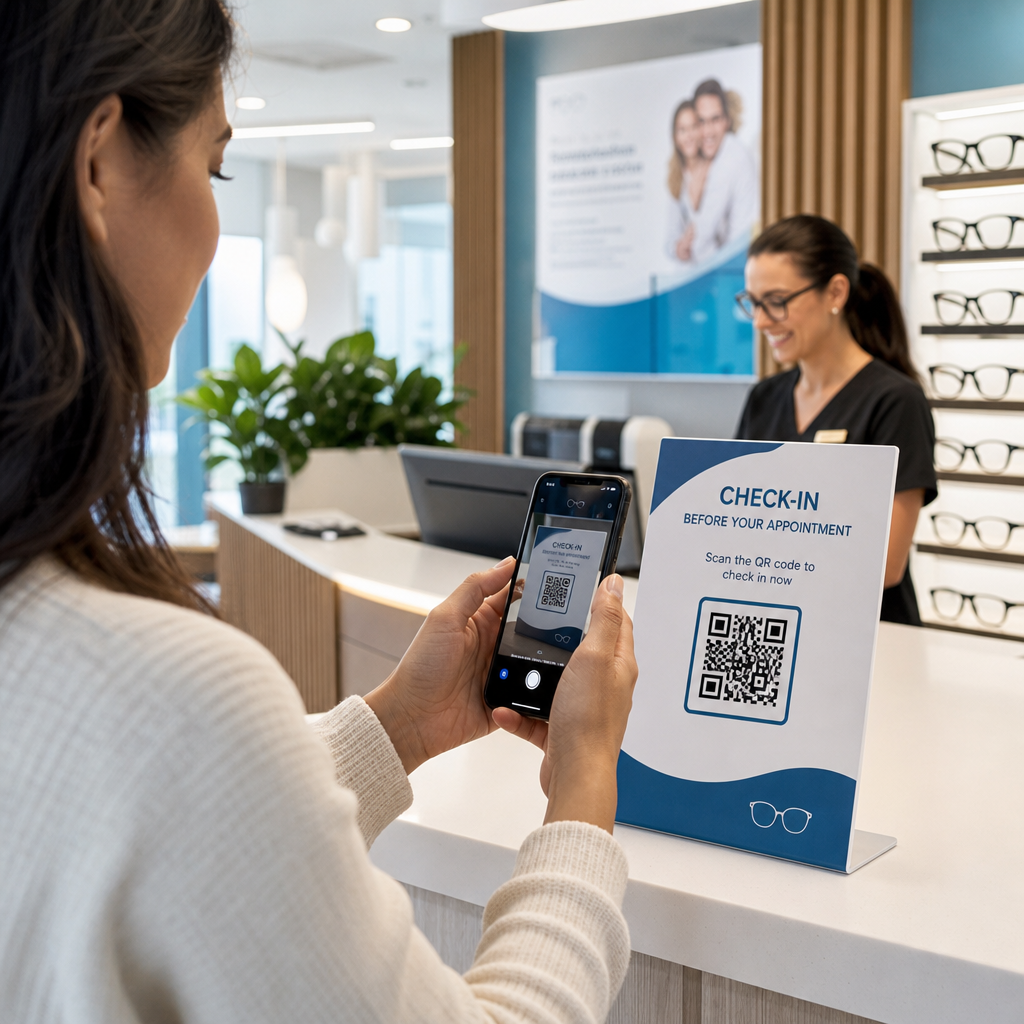
Выставки — это среда с высоким уровнем сложностей. Посетители быстро перемещаются, ваш персонал ведет несколько разговоров одновременно, а бумажные формы теряются или остаются незаполненными. QR-коды устраняют эти сложности, связывая физический момент – когда кто-то стоит у вашего стенда – с цифровым действием, которое мгновенно происходит на их телефоне.
Цифры подтверждают этот сдвиг. Около 99,5 миллиона пользователей смартфонов в США сканировали QR-коды в 2025 году, что на 19% больше, чем в 2022 году. Посетители уже знают, как ими пользоваться. Ваша задача — развернуть их стратегически, чтобы каждое сканирование служило определенной цели.
QR-коды на выставках могут:
- Направлять посетителей к форме сбора лидов без участия персонала
- Мгновенно делиться спецификациями продуктов, каталогами или демонстрационными видео
- Заменить бумажные визитки сканируемым цифровым контактом
- Регистрировать посетителей на послевыставочные демонстрации или консультации
- Отслеживать, какие точки контакта на стенде генерируют наибольшее вовлечение
Ключевое различие, которое необходимо понять, прежде чем начать, заключается в следующем: динамическими и статическими QR-кодами. Статический QR-код встраивает фиксированный URL-адрес непосредственно в шаблон – после печати его нельзя изменить. Динамический QR-код использует короткий URL-адрес перенаправления, который вы можете обновить в любое время без перепечатки физического материала. Для выставки, где сообщения стенда могут меняться между днями проведения или где всегда возможно изменение целевой страницы в последнюю минуту, динамические коды являются практичным выбором.
Начните создавать свои QR-коды для выставки Создавайте динамические QR-коды, которые вы можете обновлять на лету, отслеживать в реальном времени и настраивать в соответствии с брендингом вашего стенда. Попробуйте Генератор QR-кодов чтобы начать бесплатно.
Как использовать QR-коды для сбора лидов на вашем стенде
Наиболее эффективный вариант использования QR-кодов на выставках с точки зрения ROI — это сбор лидов. Когда с лидами, полученными на выставке, связываются в течение 7–10 дней, около 20–30% превращаются в возможности продаж – но это работает только в том случае, если вы действительно собрали лид с достаточным контекстом для эффективного последующего взаимодействия.
Прямая ссылка на форму сбора лидов
Разместите QR-код на видном месте на вашем стенде, который ведет на короткую, оптимизированную для мобильных устройств форму. Ограничьте форму максимум пятью-семью полями, расположенными в естественном порядке беседы – имя, компания, электронная почта, основной интерес и один-два уточняющих вопроса. Ответы с множественным выбором работают лучше, чем открытый текст на экране телефона.
A QR-код формы Google это быстрый способ создать это без индивидуальной разработки. Создайте свою форму, скопируйте ссылку для обмена, сгенерируйте QR-код, и вы готовы к работе. Для команд, которые хотят, чтобы собранные данные поступали непосредственно в CRM, сочетание динамического QR-кода с веб-хуком или инструментом автоматизации может автоматически направлять каждую отправку. Руководство по Автоматизация рабочего процесса сканирования QR-кодов охватывает пошаговый подход к настройке этого.
Замените бумажные визитные карточки цифровым обменом контактами
Раздача бумажных визиток на выставке — это риск – многие оказываются в кармане пальто и больше никогда не видятся. А vCard QR-код позволяет потенциальному клиенту отсканировать ваш код и сохранить ваши контактные данные непосредственно в адресную книгу своего телефона за считанные секунды, без ручного ввода и ошибок транскрипции.
Для более полного инструмента для нетворкинга, а QR-код визитная карточка может включать ваше имя, должность, компанию, телефон, электронную почту и веб-сайт. Вы можете отобразить его на бейдже, настольной табличке или специальной карточке, которую вы раздаете во время разговоров. Сканирование обрабатывает передачу данных, и вы можете отслеживать, сколько людей фактически сохранили вашу информацию. Для более широкого обзора того, как QR-коды поддерживают нетворкинг на мероприятиях, руководство по превращению рукопожатий на мероприятиях в лиды подробно описывает весь путь от первого сканирования до записи в CRM.
Превратите каждое рукопожатие в собранный лид Сгенерируйте QR-код vCard, который позволяет посетителям мгновенно сохранять ваш контакт. Используйте QR код с контактами vCard чтобы создать свой за счита.
Делитесь материалами о продукте по запросу
Печатные брошюры дороги и часто оказываются в мусорной корзине. А PDF QR-код позволяет вам привязать каталог продукции, спецификацию или тематическое исследование непосредственно к сканируемому коду. Посетители получают контент на свой телефон немедленно, а вы экономите на расходах на печать.
Поскольку базовый PDF-файл размещается динамически, вы можете обновлять документ между днями выставки – заменять прайс-лист на пересмотренный или обновленную брошюру о продукте – не затрагивая напечатанный QR-код на вашем баннере.
Стимулируйте регистрацию на мероприятие со стенда
Если вы проводите послевыставочный вебинар, демонстрацию продукта или последующую консультацию, ваш стенд — это подходящее место для сбора регистраций. Один мероприятия напрямую связанный с вашей целевой страницей регистрации, позволяет персоналу направлять заинтересованных посетителей к сканированию, вместо того чтобы вручную собирать адреса электронной почты в середине разговора.
Для получения дополнительной информации об интеграции QR-кодов в рабочий процесс регистрации на мероприятия, руководство по созданию динамических QR-кодов для регистрации в CRM охватывает, как предварительно заполнять поля CRM из сканирования, чтобы последующее взаимодействие было персонализировано с первого касания.
Квалификация лидов на выставке, а не просто их сбор
Сбор имени и электронной почты — это отправная точка, а не готовый лид. Отделам продаж нужен контекст — какой продукт заинтересовал потенциального клиента, насколько срочна их потребность и на каком этапе цикла покупки они находятся — для эффективного последующего взаимодействия.
Несколько практик, которые улучшают качество лидов в момент сбора:
- Определите свои квалификационные вопросы заранее и сопоставьте их с вашим идеальным профилем клиента. Решите, какие поля необходимы для продаж, и встройте их в свою форму до открытия выставки.
- Используйте простую систему оценки (A, B, C или высокий, средний, низкий интерес), чтобы персонал стенда мог отметить срочность каждого лида во время разговора. Добавьте это как выпадающий список в вашей форме или зафиксируйте в поле для заметок.
- Добавьте поле для заметок в форму лида, где персонал может записывать детали разговора – проблему, которую упомянул потенциальный клиент, продукт, о котором они спрашивали, или сроки, которые они назвали. Этот контекст делает последующее взаимодействие личным, а не общим.
- Практикуйтесь перед выставкой. Проведите процесс сбора лидов с персоналом стенда в ролевой игре, чтобы рабочий процесс был естественным, а ввод данных не прерывал разговор.
Определение этой структуры заранее, вместо попыток разобраться с ней во время выставки, это то, что отличает список имен от квалифицированного пайплайна.
Размещение QR-кодов по всему вашему стенду для максимального охвата
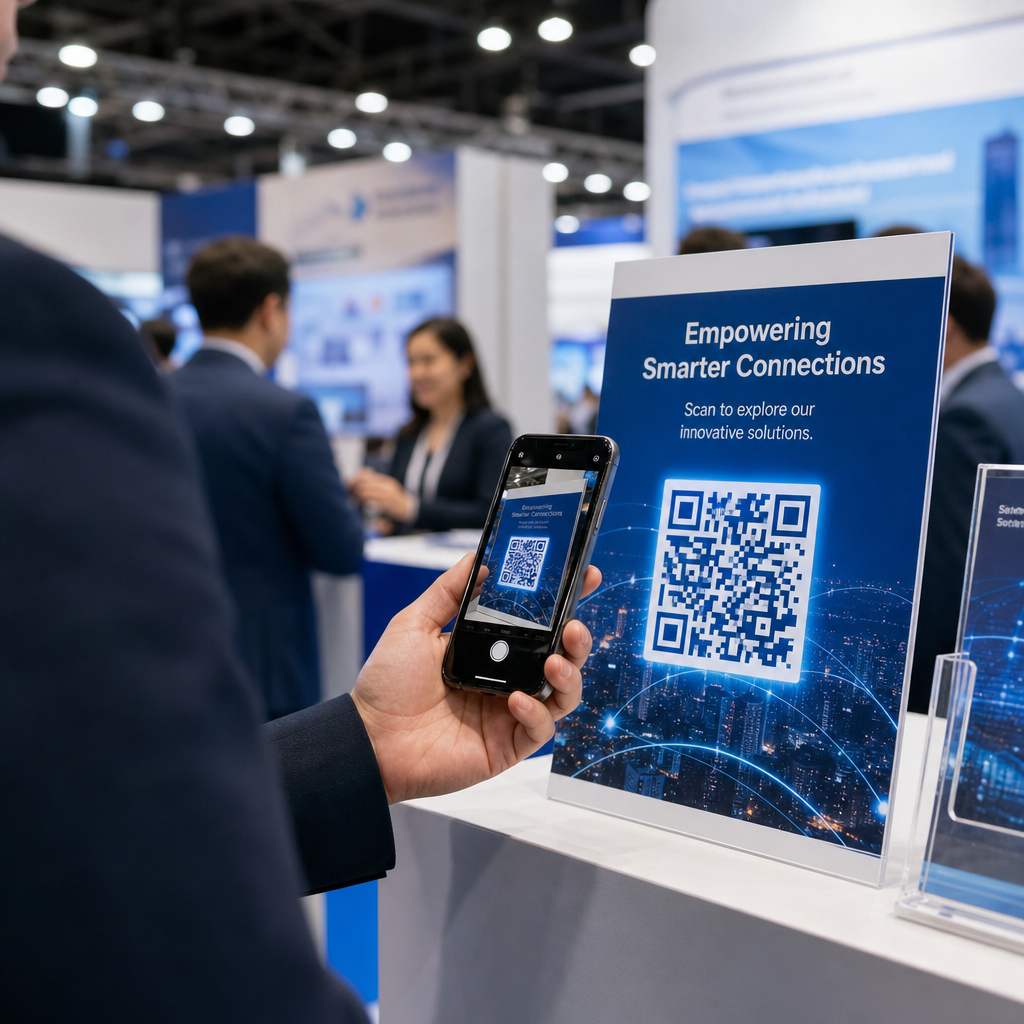
Один QR-код в одном углу вашего стенда упускает большую часть вашего трафика. Распределите коды по нескольким точкам контакта, чтобы посетители встречали их естественно в разные моменты своего визита.
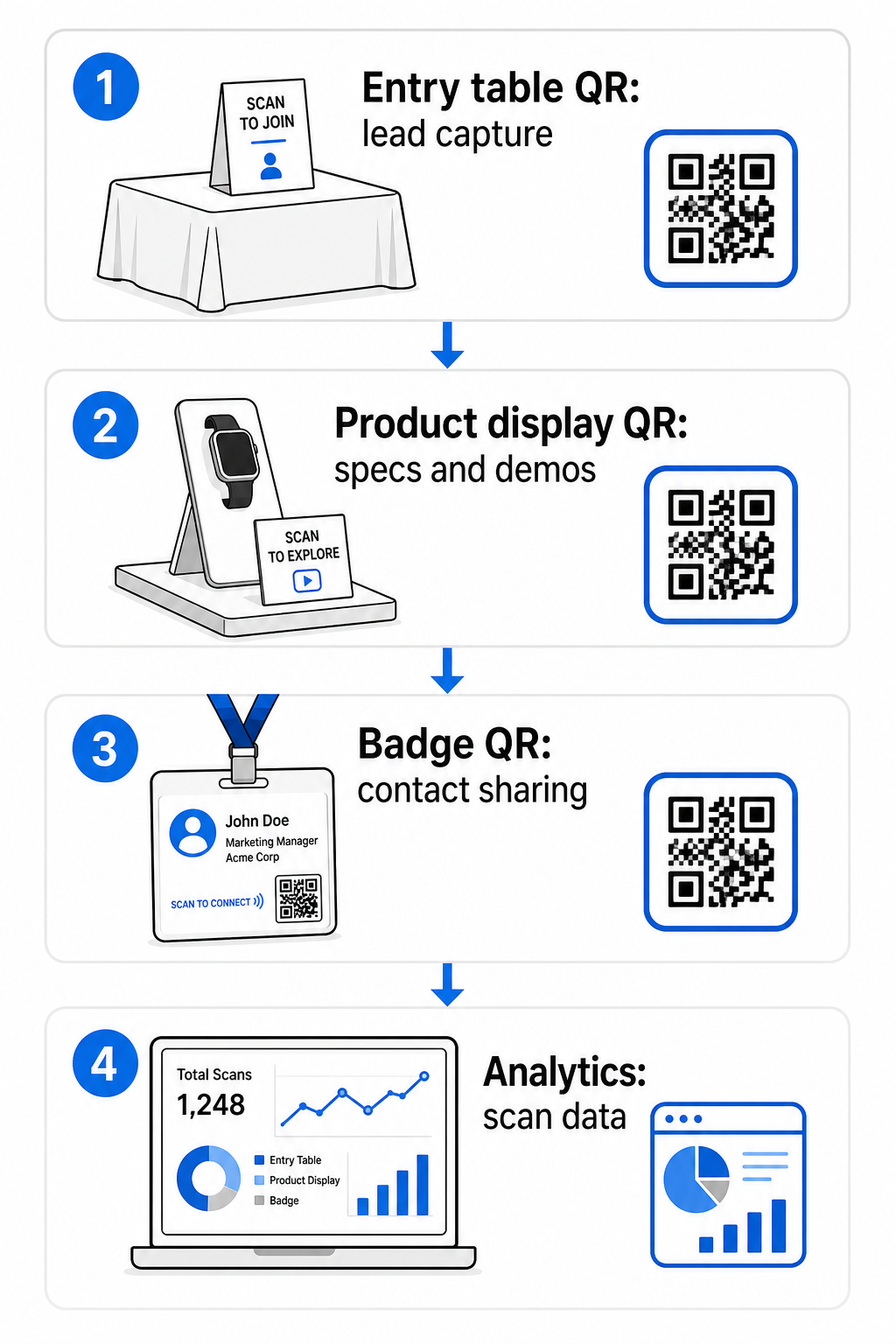
Эффективные места размещения включают:
- Стойка регистрации или входной стол: форма сбора лидов или код контактной карты в качестве первого взаимодействия
- Дисплеи продуктов: ссылки на спецификации, демонстрационные видео или тематические исследования, относящиеся к каждому продукту
- Настольные вывески: QR-код, ссылающийся на ваше портфолио, страницу контактов или специальное выставочное предложение
- Раздаточные материалы и сувениры: код на любом печатном материале, который возвращает посетителя к вашему цифровому присутствию после выставки
- Бейдж или именной ярлык: персональный vCard-код для индивидуальных сетевых бесед
Для каждого размещения следуйте правилу соотношения размера к расстоянию сканирования 10:1: ширина кода должна составлять примерно одну десятую от ожидаемого расстояния сканирования. Код на настольной вывеске, просматриваемый с расстояния двух футов, должен быть шириной не менее 2–3 дюймов. Баннер, просматриваемый с шести футов, требует пропорционально большего кода. Печатайте с разрешением 300 DPI или выше, используя векторные форматы (SVG, EPS или PDF), чтобы сохранить четкость рисунка.
Дополнительные рекомендации по размещению, влияющие на надежность сканирования в условиях оживленной выставки:
- Размещайте коды на уровне глаз или немного ниже, в местах, где посетители естественно останавливаются
- Используйте плоских, матовых, не отражающих поверхностях чтобы избежать бликов от освещения стенда
- Поддерживайте тихой зоны – четкий отступ шириной не менее четырех модулей – вокруг каждого кода, чтобы сканеры могли отличить его от окружающей графики
- Добавить краткий призыв к действию рядом с каждым кодом (“Сканируйте, чтобы загрузить наш каталог продукции” или “Сканируйте, чтобы принять участие в розыгрыше”), чтобы посетители точно знали, что они получают, прежде чем сканировать
Для получения более подробной информации о стандартах печати и дизайна, руководство по лучшим практикам читаемости QR-кодов полностью охватывает коэффициенты контрастности, требования к разрешению и особенности поверхностей.
Отслеживание производительности стенда с помощью аналитики QR-кодов
Одно из наиболее недооцененных преимуществ динамических QR-кодов на выставках — это данные о производительности, которые они генерируют. Каждое сканирование создает точку данных: когда это произошло, на каком устройстве, из какого географического местоположения. На протяжении многодневной выставки эти данные показывают, какие точки контакта на стенде работают, а какие нет.
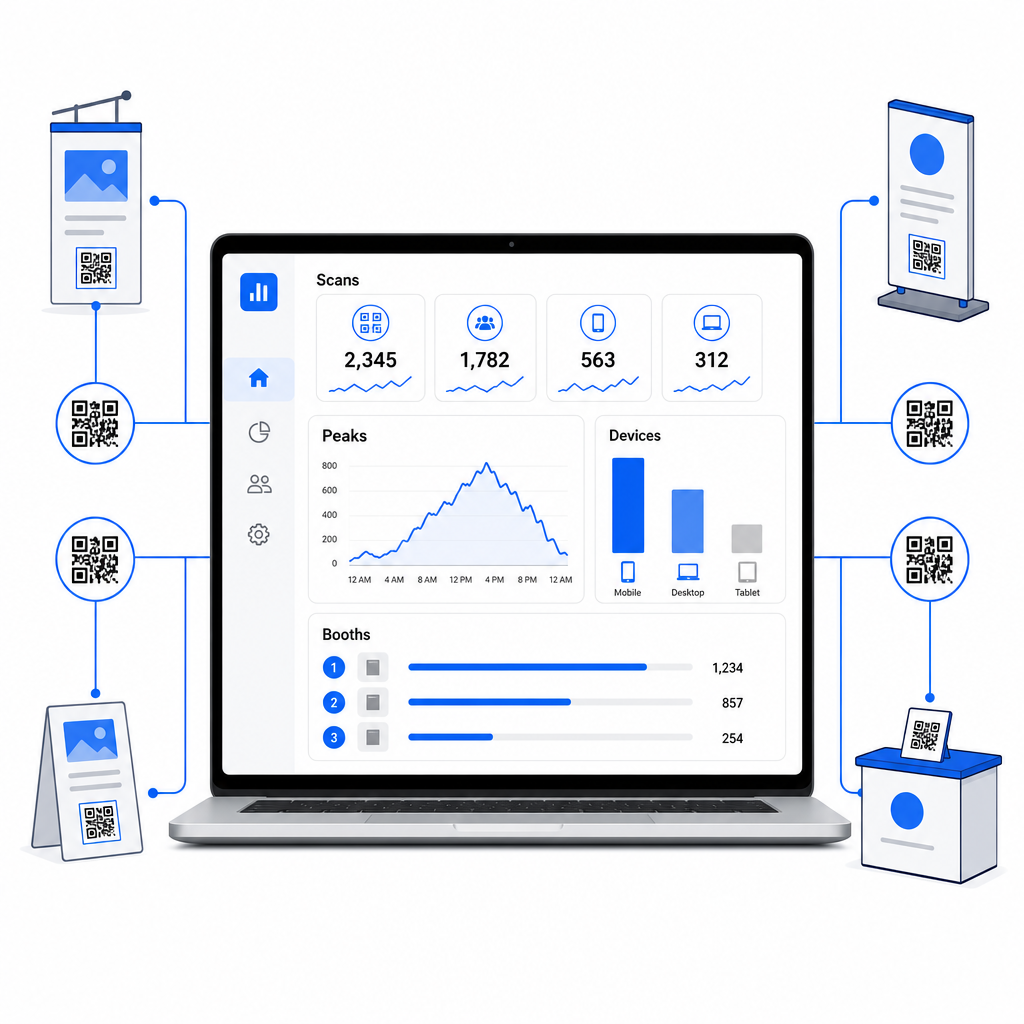
С помощью аналитической панели Pageloot вы можете отслеживать:
- Количество сканирований по коду: какие материалы или дисплеи вызывают наибольший интерес
- Время сканирований: когда в течение выставочного дня посетители наиболее активны
- Типы устройств: оптимизированы ли ваши мобильные целевые страницы для нужной аудитории
- Географические данные: полезно для многоместных или многовыставочных кампаний
Это разница между знанием, что у вас было 300 посетителей стенда, и знанием, что 220 из них отсканировали код вашей демонстрации продукта, 80 отсканировали вашу визитную карточку, и трафик достиг пика в первые два часа каждого выставочного дня. Такой уровень понимания напрямую улучшает то, как вы распределяете персонал и расставляете приоритеты в последующих действиях. Для более глубокого изучения того, что эти инструменты выявляют и как действовать на основе данных, руководство по инструментам QR-кодов для отслеживания мероприятий охватывает ключевые метрики, заслуживающие внимания.
Посмотрите, какие точки контакта на стенде действительно работают Отслеживайте сканирования по местоположению, времени и устройству для всех ваших QR-кодов на выставке. Используйте Генератор QR-кодов для ссылок для создания отслеживаемых кодов со встроенной аналитикой.
Последующие действия, пока лиды не остыли
47% посетителей выставки с большей вероятностью купят у экспонентов, с которыми они встретились на выставке, и 51% запрашивают повторный визит от торгового представителя. Возможность реальна – но она ограничена по времени.
Начинайте последующие действия в течение 24–48 часов, пока событие еще свежо в памяти. Простое электронное письмо с подтверждением или благодарственное сообщение сохраняет вашу компанию в центре внимания, прежде чем посетитель перейдет к следующей выставке в своем расписании.
Затем сегментируйте свои лиды по уровню интереса и по интересу к конкретному продукту или решению. Заметки, сделанные вашим персоналом стенда во время разговоров, становятся исходным материалом для персонализированного взаимодействия – ссылаясь на конкретную проблему, упомянутую потенциальным клиентом, продукт, о котором они спрашивали, или следующий шаг, который они сказали, что рассматривают.
Эффективное последующее взаимодействие после выставки обычно включает:
- A персонализированное первое электронное письмо в течение 48 часов со ссылкой на выставку и разговор
- A конкретный призыв к действию – планирование демонстрации, участие в вебинаре, просмотр соответствующего ресурса – вместо общего “давайте оставаться на связи”
- Назначенная ответственность за каждого лида, чтобы перспективные клиенты не терялись между командами
- A последовательность последующих действий для теплых и холодных лидов, которая поддерживает вовлеченность в течение двух-четырех недель
Если вы собирали лиды через форму, связанную с QR-кодом и интегрированную с вашей CRM, большая часть этой последовательности может быть автоматизирована с момента отправки формы. Руководство по Автоматизация рабочего процесса сканирования QR-кодов объясняет, как настроить это от начала до конца.
QR-коды после выставки также играют здесь роль. QR-код в вашем последующем электронном письме или на материалах после мероприятия может ссылаться на форму обратной связи, специальное предложение или страницу бронирования – расширяя цифровое взаимодействие за пределы выставочной площадки.
Брендирование QR-кодов для вашей выставки
Простой черно-белый QR-код сливается с фоном оживленного стенда. Брендированный код – использующий цвета вашей компании, включающий ваш логотип и стилизованный под эстетику вашего стенда – привлекает внимание и сигнализирует о профессионализме. Брендированные QR-коды с логотипами могут увеличить количество сканирований на 30%–70% по сравнению с обычными.
Чтобы сохранить надежность сканирования при добавлении визуальных элементов:
- Держите любой встроенный логотип маленьким и подальше от трех угловых паттернов поиска в углах кода
- Используйте высокая коррекция ошибок (уровень H, до 30%) чтобы код оставался сканируемым даже с наложением логотипа
- Поддерживайте минимальный коэффициент контрастности 4:1 между цветами переднего плана и фона кода – темные модули на светлом фоне являются наиболее надежной комбинацией
- Протестируйте готовый код на нескольких устройствах и в приложениях-сканерах, в реальных условиях освещения вашего стенда, до открытия выставки
Для получения дополнительных рекомендаций по дизайну, примеры брендированных QR-кодов статья показывает, как интегрировать QR-коды в вашу визуальную идентичность без ущерба для сканируемости. Вы также можете просмотреть решения с QR-кодами по отраслям чтобы увидеть, как другие секторы подходят к применению на стендах и мероприятиях.
Ваш чек-лист QR-кодов для выставки
Перед открытием выставки выполните эти шаги, чтобы убедиться в надежности вашей системы QR-кодов:
| Задача | Детали |
|---|---|
| Определите цели сбора лидов | Решите, какие данные вам нужны, и создайте поля формы соответствующим образом |
| Создавай динамические QR-коды | Используйте динамические коды, чтобы пункты назначения можно было обновлять без перепечатки |
| Настройте целевые страницы | Убедитесь, что каждый пункт назначения оптимизирован для мобильных устройств и быстро загружается |
| Брендируйте свои коды | Добавьте логотип, цвета и рамку с призывом к действию к каждому коду |
| Разместите коды стратегически | Стол регистрации, витрины с продукцией, раздаточные материалы, вывески и бейджи |
| Правильно задайте размер кодов | Примените соотношение 10:1; минимум 2–3 дюйма для вывесок на стенде |
| Протестируйте перед выставкой | Сканируйте на нескольких устройствах, в реальных условиях освещения стенда |
| Проинструктируйте свою команду | Ознакомьте персонал с рабочим процессом сбора лидов и процессом квалификации |
| Отслеживайте аналитику во время выставки | Проверяйте данные сканирования каждый день и корректируйте размещение или сообщения по мере необходимости |
| Запустите последующие действия в течение 48 часов | Отправляйте персонализированные сообщения, пока разговоры еще свежи |
Часто задаваемые вопросы
Динамические QR-коды — лучший выбор для выставок. Они позволяют вам обновлять целевой URL без перепечатки каких-либо материалов, что полезно, если целевая страница меняется между днями выставки или если вы хотите заменить контент после мероприятия. Динамические коды также предоставляют аналитику сканирований — количество, время, местоположение и типы устройств — которую статические коды не могут. Вы можете создавать динамические коды, используя Генератор QR-кодов.
Три фактора определяют количество сканирований на выставках: размещение, дизайн и контекст. Размещайте коды на уровне глаз в местах, где посетители естественно останавливаются. Используйте фирменные, высококонтрастные коды, которые выделяются визуально. И всегда включайте краткий призыв к действию рядом с кодом – “Сканируйте, чтобы загрузить наш технический паспорт” или “Сканируйте, чтобы принять участие в нашем розыгрыше” – чтобы посетители точно знали, что они получат, прежде чем сканировать. Четкий обмен ценностями — самый надежный способ повысить вовлеченность.
Начните с захвата лидов через форму, связанную с QR-кодом, которая напрямую передает данные в вашу CRM, включая любые заметки, которые ваш персонал записал во время разговора.
Разрыв между оживленным стендом и измеримой выручкой сводится к тому, насколько систематически вы собираете, квалифицируете и отслеживаете каждое общение. QR-коды дают вам легкий, масштабируемый способ сделать все три вещи – не усложняя рабочий процесс вашей команды на выставочной площадке. Настройте свои динамические коды перед следующей выставкой, отслеживайте, что работает, и позвольте данным направлять вашу стратегию последующих действий.
Создайте свою полную настройку QR-кодов для выставки Создавайте, брендируйте и управляйте всеми своими QR-кодами для выставки с единой панели управления – с включенной аналитикой. Начните с Генератор QR-кодов сегодня.