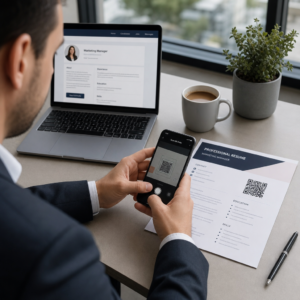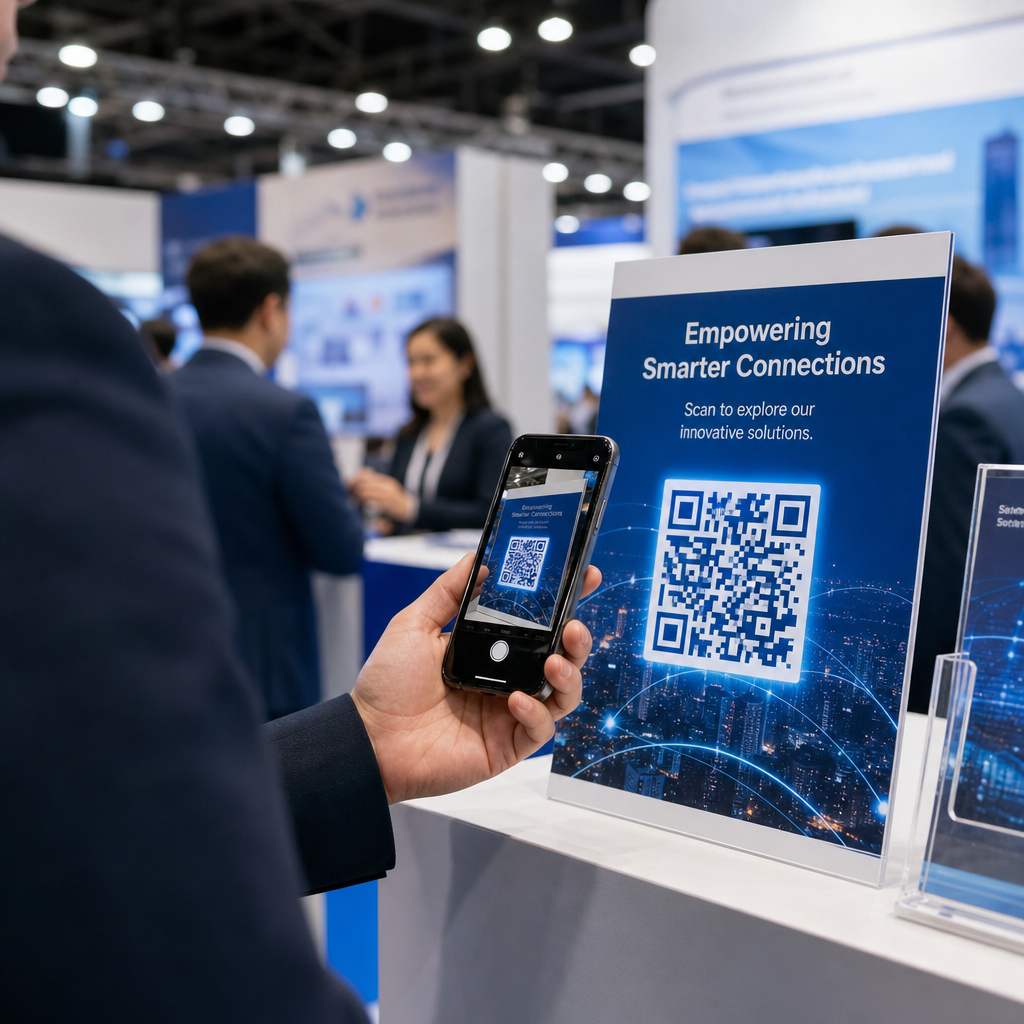
Czy opuszczasz halę targową ze stosem wizytówek i bez jasnego sposobu na kontynuację? Prawie 80% leadów z targów nigdy nie jest kontynuowanych, zamieniając drogie inwestycje w stoiska w stracone okazje. Ten przewodnik przedstawia praktyczne, sprawdzone sposoby wykorzystania kodów QR na Twoich kolejnych targach, aby pozyskać lepsze leady, zaangażować uczestników i przekształcić rozmowy na stoisku w rzeczywisty pipeline.
Dlaczego kody QR powinny znaleźć się na każdym stoisku targowym
Targi to środowiska o wysokim tarciu. Uczestnicy szybko się przemieszczają, Twój personel prowadzi wiele rozmów, a papierowe formularze gubią się lub są porzucane. Kody QR eliminują to tarcie, łącząc fizyczny moment – kogoś stojącego przy Twoim stoisku – z cyfrową akcją, która dzieje się natychmiast na jego telefonie.
Liczby potwierdzają tę zmianę. Około 99,5 miliona użytkowników smartfonów w USA zeskanowało kody QR w 2025 roku, co stanowi wzrost o 19% w porównaniu do 2022 roku. Uczestnicy już wiedzą, jak ich używać. Twoim zadaniem jest strategiczne ich rozmieszczenie, aby każde skanowanie służyło określonemu celowi.
Kody QR na targach mogą:
- Kierować odwiedzających do formularza pozyskiwania leadów bez konieczności interwencji personelu
- Udostępniać specyfikacje produktów, katalogi lub filmy demonstracyjne natychmiast
- Zastąpić papierowe wizytówki skanowalnym kontaktem cyfrowym
- Rejestrować uczestników na pokazy lub konsultacje po targach
- Śledzić, które punkty kontaktu na stoisku generują największe zaangażowanie
Kluczowe rozróżnienie, które należy zrozumieć przed rozpoczęciem, to dynamicznymi a statycznymi kodami QR. Statyczny kod QR osadza stały adres URL bezpośrednio w wzorze – po wydrukowaniu nie można go zmienić. Dynamiczny kod QR wykorzystuje krótki adres URL przekierowania, który można aktualizować w dowolnym momencie bez ponownego drukowania materiału fizycznego. Na targach, gdzie komunikacja na stoisku może zmieniać się między dniami wystawy lub gdzie zawsze możliwa jest zmiana strony docelowej w ostatniej chwili, kody dynamiczne są praktycznym wyborem.
Zacznij tworzyć swoje kody QR na targi Twórz dynamiczne kody QR, które możesz aktualizować na bieżąco, śledzić w czasie rzeczywistym i dostosowywać do brandingu swojego stoiska. Wypróbuj Generator kodów QR aby zacząć za darmo.
Jak używać kodów QR do pozyskiwania leadów na Twoim stoisku
Największym przypadkiem użycia kodów QR na targach z największym zwrotem z inwestycji jest pozyskiwanie leadów. Gdy leady z targów są kontynuowane w ciągu 7–10 dni, około 20–30% przekształca się w szanse sprzedażowe – ale to działa tylko wtedy, gdy faktycznie pozyskałeś leada z wystarczającym kontekstem, aby skutecznie go kontynuować.
Linkuj bezpośrednio do formularza pozyskiwania leadów
Umieść kod QR w widocznym miejscu na swoim stoisku, który linkuje do krótkiego, zoptymalizowanego pod kątem urządzeń mobilnych formularza. Ogranicz formularz do maksymalnie pięciu do siedmiu pól, ułożonych w naturalnym, konwersacyjnym ciągu – imię, firma, e-mail, główne zainteresowanie oraz jedno lub dwa pytania kwalifikujące. Odpowiedzi wielokrotnego wyboru działają lepiej niż otwarty tekst na ekranie telefonu.
A Kod QR formularza Google to szybki sposób na zbudowanie tego bez niestandardowego rozwoju. Stwórz swój formularz, skopiuj link do udostępniania, wygeneruj kod QR i jesteś online. Dla zespołów, które chcą, aby przechwycone dane trafiały bezpośrednio do systemu CRM, połączenie dynamicznego kodu QR z webhookiem lub narzędziem do automatyzacji może automatycznie przekierować każde zgłoszenie. Przewodnik na temat Automatyzacja przepływu pracy skanowania kodów QR opisuje krok po kroku, jak to skonfigurować.
Zastąp papierowe wizytówki cyfrowym udostępnianiem kontaktów
Rozdawanie papierowych wizytówek na targach to ryzyko – wiele z nich ląduje w kieszeni płaszcza i nigdy więcej nie jest widzianych. A vCard Kod QR pozwala potencjalnemu klientowi zeskanować Twój kod i zapisać Twoje dane kontaktowe bezpośrednio w książce adresowej jego telefonu w ciągu kilku sekund, bez ręcznego wprowadzania i błędów transkrypcji.
Dla bardziej kompletnego narzędzia networkingowego, a Wizytówka z kodem QR może zawierać Twoje imię, stanowisko, firmę, telefon, e-mail i stronę internetową. Możesz wyświetlić go na plakietce, tabliczce stołowej lub dedykowanej karcie, którą rozdajesz podczas rozmów. Skanowanie obsługuje transfer danych, a Ty możesz śledzić, ile osób faktycznie zapisało Twoje informacje. Aby uzyskać szerszy obraz tego, jak kody QR wspierają networking na wydarzeniach, przewodnik na temat przekształcania uścisków dłoni na wydarzeniach w leady przedstawia cały lejek od pierwszego skanu do wpisu w CRM.
Przekształć każdy uścisk dłoni w pozyskanego leada Wygeneruj kod QR vCard, który pozwoli uczestnikom natychmiast zapisać Twój kontakt. Użyj Generator kodów QR vCard aby stworzyć swój w kilka minut.
Udostępniaj materiały produktowe na żądanie
Drukowane broszury są drogie i często lądują w koszu. A Kod QR PDF pozwala Ci połączyć katalog produktów, arkusz specyfikacji lub studium przypadku bezpośrednio ze skanowalnym kodem. Uczestnicy otrzymują treść na swój telefon natychmiast, a Ty oszczędzasz na kosztach druku.
Ponieważ bazowy plik PDF jest hostowany dynamicznie, możesz aktualizować dokument między dniami wystawy – podmienić zmieniony cennik lub zaktualizowaną broszurę produktu – bez dotykania wydrukowanego kodu QR na swoim banerze.
Zwiększaj rejestrację na wydarzenie ze stoiska
Jeśli organizujesz webinar po targach, demo produktu lub konsultację uzupełniającą, Twoje stoisko to właściwe miejsce do zbierania rejestracji. QR na wydarzenie łączący bezpośrednio z Twoją stroną docelową rejestracji pozwala personelowi skierować zainteresowanych odwiedzających do skanowania, zamiast ręcznego zbierania adresów e-mail w trakcie rozmowy.
Aby dowiedzieć się więcej o integracji kodów QR z Twoim procesem rejestracji na wydarzenia, przewodnik na temat tworzenia dynamicznych kodów QR do odpraw CRM omawia, jak wstępnie wypełnić pola CRM ze skanu, aby dalsze działania były spersonalizowane od pierwszego kontaktu.
Kwalifikowanie potencjalnych klientów na targach, a nie tylko ich pozyskiwanie.
Pozyskanie imienia i adresu e-mail to punkt wyjścia, a nie gotowy lead. Zespoły sprzedaży potrzebują kontekstu – jakim produktem był zainteresowany potencjalny klient, jak pilna jest ich potrzeba i na jakim etapie cyklu zakupowego się znajdują – aby skutecznie kontynuować działania.
Kilka praktyk, które poprawiają jakość leadów w momencie pozyskania:
- Zdefiniuj swoje pytania kwalifikacyjne z wyprzedzeniem i dopasuj je do profilu Twojego idealnego klienta. Zdecyduj, które pola są wymagane dla sprzedaży i wbuduj je w swój formularz, zanim targi się rozpoczną.
- Użyj prostego systemu ocen (A, B, C lub wysokie, średnie, niskie zainteresowanie), aby personel stoiska mógł oznaczyć pilność każdego leada w momencie rozmowy. Dodaj to jako rozwijaną listę w swoim formularzu lub zapisz w polu notatek.
- Dodaj pole notatek do formularza leada, gdzie personel może zapisać szczegóły rozmowy – wyzwanie, o którym wspomniał potencjalny klient, produkt, o który pytali, lub podany przez nich harmonogram. Ten kontekst sprawia, że dalsze działania są osobiste, a nie ogólne.
- Ćwicz przed targami. Przećwicz proces pozyskiwania leadów z personelem stoiska w formie odgrywania ról, aby przepływ pracy był naturalny, a wprowadzanie danych nie przerywało rozmowy.
Zdefiniowanie tej struktury z wyprzedzeniem, zamiast próbować ją uporządkować podczas targów, to, co oddziela listę nazwisk od kwalifikowanego lejka sprzedażowego.
Umieszczanie kodów QR na całym stoisku dla maksymalnego zasięgu.
Pojedynczy kod QR w jednym rogu Twojego stoiska pomija większość Twojego ruchu. Rozmieść kody w wielu punktach styku, aby uczestnicy napotykali je naturalnie w różnych momentach swojej wizyty.
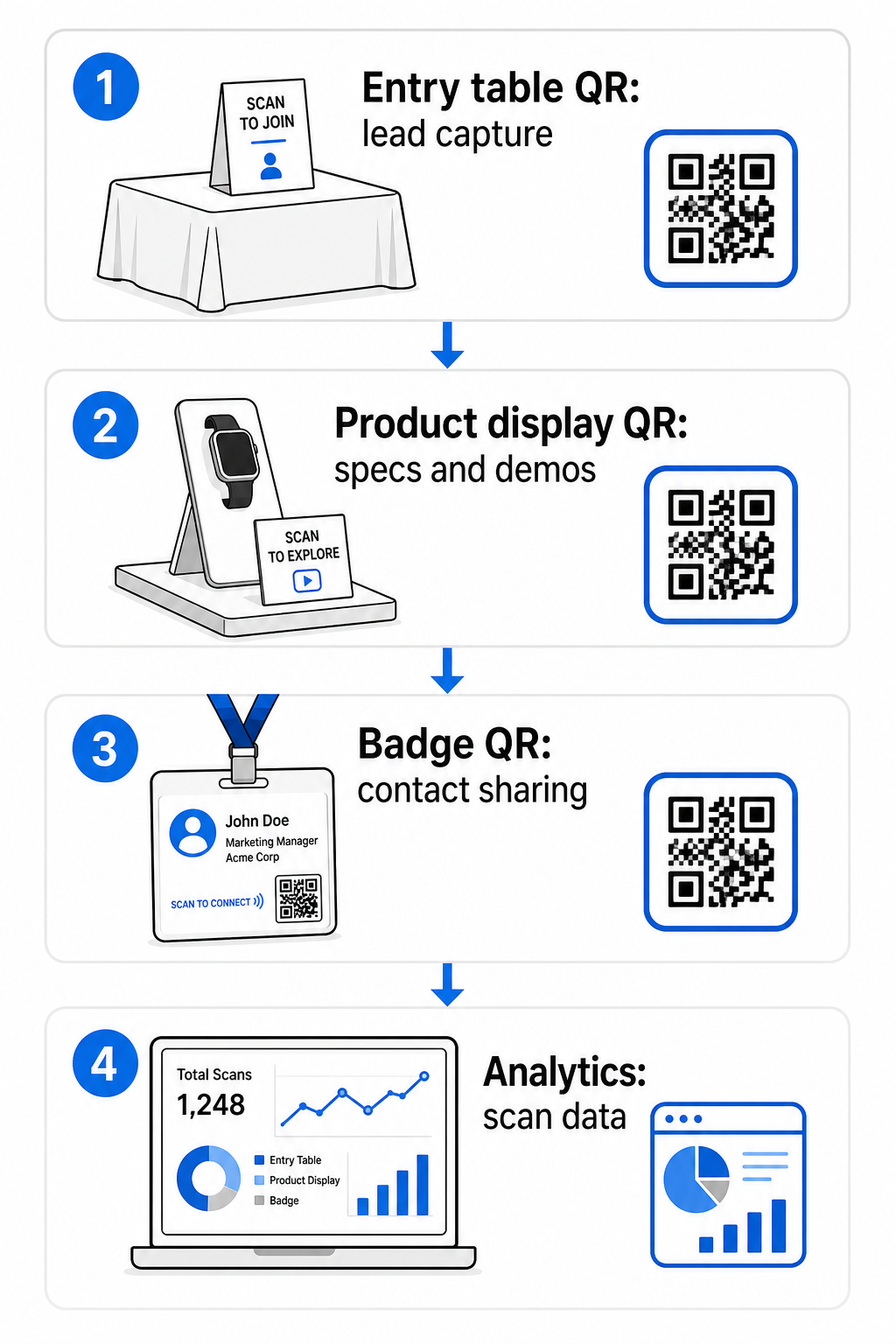
Skuteczne miejsca umieszczenia to:
- Stół recepcyjny lub wejściowy: formularz pozyskiwania leadów lub kod wizytówki jako pierwsza interakcja
- Ekspozycje produktów: linki do kart specyfikacji, filmów demonstracyjnych lub studiów przypadku związanych z każdym produktem
- Oznakowanie stołu: kod QR prowadzący do Twojego portfolio, strony kontaktowej lub specjalnej oferty targowej
- Materiały informacyjne i upominki: kod na dowolnym materiale drukowanym, który przenosi uczestnika z powrotem do Twojej cyfrowej obecności po targach
- Identyfikator lub plakietka z nazwiskiem: osobisty kod vCard do indywidualnych rozmów networkingowych
Dla każdego umiejscowienia postępuj zgodnie z zasadą 10:1 rozmiaru do odległości skanowania: szerokość kodu powinna wynosić około jednej dziesiątej oczekiwanej odległości skanowania. Kod na tabliczce stołowej oglądany z odległości dwóch stóp musi mieć co najmniej 2–3 cale szerokości. Baner oglądany z sześciu stóp potrzebuje proporcjonalnie większego kodu. Drukuj w rozdzielczości 300 DPI lub wyższej, używając formatów wektorowych (SVG, EPS lub PDF), aby wzór był ostry.
Dodatkowe wytyczne dotyczące umieszczania, które wpływają na niezawodność skanowania w ruchliwym środowisku targowym:
- Umieść kody na wysokości wzroku lub nieco poniżej, w miejscach, gdzie uczestnicy naturalnie się zatrzymują
- Użyj płaskich, matowych, nieodblaskowych powierzchniach aby uniknąć odblasków od oświetlenia stoiska
- Zachowaj strefy ciszy – wyraźny margines o szerokości co najmniej czterech modułów – wokół każdego kodu, aby skanery mogły go odróżnić od otaczającej grafiki
- Dodaj krótkie wezwanie do działania obok każdego kodu (“Skanuj, aby pobrać nasz przewodnik po produktach” lub “Skanuj, aby wziąć udział w naszym konkursie”), aby uczestnicy wiedzieli dokładnie, co otrzymują, zanim zeskanują
Aby uzyskać więcej szczegółów na temat standardów druku i projektowania, przewodnik na temat najlepszymi praktykami w zakresie czytelności kodów QR omawia współczynniki kontrastu, wymagania dotyczące rozdzielczości i w pełni uwzględnia kwestie powierzchni.
Śledzenie wydajności stoiska za pomocą analityki kodów QR
Jedną z najbardziej niedocenianych zalet dynamicznych kodów QR na targach są dane dotyczące wydajności, które generują. Każde skanowanie tworzy punkt danych: kiedy to się stało, na jakim urządzeniu, z jakiej lokalizacji geograficznej. Podczas wielodniowych targów te dane mówią Ci, które punkty styku na stoisku działają, a które nie.
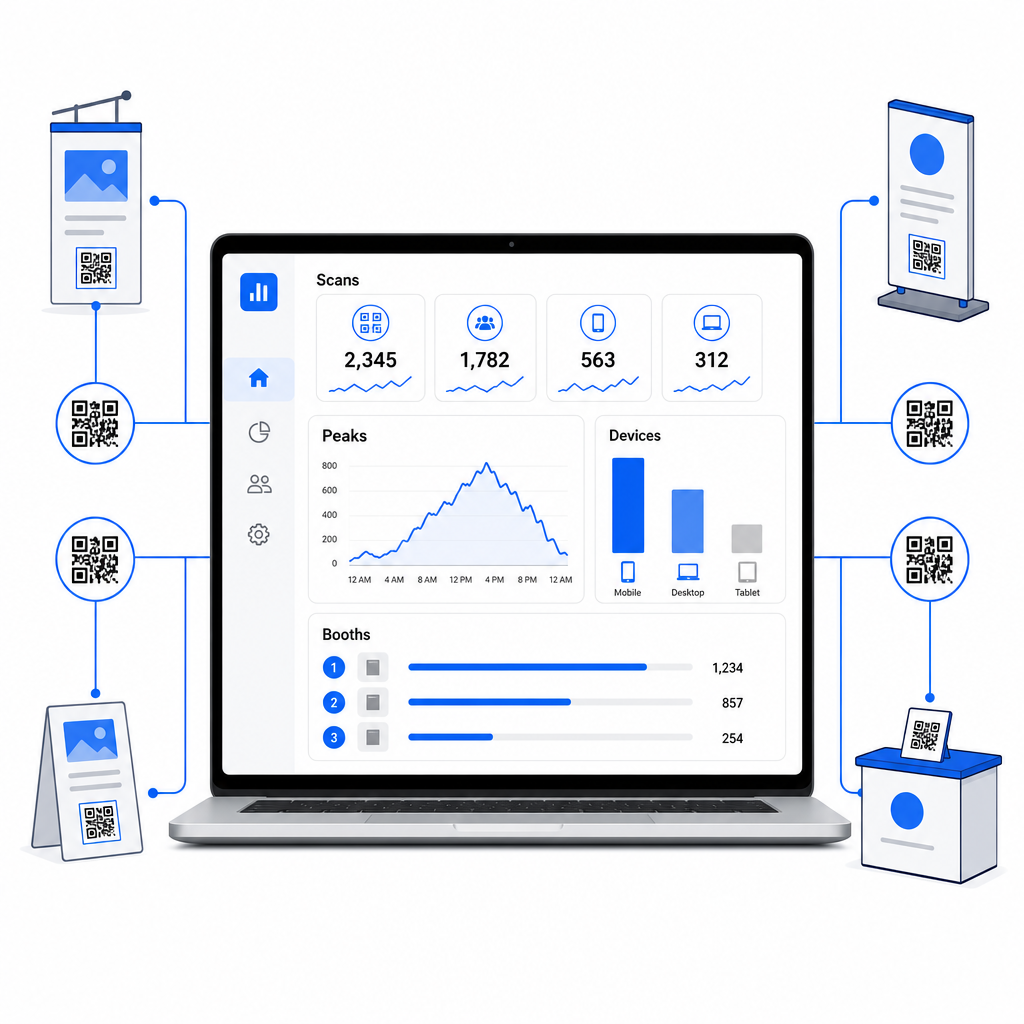
Dzięki panelowi analitycznemu Pageloot możesz monitorować:
- Liczba skanów według kodu: które materiały lub ekspozycje generują największe zainteresowanie
- Czas skanowania: kiedy w ciągu dnia targowego uczestnicy są najbardziej zaangażowani
- Typy urządzeń: czy Twoje mobilne strony docelowe są zoptymalizowane dla właściwej publiczności
- Dane geograficzne: przydatne dla kampanii wielomiejscowych lub wielotargowych
To jest różnica między wiedzą, że miałeś 300 odwiedzających stoisko, a wiedzą, że 220 z nich zeskanowało kod demonstracyjny Twojego produktu, 80 zeskanowało Twoją wizytówkę, a ruch osiągnął szczyt w pierwszych dwóch godzinach każdego dnia targów. Ten poziom wglądu bezpośrednio poprawia sposób alokacji personelu i priorytetyzacji działań następczych. Aby uzyskać głębszy wgląd w to, co te narzędzia ujawniają i jak działać na podstawie danych, przewodnik na temat Narzędzia kodów QR do śledzenia wydarzeń obejmuje kluczowe wskaźniki warte obserwowania.
Zobacz, Które Punkty Styku na Stoisku Faktycznie Działają Śledź skany według lokalizacji, czasu i urządzenia we wszystkich swoich kodach QR na targach. Użyj Generator kodów QR do linków aby tworzyć śledzalne kody z wbudowaną analityką.
Działania Następcze Zanim Leady Wystygną
47% uczestników targów jest bardziej skłonnych do zakupu od wystawców, których spotkali na targach, a 51% prosi o wizytę kontrolną od przedstawiciela handlowego. Szansa jest realna – ale jest wrażliwa na czas.
Rozpocznij działania następcze w ciągu 24–48 godzin, gdy wydarzenie jest jeszcze świeże. Prosty e-mail z potwierdzeniem lub wiadomość z podziękowaniem utrzymuje Twoją firmę w świadomości uczestnika, zanim przejdzie on do kolejnych targów w swoim kalendarzu.
Następnie segmentuj swoje leady według poziomu zainteresowania oraz według konkretnego produktu lub rozwiązania. Notatki zebrane przez personel Twojego stoiska podczas rozmów stają się surowcem do spersonalizowanych działań – odwołując się do konkretnego wyzwania, o którym wspomniał potencjalny klient, produktu, o który pytał, lub kolejnego kroku, który rozważał.
Skuteczne działania następcze po targach zazwyczaj obejmują:
- A spersonalizowany wstępny e-mail w ciągu 48 godzin, odwołujący się do targów i rozmowy
- A konkretne wezwanie do działania – zaplanowanie demo, dołączenie do webinaru, przejrzenie odpowiedniego zasobu – zamiast ogólnego “pozostańmy w kontakcie”
- Przypisana odpowiedzialność za każdego leada, aby obiecujący potencjalni klienci nie przepadli między zespołami
- A sekwencja działań następczych dla ciepłych i zimnych leadów, która kontynuuje zaangażowanie przez dwa do czterech tygodni
Jeśli pozyskałeś leady za pomocą formularza połączonego z kodem QR i zintegrowanego z Twoim CRM, wiele z tej sekwencji można zautomatyzować od momentu przesłania formularza. Przewodnik na temat Automatyzacja przepływu pracy skanowania kodów QR wyjaśnia, jak to skonfigurować od początku do końca.
Kody QR po targach również odgrywają tutaj rolę. Kod QR w Twoim e-mailu z działaniami następczymi lub na materiałach po wydarzeniu może prowadzić do formularza opinii, specjalnej oferty lub strony rezerwacji – rozszerzając cyfrowe zaangażowanie poza halę targową.
Branding Kodów QR na Targach
Zwykły czarno-biały kod QR wtapia się w tło ruchliwego stoiska. Markowy kod – wykorzystujący kolory Twojej firmy, zawierający Twoje logo i stylizowany tak, aby pasował do estetyki Twojego stoiska – przyciąga uwagę i sygnalizuje profesjonalizm. Markowe kody QR z logo mogą zwiększyć wskaźniki skanowania o 30% do 70% w porównaniu do ogólnych.
Aby zachować niezawodność skanowania podczas dodawania elementów wizualnych:
- Zachowaj małe wbudowane logo i umieść je z dala od trzech wzorców wyszukiwania w rogach kodu
- Użyj wysoka korekcja błędów (Poziom H, do 30%) aby kod pozostał skanowalny nawet z nakładką logo
- Zachowaj minimalny współczynnik kontrastu 4:1 między kolorami pierwszego planu a tła kodu – ciemne moduły na jasnym tle to najbardziej niezawodna kombinacja
- Przetestuj gotowy kod na wielu urządzeniach i aplikacjach skanujących, w rzeczywistych warunkach oświetleniowych Twojego stoiska, zanim targi się otworzą
Aby uzyskać więcej wskazówek projektowych, przykłady markowych kodów QR artykuł pokazuje, jak zintegrować kody QR z Twoją identyfikacją wizualną bez poświęcania skanowalności. Możesz również przeglądać rozwiązaniami kodów QR według branży aby zobaczyć, jak inne sektory podchodzą do zastosowań na stoiskach i wydarzeniach.
Twoja Lista Kontrolna Kodów QR na Targi
Zanim targi się otworzą, wykonaj te kroki, aby upewnić się, że Twoja konfiguracja kodów QR jest solidna:
| Zadanie | Szczegóły |
|---|---|
| Zdefiniuj cele pozyskiwania leadów | Zdecyduj, jakie dane potrzebujesz i odpowiednio zbuduj pola formularza |
| Twórz dynamiczne kody QR | Używaj dynamicznych kodów, aby miejsca docelowe mogły być aktualizowane bez ponownego drukowania |
| Skonfiguruj strony docelowe | Upewnij się, że każde miejsce docelowe jest zoptymalizowane pod kątem urządzeń mobilnych i szybko się ładuje |
| Oznacz swoje kody marką | Dodaj logo, kolory i ramkę z wezwaniem do działania do każdego kodu |
| Umieść kody strategicznie | Stół wejściowy, ekspozycje produktów, materiały informacyjne, oznakowanie i identyfikatory |
| Poprawnie rozmiaruj kody | Zastosuj proporcje 10:1; minimum 2–3 cale dla oznakowania stoiska |
| Testuj przed targami | Skanuj na wielu urządzeniach, w rzeczywistych warunkach oświetleniowych stoiska |
| Poinformuj swój zespół | Przeprowadź personel przez proces pozyskiwania leadów i kwalifikacji |
| Monitoruj analitykę podczas targów | Sprawdzaj dane skanowania każdego dnia i dostosowuj umiejscowienie lub komunikaty w razie potrzeby |
| Rozpocznij działania następcze w ciągu 48 godzin | Wysyłaj spersonalizowane wiadomości, gdy rozmowy są jeszcze świeże |
Najczęściej zadawane pytania
Dynamiczne kody QR są lepszym wyborem na targi. Pozwalają one aktualizować docelowy adres URL bez ponownego drukowania jakichkolwiek materiałów, co jest przydatne, jeśli strona docelowa zmieni się między dniami targów lub jeśli chcesz zamienić treść po wydarzeniu. Dynamiczne kody zapewniają również analitykę skanowania – liczbę skanów, czasy, lokalizacje i typy urządzeń – czego kody statyczne nie potrafią. Możesz tworzyć dynamiczne kody za pomocą Generatora Kodów QR.
Trzy czynniki wpływają na wskaźniki skanowania na targach: umiejscowienie, projekt i kontekst. Umieść kody na wysokości wzroku w miejscach, gdzie uczestnicy naturalnie się zatrzymują. Używaj markowych, wysokokontrastowych kodów, które wyróżniają się wizualnie. I zawsze dołączaj krótkie wezwanie do działania obok kodu – “Zeskanuj, aby pobrać naszą specyfikację” lub “Zeskanuj, aby wziąć udział w naszym konkursie” – aby uczestnicy wiedzieli dokładnie, co otrzymają, zanim zeskanują. Jasna wymiana wartości jest najbardziej niezawodnym sposobem na zwiększenie zaangażowania.
Zacznij od pozyskiwania leadów za pośrednictwem formularza połączonego z kodem QR, który wprowadza dane bezpośrednio do Twojego CRM, w tym wszelkie notatki, które Twój personel zapisał podczas rozmowy. To daje Twojemu zespołowi sprzedaży kontekst, którego potrzebują do spersonalizowanego kontaktu. Po wydarzeniu, umieść kody QR w e-mailach uzupełniających prowadzących do strony rezerwacji, rejestracji na demo lub odpowiedniego zasobu. Aby zautomatyzować przekazanie od skanu do wpisu w CRM, przewodnik po automatyzacji przepływu pracy skanowania kodów QR szczegółowo omawia konfigurację techniczną krok po kroku.
Luka między ruchliwym stoiskiem a mierzalnymi przychodami sprowadza się do tego, jak systematycznie rejestrujesz, kwalifikujesz i kontynuujesz każdą rozmowę. Kody QR dają Ci lekkie, skalowalne narzędzie do wykonania wszystkich trzech – bez dodawania złożoności do przepływu pracy Twojego zespołu na hali targowej. Skonfiguruj swoje dynamiczne kody przed następnymi targami, śledź, co działa, i pozwól danym kierować Twoją strategią follow-up.
Zbuduj swoją kompletną konfigurację kodów QR na targi Twórz, branduj i zarządzaj wszystkimi swoimi kodami QR na targi z jednego pulpitu nawigacyjnego – z dołączonymi analizami. Rozpocznij z Generator kodów QR już dziś.