Úgy távozik a kiállításról, hogy egy halom névjegykártyája van, de nincs egyértelmű módja a nyomon követésnek? A kiállítási érdeklődők közel 80%-át soha nem követik nyomon, így a drága standberuházások elszalasztott lehetőségekké válnak. Ez az útmutató gyakorlati, bevált módszereket mutat be a QR-kódok használatára a következő kiállításon, hogy jobb érdeklődőket szerezzen, bevonja a látogatókat, és a standbeszélgetéseket tényleges üzleti lehetőségekké alakítsa.
Miért van helye a QR-kódoknak minden kiállítási standon?
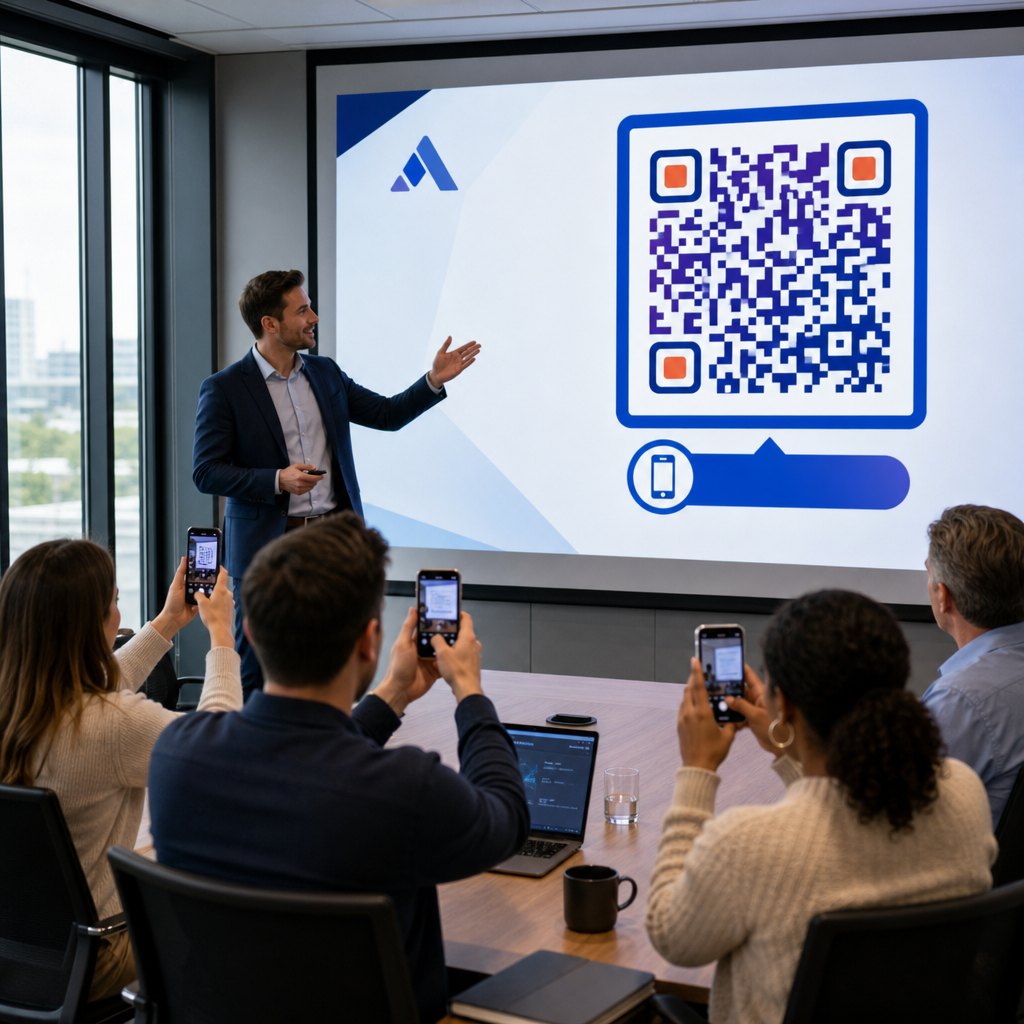
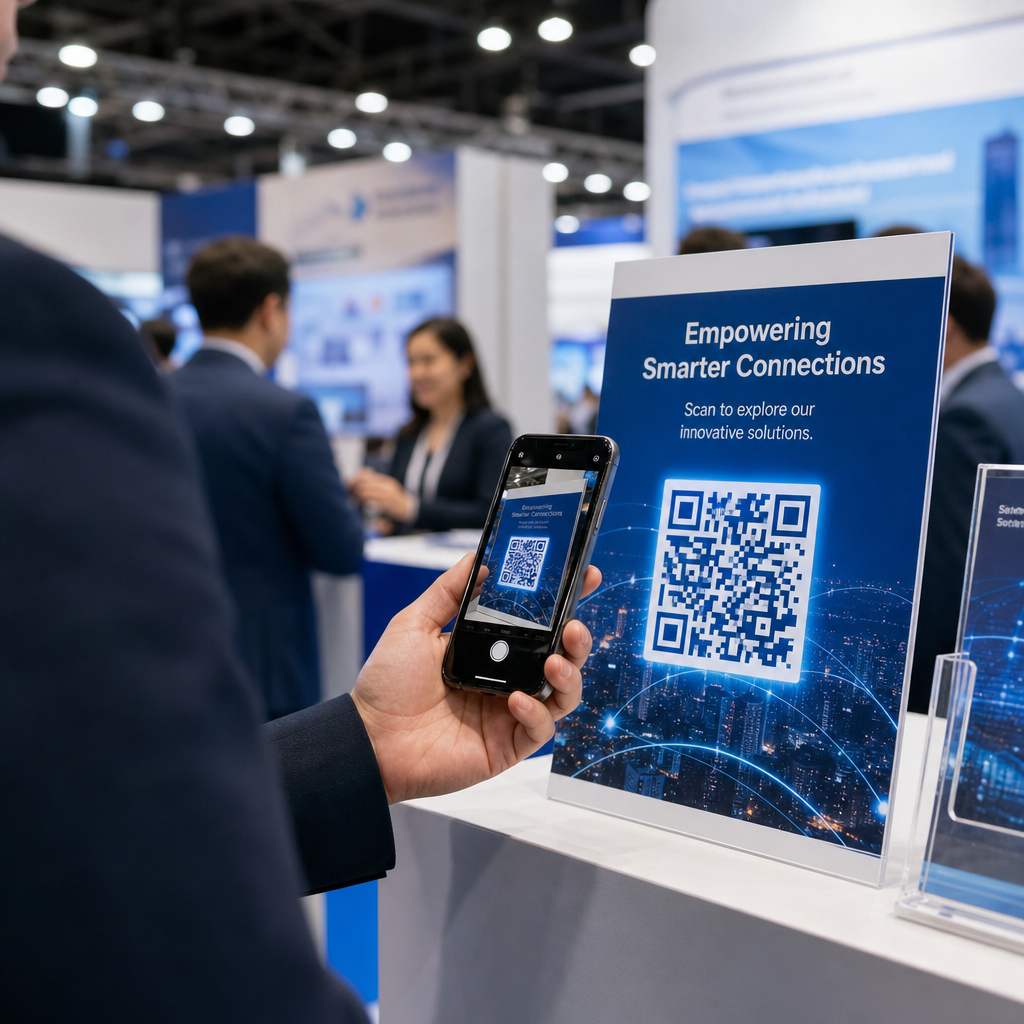
A kiállítások nagy súrlódású környezetek. A látogatók gyorsan mozognak, a személyzet több beszélgetést is kezel egyszerre, a papír alapú űrlapok pedig elvesznek vagy elhagyatottá válnak. A QR-kódok megszüntetik ezt a súrlódást azáltal, hogy egy fizikai pillanatot – valaki a standjánál áll – egy digitális művelettel kapcsolnak össze, amely azonnal megtörténik a telefonján.
A számok alátámasztják ezt a változást. Körülbelül 99,5 millió amerikai okostelefon-felhasználó szkennelt QR-kódot 2025-ben, ami 19%-os növekedés 2022-hez képest. A látogatók már tudják, hogyan kell használni őket. Az Ön feladata, hogy stratégiailag telepítse őket, hogy minden szkennelés célt szolgáljon.
A kiállításokon a QR-kódok a következőkre használhatók:
- Látogatókat irányítani egy érdeklődőgyűjtő űrlapra, anélkül, hogy személyzeti beavatkozásra lenne szükség
- Azonnal megosztani termékspecifikációkat, katalógusokat vagy demóvideókat
- Papír alapú névjegykártyákat lecserélni egy szkennelhető digitális kapcsolattartóra
- Regisztrálni a látogatókat kiállítás utáni demókra vagy konzultációkra
- Nyomon követni, mely stand érintkezési pontok generálják a legnagyobb elkötelezettséget
A legfontosabb különbség, amit meg kell érteni, mielőtt elkezdi, a következő: dinamikus és statikus QR-kódok között. A statikus QR-kód egy rögzített URL-t ágyaz be közvetlenül a mintába – kinyomtatás után nem módosítható. A dinamikus QR-kód egy rövid átirányító URL-t használ, amelyet bármikor frissíthet anélkül, hogy újra kellene nyomtatnia a fizikai anyagot. Egy kiállítás esetében, ahol a stand üzenete változhat a kiállítási napok között, vagy ahol egy utolsó pillanatban történő céloldal-változtatás mindig lehetséges, a dinamikus kódok a praktikus választás.
Kezdje el építeni kiállítási QR-kódjait Hozzon létre dinamikus QR-kódokat, amelyeket menet közben frissíthet, valós időben nyomon követhet, és testre szabhatja standja márkájához. Próbálja ki a QR Kód Generátor ingyenesen az induláshoz.
Hogyan használjuk a QR-kódokat érdeklődők gyűjtésére a standjánál
A vásári QR-kódok legnagyobb megtérülést biztosító felhasználási esete az érdeklődők gyűjtése. Ha a vásári érdeklődőket 7-10 napon belül felkeresik, körülbelül 20-30% értékesítési lehetőséggé alakul – de ez csak akkor működik, ha elegendő kontextussal rögzítette az érdeklődőt a hatékony nyomon követéshez.
Közvetlenül linkeljen egy érdeklődőgyűjtő űrlapra
Helyezzen el egy QR-kódot jól láthatóan a standjánál, amely egy rövid, mobilra optimalizált űrlapra mutat. Az űrlap legfeljebb öt-hét mezőt tartalmazzon, természetes beszélgetési sorrendben – név, cég, e-mail, fő érdeklődési kör, és egy-két minősítő kérdés. A feleletválasztós válaszok jobban működnek, mint a szabad szöveg egy telefon képernyőjén.
A Google Form QR-kód gyors módja ennek elkészítésére egyedi fejlesztés nélkül. Hozza létre az űrlapot, másolja ki a megosztási linket, generálja a QR-kódot, és máris élesben van. Azoknak a csapatoknak, amelyek a rögzített adatokat közvetlenül egy CRM-be szeretnék juttatni, egy dinamikus QR-kód párosítása egy webhookkal vagy automatizálási eszközzel automatikusan továbbíthatja az egyes beküldéseket. Az útmutató a QR-kód szkennelési munkafolyamat automatizálása lépésről lépésre bemutatja a megközelítést ennek beállításához.
Cserélje le a papír névjegykártyákat digitális kapcsolattartás megosztására
Papírkártyák osztogatása egy vásáron kockázatos – sokan egy kabátzsebben végzik, és soha többé nem látják őket. Egy vCard QR-kód lehetővé teszi egy érdeklődőnek, hogy beolvassa a kódját, és másodpercek alatt elmentse az elérhetőségeit közvetlenül a telefonja címjegyzékébe, kézi bevitel és átírási hibák nélkül.
Egy teljesebb hálózati eszközhöz, egy QR-kód névjegykártya tartalmazhatja nevét, beosztását, cégét, telefonszámát, e-mail címét és weboldalát. Megjelenítheti jelvényen, asztali táblán vagy egy külön kártyán, amelyet beszélgetések során ad át. A beolvasás kezeli az adatátvitelt, és nyomon követheti, hányan mentették el ténylegesen az adatait. A QR-kódok rendezvényhálózat támogatásának szélesebb körű áttekintéséhez az útmutató a rendezvényen történő kézfogások leadekké alakítása végigvezeti a teljes tölcséren az első beolvasástól a CRM-be való bejegyzésig.
Alakítson minden kézfogást rögzített érdeklődővé Generáljon egy vCard QR-kódot, amely lehetővé teszi a résztvevőknek, hogy azonnal elmentsék az elérhetőségét. Használja a vCard QR kód generátor hogy percek alatt elkészítse a sajátját.
Termékanyagok megosztása igény szerint
A nyomtatott brosúrák drágák és gyakran a kukában végzik. Egy PDF QR-kód lehetővé teszi, hogy termékkatalógust, műszaki adatlapot vagy esettanulmányt közvetlenül egy szkennelhető kódhoz linkeljen. A résztvevők azonnal megkapják a tartalmat a telefonjukra, Ön pedig spórol a nyomtatási költségeken.
Mivel az alapul szolgáló PDF dinamikusan van tárolva, frissítheti a dokumentumot a kiállítási napok között – kicserélhet egy felülvizsgált árlistát vagy frissített termékbrosúrát – anélkül, hogy hozzányúlna a bannerén lévő nyomtatott QR-kódhoz.
Rendezvényregisztráció ösztönzése a standról
Ha kiállítás utáni webináriumot, termékbemutatót vagy utólagos konzultációt rendez, a standja a megfelelő hely a regisztrációk gyűjtésére. Egy esemény QR-kód amely közvetlenül a regisztrációs céloldalára mutat, lehetővé teszi a személyzetnek, hogy az érdeklődő látogatókat szkennelésre irányítsa, ahelyett, hogy manuálisan gyűjtenék az e-mail címeket a beszélgetés közepén.
További információkért arról, hogy hogyan integrálhatja a QR-kódokat a rendezvényregisztrációs munkafolyamatába, az útmutató a dinamikus QR-kódok építéséről CRM bejelentkezésekhez bemutatja, hogyan tölthetők elő a CRM mezők egy szkennelésből, így az utókövetés személyre szabott lesz az első érintkezéstől kezdve.
Érdeklődők minősítése a kiállításon, nem csak a rögzítésük
Egy név és e-mail cím rögzítése kiindulópont, nem kész lead. Az értékesítési csapatoknak kontextusra van szükségük – milyen termék érdekelte a potenciális ügyfelet, mennyire sürgős az igénye, és hol tart a vásárlási ciklusban – az hatékony utókövetéshez.
Néhány gyakorlat, amely javítja a lead minőségét a rögzítés pillanatában:
- Határozza meg előre a minősítési kérdéseit és illessze őket ideális ügyfélprofiljához. Döntse el, mely mezők szükségesek az értékesítéshez, és építse be őket az űrlapjába, mielőtt a kiállítás megnyit.
- Használjon egy egyszerű értékelési rendszert (A, B, C vagy magas, közepes, alacsony érdeklődés), így a stand személyzete megjelölheti az egyes leadek sürgősségét a beszélgetés idején. Adja hozzá ezt legördülő menüként az űrlapjához, vagy rögzítse egy jegyzetmezőben.
- Adjon hozzá egy jegyzetmezőt az érdeklődő-gyűjtő űrlapra, ahol a személyzet rögzítheti a beszélgetés részleteit – a kihívást, amit a potenciális ügyfél említett, a terméket, amiről érdeklődött, vagy az általa megadott időkeretet. Ez a kontextus teszi személyessé a nyomon követést, nem pedig általánossá.
- Gyakoroljon a kiállítás előtt. Gyakorolja be az érdeklődő-gyűjtési folyamatot a stand személyzetével szerepjáték keretében, hogy a munkafolyamat természetes legyen, és az adatbevitel ne szakítsa meg a beszélgetést.
Ennek a struktúrának az előzetes meghatározása, ahelyett, hogy a kiállítás alatt próbálnánk rendszerezni, az különbözteti meg a névlistát egy minősített értékesítési csatornától.
QR-kódok elhelyezése a standján a maximális elérés érdekében
Egyetlen QR-kód a stand egyik sarkában elszalasztja a látogatók többségét. Helyezzen el kódokat több érintkezési ponton, hogy a látogatók természetesen találkozzanak velük látogatásuk különböző szakaszaiban.
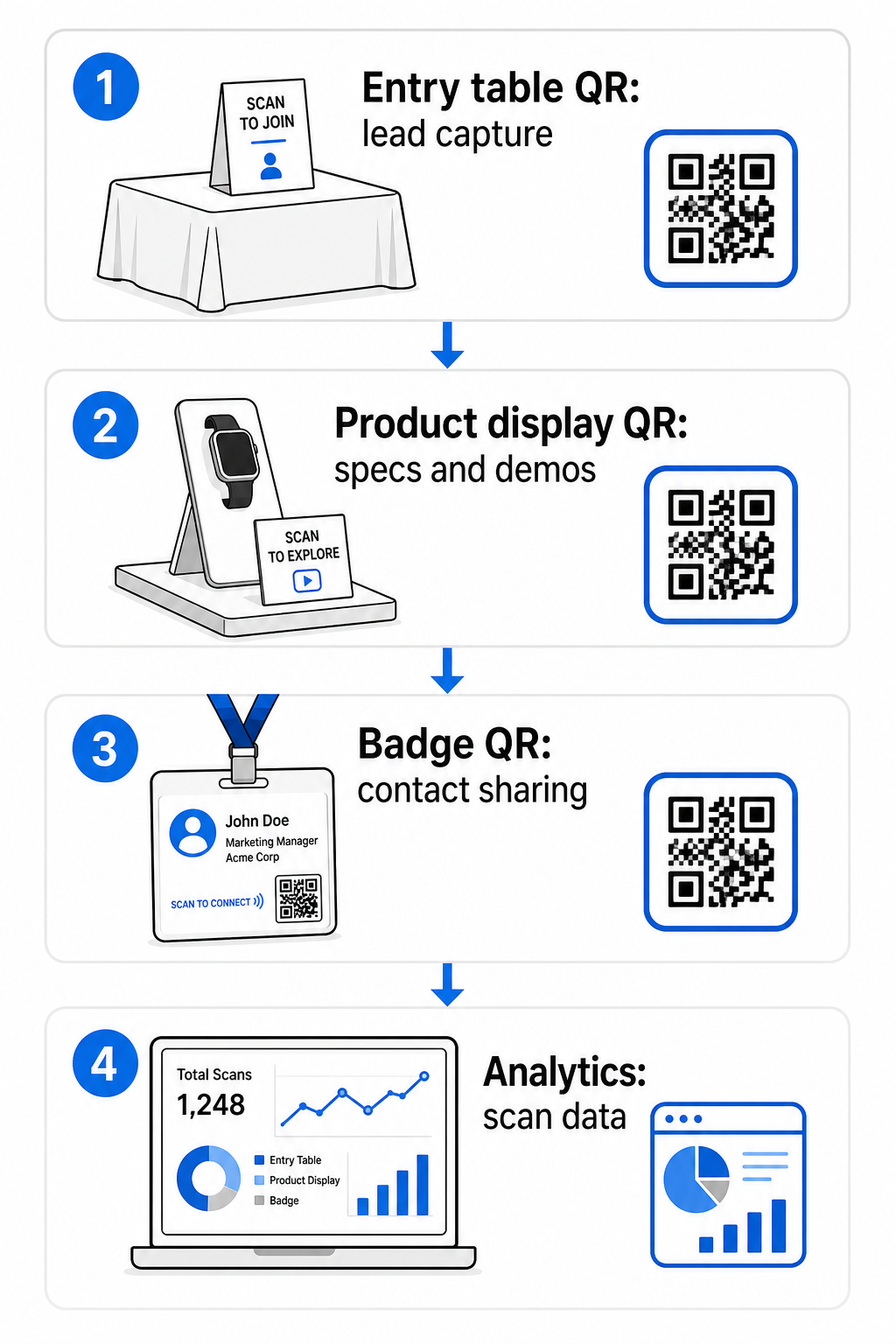
Hatékony elhelyezési helyek a következők:
- Recepciós vagy belépő asztal: egy érdeklődő-gyűjtő űrlap vagy névjegykártya kód, mint első interakció
- Termékbemutatók: linkek műszaki adatlapokhoz, demó videókhoz vagy az egyes termékekhez kapcsolódó esettanulmányokhoz
- Asztali táblák: egy QR-kód, amely a portfóliójára, kapcsolati oldalára vagy egy különleges kiállítási ajánlatra mutat
- Szórólapok és ajándékok: egy kód bármilyen nyomtatott anyagon, amely a kiállítás után visszavezeti a látogatót az Ön digitális jelenlétéhez
- Jelvény vagy névtábla: egy személyes vCard kód négyszemközti hálózati beszélgetésekhez
Minden elhelyezésnél kövesse a 10:1 méret-olvasási távolság szabályt: a kód szélessége az elvárt olvasási távolság körülbelül egytizede legyen. Egy asztali táblán lévő kódnak, amelyet két láb távolságból néznek, legalább 2-3 hüvelyk szélesnek kell lennie. Egy hat láb távolságból nézett bannernek arányosan nagyobb kódra van szüksége. Nyomtasson 300 DPI vagy nagyobb felbontásban vektoros formátumok (SVG, EPS vagy PDF) használatával, hogy a minta éles maradjon.
További elhelyezési irányelvek, amelyek befolyásolják az olvasás megbízhatóságát egy forgalmas kiállítási környezetben:
- Helyezze el a kódokat szemmagasságban vagy kissé alatta, ,
- Használat olyan helyeken, ahol a látogatók természetesen megállnak sík, matt, nem tükröződő felületeken
- Tartson fenn egy csendes zónára – egy legalább négy modul széles, tiszta margó – minden kód körül, hogy a szkennerek meg tudják különböztetni a környező grafikáktól
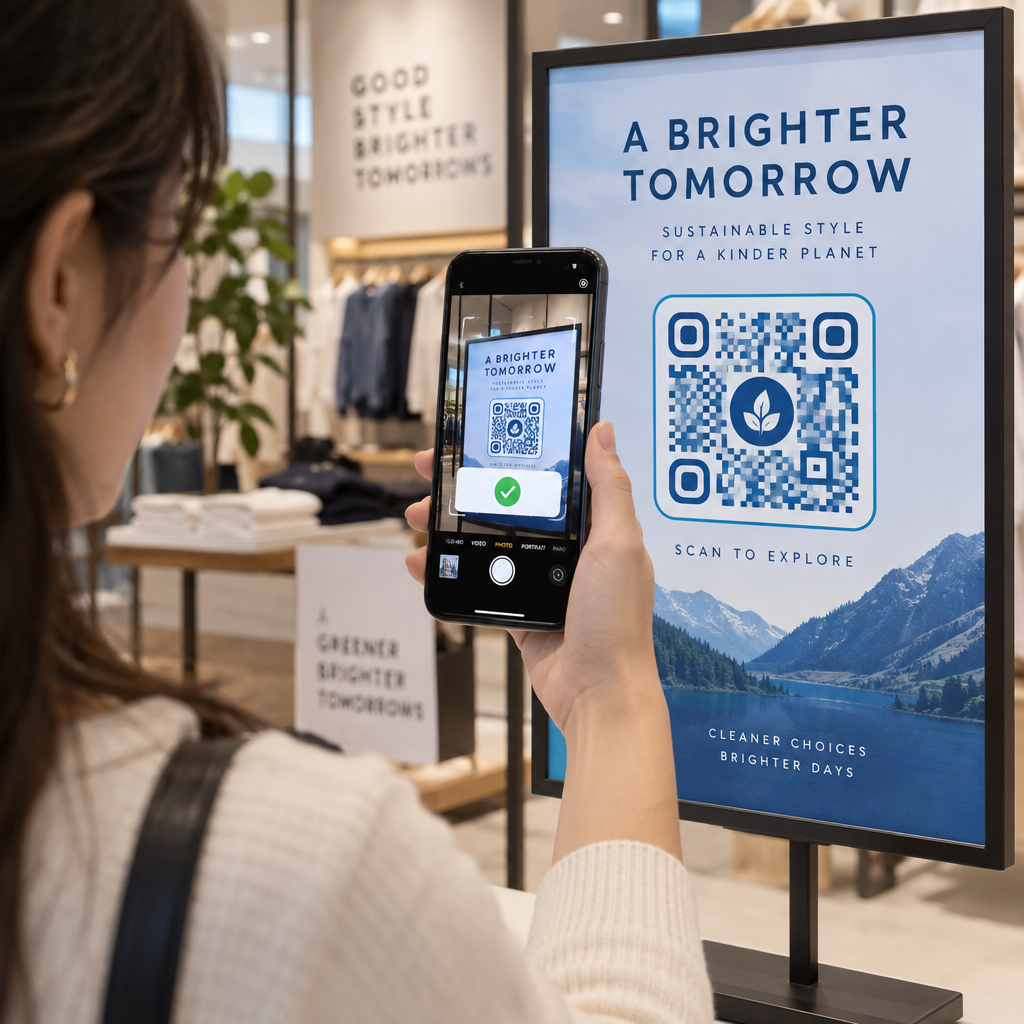
- Add hozzá a rövid felhívás cselekvésre minden kód mellett (“Szkennelje be termékismertetőnk letöltéséhez” vagy “Szkennelje be, hogy részt vegyen nyereményjátékunkon”), hogy a résztvevők pontosan tudják, mit kapnak, mielőtt szkennelnek
A nyomtatási és tervezési szabványokkal kapcsolatos további részletekért az útmutató a QR-kód olvashatóságára vonatkozó legjobb gyakorlatokat teljes egészében kitér a kontrasztarányokra, a felbontási követelményekre és a felületi szempontokra.
Stand teljesítményének nyomon követése QR-kód analitikával
A dinamikus QR-kódok egyik legkevésbé kihasznált előnye a vásárokon az általuk generált teljesítményadat. Minden szkennelés adatpontot hoz létre: mikor történt, milyen eszközön, melyik földrajzi helyről. Egy többnapos kiállítás során ezek az adatok megmondják, mely stand érintkezési pontok működnek és melyek nem.
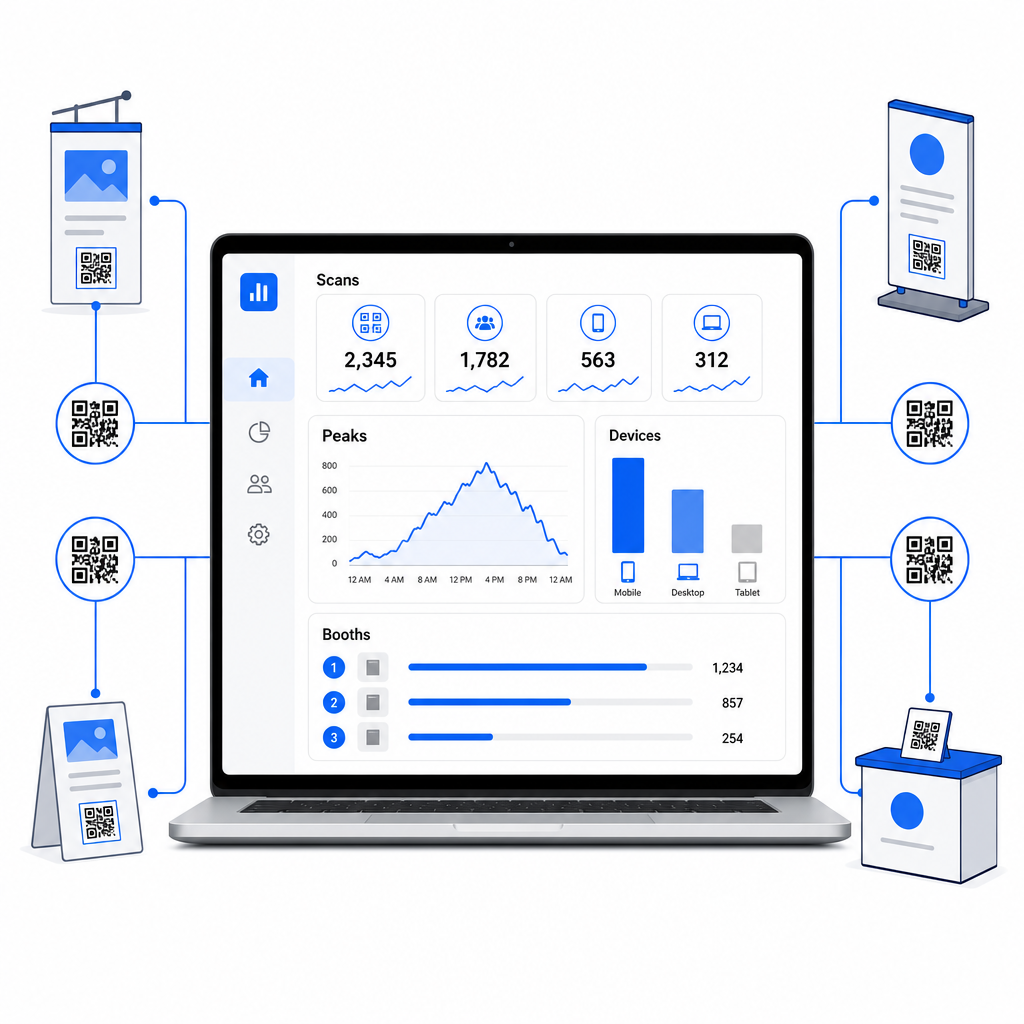
A Pageloot analitikai műszerfalával nyomon követheti:
- Szkennelések száma kód szerint: mely anyagok vagy kijelzők generálják a legnagyobb érdeklődést
- Szkennelések ideje: a kiállítás napján mikor a legaktívabbak a résztvevők
- Eszköztípusok: hogy mobil céloldalai optimalizálva vannak-e a megfelelő közönség számára
- Földrajzi adatok: hasznos több helyszínes vagy több kiállításos kampányokhoz
Ez a különbség aközött, hogy tudja, 300 standlátogatója volt, és aközött, hogy tudja, közülük 220 beolvasta a termékbemutató kódját, 80 beolvasta a névjegykártyáját, és a forgalom a kiállítási nap első két órájában tetőzött. Ez a szintű betekintés közvetlenül javítja a személyzet elosztását és a nyomon követés prioritását. A mélyebb betekintésért abba, hogy ezek az eszközök mit tárnak fel, és hogyan kell cselekedni az adatok alapján, a útmutató a QR-kód eszközök eseménykövetéshez lefedi a figyelmet érdemlő kulcsfontosságú mutatókat.
Lássa, Melyik Stand Érintési Pontok Működnek Valójában Kövesse nyomon a beolvasásokat hely, idő és eszköz szerint az összes kiállítási QR-kódján. Használja a Link QR-kód generátor nyomon követhető kódok létrehozásához beépített analitikával.
Nyomon követés, mielőtt a leadek kihűlnének
A kiállítási látogatók 47%-a nagyobb valószínűséggel vásárol azoktól a kiállítóktól, akikkel egy kiállításon találkoznak, és 51% kér nyomon követő látogatást egy értékesítési képviselőtől. A lehetőség valós – de időérzékeny.
Kezdje meg a nyomon követést 24–48 órán belül, amíg az esemény még friss. Egy egyszerű visszaigazoló e-mail vagy köszönőüzenet tartja cégét a látogatók fejében, mielőtt a látogató továbbállna a következő, naptárában szereplő kiállításra.
Innen szegmentálja a leadeket érdeklődési szint és specifikus termék- vagy megoldásérdeklődés szerint. A stand személyzete által a beszélgetések során rögzített jegyzetek képezik a személyre szabott megkeresések alapanyagát – hivatkozva a potenciális ügyfél által említett konkrét kihívásra, a termékre, amelyről kérdezett, vagy a következő lépésre, amelyet fontolgatott.
A hatékony kiállítás utáni nyomon követés jellemzően a következőket tartalmazza:
- A személyre szabott első e-mail 48 órán belül, hivatkozva a kiállításra és a beszélgetésre
- A specifikus cselekvésre ösztönzés – demó ütemezése, webináriumhoz való csatlakozás, releváns forrás áttekintése – ahelyett, hogy egy általános “maradjunk kapcsolatban” lenne”
- Hozzárendelt tulajdonjog minden leadhez, hogy az ígéretes potenciális ügyfelek ne vesszenek el a csapatok között
- A nyomon követési sorozat meleg és hideg leadek számára, amely két-négy héten keresztül fenntartja az elkötelezettséget
Ha QR-kóddal összekapcsolt, CRM-jébe integrált űrlapon keresztül gyűjtött leadeket, ennek a sorrendnek nagy része automatizálható az űrlap beküldésének pillanatától. A útmutató a QR-kód szkennelési munkafolyamat automatizálása elmagyarázza, hogyan kell ezt végponttól végpontig beállítani.
A kiállítás utáni QR-kódoknak is van itt szerepük. Egy QR-kód a nyomon követő e-mailjében vagy az esemény utáni anyagokon hivatkozhat egy visszajelzési űrlapra, egy különleges ajánlatra vagy egy foglalási oldalra – kiterjesztve a digitális elkötelezettséget a kiállítási területen túlra.
Kiállítási QR-kódjainak márkázása
Egy egyszerű fekete-fehér QR-kód beleolvad egy forgalmas stand hátterébe. Egy márkázott kód – amely cége színeit használja, logóját beépíti, és a stand esztétikájához igazodik – felkelti a figyelmet és professzionalizmust jelez. A logóval ellátott márkázott QR-kódok 30%-ról 70%-ra növelhetik a beolvasási arányt a generikusakhoz képest.
A beolvasási megbízhatóság fenntartásához vizuális elemek hozzáadásakor:
- Tartsa az esetlegesen beágyazott logót kicsiben és távol a kód sarkában lévő három sarokkereső mintától
- Használat magas hibajavítás (H szint, akár 30%) így a kód beolvasható marad logóátfedéssel is
- Tartson fenn egy minimum 4:1 kontrasztarány a kód előtér- és háttérszínei között – sötét modulok világos háttéren a legmegbízhatóbb kombináció
- Tesztelje a kész kódot több eszközön és szkenner alkalmazáson, a stand területének tényleges fényviszonyai között, mielőtt a kiállítás megnyílik
További tervezési útmutatásért a márkás QR-kód példák cikk bemutatja, hogyan integrálhatja a QR-kódokat vizuális identitásába a beolvashatóság feláldozása nélkül. Böngészhet is QR-kód megoldásokat iparágak szerint hogy lássa, más szektorok hogyan közelítik meg a stand- és eseményalkalmazásokat.
Az Ön Kiállítási QR-kód Ellenőrzőlistája
Mielőtt a kiállítás megnyílik, végezze el ezeket a lépéseket, hogy megbizonyosodjon arról, hogy a QR-kód beállítása stabil:
| Feladat | Részletek |
|---|---|
| Határozza meg a leadgyűjtési célokat | Döntse el, milyen adatokra van szüksége, és ennek megfelelően építse fel az űrlapmezőket |
| Dinamikus QR-kódok létrehozása | Használjon dinamikus kódokat, hogy a célhelyek újranyomtatás nélkül frissíthetők legyenek |
| Állítson be céloldalakat | Győződjön meg arról, hogy minden célhely mobilra optimalizált és gyorsan betöltődik |
| Márkázza kódjait | Adjon hozzá logót, színeket és egy cselekvésre ösztönző keretet minden kódhoz |
| Helyezze el a kódokat stratégiailag | Bejárati asztal, termékkiállítások, szórólapok, táblák és jelvények |
| Méretezze a kódokat helyesen | Alkalmazza a 10:1 arányt; minimum 2–3 hüvelyk a stand tábláihoz |
| Tesztelje a kiállítás előtt | Olvassa be több eszközön, a stand tényleges fényviszonyai között |
| Tájékoztassa csapatát | Vezesse végig a személyzetet a leadgyűjtési munkafolyamaton és a minősítési folyamaton |
| Figyelje az analitikát a kiállítás alatt | Ellenőrizze a beolvasási adatokat minden nap, és szükség szerint módosítsa az elhelyezést vagy az üzenetküldést |
| Indítsa el a nyomon követést 48 órán belül | Küldjön személyre szabott megkeresést, amíg a beszélgetések még frissek |
Gyakori kérdések
A dinamikus QR kódok a jobb választás kiállításokra. Lehetővé teszik Önnek, hogy frissítse a cél URL-t anélkül, hogy bármilyen anyagot újra kellene nyomtatnia, ami hasznos, ha egy céloldal változik a kiállítási napok között, vagy ha tartalmat szeretne cserélni az esemény után. A dinamikus kódok emellett szkennelési analitikát is biztosítanak – számok, időpontok, helyszínek és eszköz típusok –, amit a statikus kódok nem tudnak. Dinamikus kódokat hozhat létre a QR Kód Generátor segítségével.
Három tényező befolyásolja a szkennelési arányt a kiállításokon: elhelyezés, design és kontextus. Helyezze el a kódokat szemmagasságban, olyan helyeken, ahol a látogatók természetesen megállnak. Használjon márkás, nagy kontrasztú kódokat, amelyek vizuálisan kiemelkednek. És mindig mellékeljen egy rövid cselekvésre ösztönző felhívást a kód mellé – “Szkenneljen a specifikációs lapunk letöltéséhez” vagy “Szkenneljen a nyereményjátékunkba való belépéshez” – így a látogatók pontosan tudják, mit kapnak, mielőtt szkennelnek. Az egyértelmű értékcsere a legmegbízhatóbb módja az elkötelezettség növelésének.
Kezdje az érdeklődők rögzítésével egy QR-kódhoz kapcsolt űrlapon keresztül, amely közvetlenül betáplálja az adatokat az Ön CRM-jébe, beleértve azokat a jegyzeteket is, amelyeket a munkatársai rögzítettek a beszélgetés során. Ez megadja az Ön értékesítési csapatának azt a kontextust, amire szükségük van a személyre szabott megkeresésekhez. A kiállítás után mellékeljen QR-kódokat az utólagos e-mailekben, amelyek egy foglalási oldalra, demó regisztrációra vagy releváns forrásra mutatnak. Az átadás automatizálásához a szkenneléstől a CRM-be való bejegyzésig, a QR-kód szkennelési munkafolyamat automatizálásáról szóló útmutató lépésről lépésre bemutatja a technikai beállítást.
A forgalmas stand és a mérhető bevétel közötti szakadék azon múlik, hogy mennyire szisztematikusan rögzíti, minősíti és követi nyomon az összes beszélgetést. A QR-kódok könnyű, skálázható módot biztosítanak mindháromra – anélkül, hogy bonyolítanák csapata munkafolyamatát a kiállítási területen. Állítsa be dinamikus kódjait a következő kiállítás előtt, kövesse nyomon, mi működik, és hagyja, hogy az adatok irányítsák a nyomon követési stratégiáját.
Építse fel teljes kiállítási QR-kód beállítását Hozza létre, márkázza és kezelje az összes kiállítási QR-kódját egyetlen irányítópultról – analitikával együtt. Kezdje a QR Kód Generátor még ma.